

IEC 62944:2016
(Main)Audio, video and multimedia systems and equipment - Digital television accessibility - Functional specifications
General Information
- Abstract
IEC 62944:2016 specifies a set of principles and considerations for digital television products in support of older people and persons with disabilities in addition to mainstream users. The effect of following the principles and considerations as set out in this document is to ensure that the widest range of users can access, understand and use digital television products. These principles and considerations cover four main user profiles such as individuals with hearing impairments, individuals with sight impairments, individuals with mobility impairments and individuals with cognitive impairments.
- Status
- Published
- Publication Date
- 15-Dec-2016
- Current Stage
- PPUB - Publication issued
- Start Date
- 16-Dec-2016
- Completion Date
- 03-Jan-2017
Buy Documents
IEC 62944:2016 - Audio, video and multimedia systems and equipment - Digital television accessibility - Functional specifications Released:12/16/2016
IEC 62944:2016 - Audio, video and multimedia systems and equipment - Digital television accessibility - Functional specifications Released:12/16/2016
Overview
IEC 62944:2016 - Audio, video and multimedia systems and equipment - Digital television accessibility - Functional specifications - defines principles and functional considerations to make digital television products accessible to the widest range of users. The standard targets older people and persons with disabilities as well as mainstream users, and frames accessibility around four primary user profiles: hearing impairments, sight impairments, mobility impairments, and cognitive impairments. Its guidance covers product functions, user interfaces, content presentation and interaction with external assistive devices.
Key topics and technical requirements
IEC 62944 organizes functional requirements and guidance across device features, UI elements and content services. Important topics include:
Auditory accessibility
- Closed captioning and subtitles (timing, availability and control)
- (Open) sign language presentation
- Spoken subtitles and audio alternatives
Visual accessibility
- Audio description for video content
- Spoken user interface options and tone-based feedback
- Large fonts, high contrast, screen magnification and iconography
- Solutions for no/low vision (physical controls, assistive speech, speech recognition)
Mobility accessibility
- Remote control and input ergonomics: single-hand and single-button operations, resting angle and key layout
- Support for USB and external human interface devices
Cognitive accessibility
- Simple language, clear icons, consistent labels and predictable interaction flows
- Minimizing complexity in setup and content search
System-level considerations
- Initial setup sequence, account entry, pairing with external devices, and multimodal interaction
- Informative annexes covering remote controls, on-screen display, content requirements, external devices, testing background, colour guidance and regulatory guidance (including an Annex on FCC UI rules)
Practical applications and who uses this standard
IEC 62944 is applicable to:
- TV and set‑top box manufacturers designing accessible hardware and firmware
- Smart TV platform and UI designers implementing accessible menus, captions, and audio services
- Content providers and broadcasters ensuring captions, audio descriptions and sign-language tracks are supported
- Assistive technology vendors integrating external devices (USB, Bluetooth headsets, alternative input)
- Accessibility testers, procurement teams and regulators evaluating conformance to functional accessibility expectations
Implementing IEC 62944 helps products meet user needs, improve usability for older adults and people with disabilities, and align with public accessibility policies.
Related standards and guidance
IEC 62944 is used alongside other accessibility guidance and regulations (e.g., national broadcast accessibility rules and relevant web/content accessibility frameworks). Annexes reference regulatory material such as FCC UI rules for additional context.
Buy Documents
IEC 62944:2016 - Audio, video and multimedia systems and equipment - Digital television accessibility - Functional specifications Released:12/16/2016
IEC 62944:2016 - Audio, video and multimedia systems and equipment - Digital television accessibility - Functional specifications Released:12/16/2016
Get Certified
Connect with accredited certification bodies for this standard

BSI Group
BSI (British Standards Institution) is the business standards company that helps organizations make excellence a habit.

TÜV Rheinland
TÜV Rheinland is a leading international provider of technical services.

TÜV SÜD
TÜV SÜD is a trusted partner of choice for safety, security and sustainability solutions.
Sponsored listings
Frequently Asked Questions
IEC 62944:2016 is a standard published by the International Electrotechnical Commission (IEC). Its full title is "Audio, video and multimedia systems and equipment - Digital television accessibility - Functional specifications". This standard covers: IEC 62944:2016 specifies a set of principles and considerations for digital television products in support of older people and persons with disabilities in addition to mainstream users. The effect of following the principles and considerations as set out in this document is to ensure that the widest range of users can access, understand and use digital television products. These principles and considerations cover four main user profiles such as individuals with hearing impairments, individuals with sight impairments, individuals with mobility impairments and individuals with cognitive impairments.
IEC 62944:2016 specifies a set of principles and considerations for digital television products in support of older people and persons with disabilities in addition to mainstream users. The effect of following the principles and considerations as set out in this document is to ensure that the widest range of users can access, understand and use digital television products. These principles and considerations cover four main user profiles such as individuals with hearing impairments, individuals with sight impairments, individuals with mobility impairments and individuals with cognitive impairments.
IEC 62944:2016 is classified under the following ICS (International Classification for Standards) categories: 11.180.99 - Other standards related to aids for disabled and handicapped people; 31.180 - Printed circuits and boards; 33.160.01 - Audio, video and audiovisual systems in general; 35.240.95 - Internet applications. The ICS classification helps identify the subject area and facilitates finding related standards.
IEC 62944:2016 is available in PDF format for immediate download after purchase. The document can be added to your cart and obtained through the secure checkout process. Digital delivery ensures instant access to the complete standard document.
Standards Content (Sample)
IEC 62944 ®
Edition 1.0 2016-12
INTERNATIONAL
STANDARD
Audio, video and multimedia systems and equipment – Digital television
accessibility – Functional specifications
All rights reserved. Unless otherwise specified, no part of this publication may be reproduced or utilized in any form
or by any means, electronic or mechanical, including photocopying and microfilm, without permission in writing from
either IEC or IEC's member National Committee in the country of the requester. If you have any questions about IEC
copyright or have an enquiry about obtaining additional rights to this publication, please contact the address below or
your local IEC member National Committee for further information.
IEC Central Office Tel.: +41 22 919 02 11
3, rue de Varembé Fax: +41 22 919 03 00
CH-1211 Geneva 20 info@iec.ch
Switzerland www.iec.ch
About the IEC
The International Electrotechnical Commission (IEC) is the leading global organization that prepares and publishes
International Standards for all electrical, electronic and related technologies.
About IEC publications
The technical content of IEC publications is kept under constant review by the IEC. Please make sure that you have the
latest edition, a corrigenda or an amendment might have been published.
IEC Catalogue - webstore.iec.ch/catalogue Electropedia - www.electropedia.org
The stand-alone application for consulting the entire The world's leading online dictionary of electronic and
bibliographical information on IEC International Standards, electrical terms containing 20 000 terms and definitions in
Technical Specifications, Technical Reports and other English and French, with equivalent terms in 15 additional
documents. Available for PC, Mac OS, Android Tablets and languages. Also known as the International Electrotechnical
iPad. Vocabulary (IEV) online.
IEC publications search - www.iec.ch/searchpub IEC Glossary - std.iec.ch/glossary
The advanced search enables to find IEC publications by a 65 000 electrotechnical terminology entries in English and
variety of criteria (reference number, text, technical French extracted from the Terms and Definitions clause of
committee,…). It also gives information on projects, replaced IEC publications issued since 2002. Some entries have been
and withdrawn publications. collected from earlier publications of IEC TC 37, 77, 86 and
CISPR.
IEC Just Published - webstore.iec.ch/justpublished
Stay up to date on all new IEC publications. Just Published IEC Customer Service Centre - webstore.iec.ch/csc
details all new publications released. Available online and If you wish to give us your feedback on this publication or
also once a month by email. need further assistance, please contact the Customer Service
Centre: csc@iec.ch.
IEC 62944 ®
Edition 1.0 2016-12
INTERNATIONAL
STANDARD
Audio, video and multimedia systems and equipment – Digital television
accessibility – Functional specifications
INTERNATIONAL
ELECTROTECHNICAL
COMMISSION
ICS 11.180.99; 33.160.01; 35.240.95 ISBN 978-2-8322-3686-4
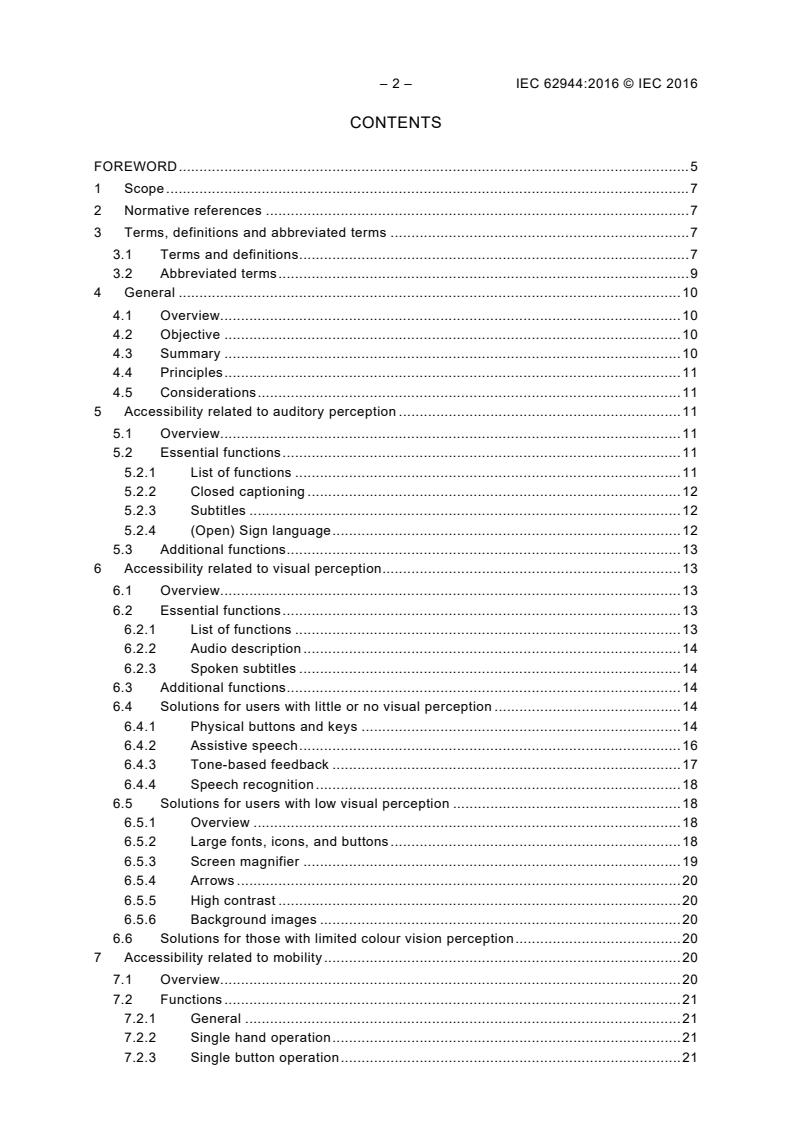
– 2 – IEC 62944:2016 © IEC 2016
CONTENTS
FOREWORD . 5
1 Scope . 7
2 Normative references . 7
3 Terms, definitions and abbreviated terms . 7
3.1 Terms and definitions . 7
3.2 Abbreviated terms . 9
4 General . 10
4.1 Overview. 10
4.2 Objective . 10
4.3 Summary . 10
4.4 Principles . 11
4.5 Considerations . 11
5 Accessibility related to auditory perception . 11
5.1 Overview. 11
5.2 Essential functions . 11
5.2.1 List of functions . 11
5.2.2 Closed captioning . 12
5.2.3 Subtitles . 12
5.2.4 (Open) Sign language . 12
5.3 Additional functions . 13
6 Accessibility related to visual perception. 13
6.1 Overview. 13
6.2 Essential functions . 13
6.2.1 List of functions . 13
6.2.2 Audio description . 14
6.2.3 Spoken subtitles . 14
6.3 Additional functions . 14
6.4 Solutions for users with little or no visual perception . 14
6.4.1 Physical buttons and keys . 14
6.4.2 Assistive speech . 16
6.4.3 Tone-based feedback . 17
6.4.4 Speech recognition . 18
6.5 Solutions for users with low visual perception . 18
6.5.1 Overview . 18
6.5.2 Large fonts, icons, and buttons . 18
6.5.3 Screen magnifier . 19
6.5.4 Arrows . 20
6.5.5 High contrast . 20
6.5.6 Background images . 20
6.6 Solutions for those with limited colour vision perception . 20
7 Accessibility related to mobility . 20
7.1 Overview. 20
7.2 Functions . 21
7.2.1 General . 21
7.2.2 Single hand operation . 21
7.2.3 Single button operation . 21
7.2.4 Resting the remote control on a surface . 21
7.2.5 Angle of use . 21
8 Accessibility related to cognitive abilities . 21
8.1 Overview. 21
8.2 Language . 22
8.3 Icons . 22
8.4 Labels . 22
8.5 Buttons . 22
8.6 Use of red . 22
8.7 Simplicity . 22
9 Accessibility related all (other) perception . 22
9.1 Setup . 22
9.1.1 Overview . 22
9.1.2 Entering account and authorisation information . 23
9.1.3 Suggested sequence for initial setup . 23
9.2 Content search . 24
Annex A (informative) Remote controls and buttons . 26
Annex B (informative) On screen display . 28
Annex C (informative) Content . 29
C.1 General . 29
C.2 Closed captioning . 29
C.3 Spoken subtitles . 29
C.4 Subtitles . 29
C.5 (Open) Sign language . 30
Annex D (informative) External devices. 31
D.1 Overview. 31
D.2 Pairing with external devices . 31
D.3 External audio/headphone connections . 32
D.4 Support for USB human interface input/output devices . 32
Annex E (informative) Background . 33
E.1 Widest range of users . 33
E.2 Context of use . 33
E.3 Accessibility considerations . 34
E.4 Accessibility principles . 34
E.4.1 General . 34
E.4.2 Functional equivalency . 35
E.4.3 User interface accessibility . 35
E.4.4 Content accessibility . 35
E.4.5 Accessibility through external solutions . 36
E.4.6 Evaluating accessibility and usability . 36
E.4.7 Multi-modality . 37
Annex F (informative) Brief user profile outline . 38
F.1 Preliminary remarks . 38
F.2 Key demographic groups . 38
F.2.1 Blind and partially sighted people . 38
F.2.2 People with colour blindness . 39
F.2.3 Deaf and hard of hearing people . 39
F.2.4 People with physical disabilities . 40
– 4 – IEC 62944:2016 © IEC 2016
F.2.5 People with cognitive disabilities . 40
F.2.6 Older people . 41
F.3 Key statistics . 41
Annex G (informative) Guidance on use of colours . 42
Annex H (informative) User abilities, characteristics and preferences – Environment
and context of use . 43
Annex I (informative) Future access services . 44
Annex J (informative) FCC user interface rules . 45
Bibliography . 46
Figure 1 – Recommended layout of numeric keys . 16
Figure A.1 – Layout of numeric keys in Japan . 27
Table H.1 – User abilities, characteristics and preferences . 43
INTERNATIONAL ELECTROTECHNICAL COMMISSION
____________
AUDIO, VIDEO AND MULTIMEDIA SYSTEMS AND EQUIPMENT –
DIGITAL TELEVISION ACCESSIBILITY – FUNCTIONAL SPECIFICATIONS
FOREWORD
1) The International Electrotechnical Commission (IEC) is a worldwide organization for standardization comprising
all national electrotechnical committees (IEC National Committees). The object of IEC is to promote
international co-operation on all questions concerning standardization in the electrical and electronic fields. To
this end and in addition to other activities, IEC publishes International Standards, Technical Specifications,
Technical Reports, Publicly Available Specifications (PAS) and Guides (hereafter referred to as “IEC
Publication(s)”). Their preparation is entrusted to technical committees; any IEC National Committee interested
in the subject dealt with may participate in this preparatory work. International, governmental and non-
governmental organizations liaising with the IEC also participate in this preparation. IEC collaborates closely
with the International Organization for Standardization (ISO) in accordance with conditions determined by
agreement between the two organizations.
2) The formal decisions or agreements of IEC on technical matters express, as nearly as possible, an international
consensus of opinion on the relevant subjects since each technical committee has representation from all
interested IEC National Committees.
3) IEC Publications have the form of recommendations for international use and are accepted by IEC National
Committees in that sense. While all reasonable efforts are made to ensure that the technical content of IEC
Publications is accurate, IEC cannot be held responsible for the way in which they are used or for any
misinterpretation by any end user.
4) In order to promote international uniformity, IEC National Committees undertake to apply IEC Publications
transparently to the maximum extent possible in their national and regional publications. Any divergence
between any IEC Publication and the corresponding national or regional publication shall be clearly indicated in
the latter.
5) IEC itself does not provide any attestation of conformity. Independent certification bodies provide conformity
assessment services and, in some areas, access to IEC marks of conformity. IEC is not responsible for any
services carried out by independent certification bodies.
6) All users should ensure that they have the latest edition of this publication.
7) No liability shall attach to IEC or its directors, employees, servants or agents including individual experts and
members of its technical committees and IEC National Committees for any personal injury, property damage or
other damage of any nature whatsoever, whether direct or indirect, or for costs (including legal fees) and
expenses arising out of the publication, use of, or reliance upon, this IEC Publication or any other IEC
Publications.
8) Attention is drawn to the Normative references cited in this publication. Use of the referenced publications is
indispensable for the correct application of this publication.
9) Attention is drawn to the possibility that some of the elements of this IEC Publication may be the subject of
patent rights. IEC shall not be held responsible for identifying any or all such patent rights.
International Standard IEC 62944 has been prepared by technical area 16: Active assisted
living (AAL), accessibility and user interfaces, of IEC technical committee 100: Audio, video
and multimedia systems and equipment.
The text of this standard is based on the following documents:
CDV Report on voting
100/2640/CDV 100/2795/RVC
Full information on the voting for the approval of this International Standard can be found in
the report on voting indicated in the above table.
This document has been drafted in accordance with the ISO/IEC Directives, Part 2.
– 6 – IEC 62944:2016 © IEC 2016
The committee has decided that the contents of this document will remain unchanged until the
stability date indicated on the IEC website under "http://webstore.iec.ch" in the data related to
the specific document. At this date, the document will be
• reconfirmed,
• withdrawn,
• replaced by a revised edition, or
• amended.
A bilingual version of this publication may be issued at a later date.
AUDIO, VIDEO AND MULTIMEDIA SYSTEMS AND EQUIPMENT –
DIGITAL TELEVISION ACCESSIBILITY – FUNCTIONAL SPECIFICATIONS
1 Scope
This document specifies a set of principles and considerations for digital television products in
support of older people and persons with disabilities in addition to mainstream users. The
effect of following the principles and considerations as set out in this document is to ensure
that the widest range of users can access, understand and use digital television products.
These principles and considerations cover four main user profiles such as individuals with
hearing impairments, individuals with sight impairments, individuals with mobility impairments
and individuals with cognitive impairments.
This document applies to consumer solutions whose primary function is to receive digital
television, such as integrated digital televisions, set top boxes, digital television recorders and
equivalent products and devices (see Annex D). All these solutions are referred to as digital
television solutions throughout this document. The standard does not cover solutions that
support digital television as a secondary function (for instance gaming consoles or computers
with digital receiver cards). However, much of the content also provides for future solutions
and/or implementations.This document does not cover delivery, unpacking, secure installation
on a stand or wall mounting or first time connection of the power and signals.
2 Normative references
The following documents are referred to in the text in such a way that some or all of their
content constitutes requirements of this document. For dated references, only the edition
cited applies. For undated references, the latest edition of the referenced document (including
any amendments) applies.
IEC 62731:2013, Text-to-speech for television – General requirements
ISO 7001:2007, Graphical symbols – Public information symbols
ISO 24500:2010, Ergonomics – Accessible design –Auditory signals for consumer products
ISO 24501:2010, Ergonomics – Accessible design – Sound pressure levels of auditory signals
for consumer products
ISO 24503:2011, Ergonomics – Accessible design – Tactile dots and bars on consumer
products
3 Terms, definitions and abbreviated terms
3.1 Terms and definitions
For the purposes of this document, the following terms and definitions apply.
ISO and IEC maintain terminological databases for use in standardization at the following
addresses:
• IEC Electropedia: available at http://www.electropedia.org/
• ISO Online browsing platform: available at http://www.iso.org/obp
– 8 – IEC 62944:2016 © IEC 2016
3.1.1
access service
additional or alternative content associated with a television programme, intended to make the
programme accessible to specific users
EXAMPLE Audio/video description for blind and partially sighted people, captioning/subtitling for deaf and hard of
hearing people and/or for delivery to different language audiences, signed programmes for sign language users,
etc.
3.1.2
high definition
HD
video resolution, typically in the range of 720 to 1 080 vertical lines
3.1.3
standard definition
SD
video resolution, typically in the range of 480 to 576 vertical lines
3.1.4
electronic program guide
EPG
on screen application that provides users with scheduling information for current and
upcoming programming
3.1.5
safe area
area of the television picture that can be seen on the great majority of television screens
Note 1 to entry: See ST 2046-1:2009, RP 218-2002, and FCC 79.101 (12).
3.1.6
text-to-speech
TTS
solution that converts textual content to the audible content speech, often implemented with a
speech synthesizer system
3.1.7
audio description
AD
verbal depiction of key visual elements in media and live productions
Note 1 to entry: See 6.2.2.
3.1.8
high visibility interface
user interface that allows the user to change the presentation rules in order to improve
visibility
3.1.9
wand remote control
remote control that moves an on screen pointer by aiming it at the screen
3.1.10
companion device
device connected to a digital television solution with the intention to provide a connected
experience and interactivity across both
Note 1 to entry: Such devices include a smartphone, tablet or laptop.
Note 2 to entry: Also known as “second screen (device)” or "secondary device".
3.1.11
smartphone
mobile phone with additional advanced features commonly found on computers, with Internet
access in addition to the voice channel and with the ability to install applications to extend
and customise its properties and abilities
3.1.12
companion screen app
companion screen application
application running on a companion device, interacting with a digital television solution and
providing access to the same or additional content and/or programme guides
3.1.13
Internet protocol
IP
principle communications protocol that essentially establishes the Internet
3.1.14
Internet protocol television
IPTV
digital television product that receives programming over the Internet or from a source that
uses IP to deliver video
3.1.15
application programming interface
API
specification for software to use and interact with a system or platform
3.2 Abbreviated terms
AD Audio Description
API Application Programming Interface
ASR Automatic Speech Recognition
EPG Electronic Program Guide
FCC Federal Communications Commission
HbbTV Hybrid Broadcast Broadband TeleVision
HD High Definition
IP Internet Protocol
IPTV Internet Protocol Television
NFC Near Field Communication
SD Standard Definition
SPL Sound Pressure Level
TTS Text-To-Speech
UI User Interface
USB Universal Serial Bus
WPS Wi-Fi Protected Setup
xHCI eXtensible Host Controller Interface
– 10 – IEC 62944:2016 © IEC 2016
4 General
4.1 Overview
This document covers solutions that provide access to linear broadcast as well as those that
offer on-demand/catch-up broadcast over Internet protocol. It also covers hybrid devices,
sometimes referred to as connected TV solutions.
Note that content related aspects of digital television are not solely a property of the digital
television solution used by people to consume linear or on-demand content. This document
does not cover authoring requirements for content producers. It does set out functionality
needed in digital television solutions to enable accessible content to be delivered to the end
user.
4.2 Objective
The intent of this document is to assist designers of digital television equipment in such a way
that they are able to develop solutions that are accessible to users with a wide range of
abilities.
4.3 Summary
This subclause provides overall guidance for the use of this document. Annex E provides
additional background information on accessibility of digital television equipment.
Clauses 5 to 8 present accessibility guidelines grouped by ability. These are:
• Accessibility related to auditory perception,
• Accessibility related to visual perception,
• Accessibility related to mobility,
• Accessibility related to cognitive abilities.
Annex F provides additional information about user profiles related to these abilities.
Annex A to Annex D, Annex G and Annex I summarize the guidelines presented in Clauses 5
to 8. However, the information in these annexes is grouped by implementation area,
combining the guidelines from the various ability types. These summaries should be of
particular use to those responsible for specific subsections of digital television equipment.
These areas are:
• Annex A – (informative) Remote controls and buttons;
• Annex B – (informative) On screen display;
• Annex C – (informative) Content;
• Annex D – (informative) External devices;
• Annex G – (informative) Guidance on use of colours;
• Annex I – (informative) Future access .
Annex E – (informative) background describes design solutions and functionalities so that
they can be accessed, understood and used by the widest range of users.
Annex F – (informative) user profile outline gives a brief overview of the main user groups that
are affected by accessibility barriers in Digital Television products.
Annex H – (informative) includes a table that illustrates how different abilities, characteristics
and preferences as well as environmental factors and context of use impact usage.
Annex J – (informative) includes a list of some items covered by video accessibility
requirements in the US.
4.4 Principles
Designers of accessible digital television equipment should follow the principles listed below.
• Consider accessibility features early in the design cycle.
• Make accessibility features configurable and readily enabled or disabled.
• Support multiple modes of operation in order to enhance accessibility related to multiple
abilities.
• Deliver functional equivalency such that users can experience all content and perform all
tasks where feasible.
• Make user interfaces easy to use and to comprehend with attention to clarity, consistency,
efficiency, resilience, and responsiveness.
• Evaluate accessibility features before development ends, including the testing of extreme
use cases.
See Clause E.4 for more information.
4.5 Considerations
When designing accessible digital television equipment, the following points should be
considered.
• Digital television users have a wide range of abilities. The level of specific abilities varies
and any given user might have a combination of limitations.
• User abilities are not static. Personal abilities often change due to illness, injury, aging, or
viewing and/or listening conditions.
• Television content is viewed on a variety of device types in various settings.
• Televisions can be used regularly by a group of people, such as a family, so the
accessibility needs of users of the equipment may change from moment to moment.
• Services can provide a varying level of accessibility features. A variety of access services
might be offered.
• A variety of external devices designed to enhance accessibility are available in the
marketplace.
• There are many global regions and jurisdictions. Each might have unique social norms,
product expectations, and specific regulatory requirements.
See Clause E.3 for more information.
5 Accessibility related to auditory perception
5.1 Overview
Access services, such as closed captioning, spoken subtitles and subtitles, as well as sign
language are described as well as the user interface recommendations that primarily assist
users having difficulty hearing sound.
5.2 Essential functions
5.2.1 List of functions
Digital television receivers should:
– 12 – IEC 62944:2016 © IEC 2016
a) where a traditional, button based remote control is provided, have dedicated "subtitles"
and "closed captions" on/off buttons on the remote control. The solution can consist of the
substitution of a remote control button by menu-operation;
b) allow end users to change the on/off setting for each access service while viewing or
playing content;
c) inform the user of the availability of access services for the programme they are currently
viewing and for other content in any content guide(s)/browser(s), where possible;
d) inform the user when they are changing to a content source for which an enabled access
service is available;
e) maintain the choice of enabled/disabled access services across channel changes/content
changes, source devices and across power on/standby cycles;
f) allow end users to select a default on/off setting for each access service supported;
g) support the same control mechanisms for the access service on/off state independent of
content origin or type. For instance, dedicated access services buttons on the remote
control should work for all types of content supported by the receiver (and, for example,
not just for linear broadcast content).
NOTE While this document deals with the receiver features in support of access services, broadcasters and other
content providers have a key role to play in this area too. Unless they provide the access services content, any
receiver functions in support of these are void. There are at present significant differences in the availability of
access services in different countries and regions.
5.2.2 Closed captioning
For many deaf and hard of hearing users, content might only be relevant if it is available with
closed captioning that the receiver is capable of obtaining and rendering. Users of sign
language could prefer to filter content with preference for those content assets that include in-
vision signing (see also 5.2.4).
Captions provide a real-time on-screen transcript of the dialogue as well as some sound
effects. Subtitles are the transcription of spoken words, while captions include spoken words
plus symbols to indicate any meaningful sound whose perception is important to understand
the content of the audiovisual program.
5.2.3 Subtitles
NOTE 1 Subtitles are called “closed captioning” in some regions.
Subtitles are a text representation of the dialogue or commentary in audio-visual content.
They are usually rendered at the bottom of the picture. Subtitles can be provided in the same
language as the audio content (supporting deaf and hard of hearing viewers and older people,
and those for whom the audio language is not their native one or who have any other difficulty
in following the spoken output) or, in another language, effectively providing a textual
translation of the audio content.
NOTE 2 For DVB-based receivers, subtitle functionality is specified in ETSI EN 300 743.
5.2.4 (Open) Sign language
Many deaf and some severely hard of hearing people use sign language as their first
language, especially where the hearing loss was acquired at birth or shortly thereafter. Sign
language is a visual medium and many sign languages are distinct languages, not just
gesture versions of the local spoken language. For these users, sign language may be
provided in the form of an in-vision sign language interpreter. As this form of delivering the
sign language within the main video stream is non-elective (usually referred to as open
signing), there is no further support required from the receiver for rendering open signing.
Some on-demand systems will allow users to select an alternative content asset which has
open signing in the video track as opposed to the default asset for the same content.
Where available, digital television solutions should ensure that at least one method exists to
allow viewers to find and select such content. Examples of such methods are: searching
and/or filtering the electronic programme guide by references to signed content; allowing
users to reorder and/or filter channels in lists and/or programme guides so they can make
channels with substantial signed content more prominently visible; use of a HbbTV application
that redirects to signed content and/or programme versions. This is not an exhaustive list.
Such functionality might need metadata handling to display an appropriate text message
and/or symbol in content guides/browsers.
5.3 Additional functions
Special attention should be given to the visual feedback provided by menus. Many digital
television products include some form of menu based user interface elements. As with all
parts of the user interface, clarity is essential. Users need to know where they are, how to
navigate and control the menu and which current settings are active. Users need to be able to
identify and understand the menus. If users do not know how menus work, where they are or
what to do, they will be confused, frustrated and often unable to use the product satisfactorily.
Many functions of a digital television product are not accessible to users unless they are able
to understand and use menus.
Lack of consistency (including inconsistent terminology) between the user interface and other
components frequently confuse users. For example, confusion is likely if an on-screen hint
instructs the user to press the return button to go back, yet the remote control the button
carries only the ‘↩ ’ symbol. Similarly, if it is not clear to users where in the menu they
currently are or which current settings have been activated, this leads to confusion and
frustration.
Most receivers provide menu based navigation for at least some operations. Menus may
indicate the current position or selection in a menu clearly and unambiguously on screen and
this may also be indicated in audible format. Where submenus or additional menu pages exist,
this may be indicated visually, with a clear indication of where exactly in the hierarchy the
current position is located. Receivers should provide visual feedback when pressing a remote
control button.
6 Accessibility related to visual perception
6.1 Overview
This clause refers to audio feedback. While many users can benefit from this feature, for blind
and partially sighted users, this feature can be essential to access and use the equipment.
6.2 Essential functions
6.2.1 List of functions
In order to provide minimal usability, the following functions, if included in the equipment,
should be made accessible :
• Configuration–CC Control: Function that allows the user to enable or disable the display of
closed captioning. (Or Subtitle Control);
• Configuration–CC Options: Function that allows the user to modify the display of closed
caption data (e.g., configuration of the font size, font colour, background colour, opacity,
etc.). (Or Subtitle Options);
___________
From the US Federal Communications Commission (FCC), FCC 13-138, Appendix B.
– 14 – IEC 62944:2016 © IEC 2016
• Configuration–Audio Description Control or Video Description: Function that allows the
user to enable or disable the output of audio description (i.e., allows the user to change
from the main audio to the secondary audio stream that contains audio description and
from the secondary audio stream back to the main audio).
NOTE In some countries and regions, the broadcaster controls the display settings for closed captions (subtitles).
In this case, it might be impractical or impossible for the user to override these settings.
6.2.2 Audio description
Audio description is also known as "video description" and "described video". The service, if
present, provides additional audible narrative, interleaved with the dialogue, which describes
the significant aspects of the visual content of audio-visual media that cannot be understood
from the main soundtrack alone. Audio description is the verbal depiction of key visual
elements in media and live productions. The presentation of any description of media involves
the interspersion of these depictions with the program’s original audio. This is not
verbalization of the dialogue but only the description of unspoken action and a description of
the environment, which is not in the dialogue. Audio description should be enabled or disabled
by a mechanism reasonably comparable to a button, key or icon.
6.2.3 Spoken subtitles
NOTE 1 Spoken subtitles are sometimes also called “audio subtitles”, not to be confused with either regular
subtitles/captions or audio description.
In some countries foreign language programmes are translated by means of subtitles (for
instance, an English movie broadcast in a Swedish language region could be broadcast with
the original English audio, but with Swedish subtitles). To allow users who cannot read the
subtitles (such as blind people) access to the programme, a supplementary audio service that
voices/intonates the Swedish subtitles (in Swedish) can be provided. Spoken subtitles are not
only related to auditory but also visual perception.
NOTE 2 For DVB-based receivers, spoken subtitles are delivered using the DVB supplementary audio services
provisions described in ETSI TS 101 154.
6.3 Additional functions
The following additional functions may be accessible to blind and partially sighted users, as
appropriate and possible:
• enable assistive speech and/or tone-based features without sight;
• initial setup (see 9.1);
• wherever possible, complement an icon or symbol with a textual representation;
• use symbols or icons that are widely used and understood.
6.4 Solutions for users with little or no visual perception
6.4.1 Physical buttons and keys
6.4.1.1 Overview
This subclause covers traditional, button based remote controls. It does not cover alternative
remote controls such as for example wands, and also does not cover on-screen keyboards or
companion devices which are discussed in Annex D. Remote controls often need to be
designed to both allow access to, and operation of, many and sometimes complex functions
while at the same time be easy to use and meeting aesthetic and branding requirements. In
research, it is shown that all users like and favour simpler designs and layouts, as well as
those that use familiar and consistent layouts. Predictably, bigger buttons are preferred over
smaller ones whereas word based captions are not necessarily favoured over symbols.
6.4.1.2 Shapes and spacing
In order to be considered accessible, remote controls should:
• have clear, legible, and durable button labels consistent with the on-screen interface and
any documentation or help function;
• ensure adequate grouping and spacing for buttons of different categories such as numeric,
channel and volume control, navigation, colour buttons;
• have keys with a good amount of travel and tactile feedback, which are not too sensitive
so that they are not accidentally activated.
Touch panels are exempt.
6.4.1.3 Nibs
In order to be considered accessible, remote controls should, if a numeric pad is present on
the remote control, include a raised marker (nib) on the number 5 key of the numeric pad, as
described in ISO 24503:2011. Power buttons may also have a nib.
NOTE This raised marker is a legal requirement in some regions.
6.4.1.4 Layout, power controls
In order to be considered accessible, remote controls should position the power on/standby
button away from other buttons. Some recommendations are given in ISO 24503:2011. It is
recommended to distinguish the size or shape of the power button from other buttons.
6.4.1.5 Layout, navigation controls
Remote controls often include a set of navigation buttons, which may also include
confirmation buttons such as “OK” or “select”. In some cases these buttons may be grouped
with other related functions, including “home”, “guide”, etc.
Usability is greatly increased if such buttons and groups are organised logically and can be
differentiated easily by touch alone. Space, shape, texture, size and sensitivity are all factors
that can improve/impair the usability of buttons and button groups.
...
IEC 62944 ®
Edition 1.0 2016-12
INTERNATIONAL
STANDARD
NORME
INTERNATIONALE
Audio, video and multimedia systems and equipment – Digital television
accessibility – Functional specifications
Systèmes et équipements audio, vidéo et multimédias – Accessibilité
des télévisions numériques – Spécifications fonctionnelles
All rights reserved. Unless otherwise specified, no part of this publication may be reproduced or utilized in any form
or by any means, electronic or mechanical, including photocopying and microfilm, without permission in writing from
either IEC or IEC's member National Committee in the country of the requester. If you have any questions about IEC
copyright or have an enquiry about obtaining additional rights to this publication, please contact the address below or
your local IEC member National Committee for further information.
Droits de reproduction réservés. Sauf indication contraire, aucune partie de cette publication ne peut être reproduite ni
utilisée sous quelque forme que ce soit et par aucun procédé, électronique ou mécanique, y compris la photocopie et
les microfilms, sans l'accord écrit de l'IEC ou du Comité national de l'IEC du pays du demandeur. Si vous avez des
questions sur le copyright de l'IEC ou si vous désirez obtenir des droits supplémentaires sur cette publication, utilisez
les coordonnées ci-après ou contactez le Comité national de l'IEC de votre pays de résidence.
IEC Secretariat Tel.: +41 22 919 02 11
3, rue de Varembé info@iec.ch
CH-1211 Geneva 20 www.iec.ch
Switzerland
About the IEC
The International Electrotechnical Commission (IEC) is the leading global organization that prepares and publishes
International Standards for all electrical, electronic and related technologies.
About IEC publications
The technical content of IEC publications is kept under constant review by the IEC. Please make sure that you have the
latest edition, a corrigendum or an amendment might have been published.
IEC publications search - webstore.iec.ch/advsearchform IEC Products & Services Portal - products.iec.ch
The advanced search enables to find IEC publications by a Discover our powerful search engine and read freely all the
variety of criteria (reference number, text, technical publications previews. With a subscription you will always have
committee, …). It also gives information on projects, replaced access to up to date content tailored to your needs.
and withdrawn publications.
Electropedia - www.electropedia.org
IEC Just Published - webstore.iec.ch/justpublished
The world's leading online dictionary on electrotechnology,
Stay up to date on all new IEC publications. Just Published
containing more than 22 300 terminological entries in English
details all new publications released. Available online and once
and French, with equivalent terms in 19 additional languages.
a month by email.
Also known as the International Electrotechnical Vocabulary
(IEV) online.
IEC Customer Service Centre - webstore.iec.ch/csc
If you wish to give us your feedback on this publication or need
further assistance, please contact the Customer Service
Centre: sales@iec.ch.
A propos de l'IEC
La Commission Electrotechnique Internationale (IEC) est la première organisation mondiale qui élabore et publie des
Normes internationales pour tout ce qui a trait à l'électricité, à l'électronique et aux technologies apparentées.
A propos des publications IEC
Le contenu technique des publications IEC est constamment revu. Veuillez vous assurer que vous possédez l’édition la
plus récente, un corrigendum ou amendement peut avoir été publié.
Recherche de publications IEC - Découvrez notre puissant moteur de recherche et consultez
webstore.iec.ch/advsearchform gratuitement tous les aperçus des publications. Avec un
La recherche avancée permet de trouver des publications IEC abonnement, vous aurez toujours accès à un contenu à jour
en utilisant différents critères (numéro de référence, texte, adapté à vos besoins.
comité d’études, …). Elle donne aussi des informations sur les
projets et les publications remplacées ou retirées. Electropedia - www.electropedia.org
Le premier dictionnaire d'électrotechnologie en ligne au monde,
IEC Just Published - webstore.iec.ch/justpublished
avec plus de 22 300 articles terminologiques en anglais et en
Restez informé sur les nouvelles publications IEC. Just
français, ainsi que les termes équivalents dans 19 langues
Published détaille les nouvelles publications parues.
additionnelles. Egalement appelé Vocabulaire
Disponible en ligne et une fois par mois par email.
Electrotechnique International (IEV) en ligne.
Service Clients - webstore.iec.ch/csc
Si vous désirez nous donner des commentaires sur cette
publication ou si vous avez des questions contactez-nous:
sales@iec.ch.
IEC Products & Services Portal - products.iec.ch
IEC 62944 ®
Edition 1.0 2016-12
INTERNATIONAL
STANDARD
NORME
INTERNATIONALE
Audio, video and multimedia systems and equipment – Digital television
accessibility – Functional specifications
Systèmes et équipements audio, vidéo et multimédias – Accessibilité
des télévisions numériques – Spécifications fonctionnelles
INTERNATIONAL
ELECTROTECHNICAL
COMMISSION
COMMISSION
ELECTROTECHNIQUE
INTERNATIONALE
ICS 11.180.99; 33.160.01; 35.240.95 ISBN 978-2-8322-1074-8
– 2 – IEC 62944:2016 © IEC 2016
CONTENTS
FOREWORD . 5
1 Scope . 7
2 Normative references . 7
3 Terms, definitions and abbreviated terms . 7
3.1 Terms and definitions . 7
3.2 Abbreviated terms . 9
4 General . 10
4.1 Overview. 10
4.2 Objective . 10
4.3 Summary . 10
4.4 Principles . 11
4.5 Considerations . 11
5 Accessibility related to auditory perception . 11
5.1 Overview. 11
5.2 Essential functions . 11
5.2.1 List of functions . 11
5.2.2 Closed captioning . 12
5.2.3 Subtitles . 12
5.2.4 (Open) Sign language . 12
5.3 Additional functions . 13
6 Accessibility related to visual perception. 13
6.1 Overview. 13
6.2 Essential functions . 13
6.2.1 List of functions . 13
6.2.2 Audio description . 14
6.2.3 Spoken subtitles . 14
6.3 Additional functions . 14
6.4 Solutions for users with little or no visual perception . 14
6.4.1 Physical buttons and keys . 14
6.4.2 Assistive speech . 16
6.4.3 Tone-based feedback . 17
6.4.4 Speech recognition . 18
6.5 Solutions for users with low visual perception . 18
6.5.1 Overview . 18
6.5.2 Large fonts, icons, and buttons . 18
6.5.3 Screen magnifier . 19
6.5.4 Arrows . 20
6.5.5 High contrast . 20
6.5.6 Background images . 20
6.6 Solutions for those with limited colour vision perception . 20
7 Accessibility related to mobility . 20
7.1 Overview. 20
7.2 Functions . 21
7.2.1 General . 21
7.2.2 Single hand operation . 21
7.2.3 Single button operation . 21
7.2.4 Resting the remote control on a surface . 21
7.2.5 Angle of use . 21
8 Accessibility related to cognitive abilities . 21
8.1 Overview. 21
8.2 Language . 22
8.3 Icons . 22
8.4 Labels . 22
8.5 Buttons . 22
8.6 Use of red . 22
8.7 Simplicity . 22
9 Accessibility related all (other) perception . 22
9.1 Setup . 22
9.1.1 Overview . 22
9.1.2 Entering account and authorisation information . 23
9.1.3 Suggested sequence for initial setup . 23
9.2 Content search . 24
Annex A (informative) Remote controls and buttons . 26
Annex B (informative) On screen display . 28
Annex C (informative) Content . 29
C.1 General . 29
C.2 Closed captioning . 29
C.3 Spoken subtitles . 29
C.4 Subtitles . 29
C.5 (Open) Sign language . 30
Annex D (informative) External devices. 31
D.1 Overview. 31
D.2 Pairing with external devices . 31
D.3 External audio/headphone connections . 32
D.4 Support for USB human interface input/output devices . 32
Annex E (informative) Background . 33
E.1 Widest range of users . 33
E.2 Context of use . 33
E.3 Accessibility considerations . 34
E.4 Accessibility principles . 34
E.4.1 General . 34
E.4.2 Functional equivalency . 35
E.4.3 User interface accessibility . 35
E.4.4 Content accessibility . 35
E.4.5 Accessibility through external solutions . 36
E.4.6 Evaluating accessibility and usability . 36
E.4.7 Multi-modality . 37
Annex F (informative) Brief user profile outline . 38
F.1 Preliminary remarks . 38
F.2 Key demographic groups . 38
F.2.1 Blind and partially sighted people . 38
F.2.2 People with colour blindness . 39
F.2.3 Deaf and hard of hearing people . 39
F.2.4 People with physical disabilities . 40
– 4 – IEC 62944:2016 © IEC 2016
F.2.5 People with cognitive disabilities . 40
F.2.6 Older people . 41
F.3 Key statistics . 41
Annex G (informative) Guidance on use of colours . 42
Annex H (informative) User abilities, characteristics and preferences – Environment
and context of use . 43
Annex I (informative) Future access services . 44
Annex J (informative) FCC user interface rules . 45
Bibliography . 46
Figure 1 – Recommended layout of numeric keys . 16
Figure A.1 – Layout of numeric keys in Japan . 27
Table H.1 – User abilities, characteristics and preferences . 43
INTERNATIONAL ELECTROTECHNICAL COMMISSION
____________
AUDIO, VIDEO AND MULTIMEDIA SYSTEMS AND EQUIPMENT –
DIGITAL TELEVISION ACCESSIBILITY – FUNCTIONAL SPECIFICATIONS
FOREWORD
1) The International Electrotechnical Commission (IEC) is a worldwide organization for standardization comprising
all national electrotechnical committees (IEC National Committees). The object of IEC is to promote
international co-operation on all questions concerning standardization in the electrical and electronic fields. To
this end and in addition to other activities, IEC publishes International Standards, Technical Specifications,
Technical Reports, Publicly Available Specifications (PAS) and Guides (hereafter referred to as “IEC
Publication(s)”). Their preparation is entrusted to technical committees; any IEC National Committee interested
in the subject dealt with may participate in this preparatory work. International, governmental and non-
governmental organizations liaising with the IEC also participate in this preparation. IEC collaborates closely
with the International Organization for Standardization (ISO) in accordance with conditions determined by
agreement between the two organizations.
2) The formal decisions or agreements of IEC on technical matters express, as nearly as possible, an international
consensus of opinion on the relevant subjects since each technical committee has representation from all
interested IEC National Committees.
3) IEC Publications have the form of recommendations for international use and are accepted by IEC National
Committees in that sense. While all reasonable efforts are made to ensure that the technical content of IEC
Publications is accurate, IEC cannot be held responsible for the way in which they are used or for any
misinterpretation by any end user.
4) In order to promote international uniformity, IEC National Committees undertake to apply IEC Publications
transparently to the maximum extent possible in their national and regional publications. Any divergence
between any IEC Publication and the corresponding national or regional publication shall be clearly indicated in
the latter.
5) IEC itself does not provide any attestation of conformity. Independent certification bodies provide conformity
assessment services and, in some areas, access to IEC marks of conformity. IEC is not responsible for any
services carried out by independent certification bodies.
6) All users should ensure that they have the latest edition of this publication.
7) No liability shall attach to IEC or its directors, employees, servants or agents including individual experts and
members of its technical committees and IEC National Committees for any personal injury, property damage or
other damage of any nature whatsoever, whether direct or indirect, or for costs (including legal fees) and
expenses arising out of the publication, use of, or reliance upon, this IEC Publication or any other IEC
Publications.
8) Attention is drawn to the Normative references cited in this publication. Use of the referenced publications is
indispensable for the correct application of this publication.
9) Attention is drawn to the possibility that some of the elements of this IEC Publication may be the subject of
patent rights. IEC shall not be held responsible for identifying any or all such patent rights.
International Standard IEC 62944 has been prepared by technical area 16: Active assisted
living (AAL), accessibility and user interfaces, of IEC technical committee 100: Audio, video
and multimedia systems and equipment.
The text of this standard is based on the following documents:
CDV Report on voting
100/2640/CDV 100/2795/RVC
Full information on the voting for the approval of this International Standard can be found in
the report on voting indicated in the above table.
This document has been drafted in accordance with the ISO/IEC Directives, Part 2.
– 6 – IEC 62944:2016 © IEC 2016
The committee has decided that the contents of this document will remain unchanged until the
stability date indicated on the IEC website under "http://webstore.iec.ch" in the data related to
the specific document. At this date, the document will be
• reconfirmed,
• withdrawn,
• replaced by a revised edition, or
• amended.
AUDIO, VIDEO AND MULTIMEDIA SYSTEMS AND EQUIPMENT –
DIGITAL TELEVISION ACCESSIBILITY – FUNCTIONAL SPECIFICATIONS
1 Scope
This document specifies a set of principles and considerations for digital television products in
support of older people and persons with disabilities in addition to mainstream users. The
effect of following the principles and considerations as set out in this document is to ensure
that the widest range of users can access, understand and use digital television products.
These principles and considerations cover four main user profiles such as individuals with
hearing impairments, individuals with sight impairments, individuals with mobility impairments
and individuals with cognitive impairments.
This document applies to consumer solutions whose primary function is to receive digital
television, such as integrated digital televisions, set top boxes, digital television recorders and
equivalent products and devices (see Annex D). All these solutions are referred to as digital
television solutions throughout this document. The standard does not cover solutions that
support digital television as a secondary function (for instance gaming consoles or computers
with digital receiver cards). However, much of the content also provides for future solutions
and/or implementations.This document does not cover delivery, unpacking, secure installation
on a stand or wall mounting or first time connection of the power and signals.
2 Normative references
The following documents are referred to in the text in such a way that some or all of their
content constitutes requirements of this document. For dated references, only the edition
cited applies. For undated references, the latest edition of the referenced document (including
any amendments) applies.
IEC 62731:2013, Text-to-speech for television – General requirements
ISO 7001:2007, Graphical symbols – Public information symbols
ISO 24500:2010, Ergonomics – Accessible design –Auditory signals for consumer products
ISO 24501:2010, Ergonomics – Accessible design – Sound pressure levels of auditory signals
for consumer products
ISO 24503:2011, Ergonomics – Accessible design – Tactile dots and bars on consumer
products
3 Terms, definitions and abbreviated terms
3.1 Terms and definitions
For the purposes of this document, the following terms and definitions apply.
ISO and IEC maintain terminological databases for use in standardization at the following
addresses:
• IEC Electropedia: available at http://www.electropedia.org/
• ISO Online browsing platform: available at http://www.iso.org/obp
– 8 – IEC 62944:2016 © IEC 2016
3.1.1
access service
additional or alternative content associated with a television programme, intended to make the
programme accessible to specific users
EXAMPLE Audio/video description for blind and partially sighted people, captioning/subtitling for deaf and hard of
hearing people and/or for delivery to different language audiences, signed programmes for sign language users,
etc.
3.1.2
high definition
HD
video resolution, typically in the range of 720 to 1 080 vertical lines
3.1.3
standard definition
SD
video resolution, typically in the range of 480 to 576 vertical lines
3.1.4
electronic program guide
EPG
on screen application that provides users with scheduling information for current and
upcoming programming
3.1.5
safe area
area of the television picture that can be seen on the great majority of television screens
Note 1 to entry: See ST 2046-1:2009, RP 218-2002, and FCC 79.101 (12).
3.1.6
text-to-speech
TTS
solution that converts textual content to the audible content speech, often implemented with a
speech synthesizer system
3.1.7
audio description
AD
verbal depiction of key visual elements in media and live productions
Note 1 to entry: See 6.2.2.
3.1.8
high visibility interface
user interface that allows the user to change the presentation rules in order to improve
visibility
3.1.9
wand remote control
remote control that moves an on screen pointer by aiming it at the screen
3.1.10
companion device
device connected to a digital television solution with the intention to provide a connected
experience and interactivity across both
Note 1 to entry: Such devices include a smartphone, tablet or laptop.
Note 2 to entry: Also known as “second screen (device)” or "secondary device".
3.1.11
smartphone
mobile phone with additional advanced features commonly found on computers, with Internet
access in addition to the voice channel and with the ability to install applications to extend
and customise its properties and abilities
3.1.12
companion screen app
companion screen application
application running on a companion device, interacting with a digital television solution and
providing access to the same or additional content and/or programme guides
3.1.13
Internet protocol
IP
principle communications protocol that essentially establishes the Internet
3.1.14
Internet protocol television
IPTV
digital television product that receives programming over the Internet or from a source that
uses IP to deliver video
3.1.15
application programming interface
API
specification for software to use and interact with a system or platform
3.2 Abbreviated terms
AD Audio Description
API Application Programming Interface
ASR Automatic Speech Recognition
EPG Electronic Program Guide
FCC Federal Communications Commission
HbbTV Hybrid Broadcast Broadband TeleVision
HD High Definition
IP Internet Protocol
IPTV Internet Protocol Television
NFC Near Field Communication
SD Standard Definition
SPL Sound Pressure Level
TTS Text-To-Speech
UI User Interface
USB Universal Serial Bus
WPS Wi-Fi Protected Setup
xHCI eXtensible Host Controller Interface
– 10 – IEC 62944:2016 © IEC 2016
4 General
4.1 Overview
This document covers solutions that provide access to linear broadcast as well as those that
offer on-demand/catch-up broadcast over Internet protocol. It also covers hybrid devices,
sometimes referred to as connected TV solutions.
Note that content related aspects of digital television are not solely a property of the digital
television solution used by people to consume linear or on-demand content. This document
does not cover authoring requirements for content producers. It does set out functionality
needed in digital television solutions to enable accessible content to be delivered to the end
user.
4.2 Objective
The intent of this document is to assist designers of digital television equipment in such a way
that they are able to develop solutions that are accessible to users with a wide range of
abilities.
4.3 Summary
This subclause provides overall guidance for the use of this document. Annex E provides
additional background information on accessibility of digital television equipment.
Clauses 5 to 8 present accessibility guidelines grouped by ability. These are:
• Accessibility related to auditory perception,
• Accessibility related to visual perception,
• Accessibility related to mobility,
• Accessibility related to cognitive abilities.
Annex F provides additional information about user profiles related to these abilities.
Annex A to Annex D, Annex G and Annex I summarize the guidelines presented in Clauses 5
to 8. However, the information in these annexes is grouped by implementation area,
combining the guidelines from the various ability types. These summaries should be of
particular use to those responsible for specific subsections of digital television equipment.
These areas are:
• Annex A – (informative) Remote controls and buttons;
• Annex B – (informative) On screen display;
• Annex C – (informative) Content;
• Annex D – (informative) External devices;
• Annex G – (informative) Guidance on use of colours;
• Annex I – (informative) Future access .
Annex E – (informative) background describes design solutions and functionalities so that
they can be accessed, understood and used by the widest range of users.
Annex F – (informative) user profile outline gives a brief overview of the main user groups that
are affected by accessibility barriers in Digital Television products.
Annex H – (informative) includes a table that illustrates how different abilities, characteristics
and preferences as well as environmental factors and context of use impact usage.
Annex J – (informative) includes a list of some items covered by video accessibility
requirements in the US.
4.4 Principles
Designers of accessible digital television equipment should follow the principles listed below.
• Consider accessibility features early in the design cycle.
• Make accessibility features configurable and readily enabled or disabled.
• Support multiple modes of operation in order to enhance accessibility related to multiple
abilities.
• Deliver functional equivalency such that users can experience all content and perform all
tasks where feasible.
• Make user interfaces easy to use and to comprehend with attention to clarity, consistency,
efficiency, resilience, and responsiveness.
• Evaluate accessibility features before development ends, including the testing of extreme
use cases.
See Clause E.4 for more information.
4.5 Considerations
When designing accessible digital television equipment, the following points should be
considered.
• Digital television users have a wide range of abilities. The level of specific abilities varies
and any given user might have a combination of limitations.
• User abilities are not static. Personal abilities often change due to illness, injury, aging, or
viewing and/or listening conditions.
• Television content is viewed on a variety of device types in various settings.
• Televisions can be used regularly by a group of people, such as a family, so the
accessibility needs of users of the equipment may change from moment to moment.
• Services can provide a varying level of accessibility features. A variety of access services
might be offered.
• A variety of external devices designed to enhance accessibility are available in the
marketplace.
• There are many global regions and jurisdictions. Each might have unique social norms,
product expectations, and specific regulatory requirements.
See Clause E.3 for more information.
5 Accessibility related to auditory perception
5.1 Overview
Access services, such as closed captioning, spoken subtitles and subtitles, as well as sign
language are described as well as the user interface recommendations that primarily assist
users having difficulty hearing sound.
5.2 Essential functions
5.2.1 List of functions
Digital television receivers should:
– 12 – IEC 62944:2016 © IEC 2016
a) where a traditional, button based remote control is provided, have dedicated "subtitles"
and "closed captions" on/off buttons on the remote control. The solution can consist of the
substitution of a remote control button by menu-operation;
b) allow end users to change the on/off setting for each access service while viewing or
playing content;
c) inform the user of the availability of access services for the programme they are currently
viewing and for other content in any content guide(s)/browser(s), where possible;
d) inform the user when they are changing to a content source for which an enabled access
service is available;
e) maintain the choice of enabled/disabled access services across channel changes/content
changes, source devices and across power on/standby cycles;
f) allow end users to select a default on/off setting for each access service supported;
g) support the same control mechanisms for the access service on/off state independent of
content origin or type. For instance, dedicated access services buttons on the remote
control should work for all types of content supported by the receiver (and, for example,
not just for linear broadcast content).
NOTE While this document deals with the receiver features in support of access services, broadcasters and other
content providers have a key role to play in this area too. Unless they provide the access services content, any
receiver functions in support of these are void. There are at present significant differences in the availability of
access services in different countries and regions.
5.2.2 Closed captioning
For many deaf and hard of hearing users, content might only be relevant if it is available with
closed captioning that the receiver is capable of obtaining and rendering. Users of sign
language could prefer to filter content with preference for those content assets that include in-
vision signing (see also 5.2.4).
Captions provide a real-time on-screen transcript of the dialogue as well as some sound
effects. Subtitles are the transcription of spoken words, while captions include spoken words
plus symbols to indicate any meaningful sound whose perception is important to understand
the content of the audiovisual program.
5.2.3 Subtitles
NOTE 1 Subtitles are called “closed captioning” in some regions.
Subtitles are a text representation of the dialogue or commentary in audio-visual content.
They are usually rendered at the bottom of the picture. Subtitles can be provided in the same
language as the audio content (supporting deaf and hard of hearing viewers and older people,
and those for whom the audio language is not their native one or who have any other difficulty
in following the spoken output) or, in another language, effectively providing a textual
translation of the audio content.
NOTE 2 For DVB-based receivers, subtitle functionality is specified in ETSI EN 300 743.
5.2.4 (Open) Sign language
Many deaf and some severely hard of hearing people use sign language as their first
language, especially where the hearing loss was acquired at birth or shortly thereafter. Sign
language is a visual medium and many sign languages are distinct languages, not just
gesture versions of the local spoken language. For these users, sign language may be
provided in the form of an in-vision sign language interpreter. As this form of delivering the
sign language within the main video stream is non-elective (usually referred to as open
signing), there is no further support required from the receiver for rendering open signing.
Some on-demand systems will allow users to select an alternative content asset which has
open signing in the video track as opposed to the default asset for the same content.
Where available, digital television solutions should ensure that at least one method exists to
allow viewers to find and select such content. Examples of such methods are: searching
and/or filtering the electronic programme guide by references to signed content; allowing
users to reorder and/or filter channels in lists and/or programme guides so they can make
channels with substantial signed content more prominently visible; use of a HbbTV application
that redirects to signed content and/or programme versions. This is not an exhaustive list.
Such functionality might need metadata handling to display an appropriate text message
and/or symbol in content guides/browsers.
5.3 Additional functions
Special attention should be given to the visual feedback provided by menus. Many digital
television products include some form of menu based user interface elements. As with all
parts of the user interface, clarity is essential. Users need to know where they are, how to
navigate and control the menu and which current settings are active. Users need to be able to
identify and understand the menus. If users do not know how menus work, where they are or
what to do, they will be confused, frustrated and often unable to use the product satisfactorily.
Many functions of a digital television product are not accessible to users unless they are able
to understand and use menus.
Lack of consistency (including inconsistent terminology) between the user interface and other
components frequently confuse users. For example, confusion is likely if an on-screen hint
instructs the user to press the return button to go back, yet the remote control the button
carries only the ‘↩’ symbol. Similarly, if it is not clear to users where in the menu they
currently are or which current settings have been activated, this leads to confusion and
frustration.
Most receivers provide menu based navigation for at least some operations. Menus may
indicate the current position or selection in a menu clearly and unambiguously on screen and
this may also be indicated in audible format. Where submenus or additional menu pages exist,
this may be indicated visually, with a clear indication of where exactly in the hierarchy the
current position is located. Receivers should provide visual feedback when pressing a remote
control button.
6 Accessibility related to visual perception
6.1 Overview
This clause refers to audio feedback. While many users can benefit from this feature, for blind
and partially sighted users, this feature can be essential to access and use the equipment.
6.2 Essential functions
6.2.1 List of functions
In order to provide minimal usability, the following functions, if included in the equipment,
should be made accessible :
• Configuration–CC Control: Function that allows the user to enable or disable the display of
closed captioning. (Or Subtitle Control);
• Configuration–CC Options: Function that allows the user to modify the display of closed
caption data (e.g., configuration of the font size, font colour, background colour, opacity,
etc.). (Or Subtitle Options);
___________
From the US Federal Communications Commission (FCC), FCC 13-138, Appendix B.
– 14 – IEC 62944:2016 © IEC 2016
• Configuration–Audio Description Control or Video Description: Function that allows the
user to enable or disable the output of audio description (i.e., allows the user to change
from the main audio to the secondary audio stream that contains audio description and
from the secondary audio stream back to the main audio).
NOTE In some countries and regions, the broadcaster controls the display settings for closed captions (subtitles).
In this case, it might be impractical or impossible for the user to override these settings.
6.2.2 Audio description
Audio description is also known as "video description" and "described video". The service, if
present, provides additional audible narrative, interleaved with the dialogue, which describes
the significant aspects of the visual content of audio-visual media that cannot be understood
from the main soundtrack alone. Audio description is the verbal depiction of key visual
elements in media and live productions. The presentation of any description of media involves
the interspersion of these depictions with the program’s original audio. This is not
verbalization of the dialogue but only the description of unspoken action and a description of
the environment, which is not in the dialogue. Audio description should be enabled or disabled
by a mechanism reasonably comparable to a button, key or icon.
6.2.3 Spoken subtitles
NOTE 1 Spoken subtitles are sometimes also called “audio subtitles”, not to be confused with either regular
subtitles/captions or audio description.
In some countries foreign language programmes are translated by means of subtitles (for
instance, an English movie broadcast in a Swedish language region could be broadcast with
the original English audio, but with Swedish subtitles). To allow users who cannot read the
subtitles (such as blind people) access to the programme, a supplementary audio service that
voices/intonates the Swedish subtitles (in Swedish) can be provided. Spoken subtitles are not
only related to auditory but also visual perception.
NOTE 2 For DVB-based receivers, spoken subtitles are delivered using the DVB supplementary audio services
provisions described in ETSI TS 101 154.
6.3 Additional functions
The following additional functions may be accessible to blind and partially sighted users, as
appropriate and possible:
• enable assistive speech and/or tone-based features without sight;
• initial setup (see 9.1);
• wherever possible, complement an icon or symbol with a textual representation;
• use symbols or icons that are widely used and understood.
6.4 Solutions for users with little or no visual perception
6.4.1 Physical buttons and keys
6.4.1.1 Overview
This subclause covers traditional, button based remote controls. It does not cover alternative
remote controls such as for example wands, and also does not cover on-screen keyboards or
companion devices which are discussed in Annex D. Remote controls ofte
...