

ISO/IEC 29102:2023
(Main)Information technology — Office equipment — Method for the determination of ink cartridge yield for colour photo printing with inkjet printers and multi-function devices that contain inkjet printer components
General Information
- Abstract
The purpose of this document is to provide a method to determine the ink cartridge yield of ink-containing cartridges (i.e. integrated ink cartridges and ink cartridges without integrated print heads) for colour photo printing with colour inkjet printers and multifunction devices that contain inkjet printer components. In the case where a cartridge set can be used in multiple printer models, only one yield test is performed as long as the difference between printer models does not impact yield. NOTE A cartridge supplier can choose to use more than one market identifier for a single physical cartridge. In this case only one yield test is required as long as there are no differences in the cartridges other than market identifiers. This document prescribes the following: — the test method that manufacturers, test laboratories, etc. use to determine ink cartridge yield; — the method for determination of declared cartridge yield values for photo printing from the test results; and — the appropriate method of describing the cartridge yield for photo printing in documentation supplied to the consumer by the manufacturer. This document is only intended for the determination of ink cartridge yield. No other claims can be made from this testing regarding quality, reliability, etc. This document can be used to determine the yield of any cartridge that is used during the printing of the photo test file defined in ISO/IEC 29103. This document is not for use with printers whose minimum printable size is equal to or greater than A3. This document is not intended to measure the yield of photo printing on paper size larger than 4" × 6", L or A6. In addition, this document is not for use with industrial printers or point of sale printers. It only applies to desktop printing systems.
- Status
- Published
- Publication Date
- 05-Oct-2023
- Technical Committee
- ISO/IEC JTC 1/SC 28 - Office equipment
- Drafting Committee
- ISO/IEC JTC 1/SC 28 - Office equipment
- Current Stage
- 6060 - International Standard published
- Start Date
- 06-Oct-2023
- Due Date
- 02-Aug-2023
- Completion Date
- 06-Oct-2023
Buy Documents


ISO/IEC 29102:2023 - Information technology — Office equipment — Method for the determination of ink cartridge yield for colour photo printing with inkjet printers and multi-function devices that contain inkjet printer components Released:6. 10. 2023
Overview
ISO/IEC 29102:2023 - "Information technology - Office equipment - Method for the determination of ink cartridge yield for colour photo printing with inkjet printers and multi-function devices" - defines a standardized test method for measuring ink cartridge yield when printing colour photos with desktop inkjet printers and multifunction devices that include inkjet components. The third edition (2023) revises test references and environmental requirements and is intended to produce reproducible, consumer‑facing yield declarations for photo printing.
Key topics and technical requirements
- Scope and applicability
- Applies to ink‑containing cartridges (integrated and non‑integrated print‑head cartridges) used for colour photo printing on desktop systems.
- Not for industrial, point‑of‑sale, or printers with minimum printable size ≥ A3; not for photo paper larger than 4"×6", L or A6.
- Test method and parameters
- Defines test setup, sample size, print mode, controlled print environment, paper specification, maintenance procedures and handling of print head alignment.
- Uses the photo test suite defined in ISO/IEC 29103 as the print workload.
- End‑of‑life and yield determination
- Primary cartridges: yield is measured to an end‑of‑life event - either fade (significant colour change from ink depletion) or ink out (printer stops).
- Supplemental cartridges: yield is estimated using prescribed methods and special cases depending on whether they reach end of life during testing.
- Fault handling
- Procedures for dealing with streaks, nozzle cleaning (streak‑removal operations), defective cartridges/print heads/printers, and limits on cleaning cycles so results remain comparable.
- Declaration and reporting
- Rules for calculating declared yield, required test reporting (including a normative test reporting form in Annex C), and consumer documentation practices.
- Limitations
- Results are specific to cartridge yield and are not claims about print quality, reliability or total cost of ownership (though yield can feed into cost‑per‑page calculations).
Applications and users
- Intended users:
- Printer and ink cartridge manufacturers for product specifications and consumer claims.
- Independent test laboratories and conformity assessment bodies conducting yield testing.
- Procurement teams and retailers evaluating photo printing performance.
- Regulators and standards committees comparing declared yields across products.
- Practical uses:
- Produce consistent, verifiable declared cartridge yield statements for packaging and manuals.
- Provide comparable inputs for cost‑per‑page and lifecycle analyses (with other components).
Related standards
- ISO/IEC 29103 - Colour photo test pages (used as the test workload).
- ISO/IEC 24711 - Ink cartridge yield method for general colour inkjet printers and multifunction devices.
Keywords: ISO/IEC 29102:2023, ink cartridge yield, colour photo printing, inkjet printers, cartridge yield determination, photo test suite, ISO/IEC 29103, desktop printing systems.
Relations
- Effective Date
- 06-Jun-2022
Buy Documents
ISO/IEC 29102:2023 - Information technology — Office equipment — Method for the determination of ink cartridge yield for colour photo printing with inkjet printers and multi-function devices that contain inkjet printer components Released:6. 10. 2023
Frequently Asked Questions
ISO/IEC 29102:2023 is a standard published by the International Organization for Standardization (ISO). Its full title is "Information technology — Office equipment — Method for the determination of ink cartridge yield for colour photo printing with inkjet printers and multi-function devices that contain inkjet printer components". This standard covers: The purpose of this document is to provide a method to determine the ink cartridge yield of ink-containing cartridges (i.e. integrated ink cartridges and ink cartridges without integrated print heads) for colour photo printing with colour inkjet printers and multifunction devices that contain inkjet printer components. In the case where a cartridge set can be used in multiple printer models, only one yield test is performed as long as the difference between printer models does not impact yield. NOTE A cartridge supplier can choose to use more than one market identifier for a single physical cartridge. In this case only one yield test is required as long as there are no differences in the cartridges other than market identifiers. This document prescribes the following: — the test method that manufacturers, test laboratories, etc. use to determine ink cartridge yield; — the method for determination of declared cartridge yield values for photo printing from the test results; and — the appropriate method of describing the cartridge yield for photo printing in documentation supplied to the consumer by the manufacturer. This document is only intended for the determination of ink cartridge yield. No other claims can be made from this testing regarding quality, reliability, etc. This document can be used to determine the yield of any cartridge that is used during the printing of the photo test file defined in ISO/IEC 29103. This document is not for use with printers whose minimum printable size is equal to or greater than A3. This document is not intended to measure the yield of photo printing on paper size larger than 4" × 6", L or A6. In addition, this document is not for use with industrial printers or point of sale printers. It only applies to desktop printing systems.
The purpose of this document is to provide a method to determine the ink cartridge yield of ink-containing cartridges (i.e. integrated ink cartridges and ink cartridges without integrated print heads) for colour photo printing with colour inkjet printers and multifunction devices that contain inkjet printer components. In the case where a cartridge set can be used in multiple printer models, only one yield test is performed as long as the difference between printer models does not impact yield. NOTE A cartridge supplier can choose to use more than one market identifier for a single physical cartridge. In this case only one yield test is required as long as there are no differences in the cartridges other than market identifiers. This document prescribes the following: — the test method that manufacturers, test laboratories, etc. use to determine ink cartridge yield; — the method for determination of declared cartridge yield values for photo printing from the test results; and — the appropriate method of describing the cartridge yield for photo printing in documentation supplied to the consumer by the manufacturer. This document is only intended for the determination of ink cartridge yield. No other claims can be made from this testing regarding quality, reliability, etc. This document can be used to determine the yield of any cartridge that is used during the printing of the photo test file defined in ISO/IEC 29103. This document is not for use with printers whose minimum printable size is equal to or greater than A3. This document is not intended to measure the yield of photo printing on paper size larger than 4" × 6", L or A6. In addition, this document is not for use with industrial printers or point of sale printers. It only applies to desktop printing systems.
ISO/IEC 29102:2023 is classified under the following ICS (International Classification for Standards) categories: 37.100.10 - Reproduction equipment. The ICS classification helps identify the subject area and facilitates finding related standards.
ISO/IEC 29102:2023 has the following relationships with other standards: It is inter standard links to ISO/IEC 29102:2015. Understanding these relationships helps ensure you are using the most current and applicable version of the standard.
ISO/IEC 29102:2023 is available in PDF format for immediate download after purchase. The document can be added to your cart and obtained through the secure checkout process. Digital delivery ensures instant access to the complete standard document.
Standards Content (Sample)
INTERNATIONAL ISO/IEC
STANDARD 29102
Third edition
2023-10
Information technology — Office
equipment — Method for the
determination of ink cartridge
yield for colour photo printing with
inkjet printers and multi-function
devices that contain inkjet printer
components
Reference number
© ISO/IEC 2023
© ISO/IEC 2023
All rights reserved. Unless otherwise specified, or required in the context of its implementation, no part of this publication may
be reproduced or utilized otherwise in any form or by any means, electronic or mechanical, including photocopying, or posting on
the internet or an intranet, without prior written permission. Permission can be requested from either ISO at the address below
or ISO’s member body in the country of the requester.
ISO copyright office
CP 401 • Ch. de Blandonnet 8
CH-1214 Vernier, Geneva
Phone: +41 22 749 01 11
Email: copyright@iso.org
Website: www.iso.org
Published in Switzerland
ii
© ISO/IEC 2023 – All rights reserved
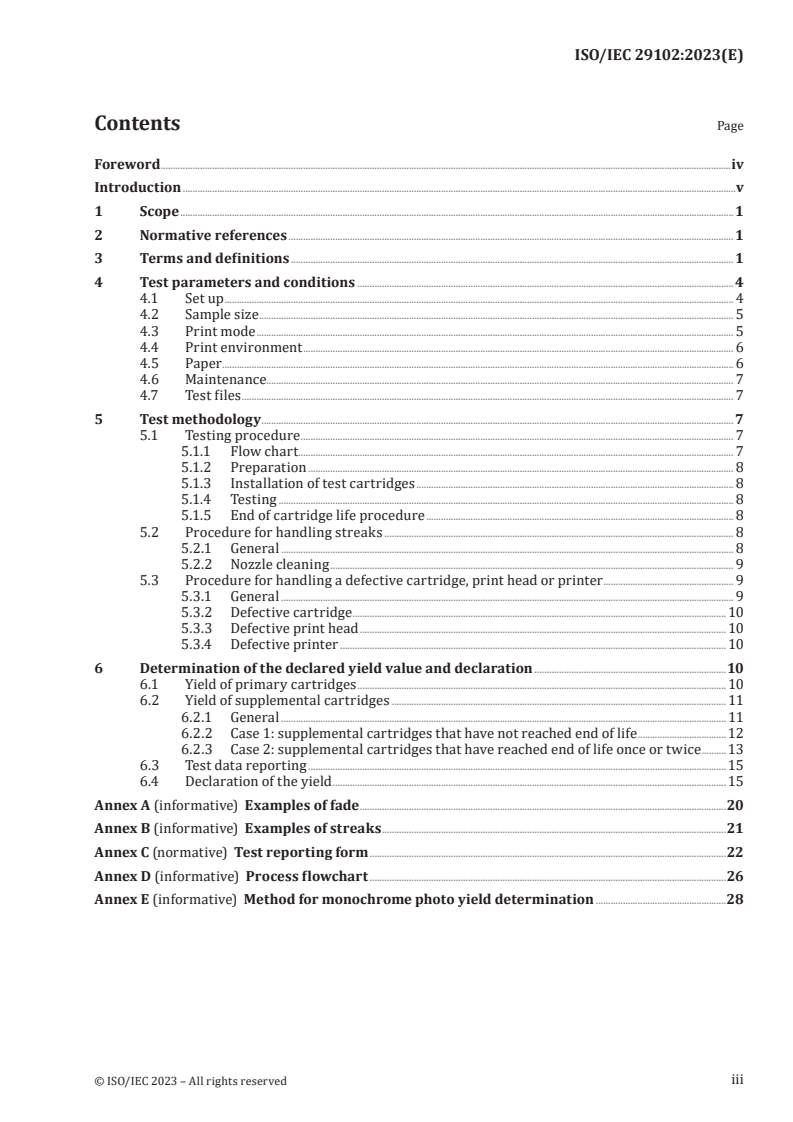
Contents Page
Foreword .iv
Introduction .v
1 Scope . 1
2 Normative references . 1
3 Terms and definitions . 1
4 Test parameters and conditions .4
4.1 Set up . 4
4.2 Sample size . 5
4.3 Print mode . 5
4.4 Print environment . 6
4.5 Paper . 6
4.6 Maintenance . 7
4.7 Test files . 7
5 Test methodology . 7
5.1 Testing procedure . 7
5.1.1 Flow chart . 7
5.1.2 Preparation . 8
5.1.3 Installation of test cartridges . 8
5.1.4 Testing . 8
5.1.5 End of cartridge life procedure . 8
5.2 Procedure for handling streaks . 8
5.2.1 General . 8
5.2.2 Nozzle cleaning . 9
5.3 Procedure for handling a defective cartridge, print head or printer . 9
5.3.1 General . 9
5.3.2 Defective cartridge . 10
5.3.3 Defective print head . 10
5.3.4 Defective printer . 10
6 Determination of the declared yield value and declaration .10
6.1 Yield of primary cartridges . 10
6.2 Yield of supplemental cartridges . 11
6.2.1 General . 11
6.2.2 Case 1: supplemental cartridges that have not reached end of life .12
6.2.3 Case 2: supplemental cartridges that have reached end of life once or twice .13
6.3 Test data reporting .15
6.4 Declaration of the yield . 15
Annex A (informative) Examples of fade .20
Annex B (informative) Examples of streaks .21
Annex C (normative) Test reporting form .22
Annex D (informative) Process flowchart .26
Annex E (informative) Method for monochrome photo yield determination .28
iii
© ISO/IEC 2023 – All rights reserved
Foreword
ISO (the International Organization for Standardization) and IEC (the International Electrotechnical
Commission) form the specialized system for worldwide standardization. National bodies that are
members of ISO or IEC participate in the development of International Standards through technical
committees established by the respective organization to deal with particular fields of technical
activity. ISO and IEC technical committees collaborate in fields of mutual interest. Other international
organizations, governmental and non-governmental, in liaison with ISO and IEC, also take part in the
work.
The procedures used to develop this document and those intended for its further maintenance
are described in the ISO/IEC Directives, Part 1. In particular, the different approval criteria
needed for the different types of document should be noted. This document was drafted in
accordance with the editorial rules of the ISO/IEC Directives, Part 2 (see www.iso.org/directives or
www.iec.ch/members_experts/refdocs).
ISO and IEC draw attention to the possibility that the implementation of this document may involve the
use of (a) patent(s). ISO and IEC take no position concerning the evidence, validity or applicability of
any claimed patent rights in respect thereof. As of the date of publication of this document, ISO and IEC
had not received notice of (a) patent(s) which may be required to implement this document. However,
implementers are cautioned that this may not represent the latest information, which may be obtained
from the patent database available at www.iso.org/patents and https://patents.iec.ch. ISO and IEC shall
not be held responsible for identifying any or all such patent rights.
Any trade name used in this document is information given for the convenience of users and does not
constitute an endorsement.
For an explanation of the voluntary nature of standards, the meaning of ISO specific terms and
expressions related to conformity assessment, as well as information about ISO's adherence to
the World Trade Organization (WTO) principles in the Technical Barriers to Trade (TBT) see
www.iso.org/iso/foreword.html. In the IEC, see www.iec.ch/understanding-standards.
This document was prepared by Joint Technical Committee ISO/IEC JTC 1, Information technology,
Subcommittee SC 28, Office equipment.
This third edition cancels and replaces the second edition (ISO/IEC 29102:2015), which has been
technically revised.
The main changes are as follows:
— the URL for test chart has been updated;
— the humidity requirement has been changed.
Any feedback or questions on this document should be directed to the user’s national standards
body. A complete listing of these bodies can be found at www.iso.org/members.html and
www.iec.ch/national-committees.
iv
© ISO/IEC 2023 – All rights reserved
Introduction
The scope of this document is limited to evaluation of ink cartridge yield of ink-containing cartridges
(i.e. integrated ink cartridges and ink cartridges without integrated print heads) for colour photo
printing with colour inkjet printers. This document can be applied to colour inkjet printers having an
interface to a computer as well as colour inkjet printers that cannot be connected to a computer. This
document can also be applied to the inkjet printer component of any multifunctional device that has
a digital input printing path, including multi-function devices that contain inkjet printer components.
Both liquid and solid ink products can be tested using this document.
The cartridge yields of primary cartridges are determined by an end of life judgment, or signalled with
either of two phenomena: fade, caused by depletion of ink in the cartridge, or automatic printing stop,
caused by an ink out detection function. The cartridge yields of supplemental cartridges are estimated.
It is envisioned that one of the uses of this document will be for the calculation of cost per page (CPP).
While this document measures a portion of this cost, it is not used as the sole component of CPP
calculation. Additional factors need to be considered for accurate CPP calculations.
v
© ISO/IEC 2023 – All rights reserved
INTERNATIONAL STANDARD ISO/IEC 29102:2023(E)
Information technology — Office equipment — Method for
the determination of ink cartridge yield for colour photo
printing with inkjet printers and multi-function devices
that contain inkjet printer components
1 Scope
The purpose of this document is to provide a method to determine the ink cartridge yield of ink-
containing cartridges (i.e. integrated ink cartridges and ink cartridges without integrated print heads)
for colour photo printing with colour inkjet printers and multifunction devices that contain inkjet
printer components. In the case where a cartridge set can be used in multiple printer models, only one
yield test is performed as long as the difference between printer models does not impact yield.
NOTE A cartridge supplier can choose to use more than one market identifier for a single physical cartridge.
In this case only one yield test is required as long as there are no differences in the cartridges other than market
identifiers.
This document prescribes the following:
— the test method that manufacturers, test laboratories, etc. use to determine ink cartridge yield;
— the method for determination of declared cartridge yield values for photo printing from the test
results; and
— the appropriate method of describing the cartridge yield for photo printing in documentation
supplied to the consumer by the manufacturer.
This document is only intended for the determination of ink cartridge yield. No other claims can be
made from this testing regarding quality, reliability, etc.
This document can be used to determine the yield of any cartridge that is used during the printing of
the photo test file defined in ISO/IEC 29103.
This document is not for use with printers whose minimum printable size is equal to or greater than A3.
This document is not intended to measure the yield of photo printing on paper size larger than 4" × 6", L
or A6. In addition, this document is not for use with industrial printers or point of sale printers. It only
applies to desktop printing systems.
2 Normative references
The following documents are referred to in the text in such a way that some or all of their content
constitutes requirements of this document. For dated references, only the edition cited applies. For
undated references, the latest edition of the referenced document (including any amendments) applies.
ISO/IEC 24711, Information technology — Office equipment — Method for the determination of ink
cartridge yield for colour inkjet printers and multi-function devices that contain printer components
ISO/IEC 29103, Information technology — Office equipment — Colour photo test pages for measurement of
ink cartridge yield for colour photo printing
3 Terms and definitions
For the purposes of this document, the following terms and definitions apply.
© ISO/IEC 2023 – All rights reserved
ISO and IEC maintain terminology databases for use in standardization at the following addresses:
— ISO Online browsing platform: available at https:// www .iso .org/ obp
— IEC Electropedia: available at https:// www .electropedia .org/
3.1
fade
phenomenon in which a significant colour change occurs due to ink depletion
Note 1 to entry: If a printer exhibits fade, a five minute pause is allowed to provide for recovery of the ink delivery
system and printing can continue. If fade appears on the next page, then the cartridge is judged at end of life (3.7)
and the additional page printed after the five minute pause is not counted in the yield calculation. If fade does not
appear on the next page, then printing can continue until the next fade or ink out (3.6) is encountered.
Note 2 to entry: For examples of fade, please consult Annex A (Figure A.1).
Note 3 to entry: In some printer systems, fade can occur prematurely due to the way that ink is provided to the
printing system.
Note 4 to entry: It can be helpful to use the first photo test suite (3.5) print samples from the first cartridge set for
colour comparison.
Note 5 to entry: A blue light source (such as a blue LED) can be used to help in the detection of yellow fade.
3.2
streak
thin lines of colour that appear in test images
Note 1 to entry: Streaks differ from fade (3.1) in the width.
Note 2 to entry: If streaks occur in two or more out of four consecutive test pages, then a streak-removal operation
(3.3) is required.
Note 3 to entry: Streaks can appear due to a number of reasons; thermal issues and clogged nozzles being two of
the main causes. Comparisons are made using the phenomenon sample provided in Annex B (Figure B.1).
3.3
streak-removal operation
procedure used to restore the print performance by removing streaks (3.2)
Note 1 to entry: It is often called a nozzle-cleaning operation.
Note 2 to entry: If streaks are observed in two or more out of four consecutive test pages, first the printer can
be left idle for five minutes. Then an additional four pages are printed. If the streaks are still observed, then a
streak-removal operation is conducted according to the latest printer manufacturer documentation. Due to the
significant amount of ink that is used for cleaning, the maximum permissible number of times that the streak-
removal operation can be used on a given cartridge is prescribed in 5.2.2. All test pages printed during this
process will be included in the page count for determining the yield.
3.4
print head alignment operation
function that aligns newly installed print heads
Note 1 to entry: If it is mandatory according to the latest printer manufacturer documentation, this operation
is performed during testing. The pages used in the alignment procedure are not counted in the measurement of
yield.
3.5
photo test suite
series of pages defined in ISO/IEC 29103 that are printed as separate jobs
© ISO/IEC 2023 – All rights reserved
3.6
ink out
signal generated by the printing system when the usable ink in the system is depleted and the printer
stops printing
3.7
end of life
condition determined by one of two mechanisms: fade (3.1) or ink out (3.6)
Note 1 to entry: For cartridges containing multiple colour inks, end of life is defined when the first colour exhibits
fade or ink out. In the event that the printer can continue printing after ink out is reported, the cartridge will still
be considered at end of life.
3.8
end of testing
point of time when all of primary cartridges (3.11) are consumed three times per printer under testing
3.9
individual cartridge yield
number of pages printed between cartridge installation and end of life (3.7)
3.10
declared cartridge yield
value at or below the lower 90 % confidence bound of the mean
Note 1 to entry: 90 % confidence bound of the mean is prescribed in 6.1 and 6.2.
3.11
primary cartridge
major contributing cartridge for ink consumption
Note 1 to entry: The minimum number of primary cartridges to be tested for different printing systems is
prescribed in 4.2. Cartridges that reach end of life (3.7) first are classified as primary cartridges. They should be
consumed at least three times per printer at end of testing (3.8).
Note 2 to entry: Colour inkjet printers commonly utilize a set of different colour inks to improve quality of photo
images. The number of different colour inks ranges from three to more than 10. Ink usages of different colours
are not designed to be uniform. In order to maintain testing time and cost at a reasonable level, the definition of
primary cartridges is introduced in this document.
3.12
supplemental cartridge
cartridge that is not classified as primary cartridge (3.11)
Note 1 to entry: The determination of yield for supplemental cartridges is made according to the procedure
prescribed in 6.2.
3.13
proxy cartridge
primary cartridge (3.11) to be utilized for estimating yield of supplemental cartridges (3.12)
Note 1 to entry: More information about proxy cartridges can be found in 6.2.1.
3.14
photo paper
coated paper for photo printing
3.15
content type selection
selection that specifies the content for printing
Note 1 to entry: Examples include photo and document. This can be selected by the user or in some cases by the
printing system based on the automatic media detection.
© ISO/IEC 2023 – All rights reserved
3.16
paper media selection
selection that specifies the type of media
Note 1 to entry: This can be selected by the user and/or by the automatic media detection.
3.17
print-quality level selection
user selection that specifies the various levels of printed image quality and enhancement
EXAMPLE Normal, best or highest.
Note 1 to entry: Some printers do not have a function of the selections specified in 3.15, 3.16 and 3.17.
4 Test parameters and conditions
4.1 Set up
Place the printer on a horizontal surface and set up the printer according to the installation guide
provided in the printer user's manual. If a printer has the capability to use both PC connection and
another method of data input for photo printing, the PC connection shall be used for testing. If a printer
does not have PC connection capability, the method of delivering photo test page suite to printer and
printing procedure shall be included in the test report. Use the most recent printer driver available
from the manufacturer's website or the supplied driver with the printer. The driver version shall be
specified on the test report. Cartridge installation shall be completed following the instructions in the
cartridge installation guide. If there is a contradiction between the printer and cartridge manuals for the
cartridge installation, the cartridge manual will take precedence except if changes are recommended
for printer or driver settings.
At the start of the test, all printers shall be set up using a set of priming cartridges to ensure that the
ink used in testing is primarily for printing, not for initial priming/cleaning. After the printer is set
up according to the manufacturer’s instructions, the priming cartridges shall be used to print until
consistent images are generated. The priming cartridges shall be removed and replaced with new
cartridges that will be used for testing yield. The pages printed during priming operation will be
included in the test report. However, those pages are not counted towards yield. Even if required
by the printer, print head alignment does not have to be performed on the priming cartridges. The
replacement of the priming cartridges with the first set of test cartridges may be done all at once or
staggered individually. If done all at once, all test cartridges begin with photo test suite number 1 and
continue until end of life. If the staggered start method is used, the test suite number shall be tracked
separately for each cartridge. The test start method shall be included in the test report.
Print-quality level selection shall be at factory pre-set configuration for the printer and default installed
condition for the driver and shall be included in the test report. Any user selectable ink conservation
modes (for example, draft mode) shall be disabled during testing. If content-type selection to photo is
available on the printer, it shall be set to photo and included in the test report.
Paper media selection shall be set to photo paper. In case of multiple choices are available for photo
paper setting, selection made for testing shall be included in the test report. If user selectable automatic
media detection is available on the printer, it shall be disabled to make sure the same ink amount to be
consumed for different media. If automatic media detection is used, it shall be noted on the test report.
If these settings cannot be verified, then testing shall occur with automatic media detection on. If the
printer and driver settings differ, then the driver defaults shall be used.
Any scaling to ensure that the photo test suite is printed correctly shall be based on printer system
or driver. To facilitate automated testing, the photo test suite may be pre-generated using the printer
driver. This is often accomplished using a print to file command. This method is only valid if it does not
affect the measured yield. If a pre-generated file is used, it shall be noted on the test report.
© ISO/IEC 2023 – All rights reserved
4.2 Sample size
Colour inkjet printers commonly utilize different colour inks and/or overlays to improve quality of
photo images. Number of different colour inks/overlays for colour photo printing is quite diverse. Some
of the printers may utilize more than 10 different colour inks/overlays. Ink usages of different colours
are not designed to be uniform. In order to maintain testing time and cost at reasonable level, major
contributing cartridges are defined as primary cartridges in this document. The rest of cartridges are
regarded as supplemental cartridges. During testing, cartridges that reach end of life first are classified
as primary cartridges.
The minimum number of primary cartridges to be tested is determined based on the number of
cartridges utilized for printing system. Inkjet cartridges are designed in two common styles, single
colour and multi-colour contained cartridges. The number of cartridges may be smaller than the
number of colour inks/overlays. The minimum number of primary cartridges for various printing
system is listed in Table 1.
Primary cartridges shall reach end of life at least three times on each of the printers tested. Regardless
of the minimum number of primary cartridges specified in Table 1, all of the cartridges depleted three
or more times on all tested printers shall be treated as primary cartridges. The minimum number
of printers for testing is three. For example, if the number of primary cartridges is three, at least 27
cartridges shall be tested (3 primary cartridges × 3 cartridges to reach end of life × 3 printers).
To represent yield variations due to cartridge and printer manufacturing tolerances, it is acceptable
that additional engines and/or cartridges be used in testing.
Table 1 — Minimum number of primary cartridges
The minimum number
Printer system
of primary cartridges
1 cartridge system 1
2 cartridge system 1
3 cartridge system 2
4 cartridge system 3
6 cartridge system 3
7 or more cartridge system 3
When testing additional printers and primary cartridges above the minimum, an effort shall be made
to test an equal number of primary cartridges on each printer. For example, if an additional printer
were to be tested for 3 primary cartridges, then the minimum number of cartridges to be tested would
be 36 (3 primary cartridges × 3 cartridges to reach end of life × 4 printers).
When testing cartridges for a commercially available product, it is recommended that cartridges and
printers be procured from various sources, or sampled from different production lots. The printers and
cartridges shall be within their useful life as stated in their user’s manual.
4.3 Print mode
Colour inkjet printers commonly need to service the printing system after a number of prints, or when
the device has been powered down or not used for a given amount of time. This servicing uses ink that
could have been used to print additional photos. It is realized that customers do not normally print in a
continuous fashion. However, the yield test will be run in semi-continuous simplex printing to decrease
testing time and increase the repeatability of the testing process. Each photo test page shall be printed
as a separate print job. This allows for some intra-job servicing and calibration to take place.
© ISO/IEC 2023 – All rights reserved
Additional pauses may take place due to paper refills and idle time due to end of working days, but
pauses are not required. All print settings shall be documented in the test report to sufficient level to
allow testing to be reproduced by a third party.
NOTE Depending on printing conditions, the yield experienced by a given user happens to vary significantly
from the yield measured by this test method.
If a printer has capability to print both borderless and bordered, photo test suite shall be printed
without border. If borderless printing is not allowed for a printer under testing, photo test suite can be
printed with border. It shall be noted in test report. Any scaling to ensure that the photo test suite is
printed correctly shall be based on printer system or driver.
4.4 Print environment
The temperature can have a profound effect on test results. For this reason, the test shall be carried out
according to the following test conditions:
Temperature: testing room average 23,0 °C ± 2 °C
Readings to be made with a running average of 1 h with readings recorded at least every 15 minutes, all
running average temperatures are to be between 20,0 °C and 26,0 °C.
An example of the calculation of the temperature is shown in Table 2 for temperature readings taken on
15-min intervals for the testing of one cartridge.
Table 2 — Running temperature calculation example
Testing room
T T T T T T T T T T T T average
1 2 3 4 5 6 7 8 9 10 11 12
Temperature T 24,0 23,4 20,5 24,2 23,6 22,0 25,5 24,7 22,1 20,8 22,0 23,5 23,0
i
Running average
T N/A N/A N/A 23,0 22,9 22,6 23,8 24,0 23,6 23,3 22,4 22,1
n
Running average T = (T +T +T +T )/4
n i-3 i-2 i-1 i
where n = i
Testing room average = (T +T + … +T )/12
1 2 12
From these formulae, the testing room average would be 23,0 °C, the maximum running average reading 24,0 °C
and the minimum running average reading 22,1 °C. These values can be found highlighted in the table of temperature
measurements. It shall be noted that the testing room average for temperature are averages of all measurements, not the
running averages.
Humidity shall be within the range recommended by the manufacturer for operating the device. When
range recommended by the manufacturer is not available, it may be within the range 50 %RH ± 10 %RH.
Environmental conditions shall be included in the test report. The maximum and minimum running
averages for temperature shall be reported for each cartridge tested. Please see Annex C for test
reporting form.
All materials shall be temperature acclimated to the test room environment. Prior to testing, the printer,
paper and cartridges shall be acclimated to the above conditions. Before acclimation, packaging and
shipping materials shall be opened with care to prevent damage to the cartridges during acclimation.
Paper may be acclimated in the ream wrapper.
Any water condensation shall be avoided when printer, paper and cartridges are carried in the test
environment.
4.5 Paper
The paper utilized in this test represents photo paper. If photo paper is tested, it shall conform to the
printer’s list of approved photo papers for colour photo printing. If automatic media detection can be
© ISO/IEC 2023 – All rights reserved
disabled and yield results are not affected by the type of paper, plain paper that shall conform to the
printer’s list of approved papers can be utilized for testing to reduce the cost for testing. If automatic
media detection cannot be disabled, tester shall utilize photo paper.
Size of paper used in this test shall be 4" × 6", L or A6 size. It is recommended that the test will be
performed with 4" × 6" sized paper if it can be utilized for a printer under testing. But, if a printer under
testing is not capable of printing on 4" × 6" sized paper and/or L or A6 is of dominant paper size in the
nation, L or A6 sized paper can be utilized for testing. Tester may use larger sized paper only if yield
results are not affected by the size of paper.
The paper manufacturer, manufacturer's paper model and/or code, and size for the paper that is
actually used in the test shall be noted on the report. When available, weight for the paper is actually
used shall be noted on the report.
4.6 Maintenance
Printer maintenance shall be performed according to the printer and cartridge user's manual.
4.7 Test files
The test image suite used shall be as specified in ISO/IEC 29103. The test shall be conducted using the
most recent official electronic test image suite as the input. The most recent official file can be located
at (https:// standards .iso .org/ iso -iec/ 29103/ ed -1/ en/ ). Failure to use the exact file specifications
will invalidate test results. The provided photo printing tool provided by operating system (OS) (for
example, Windows photo printing wizard) will be used to send photo test suite to the printer. The
method used for connection between the host computer and the printer shall be recorded on the test
report. For automated testing, a pre-generated print file can be used if the results are equivalent to
direct printing methods. This will be recorded on the test report. The version of the test file, the printer
driver version and OS provided photo printing tool version and type will be included in the test report.
Before starting the test, a sample file set shall be printed to check the image and ensure the proper size.
NOTE There are often several OS provided photo printing tools available, each version can have an impact
on the yield results.
To reduce test variability due to other programs, it is recommended that test file generation be
conducted on a printer with a “clean” install of the OS with only the printer driver and any test control
software installed. Testing has shown that old installed drivers from the same or different printers can
affect the yield results. To aid in counting and tracking pages, a header or footer can be added to the
photo test page suite. Every attempt shall be made to reduce the size of this addition to minimize the
effect on calculated yield. If this information is included in the photo test suite, it shall be documented
in the test report.
The host computer environment such as OS, RAM size, CPU type and application software may affect
the yield test results, the computer environment recommended by the printer's user manual shall be
used for the test. All of this information shall be recorded on the test report. Test file shall be printed
without any border if a printer has capability to print both borderless and bordered. If a printer under
testing is incapable of borderless printing, test file can be printed with border. In case of bordered
printing for testing, it shall be noted in test report. Any scaling to ensure that the photo test suite is
printed correctly shall be based on printer system or driver.
5 Test methodology
5.1 Testing procedure
5.1.1 Flow chart
Flowchart of testing procedure is shown in Annex D.
© ISO/IEC 2023 – All rights reserved
5.1.2 Preparation
a) Install at least three printers following the user’s manual.
b) Install a priming cartridge for each colour into the printers.
c) Using a priming cartridge, print until consistent images are generated.
d) Remove each priming cartridge.
5.1.3 Installation of test cartridges
a) Remove all packaging material from a new complete set of cartridges to be tested and weigh each
cartridge individually to within 0,01 g and record the weight. Install these cartridges based on the
cartridge installation guide.
If there is a contradiction between the printer and cartridge manuals for the cartridge installation,
the cartridge manual will take precedence except if changes are recommended for printer or driver
settings.
b) If the printer has a mandatory print head alignment operation, it will be conducted according to the
printer manual.
Pages printed for head alignment operation will not be counted in the measured yield.
5.1.4 Testing
a) Begin test and start tracking the number of test photos printed on each test cartridge.
b) When end of life is reached on any cartridge, execute the end of cartridge life procedure according
to 5.1.5. End of life shall be determined as prescribed in 3.7.
c) Repeat steps 5.1.4 a) and b) until all of primary cartridges that are prescribed in 4.2 reach end
of life at least three times. When the last primary cartridge reaches end of life, record individual
cartridge yield for the depleted primary cartridge. Remove the depleted primary cartridge and
all supplemental cartridges. When yields of supplemental cartridges are determined using proxy
cartridges as specified in 6.2, weigh the removed cartridges and record in the report.
d) Repeat steps 5.1.3 to 5.1.5 for all of printers under testing. At least three printers should be tested
as prescribed in 4.2.
5.1.5 End of cartridge life procedure
a) Record individual cartridge yield for the depleted cartridge.
b) Remove the depleted cartridge, weigh and record the final weight. Replace depleted cartridge with
new cartridge. Measure its weight and record as in step 5.1.3.
5.2 Procedure for handling streaks
5.2.1 General
If streaks are observed as described in 3.2, a streak-removal operation (as defined in 3.3) shall be
performed according to the printer user's manual. The page count and streaking colour will be recorded
in test report.
© ISO/IEC 2023 – All rights reserved
5.2.2 Nozzle cleaning
a) Nozzle cleaning strength
If nozzle cleaning operation has the option of multiple cleaning strengths, the procedure indicated
in the printer manual for resolving streaking will be followed. Use of a light and a strong cleaning
procedure will count as one nozzle cleaning operation. Any cleaning pages printed during the
nozzle cleaning operation will not be counted in the yield calculation.
b) Permissible limited number of nozzle cleaning operation
Nozzle cleaning operation will consume ink. This may affect yield test results. To reduce the
influence of this operation, the maximum number of user initiated cleaning operations for a single
cartridge is limited as shown in Table 3. If the estimated yield for primary cartridges is equal to or
less than 400 pages, the nozzle cleaning operations are allowed up to three times. If the estimated
yield is greater than 400 pages, the maximum number of nozzle cleaning operation is incremented
by one for every additional 150 pages.
Table 3 — Maximum number of nozzle cleaning operations allowed
Estimated cartridge yield Number of nozzle cleaning operation
Up to 400 pages 3 times
Up to 550 pages 4 times
Up to 700 pages 5 times
Up to 850 pages 6 times
Up to 1 000 pages 7 times
Up to 1 150 pages 8 times
Up to 1 300 pages 9 times
Up to 1 450 pages 10 times
In addition to the maximum number of nozzle cleaning operation, one more additional cleaning
operation can be tried. If a fade occurs or an ink out is signalled on this additional cleaning
operation, the yield data are still valid and the data can be used in the final yield calculation. If a
fade or ink out does not occur during the cleaning operation, the cartridge shall be replaced with
new one regardless of streak condition. The cartridge will be considered defective for having
excessive streaks and the yield data are not valid. The cartridge removed for this reason will be
recorded in the test report as a failed cartridge due to excessive streaking.
c) If the nozzle cleaning operation cannot be limited to individual colour
If nozzle cleaning operation cannot be limited to the cartridge that is streaking, all other cartridges
under testing will also use ink during the cleaning process. For this reason, if a nozzle clean
operation affects all cartridges in a printing system, any cleaning operation performed will be
counted against all cartridges. If more than the specified cleaning operations are performed on a
cartridge under test, that cartridge will be removed from testing even though it was not the cause
of the streaks. Cartridges removed for this reason will be recorded on the test report as removed
due to excessive cleaning. These cartridges shall not be used in the calculation of yield.
5.3 Procedure for handling a defective cartridge, print head or printer
5.3.1 General
During testing, a failure of the cartridge, print head or printer may occur. This will be handled as
described below: cartridge failures are defined as occurrences of problems that would result in
replacement of the ink cartridge before end of life. Examples of this could be excessive nozzle clogging
(for integrated print heads), excessive ink leakage, and/or structural failure, etc. Print head failures are
usually indicated by excessive, non-cleanable streaking or other non-resolvable print quality defects in
© ISO/IEC 2023 – All rights reserved
systems where the print heads can be replaced. Printer failures are defined as non-user clearable errors
that prevent normal printer operation from occurring. An example of this might be the failure of the
paper feed mechanism or excessive streaking on a non-replaceable print head. All defective cartridges,
print heads and printers will be recorded on the testing report along with reason for failure.
5.3.2 Defective cartridge
In the case of a defective cartridge, the number of the last photo test suite printed and reason for failure
will be recorded on the report. The cartridge will then be replaced with a new cartridge and the testing
continued. If the printer has a mandatory print head alignment operation, it will be conducted according
to the printer manual. For the purposes of yield calculation, the defective cartridge will not be used.
When a defective cartridge is encountered, the yield data of all the cartridges installed in the printer
cannot be used for yield calculation unless it can be proven that those data would not be affected by
the defective cartridge or the streak-removal operation conducted immediately following the cartridge
replacement. This justification will be noted in the test report.
5.3.3 Defective print head
In the case of a defective print head, the print head shall be replaced as specified in the printer user's
manual. For the purposes of yield calculation, all cartridges that were in the printer at the time of the
failure will not be used in calculation of the final yield. After replacement of the print head, the printer
shall be set up using a set of priming cartridges as specified in 4.1. A new set of cartridges shall be
weighed and installed for subsequent testing. On the report, the number of the last photo test suite
printed for each cartridge using the defective print head will be recorded. A note will be made that all
cartridges were replaced due to print head failure. If the printer has a mandatory print head alignment
operation, it will be conducted according to the printer manual. If the print head is not user replaceable,
refer to 5.3.3.
5.3.4 Defective printer
In the case of a defective printer, the printer shall be repaired or replaced. After repair/replacement of
the printer, the printer shall be set up using a set of p
...