

ISO/IEC 29341-4-13:2011
(Main)Information technology - UPnP Device Architecture - Part 4-13: Audio Video Device Control Protocol - Level 2 - Rendering Control Service
General Information
- Abstract
ISO/IEC 29341-4-13:2011(E) The RenderingControl service is intended to provide control points with the ability to query and/or adjust any rendering attribute that the device supports. The RenderingControl service enables a control point to: - Discover the set of attributes supported by the device. - Retrieve the current setting of any supported attribute. - Change the setting of (that is: control) any modifiable attribute. - Restore the settings defined by a named Preset. This device specification is compliant with the Universal Plug and Play Device Architecture version 1.0. It defines a device type referred to herein as RenderingControl. This International Standard replaces ISO/IEC 29341-4-13, first edition, published in 2008, and constitutes a technical revision.
- Status
- Published
- Publication Date
- 14-Sep-2011
- Technical Committee
- ISO/IEC JTC 1 - Information technology
- Current Stage
- PPUB - Publication issued
- Start Date
- 14-Sep-2011
- Completion Date
- 31-Jan-2012
Overview
ISO/IEC 29341-4-13:2011 - Information technology - UPnP Device Architecture - Part 4-13: Audio Video Device Control Protocol - Level 2 - Rendering Control Service defines the UPnP RenderingControl service for audio/video renderers. It specifies how a UPnP control point can discover, query, change and restore rendering attributes supported by a device (for example brightness, contrast, volume, mute, color temperature and keystone). This second-edition standard is compliant with Universal Plug and Play Device Architecture v1.0 and replaces the 2008 first edition.
Key topics and technical requirements
- Service model and state variables
- Defines the RenderingControl service type and a comprehensive set of state variables (examples: Brightness, Contrast, Sharpness, Volume, VolumeDB, Mute, Loudness, ColorTemperature, HorizontalKeystone, VerticalKeystone, PresetNameList, LastChange).
- Actions and arguments
- Specifies standard actions (for example ListPresets(), SelectPreset(), Get/SetBrightness(), Get/SetVolume(), GetStateVariables(), SetStateVariables()) and their argument lists and error codes.
- Discovery, get/set and presets
- Enables control points to discover supported attributes, retrieve current settings, modify modifiable attributes, and restore named Presets.
- Eventing and moderation
- Defines the event model (including LastChange and event moderation) to support notification of state changes to subscribed control points.
- XML service description
- Provides the required XML service description (namespaces, data types, schema usage) for interoperability.
- Vendor extensions and namespace management
- Rules for vendor-defined actions, state variables, XML elements, and property names, plus namespace/versioning guidance to avoid conflicts.
- Test and conformance
- Includes test guidance and common error codes to support implementation and compliance testing.
Applications and users
- Device manufacturers building UPnP-enabled audio/video renderers (smart TVs, AV receivers, set-top boxes, network speakers, projectors).
- Firmware and application developers implementing UPnP RenderingControl to expose device controls to Mobile apps, media servers, home automation controllers and control points.
- System integrators and testers validating interoperability, eventing behavior and preset management.
- Standards engineers and product managers evaluating AV device interoperability requirements.
Related standards
- Universal Plug and Play (UPnP) Device Architecture v1.0 (baseline compliance).
- Other parts of the ISO/IEC 29341 (UPnP AV) family that define media server, connection manager and transport services.
Keywords: UPnP RenderingControl, ISO/IEC 29341-4-13:2011, UPnP Device Architecture, Audio Video Device Control Protocol, rendering attributes, presets, state variables, eventing, XML service description.
Relations
- Effective Date
- 05-Sep-2023
Get Certified
Connect with accredited certification bodies for this standard

BSI Group
BSI (British Standards Institution) is the business standards company that helps organizations make excellence a habit.

IMQ S.p.A. (Certification)
Italian electrical product certification.

SLG Prüf- und Zertifizierungs GmbH
German testing and certification body.
Sponsored listings
Frequently Asked Questions
ISO/IEC 29341-4-13:2011 is a standard published by the International Electrotechnical Commission (IEC). Its full title is "Information technology - UPnP Device Architecture - Part 4-13: Audio Video Device Control Protocol - Level 2 - Rendering Control Service". This standard covers: ISO/IEC 29341-4-13:2011(E) The RenderingControl service is intended to provide control points with the ability to query and/or adjust any rendering attribute that the device supports. The RenderingControl service enables a control point to: - Discover the set of attributes supported by the device. - Retrieve the current setting of any supported attribute. - Change the setting of (that is: control) any modifiable attribute. - Restore the settings defined by a named Preset. This device specification is compliant with the Universal Plug and Play Device Architecture version 1.0. It defines a device type referred to herein as RenderingControl. This International Standard replaces ISO/IEC 29341-4-13, first edition, published in 2008, and constitutes a technical revision.
ISO/IEC 29341-4-13:2011(E) The RenderingControl service is intended to provide control points with the ability to query and/or adjust any rendering attribute that the device supports. The RenderingControl service enables a control point to: - Discover the set of attributes supported by the device. - Retrieve the current setting of any supported attribute. - Change the setting of (that is: control) any modifiable attribute. - Restore the settings defined by a named Preset. This device specification is compliant with the Universal Plug and Play Device Architecture version 1.0. It defines a device type referred to herein as RenderingControl. This International Standard replaces ISO/IEC 29341-4-13, first edition, published in 2008, and constitutes a technical revision.
ISO/IEC 29341-4-13:2011 is classified under the following ICS (International Classification for Standards) categories: 29.060.20 - Cables; 35.200 - Interface and interconnection equipment. The ICS classification helps identify the subject area and facilitates finding related standards.
ISO/IEC 29341-4-13:2011 has the following relationships with other standards: It is inter standard links to ISO/IEC 29341-4-13:2008. Understanding these relationships helps ensure you are using the most current and applicable version of the standard.
ISO/IEC 29341-4-13:2011 is available in PDF format for immediate download after purchase. The document can be added to your cart and obtained through the secure checkout process. Digital delivery ensures instant access to the complete standard document.
Standards Content (Sample)
ISO/IEC 29341-4-13
Edition 2.0 2011-09
INTERNATIONAL
STANDARD
colour
inside
Information technology – UPnP device architecture –
Part 4-13: Audio Video Device Control Protocol – Level 2 – Rendering Control
Service
All rights reserved. Unless otherwise specified, no part of this publication may be reproduced or utilized in any form
or by any means, electronic or mechanical, including photocopying and microfilm, without permission in writing from
either IEC or IEC's member National Committee in the country of the requester.
If you have any questions about ISO/IEC copyright or have an enquiry about obtaining additional rights to this
publication, please contact the address below or your local IEC member National Committee for further information.
IEC Central Office
3, rue de Varembé
CH-1211 Geneva 20
Switzerland
Email: inmail@iec.ch
Web: www.iec.ch
About the IEC
The International Electrotechnical Commission (IEC) is the leading global organization that prepares and publishes
International Standards for all electrical, electronic and related technologies.
About IEC publications
The technical content of IEC publications is kept under constant review by the IEC. Please make sure that you have the
latest edition, a corrigenda or an amendment might have been published.
Catalogue of IEC publications: www.iec.ch/searchpub
The IEC on-line Catalogue enables you to search by a variety of criteria (reference number, text, technical committee,…).
It also gives information on projects, withdrawn and replaced publications.
IEC Just Published: www.iec.ch/online_news/justpub
Stay up to date on all new IEC publications. Just Published details twice a month all new publications released. Available
on-line and also by email.
Electropedia: www.electropedia.org
The world's leading online dictionary of electronic and electrical terms containing more than 20 000 terms and definitions
in English and French, with equivalent terms in additional languages. Also known as the International Electrotechnical
Vocabulary online.
Customer Service Centre: www.iec.ch/webstore/custserv
If you wish to give us your feedback on this publication or need further assistance, please visit the Customer Service
Centre FAQ or contact us:
Email: csc@iec.ch
Tel.: +41 22 919 02 11
Fax: +41 22 919 03 00
ISO/IEC 29341-4-13
Edition 2.0 2011-09
INTERNATIONAL
STANDARD
colour
inside
Information technology – UPnP device architecture –
Part 4-13: Audio Video Device Control Protocol – Level 2 – Rendering Control
Service
INTERNATIONAL
ELECTROTECHNICAL
COMMISSION
PRICE CODE
V
ICS 35.200 ISBN 978-2-88912-682-8
29341-4-13 © ISO/IEC:2011(E)
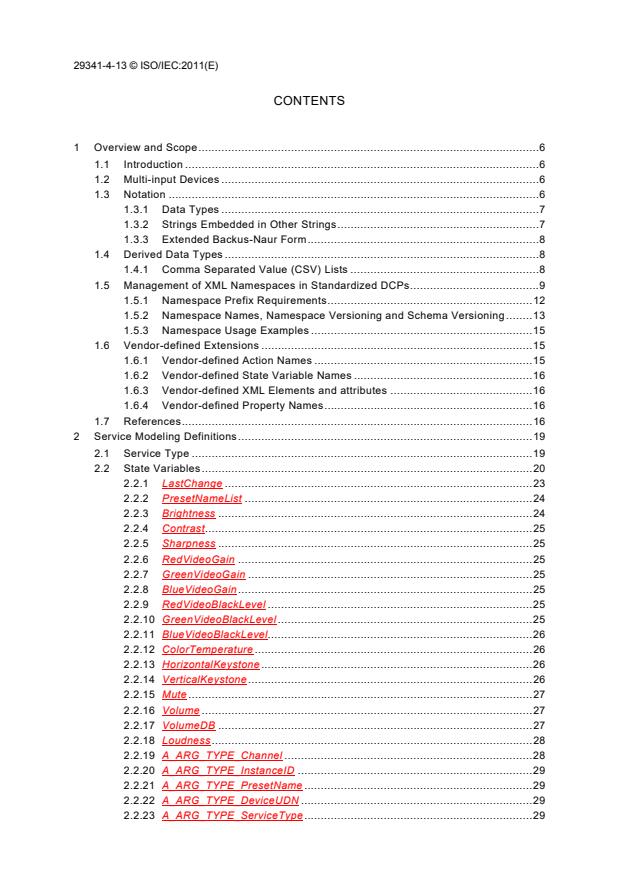
CONTENTS
1 Overview and Scope . 6
1.1 Introduction . 6
1.2 Multi-input Devices . 6
1.3 Notation . 6
1.3.1 Data Types . 7
1.3.2 Strings Embedded in Other Strings . 7
1.3.3 Extended Backus-Naur Form . 8
1.4 Derived Data Types . 8
1.4.1 Comma Separated Value (CSV) Lists . 8
1.5 Management of XML Namespaces in Standardized DCPs . 9
1.5.1 Namespace Prefix Requirements . 12
1.5.2 Namespace Names, Namespace Versioning and Schema Versioning . 13
1.5.3 Namespace Usage Examples . 15
1.6 Vendor-defined Extensions . 15
1.6.1 Vendor-defined Action Names . 15
1.6.2 Vendor-defined State Variable Names . 16
1.6.3 Vendor-defined XML Elements and attributes . 16
1.6.4 Vendor-defined Property Names . 16
1.7 References . 16
2 Service Modeling Definitions . 19
2.1 Service Type . 19
2.2 State Variables . 20
2.2.1 LastChange . 23
2.2.2 PresetNameList . 24
2.2.3 Brightness . 24
2.2.4 Contrast . 25
2.2.5 Sharpness . 25
2.2.6 RedVideoGain . 25
2.2.7 GreenVideoGain . 25
2.2.8 BlueVideoGain . 25
2.2.9 RedVideoBlackLevel . 25
2.2.10 GreenVideoBlackLevel . 25
2.2.11 BlueVideoBlackLevel . 26
2.2.12 ColorTemperature . 26
2.2.13 HorizontalKeystone . 26
2.2.14 VerticalKeystone . 26
2.2.15 Mute . 27
2.2.16 Volume . 27
2.2.17 VolumeDB . 27
2.2.18 Loudness . 28
2.2.19 A_ARG_TYPE_Channel . 28
2.2.20 A_ARG_TYPE_InstanceID . 29
2.2.21 A_ARG_TYPE_PresetName . 29
2.2.22 A_ARG_TYPE_DeviceUDN . 29
2.2.23 A_ARG_TYPE_ServiceType . 29
XXXX: © IEC:2010 — 2 — 29341-4-13 © ISO/IEC:2011(E)
2.2.24 A_ARG_TYPE_ServiceID . 29
2.2.25 A_ARG_TYPE_StateVariableValuePairs . 29
2.2.26 A_ARG_TYPE_StateVariableList . 30
2.2.27 Relationships between State Variables . 30
2.3 Eventing and Moderation . 31
2.3.1 Event Model . 32
2.4 Actions . 32
2.4.1 ListPresets() . 34
2.4.2 SelectPreset() . 34
2.4.3 GetBrightness() . 35
2.4.4 SetBrightness() . 35
2.4.5 GetContrast() . 36
2.4.6 SetContrast() . 36
2.4.7 GetSharpness() . 37
2.4.8 SetSharpness() . 37
2.4.9 GetRedVideoGain() . 38
2.4.10 SetRedVideoGain() . 38
2.4.11 GetGreenVideoGain() . 39
2.4.12 SetGreenVideoGain() . 39
2.4.13 GetBlueVideoGain() . 40
2.4.14 SetBlueVideoGain() . 40
2.4.15 GetRedVideoBlackLevel() . 41
2.4.16 SetRedVideoBlackLevel() . 41
2.4.17 GetGreenVideoBlackLevel() . 42
2.4.18 SetGreenVideoBlackLevel() . 42
2.4.19 GetBlueVideoBlackLevel() . 43
2.4.20 SetBlueVideoBlackLevel() . 43
2.4.21 GetColorTemperature() . 44
2.4.22 SetColorTemperature() . 44
2.4.23 GetHorizontalKeystone() . 45
2.4.24 SetHorizontalKeystone() . 45
2.4.25 GetVerticalKeystone() . 46
2.4.26 SetVerticalKeystone() . 46
2.4.27 GetMute() . 47
2.4.28 SetMute() . 47
2.4.29 GetVolume() . 48
2.4.30 SetVolume() . 48
2.4.31 GetVolumeDB() . 49
2.4.32 SetVolumeDB() . 49
2.4.33 GetVolumeDBRange() . 50
2.4.34 GetLoudness() . 51
2.4.35 SetLoudness() . 51
2.4.36 GetStateVariables() . 52
2.4.37 SetStateVariables() . 53
2.4.38 Relationships Between Actions . 53
2.4.39 Common Error Codes . 54
2.5 Theory of Operation . 54
2.5.1 Multi-input Devices. 54
2.5.2 Presets . 56
29341-4-13 XXXX: © IEC© ISO/IEC:2011(E):2010 — 3 —
2.5.3 Controlling the Display of Visual Content . 56
2.5.4 Controlling Audio Content . 56
3 XML Service Description . 58
4 Test . 73
Figure 1: Horizontal Keystone . 26
Figure 2: Vertical Keystone . 27
Figure 3: Relationship between Volume and VolumeDB . 31
Figure 4: Virtual Instances of RCS . 55
Figure 5: 6-channel Volume Control . 57
Table 1-1 — EBNF Operators . 8
Table 1-2 — CSV Examples . 9
Table 1-3 — Namespace Definitions . 11
Table 1-4 — Schema-related Information . 12
Table 1-5 — Default Namespaces for the AV Specifications . 13
Table 2-1 — State Variables . 20
Table 2-2 — allowedValueRange for Brightness . 20
Table 2-3 — allowedValueRange for Contrast . 21
Table 2-4 — allowedValueRange for Sharpness . 21
Table 2-5 — allowedValueRange for RedVideoGain . 21
Table 2-6 — allowedValueRange for GreenVideoGain . 21
Table 2-7 — allowedValueRange for BlueVideoGain . 21
Table 2-8 — allowedValueRange for RedVideoBlackLevel . 21
Table 2-9 — allowedValueRange for GreenVideoBlackLevel . 21
Table 2-10 — allowedValueRange for BlueVideoBlackLevel . 21
Table 2-11 — allowedValueRange for ColorTemperature . 22
Table 2-12 — allowedValueRange for HorizontalKeystone . 22
Table 2-13 — allowedValueRange for VerticalKeystone . 22
Table 2-14 — allowedValueRange for Volume . 22
Table 2-15 — allowedValueRange for VolumeDB . 22
Table 2-16 — allowedValueList for A_ARG_TYPE_Channel . 23
Table 2-17 — allowedValueList for A_ARG_TYPE_PresetName . 23
Table 2-18 — Predefined Names of Some Common Presets . 29
Table 2-19 — Event moderation . 31
Table 2-20 — Actions . 33
Table 2-21 — Arguments for ListPresets() . 34
Table 2-22 — Error Codes for ListPresets() . 34
Table 2-23 — Arguments for SelectPreset() . 34
Table 2-24 — Error Codes for SelectPreset() . 35
Table 2-25 — Arguments for GetBrightness() . 35
Table 2-26 — Error Codes for GetBrightness() . 35
Table 2-27 — Arguments for SetBrightness() . 35
XXXX: © IEC:2010 — 4 — 29341-4-13 © ISO/IEC:2011(E)
Table 2-28 — Error Codes for SetBrightness() . 36
Table 2-29 — Arguments for GetContrast() . 36
Table 2-30 — Error Codes for GetContrast() . 36
Table 2-31 — Arguments for SetContrast() . 36
Table 2-32 — Error Codes for SetContrast() . 37
Table 2-33 — Arguments for GetSharpness() . 37
Table 2-34 — Error Codes for GetSharpness() . 37
Table 2-35 — Arguments for SetSharpness() . 37
Table 2-36 — Error Codes for SetSharpness() . 38
Table 2-37 — Arguments for GetRedVideoGain() . 38
Table 2-38 — Error Codes for GetRedVideoGain() . 38
Table 2-39 — Arguments for SetRedVideoGain() . 38
Table 2-40 — Error Codes for SetRedVideoGain() . 39
Table 2-41 — Arguments for GetGreenVideoGain() . 39
Table 2-42 — Error Codes for GetGreenVideoGain() . 39
Table 2-43 — Arguments for SetGreenVideoGain() . 39
Table 2-44 — Error Codes for SetGreenVideoGain() . 40
Table 2-45 — Arguments for GetBlueVideoGain() . 40
Table 2-46 — Error Codes for GetBlueVideoGain() . 40
Table 2-47 — Arguments for SetBlueVideoGain() . 40
Table 2-48 — Error Codes for SetBlueVideoGain() . 41
Table 2-49 — Arguments for GetRedVideoBlackLevel() . 41
Table 2-50 — Error Codes for GetRedVideoBlackLevel() . 41
Table 2-51 — Arguments for SetRedVideoBlackLevel() . 41
Table 2-52 — Error Codes for SetRedVideoBlackLevel() . 42
Table 2-53 — Arguments for GetGreenVideoBlackLevel() . 42
Table 2-54 — Error Codes for GetGreenVideoBlackLevel() . 42
Table 2-55 — Arguments for SetGreenVideoBlackLevel() . 42
Table 2-56 — Error Codes for SetGreenVideoBlackLevel() . 43
Table 2-57 — Arguments for GetBlueVideoBlackLevel() . 43
Table 2-58 — Error Codes for GetBlueVideoBlackLevel() . 43
Table 2-59 — Arguments for SetBlueVideoBlackLevel() . 43
Table 2-60 — Error Codes for SetBlueVideoBlackLevel() . 44
Table 2-61 — Arguments for GetColorTemperature() . 44
Table 2-62 — Error Codes for GetColorTemperature() . 44
Table 2-63 — Arguments for SetColorTemperature() . 44
Table 2-64 — Error Codes for SetColorTemperature() . 45
Table 2-65 — Arguments for GetHorizontalKeystone() . 45
Table 2-66 — Error Codes for GetHorizontalKeystone() . 45
Table 2-67 — Arguments for SetHorizontalKeystone() . 45
Table 2-68 — Error Codes for SetHorizontalKeystone() . 46
Table 2-69 — Arguments for GetVerticalKeystone() . 46
Table 2-70 — Error Codes for GetVerticalKeystone() . 46
29341-4-13 XXXX: © IEC© ISO/IEC:2011(E):2010 — 5 —
Table 2-71 — Arguments for SetVerticalKeystone() . 46
Table 2-72 — Error Codes for SetVerticalKeystone() . 47
Table 2-73 — Arguments for GetMute() . 47
Table 2-74 — Error Codes for GetMute() . 47
Table 2-75 — Arguments for SetMute() . 47
Table 2-76 — Error Codes for SetMute() . 48
Table 2-77 — Arguments for GetVolume() . 48
Table 2-78 — Error Codes for GetVolume() . 48
Table 2-79 — Arguments for SetVolume() . 48
Table 2-80 — Error Codes for SetVolume() . 49
Table 2-81 — Arguments for GetVolumeDB() . 49
Table 2-82 — Error Codes for GetVolumeDB() . 49
Table 2-83 — Arguments for SetVolumeDB() . 50
Table 2-84 — Error Codes for SetVolumeDB() . 50
Table 2-85 — Arguments for GetVolumeDBRange() . 50
Table 2-86 — Error Codes for GetVolumeDBRange() . 51
Table 2-87 — Arguments for GetLoudness() . 51
Table 2-88 — Error Codes for GetLoudness() . 51
Table 2-89 — Arguments for SetLoudness() . 51
Table 2-90 — Error Codes for SetLoudness() . 52
Table 2-91 — Arguments for GetStateVariables() . 52
Table 2-92 — Error Codes for GetStateVariables() . 52
Table 2-93 — Arguments for SetStateVariables() . 53
Table 2-94 — Error Codes for SetStateVariables() . 53
Table 2-95 — Common Error Codes . 54
29341-4-13 © ISO/IEC:2011(E)
INFORMATION TECHNOLOGY –
UPNP DEVICE ARCHITECTURE –
Part 4-13: Audio Video Device Control Protocol –
Level 2 – Rendering Control Service
FOREWORD
1) ISO (International Organization for Standardization) and IEC (International Electrotechnical Commission) form the
specialized system for worldwide standardization. National bodies that are members of ISO or IEC participate in
the development of International Standards. Their preparation is entrusted to technical committees; any ISO and
IEC member body interested in the subject dealt with may participate in this preparatory work. International
governmental and non-governmental organizations liaising with ISO and IEC also participate in this preparation.
2) In the field of information technology, ISO and IEC have established a joint technical committee, ISO/IEC JTC 1.
Draft International Standards adopted by the joint technical committee are circulated to national bodies for voting.
Publication as an International Standard requires approval by at least 75 % of the national bodies casting a vote.
3) The formal decisions or agreements of IEC and ISO on technical matters express, as nearly as possible, an
international consensus of opinion on the relevant subjects since each technical committee has representation
from all interested IEC and ISO member bodies.
4) IEC, ISO and ISO/IEC publications have the form of recommendations for international use and are accepted
by IEC and ISO member bodies in that sense. While all reasonable efforts are made to ensure that the
technical content of IEC, ISO and ISO/IEC publications is accurate, IEC or ISO cannot be held responsible for
the way in which they are used or for any misinterpretation by any end user.
5) In order to promote international uniformity, IEC and ISO member bodies undertake to apply IEC, ISO and
ISO/IEC publications transparently to the maximum extent possible in their national and regional publications.
Any divergence between any ISO/IEC publication and the corresponding national or regional publication
should be clearly indicated in the latter.
6) ISO and IEC provide no marking procedure to indicate their approval and cannot be rendered responsible for
any equipment declared to be in conformity with an ISO/IEC publication.
7) All users should ensure that they have the latest edition of this publication.
8) No liability shall attach to IEC or ISO or its directors, employees, servants or agents including individual experts
and members of their technical committees and IEC or ISO member bodies for any personal injury, property
damage or other damage of any nature whatsoever, whether direct or indirect, or for costs (including legal fees)
and expenses arising out of the publication of, use of, or reliance upon, this ISO/IEC publication or any other IEC,
ISO or ISO/IEC publications.
9) Attention is drawn to the normative references cited in this publication. Use of the referenced publications is
indispensable for the correct application of this publication.
10) Attention is drawn to the possibility that some of the elements of this International Standard may be the subject of
patent rights. ISO and IEC shall not be held responsible for identifying any or all such patent rights.
International Standard ISO/IEC 29341-4-13 was prepared by UPnP Forum Steering
committee , was adopted, under the fast track procedure, by subcommittee 25:
Interconnection of information technology equipment, of ISO/IEC joint technical committee 1:
Information technology.
This International Standard replaces ISO/IEC 29341-4-13, first edition, published in 2008, and
constitutes a technical revision.
The list of all currently available parts of the ISO/IEC 29341 series, under the general title
Information technology – UPnP device architecture, can be found on the IEC web site.
This International Standard has been approved by vote of the member bodies, and the voting
results may be obtained from the address given on the second title page.
—————————
rd
UPnP Forum Steering committee, UPnP Forum, 3855 SW 153 Drive, Beaverton, Oregon 97006 USA. See also
“Introduction”.
29341-4-13 © ISO/IEC:2011(E)
IMPORTANT – The “colour inside” logo on the cover page of this publication indicates
that it contains colours which are considered to be useful for the correct understanding
of its contents. Users should therefore print this publication using a colour printer.
XXXX: © IEC:2010 — 6 — 29341-4-13 © ISO/IEC:2011(E)
1 Overview and Scope
This service template is compliant with the UPnP Device Architecture version 1.0. It defines a
service type referred to herein as RenderingControl.
1.1 Introduction
Most rendering devices contain a number of dynamically configurable attributes that affect
how the current content is rendered. For example, video rendering devices, such as TVs,
allow user control of display characteristics such as brightness and contrast, whereas audio
rendering devices allow control of audio characteristics such as volume, balance, equalizer
settings, etc. The RenderingControl service is intended to provide control points with the
ability to query and/or adjust any rendering attribute that the device supports.
The RenderingControl service enables a control point to:
• Discover the set of attributes supported by the device.
• Retrieve the current setting of any supported attribute
• Change the setting of (that is: control) any modifiable attribute
• Restore the settings defined by a named Preset
The RenderingControl service DOES NOT:
• Control the flow of the associated content (for example, Play, Stop, Pause, Seek, etc.).
• Provide a mechanism to enumerate locally stored content.
• Provide a mechanism to select the content that is to be rendered.
• Provide a mechanism to send content to another device (via the home network or direct
connection).
1.2 Multi-input Devices
Some high-end AV device are capable of receiving multiple pieces of content at the same
time and combining that content together so that it can be rendered together using a single
set of output hardware. For example, while displaying a TV program, high-end TVs can also
display additional content (for example, VCR content) in a PIP (Picture-In-Picture) window.
Similarly, a Karaoke machine can mix together the background music with a singer’s voice so
that both sounds are played together on the same set of speakers.
As with all devices, the RenderingControl service allows a control point to adjust the output
characteristics of the post-mixed content before it is actually rendered. However, in many
cases, control points may need to control the output characteristics of the individual input
content before it is mixed together with the other input content. In order to support this, the
RenderingControl service includes an InstanceID argument with each action that allows the
control point to identify on which content the action is to be applied (for example, the post-
mixed content or one of the pre-mixed input content items).
By convention, an InstanceID of 0 indicates that the invoked action MUST be applied to the
post-mixed content. Similarly, each pre-mixed input content is assigned a unique InstanceID
whose value is a non-zero, positive integer. Refer to Clause 2.5, “Theory of Operation” for
additional information.
1.3 Notation
• In this document, features are described as Required, Recommended, or Optional as
follows:
The keywords “MUST,” “MUST NOT,” “REQUIRED,” “SHALL,” “SHALL NOT,” “SHOULD,”
“SHOULD NOT,” “RECOMMENDED,” “MAY,” and “OPTIONAL” in this specification are to
be interpreted as described in [RFC 2119].
In addition, the following keywords are used in this specification:
PROHIBITED – The definition or behavior is prohibited by this specification. Opposite of
REQUIRED.
29341-4-13 XXXX: © IEC© ISO/IEC:2011(E):2010 — 7 —
CONDITIONALLY REQUIRED – The definition or behavior depends on a condition. If the
specified condition is met, then the definition or behavior is REQUIRED, otherwise it is
PROHIBITED.
CONDITIONALLY OPTIONAL – The definition or behavior depends on a condition. If the
specified condition is met, then the definition or behavior is OPTIONAL, otherwise it is
PROHIBITED.
These keywords are thus capitalized when used to unambiguously specify requirements
over protocol and application features and behavior that affect the interoperability and
security of implementations. When these words are not capitalized, they are meant in their
natural-language sense.
• Strings that are to be taken literally are enclosed in “double quotes”.
• Words that are emphasized are printed in italic.
• Keywords that are defined by the UPnP AV Working Committee are printed using the
forum character style.
• Keywords that are defined by the UPnP Device Architecture specification are printed using
the arch character style [DEVICE].
• A double colon delimiter, “::”, signifies a hierarchical parent-child (parent::child)
relationship between the two objects separated by the double colon. This delimiter is used
in multiple contexts, for example: Service::Action(), Action()::Argument,
parentProperty::childProperty.
1.3.1 Data Types
This specification uses data type definitions from two different sources. The UPnP Device
Architecture defined data types are used to define state variable and action argument data
types [DEVICE]. The XML Schema namespace is used to define property data types [XML
SCHEMA-2].
For UPnP Device Architecture defined boolean data types, it is strongly RECOMMENDED to
use the value “0” for false, and the value “1” for true. However, when used as input arguments,
the values “false”, “no”, “true”, “yes” may also be encountered and MUST be accepted.
Nevertheless, it is strongly RECOMMENDED that all boolean state variables and output
arguments be represented as “0” and “1”.
For XML Schema defined Boolean data types, it is strongly RECOMMENDED to use the value
“0” for false, and the value “1” for true. However, when used as input properties, the values
“false”, “true” may also be encountered and MUST be accepted. Nevertheless, it is strongly
RECOMMENDED that all Boolean properties be represented as “0” and “1”.
1.3.2 Strings Embedded in Other Strings
Some string variables and arguments described in this document contain substrings that
MUST be independently identifiable and extractable for other processing. This requires the
definition of appropriate substring delimiters and an escaping mechanism so that these
delimiters can also appear as ordinary characters in the string and/or its independent
substrings. This document uses embedded strings in two contexts – Comma Separated Value
(CSV) lists (see Clause 1.4.1, “Comma Separated Value (CSV) Lists”) and property values in
search criteria strings. Escaping conventions use the backslash character, “\” (character code
U+005C), as follows:
a) Backslash (“\”) is represented as “\\” in both contexts.
b) Comma (“,”) is
1) represented as “\,” in individual substring entries in CSV lists
2) not escaped in search strings
XXXX: © IEC:2010 — 8 — 29341-4-13 © ISO/IEC:2011(E)
c) Double quote (“””) is
1) not escaped in CSV lists
2) not escaped in search strings when it appears as the start or end delimiter of a
property value
3) represented as “\”” in search strings when it appears as a character that is part of the
property value
1.3.3 Extended Backus-Naur Form
Extended Backus-Naur Form is used in this document for a formal syntax description of
certain constructs. The usage here is according to the reference [EBNF].
1.3.3.1 Typographic conventions for EBNF
Non-terminal symbols are unquoted sequences of characters from the set of English upper
and lower case letters, the digits “0” through “9”, and the hyphen (“-”). Character sequences
between 'single quotes' are terminal strings and MUST appear literally in valid strings.
Character sequences between (*comment delimiters*) are English language definitions
or supplementary explanations of their associated symbols. White space in the EBNF is used
to separate elements of the EBNF, not to represent white space in valid strings. White space
usage in valid strings is described explicitly in the EBNF. Finally, the EBNF uses the following
operators:
Table 1-1 — EBNF Operators
Operator Semantics
::= definition – the non-terminal symbol on the left is defined by one or more alternative
sequences of terminals and/or non-terminals to its right.
| alternative separator – separates sequences on the right that are independently allowed
definitions for the non-terminal on the left.
*
null repetition – means the expression to its left MAY occur zero or more times.
+
non-null repetition – means the expression to its left MUST occur at least once and MAY
occur more times.
[ ]
optional – the expression between the brackets is optional.
( ) grouping – groups the expressions between the parentheses.
-
character range – represents all characters between the left and right character operands
inclusively.
1.4 Derived Data Types
This clause defines a derived data type that is represented as a string data type with special
syntax. This specification uses string data type definitions that originate from two different
sources. The UPnP Device Architecture defined string data type is used to define state
variable and action argument string data types. The XML Schema namespace is used to
define property xsd:string data types. The following definition applies to both string data types.
1.4.1 Comma Separated Value (CSV) Lists
The UPnP AV services use state variables, action arguments and properties that represent
lists – or one-dimensional arrays – of values. The UPnP Device Architecture, Version 1.0
[DEVICE], does not provide for either an array type or a list type, so a list type is defined here.
Lists MAY either be homogeneous (all values are the same type) or heterogeneous (values of
different types are allowed). Lists MAY also consist of repeated occurrences of homogeneous
or heterogeneous subsequences, all of which have the same syntax and semantics (same
number of values, same value types and in the same order). The data type of a homogeneous
list is string or xsd:string and denoted by CSV (x), where x is the type of the individual values.
The data type of a heterogeneous list is also string or xsd:string and denoted by CSV (x, y, z),
where x, y and z are the types of the individual values. If the number of values in the
heterogeneous list is too large to show each type individually, that variable type is
represented as CSV (heterogeneous), and the variable description includes additional
information as to the expected sequence of values appearing in the list and their
corresponding types. The data type of a repeated subsequence list is string or xsd:string and
29341-4-13 XXXX: © IEC© ISO/IEC:2011(E):2010 — 9 —
denoted by CSV ({x, y, z}), where x, y and z are the types of the individual values in the
subsequence and the subsequence MAY be repeated zero or more times.
• A list is represented as a string type (for state variables and action arguments) or
xsd:string type (for properties).
• Commas separate values within a list.
• Integer values are represented in CSVs with the same syntax as the integer data type
specified in [DEVICE] (that is: optional leading sign, optional leading zeroes, numeric US-
ASCII)
• Boolean values are represented in state variable and action argument CSVs as either “0”
for false or “1” for true. These values are a subset of the defined boolean data type values
, false, no, 1, true, yes.
specified in [DEVICE]: 0
• Boolean values are represented in property CSVs as either “0” for false or “1” for true.
These values are a subset of the defined Boolean data type values specified in [XML
SCHEMA-2]: 0, false, 1, true.
• Escaping conventions for the comma and backslash characters are defined in Clause
1.3.2, “Strings Embedded in Other Strings”.
• White space before, after, or interior to any numeric data type is not allowed.
• White space before, after, or interior to any other data type is part of the value.
Table 1-2 — CSV Examples
Type refinement of Value Comments
string
CSV (string) or “+artist,-date” List of 2 property sort
CSV (xsd:string) criteria.
CSV (int) or “1,-5,006,0,+7” List of 5 integers.
CSV (xsd:integer)
CSV (boolean) or “0,1,1,0” List of 4 booleans
CSV (xsd:Boolean)
CSV (string) or “Smith\, Fred,Jones\, Davey” List of 2 names,
CSV (xsd:string) “Smith, Fred” and
“Jones, Davey”
CSV (i4,string,ui2) or “-29837, string with leading blanks,0” Note that the second value
CSV (xsd:int, is “ string with leading
xsd:string, blanks”
xsd:unsignedShort)
CSV (i4) or “3, 4” Illegal CSV. White space
CSV (xsd:int) is not allowed as part of
an integer value.
CSV (string) or “,,” List of 3 empty string
CSV (xsd:string) values
CSV (heterogeneous) “Alice,Marketing,5,Sue,R&D,21,Dave,Finance,7” List of unspecified number
of people and associated
attributes. Each person is
described by 3 elements: a
name string, a department
string and years-of-
service ui2 or a name
xsd:string, a department
xsd:string and years-of-
service
xsd:unsignedShort.
1.5 Management of XML Namespaces in Standardized DCPs
UPnP specifications make extensive use of XML namespaces. This allows separate DCPs,
and even separate components of an individual DCP, to be designed independently and still
avoid name collisions when they share XML documents. Every name in an XML document
belongs to exactly one namespace. In documents, XML names appear in one of two forms:
qualified or unqualified. An unqualified name (or no-colon-name) contains no colon (“:”)
---
...