


ISO/IEC 24734:2009
(Main)Information technology — Office equipment — Method for measuring digital printing productivity
Information technology — Office equipment — Method for measuring digital printing productivity
ISO/IEC 24734:2009 provides a method for measuring the productivity of digital printing devices with various office applications and print job characteristics. It is applicable to digital printing devices, including single function printing and multi-function devices, regardless of print technology (e.g. inkjet, laser). Devices can be equipped with a range of paper feed and finishing options either directly connected to the computer system or via a network. It is intended to be used for black and white (B&W) as well as colour digital printing devices. It allows for the comparison of the productivity of machines operating in various available modes (simplex, duplex, size of substrates, etc.) and office applications when the test system environment, operating modes, and job mix for each machine are held identical. ISO/IEC 24734:2009 includes test files, test setup procedure, test runtime procedure, and the reporting requirements for the digital printing productivity measurements. It is not intended to be used for devices which are not able to print on a media size of A4/8.5”x11” or for devices which are not able to collate multiple copies of a print.
Technologies de l'information — Équipements de bureau — Méthode de mesure de la productivité d'impression numérique
General Information
- Status
- Withdrawn
- Publication Date
- 25-Feb-2009
- Withdrawal Date
- 25-Feb-2009
- Technical Committee
- ISO/IEC JTC 1/SC 28 - Office equipment
- Drafting Committee
- ISO/IEC JTC 1/SC 28 - Office equipment
- Current Stage
- 9599 - Withdrawal of International Standard
- Start Date
- 23-Jun-2014
- Completion Date
- 14-Feb-2026
Relations
- Effective Date
- 23-Mar-2013
Buy Documents

ISO/IEC 24734:2009 - Information technology -- Office equipment -- Method for measuring digital printing productivity


ISO/IEC 24734:2009 - Information technology -- Office equipment -- Method for measuring digital printing productivity
Frequently Asked Questions
ISO/IEC 24734:2009 is a standard published by the International Organization for Standardization (ISO). Its full title is "Information technology — Office equipment — Method for measuring digital printing productivity". This standard covers: ISO/IEC 24734:2009 provides a method for measuring the productivity of digital printing devices with various office applications and print job characteristics. It is applicable to digital printing devices, including single function printing and multi-function devices, regardless of print technology (e.g. inkjet, laser). Devices can be equipped with a range of paper feed and finishing options either directly connected to the computer system or via a network. It is intended to be used for black and white (B&W) as well as colour digital printing devices. It allows for the comparison of the productivity of machines operating in various available modes (simplex, duplex, size of substrates, etc.) and office applications when the test system environment, operating modes, and job mix for each machine are held identical. ISO/IEC 24734:2009 includes test files, test setup procedure, test runtime procedure, and the reporting requirements for the digital printing productivity measurements. It is not intended to be used for devices which are not able to print on a media size of A4/8.5”x11” or for devices which are not able to collate multiple copies of a print.
ISO/IEC 24734:2009 provides a method for measuring the productivity of digital printing devices with various office applications and print job characteristics. It is applicable to digital printing devices, including single function printing and multi-function devices, regardless of print technology (e.g. inkjet, laser). Devices can be equipped with a range of paper feed and finishing options either directly connected to the computer system or via a network. It is intended to be used for black and white (B&W) as well as colour digital printing devices. It allows for the comparison of the productivity of machines operating in various available modes (simplex, duplex, size of substrates, etc.) and office applications when the test system environment, operating modes, and job mix for each machine are held identical. ISO/IEC 24734:2009 includes test files, test setup procedure, test runtime procedure, and the reporting requirements for the digital printing productivity measurements. It is not intended to be used for devices which are not able to print on a media size of A4/8.5”x11” or for devices which are not able to collate multiple copies of a print.
ISO/IEC 24734:2009 is classified under the following ICS (International Classification for Standards) categories: 37.100.10 - Reproduction equipment. The ICS classification helps identify the subject area and facilitates finding related standards.
ISO/IEC 24734:2009 has the following relationships with other standards: It is inter standard links to ISO/IEC 24734:2014. Understanding these relationships helps ensure you are using the most current and applicable version of the standard.
ISO/IEC 24734:2009 is available in PDF format for immediate download after purchase. The document can be added to your cart and obtained through the secure checkout process. Digital delivery ensures instant access to the complete standard document.
Standards Content (Sample)
INTERNATIONAL ISO/IEC
STANDARD 24734
First edition
2009-03-01
Information technology — Office
equipment — Method for measuring
digital printing productivity
Technologies de l'information — Équipements de bureau — Méthode
de mesure de la productivité d'impression numérique
Reference number
©
ISO/IEC 2009
PDF disclaimer
This PDF file may contain embedded typefaces. In accordance with Adobe's licensing policy, this file may be printed or viewed but
shall not be edited unless the typefaces which are embedded are licensed to and installed on the computer performing the editing. In
downloading this file, parties accept therein the responsibility of not infringing Adobe's licensing policy. The ISO Central Secretariat
accepts no liability in this area.
Adobe is a trademark of Adobe Systems Incorporated.
Details of the software products used to create this PDF file can be found in the General Info relative to the file; the PDF-creation
parameters were optimized for printing. Every care has been taken to ensure that the file is suitable for use by ISO member bodies. In
the unlikely event that a problem relating to it is found, please inform the Central Secretariat at the address given below.
© ISO/IEC 2009
All rights reserved. Unless otherwise specified, no part of this publication may be reproduced or utilized in any form or by any means,
electronic or mechanical, including photocopying and microfilm, without permission in writing from either ISO at the address below or
ISO's member body in the country of the requester.
ISO copyright office
Case postale 56 • CH-1211 Geneva 20
Tel. + 41 22 749 01 11
Fax + 41 22 749 09 47
E-mail copyright@iso.org
Web www.iso.org
Published in Switzerland
ii © ISO/IEC 2009 – All rights reserved
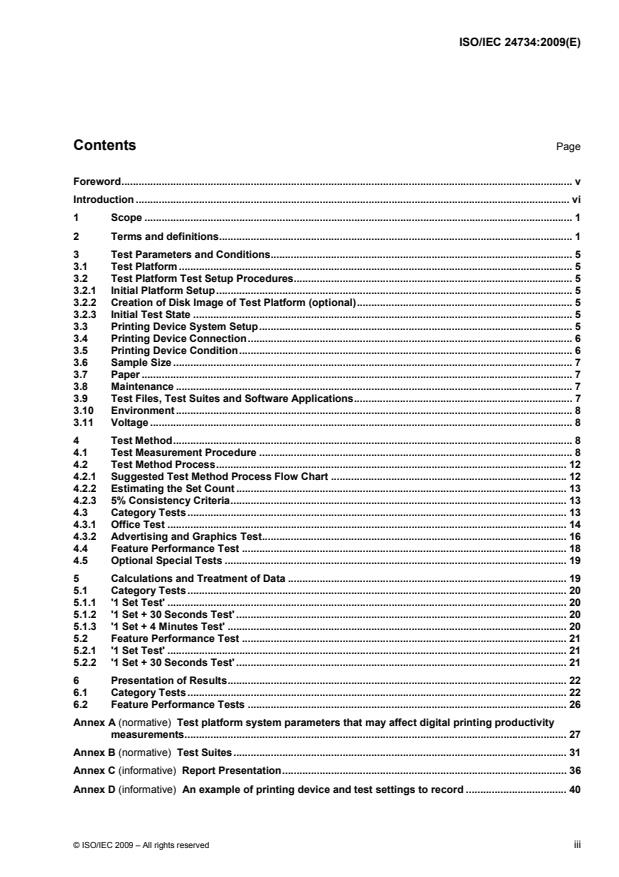
Contents Page
Foreword. v
Introduction . vi
1 Scope . 1
2 Terms and definitions. 1
3 Test Parameters and Conditions. 5
3.1 Test Platform . 5
3.2 Test Platform Test Setup Procedures. 5
3.2.1 Initial Platform Setup. 5
3.2.2 Creation of Disk Image of Test Platform (optional). 5
3.2.3 Initial Test State . 5
3.3 Printing Device System Setup. 5
3.4 Printing Device Connection. 6
3.5 Printing Device Condition. 6
3.6 Sample Size . 7
3.7 Paper . 7
3.8 Maintenance . 7
3.9 Test Files, Test Suites and Software Applications. 7
3.10 Environment . 8
3.11 Voltage . 8
4 Test Method. 8
4.1 Test Measurement Procedure . 8
4.2 Test Method Process. 12
4.2.1 Suggested Test Method Process Flow Chart . 12
4.2.2 Estimating the Set Count . 13
4.2.3 5% Consistency Criteria. 13
4.3 Category Tests . 13
4.3.1 Office Test . 14
4.3.2 Advertising and Graphics Test. 16
4.4 Feature Performance Test . 18
4.5 Optional Special Tests . 19
5 Calculations and Treatment of Data . 19
5.1 Category Tests . 20
5.1.1 '1 Set Test' . 20
5.1.2 '1 Set + 30 Seconds Test' . 20
5.1.3 '1 Set + 4 Minutes Test' . 20
5.2 Feature Performance Test . 21
5.2.1 '1 Set Test' . 21
5.2.2 '1 Set + 30 Seconds Test' . 21
6 Presentation of Results. 22
6.1 Category Tests . 22
6.2 Feature Performance Tests . 26
Annex A (normative) Test platform system parameters that may affect digital printing productivity
measurements. 27
Annex B (normative) Test Suites. 31
Annex C (informative) Report Presentation. 36
Annex D (informative) An example of printing device and test settings to record . 40
© ISO/IEC 2009 – All rights reserved iii
Annex E (informative) An example of a Full Detailed Report. 41
Bibliography . 44
iv © ISO/IEC 2009 – All rights reserved
Foreword
ISO (the International Organization for Standardization) and IEC (the International Electrotechnical
Commission) form the specialized system for worldwide standardization. National bodies that are members of
ISO or IEC participate in the development of International Standards through technical committees
established by the respective organization to deal with particular fields of technical activity. ISO and IEC
technical committees collaborate in fields of mutual interest. Other international organizations, governmental
and non-governmental, in liaison with ISO and IEC, also take part in the work. In the field of information
technology, ISO and IEC have established a joint technical committee, ISO/IEC JTC 1.
International Standards are drafted in accordance with the rules given in the ISO/IEC Directives, Part 2.
The main task of the joint technical committee is to prepare International Standards. Draft International
Standards adopted by the joint technical committee are circulated to national bodies for voting. Publication as
an International Standard requires approval by at least 75 % of the national bodies casting a vote.
Attention is drawn to the possibility that some of the elements of this document may be the subject of patent
rights. ISO and IEC shall not be held responsible for identifying any or all such patent rights.
ISO/IEC 24734 was prepared by Technical Committee ISO/TC JTC1, Information technology, Subcommittee
SC 28, Office equipment.
© ISO/IEC 2009 – All rights reserved v
Introduction
Many digital printing devices produce printed pages at a different rate than their nominal speed when running
with different modes (simplex, duplex, print quality modes), different substrate weight, system environments,
applications and file content, and finishing options. The degree to which a reduction in productivity is
experienced depends significantly on multiple parameters of the job workflow. The most dominant of the
parameters of the job workflow are: system environment, application, and job characteristics such as the
number of pages in a set to be printed, single-sided or double-sided output pages, quality mode, number of
print sets to be produced, substrate weight/size used, and finishing options, and job content complexities such
as monochrome vs. colour, text/vector vs. raster, page scaling and colour conversion. The existing
International Standards (ISO/IEC 10561) only address printing throughput for Class 1 and Class 2 printers and
(ISO/IEC 14545) only addresses analog copier productivity, therefore both are not suitable for comparing
colour printing devices or high-speed page-oriented printing devices with many finishing options and
connectivity configurations.
This International Standard provides a general method for measuring the productivity when the above-
mentioned job workflow parameters for digital printing devices are taken into consideration. This International
Standard also includes a suite of test files, test-platform (hardware and software) setup guidelines, and a
procedure to be used for measuring digital printing productivity. It allows manufacturers and buyers of digital
printing devices to describe the productivity of various digital printing devices with respect to representative
office usage patterns.
vi © ISO/IEC 2009 – All rights reserved
INTERNATIONAL STANDARD ISO/IEC 24734:2009(E)
Information technology — Office equipment — Method for
measuring digital printing productivity
1 Scope
This International Standard specifies a method for measuring the productivity of digital printing devices with
various office applications and print job characteristics. This International Standard is applicable to digital
printing devices, including single-function and multi-function devices, regardless of print technology (e.g. inkjet,
laser). Devices can be equipped with a range of paper feed and finishing options either directly connected to
the computer system or via a network. It is intended to be used for black and white (B&W) as well as colour
digital printing devices. It allows for the comparison of the productivity of machines operating in various
available modes (simplex, duplex, size of substrates, etc.) and office applications when the test system
environment, operating modes, and job mix for each machine are held identical. This International Standard
includes test files, test setup procedure, test runtime procedure, and the reporting requirements for the digital
printing productivity measurements.
This International Standard is not intended to be used for devices which are not able to print on a media size
of A4/8.5”x11” or for devices, which are not able to collate multiple copies of a print.
This International Standard is not intended to replace manufacturer's rated speeds.
The productivity of a digital printing device depends on factors other than the printing device itself. These
include, but are not limited to, computer manufacturer and model, central processor type and speed, RAM and
hard disk memory capacity and speed, software driver, version of the application being used, operating
system, and the type and speed of the communication path from computer to printing device, etc. Because of
this, in order to make useful and accurate direct comparisons of printing productivity with this International
Standard, the same computer system hardware and software shall be used for measuring the printing devices
if for the purpose of being directly compared one to another. For every printing productivity measurement, the
basic specifications of the computer hardware and software shall be included with the results of the printing
productivity measurement.
NOTE Important note for the use of this International Standard. There are other factors that influence the number of
prints that a person can make on a printing device within a defined time period. These factors include typical job portfolio
that is printed on a particular printing device, reliability of the system, downtime due to a service call, ease-of-use, (un)load
paper during printing, routine maintenance, interaction with other users of the printing device and the network, etc. Such
productivity items are not taken into account within the scope or methods of this International Standard.
2 Terms and definitions
For the purposes of this document, the following terms and definitions apply.
2.1
category test
test pertaining to one of two separate categories; Office category and Advertising and Graphics category,
whereby the Office Category test is used to test and report FSOT, ESAT and EFTP using content from typical
office applications and the Advertising and Graphics Category test is used to test and report FSOT, ESAT and
EFTP using applications and files representing more complexity, higher coverage and a higher ratio of image
and graphic content such as pictures, gradients and embedded elements
© ISO/IEC 2009 – All rights reserved 1
2.2
collation
printing device's ability to produce multiple hard copies of an electronic document in repeating original order,
such as 1234, 1234, 1234.etc, which may be achieved through either software features that ensure proper
output order or via a hardware finishing device
2.3
default driver
printing device driver that is automatically selected as the default per the manufacturers’ installation procedure
2.4
duplex printing
printing where the printing device can make a number of prints with the printing being done to both sides of
the sheet
NOTE Other equivalent terms are “two-sided printing” or “two-sided perfecting”.
2.5
EFTP
effective throughput
average speed at which a device produces pages measured from the initiation of the job through the complete
exit of the last page of the last test set
NOTE EFTP is expressed in images per minute (ipm). EFTP can be affected by the digital processing time of the test
set as well as the run time of the test set.
2.6
ESAT
estimated saturated throughput
rate at which a device produces pages measured from the complete exit of the last page of the first test set
through the complete exit of the last page of the last test set
NOTE ESAT is expressed in images per minute (ipm).
2.7
feature performance percentage
ratio of the printing performance (such as FSOT and ESAT) with the subject feature ON versus the printing
device default baseline performance (without the subject feature ON)
2.8
feature performance test
optional test used to evaluate productivity changes with various printing and finishing features enabled
NOTE The feature performance test suite is run with default printing system settings to establish a base line, and
then with the selected feature (e.g. stapling) ON, for comparison.
2.9
FSOT
first set out time
number of seconds between the initiation of the job to the complete exit of the last page of the first test set
2.10
full detailed report
presentation of information including machine setup and measured test results
2.11
full report
presentation of results including the FSOT, EFTP and ESAT values for each file tested for a given category or
feature test as well as the calculated averages for the overall FSOT, EFTP and ESAT values
2 © ISO/IEC 2009 – All rights reserved
2.12
host-based controller
〈printing devices with a host-based controller〉 page description interpreter and RIP reside in the host
computer and these processes convert the PDL into a simplified format such as a raster bitmap, and the
simplified data are then sent to the printing device
NOTE Most of the data and images processing is done on the host computer side. The performance of the printing
device depends upon the whole system — the host computer, the data transfer, and the printing device.
2.13
initial installation state
state of the test platform after the installation and configuration of the operating system and applications but
before the installation of unique software, e.g. print driver for the printing device under test
2.14
input image equivalent
number of original electronic input images printed independent of the number of hardcopy output sheets the
images are printed on
NOTE Input image equivalent is expressed in terms of the equivalent number of images input from the source test
file. For example, if two A4-sized input images from the test file are printed on one-side of an A3 page in simplex printing,
the output printed on this A3 page is 2 A4 input image equivalent. For another example, if four A4-sized input images from
the test file are printed in reduction on one-side of an A4 page in a 4-up mode in simplex printing, the output printed on this
A4 page is 4 A4 input image equivalent.
2.15
interface/network
interface between the host and the printing device, such as a direct (via parallel, serial, USB, Firewire or
wireless) or an indirect (via network router/server) connection
2.16
LSOT
last set out time
number of seconds between the initiation of the job to the complete exit of the last page of the last test set
2.17
nominal printing speed
printing rate, excluding time to first page printed, and measured when producing pages in a continuous
printing mode with a single static data page using a nominal weight substrate
NOTE Nominal printing speed is expressed in pages per minute or images per minute.
2.18
PDL
page description language
specifies commands and data structures that a printing system interprets to produce an intended print page
image
2.19
PDL-based controller
〈printing devices that include a PDL-based controller (such as a Postscript RIP)〉 host computer processes the
page information via a software application into a standardized or well-known format (with embedded PDL and
compression) and the standardized/well-known page data is sent to the printing device via an
interface/network
NOTE The printing device's controller has its own decompressor, PDL Interpreter and RIP, with job storage and the
required large amount of processing power. Most of the final page data processing, images processing, job and file
management is done on the printing device side. However, the performance of the printing device still depends upon the
whole system - the host computer, the data transfer, and the printing device.
© ISO/IEC 2009 – All rights reserved 3
2.20
printing device
produces hard copy output, or prints on media such as paper, from digital electronic documents
NOTE The function of the device is not limited to printing only, such as is the case with multi-function devices, which
have the ability to print and perform other functions such as copy, scan and/or digital send.
2.21
RIP
raster image processor
component used in a printing system, which produces a bitmap
2.22
set count
the total number of sets printed during a test run, with set count N, and then N (as in N test sets) x M (number
of pages in one test file) pages will be printed.
NOTE This is often referred to as copy count in the application or print driver setting.
2.23
simplex printing
use of a printing device when only a single side of a sheet is printed on
NOTE Single-sided printing mode is similar to the copying modes often referred to as 1:1 mode, Simplex to simplex,
or single-sided originals to single-sided copies.
2.24
summary report
presentation of results including the average overall FSOT and ESAT values calculated for a given category
or feature test
2.25
test file
refers to individual files used for testing as per the test method
EXAMPLE A single Microsoft Excel file within the Office test is a “test file”.
2.26
test platform
set of hardware and software system components configured to perform the collection of digital printing
productivity tests, including, but not limited to a computer installed with an operating system and applicable
application software, installed printing device software, hardware and software interfaces, and timing devices
(stopwatch or automated)
2.27
test run
refers to the operation of printing one test file, in a particular system configuration, with a particular set and
page count
NOTE Print times are recorded for each test run.
2.28
test set
all of the pages of a single test file
2.29
test suite
refers to the combination of test files for each individual test
EXAMPLE The Office Category test suite consists of three test files.
4 © ISO/IEC 2009 – All rights reserved
3 Test Parameters and Conditions
3.1 Test Platform
Due to the rapid change of computer technology, a common test platform (hardware and software) that can be
used for productivity testing over time is considered to be not practical. Instead, when a test platform is used,
the test platform system parameters that may affect digital printing productivity measurements (see Annex A)
shall be recorded.
3.2 Test Platform Test Setup Procedures
The test platform test setup procedure includes sections for setting up the test platform computer and the
printing device to be tested.
3.2.1 Initial Platform Setup
The test platform hardware should be installed as per the manufacturer's instructions. The test platform
hardware information shall be recorded as listed in Annex A. The test platform operating system and
applications should be installed as per the manufacturer’s instructions. The test platform operating system and
application information shall be recorded as per Annex A. All settings or selections made during installation
that differs from the application's default settings or operating system’s default settings shall be recorded.
• The test platform should be configured for the appropriate connection environment, such as direct USB
connection or network Ethernet connection, and the information shall be recorded as per Annex A along
with all settings and selections that differ from the installation default configuration.
• It should be verified that the test platform is configured for optimal performance by evaluating system
parameters such as hard disk fragmentation and compression, swap memory size, etc. Any settings,
changes or optimizations made that differ from the installation default condition shall be recorded.
• The test platform is now in the Initial Installation State. All recorded settings shall be included in the Full
Detailed Report.
3.2.2 Creation of Disk Image of Test Platform (optional)
Disk imaging software may be used to enable the system to be restored to the Initial Installation State. Create
the disk image after the test platform has been configured and before the print driver for the printing device is
installed. Record the disk imaging software used and all settings that differ from the imaging software’s
installation default condition.
3.2.3 Initial Test State
The test platform shall be restored to the Initial Installation State before beginning the sequence of tests for
each new printing device. Each printing device product bundle or printing device hardware configuration
should be considered a “new printing device”. Record the method used to establish the Initial Installation State.
3.3 Printing Device System Setup
Place the printing device on a horizontal surface and setup the printing device according to the manufacturer's
recommendation. Install the software (driver, port, etc.) recommended by the manufacturer. Use the most
recent print driver available from the manufacturer. The driver and driver version shall be specified on the test
report.
The standard test shall be conducted using the manufacturer's default driver for the given printing device. If a
default driver is not installed/selected automatically by the manufacturer's installation procedure, consult the
manufacturer's documentation and use the recommended driver. All image, print quality, mode and speed
modifiers shall be at their factory pre-set configuration for the printing device and default installed condition for
© ISO/IEC 2009 – All rights reserved 5
the driver. If the printing device and driver differ, then the driver defaults shall be used. Disabling manufacturer
default installed features, routines or applications, is not allowed. Examples include, but are not limited to the
following: automatic cleaning or calibration cycles, bi-directional communications and energy save settings. It
is allowable to disable automatic media detect and select plain paper.
The file shall be rendered on the page in a size corresponding to the dimensions in the test page description.
For example, when testing an A4 sized document, the media settings shall be set to A4, and when testing a
8.5”x11” size document, set to 8.5”x11”, and so forth. Verify the printing device and print driver default page
margin settings are not larger than 12,7 mm (0,5 inches). Adjust the settings as necessary to insure the test
page printable area is rendered correctly. Adjust the settings as necessary to insure the test pages printable
area is rendered to cover the paper page area as shown in the softcopy display of the test file. Any
modifications to the printing device or print driver settings shall be recorded. Page placement modifiers such
as page centering and auto-rotation can be used to place the image properly on the page. Any change from
the printing device defaults shall be recorded in the Full Detailed Report.
NOTE Adjust the settings such as turning off “page scaling” setting to ensure the test page printable area is rendered
correctly.
Output shall be collated. If collated output is not included in the default settings, follow the manufacturer’s
recommendation for obtaining collated output. In the case that collation settings do affect performance, the
faster of the results should be reported. As with other settings, the test report shall disclose the manner in
which collation was achieved.
For colour and B&W printing devices, printing the three files in the Office suite, using default settings is
required. The output of the three files on a colour device shall be in colour, whereas the output of the three
files on a B&W device shall be B&W. For colour printing devices, an optional B&W result may be reported by
using the same three colour files, changing the printing device or driver to produce B&W output, but
maintaining the default quality or resolution setting.
Procedurally, the optional B&W output on a colour device test shall be done as follows: Select the printing
device or driver options which are intended to produce B&W only output. Follow the manufacture's instructions
on how to change the printing device or driver for the result of producing B&W output utilizing only the black
cartridge. If other settings change automatically as a result of changing to B&W mode, such as quality mode,
this shall be noted on the test report. If B/W printing is performed by composite black, it should be reported.
NOTE Common means of setting a printing device in B&W include, but are not limited to, selecting a B&W option in
the driver. In the driver, this might appear as: “print in B&W”, “print in grayscale” or “print in black only”. The selection of
B&W printing can occur in several places in the driver and printing device. When the best method to set the printing device
to print in B&W only is in question, it is best to contact the manufacturer regarding the best method to change this setting.
Additional tests may be conducted using other, non-default, drivers or printing device description languages provided by
the manufacturer for the printing device. Additional tests may also be conducted using other settings available with the
device. Such settings may be, but are not limited to, print quality and speed modifier choices available in the driver. The
results of such additional tests will be documented as having system parameters that differ from the factory defaults and
shown in comparison to the default system parameter results.
3.4 Printing Device Connection
Connection to the test platform should be determined by the manufacturer’s targeted usage. A printing device
intended to be shared by several users should be connected via the network connection with which the
printing device is equipped from the manufacturer. A printing device intended to be personal or desktop
should be connected direct to the test computer (such as USB). The connection type, version, and all settings
that differ from the system or printing device defaults shall be recorded and reported.
3.5 Printing Device Condition
All supplies used in the test(s), including paper and printing device consumables, shall be only those specified
as acceptable for use by the manufacturer (or otherwise noted). The number of pages printed on the engine
and printed on the consumables prior to the start of the test shall be recorded and reported.
6 © ISO/IEC 2009 – All rights reserved
3.6 Sample Size
Each file shall be tested and measured at least twice for repeatability.
3.7 Paper
The paper used in this test shall be within the range of, and/or not violate, specific written attribute guidelines
and recommendations provided by the printing device manufacturer, which may include but are not limited to:
size, weight, composition, paper manufacturer(s), paper type, part number and other physical characteristics.
Care must be taken to use a paper that conforms to the printing device manufacturers’ paper specifications for
the default printing devices settings. The paper used for the Category tests [section 5.1] shall be cut-sheet, A4
and/or 8.5”x11” size. Optional paper sizes may be used in the Feature Test such as 8.5"x14", A3, and/or
11”x17” size as appropriate for the test mode. The paper manufacturer, weight, size and paper type/name
used in each test shall be noted on the report.
3.8 Maintenance
Print engine maintenance shall be performed throughout testing per the manufacturer's recommendations on
an as needed basis. (For example, cleaning routines or consumables replacement).
3.9 Test Files, Test Suites and Software Applications
The productivity test suites and test files are specified in Annex B.1-3. The tests shall be conducted using the
standard official electronic test files as the input. The most recent official files can be located at
http://www.iso.org/jtc1/sc28. Failure to use the exact files as specified shall invalidate test results. The versions
of the test files and application software used shall be included in the test report.
A single set of each test file is printed and measured to determine FSOT. Multiple, N sets, of each test file are
printed and measured for the 1 Set + 30 Seconds Test run to calculate ESAT and EFTP, where N is the
number of sets needed to meet LSOT - FSOT W 30 Seconds. This method is used to provide varying tests for
products across varying segments. This approach allows faster products to be tested with more sets and
slower products to be tested with fewer sets without defining and categorizing products by segment and
weighting some test pages more heavily than others. The 1 Set + 4 Minutes Test is a similar concept used to
calculate EFTP and is intended to provide a test to illustrate that differences in productivity can occur for
longer printing times compared to shorter printing times. It is understood and recognized that 4 minutes may
be a long test for some devices, but a short test for other, higher end devices. The 4 minutes time is a
compromise to meet the needs of the many products across many segments covered in the scope of this
International Standard.
The Office Category test is the required test. The Advertising and Graphics Category test is an optional test. If
the printing device under test serves more than one market category, or if testing more applications and
content is of interest, both Category Tests can be tested and measured.
The Feature Performance test is an optional test. The Feature Performance test is used to compare baseline
FSOT and ESAT (obtained using a default print system configuration) to FSOT and ESAT obtained using a
selected print system feature (e.g. stapling). When such a comparison is desired, the optional Feature
Performance test (defined in section 4.4) can be added to the category test. The Feature Performance test
suite is run with default print system settings to establish a base line, and then with the subject feature ON, for
comparison. The choice of whether “Office” or/and “Complex” “Feature Performance” test suites are used
depends on what areas of the market that the printing device under test is intended to be used. The baseline
test choice (“Office” or “Complex”) shall be noted in the Summary and Full Report (especially important for the
feature performance ratio calculation versus the base).
Refer to Annex B to determine the necessary test files to be used for the specific test to be run. Locate the
source files at http://www.iso.org/jtc1/sc28.
© ISO/IEC 2009 – All rights reserved 7
3.10 Environment
The test environment, including temperature and humidity, shall be within the ranges recommended by the
manufacturer for operating the device. If no recommendation is available, the following ranges shall apply.
Temperature: 18 °C to 25 °C
Relative humidity: 30 % to 70 %
NOTE The temperature and humidity ranges of the test environment should be recorded in the Full Detailed Report.
3.11 Voltage
The printing device shall be connected to a voltage supply within the manufacturer specified operating voltage
range for the printing device under test.
NOTE The measurement should be made under no-load condition prior to each test.
4 Test Method
This section defines the test methods.
A single set (1 Set Test) of the relevant test file is printed in order to measure First Set Out Time from the 1
Set Test (FSOT ). Multiple, N sets, of each relevant test file are printed and measured for the 1 Set + 30
1set
Seconds Test run to calculate Estimated Saturated Throughput (ESAT ) and Effective Throughput
30sec
(EFTP ), where N is the number of sets needed to meet LSOT - FSOT W 30 seconds, and
30sec 30sec 30sec
LSOT is the Last Set Out Time for the 1 Set + 30 Seconds Test. The 1 Set + 4 Minutes Test is a similar
30sec
concept used to calculate EFTP .
4min
The 1 Set + 30 Seconds Test is used to provide a test for products across varying segments. Without defining
and categorizing products by segments, this simple method allows faster products to be tested with more sets
and slower products to be tested with fewer sets, therefore more consistent with their usage.
The 1 Set + 4 Minutes Test is intended to provide a test to illustrate that differences in productivity can occur
for longer printing times compared to shorter printing times. It is understood and recognized that 4 minutes
may be a long test for some devices, but a short test for other, higher end devices. The 4 minutes time is a
compromise to meet the needs of the many products across many segments covered in the scope of this
International Standard.
In order to ensure clarity between the results of each tests and to avoid test result confusion that can be
caused by back to back job spooling effect, each print job test should be sent only after the last set of the
previous test has fully ejected from the machine and the device has returned to a ready state.
4.1 Test Measurement Procedure
Before testing:
1) Install the test computer and a clean code image per the test setup requirements.
2) Install the printing device, driver and application software following the user's manual and test
setup requirements. The default required tests shall be run after the printing device has warmed-
up and entered a “ready” state. Use of warm-up printing (that means at least one page is printed
just before testing) to ready the printing device is acceptable.
3) Set the system parameters (such as paper weight selection, paper size and feed orientation,
quality mode) for test. If the system has automatic media detect, it should be disabled and the
paper to be used in the test should be selected. Record the printing device model, configuration
(options), default condition and any variant if selected.
8 © ISO/IEC 2009 – All rights reserved
4) Assemble the files that will be used in the test, identified as described in Section 3.9. Ensure
that the necessary applications are available on the computer that will be used in the test.
5) Printing Mode Control: Configure the Printing Mode for the current portion of the test. Default
Printing Modes require no changes in the driver of the printing device under test, other than to turn
off page scaling, to turn collation ON if it is not ON by default, to select plain paper, duplex, or for
B&W on a colour printing device, set the mode of the print driver to produce B&W output. The test
report shall include a record of the printing device modes selected and how it was selected.
NOTE Some devices support multiple duplex options (for example, book versus tablet, long edge vs. short
edge). The default duplex option should be used and the orientation recorded.
NOTE The manner in which collation, set count and B&W is selected can affect performance test results.
Preliminary evaluation of the settings and their impact on performance throughput is recommended. Refer to
the product's operator manual for additional information regarding recommended settings.
6) Refer to sections 4.3 and 4.4 to decide what tests are to be run. Refer to Annex D for an
example of how to record test settings.
1 Set Test Procedure to measure FSOT and EFTP :
1set 1set
1) Application and test file control: [Start Test run] Open an application and the
corresponding test file for that application on the test machine.
2) Select Print from the application.
3) Select “OK” and simultaneously start the timing device (watch or otherwise). The time
measurement is started when the “OK” button in the printing application window is
selected.
4) Record the time in seconds for completion of one set (the last page of the test file has
fully ejected from the machine) to at least two decimal places.
5) [End Test run] Close the test file and associated software application after the test file
has been printed.
6) Run the 1 Set Test [steps 1 – 5] twice. Calculate FSOT and EFTP for each test
1set 1set
run according to section 5.
7) Determine if the results are consistent within ± 5% according to section 4.2.3, and
perform a third test run if required.
8) Calculate the average FSOT and EFTP .
1set 1set
NOTE The average FSOT for this test set is reported in the Category Test Full Report and the
1set
Full Detailed Report as FSOT. The average FSOT for the test suite (consists of many test sets) is
1set
reported in the Category Test Summary Report as FSOT. For detail, see Annex C and Annex E for
an example of report presentation.
1 Set + 30 Seconds Test Procedure to measure ESAT and EFTP :
30sec 30sec
1) Application and test file control: [Start Test run] Open an application and the
corresponding test file for that application on the test machine.
2) Select Print from the application. Enter Print Set count = N required for Last Set Out
Time LSOT – FSOT W 30 Seconds. Select any necessary collate options to
30sec 30sec
insure that multiple set runs print the output in collated order (1234., 1234, .). All tests
of the same file must use the same set count. For the second and third tests, use the
© ISO/IEC 2009 – All rights reserved 9
same set count used in the first test. Record where collate and set count settings were
made in the driver/application.
NOTE This FSOT should not be confused with the FSOT from the 1 Set Test. The
30sec 1set
FSOT measured here is used to verify LSOT – FSOT W 30 seconds and to calculate
30sec 30sec 30sec
ESAT .
30sec
3) Select “OK” and simultaneously start the timing device (watch or otherwise). The time
measurement is started when the “OK” button in the printing application window is
selected.
4) Record the time in seconds for completion of the First Set Out Time (FSOT ) to at
30sec
least two decimal places. This is the time from “OK” until the last page (first test set, first
complete print of file pages) of the test file has fully ejected from the machine.
NOTE If the output paper tray size is less than the number of pages to be printed, remove the
output paper during the test.
NOTE Each test set of the Category test has four pages. Each test set of the Feature Performance
A
...
INTERNATIONAL ISO/IEC
STANDARD 24734
First edition
2009-03-01
Information technology — Office
equipment — Method for measuring
digital printing productivity
Technologies de l'information — Équipements de bureau — Méthode
de mesure de la productivité d'impression numérique
Reference number
©
ISO/IEC 2009
PDF disclaimer
PDF files may contain embedded typefaces. In accordance with Adobe's licensing policy, such files may be printed or viewed but shall
not be edited unless the typefaces which are embedded are licensed to and installed on the computer performing the editing. In
downloading a PDF file, parties accept therein the responsibility of not infringing Adobe's licensing policy. The ISO Central Secretariat
accepts no liability in this area.
Adobe is a trademark of Adobe Systems Incorporated.
Details of the software products used to create the PDF file(s) constituting this document can be found in the General Info relative to
the file(s); the PDF-creation parameters were optimized for printing. Every care has been taken to ensure that the files are suitable for
use by ISO member bodies. In the unlikely event that a problem relating to them is found, please inform the Central Secretariat at the
address given below.
This CD-ROM contains:
1) the publication ISO/IEC 24734:2009 in portable document format (PDF), which can be viewed using
Adobe® Acrobat® Reader;
2) test suites for measuring digital printer productivity.
Adobe and Acrobat are trademarks of Adobe Systems Incorporated.
© ISO/IEC 2009
All rights reserved. Unless required for installation or otherwise specified, no part of this CD-ROM may be reproduced, stored in a retrieval
system or transmitted in any form or by any means without prior permission from ISO. Requests for permission to reproduce this product
should be addressed to
ISO copyright office • Case postale 56 • CH-1211 Ge
...
Questions, Comments and Discussion
Ask us and Technical Secretary will try to provide an answer. You can facilitate discussion about the standard in here.
Loading comments...