

IEC 61970-453:2014
(Main)Energy management system application program interface (EMS-API) - Part 453: Diagram layout profile
General Information
- Abstract
IEC 61970-453:2014 is a member of the IEC 61970-450 to 499 series that, taken as a whole, defines, at an abstract level, the content and exchange mechanisms used for data transmitted between control centre components. Included in this part of IEC 61970 are the general use cases for exchange of diagram layout data, and guidelines for linking the layout definitions with CIM data. Guidelines for management of schematic definitions through multiple revisions are also included. This new edition includes the following significant technical change with respect to the previous edition: The SVG elements and its data model have been replaced by the Diagram Layout Package, which is now an integral part of the IEC 61970-301 (CIM) model.
- Status
- Published
- Publication Date
- 21-Nov-2018
- Technical Committee
- TC 57 - Power systems management and associated information exchange
- Drafting Committee
- WG 13 - TC 57/WG 13
- Current Stage
- PPUB - Publication issued
- Start Date
- 25-Feb-2014
- Completion Date
- 28-Feb-2014
Buy Documents
IEC 61970-453:2014 - Energy management system application program interface (EMS-API) - Part 453: Diagram layout profile Released:2/25/2014

IEC 61970-453:2014+AMD1:2018 CSV - Energy management system application program interface (EMS-API) - Part 453: Diagram layout profile Released:11/22/2018
Overview
IEC 61970-453:2014 – "Energy management system application program interface (EMS-API) – Part 453: Diagram layout profile" – is a crucial international standard developed by the International Electrotechnical Commission (IEC). It is part of the broader IEC 61970 series, which defines standard interfaces for energy management systems (EMS) in electric power control centers. Specifically, IEC 61970-453 addresses the modeling, exchange, and management of diagram layout data within and between control center components.
The standard introduces an efficient and interoperable way to exchange schematic and diagram layout data, supporting seamless integration and visualization of power network models. It establishes guidelines for linking diagram layouts to Common Information Model (CIM) data, ensuring consistent representation regardless of the platform or vendor.
Key Topics
- Abstract Data Exchange: Defines abstract-level content and mechanisms for exchanging data pertaining to diagram layouts among control center components.
- Use Cases for Diagram Exchange: Describes how diagram layouts can be exported and imported, supporting scenarios like initial schematic construction and continuous maintenance.
- Integration with CIM: Provides clear methods for linking diagram layouts with CIM data, an essential practice for maintaining synchronization and data integrity across applications.
- Diagram Management: Offers guidelines for handling schematic definitions, including versioning and support for multiple revisions.
- Diagram Layout Package: Replaces previous SVG elements/data models with the new Diagram Layout Package as part of IEC 61970-301 (CIM), offering a more robust and integrated approach.
- Profile Classes and Layering: Introduces standardized classes for objects, points, styles, text, and visibility layers to support advanced diagram rendering and user interaction.
- Scalability and Flexibility: Supports assignment of diagram objects to layers for selective visibility, de-cluttering visuals based on user preferences or zoom levels.
- Proprietary Extension Support: Allows proprietary extensions for full round-trip exchange (export and re-import within the same system) without loss of information or breaking standard compliance.
Applications
IEC 61970-453:2014 plays a vital role in the digital transformation of power systems by enabling effective diagram layout data exchange between diverse EMS applications. Key practical applications include:
- Control Center Integration: Facilitates interoperability between various EMS, SCADA, and GIS platforms by providing a standard format for exchanging diagram layouts.
- Visualization Consistency: Ensures that schematic diagrams and one-line representations maintain consistent layout and clarity when shared between utilities or across different software solutions.
- Efficient Maintenance: Reduces manual labor and potential errors in constructing and updating schematics by automating the import/export of layout data.
- Collaboration and Documentation: Enhances the ability of utilities and system operators to share accurate network models and diagrams, supporting both operational tasks and regulatory reporting.
- System Upgrades and Migrations: Provides a reliable basis for transferring layout data during system upgrades, migrations, or vendor changes, preserving business continuity.
Related Standards
IEC 61970-453 is closely related to several other IEC standards within the EMS-API and CIM ecosystem:
- IEC 61970-301: Defines the Common Information Model (CIM) base, foundational for information exchange.
- IEC 61970-452: Specifies the CIM static power system model exchange, complementing the diagram layout profile.
- IEC 61970-552: Details the CIMXML encoding and exchange rules, referenced for packaging and transmitting diagram layouts.
- IEC 61970-501: Describes the CIM RDF schema for standardized modeling.
- IEC/TR 62541-1: Covers the OPC Unified Architecture for industrial integration.
- IEC 60050: International electrotechnical vocabulary, ensuring consistent terminology.
Why IEC 61970-453 Matters
Adoption of IEC 61970-453:2014 guarantees interoperability, data integrity, and visual consistency in EMS environments. By leveraging globally recognized standards for diagram layout exchange, utilities and technology providers can streamline operations, reduce integration costs, and support the ongoing digitalization of the power sector.
Keywords: IEC 61970-453, EMS-API, diagram layout profile, energy management system, control center interoperability, Common Information Model (CIM), schematic data exchange, power system visualization, standardization, IEC standards.
Relations
- Effective Date
- 05-Sep-2023
- Effective Date
- 05-Sep-2023
Buy Documents
IEC 61970-453:2014 - Energy management system application program interface (EMS-API) - Part 453: Diagram layout profile Released:2/25/2014
IEC 61970-453:2014+AMD1:2018 CSV - Energy management system application program interface (EMS-API) - Part 453: Diagram layout profile Released:11/22/2018
Get Certified
Connect with accredited certification bodies for this standard

ANCE
Mexican certification and testing association.

Intertek Slovenia
Intertek testing, inspection, and certification services in Slovenia.

LNE (Laboratoire National de Métrologie et d'Essais)
French national laboratory for metrology and testing.
Sponsored listings
Frequently Asked Questions
IEC 61970-453:2014 is a standard published by the International Electrotechnical Commission (IEC). Its full title is "Energy management system application program interface (EMS-API) - Part 453: Diagram layout profile". This standard covers: IEC 61970-453:2014 is a member of the IEC 61970-450 to 499 series that, taken as a whole, defines, at an abstract level, the content and exchange mechanisms used for data transmitted between control centre components. Included in this part of IEC 61970 are the general use cases for exchange of diagram layout data, and guidelines for linking the layout definitions with CIM data. Guidelines for management of schematic definitions through multiple revisions are also included. This new edition includes the following significant technical change with respect to the previous edition: The SVG elements and its data model have been replaced by the Diagram Layout Package, which is now an integral part of the IEC 61970-301 (CIM) model.
IEC 61970-453:2014 is a member of the IEC 61970-450 to 499 series that, taken as a whole, defines, at an abstract level, the content and exchange mechanisms used for data transmitted between control centre components. Included in this part of IEC 61970 are the general use cases for exchange of diagram layout data, and guidelines for linking the layout definitions with CIM data. Guidelines for management of schematic definitions through multiple revisions are also included. This new edition includes the following significant technical change with respect to the previous edition: The SVG elements and its data model have been replaced by the Diagram Layout Package, which is now an integral part of the IEC 61970-301 (CIM) model.
IEC 61970-453:2014 is classified under the following ICS (International Classification for Standards) categories: 33.060.20 - Receiving and transmitting equipment; 33.200 - Telecontrol. Telemetering. The ICS classification helps identify the subject area and facilitates finding related standards.
IEC 61970-453:2014 has the following relationships with other standards: It is inter standard links to IEC 61970-453:2014/AMD1:2018, IEC 61970-453:2008. Understanding these relationships helps ensure you are using the most current and applicable version of the standard.
IEC 61970-453:2014 is available in PDF format for immediate download after purchase. The document can be added to your cart and obtained through the secure checkout process. Digital delivery ensures instant access to the complete standard document.
Standards Content (Sample)
IEC 61970-453 ®
Edition 2.0 2014-02
INTERNATIONAL
STANDARD
NORME
INTERNATIONALE
colour
inside
Energy management system application program interface (EMS-API) –
Part 453: Diagram layout profile
Interface de programmation d'application pour système de gestion d'énergie
(EMS-API) –
Partie 453: Profil de disposition de diagramme
All rights reserved. Unless otherwise specified, no part of this publication may be reproduced or utilized in any form
or by any means, electronic or mechanical, including photocopying and microfilm, without permission in writing from
either IEC or IEC's member National Committee in the country of the requester. If you have any questions about IEC
copyright or have an enquiry about obtaining additional rights to this publication, please contact the address below or
your local IEC member National Committee for further information.
Droits de reproduction réservés. Sauf indication contraire, aucune partie de cette publication ne peut être reproduite
ni utilisée sous quelque forme que ce soit et par aucun procédé, électronique ou mécanique, y compris la photocopie
et les microfilms, sans l'accord écrit de l'IEC ou du Comité national de l'IEC du pays du demandeur. Si vous avez des
questions sur le copyright de l'IEC ou si vous désirez obtenir des droits supplémentaires sur cette publication, utilisez
les coordonnées ci-après ou contactez le Comité national de l'IEC de votre pays de résidence.
IEC Central Office Tel.: +41 22 919 02 11
3, rue de Varembé Fax: +41 22 919 03 00
CH-1211 Geneva 20 info@iec.ch
Switzerland www.iec.ch
About the IEC
The International Electrotechnical Commission (IEC) is the leading global organization that prepares and publishes
International Standards for all electrical, electronic and related technologies.
About IEC publications
The technical content of IEC publications is kept under constant review by the IEC. Please make sure that you have the
latest edition, a corrigenda or an amendment might have been published.
IEC Catalogue - webstore.iec.ch/catalogue Electropedia - www.electropedia.org
The stand-alone application for consulting the entire The world's leading online dictionary of electronic and
bibliographical information on IEC International Standards, electrical terms containing more than 30 000 terms and
Technical Specifications, Technical Reports and other definitions in English and French, with equivalent terms in 14
documents. Available for PC, Mac OS, Android Tablets and additional languages. Also known as the International
iPad. Electrotechnical Vocabulary (IEV) online.
IEC publications search - www.iec.ch/searchpub IEC Glossary - std.iec.ch/glossary
The advanced search enables to find IEC publications by a More than 55 000 electrotechnical terminology entries in
variety of criteria (reference number, text, technical English and French extracted from the Terms and Definitions
committee,…). It also gives information on projects, replaced clause of IEC publications issued since 2002. Some entries
and withdrawn publications. have been collected from earlier publications of IEC TC 37,
77, 86 and CISPR.
IEC Just Published - webstore.iec.ch/justpublished
Stay up to date on all new IEC publications. Just Published IEC Customer Service Centre - webstore.iec.ch/csc
details all new publications released. Available online and If you wish to give us your feedback on this publication or
also once a month by email. need further assistance, please contact the Customer Service
Centre: csc@iec.ch.
A propos de l'IEC
La Commission Electrotechnique Internationale (IEC) est la première organisation mondiale qui élabore et publie des
Normes internationales pour tout ce qui a trait à l'électricité, à l'électronique et aux technologies apparentées.
A propos des publications IEC
Le contenu technique des publications IEC est constamment revu. Veuillez vous assurer que vous possédez l’édition la
plus récente, un corrigendum ou amendement peut avoir été publié.
Catalogue IEC - webstore.iec.ch/catalogue Electropedia - www.electropedia.org
Application autonome pour consulter tous les renseignements
Le premier dictionnaire en ligne de termes électroniques et
bibliographiques sur les Normes internationales,
électriques. Il contient plus de 30 000 termes et définitions en
Spécifications techniques, Rapports techniques et autres
anglais et en français, ainsi que les termes équivalents dans
documents de l'IEC. Disponible pour PC, Mac OS, tablettes
14 langues additionnelles. Egalement appelé Vocabulaire
Android et iPad.
Electrotechnique International (IEV) en ligne.
Recherche de publications IEC - www.iec.ch/searchpub
Glossaire IEC - std.iec.ch/glossary
Plus de 55 000 entrées terminologiques électrotechniques, en
La recherche avancée permet de trouver des publications IEC
en utilisant différents critères (numéro de référence, texte, anglais et en français, extraites des articles Termes et
comité d’études,…). Elle donne aussi des informations sur les Définitions des publications IEC parues depuis 2002. Plus
projets et les publications remplacées ou retirées. certaines entrées antérieures extraites des publications des
CE 37, 77, 86 et CISPR de l'IEC.
IEC Just Published - webstore.iec.ch/justpublished
Service Clients - webstore.iec.ch/csc
Restez informé sur les nouvelles publications IEC. Just
Published détaille les nouvelles publications parues. Si vous désirez nous donner des commentaires sur cette
Disponible en ligne et aussi une fois par mois par email. publication ou si vous avez des questions contactez-nous:
csc@iec.ch.
IEC 61970-453 ®
Edition 2.0 2014-02
INTERNATIONAL
STANDARD
NORME
INTERNATIONALE
colour
inside
Energy management system application program interface (EMS-API) –
Part 453: Diagram layout profile
Interface de programmation d'application pour système de gestion d'énergie
(EMS-API) –
Partie 453: Profil de disposition de diagramme
INTERNATIONAL
ELECTROTECHNICAL
COMMISSION
COMMISSION
ELECTROTECHNIQUE
PRICE CODE
INTERNATIONALE
CODE PRIX U
ICS 33.200 ISBN 978-2-8322-1403-9
– 2 – 61970-453 © IEC:2014
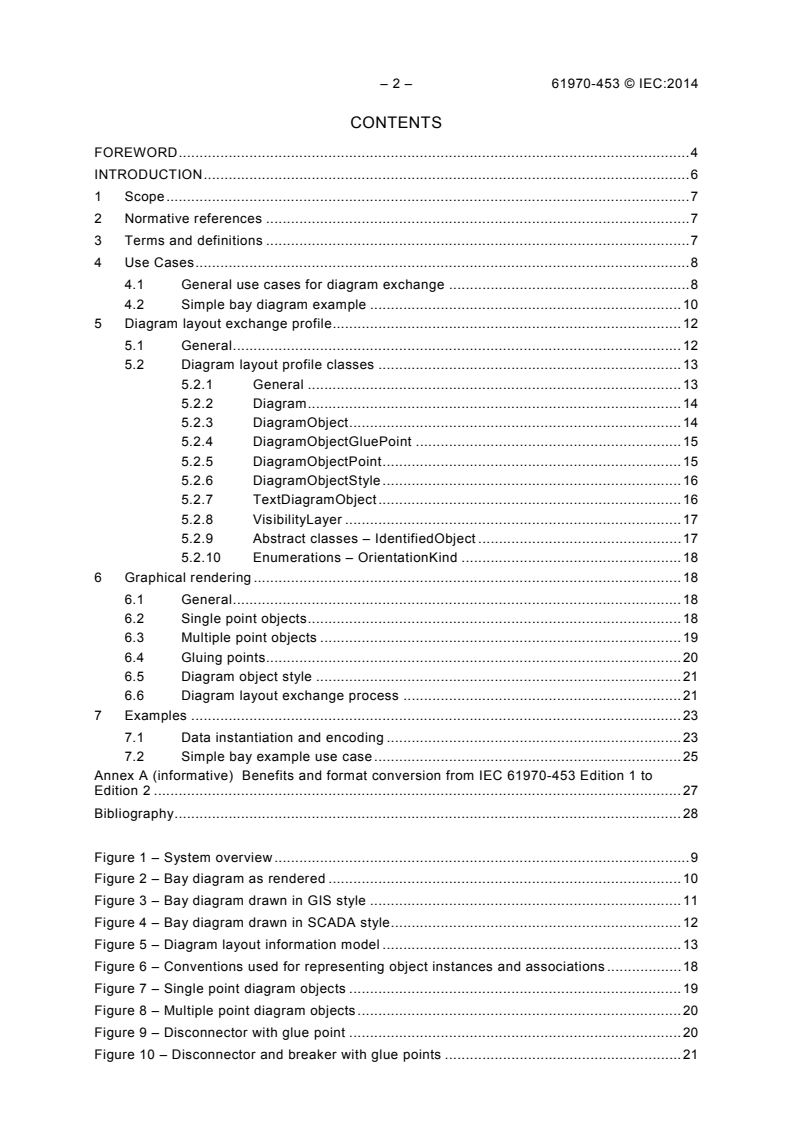
CONTENTS
FOREWORD . 4
INTRODUCTION . 6
1 Scope . 7
2 Normative references . 7
3 Terms and definitions . 7
4 Use Cases . 8
4.1 General use cases for diagram exchange . 8
4.2 Simple bay diagram example . 10
5 Diagram layout exchange profile . 12
5.1 General . 12
5.2 Diagram layout profile classes . 13
5.2.1 General . 13
5.2.2 Diagram . 14
5.2.3 DiagramObject . 14
5.2.4 DiagramObjectGluePoint . 15
5.2.5 DiagramObjectPoint . 15
5.2.6 DiagramObjectStyle . 16
5.2.7 TextDiagramObject . 16
5.2.8 VisibilityLayer . 17
5.2.9 Abstract classes – IdentifiedObject . 17
5.2.10 Enumerations – OrientationKind . 18
6 Graphical rendering . 18
6.1 General . 18
6.2 Single point objects . 18
6.3 Multiple point objects . 19
6.4 Gluing points. 20
6.5 Diagram object style . 21
6.6 Diagram layout exchange process . 21
7 Examples . 23
7.1 Data instantiation and encoding . 23
7.2 Simple bay example use case . 25
Annex A (informative) Benefits and format conversion from IEC 61970-453 Edition 1 to
Edition 2 . 27
Bibliography . 28
Figure 1 – System overview . 9
Figure 2 – Bay diagram as rendered . 10
Figure 3 – Bay diagram drawn in GIS style . 11
Figure 4 – Bay diagram drawn in SCADA style. 12
Figure 5 – Diagram layout information model . 13
Figure 6 – Conventions used for representing object instances and associations . 18
Figure 7 – Single point diagram objects . 19
Figure 8 – Multiple point diagram objects . 20
Figure 9 – Disconnector with glue point . 20
Figure 10 – Disconnector and breaker with glue points . 21
61970-453 © IEC:2014 – 3 –
Figure 11 – Profiles within IEC standards . 22
Figure 12 – Disconnector diagram object instantiation . 23
Figure 13 – IEC 61970-552 Encoding for disconnector diagram data . 24
Figure 14 – Bay diagram example with objects outlined GIS style . 25
Figure 15 – Bay diagram example with objects outlined SCADA/EMS style . 26
– 4 – 61970-453 © IEC:2014
INTERNATIONAL ELECTROTECHNICAL COMMISSION
____________
ENERGY MANAGEMENT SYSTEM APPLICATION
PROGRAM INTERFACE (EMS-API) –
Part 453: Diagram layout profile
FOREWORD
1) The International Electrotechnical Commission (IEC) is a worldwide organization for standardization comprising
all national electrotechnical committees (IEC National Committees). The object of IEC is to promote
international co-operation on all questions concerning standardization in the electrical and electronic fields. To
this end and in addition to other activities, IEC publishes International Standards, Technical Specifications,
Technical Reports, Publicly Available Specifications (PAS) and Guides (hereafter referred to as “IEC
Publication(s)”). Their preparation is entrusted to technical committees; any IEC National Committee interested
in the subject dealt with may participate in this preparatory work. International, governmental and non-
governmental organizations liaising with the IEC also participate in this preparation. IEC collaborates closely
with the International Organization for Standardization (ISO) in accordance with conditions determined by
agreement between the two organizations.
2) The formal decisions or agreements of IEC on technical matters express, as nearly as possible, an international
consensus of opinion on the relevant subjects since each technical committee has representation from all
interested IEC National Committees.
3) IEC Publications have the form of recommendations for international use and are accepted by IEC National
Committees in that sense. While all reasonable efforts are made to ensure that the technical content of IEC
Publications is accurate, IEC cannot be held responsible for the way in which they are used or for any
misinterpretation by any end user.
4) In order to promote international uniformity, IEC National Committees undertake to apply IEC Publications
transparently to the maximum extent possible in their national and regional publications. Any divergence
between any IEC Publication and the corresponding national or regional publication shall be clearly indicated in
the latter.
5) IEC itself does not provide any attestation of conformity. Independent certification bodies provide conformity
assessment services and, in some areas, access to IEC marks of conformity. IEC is not responsible for any
services carried out by independent certification bodies.
6) All users should ensure that they have the latest edition of this publication.
7) No liability shall attach to IEC or its directors, employees, servants or agents including individual experts and
members of its technical committees and IEC National Committees for any personal injury, property damage or
other damage of any nature whatsoever, whether direct or indirect, or for costs (including legal fees) and
expenses arising out of the publication, use of, or reliance upon, this IEC Publication or any other IEC
Publications.
8) Attention is drawn to the Normative references cited in this publication. Use of the referenced publications is
indispensable for the correct application of this publication.
9) Attention is drawn to the possibility that some of the elements of this IEC Publication may be the subject of
patent rights. IEC shall not be held responsible for identifying any or all such patent rights.
International Standard IEC 61970-453 has been prepared by IEC technical committee 57:
Power systems management and associated information exchange.
This second edition cancels and replaces the first edition published in 2008. This edition
constitutes a technical revision.
This edition includes the following significant technical changes with respect to the previous
edition:
a) The SVG elements and its data model have been replaced by the Diagram Layout
Package, which is now an integral part of the IEC 61970-301 (CIM) model.
b) The exchange is in accordance with and is a part of the IEC 61970 profile concept.
c) A glue point object has been introduced to model explicit connections between graphics
elements.
61970-453 © IEC:2014 – 5 –
The text of this standard is based on the following documents:
FDIS Report on voting
57/1409/FDIS 57/1430/RVD
Full information on the voting for the approval of this standard can be found in the report on
voting indicated in the above table.
This publication has been drafted in accordance with the ISO/IEC Directives, Part 2.
A list of all parts in the IEC 61970 series, published under the general title Energy
management system application program interface (EMS-API), can be found on the IEC
website.
The committee has decided that the contents of this publication will remain unchanged until
the stability date indicated on the IEC web site under "http://webstore.iec.ch" in the data
related to the specific publication. At this date, the publication will be
• reconfirmed,
• withdrawn,
• replaced by a revised edition, or
• amended.
IMPORTANT – The 'colour inside' logo on the cover page of this publication indicates
that it contains colours which are considered to be useful for the correct
understanding of its contents. Users should therefore print this document using a
colour printer.
– 6 – 61970-453 © IEC:2014
INTRODUCTION
This standard is part of the IEC 61970 series that define an application program interface
1 2
(API ) for an Energy Management System (EMS ).
The IEC 61970-3x series specify a Common Information Model (CIM ): a logical view of the
physical aspects of EMS information. The IEC 61970-3x series includes IEC 61970-301,
Common Information Model (CIM) Base.
This standard is one of the IEC 61970-4x series that define utility control centre component
interface specifications (CIS ). IEC 61970-4x specifies the functional requirements for
interfaces that a component (or application) shall implement to exchange information with
other components (or applications) and/or to access publicly available data in a standard way.
The component interfaces describe the specific message contents and services that can be
used by applications for this purpose. The implementation of these messages in a particular
technology is described in the IEC 61970-5x series.
Energy Management Systems employ a variety of schematic and quasi-geographic
presentations in their user interfaces. These are sometimes generated automatically, but
more often are hand-drawn and require considerable labour to create and maintain. Most of
this labour goes into the arrangement, or ‘layout’ of the power system elements within the
overall diagram. When network models are exchanged, as defined in IEC 61970-452 and
IEC 61968-13 standards, it is desirable to be able to exchange these layouts.
IEC 61970-453 specifies guidelines for the exchange of diagram layout information for
schematic data that is encoded using IEC 61970-552.
___________
Footnote 1 applies to the French version only.
Footnote 2 applies to the French version only.
Footnote 3 applies to the French version only.
4 Footnote 4 applies to the French version only.
61970-453 © IEC:2014 – 7 –
ENERGY MANAGEMENT SYSTEM APPLICATION
PROGRAM INTERFACE (EMS-API) –
Part 453: Diagram layout profile
1 Scope
This part of IEC 61970 is a member of the IEC 61970-450 to 499 series that, taken as a
whole, defines, at an abstract level, the content and exchange mechanisms used for data
transmitted between control centre components.
Included in this part of IEC 61970 are the general use cases for exchange of diagram layout
data, and guidelines for linking the layout definitions with CIM data. Guidelines for
management of schematic definitions through multiple revisions are also included.
2 Normative references
The following documents, in whole or in part, are normatively referenced in this document and
are indispensable for its application. For dated references, only the edition cited applies. For
undated references, the latest edition of the referenced document (including any
amendments) applies.
IEC 60050, International electrotechnical vocabulary
IEC 61970-301, Energy management system application program interface (EMS-API) –
Part 301: Common information model (CIM) base
IEC 61970-501, Energy management system application program interface (EMS-API) –
Part 501: Common Information Model Resource Description Framework (CIM RDF) schema
IEC/TR 62541-1, OPC Unified Architecture – Part 1: Overview and concepts
3 Terms and definitions
For the purposes of this document, the terms and definitions given in IEC 60050, as well as
the following, apply.
3.1
domain object
instance of a class that models a Real-World Object with a unique identity
Note 1 to entry: A domain object inherits from a CIM IdentifiedObject. A domain object is normally not a diagram
object.
3.2
diagram
electronic equivalent of a seamless paper plan
___________
Footnote 5 applies only to the French version.
Footnote 6 applies only to the French version.
Footnote 7 applies to the French version only.
– 8 – 61970-453 © IEC:2014
Note 1 to entry: The diagram is an identified container for the diagram objects. Examples of diagrams include
substation schematics, transportation or distribution network orthogonal schematics, or pseudo-geographical
schematics. A diagram has a well-defined coordinate space.
3.3
diagram object
representation of domain objects or static background
Note 1 to entry: The diagram is composed of diagram objects.
Note 2 to entry: An example for domain objects includes breakers. An example for static background object
includes lakes.
3.4
diagram object style
definition of how to render diagram objects possibly based on the state of domain objects
Note 1 to entry: Typically, the diagram object style is resolved in a very specific way for each system.
4 Use Cases
4.1 General use cases for diagram exchange
Figure 1 shows a high-level view of using diagram layout data exchange with potential
systems that can make use of the diagram layout data.
___________
Footnote 8 applies to the French version only.
61970-453 © IEC:2014 – 9 –
IEC 0423/14
Figure 1 – System overview
An examination of the use cases for such exchanges revealed that the diagrams being
exchanged are not fixed graphic presentations. Instead the diagrams vary considerably in
appearance as attributes of CIM objects change, and they support important user interaction.
For example, a SCADA one-line in its creator’s system is supporting live control of the power
system, while in a receiver’s system it is merely used for reference so that a neighbour can
understand what the system looks like beyond its own border. These variations are typically
not easy or appropriate to map between the source and receiving systems because of the
degree of difference in the way those systems are designed.
In the specification of diagrams, one common element is that the style of displaying an object
of a certain kind is usually defined once and then re-used, but the placement of objects must
be adjusted whenever new elements are added to the data model. This placement and
maintenance of placement is where most of the labour investment takes place that users
would like to preserve. As a result, this standard is limited to the exchange of diagram layouts
(meaning the arrangement of CIM objects in a display space) rather than a complete
exchange of all characteristics of a graphic presentation.
With this proposed standard, instead of maintaining duplicate schematics for different
applications, the schematics are exported by one system and imported by the other system.
Diagram layout profile is an extension to the CIM power system model exchange IEC 61970-
452, and will be orchestrated along with the existing CIM XML model exchange and updates
provided using the existing CIM XML Incremental file format as defined in IEC 61970-552.
IEC 61970-552 also describes how payload headers provide information as to how payloads
fit together.
– 10 – 61970-453 © IEC:2014
This process can be applied for initial schematics construction as well as for continuous
maintenance.
The importing system can create its graphics displays from the imported data, or the diagram
layout data can serve as additional documentation and means of understanding for the
domain data exchange.
4.2 Simple bay diagram example
Diagrams are constructed using different approaches. This subclause illustrates this using a
simple bay drawing. Figure 2 shows a typical representation of a bay.
IEC 0424/14
Figure 2 – Bay diagram as rendered
In a GIS system, lines are typically drawn up to the centre point of the symbol. This is shown
in Figure 3 (transparent symbol is used for illustration). This construction method is
independent if the symbol size, i.e. the drawing looks “pretty” even when the importing system
used a smaller symbol size than the original one.
61970-453 © IEC:2014 – 11 –
IEC 0425/14
Figure 3 – Bay diagram drawn in GIS style
In a SCADA system, lines are typically drawn to align with the terminals of the object
represented by the symbol. This is shown in Figure 4 (transparent symbol is used for
illustration). This construction method gives a closer representation of the electrical topology,
but depends on a certain symbol size.
– 12 – 61970-453 © IEC:2014
IEC 0426/14
Figure 4 – Bay diagram drawn in SCADA style
5 Diagram layout exchange profile
5.1 General
Profile namespace: http://iec.ch/TC57/61970-453/DiagramLayout/2#
This standard specifies an exchange profile for schematics with the following characteristics.
• A generic method for linking the diagram object to the domain data. Domain data and
diagram layout data can be exchanged together with the domain data, or separately from
each other with the assumption that domain data will have already been imported should
diagram layout data be imported separately.
• It does not require or imply a specific domain data format. Therefore, it supports domain
data modelled according to the IEC 61970-301 Common information model (CIM) that is
exchanged in the IEC 61970-501 format (CIM RDF schema). Diagram layout data
references domain data in compliance with IEC/TR 62541-1, OPC Unified Architecture).
• The intended usage of this standard is that the source of a diagram will use the standard
to encode the layout of their diagram as they created it. It is then incumbent upon any
receiver to supply the means of using that diagram layout in their system.
– In the simplest situation, if the source uses Switch object placements, the receiver
creates a generic Switch template in the receiver’s system that will be used to render
Switches (i.e. there is no exchange of Switch templates).
– In more complex situations, a 1:1 correspondence may not be desirable, and receivers
may have to create generic transformations in order to use exchanges.
– However, in both situations, it is expected that once an investment is made in a
strategy for rendering, repeated imports may be carried out automatically.
• Supports the exchange of diagram objects that have no relationship to domain data, i.e.,
pure static background objects.
61970-453 © IEC:2014 – 13 –
• Supports multiple representations of the same domain object in the same or different
diagrams.
• Allows the diagram to be used as the unit of exchange, providing a straightforward
approach to partial exchange, or an exchange between systems that have a separate
model and repository for diagram layout data.
• Supports assignment of diagram objects to layers or other means, for showing or hiding
information based on zoom level and/or user interest.
• A generic method for proprietary extensions to enable full round tripping (export and
import back into the same system) without information loss within a system, and without
breaking the standard exchange format.
5.2 Diagram layout profile classes
5.2.1 General
The diagram layout classes are a part of IEC 61970-301 and as such are associated to the
domain data using the standard UML association relationship. A new sub-package in
IEC 61970-301 contains the classes required for expressing schematic data for domain
objects as illustrated in Figure 5.
IEC 0427/14
Figure 5 – Diagram layout information model
– 14 – 61970-453 © IEC:2014
5.2.2 Diagram
5.2.2.1 General
The Diagram represents the diagram being exchanged. The initialView attributes can be used
to specify an initial view with the x,y coordinates of the diagonal points. The coordinate
system is a standard Cartesian coordinate system and the orientation attribute defines a
positive or negative orientation. A positive orientation gives standard “right-hand” orientation,
with negative orientation indicating a “left-hand”; orientation. For 2D diagrams, a positive
orientation will result in X values increasing from left to right and Y values increasing from
bottom to top. A negative orientation gives the “left-hand”; orientation (favoured by computer
graphics displays) with X values increasing from left to right and Y values increasing from top
to bottom.
5.2.2.2 Native members
orientation 0.1 OrientationKind The Diagram represents the diagram being
exchanged. The initialView attributes can be used to
specify an initial view with the x,y coordinates of the
diagonal points. The coordinate system is a standard
Cartesian coordinate system and the orientation
attribute defines a positive or negative orientation.
x1InitialView 0.1 Float X coordinate of the first corner of the initial view
x2InitialView 0.1 Float X coordinate of the second corner of the initial view
y1InitialView 0.1 Float Y coordinate of the first corner of the initial view
y2InitialView 0.1 Float Y coordinate of the second corner of the initial view
5.2.2.3 Inherited members
mRID 0.1 String see IdentifiedObject
name 0.1 String see IdentifiedObject
5.2.3 DiagramObject
5.2.3.1 General
The DiagramObject class defines an object that defines one or more points in a given space.
This object can be associated with anything that subclasses IdentifiedObject in
IEC 61970-301.
61970-453 © IEC:2014 – 15 –
5.2.3.2 Native members
drawingOrder 0.1 Integer The drawing order of this element. The higher
the number, the later the element is drawn in
sequence. This is used to ensure that elements
that overlap are rendered in the correct order.
isPolygon 0.1 Boolean Defines whether or not the diagram objects
points define the boundaries of a polygon or the
routing of a polyline. If this value is true then a
receiving application should consider the first
and last points to be connected.
offsetX 0.1 Float The offset in the X direction. This is used for
defining the offset from centre for rendering an
icon (the default is that a single point specifies
the centre of the icon).
The offset is in per-unit with 0 indicating there is
no offset from the horizontal centre of the icon.
-0,5 indicates it is offset by 50 % to the left and
0,5 indicates an offset of 50 % to the right.
offsetY 0.1 Float The offset in the Y direction. This is used for
defining the offset from centre for rendering an
icon (the default is that a single point specifies
the centre of the icon).
The offset is in per-unit with 0 indicating there is
no offset from the vertical centre of the icon.
The offset direction is dependent on the
orientation of the diagram, with -0,5 and 0,5
indicating an offset of ± 50 % on the vertical axis.
rotation 0.1 AngleDegrees Sets the angle of rotation (in Degrees) of the
diagram object in a clockwise direction from the
normal
Diagram 1.1 Diagram A diagram object is part of a Diagram
DiagramObjectPoints 0.unbounded DiagramObjectPoint A diagram object can have 0 or more points to
reflect its layout position, routing (for polylines)
or boundary (for polygons)
DiagramObjectStyle 0.1 DiagramObjectStyle A diagram object has a style associated that
provides a reference for the style used in the
originating system
IdentifiedObject 0.1 IdentifiedObject The domain object that this diagram object is
associated with
5.2.3.3 Inherited members
mRID 0.1 String see IdentifiedObject
name 0.1 String see IdentifiedObject
5.2.4 DiagramObjectGluePoint
This is used for grouping DiagramObjectPoints from different DiagramObjects that are
considered to be “glued” together in a diagram even if they are not at the exact same
coordinates.
5.2.5 DiagramObjectPoint
5.2.5.1 General
A DiagramObjectPoint is a point in a given space defined by 3 coordinates and associated to
a DiagramObject. The coordinates may be positive or negative as the origin does not have to
be in the corner of a diagram. The sequence attribute is used when a DiagramObject has
more than one DiagramObjectPoint in which case this defines the drawing order. A
– 16 – 61970-453 © IEC:2014
DiagramObject may represent any CIM object. For single line diagrams such objects can
include:
• Analogue measurement values
• Breaker/disconnector
• Power transformer
• Transmission line
5.2.5.2 Native members
sequenceNumber 0.1 Integer The sequence position of the point, used for
defining the order of points for DiagramObjects
acting as a polyline or polygon with more than one
point
xPosition 1.1 Float The X coordinate of this point
yPosition 1.1 Float The Y coordinate of this point
zPosition 0.1 Float The Z coordinate of this point
DiagramObject 1.1 DiagramObject The diagram object with which the points are
associated
DiagramObjectGluePoint 0.1 DiagramObjectGluePoint The 'glue' point that this point is associated with
5.2.6 DiagramObjectStyle
5.2.6.1 General
DiagramObjectStyle is a reference to a style used by the originating system for a
DiagramObject. A DiagramObjectStyle describes information such as:
• line thickness
• shape, e.g circle, rectangle .
• colour
5.2.6.2 Inherited members
mRID 0.1 String see IdentifiedObject
name 0.1 String see IdentifiedObject
5.2.7 TextDiagramObject
5.2.7.1 General
A TextDiagramObject is a diagram object for placing free-text or text derived from an
associated domain object.
5.2.7.2 Native members
text 0.1 String The text that is displayed by this text diagram object
61970-453 © IEC:2014 – 17 –
5.2.7.3 Inherited members
drawingOrder 0.1 Integer see DiagramObject
isPolygon 0.1 Boolean see DiagramObject
offsetX 0.1 Float see DiagramObject
offsetY 0.1 Float see DiagramObject
rotation 0.1 AngleDegrees see DiagramObject
Diagram 1.1 Diagram see DiagramObject
DiagramObjectPoints 0.unbounded DiagramObjectPoint see DiagramObject
DiagramObjectStyle 0.1 DiagramObjectStyle see DiagramObject
IdentifiedObject 0.1 IdentifiedObject see DiagramObject
mRID 0.1 String see IdentifiedObject
name 0.1 String see IdentifiedObject
5.2.8 VisibilityLayer
5.2.8.1 General
Layers are typically used for grouping diagram objects according to themes and scales.
Themes are used to display or hide certain information (e.g., lakes, borders), while scales are
used for hiding or displaying information depending on the current zoom level (hide text when
it is too small to be read, or when it exceeds the screen size). This is also called de-cluttering.
The diagram layout profile will support an m:n relationship between diagram objects and
layers. It will be the task of the importing system to convert an m:n case into an appropriate
1:n representation if the importing system does not support m:n.
5.2.8.2 Native members
drawingOrder 0.1 Integer The drawing order for this layer. As with the drawingOrder
for diagram objects, the higher the number, the later the
layer and the objects within it are rendered.
VisibleObjects 1.unbounded DiagramObject A visibility layer can contain one or more diagram objects
5.2.8.3 Inherited members
mRID 0.1 String see IdentifiedObject
name 0.1 String see IdentifiedObject
5.2.9 Abstract classes – IdentifiedObject
5.2.9.1 General
An IdentifiedObject is a root class to provide common identification for all classes needing
identification and naming attributes.
5.2.9.2 Native members
mRID 0.1 String A Model Authority issues mRIDs. Given that each Model Authority has a
unique id and this id is part of the mRID, then the mRID is globally unique.
name 0.1 String The name is any free human readable and possibly non unique text naming
the object.
– 18 – 61970-453 © IEC:2014
5.2.10 Enumerations – OrientationKind
negative
positive
6 Graphical rendering
6.1 General
Section 6 illustrates the use of the object model described in section 5. It uses the
conventions shown in Figure 6 for representing object instances and relationships.
Association
Terminal
from DiagramObjectGluepoint to Diagramobject,
or from DiagramObjectPoint to Terminal
DiagramObjectGluePoint
DiagramObjectPoint
‟This is”
Graphical outlines
IEC 0428/14
Figure 6 – Conventions used for representing object instances and associations
6.2 Single point objects
The simplest Diagram Objects have a single point in the form of a DiagramObjectPoint.
These are used for specifying the centre-point of an icon, which can be pieces of network
equipment or measurement locations on a diagram. This is shown in Figure 7.
61970-453 © IEC:2014 – 19 –
IEC 0429/14
Figure 7 – Single point diagram objects
6.3 Multiple point objects
For those diagram objects that cannot be accurately rendered using a single point, multiple
DiagramObjectPoints are used within a single DiagramObject. Terminals themselves can be
given multiple points so that the interconnection of equipment can be displayed correctly as
shown in Figure 8.
– 20 – 61970-453 © IEC:2014
IEC 0430/14
Figure 8 – Multiple point diagram objects
6.4 Gluing points
DiagramObjectGluePoints are used to identify when two or more points on different
DiagramObjects are considered to be ‘glued’ together on a diagram. This information is
required so that a receiver can identify the case of multiple, synchronised points, which may
not be at the same coordinates and thus ensure that modifications to one are reflected in the
other points. An example shown in Figure 9 has a Disconnector with two Terminals and three
DiagramObjectPoints, all part of different DiagramObjects since each Terminal and the
Disconnector are separate objects in IEC 61970-301.
IEC 0431/14
Figure 9 – Disconnector with glue point
The glue point here is used to identify that the three DiagramObjectPoints are related to each
other even though they are at different coordinates.
61970-453 © IEC:2014 – 21 –
In the electrical topology model defined in IEC 61970-301 there is a ConnectivityNode object
at this point. However its inclusion here would be superfluous as the DiagramObjectGluePoint
provides a mechanism for identifying that these DiagramObjectPoints are connected, as
illustrated in Figure 10.
IEC 0432/14
Figure 10 – Disconnector and breaker with glue points
6.5 Diagram object style
The diagram object style defines how to convert the state of a domain object into a visible
representation, using information such as:
• line thickness
• shape, e.g circle, rectangle
• colour
The definition of the styles and their use for graphical rendering are typically solved in very
specific ways for each system and are not part of this standard. The diagram layout transfers
only make references to the diagram object style, not the definition of the diagram object style
itself. The importing system will have to map the imported references to its best matching
local diagram object style. This shall be by an agreement between the sending and receiving
systems, which is outside of this standard’s scope.
As an example, if the importing system can derive that a domain object is representing a
remote controlled pole mounted load break switch with alarm indication, this might be enough
to establish a sufficiently identical visualisation in the importing system.
6.6 Diagram layout exchange process
Diagram layout exchanges allow the exchanging of diagram layout data independent of and
separate from domain data. Using the approach of separating data into profiles for specific
– 22 – 61970-453 © IEC:2014
types of data exchanges, the diagram layout profile detailed here can be utilised along with
other profiles defined in other IEC standards.
IEC 61970-452 defines profiles for the exchange of power system models with an equipment
profile defining electrical equipment and connectivity. IEC 61970-456 defines profiles for
measurements, state variables and topology data that are dependent on the equipment
profiled defined in IEC 61970-452. This standard uses the same approach with the diagram
layout profile utilising the same Equipment profile.
Figure 11 gives an overview of these profiles:
IEC 61970-456
Profiles
IEC 61970-451
Profiles
IEC 61970-452
Profile
IEC 61970-453
Profile
IEC 0433/14
Figure 11 – Profiles within IEC standards
When importing diagram layout data separate from domain (i.e. Equipment) data, the
following rules apply.
a) The domain data import has to take place before the diagram layout import, otherwise it is
not possible to resolve references from diagram objects to domain objects.
b) It is the task of the importing program to reasonably report and handle inconsistencies
between diagram objects and domain data, for example missing domain data.
61970-453 © IEC:2014 – 23 –
For instance data exchange using CIM XML encoding as defined in IEC 61970-552, the
header information will define the unique identifier of the data set on which the schematic
layout data depends, thus allowing an importing system to determine whether it can
successfully process the data.
7 Examples
7.1 Data instantiation and encoding
Taking a single disconnector with two terminals the diagrammatical view consists of eleven
objects using five classes from the UML: the Disconnector, two Terminals, three
DiagramObjects, five DiagramObjectPoints and a single DiagramObjectGluePoint. This is
illustrated in Figure 12. This diagram shows the objects created, the associations between
them and their corresponding position in the diagrammatical view used in the previous
figures.
IEC 0434/14
Figure 12 – Disconnector diagram object instantiation
– 24 – 61970-453 © IEC:2014
When encoded in the format defined by IEC 61970-552 the resulting XML is shown in
Figure 13:
Disconnector
...
IEC 61970-453 ®
Edition 2.1 2018-11
CONSOLIDATED VERSION
INTERNATIONAL
STANDARD
NORME
INTERNATIONALE
colour
inside
Energy management system application program interface (EMS-API) –
Part 453: Diagram layout profile
Interface de programmation d'application pour système de gestion d'énergie
(EMS-API) –
Partie 453: Profil de disposition de diagramme
All rights reserved. Unless otherwise specified, no part of this publication may be reproduced or utilized in any form
or by any means, electronic or mechanical, including photocopying and microfilm, without permission in writing from
either IEC or IEC's member National Committee in the country of the requester. If you have any questions about IEC
copyright or have an enquiry about obtaining additional rights to this publication, please contact the address below or
your local IEC member National Committee for further information.
Droits de reproduction réservés. Sauf indication contraire, aucune partie de cette publication ne peut être reproduite
ni utilisée sous quelque forme que ce soit et par aucun procédé, électronique ou mécanique, y compris la photocopie
et les microfilms, sans l'accord écrit de l'IEC ou du Comité national de l'IEC du pays du demandeur. Si vous avez des
questions sur le copyright de l'IEC ou si vous désirez obtenir des droits supplémentaires sur cette publication, utilisez
les coordonnées ci-après ou contactez le Comité national de l'IEC de votre pays de résidence.
IEC Central Office Tel.: +41 22 919 02 11
3, rue de Varembé info@iec.ch
CH-1211 Geneva 20 www.iec.ch
Switzerland
About the IEC
The International Electrotechnical Commission (IEC) is the leading global organization that prepares and publishes
International Standards for all electrical, electronic and related technologies.
About IEC publications
The technical content of IEC publications is kept under constant review by the IEC. Please make sure that you have the
latest edition, a corrigenda or an amendment might have been published.
IEC Catalogue - webstore.iec.ch/catalogue Electropedia - www.electropedia.org
The stand-alone application for consulting the entire The world's leading online dictionary of electronic and
bibliographical information on IEC International Standards, electrical terms containing 21 000 terms and definitions in
Technical Specifications, Technical Reports and other English and French, with equivalent terms in 16 additional
documents. Available for PC, Mac OS, Android Tablets and languages. Also known as the International Electrotechnical
iPad. Vocabulary (IEV) online.
IEC publications search - webstore.iec.ch/advsearchform IEC Glossary - std.iec.ch/glossary
The advanced search enables to find IEC publications by a 67 000 electrotechnical terminology entries in English and
variety of criteria (reference number, text, technical French extracted from the Terms and Definitions clause of
committee,…). It also gives information on projects, replaced IEC publications issued since 2002. Some entries have been
and withdrawn publications. collected from earlier publications of IEC TC 37, 77, 86 and
CISPR.
IEC Just Published - webstore.iec.ch/justpublished
Stay up to date on all new IEC publications. Just Published IEC Customer Service Centre - webstore.iec.ch/csc
details all new publications released. Available online and If you wish to give us your feedback on this publication or
also once a month by email. need further assistance, please contact the Customer Service
Centre: sales@iec.ch.
A propos de l'IEC
La Commission Electrotechnique Internationale (IEC) est la première organisation mondiale qui élabore et publie des
Normes internationales pour tout ce qui a trait à l'électricité, à l'électronique et aux technologies apparentées.
A propos des publications IEC
Le contenu technique des publications IEC est constamment revu. Veuillez vous assurer que vous possédez l’édition la
plus récente, un corrigendum ou amendement peut avoir été publié.
Catalogue IEC - webstore.iec.ch/catalogue Electropedia - www.electropedia.org
Application autonome pour consulter tous les renseignements
Le premier dictionnaire en ligne de termes électroniques et
bibliographiques sur les Normes internationales,
électriques. Il contient 21 000 termes et définitions en anglais
Spécifications techniques, Rapports techniques et autres
et en français, ainsi que les termes équivalents dans 16
documents de l'IEC. Disponible pour PC, Mac OS, tablettes
langues additionnelles. Egalement appelé Vocabulaire
Android et iPad.
Electrotechnique International (IEV) en ligne.
Recherche de publications IEC -
Glossaire IEC - std.iec.ch/glossary
webstore.iec.ch/advsearchform
67 000 entrées terminologiques électrotechniques, en anglais
La recherche avancée permet de trouver des publications IEC et en français, extraites des articles Termes et Définitions des
en utilisant différents critères (numéro de référence, texte, publications IEC parues depuis 2002. Plus certaines entrées
comité d’études,…). Elle donne aussi des informations sur les antérieures extraites des publications des CE 37, 77, 86 et
projets et les publications remplacées ou retirées. CISPR de l'IEC.
IEC Just Published - webstore.iec.ch/justpublished Service Clients - webstore.iec.ch/csc
Restez informé sur les nouvelles publications IEC. Just Si vous désirez nous donner des commentaires sur cette
Published détaille les nouvelles publications parues. publication ou si vous avez des questions contactez-nous:
Disponible en ligne et aussi une fois par mois par email. sales@iec.ch.
IEC 61970-453 ®
Edition 2.1 2018-11
CONSOLIDATED VERSION
INTERNATIONAL
STANDARD
NORME
INTERNATIONALE
colour
inside
Energy management system application program interface (EMS-API) –
Part 453: Diagram layout profile
Interface de programmation d'application pour système de gestion d'énergie
(EMS-API) –
Partie 453: Profil de disposition de diagramme
INTERNATIONAL
ELECTROTECHNICAL
COMMISSION
COMMISSION
ELECTROTECHNIQUE
INTERNATIONALE
ICS 33.200 ISBN 978-2-8322-6324-2
IEC 61970-453 ®
Edition 2.1 2018-11
REDLINE VERSION
VERSION REDLINE
colour
inside
Energy management system application program interface (EMS-API) –
Part 453: Diagram layout profile
Interface de programmation d'application pour système de gestion d'énergie
(EMS-API) –
Partie 453: Profil de disposition de diagramme
– 2 – 61970-453:2014+AMD1:2018 CSV
© IEC:2018
CONTENTS
FOREWORD . 4
INTRODUCTION . 6
1 Scope . 7
2 Normative references . 7
3 Terms and definitions . 7
4 Use Cases . 8
4.1 General use cases for diagram exchange . 8
4.2 Simple bay diagram example . 10
5 Diagram layout exchange profile . 12
5.1 General . 12
5.2 Diagram layout profile classes . 13
5.2.1 General . 13
5.2.2 Diagram . 15
5.2.3 DiagramObject . 16
5.2.4 DiagramObjectGluePoint . 17
5.2.5 DiagramObjectPoint . 18
5.2.6 DiagramObjectStyle . 18
5.2.7 TextDiagramObject . 18
5.2.8 VisibilityLayer . 19
5.2.9 Abstract classes – IdentifiedObject . 20
5.2.10 Enumerations – OrientationKind . 20
6 Graphical rendering . 21
6.1 General . 21
6.2 Single point objects . 21
6.3 Multiple point objects . 22
6.4 Gluing points. 23
6.5 Diagram object style . 24
6.6 Diagram layout exchange process . 24
7 Examples . 26
7.1 Data instantiation and encoding . 26
7.2 Simple bay example use case . 28
Annex A (informative) Benefits and format conversion from IEC 61970-453 Edition 1 to
Edition 2 . 30
Bibliography . 31
Figure 1 – System overview . 9
Figure 2 – Bay diagram as rendered . 10
Figure 3 – Bay diagram drawn in GIS style . 11
Figure 4 – Bay diagram drawn in SCADA style. 12
Figure 5 – Diagram layout information model . 15
Figure 6 – Conventions used for representing object instances and associations . 21
Figure 7 – Single point diagram objects . 22
Figure 8 – Multiple point diagram objects . 23
61970-453:2014+AMD1:2018 CSV – 3 –
© IEC:2018
Figure 9 – Disconnector with glue point . 23
Figure 10 – Disconnector and breaker with glue points . 24
Figure 11 – Profiles within IEC standards . 25
Figure 12 – Disconnector diagram object instantiation . 26
Figure 13 – IEC 61970-552 Encoding for disconnector diagram data . 27
Figure 14 – Bay diagram example with objects outlined GIS style . 28
Figure 15 – Bay diagram example with objects outlined SCADA/EMS style . 29
– 4 – 61970-453:2014+AMD1:2018 CSV
© IEC:2018
INTERNATIONAL ELECTROTECHNICAL COMMISSION
____________
ENERGY MANAGEMENT SYSTEM APPLICATION
PROGRAM INTERFACE (EMS-API) –
Part 453: Diagram layout profile
FOREWORD
1) The International Electrotechnical Commission (IEC) is a worldwide organization for standardization comprising
all national electrotechnical committees (IEC National Committees). The object of IEC is to promote
international co-operation on all questions concerning standardization in the electrical and electronic fields. To
this end and in addition to other activities, IEC publishes International Standards, Technical Specifications,
Technical Reports, Publicly Available Specifications (PAS) and Guides (hereafter referred to as “IEC
Publication(s)”). Their preparation is entrusted to technical committees; any IEC National Committee interested
in the subject dealt with may participate in this preparatory work. International, governmental and non-
governmental organizations liaising with the IEC also participate in this preparation. IEC collaborates closely
with the International Organization for Standardization (ISO) in accordance with conditions determined by
agreement between the two organizations.
2) The formal decisions or agreements of IEC on technical matters express, as nearly as possible, an international
consensus of opinion on the relevant subjects since each technical committee has representation from all
interested IEC National Committees.
3) IEC Publications have the form of recommendations for international use and are accepted by IEC National
Committees in that sense. While all reasonable efforts are made to ensure that the technical content of IEC
Publications is accurate, IEC cannot be held responsible for the way in which they are used or for any
misinterpretation by any end user.
4) In order to promote international uniformity, IEC National Committees undertake to apply IEC Publications
transparently to the maximum extent possible in their national and regional publications. Any divergence
between any IEC Publication and the corresponding national or regional publication shall be clearly indicated in
the latter.
5) IEC itself does not provide any attestation of conformity. Independent certification bodies provide conformity
assessment services and, in some areas, access to IEC marks of conformity. IEC is not responsible for any
services carried out by independent certification bodies.
6) All users should ensure that they have the latest edition of this publication.
7) No liability shall attach to IEC or its directors, employees, servants or agents including individual experts and
members of its technical committees and IEC National Committees for any personal injury, property damage or
other damage of any nature whatsoever, whether direct or indirect, or for costs (including legal fees) and
expenses arising out of the publication, use of, or reliance upon, this IEC Publication or any other IEC
Publications.
8) Attention is drawn to the Normative references cited in this publication. Use of the referenced publications is
indispensable for the correct application of this publication.
9) Attention is drawn to the possibility that some of the elements of this IEC Publication may be the subject of
patent rights. IEC shall not be held responsible for identifying any or all such patent rights.
This consolidated version of the official IEC Standard and its amendment has been prepared
for user convenience.
IEC 61970-453 edition 2.1 contains the second edition (2014-02) [documents 57/1409/FDIS and
57/1430/RVD] and its amendment 1 (2018-11) [documents 57/2038/FDIS and 57/2054/RVD].
In this Redline version, a vertical line in the margin shows where the technical content is
modified by amendment 1. Additions are in green text, deletions are in strikethrough red text.
A separate Final version with all changes accepted is available in this publication.
61970-453:2014+AMD1:2018 CSV – 5 –
© IEC:2018
International Standard IEC 61970-453 has been prepared by IEC technical committee 57:
Power systems management and associated information exchange.
This edition includes the following significant technical changes with respect to the previous
edition:
a) The SVG elements and its data model have been replaced by the Diagram Layout
Package, which is now an integral part of the IEC 61970-301 (CIM) model.
b) The exchange is in accordance with and is a part of the IEC 61970 profile concept.
c) A glue point object has been introduced to model explicit connections between graphics
elements.
This publication has been drafted in accordance with the ISO/IEC Directives, Part 2.
A list of all parts in the IEC 61970 series, published under the general title Energy
management system application program interface (EMS-API), can be found on the IEC
website.
The committee has decided that the contents of this publication will remain unchanged until
the stability date indicated on the IEC web site under "http://webstore.iec.ch" in the data
related to the specific publication. At this date, the publication will be
• reconfirmed,
• withdrawn,
• replaced by a revised edition, or
• amended.
IMPORTANT – The 'colour inside' logo on the cover page of this publication indicates
that it contains colours which are considered to be useful for the correct
understanding of its contents. Users should therefore print this document using a
colour printer.
– 6 – 61970-453:2014+AMD1:2018 CSV
© IEC:2018
INTRODUCTION
This standard is part of the IEC 61970 series that define an application program interface
1 2
(API ) for an Energy Management System (EMS ).
The IEC 61970-3x series specify a Common Information Model (CIM ): a logical view of the
physical aspects of EMS information. The IEC 61970-3x series includes IEC 61970-301,
Common Information Model (CIM) Base.
This standard is one of the IEC 61970-4x series that define utility control centre component
interface specifications (CIS ). IEC 61970-4x specifies the functional requirements for
interfaces that a component (or application) shall implement to exchange information with
other components (or applications) and/or to access publicly available data in a standard way.
The component interfaces describe the specific message contents and services that can be
used by applications for this purpose. The implementation of these messages in a particular
technology is described in the IEC 61970-5x series.
Energy Management Systems employ a variety of schematic and quasi-geographic
presentations in their user interfaces. These are sometimes generated automatically, but
more often are hand-drawn and require considerable labour to create and maintain. Most of
this labour goes into the arrangement, or ‘layout’ of the power system elements within the
overall diagram. When network models are exchanged, as defined in IEC 61970-452 and
IEC 61968-13 standards, it is desirable to be able to exchange these layouts.
IEC 61970-453 specifies guidelines for the exchange of diagram layout information for
schematic data that is encoded using IEC 61970-552.
___________
Footnote 1 applies to the French version only.
Footnote 2 applies to the French version only.
Footnote 3 applies to the French version only.
4 Footnote 4 applies to the French version only.
61970-453:2014+AMD1:2018 CSV – 7 –
© IEC:2018
ENERGY MANAGEMENT SYSTEM APPLICATION
PROGRAM INTERFACE (EMS-API) –
Part 453: Diagram layout profile
1 Scope
This part of IEC 61970 is a member of the IEC 61970-450 to 499 series that, taken as a
whole, defines, at an abstract level, the content and exchange mechanisms used for data
transmitted between control centre components.
Included in this part of IEC 61970 are the general use cases for exchange of diagram layout
data, and guidelines for linking the layout definitions with CIM data. Guidelines for
management of schematic definitions through multiple revisions are also included.
2 Normative references
The following documents, in whole or in part, are normatively referenced in this document and
are indispensable for its application. For dated references, only the edition cited applies. For
undated references, the latest edition of the referenced document (including any
amendments) applies.
IEC 60050, International electrotechnical vocabulary
IEC 61970-301, Energy management system application program interface (EMS-API) –
Part 301: Common information model (CIM) base
IEC 61970-501, Energy management system application program interface (EMS-API) –
Part 501: Common Information Model Resource Description Framework (CIM RDF) schema
IEC/TR 62541-1, OPC Unified Architecture – Part 1: Overview and concepts
3 Terms and definitions
For the purposes of this document, the terms and definitions given in IEC 60050, as well as
the following, apply.
3.1
domain object
instance of a class that models a Real-World Object with a unique identity
Note 1 to entry: A domain object inherits from a CIM IdentifiedObject. A domain object is normally not a diagram
object.
3.2
diagram
electronic equivalent of a seamless paper plan
___________
Footnote 5 applies only to the French version.
Footnote 6 applies only to the French version.
Footnote 7 applies to the French version only.
– 8 – 61970-453:2014+AMD1:2018 CSV
© IEC:2018
Note 1 to entry: The diagram is an identified container for the diagram objects. Examples of diagrams include
substation schematics, transportation or distribution network orthogonal schematics, or pseudo-geographical
schematics. A diagram has a well-defined coordinate space.
3.3
diagram object
representation of domain objects or static background
Note 1 to entry: The diagram is composed of diagram objects.
Note 2 to entry: An example for domain objects includes breakers. An example for static background object
includes lakes.
3.4
diagram object style
definition of how to render diagram objects possibly based on the state of domain objects
Note 1 to entry: Typically, the diagram object style is resolved in a very specific way for each system.
4 Use Cases
4.1 General use cases for diagram exchange
Figure 1 shows a high-level view of using diagram layout data exchange with potential
systems that can make use of the diagram layout data.
___________
Footnote 8 applies to the French version only.
61970-453:2014+AMD1:2018 CSV – 9 –
© IEC:2018
IEC 0423/14
Figure 1 – System overview
An examination of the use cases for such exchanges revealed that the diagrams being
exchanged are not fixed graphic presentations. Instead the diagrams vary considerably in
appearance as attributes of CIM objects change, and they support important user interaction.
For example, a SCADA one-line in its creator’s system is supporting live control of the power
system, while in a receiver’s system it is merely used for reference so that a neighbour can
understand what the system looks like beyond its own border. These variations are typically
not easy or appropriate to map between the source and receiving systems because of the
degree of difference in the way those systems are designed.
In the specification of diagrams, one common element is that the style of displaying an object
of a certain kind is usually defined once and then re-used, but the placement of objects must
be adjusted whenever new elements are added to the data model. This placement and
maintenance of placement is where most of the labour investment takes place that users
would like to preserve. As a result, this standard is limited to the exchange of diagram layouts
(meaning the arrangement of CIM objects in a display space) rather than a complete
exchange of all characteristics of a graphic presentation.
With this proposed standard, instead of maintaining duplicate schematics for different
applications, the schematics are exported by one system and imported by the other system.
Diagram layout profile is an extension to the CIM power system model exchange IEC 61970-
452, and will be orchestrated along with the existing CIM XML model exchange and updates
provided using the existing CIM XML Incremental file format as defined in IEC 61970-552.
IEC 61970-552 also describes how payload headers provide information as to how payloads
fit together.
– 10 – 61970-453:2014+AMD1:2018 CSV
© IEC:2018
This process can be applied for initial schematics construction as well as for continuous
maintenance.
The importing system can create its graphics displays from the imported data, or the diagram
layout data can serve as additional documentation and means of understanding for the
domain data exchange.
4.2 Simple bay diagram example
Diagrams are constructed using different approaches. This subclause illustrates this using a
simple bay drawing. Figure 2 shows a typical representation of a bay.
IEC 0424/14
Figure 2 – Bay diagram as rendered
In a GIS system, lines are typically drawn up to the centre point of the symbol. This is shown
in Figure 3 (transparent symbol is used for illustration). This construction method is
independent if the symbol size, i.e. the drawing looks “pretty” even when the importing system
used a smaller symbol size than the original one.
61970-453:2014+AMD1:2018 CSV – 11 –
© IEC:2018
IEC 0425/14
Figure 3 – Bay diagram drawn in GIS style
In a SCADA system, lines are typically drawn to align with the terminals of the object
represented by the symbol. This is shown in Figure 4 (transparent symbol is used for
illustration). This construction method gives a closer representation of the electrical topology,
but depends on a certain symbol size.
– 12 – 61970-453:2014+AMD1:2018 CSV
© IEC:2018
IEC 0426/14
Figure 4 – Bay diagram drawn in SCADA style
5 Diagram layout exchange profile
5.1 General
Profile namespace: http://iec.ch/TC57/61970-453/DiagramLayout/23#
This standard specifies an exchange profile for schematics with the following characteristics.
• A generic method for linking the diagram object to the domain data. Domain data and
diagram layout data can be exchanged together with the domain data, or separately from
each other with the assumption that domain data will have already been imported should
diagram layout data be imported separately.
• It does not require or imply a specific domain data format. Therefore, it supports domain
data modelled according to the IEC 61970-301 Common information model (CIM) that is
exchanged in the IEC 61970-501 format (CIM RDF schema). Diagram layout data
references domain data in compliance with IEC/TR 62541-1, OPC Unified Architecture).
• The intended usage of this standard is that the source of a diagram will use the standard
to encode the layout of their diagram as they created it. It is then incumbent upon any
receiver to supply the means of using that diagram layout in their system.
– In the simplest situation, if the source uses Switch object placements, the receiver
creates a generic Switch template in the receiver’s system that will be used to render
Switches (i.e. there is no exchange of Switch templates).
– In more complex situations, a 1:1 correspondence may not be desirable, and receivers
may have to create generic transformations in order to use exchanges.
– However, in both situations, it is expected that once an investment is made in a
strategy for rendering, repeated imports may be carried out automatically.
• Supports the exchange of diagram objects that have no relationship to domain data, i.e.,
pure static background objects.
61970-453:2014+AMD1:2018 CSV – 13 –
© IEC:2018
• Supports multiple representations of the same domain object in the same or different
diagrams.
• Allows the diagram to be used as the unit of exchange, providing a straightforward
approach to partial exchange, or an exchange between systems that have a separate
model and repository for diagram layout data.
• Supports assignment of diagram objects to layers or other means, for showing or hiding
information based on zoom level and/or user interest.
• A generic method for proprietary extensions to enable full round tripping (export and
import back into the same system) without information loss within a system, and without
breaking the standard exchange format.
5.2 Diagram layout profile classes
5.2.1 General
The diagram layout classes are a part of IEC 61970-301 and as such are associated to the
domain data using the standard UML association relationship. A new sub-package in
IEC 61970-301 contains the classes required for expressing schematic data for domain
objects as illustrated in Figure 5.
– 14 – 61970-453:2014+AMD1:2018 CSV
© IEC:2018
IEC 0427/14
61970-453:2014+AMD1:2018 CSV – 15 –
© IEC:2018
IEC
Figure 5 – Diagram layout information model
5.2.2 Diagram
5.2.2.1 General
The Diagram represents the diagram being exchanged. The initialView attributes can be used
to specify an initial view with the x,y coordinates of the diagonal points. The coordinate
system is a standard Cartesian coordinate system and the orientation attribute defines a
positive or negative orientation. A positive orientation gives standard “right-hand” orientation,
with negative orientation indicating a “left-hand”; orientation. For 2D diagrams, a positive
orientation will result in X values increasing from left to right and Y values increasing from
bottom to top. A negative orientation gives the “left-hand”; orientation (favoured by computer
graphics displays) with X values increasing from left to right and Y values increasing from top
to bottom.
– 16 – 61970-453:2014+AMD1:2018 CSV
© IEC:2018
5.2.2.2 Native members
orientation 0.1 OrientationKind The Diagram represents the diagram being
exchanged. The initialView attributes can be used to
specify an initial view with the x,y coordinates of the
diagonal points. The coordinate system is a standard
Cartesian coordinate system and the orientation
attribute defines a positive or negative orientation.
x1InitialView 0.1 Float X coordinate of the first corner of the initial view
x2InitialView 0.1 Float X coordinate of the second corner of the initial view
y1InitialView 0.1 Float Y coordinate of the first corner of the initial view
y2InitialView 0.1 Float Y coordinate of the second corner of the initial view
5.2.2.3 Inherited members
mRID 0.1 String see IdentifiedObject
name 0.1 String see IdentifiedObject
aliasName 0.1 String see IdentifiedObject
description 0.1 String see IdentifiedObject
5.2.3 DiagramObject
5.2.3.1 General
The DiagramObject class defines an object that defines one or more points in a given space.
This object can be associated with anything that subclasses IdentifiedObject in
IEC 61970-301.
61970-453:2014+AMD1:2018 CSV – 17 –
© IEC:2018
5.2.3.2 Native members
drawingOrder 0.1 Integer The drawing order of this element. The higher
the number, the later the element is drawn in
sequence. This is used to ensure that elements
that overlap are rendered in the correct order.
isPolygon 0.1 Boolean Defines whether or not the diagram objects
points define the boundaries of a polygon or the
routing of a polyline. If this value is true then a
receiving application should consider the first
and last points to be connected.
offsetX 0.1 Float The offset in the X direction. This is used for
defining the offset from centre for rendering an
icon (the default is that a single point specifies
the centre of the icon).
The offset is in per-unit with 0 indicating there is
no offset from the horizontal centre of the icon.
-0,5 indicates it is offset by 50 % to the left and
0,5 indicates an offset of 50 % to the right.
offsetY 0.1 Float The offset in the Y direction. This is used for
defining the offset from centre for rendering an
icon (the default is that a single point specifies
the centre of the icon).
The offset is in per-unit with 0 indicating there is
no offset from the vertical centre of the icon.
The offset direction is dependent on the
orientation of the diagram, with -0,5 and 0,5
indicating an offset of ± 50 % on the vertical axis.
rotation 0.1 AngleDegrees Sets the angle of rotation (in Degrees) of the
diagram object in a clockwise direction from the
normal
Diagram 1.1 Diagram A diagram object is part of a Diagram
DiagramObjectPoints 0.unbounded DiagramObjectPoint A diagram object can have 0 or more points to
reflect its layout position, routing (for polylines)
or boundary (for polygons)
DiagramObjectStyle 0.1 DiagramObjectStyle A diagram object has a style associated that
provides a reference for the style used in the
originating system
IdentifiedObject 0.1 IdentifiedObject The domain object that this diagram object is
associated with
DiagramStyle 0.1 DiagramStyle A Diagram may have a DiagramStyle.
5.2.3.3 Inherited members
mRID 0.1 String see IdentifiedObject
name 0.1 String see IdentifiedObject
aliasName 0.1 String see IdentifiedObject
description 0.1 String see IdentifiedObject
5.2.4 DiagramObjectGluePoint
This is used for grouping DiagramObjectPoints from different DiagramObjects that are
considered to be “glued” together in a diagram even if they are not at the exact same
coordinates.
– 18 – 61970-453:2014+AMD1:2018 CSV
© IEC:2018
5.2.5 DiagramObjectPoint
5.2.5.1 General
A DiagramObjectPoint is a point in a given space defined by 3 coordinates and associated to
a DiagramObject. The coordinates may be positive or negative as the origin does not have to
be in the corner of a diagram. The sequence attribute is used when a DiagramObject has
more than one DiagramObjectPoint in which case this defines the drawing order. A
DiagramObject may represent any CIM object. For single line diagrams such objects can
include:
• Analogue measurement values
• Breaker/disconnector
• Power transformer
• Transmission line
5.2.5.2 Native members
sequenceNumber 0.1 Integer The sequence position of the point, used for
defining the order of points for DiagramObjects
acting as a polyline or polygon with more than one
point
xPosition 1.1 Float The X coordinate of this point
yPosition 1.1 Float The Y coordinate of this point
zPosition 0.1 Float The Z coordinate of this point
DiagramObject 1.1 DiagramObject The diagram object with which the points are
associated
DiagramObjectGluePoint 0.1 DiagramObjectGluePoint The 'glue' point that this point is associated with
5.2.6 DiagramObjectStyle
5.2.6.1 General
DiagramObjectStyle is a reference to a style used by the originating system for a
DiagramObject. A DiagramObjectStyle describes information such as:
• line thickness
• shape, e.g circle, rectangle .
• colour
5.2.6.2 Inherited members
mRID 0.1 String see IdentifiedObject
name 0.1 String see IdentifiedObject
aliasName 0.1 String see IdentifiedObject
description 0.1 String see IdentifiedObject
5.2.7 TextDiagramObject
5.2.7.1 General
A TextDiagramObject is a diagram object for placing free-text or text derived from an
associated domain object.
61970-453:2014+AMD1:2018 CSV – 19 –
© IEC:2018
5.2.7.2 Native members
text 0.1 String The text that is displayed by this text diagram object
5.2.7.3 Inherited members
drawingOrder 0.1 Integer see DiagramObject
isPolygon 0.1 Boolean see DiagramObject
offsetX 0.1 Float see DiagramObject
offsetY 0.1 Float see DiagramObject
rotation 0.1 AngleDegrees see DiagramObject
Diagram 1.1 Diagram see DiagramObject
DiagramObjectPoints 0.unbounded DiagramObjectPoint see DiagramObject
DiagramObjectStyle 0.1 DiagramObjectStyle see DiagramObject
IdentifiedObject 0.1 IdentifiedObject see DiagramObject
mRID 0.1 String see IdentifiedObject
name 0.1 String see IdentifiedObject
aliasName 0.1 String see IdentifiedObject
description 0.1 String see IdentifiedObject
5.2.8 VisibilityLayer
5.2.8.1 General
Layers are typically used for grouping diagram objects according to themes and scales.
Themes are used to display or hide certain information (e.g., lakes, borders), while scales are
used for hiding or displaying information depending on the current zoom level (hide text when
it is too small to be read, or when it exceeds the screen size). This is also called de-cluttering.
The diagram layout profile will support an m:n relationship between diagram objects and
layers. It will be the task of the importing system to convert an m:n case into an appropriate
1:n representation if the importing system does not support m:n.
5.2.8.2 Native members
drawingOrder 0.1 Integer The drawing order for this layer. As with the drawingOrder
for diagram objects, the higher the number, the later the
layer and the objects within it are rendered.
VisibleObjects 1.unbounded DiagramObject A visibility layer can contain one or more diagram objects
5.2.8.3 Inherited members
mRID 0.1 String see IdentifiedObject
name 0.1 String see IdentifiedObject
aliasName 0.1 String see IdentifiedObject
description 0.1 String see IdentifiedObject
– 20 – 61970-453:2014+AMD1:2018 CSV
© IEC:2018
5.2.9 Abstract classes – IdentifiedObject
5.2.9.1 General
An IdentifiedObject is a root class to provide common identification for all classes needing
identification and naming attributes.
5.2.9.2 Native members
name mult type description
aliasName 0.1 String The aliasName is free text human readable name of the object
alternative to IdentifiedObject.name. It may be non unique and may
not correlate to a naming hierarchy.
The attribute aliasName is retained because of backwards
compatibility between CIM relases. It is however recommended to
replace aliasName with the Name class as aliasName is planned for
retirement at a future time.
description 0.1 String The description is a free human readable text describing or naming
the object. It may be non unique and may not correlate to a naming
hierarchy.
mRID 0.1 String A Model Authority issues mRIDs. Given that each Model Authority
has a unique id and this id is part of the mRID, then the mRID is
globally unique.
Master resource identifier issued by a model authority. The mRID is
globally unique within an exchange context. Global uniqueness is
easily achieved by using a UUID, as specified in RFC 4122, for the
mRID. The use of UUID is strongly recommended.
For CIMXML data files in RDF syntax conforming to IEC 61970-552
Edition 1, the mRID is mapped to rdf:ID or rdf:about attributes that
identify CIM object elements.
name 0.1 String The name is any free human readable and possibly non unique text
naming the object.
5.2.10 Enumerations – OrientationKind
negative
positive
5.2.11 DiagramStyle
5.2.11.1 General
The diagram style refers to a style used by the originating system for a diagram. A diagram
style describes information such as schematic, geographic, bus-branch etc.
5.2.11.2 Native members
Diagram 0.* Diagram A DiagramStyle can be used by many Diagrams.
5.2.11.3 Inherited members
aliasName 0.1 String see IdentifiedObject
description 0.1 String see IdentifiedObject
mRID 0.1 String see IdentifiedObject
name 0.1 String see IdentifiedObject
61970-453:2014+AMD1:2018 CSV – 21 –
© IEC:2018
6 Graphical rendering
6.1 General
Section 6 illustrates the use of the object model described in section 5. It uses the
conventions shown in Figure 6 for representing object instances and relationships.
Terminal Association
from DiagramObjectGluepoint to Diagramobject,
or from DiagramObjectPoint to Terminal
DiagramObjectGluePoint
DiagramObjectPoint
‟This is”
Graphical outlines
IEC 0428/14
Figure 6 – Conventions used for representing object instances and associations
6.2 Single point objects
The simplest Diagram Objects have a single point in the form of a DiagramObjectPoint.
These are used for specifying the centre-point of an icon, which can be pieces of network
equipment or measurement locations on a diagram. This is shown in Figure 7.
– 22 – 61970-453:2014+AMD1:2018 CSV
© IEC:2018
IEC 0429/14
Figure 7 – Single point diagram objects
6.3 Multiple point objects
For those diagram objects that cannot be accurately rendered using a single point, multiple
DiagramObjectPoints are used within a single DiagramObject. Terminals themselves can be
given multiple points so that the interconnection of equipment can be displayed correctly as
shown in Figure 8.
61970-453:2014+AMD1:2018 CSV – 23 –
© IEC:2018
IEC 0430/14
Figure 8 – Multiple point diagram objects
6.4 Gluing points
DiagramObjectGluePoints are used to identify when two or more points on different
DiagramObjects are considered to be ‘glued’ together on a diagram. This information is
required so that a receiver can identify the case of multiple, synchronised points, which may
not be at the same coordinates and thus ensure that modifications to one are reflected in the
other points. An example shown in Figure 9 has a Disconnector with two Terminals and three
DiagramObjectPoints, all part of different DiagramObjects since each Terminal and the
Disconnector are separate objects in IEC 61970-301.
IEC 0431/14
Figure 9 – Disconnector with glue point
The glue point here is used to identify that the three DiagramObjectPoints are related to each
other even though they are at different coordinates.
– 24 – 61970-453:2014+AMD1:2018 CSV
© IEC:2018
In the electrical topology model defined in IEC 61970-301 there is a ConnectivityNode object
at this point. However its inclusion here would be superfluous as the DiagramObjectGluePoint
provides a mechanism for identifying that these DiagramObjectPoints are connected, as
illustrated in Figure 10.
IEC 0432/14
Figure 10 – Disconnector and breaker with glue points
6.5 Diagram object style
The diagram object style defines how to convert the state of a domain object into a visible
representation, using information such as:
• line thickness
• shape, e.g circle, rectangle
• colour
The definition of the styles and their use for graphical rendering are typically solved in very
specific ways for each system and are not part of this standard. The diagram layout transfers
only make references to the diagram object style, not the definition of the diagram object style
itself. The importing system will have to map the imported referen
...