

ISO 9241-161:2025
(Main)Ergonomics of human-system interaction — Part 161: Visual user-interface elements
General Information
- Abstract
This document specifies requirements and provides recommendations for the selection, usage and dependencies of visual user-interface elements and their application. This document is concerned with visual software components of interactive systems to make human-system interaction usable. This document is applicable regardless of a fixed, portable or mobile interactive system, or cross-device use. It does not provide detailed coverage of the methods and techniques required for design of visual user-interface elements. This document does not address implementation (e.g. graphical design of elements) and interaction details for specific input methods or technologies. It does not cover decorative user-interface elements that are intended to address solely aesthetic (hedonic) qualities in the user interface e.g. background images.
- Status
- Published
- Publication Date
- 09-Dec-2025
- Technical Committee
- ISO/TC 159/SC 4 - Ergonomics of human-system interaction
- Drafting Committee
- ISO/TC 159/SC 4 - Ergonomics of human-system interaction
- Current Stage
- 6060 - International Standard published
- Start Date
- 10-Dec-2025
- Due Date
- 12-Oct-2025
- Completion Date
- 10-Dec-2025
Buy Documents
ISO 9241-161:2025 - Ergonomics of human-system interaction — Part 161: Visual user-interface elements Released:10. 12. 2025
ISO 9241-161:2025 - Ergonomie de l'interaction homme-systeme — Partie 161: Éléments visuels de l'interface utilisateur Released:10. 12. 2025
Overview
ISO 9241-161:2025 - Ergonomics of human‑system interaction: Part 161 - Visual user‑interface elements defines ergonomic requirements and recommendations for selecting and using visual UI components in interactive systems. The standard focuses on visual software components that make human‑system interaction usable across fixed, portable, mobile and cross‑device contexts. It addresses compositions, states, accessibility and relationships with input techniques, but does not prescribe graphical design, implementation code, or decorative (hedonic-only) elements.
Key topics and technical scope
- Selection and usage: guidance for choosing appropriate visual user‑interface elements for tasks and contexts.
- Dependencies and composition: how elements combine in layouts and component systems.
- Accessibility: requirements to support diverse users and assistive technologies.
- Input relationships: mapping between input techniques and visual elements (e.g., touch, keyboard, pointer).
- States and behavior: standard description of element states (default, active, disabled, focused, etc.).
- Element descriptions: structured descriptions, components and usage guidance for many UI elements, including: accordion, slider (analogue form element), avatar, badge, breadcrumb, button, carousel, checkbox, collapsible container, colour picker, combo box, cursor, date picker, dialogue box, and more.
- Documentation format: normative references, terms and definitions, and practical “when/how to use” subsections for individual elements.
Practical applications
ISO 9241-161 is intended to improve usability and consistency of interfaces by providing a common reference for visual UI elements. Typical uses:
- UX/UI design systems: inform component libraries, pattern docs and design tokens for consistent interaction behavior and states.
- Product design & development: guide front‑end engineers and interaction designers on when and how to use specific elements across devices.
- Accessibility and compliance: support accessibility audits, procurement requirements, and regulatory conformity in public sector and enterprise software.
- Quality assurance and usability testing: build checklists and test cases that reference standard element behavior and states.
- Standards alignment: align organizational UI guidelines with ISO ergonomics best practice for human‑system interaction.
Who should use it
- UX designers, interaction designers and design system owners
- Front‑end developers and software architects
- Accessibility specialists and usability practitioners
- Product managers, procurement officers and compliance teams
Related standards
ISO 9241 is a multi‑part series on ergonomics of human‑system interaction; Part 161 complements other ISO 9241 parts on general principles, usability metrics, and input methods. Use ISO 9241‑161 with other relevant ISO 9241 parts for a comprehensive ergonomics strategy.
Keywords: ISO 9241-161, visual user-interface elements, ergonomics, human-system interaction, usability, accessibility, UI components, design system, cross-device.
Relations
- Effective Date
- 12-Feb-2026
- Effective Date
- 22-Oct-2022
- Effective Date
- 15-Oct-2022
Buy Documents
ISO 9241-161:2025 - Ergonomics of human-system interaction — Part 161: Visual user-interface elements Released:10. 12. 2025
ISO 9241-161:2025 - Ergonomie de l'interaction homme-systeme — Partie 161: Éléments visuels de l'interface utilisateur Released:10. 12. 2025
Get Certified
Connect with accredited certification bodies for this standard

BSI Group
BSI (British Standards Institution) is the business standards company that helps organizations make excellence a habit.

CIS Institut d.o.o.
Personal Protective Equipment (PPE) certification body. Notified Body NB-2890 for EU Regulation 2016/425 PPE.

Kiwa BDA Testing
Building and construction product certification.
Sponsored listings
Frequently Asked Questions
ISO 9241-161:2025 is a standard published by the International Organization for Standardization (ISO). Its full title is "Ergonomics of human-system interaction — Part 161: Visual user-interface elements". This standard covers: This document specifies requirements and provides recommendations for the selection, usage and dependencies of visual user-interface elements and their application. This document is concerned with visual software components of interactive systems to make human-system interaction usable. This document is applicable regardless of a fixed, portable or mobile interactive system, or cross-device use. It does not provide detailed coverage of the methods and techniques required for design of visual user-interface elements. This document does not address implementation (e.g. graphical design of elements) and interaction details for specific input methods or technologies. It does not cover decorative user-interface elements that are intended to address solely aesthetic (hedonic) qualities in the user interface e.g. background images.
This document specifies requirements and provides recommendations for the selection, usage and dependencies of visual user-interface elements and their application. This document is concerned with visual software components of interactive systems to make human-system interaction usable. This document is applicable regardless of a fixed, portable or mobile interactive system, or cross-device use. It does not provide detailed coverage of the methods and techniques required for design of visual user-interface elements. This document does not address implementation (e.g. graphical design of elements) and interaction details for specific input methods or technologies. It does not cover decorative user-interface elements that are intended to address solely aesthetic (hedonic) qualities in the user interface e.g. background images.
ISO 9241-161:2025 is classified under the following ICS (International Classification for Standards) categories: 13.180 - Ergonomics; 35.180 - IT Terminal and other peripheral equipment. The ICS classification helps identify the subject area and facilitates finding related standards.
ISO 9241-161:2025 has the following relationships with other standards: It is inter standard links to EN ISO 9241-161:2025, ISO 13628-5:2009, ISO 9241-161:2016. Understanding these relationships helps ensure you are using the most current and applicable version of the standard.
ISO 9241-161:2025 is available in PDF format for immediate download after purchase. The document can be added to your cart and obtained through the secure checkout process. Digital delivery ensures instant access to the complete standard document.
Standards Content (Sample)
International
Standard
ISO 9241-161
Second edition
Ergonomics of human-system
2025-12
interaction —
Part 161:
Visual user-interface elements
Ergonomie de l'interaction homme-système —
Partie 161: Éléments visuels de l'interface utilisateur
Reference number
© ISO 2025
All rights reserved. Unless otherwise specified, or required in the context of its implementation, no part of this publication may
be reproduced or utilized otherwise in any form or by any means, electronic or mechanical, including photocopying, or posting on
the internet or an intranet, without prior written permission. Permission can be requested from either ISO at the address below
or ISO’s member body in the country of the requester.
ISO copyright office
CP 401 • Ch. de Blandonnet 8
CH-1214 Vernier, Geneva
Phone: +41 22 749 01 11
Email: copyright@iso.org
Website: www.iso.org
Published in Switzerland
ii
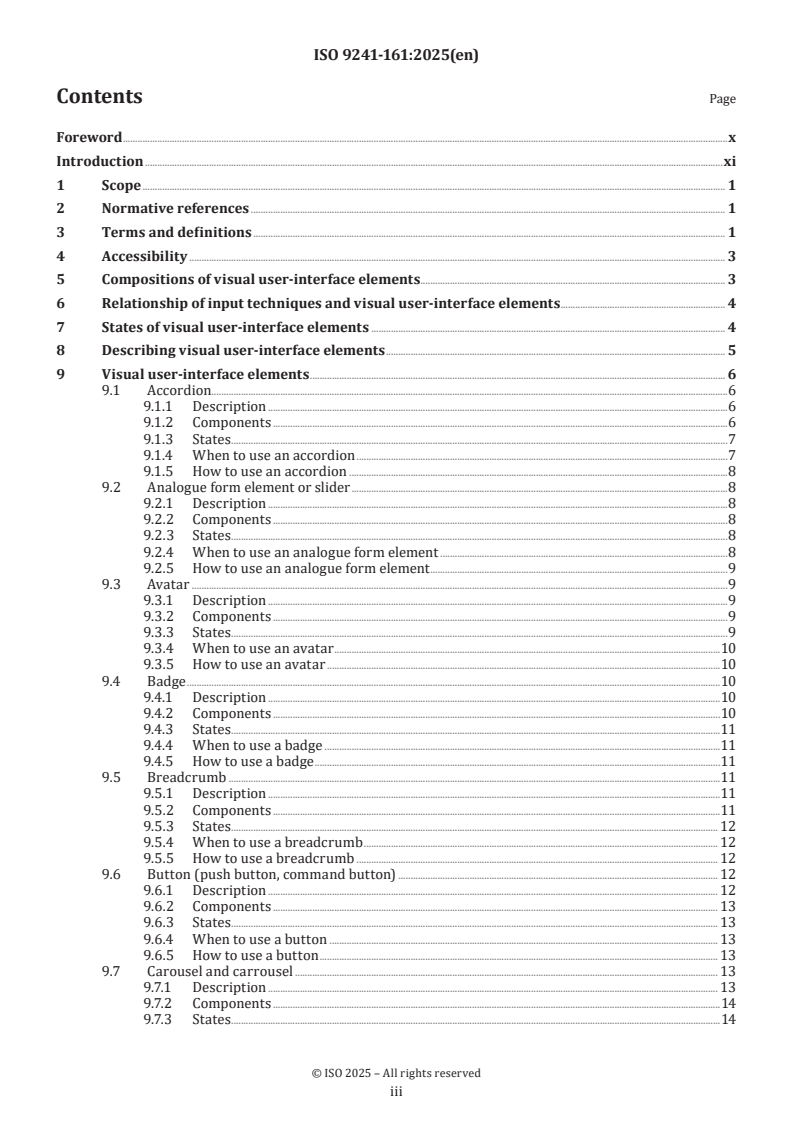
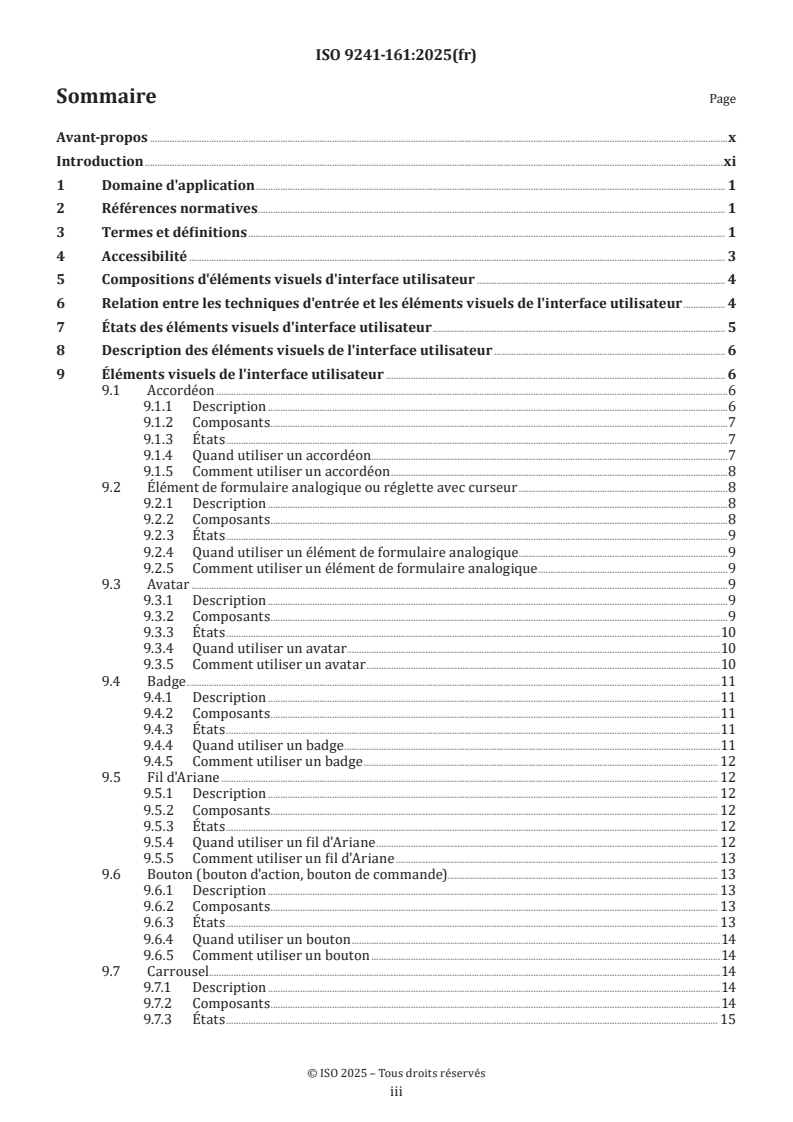
Contents Page
Foreword .x
Introduction .xi
1 Scope . 1
2 Normative references . 1
3 Terms and definitions . 1
4 Accessibility . 3
5 Compositions of visual user-interface elements . 3
6 Relationship of input techniques and visual user-interface elements . 4
7 States of visual user-interface elements . 4
8 Describing visual user-interface elements . 5
9 Visual user-interface elements . 6
9.1 Accordion .6
9.1.1 Description .6
9.1.2 Components .6
9.1.3 States . .7
9.1.4 When to use an accordion .7
9.1.5 How to use an accordion .8
9.2 Analogue form element or slider .8
9.2.1 Description .8
9.2.2 Components .8
9.2.3 States . .8
9.2.4 When to use an analogue form element .8
9.2.5 How to use an analogue form element .9
9.3 Avatar .9
9.3.1 Description .9
9.3.2 Components .9
9.3.3 States . .9
9.3.4 When to use an avatar .10
9.3.5 How to use an avatar .10
9.4 Badge .10
9.4.1 Description .10
9.4.2 Components .10
9.4.3 States . .11
9.4.4 When to use a badge .11
9.4.5 How to use a badge .11
9.5 Breadcrumb .11
9.5.1 Description .11
9.5.2 Components .11
9.5.3 States . . 12
9.5.4 When to use a breadcrumb . 12
9.5.5 How to use a breadcrumb . 12
9.6 Button (push button, command button) . 12
9.6.1 Description . 12
9.6.2 Components . 13
9.6.3 States . . 13
9.6.4 When to use a button . 13
9.6.5 How to use a button . 13
9.7 Carousel and carrousel . 13
9.7.1 Description . 13
9.7.2 Components .14
9.7.3 States . .14
iii
9.7.4 When to use a carousel .14
9.7.5 How to use a carousel . 15
9.8 Check box . 15
9.8.1 Description . 15
9.8.2 Components . 15
9.8.3 States . . 15
9.8.4 When to use a check box.16
9.8.5 How to use a check box .16
9.9 Collapsible container .16
9.9.1 Description .16
9.9.2 Components .16
9.9.3 States . .17
9.9.4 When to use a collapsible container.17
9.9.5 How to use a collapsible container .17
9.10 Colour picker .17
9.10.1 Description .17
9.10.2 Components .18
9.10.3 States . .18
9.10.4 When to use a colour picker .18
9.10.5 How to use a colour picker . .18
9.11 Combination box (combo box) .18
9.11.1 Description .18
9.11.2 Components .18
9.11.3 States . .19
9.11.4 When to use a combination box .19
9.11.5 How to use a combination box . 20
9.12 Cursor . 20
9.12.1 Description . 20
9.12.2 Components . 20
9.12.3 States . . 20
9.12.4 When to use a cursor . 20
9.12.5 How to use a cursor . 20
9.13 Date picker. 20
9.13.1 Description . 20
9.13.2 Components .21
9.13.3 States . .21
9.13.4 When to use a date picker . 22
9.13.5 How to use a date picker . . 22
9.14 Dialogue box . 22
9.14.1 Description . 22
9.14.2 Components . 22
9.14.3 States . . 23
9.14.4 When to use a dialogue box . 23
9.14.5 How to use a dialogue box . 23
9.15 Disclosure. 23
9.15.1 Description . 23
9.15.2 Components . 23
9.15.3 States . .24
9.15.4 When to use a disclosure .24
9.15.5 How to use a disclosure .24
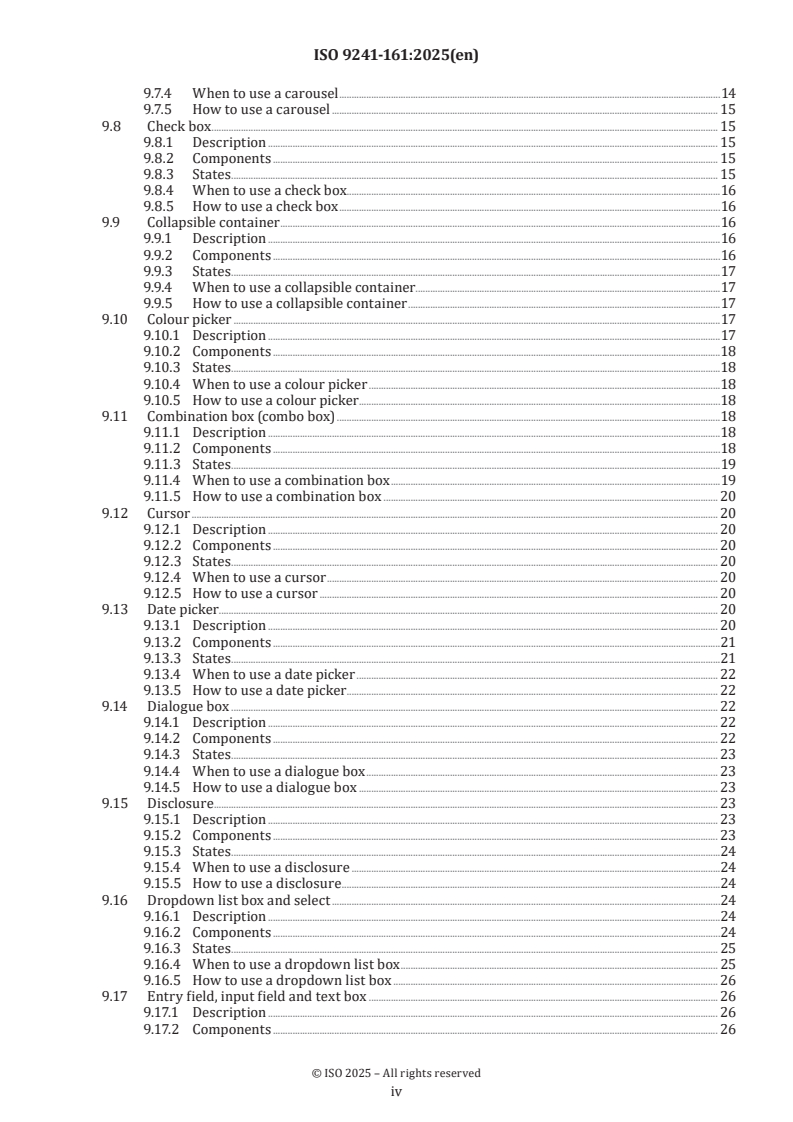
9.16 Dropdown list box and select .24
9.16.1 Description .24
9.16.2 Components .24
9.16.3 States . . 25
9.16.4 When to use a dropdown list box . 25
9.16.5 How to use a dropdown list box . 26
9.17 Entry field, input field and text box . 26
9.17.1 Description . 26
9.17.2 Components . 26
iv
9.17.3 States . . 26
9.17.4 When to use an entry field. 26
9.17.5 How to use an entry field . 26
9.18 Entry field with dialogue button .27
9.18.1 Description .27
9.18.2 Components .27
9.18.3 States . .27
9.18.4 When to use an entry field with dialogue button .27
9.18.5 How to use an entry field with dialogue button .27
9.19 Geographical map .27
9.19.1 Description .27
9.19.2 Components .27
9.19.3 States . . 28
9.19.4 When to use a geographical map . 28
9.19.5 How to use a geographical map . 28
9.20 Group . 28
9.20.1 Description . 28
9.20.2 Components . 29
9.20.3 States . . 29
9.20.4 When to use a group . 29
9.20.5 How to use a group . 29
9.21 Handle . 30
9.21.1 Description . 30
9.21.2 Components . 30
9.21.3 States . . 30
9.21.4 When to use a handle . 30
9.21.5 How to use a handle . 30
9.22 Hierarchical list, tree view and tree list .31
9.22.1 Description .31
9.22.2 Components .31
9.22.3 States . .31
9.22.4 When to use a hierarchical list .32
9.22.5 How to use a hierarchical list .32
9.23 Implicit designator .32
9.23.1 Description .32
9.23.2 Components .32
9.23.3 States . .32
9.23.4 When to use an implicit designator .32
9.23.5 How to use an implicit designator .32
9.24 Instructive Information. 33
9.24.1 Description . 33
9.24.2 Components . 33
9.24.3 States . . 33
9.24.4 When to use instructive information . 33
9.24.5 How to use instructive information . 33
9.25 Input tokenizer . 34
9.25.1 Description . 34
9.25.2 Components . 34
9.25.3 States . . 34
9.25.4 When to use an input tokenizer . 34
9.25.5 How to use an input tokenizer . 35
9.26 Label . 35
9.26.1 Description . 35
9.26.2 Components . 35
9.26.3 States . . 35
9.26.4 When to use a label . 35
9.26.5 How to use a label . 35
9.27 Legend and chart key . 36
9.27.1 Description . 36
v
9.27.2 Components . 36
9.27.3 States . . 36
9.27.4 When to use a legend . 36
9.27.5 How to use a legend . 36
9.28 Link and hyperlink . 36
9.28.1 Description . 36
9.28.2 Components .37
9.28.3 States . .37
9.28.4 When to use a link .37
9.28.5 How to use a link .37
9.29 List box . 38
9.29.1 Description . 38
9.29.2 Components . 38
9.29.3 States . . 38
9.29.4 When to use a list box . 39
9.29.5 How to use a list box. 39
9.30 List and menu button . 39
9.30.1 Description . 39
9.30.2 Components . 39
9.30.3 States . . 40
9.30.4 When to use a list button . 40
9.30.5 How to use a list button . 40
9.31 Menu and menu bar .41
9.31.1 Description .41
9.31.2 Components .41
9.31.3 States . .41
9.31.4 When to use a menu .42
9.31.5 How to use a menu .42
9.32 Meter .42
9.32.1 Description .42
9.32.2 Components .42
9.32.3 States . .43
9.32.4 When to use a meter .43
9.32.5 How to use a meter .43
9.33 Output pane .43
9.33.1 Description .43
9.33.2 Components .43
9.33.3 States . . 44
9.33.4 When to use an output pane . 44
9.33.5 How to use an output pane . 44
9.34 Pointer . 44
9.34.1 Description . 44
9.34.2 Components . 44
9.34.3 States . . 44
9.34.4 When to use a pointer . 44
9.34.5 How to use a pointer .45
9.35 Pop-up menu and contextual menu .
...
Norme
internationale
ISO 9241-161
Deuxième édition
Ergonomie de l'interaction homme-
2025-12
système —
Partie 161:
Éléments visuels de l'interface
utilisateur
Ergonomics of human-system interaction —
Part 161: Visual user-interface elements
Numéro de référence
DOCUMENT PROTÉGÉ PAR COPYRIGHT
© ISO 2025
Tous droits réservés. Sauf prescription différente ou nécessité dans le contexte de sa mise en œuvre, aucune partie de cette
publication ne peut être reproduite ni utilisée sous quelque forme que ce soit et par aucun procédé, électronique ou mécanique,
y compris la photocopie, ou la diffusion sur l’internet ou sur un intranet, sans autorisation écrite préalable. Une autorisation peut
être demandée à l’ISO à l’adresse ci-après ou au comité membre de l’ISO dans le pays du demandeur.
ISO copyright office
Case postale 401 • Ch. de Blandonnet 8
CH-1214 Vernier, Genève
Tél.: +41 22 749 01 11
E-mail: copyright@iso.org
Web: www.iso.org
Publié en Suisse
ii
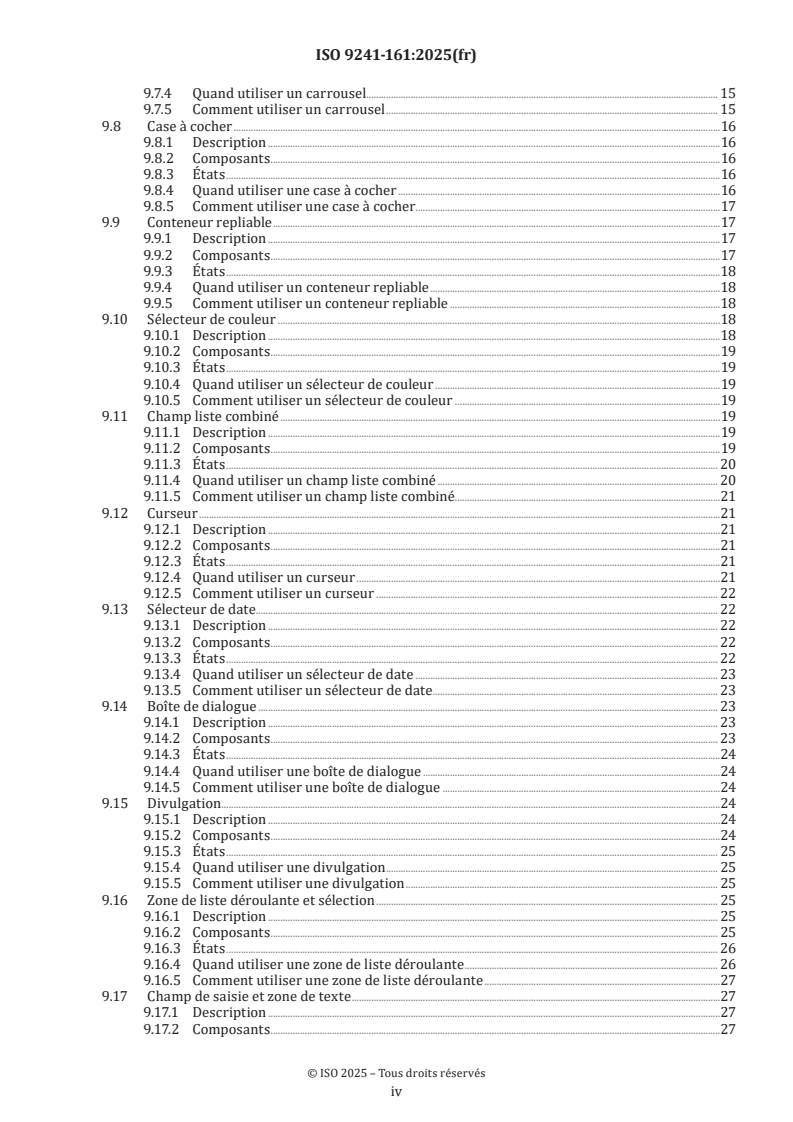
Sommaire Page
Avant-propos .x
Introduction .xi
1 Domaine d'application . 1
2 Références normatives . 1
3 Termes et définitions . 1
4 Accessibilité . 3
5 Compositions d'éléments visuels d'interface utilisateur . 4
6 Relation entre les techniques d'entrée et les éléments visuels de l'interface utilisateur . 4
7 États des éléments visuels d'interface utilisateur . 5
8 Description des éléments visuels de l'interface utilisateur . 6
9 Éléments visuels de l'interface utilisateur . 6
9.1 Accordéon .6
9.1.1 Description .6
9.1.2 Composants .7
9.1.3 États .7
9.1.4 Quand utiliser un accordéon . .7
9.1.5 Comment utiliser un accordéon .8
9.2 Élément de formulaire analogique ou réglette avec curseur .8
9.2.1 Description .8
9.2.2 Composants .8
9.2.3 États .9
9.2.4 Quand utiliser un élément de formulaire analogique .9
9.2.5 Comment utiliser un élément de formulaire analogique .9
9.3 Avatar .9
9.3.1 Description .9
9.3.2 Composants .9
9.3.3 États .10
9.3.4 Quand utiliser un avatar.10
9.3.5 Comment utiliser un avatar .10
9.4 Badge .11
9.4.1 Description .11
9.4.2 Composants .11
9.4.3 États .11
9.4.4 Quand utiliser un badge .11
9.4.5 Comment utiliser un badge . 12
9.5 Fil d'Ariane . 12
9.5.1 Description . 12
9.5.2 Composants . 12
9.5.3 États . 12
9.5.4 Quand utiliser un fil d'Ariane . 12
9.5.5 Comment utiliser un fil d'Ariane . 13
9.6 Bouton (bouton d'action, bouton de commande). 13
9.6.1 Description . 13
9.6.2 Composants . 13
9.6.3 États . 13
9.6.4 Quand utiliser un bouton .14
9.6.5 Comment utiliser un bouton .14
9.7 Carrousel.14
9.7.1 Description .14
9.7.2 Composants .14
9.7.3 États . 15
iii
9.7.4 Quand utiliser un carrousel . . 15
9.7.5 Comment utiliser un carrousel . 15
9.8 Case à cocher .16
9.8.1 Description .16
9.8.2 Composants .16
9.8.3 États .16
9.8.4 Quand utiliser une case à cocher .16
9.8.5 Comment utiliser une case à cocher .17
9.9 Conteneur repliable .17
9.9.1 Description .17
9.9.2 Composants .17
9.9.3 États .18
9.9.4 Quand utiliser un conteneur repliable .18
9.9.5 Comment utiliser un conteneur repliable .18
9.10 Sélecteur de couleur .18
9.10.1 Description .18
9.10.2 Composants .19
9.10.3 États .19
9.10.4 Quand utiliser un sélecteur de couleur .19
9.10.5 Comment utiliser un sélecteur de couleur .19
9.11 Champ liste combiné .19
9.11.1 Description .19
9.11.2 Composants .19
9.11.3 États . 20
9.11.4 Quand utiliser un champ liste combiné . 20
9.11.5 Comment utiliser un champ liste combiné .21
9.12 Curseur .21
9.12.1 Description .21
9.12.2 Composants .21
9.12.3 États .21
9.12.4 Quand utiliser un curseur .21
9.12.5 Comment utiliser un curseur . 22
9.13 Sélecteur de date. 22
9.13.1 Description . 22
9.13.2 Composants . 22
9.13.3 États . 22
9.13.4 Quand utiliser un sélecteur de date . 23
9.13.5 Comment utiliser un sélecteur de date . 23
9.14 Boîte de dialogue . 23
9.14.1 Description . 23
9.14.2 Composants . 23
9.14.3 États .24
9.14.4 Quand utiliser une boîte de dialogue .24
9.14.5 Comment utiliser une boîte de dialogue .24
9.15 Divulgation.24
9.15.1 Description .24
9.15.2 Composants .24
9.15.3 États . 25
9.15.4 Quand utiliser une divulgation . 25
9.15.5 Comment utiliser une divulgation . 25
9.16 Zone de liste déroulante et sélection . 25
9.16.1 Description . 25
9.16.2 Composants . 25
9.16.3 États . 26
9.16.4 Quand utiliser une zone de liste déroulante . 26
9.16.5 Comment utiliser une zone de liste déroulante .27
9.17 Champ de saisie et zone de texte .27
9.17.1 Description .27
9.17.2 Composants .27
iv
9.17.3 États .27
9.17.4 Quand utiliser un champ de saisie .27
9.17.5 Comment utiliser un champ de saisie .27
9.18 Champ de saisie avec bouton d’action . . 28
9.18.1 Description . 28
9.18.2 Composants . 28
9.18.3 États . 28
9.18.4 Quand utiliser un champ de saisie avec bouton d'action . 28
9.18.5 Comment utiliser un champ de saisie avec bouton d'action . 28
9.19 Carte géographique . 28
9.19.1 Description . 28
9.19.2 Composants . 29
9.19.3 États . 29
9.19.4 Quand utiliser une carte géographique . 29
9.19.5 Comment utiliser une carte géographique . 29
9.20 Groupe . 30
9.20.1 Description . 30
9.20.2 Composants . 30
9.20.3 États . 30
9.20.4 Quand utiliser un groupe . 30
9.20.5 Comment utiliser un groupe .31
9.21 Poignée .31
9.21.1 Description .31
9.21.2 Composants .31
9.21.3 États .31
9.21.4 Quand utiliser une poignée .31
9.21.5 Comment utiliser une poignée .32
9.22 Liste hiérarchique, arborescence et liste arborescente .32
9.22.1 Description .32
9.22.2 Composants .32
9.22.3 États .32
9.22.4 Quand utiliser une liste hiérarchique . 33
9.22.5 Comment utiliser une liste hiérarchique . 33
9.23 Équivalent clavier . 33
9.23.1 Description . 33
9.23.2 Composants . 33
9.23.3 États . 33
9.23.4 Quand utiliser un équivalent clavier . 33
9.23.5 Comment utiliser un équivalent clavier. 34
9.24 Informations instructives. 34
9.24.1 Description . 34
9.24.2 Composants . 34
9.24.3 États . 34
9.24.4 Quand utiliser des informations instructives . 34
9.24.5 Comment utiliser des informations instructives . 35
9.25 Analyseur lexical d'entrée . 35
9.25.1 Description . 35
9.25.2 Composants . 35
9.25.3 États . 35
9.25.4 Quand utiliser un analyseur lexical d'entrée . 36
9.25.5 Comment utiliser un analyseur lexical d'entrée . 36
9.26 Libellé . 36
9.26.1 Description . 36
9.26.2 Composants . 36
9.26.3 États . 36
9.26.4 Quand utiliser un libellé . 36
9.26.5 Comment utiliser un libellé .37
9.27 Légende et cartouche .37
9.27.1 Description .37
v
9.27.2 Composants .37
9.27.3 États .37
9.27.4 Quand utiliser une légende . 38
9.27.5 Comment utiliser une légende . 38
9.28 Lien et lien hypertexte . . 38
9.28.1 Description . 38
9.28.2 Composants . 38
9.28.3 États . 38
9.28.4 Quand utiliser un lien . 39
9.28.5 Comment utiliser un lien . 39
9.29 Boîte de liste . 39
9.29.1 Description . 39
9.29.2 Composants . 39
9.29.3 États . 40
9.29.4 Quand utiliser une boîte de liste . 40
9.29.5 Comment utiliser une boîte de liste.41
9.30 Bouton de liste et bouton de menu .41
9.30.1 Description .41
9.30.2 Composants .41
9.30.3 États .42
9.30.4 Quand utiliser un bouton de liste .42
9.30.5 Comment utiliser un bouton de liste .42
9.31 Menu et barre de menu .43
9.31.1 Description .43
9.31.2 Composants .43
9.31.3 États .43
9.31.4 Quand utiliser un menu . 44
9.31.5 Comment utiliser un menu . 44
9.32 Compteur . 44
9.32.1 Description . 44
9.32.2 Composants . 44
9.32.3 États .45
9.32.4 Quand utiliser un compteur .45
9.32.5 Comment utiliser un compteur.45
9.33 Panneau de restitution . 46
9.33.1 Description . 46
9.33.2 Composants . 46
9.33.3 États . 46
9.33.4 Quand utiliser un panneau de restitution . 46
9.33.5 Comment utiliser un panneau de restitution . 46
9.34 Pointeur . 46
9.34.1 Description . 46
9.34.2 Composants . 46
9.34.3 États .47
9.34.4 Quand utiliser un pointeur .47
9.34.5 Comment utiliser un pointeur .47
9.35 Menu pop-up et menu contextuel .47
9.35.1 Description .47
9.35.2 Composants .47
9.35.3 États . 48
9.35.4 Quand utiliser un menu pop-up . 48
9.35.5 Comment utiliser un menu pop-up . 48
9.36 Indicateur de progression .
...