


ISO/IEC 14496-1:2001/FDAM 2
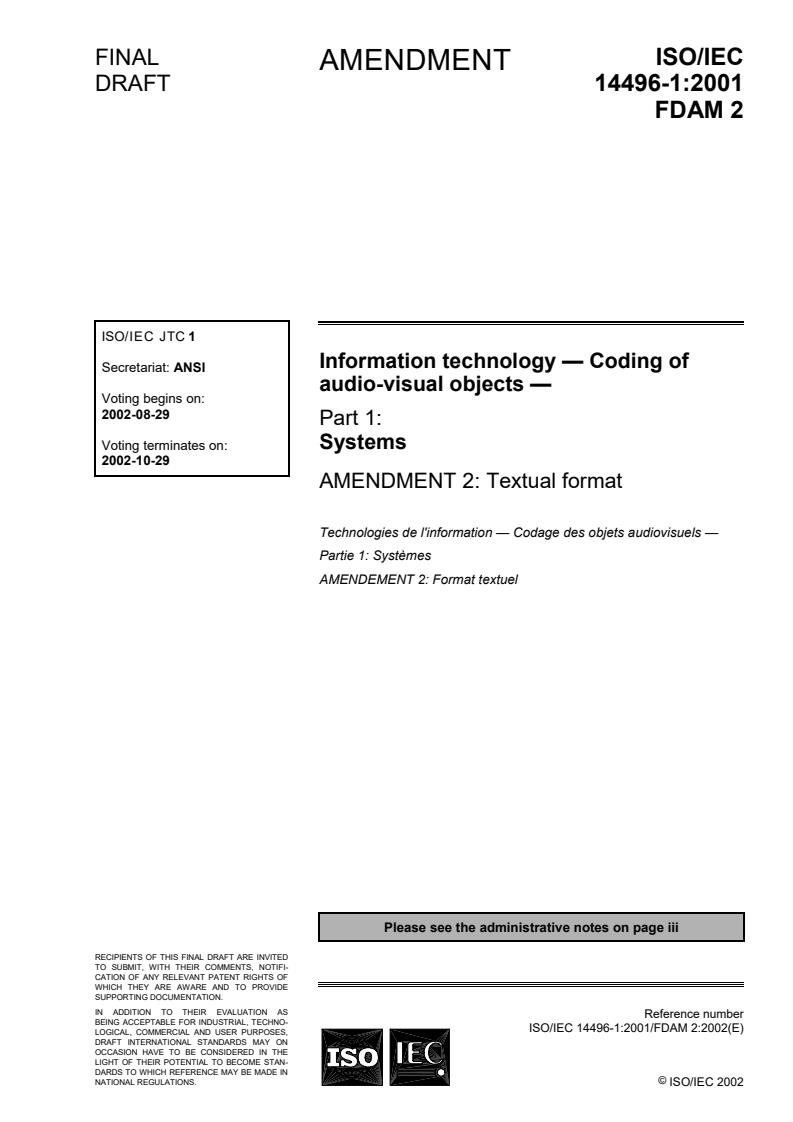
(Amendment)Information technology — Coding of audio-visual objects — Part 1: Systems — Amendment 2: Textual format
Information technology — Coding of audio-visual objects — Part 1: Systems — Amendment 2: Textual format
Technologies de l'information — Codage des objets audiovisuels — Partie 1: Systèmes — Amendement 2: Format textuel
General Information
- Status
- Withdrawn
- Current Stage
- 5098 - Project deleted
- Start Date
- 20-Feb-2003
- Completion Date
- 12-Feb-2026
Relations
- Amends
ISO/IEC 14496-1:2001 - Information technology — Coding of audio-visual objects — Part 1: Systems - Effective Date
- 06-Jun-2022
- Effective Date
- 15-Apr-2008
- Revised
ISO/IEC 14496-1:2004 - Information technology — Coding of audio-visual objects — Part 1: Systems - Effective Date
- 15-Apr-2008
- Child
ISO/IEC 14496-1:2001 - Information technology — Coding of audio-visual objects — Part 1: Systems - Effective Date
- 15-Apr-2008



Get Certified
Connect with accredited certification bodies for this standard

BSI Group
BSI (British Standards Institution) is the business standards company that helps organizations make excellence a habit.

NYCE
Mexican standards and certification body.
Sponsored listings
Frequently Asked Questions
ISO/IEC 14496-1:2001/FDAM 2 is a standard published by the International Organization for Standardization (ISO). Its full title is "Information technology — Coding of audio-visual objects — Part 1: Systems — Amendment 2: Textual format". This standard covers: Information technology — Coding of audio-visual objects — Part 1: Systems — Amendment 2: Textual format
Information technology — Coding of audio-visual objects — Part 1: Systems — Amendment 2: Textual format
ISO/IEC 14496-1:2001/FDAM 2 is classified under the following ICS (International Classification for Standards) categories: 35.040 - Information coding; 35.040.40 - Coding of audio, video, multimedia and hypermedia information. The ICS classification helps identify the subject area and facilitates finding related standards.
ISO/IEC 14496-1:2001/FDAM 2 has the following relationships with other standards: It is inter standard links to ISO/IEC 14496-1:2001, ISO/IEC 14496-11:2005, ISO/IEC 14496-1:2004; is excused to ISO/IEC 14496-1:2001. Understanding these relationships helps ensure you are using the most current and applicable version of the standard.
ISO/IEC 14496-1:2001/FDAM 2 is available in PDF format for immediate download after purchase. The document can be added to your cart and obtained through the secure checkout process. Digital delivery ensures instant access to the complete standard document.
Standards Content (Sample)
FINAL ISO/IEC
AMENDMENT
DRAFT 14496-1:2001
FDAM 2
ISO/IEC JTC 1
Information technology — Coding of
Secretariat: ANSI
audio-visual objects —
Voting begins on:
2002-08-29
Part 1:
Systems
Voting terminates on:
2002-10-29
AMENDMENT 2: Textual format
Technologies de l'information — Codage des objets audiovisuels —
Partie 1: Systèmes
AMENDEMENT 2: Format textuel
Please see the administrative notes on page iii
RECIPIENTS OF THIS FINAL DRAFT ARE INVITED
TO SUBMIT, WITH THEIR COMMENTS, NOTIFI-
CATION OF ANY RELEVANT PATENT RIGHTS OF
WHICH THEY ARE AWARE AND TO PROVIDE
SUPPORTING DOCUMENTATION.
IN ADDITION TO THEIR EVALUATION AS
Reference number
BEING ACCEPTABLE FOR INDUSTRIAL, TECHNO-
LOGICAL, COMMERCIAL AND USER PURPOSES,
DRAFT INTERNATIONAL STANDARDS MAY ON
OCCASION HAVE TO BE CONSIDERED IN THE
LIGHT OF THEIR POTENTIAL TO BECOME STAN-
DARDS TO WHICH REFERENCE MAY BE MADE IN
©
NATIONAL REGULATIONS. ISO/IEC 2002
ISO/IEC 14496-1:2001/Amd.2:2002(E)
PDF disclaimer
This PDF file may contain embedded typefaces. In accordance with Adobe's licensing policy, this file may be printed or viewed but
shall not be edited unless the typefaces which are embedded are licensed to and installed on the computer performing the editing. In
downloading this file, parties accept therein the responsibility of not infringing Adobe's licensing policy. The ISO Central Secretariat
accepts no liability in this area.
Adobe is a trademark of Adobe Systems Incorporated.
Details of the software products used to create this PDF file can be found in the General Info relative to the file; the PDF-creation
parameters were optimized for printing. Every care has been taken to ensure that the file is suitable for use by ISO member bodies. In
the unlikely event that a problem relating to it is found, please inform the Central Secretariat at the address given below.
Copyright notice
This ISO document is a Draft International Standard and is copyright-protected by ISO. Except as permitted
under the applicable laws of the user's country, neither this ISO draft nor any extract from it may be
reproduced, stored in a retrieval system or transmitted in any form or by any means, electronic,
photocopying, recording or otherwise, without prior written permission being secured.
Requests for permission to reproduce should be addressed to either ISO at the address below or ISO's
member body in the country of the requester.
ISO copyright office
Case postale 56 • CH-1211 Geneva 20
Tel. + 41 22 749 01 11
Fax + 41 22 749 09 47
E-mail copyright@iso.org
Web www.iso.org
Reproduction may be subject to royalty payments or a licensing agreement.
Violators may be prosecuted.
ii © ISO/IEC 2002 – All rights reserved
FINAL DRAFT / PROJET FINAL
ISO/IEC 14496-1:2001/Amd.2:2002(E)
In accordance with the provisions of Council Resolution 21/1986, this document is circulated in the
English language only.
© ISO/IEC 2002 – All rights reserved iii
FINAL DRAFT / PROJET FINAL
ISO/IEC 14496-1:2001/Amd.2:2002(E)
Foreword
ISO (the International Organization for Standardization) and IEC (the International Electrotechnical
Commission) form the specialized system for worldwide standardization. National bodies that are members of
ISO or IEC participate in the development of International Standards through technical committees
established by the respective organization to deal with particular fields of technical activity. ISO and IEC
technical committees collaborate in fields of mutual interest. Other international organizations, governmental
and non-governmental, in liaison with ISO and IEC, also take part in the work. In the field of information
technology, ISO and IEC have established a joint technical committee, ISO/IEC JTC 1.
International Standards are drafted in accordance with the rules given in the ISO/IEC Directives, Part 2.
The main task of the joint technical committee is to prepare International Standards. Draft International
Standards adopted by the joint technical committee are circulated to national bodies for voting. Publication as
an International Standard requires approval by at least 75 % of the national bodies casting a vote.
Attention is drawn to the possibility that some of the elements of this document may be the subject of patent
rights. ISO and IEC shall not be held responsible for identifying any or all such patent rights.
Amendment 2 to ISO/IEC 14496-1:2001 was prepared by Joint Technical Committee ISO/IEC JTC 1,
Information technology, Subcommittee SC 29, Coding of audio, picture, multimedia and hypermedia
information.
iv © ISO/IEC 2002 – All rights reserved
FINAL DRAFT / PROJET FINAL
ISO/IEC 14496-1:2001/Amd.2:2002(E)
Information technology – Coding of audio-visual objects
Part 1:
Systems
Amendment 2: Textual format
In subclause 0.2, replace the following sentences:
"
Elementary streams contain the coded representation of either audio or visual data or scene description
information. Elementary streams may as well themselves convey information to identify streams, to describe
logical dependencies between streams, or to describe information related to the content of the streams. Each
elementary stream contains only one type of data.
"
with
"
Elementary streams contain the coded representation of either audio or visual data or scene description
information or user interaction data. Elementary streams may as well themselves convey information to
identify streams, to describe logical dependencies between streams, or to describe information related to the
content of the streams. Each elementary stream contains only one type of data.
"
Then, add the following subclause:
"
0.6.5 Interaction Streams
The coded representations of user interaction information is not in the scope of ISO/IEC 14496. But this
information shall be translated into scene modification and the modifications made available to the
composition process for potential use during the scene rendering.
"
In clause 4, add the following definitions:
"
Interaction Stream
An elementary stream that conveys user interaction information.
Media Node
The following list of time dependent nodes that refers to a media stream through a URL field: AnimationStream,
AudioBuffer, AudioClip, AudioSource, Inline, MovieTexture.
Media stream
One or more elementary streams whose ES descriptors are aggregated in one object descriptor and that are jointly
decoded to form a representation of an AV object.
Media time line
A time line expressing normal play back time of a media stream.
Seekable
A media stream is seekable if it is possible to play back the stream from any position.
Stream object
A media stream or a segment thereof. A stream object is referenced through a URL field in the scene in the form
“OD:n” or “OD:n#” .
"
© ISO/IEC 2002 – All rights reserved
FINAL DRAFT / PROJET FINAL
ISO/IEC 14496-1:2001/Amd.2:2002(E)
In subclause 8.2.3.2, replace table 2:
"
Table 2 - List of Class Tags for Commands
Tag value Tag name
0x00 forbidden
0x01 ObjectDescrUpdateTag
0x02 ObjectDescrRemoveTag
0x03 ES_DescrUpdateTag
0x04 ES_DescrRemoveTag
0x05 IPMP_DescrUpdateTag
0x06 IPMP_DescrRemoveTag
0x07 ES_DescrRemoveRefTag
0x08-0xBF Reserved for ISO (command tags)
0xC0-0xFE User private
0xFF forbidden
"
with
"
Table 2 - List of Class Tags for Commands
Tag value Tag name
0x00 forbidden
0x01 ObjectDescrUpdateTag
0x02 ObjectDescrRemoveTag
0x03 ES_DescrUpdateTag
0x04 ES_DescrRemoveTag
0x05 IPMP_DescrUpdateTag
0x06 IPMP_DescrRemoveTag
0x07 ES_DescrRemoveRefTag
0x08 ObjectDescrExecuteTag
0x09-0xBF Reserved for ISO (command tags)
0xC0-0xFE User private
0xFF forbidden
"
After 8.5.5.7.2 (ODExecute), add the following subclause:
"
8.5.5.8 ObjectDescriptorExecute
8.5.5.8.1 Syntax
class ObjectDescriptorExecute extends BaseCommand : bit(8) tag= ObjectDescriptorExecuteTag {
bit(10) objectDescriptorId[(sizeOfInstance*8)/10];
}
8.5.5.8.2 Semantics
The ObjectDescriptorExecute class instructs the terminal that Elementary streams contained therein shall be
opened as the server will transmit data on one or more of the streams. Failure by the terminal to comply may result
in data loss and/or other undefined behavior.
"
© ISO/IEC 2002 – All rights reserved
FINAL DRAFT / PROJET FINAL
ISO/IEC 14496-1:2001/Amd.2:2002(E)
In subclause 8.6.4.2 (Semantics), replace Tables 4 and 7 with:
"
Table 4 - sceneProfileLevelIndication Values
Value Profile Level
0x00 Reserved for ISO use -
0x01 Simple 2D profile L1
0x02 Simple 2D profile L2
0x03 Basic 2D profile L1
0x04 Core 2D profile L1
0x05 Core 2D profile L2
0x06 Main 2D profile L1
0x07 Main2D profile L2
0x08 Main 2D profile L3
0x09 Advanced 2D profile L1
0x0A Advanced 2D profile L2
0x0B Advanced 2D profile L3
0x0C-0x7F reserved for ISO use -
0x80-0xFD user private -
0xFE no scene graph profile specified -
0xFF no scene graph capability required -
NOTE — Usage of the value 0xFE indicates that the content described by this InitialObjectDescriptor
does not comply to any scene graph profile specified in ISO/IEC 14496-1. Usage of the value 0xFF
indicates that none of the scene graph profile capabilities are required for this content.
Table 7 - graphicsProfileLevelIndication Values
Value Profile Level
0x00 Reserved for ISO use
0x01 Simple 2D profile L1
0x02 Simple 2D + Text profile L1
0x03 Simple 2D + Text profile L2
0x04 Core 2D profile L1
0x05 Core 2D profile L2
0x06 Advanced 2D profile L1
0x07 Advanced 2D profile L2
0x08-0x7F reserved for ISO use
0x80-0xFD user private
0xFE no graphics profile specified
0xFF no graphics capability required
NOTE — Usage of the value 0xFE may indicate that the content described by this InitialObjectDescriptor
does not comply to any conformance point specified in ISO/IEC 14496-1. Usage of the value 0xFF
indicates that none of the graphics profile capabilities are required for this content.
"
In subclause 8.6.6.2, replace Table 8 with:
"
Table 8 - objectTypeIndication Values
Value ObjectTypeIndication Description
0x03 Interaction Stream
0x04-0x1F reserved for ISO use
"
© ISO/IEC 2002 – All rights reserved
FINAL DRAFT / PROJET FINAL
ISO/IEC 14496-1:2001/Amd.2:2002(E)
In subclause 8.6.6.2, replace Table 9 with:
"
Table 9 - streamType Values
streamType value stream type description
0x0A Interaction Stream
0x0B - 0x1F reserved for ISO use
"
In subclause 8.6.7.2 Semantics (of DecoderSpecificInfo), add the following paragraph:
"
For values of DecoderConfigDescriptor.objectTypeIndication that refer to interaction streams,
the decoder specific information is:
class UIConfig extends DecoderSpecificInfo : bit(8) tag=DecSpecificInfoTag {
bit(8) deviceNamelength;
bit(8) deviceName[deviceNamelength];
bit(8) devSpecInfo[sizeOfInstance – deviceNamelength - 1];
}
with
deviceNameLength –indicates the number of bytes in the deviceName field
deviceName –indicates the name of the class of device, which allows the terminal to invoke the appropriate
interaction decoder.
devSpecInfo –is a opaque container with information for a device specific handler.
"
After subclause 8.6.18.13.3 (SegmentDescriptor, MediaTimeDescriptor), add the following new subclauses:
"
8.6.18.14Segment Descriptor
8.6.18.14.1 Syntax
class SegmentDescriptor extends OCI_Descriptor : bit(8) tag=SegmentDescriptorTag {
double start;
double duration;
bit(8) segmentNameLength;
bit(8) segmentName [segmentNameLength];
};
8.6.18.14.2 Semantics
The segment descriptor defines labeled segments within a media stream with respect to the media time line. A
segment for a given media stream is declared by conveying a segment descriptor with appropriate values as part of
the object descriptor that declares that media stream. Conversely, when a segment descriptor exists in an object
descriptor, it refers to all the media streams in that object descriptor. Segments can be referenced from the scene
description through url fields of media nodes.
In order to use segment descriptors for the declaration of segments within a media stream, the notion of a media
time line needs to be established. The media time line of a media stream may be defined through use of media
time descriptor (see 8.6.18.15). In the absence of such explicit definitions, media time of the first composition unit of
a media stream is assumed to be zero. In applications where random access into a media stream is supported, the
media time line is undefined unless the media time descriptor mechanism is used.
start – specifies the media time (in seconds) of the start of the segment within the media stream.
duration – specifies the duration of the segment in seconds. A negative value denotes an infinite duration.
SegmentNameLength – the length of the segmentName field in characters.
© ISO/IEC 2002 – All rights reserved
FINAL DRAFT / PROJET FINAL
ISO/IEC 14496-1:2001/Amd.2:2002(E)
segmentName – a Unicode [3] encoded string that labels the segment. The first character of the segmentName
shall be an alphabetic character. The other characters may be alphanumeric, _, -, or a space character.
8.6.18.15MediaTimeDescriptor
8.6.18.15.1 Syntax
class MediaTimeDescriptor extends OCI_Descriptor : bit(8) tag=MediaTimeDescrTag {
double mediaTimeStamp;
};
8.6.18.15.2 Semantics
The media time descriptor conveys a media time stamp. The descriptor establishes the mapping between the
object time base and the media time line of a media stream. This descriptor shall only be conveyed within an OCI
stream. The startingTime, absoluteTimeFlag and duration fields of the OCI event carrying this
descriptor shall be set to 0. The association between the OCI stream and the corresponding media stream is
defined by an object descriptor that aggregates ES descriptors for both of them (see 8.7.1.3).
mediaTimeStamp – a time stamp indicating the media time (MT, in seconds) of the associated media stream
corresponding to the composition time (CT) of the access unit conveying the media time descriptor. Media time
values MT(AU ) of other access units of the media stream can be calculated from the composition time CT(AU ) for
n n
that access unit as follows:
MT(AU ) = CT(AU ) – CT + MT
n n
with MT and CT being the mediaTimeStamp and compositionTimeStamp (converted to seconds) values,
respectively, for the access unit conveying the media time descriptor.
Note – When media time descriptor is used to associate a media time line with a media stream, the notion of “media time zero”
does not necessarily correspond to the notion of “beginning of the stream.
"
Replace subclause 9.2.1.6 with:
"
9.2.1.6 Time
9.2.1.6.1 Stream Objects
A Media Stream consists of one or more elementary streams whose ES descriptors are aggregated in one object
descriptor and that are jointly decoded to form a representation of an AV object. Such streams may be streamed in
response to player requests, in particular in the case of Media nodes that control play back of media. Streams may
be seekable, in which case the stream can be played from any (randomly accessible) time position in the stream, or
they may be non-seekable, in which case the player has no control over the playback of the stream, as is the case
in broadcast scenarios.
9.2.1.6.2 Time-dependent Media Nodes
This specification defines the notion of a Media Node. Such nodes control the opening and playback of remote
streams and are time-dependent nodes.
The url field of a media node shall contain at most one element which must point to a complete media stream, i.e.
it is of the form “OD:n”. Media Nodes may become active or inactive based on the value of their startTime and
stopTime fields. The mediaTime of the played stream is controlled by a MediaControl node, and is not dependent
on the startTime and stopTime in the media Node.
The semantics of the loop, startTime and stopTime exposedFields and the isActive eventOut in time-
dependent nodes are as described in ISO/IEC 14772-1:1998, subclause 4.6.9 [10]. startTime, stopTime and
loop apply only to the local start, pause and restart of these nodes. In the case of media Nodes, these fields affect
the delivery of the stream attached to media nodes as described below. The following media nodes exist:
AnimationStream, AudioBuffer, AudioClip, AudioSource, MovieTexture, TimeSensor.
© ISO/IEC 2002 – All rights reserved
FINAL DRAFT / PROJET FINAL
ISO/IEC 14496-1:2001/Amd.2:2002(E)
When a media node becomes active and the stream associate with that media node is already active, the media
node simply joins the session. If the stream is not active when the media node becomes active, the stream
becomes active; i.e. it is played.
When a media node becomes inactive, the stream shall become inactive if there are no other active media nodes
referring to that stream, otherwise the stream remains active.
Loop and speed in a MediaControl node shall over-ride the same fields, when they exist, in any media node
referencing the controlled stream. These fields retain their semantics when no controlling MediaControl node is
present in the scene.
9.2.1.6.3 Time fields in BIFS nodes
Several BIFS nodes have fields of type SFTime that identify a point in time at which an event occurs (change of a
parameter value, start of a media stream, etc). Depending on the individual field semantics, these fields may
contain time values that refer either to an absolute position on the time line of the BIFS stream or that define a time
duration.
As defined in 9.2.1.4, the speed of the flow of time for events in a BIFS stream is determined by the time base of
the BIFS stream. This determines unambiguously durations expressed by relative SFTime values like the
cycleTime field of the TimeSensor node. The time base of a stream can be modified by the
TemporalTransform node which is used to synchronize different streams.
The semantics of some SFTime fields is such that the time values shall represent an absolute position on the time
line of the BIFS stream (e.g. startTime in MovieTexture). This absolute position is defined as follows:
Each node in the scene description has an associated point in time at which it is inserted in the scene graph or at
which an SFTime field in such a node is updated through a CommandFrame in a BIFS access unit (see 9.2.1.3).
The value in the SFTime field as coded in the delivered BIFS command is the positive offset from this point in time
in seconds. The absolute position on the time line shall therefore be calculated as the sum of the composition time
of the BIFS access unit and the value of the SFTime field.
NOTE 1 — Absolute time in ISO/IEC 14772-1:1998 is defined slightly differently. Due to the non-streamed nature of the scene
description in that case, absolute time corresponds to wallclock time in [10].
EXAMPLE � The example in Figure shows a BIFS access unit that is to become valid at CTS. It conveys a node that has an
associated media elementary stream. The startTime of this node is set to a positive value �t. Hence, startTime will occur �t
seconds after the CTS of the BIFS access unit that has incorporated this node (or the value of the startTime field) in the scene
graph.
OCR OCR OCR OCR OCR
OCRstream
BIFS time line
t
�
CTS
CTS+ t
����
BIFS AU BIFS AU
BIFS stream
Media time line
CU CU CU CU CU CU CU CU CU CU CU CU CU CU CU CU
Media stream
Figure 12 - Media start times and CTS
"
© ISO/IEC 2002 – All rights reserved
FINAL DRAFT / PROJET FINAL
ISO/IEC 14496-1:2001/Amd.2:2002(E)
The following sentence should be added to subclause 9.2.2.7.1:
"
In the case of InputSensor, the node includes a reference to an object descriptor that indicates which user
interaction stream is associated with the node.
"
Add a new subclause after subclause 9.2.2.7.2 (URL : segment syntax):
"
9.2.2.7.3 Object descriptor references in URL fields
The url fields in several nodes contain references to media streams. Depending on the profile and level settings
(see clause 15), references to media streams are made through object descriptor Ids. The textual syntax for the url
fields in this case is as follows:
“od:” - refers to the object descriptor with the id .
“od:#” - refers to the stream object defined within the object descriptor with the id
that has the name .
“od:#:” - refers to all stream objects defined within the object
descriptor with the id that start at the same time or later as and that and at the same
time or earlier than
“od:#+” - refers to all stream objects defined within the object descriptor with the id
start start at the same time or later as until the end of the media stream.
"
Replace subclause 9.3.7.20.2 (SFUrl Semantics) with:
"
9.3.7.20.2 Semantics
The “od:” URL scheme is used in an url field of a BIFS node to refer to an object descriptor. The integer
immediately following the “od:” prefix identifies the ObjectDescriptorID. For example, “od:12” refers to object
descriptor number 12.
If the SFUrl refers to an object descriptor, the ObjectDescriptorID is coded as a 10-bit integer. If the SFUrl
refers to a segment of a media stream (“od:12#”) and in all other cases the URL is sent as an
SFString.
"
In subclause 9.4.2, insert the following subclause between the specifications of the Inline node and the Layer2D
node:
"
9.4.2.63 InputSensor
9.4.2.63.1 Node interface
InputSensor {
exposedField SFBool enabled TRUE
exposedField SFString buffer ""
url
exposedField SFString ""
eventOut SFTime eventTime
}
NOTE — For the binary encoding of this node see Annex H.3.11.
9.4.2.63.2 Functionality and semantics
The InputSensor node is used to add entry points for user inputs into a BIFS scene. It allows user events to trigger
updates of the value of a field or the value of an element of a multiple field of an existing node.
Input devices are modelled as devices that generate frames of user input data. A device data frame (DDF) consists
in a list of values of any of the allowed types for node fields. Values from DDFs are used to update the scene. For
example, the DDF definition for a simple mouse is:
© ISO/IEC 2002 – All rights reserved
FINAL DRAFT / PROJET FINAL
ISO/IEC 14496-1:2001/Amd.2:2002(E)
MouseDataFrame [[
SFVec2f cursorPosition
SFBool singleButtonDown
]]
Note: The encoding of the DDF is implementation-dependent. Devices may send only complete DDF or sometimes
subsets of DDF as well.
The buffer field is a buffered bit string which contains a list of BIFS-Commands in the form of a CommandFrame
(see 9.3.6.2). Allowed BIFS-Commands are the following: FieldReplacement (see 9.3.6.14),
IndexedValueReplacement (see 9.3.6.15) and NodeDeletion with a NULL node argument (see 9.3.7.3.2). The
buffer shall contain a number of BIFS-Commands that matches the number of fields in the DDF definition for the
th th
attached device. The type of the field replaced by the n command in the buffer shall match the type of the n
field in the DDF definition.
The url field specifies the data source to be used (see 9.2.2.7.1). The url field shall point to a stream of type
UserInteractionStream, which “access units” are DDFs.
When the enabled is set to TRUE, upon reception of a DDF, each value (in the order of the DDF definition) is
placed in the corresponding replace command according to the DDF definition, then the replace command is
executed. These updates are not time-stamped; they are executed at the time of the event, assuming a zero-
decoding time. It is not required that all the replace commands be executed when the buffer is executed. Each
replace command in the buffer can be independently triggered depending on the data present in the current DDF.
th
Moreover, the presence in the buffer field of a NodeDeletion command at the n position indicates that the value
th
of the DDF corresponding to the n field of the DDF definition shall be ignored.
The eventTime eventOut carrying the current time is generated after a DDF has been processed.
EXAMPLE � A typical use of this node is to handle the inputs of a keyboard.
9.4.2.63.3 Adding New Devices and Interoperability
In order to achieve interoperability when defining new devices, the way to use InputSensor with the new device
needs to be specified. The following steps are necessary:
define the content of the DDF definition: this sets the order and type of the data coming from the device and
then mandates the content of the InputSensor buffer.
define the deviceName string which will designate the new device.
define the optional devSpecInfo of UIConfig.
Note: the bitstream syntax does not need to change.
9.4.2.63.4 Keyboard Mappings
The KeySensor mapping is defined as follows.
The KeySensor DDF definition is:
KeySensorDataFrame [[
SFInt32 keyPressed
SFInt32 keyReleased
SFInt32 actionKeyPressed
SFInt32 actionKeyReleased
SFBool shiftKeyChanged
SFBool controlKeyChanged
SFBool altKeyChanged
]]
keyPress and keyRelease events are generated as keys which produce characters are pressed and released on
the keyboard. The value of these events is a string of length 1 containing the single UTF-8 character associated
with the key pressed. The set of UTF-8 characters that can be generated will vary between different keyboards and
different implementations.
actionKeyPress and actionKeyRelease events are generated as 'action' keys are pressed and released on the
keyboard. The value of these events are:
© ISO/IEC 2002 – All rights reserved
FINAL DRAFT / PROJET FINAL
ISO/IEC 14496-1:2001/Amd.2:2002(E)
KEY VALUE KEY VALUE KEY VALUE
HOME 13 END 14 PGUP 15
PGDN 16 UP 17 DOWN 18
LEFT 19 RIGHT 20 F1-F12 1-12
shiftKeyChanged, controlKeyChanged, and altKeyChanged events are generated as the shift, alt and control keys
on the keyboard are pressed and released. Their value is TRUE when the key is pressed and FALSE when the key
is released.
The KeySensor UIConfig.devSpecInfo is empty.
The KeySensor deviceName is “KeySensor”
The StringSensor mapping is defined as follows.
The StringSensor DDF definition is:
StringSensorDataFrame [[
SFString enteredText
SFString finalText
]]
The StringSensor UIConfig.devSpecInfo contains 2 UTF-8 strings: the first one is called terminationCharacter and
the second one is called deletionCharacter. When no devSpecInfo is provided, the default terminationCharacter is
‘\r’ and the default deletionCharacter is ‘\b’.
enteredText events are generated as keys which produce characters are pressed on the keyboard. The value of
this event is the UTF-8 string entered including the latest character struck. The set of UTF-8 characters that can be
generated will vary between different keyboards and different implementations. If deletionCharacter is provided, the
previously entered character in the enteredText is removed. The deletionCharacter field contains a string
comprised of one UTF-8 character. It may be a control character. If the deletionCharacter is the empty string, no
deletion operation is provided.
The finalText event is generated whenever a sequence of keystrokes are recognized which match the keys in the
terminationText string. When this recognition occurs, the enteredText is moved to the finalText and the enteredText
is set to the empty string. This causes both a finalText event and an enteredText event to be generated.
The StringSensor deviceName is “StringSensor”
9.4.2.63.5 Mouse Mappings
The Mouse mapping is defined as follows.
The Mouse DDF definition is:
MouseDataFrame [[
SFVec2f position
SFBool leftButtonDown
SFBool middleButtonDown
SFBool rightButtonDown
SFFloat wheel
]]
position is specified in screen coordinates, pixels or meter as specified in the BifsConfig. leftButtonDown becomes
true when the left button is down, and false otherwise. Likewise for the middle and right buttons respectively. wheel
values are: 0 when the wheel is inactive, +1 (resp. –1) when the wheel is moved forward (resp. backward) by one
delta.
The Mouse UIConfig.devSpecInfo is empty.
The Mouse deviceName is “Mouse”.
Note: This mouse mapping can be used with mice with 1 button, 2 buttons or 3 buttons, and possibly a
wheel. DDF fields for missing buttons or wheel are simply never activated.
"
© ISO/IEC 2002 – All rights reserved
FINAL DRAFT / PROJET FINAL
ISO/IEC 14496-1:2001/Amd.2:2002(E)
After 9.4.2.71 (MatteTexture, MediaBuffer, MediaControl, MediaSensor), add the following subclauses:
"
9.4.2.72 MatteTexture
9.4.2.72.1 Node interface
MatteTexture {
field SFNode surfaceA NULL
surfaceB
field SFNode NULL
field SFNode alphaSurface NULL
exposedField SFString operation “”
field SFBool overwrite FALSE
exposedField SFFloat fraction 0
exposedField MFFloat parameter 0
}
NOTE — For the binary encoding of this node see Annex H.6.2.
9.4.2.72.2 Functionality and semantics
The MatteTexture node uses image compositing operations to combine the image data from two surfaces onto
a third surface. The result of the compositing operation is computed at the resolution of surfaceB. If the size of
surfaceA differs from that of surfaceB, the image data on surfaceA is zoomed up or down before performing
the operation.
The compositing operations that are defined are capable of being hardware accelerated using low-cost, widely
available graphics accelerators.
The surfaceA, surfaceB and alphaSurface fields specify the three surfaces that provide the input image data
for the compositing operation. Not all three surfaces have to specified. In particular, there are unary, binary, and
ternary operations. Each of these fields can contain any MPEG-4 texture node. These include
CompositeTexture2D, CompositeTexture3D, PixelTexture, MovieTexture, ImageTexture and MatteTexture
The operation field specifies what compositing function to perform on the input surfaces.
The parameter and fraction fields provides one or more floating point parameters that can alter the effect of the
compositing function. The specific interpretation of the parameter values depends upon which operation is
specified.
The overwrite field indicates whether the MatteTexture node should allocate a new surface for storing the
result of the compositing operation (overwrite = FALSE) or whether the data stored on surfaceB should be
overwritten with the results of the compositing operation (overwrite = TRUE).
Note:Authors should only set overwrite to TRUE when they are certain that overwriting the contents of surfaceB will not have
any adverse side-effects.
The possible values for operation are:
Unary Operations operate on the texture in the surfaceB field:“INVERT” replaces the value C in each channel
of with 1-C. The parameter field is used to specify whether or not channels containing alpha are inverted. If
parameter is 0, then alpha channels are not inverted. If parameter is 1, then alpha channels are inverted.
“OFFSET” shifts the image DX pixels to the right and DY pixels to the top. Negative DX and DY values shift the
image left and down, respectively. The DX and DY value are taken as the first two values in the parameter field.
The color of pixels that are exposed by the OFFSET operation is set to black with an alpha value of 1.
“SCALE” scales each channel independently by multiplying the color in channel i by the value in parameter[i].
Pixel color and alpha values are clamped to the range 0 to 1.“BIAS” modifies the color in channel i by adding to it
the value in parameter[i]. Pixel color and alpha values are clamped to the range 0 to 1.
© ISO/IEC 2002 – All rights reserved
FINAL DRAFT / PROJET FINAL
ISO/IEC 14496-1:2001/Amd.2:2002(E)
“BLUR” performs a Gaussian blur operation on the image. The Gaussian blur kernel is an approximation of the
normalized convolution:
2 2 2
H(x) = exp(-x / (2s )) / sqrt(2* pi*s )
Where ‘s’ is the standard deviation.
The value of stdDeviation is specified in the parameter field and can be either one or two numbers. If two numbers
are provided, the first number represents a standard deviation value along the x-axis of the surface and the second
value represents a standard deviation along the y-axis. If one number is provided, then that value is used for both x
and y. Even if only one value is provided for stdDeviation, this can be implemented as a separable convolution.
Note: For larger values of 's' (s >= 2.0), an approximation may be used: Three successive box-blurs build a piece-
wise quadratic convolution kernel, which approximates the Gaussian kernel to within roughly 3%.
let d = floor(s * 3*sqrt(2*pi)/4 + 0.5)
... if d is odd, use three box-blurs of size 'd', centered on the output pixel.
... if d is even, two box-blurs of size 'd' (the first one centered one pixel to the left, the second one centered one
pixel to the right of the output pixel) and one box blur of size 'd+1' centered on the output pixel.
“COLOR_MATRIX” multiplies the RGBA value of each pixel by a matrix:
|R'| |a00 a01 a02 a03| |R|
|G'| |a10 a11 a12 a13| * |G|
|B'| = |a20 a21 a22 a23| |B|
|A'| |a30 a31 a32 a33| |A|
This matrix can be used for many purposes, including swapping channels and performing color space conversions.
The matrix values are given in row order in the parameter field.
As an example, the following matrix swaps the red and blue channels:
| 0 0 1 0 |
| 0 1 0 0 |
| 1 0 0 0 |
| 0 0 0 1 |
The following matrix converts luminance to alpha:
| 0 0 0 0 |
| 0 0 0 0 |
| 0 0 0 0 |
| 0.299 0.587 0.114 0 |
Binary Operations operate on the textures in the surfaceB and either the surfaceA or alphaSurface
fields:
"REPLACE_ALPHA" combines the RGB channels of surfaceB with the alpha channel from alphaSurface. If
alphaSurface has 1 component (grayscale intensity only), that component is used as the alpha values. If
alphaSurface has 2 or 4 components (grayscale intensity+alpha or RGBA), the alpha channel is used to provide
the alpha values. If alphaSurface has 3 components (RGB), the operation is undefined. This operation can be
used to provide static or dynamic alpha masks for static or dynamic imagery. For example, a texture node could
render an animating James Bond character against a transparent background. The alpha from this image could
then be used as a mask shape for a video clip.
"MULTIPLY_ALPHA" behaves just like REPLACE_ALPHA, except the alpha values from alphaSurface are
multiplied with the alpha values from surfaceB.
© ISO/IEC 2002 – All rights reserved
FINAL DRAFT / PROJET FINAL
ISO/IEC 14496-1:2001/Amd.2:2002(E)
"CROSS_FADE" fades between two surfaces using the value in the fraction field to control the percentage of each
surface that is visible. This operation can dynamically fade between two static or dynamic images. By animating
the fraction field value from 0 to 1, the imagery on surfaceA fades into that of surfaceB.
"BLEND" combines the image data from surfaceA and surfaceB using the alpha channel from surfaceB to
control the blending percentage. This operation allows the alpha channel of surfaceB to control the blending of
the two images. By animating the alpha channel of surfaceB by rendering a texture node or playing a
MovieTexture, you can produce a complex traveling matte effect. If R1, G1, B1, and A1 represent the red,
green, blue, and alpha values of a pixel of surfaceA and R2, G2, B2, and A2 represent the red, green, blue, and
alpha values of the corresponding pixel of surfaceB, then the resulting values of the red, green, blue, and alpha
components of that pixel are:
red = R1 * (1 - A2) + R2 * A2
green = G1 * (1 - A2) + G2 * A2
blue = B1 * (1 - A2) + B2 * A2
alpha = 1
"ADD", and "SUBTRACT" add or subtract the color channels of surfaceA and surfaceB. The alpha of the result
equals the alpha of surfaceB.
“A” is the identity operator for surfaceA. In other words, the resulting image contains the contents of surfaceA. If
overwrite is TRUE, then the contents of surfaceB are overwritten with the contents of surfaceA.
“B” is the identity operator for surfaceB. In other words, the resulting image contains the contents of surfaceB.
Ternary Operations operate on the textures in the surfaceA, surfaceB, and alphaSurface fields:
"REVEAL" is similar to CROSS_FADE except that the fraction value does not directly specify the percentage of
surface1 and surface2 to use in the result. Instead, the fraction value specifies a threshold level for a third
surface (i.e. the alphaSurface). In regions of the alphaSurface where the alpha values are less than the
threshold, the resulting pixels come from surface1. In regions of the alphaSurface where the alpha values are
greater than the threshold, the resulting pixels come from surface2.
So far, this describes a hard-edged transition region between surface1 and surface2. In other words, each pixel
of the result comes directly from either surface1 or surface2. Introducing a softness value (which is specified
using the first value of the parameter field), allows a range of alpha values surrounding the threshold value to be
specified where the result is a linear blend of surface1 and surface2.
For example, if softness (soft) = 0.1, and threshold (thresh) = 0.5, then for alpha values less than or equal to
(thresh - soft) = 0.4, the result would be surface1. For alpha values greater than or equal to (thresh + soft) = 0.6,
then result would be surface2. For alpha values between 0.4 and 0.6, then result would be a linear combination
of surface1 and surface2:
1 - (1/(2*soft)) * (alpha + soft - thresh)) * surface1 + (1/(2*soft)) * (alpha + soft - thresh) * surface2
Example :
The following example shows how the node can be used to mix three surfaces.
The following scene uses a “REVEAL” operation to mix two images using an alphaSurface. The figures below show the
alphaSurface used (Figure 1) and a snap shot of the operation for a value of TransitionEffect.fraction between 0 and 1 (Figure
2).
# content fragment showing an image processing transition effect using
# MatteSurface and its REVEAL operator
#
# MovieA transitions to reveal MovieB on the same in-scene texture,
# as TransitionEffect.fraction is animated from 0.0 to 1.0
DEF VideoScreen Transform {
children Shape {
appearanceAppearance {
© ISO/IEC 2002 – All rights reserved
FINAL DRAFT / PROJET FINAL
ISO/IEC 14496-1:2001/Amd.2:2002(E)
texture DEF TransitionEffect MatteTexture {
surfaceA DEF MovieA MovieSurface {
url "A.roll.mpg"
}
surfaceB DEF MovieB MovieSurface {
url "B.roll.mpg"
}
alphaSurface ImageSurface {
url "revealDiamondArt.png"
}
parameter 0.063
operation "REVEAL"
}
}
}
geometry IndexedFaceSet {
coord Coordinate {
point [ -10 -7.5 0,
-10 7.5 0,
10 7.5 0,
10 -7.5 0 ]
}
coordIndex [ 0, 1, 2, 3, -1 ]
solid FALSE
}
}
}
Figure 1 - An alphaSurface (revealDiamondArt.png) used in a “REVEAL”
operation to mix two videos.
Figure 2 - An image resulting from a “REVEAL” operation on A.roll.mpg and B.roll.mpg using the alphaSurface in
Figure 1.
© ISO/IEC 2002 – All rights reserved
FINAL DRAFT / PROJET FINAL
ISO/IEC 14496-1:2001/Amd.2:2002(E)
9.4.2.73 MediaBuffer
9.4.2.73.1 Node interface
MediaBuffer {
exposedField SFFloat bufferSize 0.0
exposedField MFString url [ ]
exposedField SFTime mediaStartTime -1
exposedField SFTime mediaStopTime +I
eventOut SFBool isBuffered
exposedField SFBool enabled TRUE
}
NOTE — For the binary encoding of this node see Annex H.6.3.
9.4.2.73.2 Functionality and semantics
The MediaBuffer node allows storage of media streams in local buffers created specifically for playback. This
allows, for instance, storage of clips for interactive playback or looping.
Storage of a stream object in the MediaBuffer shall occur only if the stream is active (see MediaControl
section).
The time interval of the stream object with media time between mediaStartTime and mediaStopTime shall be
stored. If these values are changed as a stream object is being buffered, the result is undefined.
The mediaStartTime or mediaStopTime fields have special values; see the MediaControl section.
The url field refers to the stream objects that are to be stored; there shall be one buffer for each stream object.
The bufferSize field signals how many seconds of media shall be stored locally. If bufferSize = –1.0 the whole
range of mediaStartTime to mediaStopTime shall be stored. If this range is unbounded because the duration
of the stream object is not known, no buffering shall occur.
Note – The physical buffer sizes can be computed from stream parameters and either the bufferSize value or
mediaStartTime and mediaStopTime.
The isBuffered event sends a TRUE value when all of the streams in the url have been completely buffered.
When the enabled field is set to TRUE, the buffers shall be allocated. When the enabled field is set to FALSE
the buffers may be freed and no buffering shall take place. If a media buffer has insufficient space to add more
media samples, the earliest added media samples are discarded and replaced with the most recently received
media samples.
When buffering of a stream object is started, all previous buffer contents shall be discarded.
Playback of a stream object shall occur through the MediaBuffer under the following conditions:
� A media node referring to the same stream object referenced in the url field of the MediaBuffer becomes active,
and
� the requested playback time interval of that stream object is completely available in the MediaBuffer.
Note – Play back of buffered stream object may be controlled by a MediaControl node.
© ISO/IEC 2002 – All rights reserved
FINAL DRAFT / PROJET FINAL
ISO/IEC 14496-1:2001/Amd.2:2002(E)
9.4.2.74 MediaControl
9.4.2.74.1 Node interface
MediaControl {
url
exposedField MFString “”
exposedField SFTime mediaStartTime -1
exposedField SFTime mediaStopTime +I
exposedField SFFloat mediaSpeed 1.0
loop
exposedField SFBool FALSE
exposedField SFBool preRoll TRUE
mute
exposedField SFBool FALSE
exposedField SFBool enabled TRUE
eventOut SFBool isPreRolled
}
NOTE — For the binary encoding of this node see Annex H.6.4.
9.4.2.74.2 Functionality and semantics
The MediaControl node controls the play back and, hence, delivery of a media stream referenced by a media
node. The MediaControl node allows selection of a time interval within one or more stream objects for play back,
modification of the playback direction and speed, as well as pre-rolling and muting of the stream.
A media node may be used with or without an associated MediaControl node. A media node for which no
MediaControl node is present shall behave as if a MediaControl node for that media stream were present in
the scene, with default values set.
The url field contains a reference to one or more stream objects (“OD:n#segment” or “OD:n”), called the controlled
stream objects, all of which must belong to the same media stream. This media stream is called the controlled
stream. When any media node referring to a media stream in its url field is active, the associated media stream is
said to be active.
Note – This means that the controlled stream becomes active exactly when some media node pointing to it becomes active. The
controlled stream becomes inactive, when all media nodes referring to it become inactive.
When a controlled media stream becomes active, the associated controlled stream objects in the url field of the
MediaControl node shall be played sequentially.
The mediaStartTime and mediaStopTime fields define the time interval, in media time, of each controlled
stream object to be played back.
If media time of the media stream is undefined, selection of a time interval of the controlled stream object for play
back is not supported. In that case the mediaStartTime and mediaStopTime fields shall be ignored.
The following values have special meaning for mediaStartTime and medi
...
Questions, Comments and Discussion
Ask us and Technical Secretary will try to provide an answer. You can facilitate discussion about the standard in here.
Loading comments...