


FprEN 18158
(Main)Waste management - Mobile IT systems - Requirements for the XML interface Office-Mobile
Waste management - Mobile IT systems - Requirements for the XML interface Office-Mobile
This document specifies the standard for the digital exchange of data between the disposition (i.e. registered Office) and the mobile waste and recycling collection units (revolving emptying system according to the EN 840 series and the EN 13071 series and refuse collection vehicles according to the EN 1501 series).
The technique of data transmission is not part of this document.
Abfallwirtschaft - Mobile IT-Systeme - Anforderungen an die XML-Schnittstelle Office-Mobile
Dieses Dokument legt den digitalen Datenaustausch zwischen der Disposition (d. h. stationäre Stelle, en: Office) und den mobilen Einheiten der Abfall- und Wertstoffsammlung [Umleerbehälter entsprechend EN 840 (alle Teile) und EN 13071 (alle Teile) sowie Abfallsammelfahrzeuge entsprechend EN 1501 (alle Teile)] fest.
Die Technik der Datenübertragung ist nicht Bestandteil dieser Norm.
Gestion des déchets - Réseaux IT mobiles - Exigences pour l'interface XML Office-Mobile
Le présent document spécifie la norme pour l’échange numérique de données entre le dépôt (c’est à dire le siège social) et les unités mobiles de collecte des déchets et du recyclage [système de vidage par basculement conformément à l’EN 840 (toutes les parties) et à l’EN 13071 (toutes les parties) et véhicules de collecte de déchets conformément à l’EN 1501 (toutes les parties)].
La technique de transmission des données ne fait pas partie du présent document.
Ravnanje z odpadki - Mobilni informacijski sistemi - Zahteve za vmesnik XML Office-Mobile
General Information
- Status
- Not Published
- Publication Date
- 12-May-2026
- Technical Committee
- CEN/TC 183 - Waste management
- Drafting Committee
- CEN/TC 183/WG 3 - Identification and/or determination of waste
- Current Stage
- 5060 - Closure of Vote - Formal Approval
- Start Date
- 05-Mar-2026
- Due Date
- 01-Apr-2025
- Completion Date
- 05-Mar-2026
Relations
- Effective Date
- 09-Feb-2026
- Effective Date
- 09-Feb-2026
- Effective Date
- 28-Jan-2026
- Referred By
EN ISO 5270:2022 - Pulps - Laboratory sheets - Determination of physical properties (ISO 5270:2022) - Effective Date
- 28-Jan-2026
- Effective Date
- 28-Jan-2026
- Effective Date
- 28-Jan-2026
Overview
FprEN 18158:2025 is a European standard developed by CEN/TC 183, focusing on waste management mobile IT systems. It defines the requirements for a standardized XML interface - named Office-Mobile - facilitating the digital exchange of data between the registered office (disposition) and mobile waste collection units including revolving emptying systems and refuse collection vehicles (RCV). The standard covers the data format, structure, and contents but excludes the technical means of data transmission.
This standard aims to provide a unified interface for exchanging operational data such as job orders, collection tours, and status reports between office IT systems and mobile devices onboard waste collection vehicles or handheld devices. By standardizing these communications, it supports interoperability among components from different manufacturers, increasing flexibility and efficiency in waste management operations.
Key Topics
Scope and Objective: Defines digital data exchange between waste management office systems and mobile waste collection units (e.g., RCVs as per EN 1501, containers per EN 840 and EN 13071). The focus is on XML data structure, not transmission protocols.
Standardized Data Elements:
- OrderPlan.xml: All job orders and tours sent from office to mobile devices.
- Stammdaten.xml (MasterData): Organizational data like personnel lists, unloading points, transponder lists.
- Einsatzbericht.xml (OrderReport): Execution reports and confirmations returned from mobile devices to office.
- Statusreport.xml (StatusReport): Short status messages exchanged in real-time without performance data.
Terminology and Definitions: Clear terms including Tour, Job, Service, mobile technology, refuse collection vehicle, and electronic waste verification procedure (eANV).
Interface Structure:
- Data organized through hierarchical elements: Tours contain Jobs; Jobs contain Services.
- Utilizes XML schema definitions (XSD) to specify attributes, naming conventions, and enumeration types.
- Event logs capture all data related to job execution.
Use Cases: Supports various waste collection scenarios such as household waste and commercial waste with job and task management.
Applications
Practical Use of FprEN 18158:2025 in Waste Management
Mobile IT System Integration: Waste management companies can implement software and hardware from different vendors while maintaining consistent communications via the Office-Mobile XML interface.
Operational Efficiency: Enables seamless transfer of detailed job information, updates on job status, and verification of services performed, supporting route optimization and accurate billing.
Data-Driven Decision Making: Detailed XML reports allow office systems to evaluate disposal service delivery, monitor mobile workforce performance, and verify compliance with waste verification procedures (eANV).
Flexibility in Mobile Devices: Works across various mobile technologies like onboard vehicle computers and handheld devices, facilitating real-time updates and operational adaptability.
Standard Compliance: Aligns with related European standards for equipment (EN 840, EN 13071 for containers; EN 1501 for vehicles), ensuring compatibility and harmonized workflows.
Related Standards
- EN 840 Series – Standards for mobile waste containers and revolving emptying systems.
- EN 13071 Series – Additional specifications for waste containers and equipment.
- EN 1501 Series – Performance and safety standards for refuse collection vehicles.
- EN ISO/IEC 19762-1:2012 – Definitions related to data transmission and IT system interoperability.
- W3C XML Standards – Underlying technical recommendations for XML and XML Schemas used by the Office-Mobile interface.
By implementing FprEN 18158:2025, waste management organizations ensure robust, interoperable digital communication interfaces promoting efficiency, standardization, and traceability in waste collection and disposal operations. This fosters cross-vendor system integration and streamlines mobile IT workflows in the waste management industry.

Get Certified
Connect with accredited certification bodies for this standard

BSI Group
BSI (British Standards Institution) is the business standards company that helps organizations make excellence a habit.

NSF International
Global independent organization facilitating standards development and certification.

CIS Institut d.o.o.
Personal Protective Equipment (PPE) certification body. Notified Body NB-2890 for EU Regulation 2016/425 PPE.
Sponsored listings
Frequently Asked Questions
FprEN 18158 is a draft published by the European Committee for Standardization (CEN). Its full title is "Waste management - Mobile IT systems - Requirements for the XML interface Office-Mobile". This standard covers: This document specifies the standard for the digital exchange of data between the disposition (i.e. registered Office) and the mobile waste and recycling collection units (revolving emptying system according to the EN 840 series and the EN 13071 series and refuse collection vehicles according to the EN 1501 series). The technique of data transmission is not part of this document.
This document specifies the standard for the digital exchange of data between the disposition (i.e. registered Office) and the mobile waste and recycling collection units (revolving emptying system according to the EN 840 series and the EN 13071 series and refuse collection vehicles according to the EN 1501 series). The technique of data transmission is not part of this document.
FprEN 18158 is classified under the following ICS (International Classification for Standards) categories: 13.030.40 - Installations and equipment for waste disposal and treatment; 35.240.99 - IT applications in other fields. The ICS classification helps identify the subject area and facilitates finding related standards.
FprEN 18158 has the following relationships with other standards: It is inter standard links to EN IEC 61084-2-1:2024/A11:2024, EN IEC 61084-2-4:2024/A11:2024, EN ISO 12863:2022, EN ISO 5270:2022, EN ISO 9706:2025, EN 17106-4:2021. Understanding these relationships helps ensure you are using the most current and applicable version of the standard.
FprEN 18158 is available in PDF format for immediate download after purchase. The document can be added to your cart and obtained through the secure checkout process. Digital delivery ensures instant access to the complete standard document.
Standards Content (Sample)
SLOVENSKI STANDARD
oSIST prEN 18158:2025
01-april-2025
Ravnanje z odpadki - Mobilni informacijski sistemi - Zahteve za vmesnik XML
Office-Mobile
Waste management - Mobile IT systems - Requirements for the XML interface Office-
Mobile
Abfallwirtschaft - Mobile IT-Systeme - Anforderungen an die XML-Schnittstelle Office-
Mobile
Gestion des déchets - Réseaux IT mobiles - Exigences pour l'interface XML Office-
Mobile
Ta slovenski standard je istoveten z: prEN 18158
ICS:
13.030.40 Naprave in oprema za Installations and equipment
odstranjevanje in obdelavo for waste disposal and
odpadkov treatment
35.240.99 Uporabniške rešitve IT na IT applications in other fields
drugih področjih
oSIST prEN 18158:2025 en,fr,de
2003-01.Slovenski inštitut za standardizacijo. Razmnoževanje celote ali delov tega standarda ni dovoljeno.
oSIST prEN 18158:2025
oSIST prEN 18158:2025
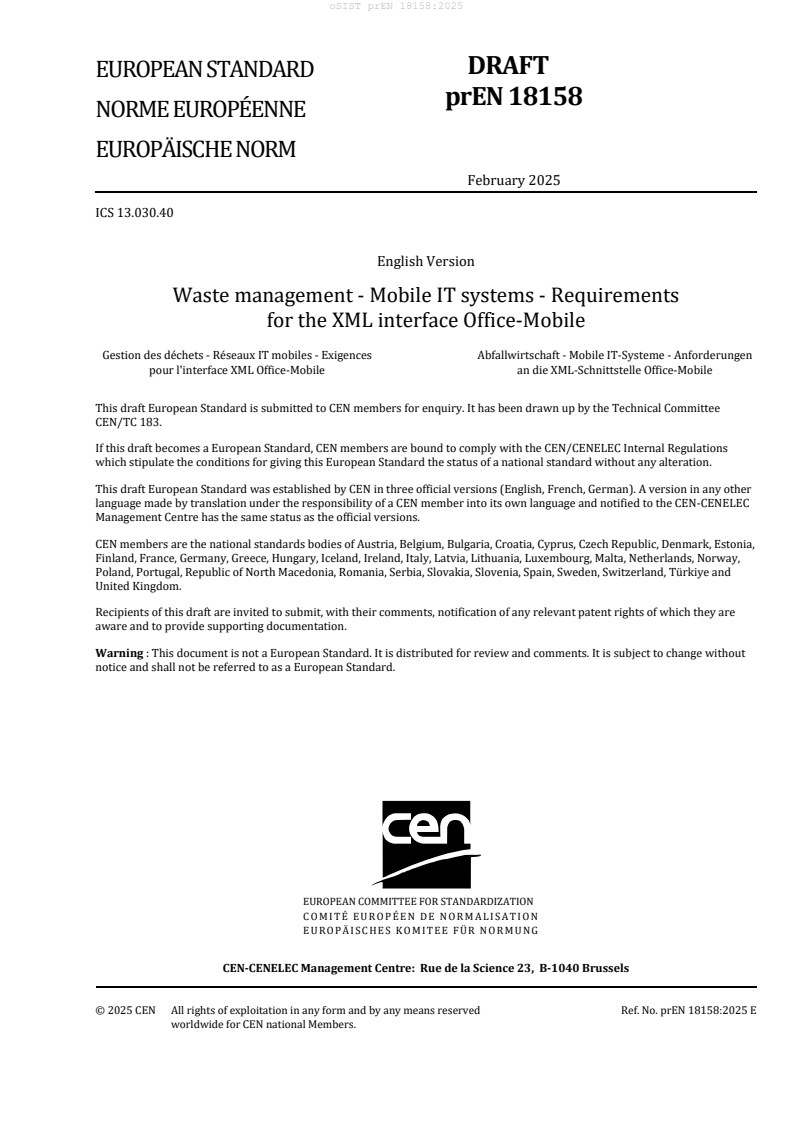
DRAFT
EUROPEAN STANDARD
prEN 18158
NORME EUROPÉENNE
EUROPÄISCHE NORM
February 2025
ICS 13.030.40
English Version
Waste management - Mobile IT systems - Requirements
for the XML interface Office-Mobile
Gestion des déchets - Réseaux IT mobiles - Exigences Abfallwirtschaft - Mobile IT-Systeme - Anforderungen
pour l'interface XML Office-Mobile an die XML-Schnittstelle Office-Mobile
This draft European Standard is submitted to CEN members for enquiry. It has been drawn up by the Technical Committee
CEN/TC 183.
If this draft becomes a European Standard, CEN members are bound to comply with the CEN/CENELEC Internal Regulations
which stipulate the conditions for giving this European Standard the status of a national standard without any alteration.
This draft European Standard was established by CEN in three official versions (English, French, German). A version in any other
language made by translation under the responsibility of a CEN member into its own language and notified to the CEN-CENELEC
Management Centre has the same status as the official versions.
CEN members are the national standards bodies of Austria, Belgium, Bulgaria, Croatia, Cyprus, Czech Republic, Denmark, Estonia,
Finland, France, Germany, Greece, Hungary, Iceland, Ireland, Italy, Latvia, Lithuania, Luxembourg, Malta, Netherlands, Norway,
Poland, Portugal, Republic of North Macedonia, Romania, Serbia, Slovakia, Slovenia, Spain, Sweden, Switzerland, Türkiye and
United Kingdom.
Recipients of this draft are invited to submit, with their comments, notification of any relevant patent rights of which they are
aware and to provide supporting documentation.
Warning : This document is not a European Standard. It is distributed for review and comments. It is subject to change without
notice and shall not be referred to as a European Standard.
EUROPEAN COMMITTEE FOR STANDARDIZATION
COMITÉ EUROPÉEN DE NORMALISATION
EUROPÄISCHES KOMITEE FÜR NORMUNG
CEN-CENELEC Management Centre: Rue de la Science 23, B-1040 Brussels
© 2025 CEN All rights of exploitation in any form and by any means reserved Ref. No. prEN 18158:2025 E
worldwide for CEN national Members.
oSIST prEN 18158:2025
prEN 18158:2025 (E)
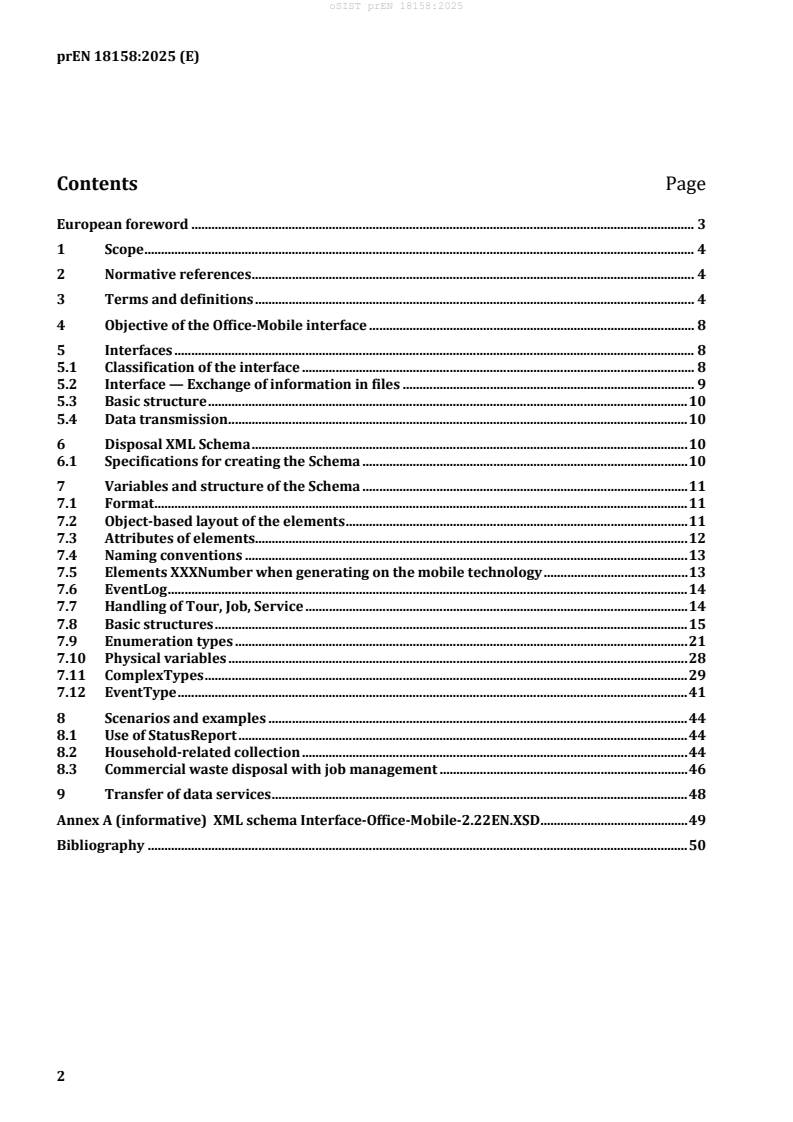
Contents Page
European foreword . 3
1 Scope . 4
2 Normative references . 4
3 Terms and definitions . 4
4 Objective of the Office-Mobile interface . 8
5 Interfaces . 8
5.1 Classification of the interface . 8
5.2 Interface — Exchange of information in files . 9
5.3 Basic structure . 10
5.4 Data transmission . 10
6 Disposal XML Schema . 10
6.1 Specifications for creating the Schema . 10
7 Variables and structure of the Schema . 11
7.1 Format . 11
7.2 Object-based layout of the elements . 11
7.3 Attributes of elements . 12
7.4 Naming conventions . 13
7.5 Elements XXXNumber when generating on the mobile technology . 13
7.6 EventLog . 14
7.7 Handling of Tour, Job, Service . 14
7.8 Basic structures . 15
7.9 Enumeration types . 21
7.10 Physical variables . 28
7.11 ComplexTypes . 29
7.12 EventType . 41
8 Scenarios and examples . 44
8.1 Use of StatusReport . 44
8.2 Household-related collection . 44
8.3 Commercial waste disposal with job management . 46
9 Transfer of data services . 48
Annex A (informative) XML schema Interface-Office-Mobile-2.22EN.XSD . 49
Bibliography . 50
oSIST prEN 18158:2025
prEN 18158:2025 (E)
European foreword
This document (prEN 18158:2025) has been prepared by Technical Committee CEN/TC 183 “Waste
management”, the secretariat of which is held by DIN.
This document is currently submitted to the CEN Enquiry.
This document is read in conjunction with the digital files of the XSD schema as listed in Annex A.
oSIST prEN 18158:2025
prEN 18158:2025 (E)
1 Scope
This document specifies the standard for the digital exchange of data between the disposition (i.e.
registered Office) and the mobile waste and recycling collection units [revolving emptying system
according to EN 840 (all parts) and EN 13071 (all parts) and refuse collection vehicles according to
EN 1501 (all parts)].
The technique of data transmission is not part of this document.
2 Normative references
There are no normative references in this document.
3 Terms and definitions
For the purposes of this document, the following terms and definitions apply.
ISO and IEC maintain terminology databases for use in standardization at the following addresses:
— ISO Online browsing platform: available at https://www.iso.org/obp
— IEC Electropedia: available at https://www.electropedia.org/
3.1
Extensible Markup Language
XML
language not specific to the system and hardware to illustrate data and their structure in a XML
document
Note 1 to entry: A XML document is a text object that contains the data and markup and that defines the structure
of the data.
Note 2 to entry: For details see XML – eXtensible Markup Language 1.0, Third Edition, 04-Feb-2004.
[SOURCE: IEC 62755:2012 (VDE 0493-6-3), 3.1.40]
3.2
Standard Generalized Markup Language
SGML
international standard for the definition of device-independent, system-independent methods of
representing texts in electronic form
Note 1 to entry: HTML and XML are derived from SGML.
[SOURCE: EN IEC 61970-302:2024, 3.14]
3.3
World Wide Web Consortium
W3C
for the maintenance of the definitions for XML and associated standards; most important
standardisation organisation
(VDE 0493-6-3), 3.1.39]
[SOURCE: IEC 62755:2012
As amended by IEC 62755:2012/AMD1:2020.
oSIST prEN 18158:2025
prEN 18158:2025 (E)
3.4
job processing software
software that generates jobs for mobile technology on a stationary computer and adopts and further
processes the job data processed on the mobile technology
3.5
Mobile technology
MobT
computer technology on board the waste disposal vehicle or handheld device via which data is collected
on the execution state of the jobs during a waste collection tour (or job processing tour in the further
sense)
3.6
refuse collection vehicle
RCV
vehicle used for the collection and transportation of refuse (e.g. household refuse, bulky refuse,
recyclable materials) based on loading via refuse containers or by hand
Note 1 to entry: Most of the time it consists of a chassis or rigid chassis onto which a bodywork is mounted.
Sometimes it can also be a truck and trailer combination.
Note 2 to entry: A RCV is a special purpose vehicle according to 2007/46/EC Annex II, Part A, 5.8.
[SOURCE: EN 1501-1:2021, 3.1]
3.7
electronic waste verification procedure
eANV
waste verification procedure for waste that needs to be verified
Note 1 to entry: This is generally hazardous waste.
3.8
Office
registered office for the waste management company that exchanges information with the vehicles
3.9
mobile devices
all of the on board computers and handheld devices (handhelds) used for providing disposal services
3.10
Office-Mobile interface
uniform interface for the computer-assisted exchange of information between the Office and the
disposal vehicles/mobile devices
3.11
data transmission
transfer of data from one point to one or more other points over telecommunication facilities
[SOURCE: EN ISO/IEC 19762-1:2012, 01.02.16]
3.12
OrderPlan
all of the orders that are processed for a defined period of time
oSIST prEN 18158:2025
prEN 18158:2025 (E)
Note 1 to entry: The OrderPlan is used to transfer job data to the mobile device and data to the organization. The
OrderPlan contains all of the information required on the mobile device to process jobs.
Note 2 to entry: The job data are subdivided into Tours, Jobs and Services.
Figure 1 — Linking the OrderPlan into the information structure
3.13
MasterData
organisational information that is required on the mobile device to process jobs as part of the
OrderPlan
Note 1 to entry: See Figure 2. It can be transmitted to the mobile device with every OrderPlan or in separate files.
It contains:
— personnel lists;
— unloading points;
— transponder lists for black/white list;
— messages.
Figure 2 — Integration of the MasterData into the information structure
3.14
OrderReport
report which contains all of the data that is documented as part of job processing and provides
confirmation from the vehicle about the OrderPlan
Note 1 to entry: It is generated by the mobile device during the provision of services. The data in the OrderReport
provides the Office software with a usage-based invoice of the processed jobs.
Figure 3 — Integration of the OrderReport into the information structure
3.15
StatusReport
transmits short status messages and/or status requirements from the Office to the mobile device and
vice versa
Note 1 to entry: The StatusReport can be used to exchange requirements or information on the job processing
procedure, the position of the mobile device and job-independent status information (see Figure 4).
Note 2 to entry: No performance data are transmitted with the StatusReport.
oSIST prEN 18158:2025
prEN 18158:2025 (E)
Figure 4 — Integration of the StatusReport into the information structure
3.16
tour
sequencing of individual services and jobs
Note 1 to entry: To cover the event that a RCV/mobile device processes several disposal areas, several tours can
be transmitted at the same time. They are summarized in a TourList.
A tour primarily includes:
— description and identification of the tour using a name;
— all job data;
— amendment information, validity;
— references to “Black list”/”White list” (TransponderLists) and unloading points, which have been transmitted
in MasterData;
— applicable documents (e.g. from EANV – electronic waste verification procedure);
— tour profile for activating/deactivating certain functions of the RCV.
3.17
job
individual work order from the tour
Note 1 to entry: A job contains the necessary information to process jobs at a site (a place of performance).
Essentially, this includes:
— site where a job is to be executed;
— customer for whom a job is to be executed (generator);
— services to be provided;
— additional information;
— information about a route (tour specification).
Note 2 to entry: All of the jobs in a tour are summarized in a JobList.
EXAMPLE Handling the vessel.
3.18
service
activities for the individual work order
Note 1 to entry: A service contains the information on the services that are to be provided at the place of
performance. Essentially, this includes:
— planned time of the service provision;
oSIST prEN 18158:2025
prEN 18158:2025 (E)
— quantity specification regarding the service to be provided;
— container data;
— material data;
— activities (work process);
— processing status.
Note 2 to entry: All services of a job are summarized in a ServiceList.
EXAMPLE positioning, emptying and replacing a container.
3.19
disposal XML Schema
information to be exchanged in a structure which is normal for XML
Note 1 to entry: XML and XML Schema are recommendations of the World Wide Web Consortium (W3C).
3.20
EventLog
central point for collecting all of the data accumulated for a job
3.21
ComplexType
description of the enumeration types divided into their elements and attributes
4 Objective of the Office-Mobile interface
The interface enables data to be exchanged between components (Office and the waste disposal
vehicles/mobile devices) including ones from different manufacturers. In this way, the waste disposal
companies are more flexible, when it comes to the selection of components to support the disposal
process.
5 Interfaces
5.1 Classification of the interface
Figure 5 shows an overview of the interfaces in the waste management industry and the classification of
the Office-Mobile waste interface described here.
oSIST prEN 18158:2025
prEN 18158:2025 (E)
Key
BMU Federal Ministry for the Environment, Nature Conservation, Nuclear Safety and Consumer Protection
eANV Electronic waste verification procedure
AvaL Exchange of job-specific performance data
Figure 5 — Classification of the interface
5.2 Interface — Exchange of information in files
The interface between the mobile technology for job processing on disposal vehicles and mobile devices
shall be realized by data in XML format. See Figure 6.
This data are exchanged in the form of files. The following file names are used within this document for
the purpose of uniform naming. In this specific case, the file names may deviate and contain a date
stamp, mobile device ID etc.:
— The file Einsatzplan.xml contains all of the information transmitted from the Office to the mobile
device (see Figure 1).
— The file Stammdaten.xml contains organisational data and is transmitted from the Office to the
mobile device where necessary (initial preparation, amendment of MasterData) (see Figure 2).
— The file Einsatzbericht.xml contains all of the information transmitted from the mobile device to
Office (see Figure 3).
— The file Statusreport.xml contains current status messages on the job processing and is used to
update the Office software.
All of the information for processing the job is included in the files.
Generally, jobs are generated by an Office software. The job data are made available to the mobile
technology. The execution of the jobs is documented using the mobile technology. The jobs processed
there are also transferred to the post-processing software via this XML interface.
oSIST prEN 18158:2025
prEN 18158:2025 (E)
Figure 6 — Structure of the file-based exchange of data
5.3 Basic structure
5.3.1 General
The data exchange between Office and the mobile device takes place by transmitting the data elements.
5.3.2 MasterData, OrderPlan, OrderReport, StatusReport
The interface is split into mobile jobs, which are then divided into the OrderPlan, OrderReport and
StatusReport (see Terms and definitions in Clause 3). The organisational information in the MasterData
are referenced by the mobile jobs.
5.4 Data transmission
The wireless data transmission with or without a provider is usually implemented via standard such as
WLAN, GSM/GPRS, UMTS.
6 Disposal XML Schema
6.1 Specifications for creating the Schema
6.1.1 Example for naming job designations
The companies use different designations to name and invoice the disposal services, including:
— Job;
— Tour;
— Service certificate.
6.1.2 Tour, Job, Service
Every BaseType of the job interface (Tour, Job, Service) contains further elements (not mentioned here)
that serve for more detailed specification of the jobs. Their meaning, format and contents are described
in Clause 3. For these BaseTypes, the term service elements is also used in the documentation. For the
relationship between the job elements, refer to the following Table 1.
oSIST prEN 18158:2025
prEN 18158:2025 (E)
Table 1 — Relationships between Tour, Job, Service job elements to actual jobs
Designation Time period Vehicle mobile Place of Services Container
device performance
1−n days (shift)
Tour (holiday pre- 1 vehicle n sites 1-n 1-n
/post-runs)
1-n of a waste
Job 1 day (shift) 1 vehicle 1 site 1-n
category
Service 1 day (shift) 1 vehicle 1 site 1 1-n
7 Variables and structure of the Schema
7.1 Format
The meaning, validity periods of the contents of the XML tags as well as the additional information are
described in this document and potential usage scenarios are explained using examples. The following
clauses only consider those elements for which explanations are required beyond this document.
The elements necessary for job processing are mandatory elements. They shall therefore be completed.
7.2 Object-based layout of the elements
In order to illustrate common and different data in the OrderPlan and OrderReport in the XML Schema,
an “item-orientated” layout of the data structures is used.
For Job and Service, there is a BaseType (JobBaseType, ServiceType), which contains the common data
and any diverted types for OrderPlan (JobType, ServiceType shall be used without an amendment in the
OrderPlan and shall hence not be diverted) and OrderReport (JobAcknowledgementType,
ServiceAcknowledgementType), which contain additional data elements according to the respective
requirements. The JobBaseType is thus a BaseType. See Figure 7.
oSIST prEN 18158:2025
prEN 18158:2025 (E)
a) For JobType in the OrderPlan b) For JobAcknowledgementType in the
OrderReport
c) ServiceType in the OrderPlan d) ServiceAcknowledgementType in the
OrderReport
Figure 7 — Example of BaseTypes of the JobBaseType
Since the elements TourType in the OrderPlan and TourAcknowledgementType in the OrderReport are
very different (the TourAcknowledgementType contains only the essential TourNumber and Status, as
well as the Duration, JobList and EventList), a common BaseType has not been used.
7.3 Attributes of elements
Attributes are permitted for some elements, see Table 2. The use of attributes is optional.
oSIST prEN 18158:2025
prEN 18158:2025 (E)
Table 2 — Permitted attributes and their use
Attribute Type Purpose
ID IDType The ID constitutes a clear code of a data set so that the Office
software can retrieve the data sets transmitted to a mobile device
and processed there in the database. Since there are different
procedures for clear IDs from the Office software, the type was
defined on xs:token, which is a string without formatting characters
(no line feeds, tabs, leading and trailing space characters). GUIDs,
figures or other strings can thus be transmitted.
Source DataSourceType The application, which generates an element and enters it into the
interface, writes this attribute.
Through assessment, every application of the entire system Office /
mobile device software can determine through which application
the element was generated and react accordingly.
CSVendor xs:string The manufacturer-specific checksum across the entire entry can, for
example, be used to ensure the integrity of the data when
generating/transporting/processing the data.
CSBDE xs:unsignedlnt Designed to secure the data integrity with a simple CRC-32
algorithm IEEE 802.3.
It is determined across the entire enclosed node, and all of the
whitespaces (tabs, spaces, line breaks) are ignored.
An amendment to the usage content of the data are therefore no
longer possible, but better formatting (“pretty print XML“) is.
7.4 Naming conventions
Consistent naming has been implemented by giving similar elements the same postfix:
— All numbers are referred to as XXXNumber and are transmitted as xs:nonNegativeNumber;
exceptions include terms that are also designated as numbers in colloquial language, but still
include letters, e.g. container number.
— All IDs are called XXXID and are transmitted as IDType (xs:token); so that GUIDs and combinations
of figures/letters can also be transmitted as IDs.
— All lists are identified with XXXList.
In order to support a better automatic code generation, the PascalCase style has been applied for
enumerations, i.e no space within an enumeration and capital letters for each word
(“OrderPlanRequest”, “InProgress”).
7.5 Elements XXXNumber when generating on the mobile technology
When processing the job, the mobile technology generates certain data sets. These elements are
TourType, JobType and ServiceType. They can be identified using a number. The mobile technology
generates data sets. In this case, this data are assigned ascending numbers (0, 1, etc.) by the mobile
technology. These are included in the abbreviation XXXNumbers.
In this case, the source attribute of the element is given the value OnBoardComputer. The rule applies to
the element types specified in Table 3 and the types derived from this.
oSIST prEN 18158:2025
prEN 18158:2025 (E)
Table 3 — Permitted attributes and their use
Element type Derived element type
TourType TourNumber
JobType JobNumber
ServiceType ServiceNumber
7.6 EventLog
The EventLog is the central point for collecting all of the data accumulated in connection with
processing the job. All collected information is regarded as an event.
Events can be generated through both operator actions and technical components. They are recorded in
the EventLog with a time stamp and optionally with a GeoPosition.
The EventLog is part of the OrderReport. Tours, Jobs, and Services can reference individual or several
events in the EventLog. It is thus possible to assign the events to certain jobs and to document the
provision of services.
7.7 Handling of Tour, Job, Service
7.7.1 Planned jobs
The Office software assigns clear IDs or numbers to the Tours, Jobs and Services in the OrderPlan. The
mobile devices reference the planned job items using:
— Automatic criteria (examples):
o Container identification in a reloading tour: Transponder number is transmitted in the
container element during the service and the associated service can thus be selected;
o GPS-coordinates for industry tour: In the job, a GeoPosition is transmitted in the JobLocation
element and the job can be selected using the current position;
o Manual selection of the job by the operator from a list (industry tour without automatic
identification).
After the job selection, data are collected and saved as an event in the EventLog. There is an
EventLogEntryList within each job item (Tour, Job, Service) in which the unique IDs of the events are
stored. Each job item thus references any number of events in the EventLog.
When being imported, the Office software can create the reference to the job items of the OrderPlan and
OrderReport via the IDs or the numbers and assign the data collected from the mobile device to the
individual database items.
7.7.2 Unplanned jobs
Not all emptying tours are performed with a tour specification. Transponders are identified to which no
site and no job can be assigned on the mobile technology. It may also be possible for services to be
provided that are not included in the OrderPlan (household waste collection tour).
As described above, accumulated data (emptying, weights, additional inputs) is stored in the EventLog.
In the simplest case, the OrderReport can only contain one EventLog (the TourList is optional). In order
to transmit the data to the Office, the mobile device shall not generate a Tour with Job and Service in the
OrderReport. The Office software imports all of the events and can, in the event of a household waste
oSIST prEN 18158:2025
prEN 18158:2025 (E)
collection tour, for example, assign emptying events to the individual data using EmptyingEvents, which
contain the transponder identification.
However, there is also a possibility that the mobile device will generate an individual tour in the
OrderReport. In this case, proceed as follows.
For each container that is processed, and which is not planned in any job, a new Service will be created.
Depending on the requirements resulting from the type of application, two procedures can be used:
— A new Job is also created for each new Service. The new Service is attached to this Job.
— When creating the first new Service, a new Job is created. All other new Services are attached to this
new Job.
However, it is once again important that the data are stored in the EventLog and that reference is made
to this within the Service via the EventLogEntryList.
7.8 Basic structures
7.8.1 MasterData
The MasterData can be sent to a mobile device independently of an OrderPlan for initial commissioning
with the MasterData (personnel lists, unloading points, black / white lists), see Figure 8.
oSIST prEN 18158:2025
prEN 18158:2025 (E)
Figure 8 — MasterData Schema
oSIST prEN 18158:2025
prEN 18158:2025 (E)
The following rules apply to the use:
— A transmitted list replaces an existing list on the device.
— No incremental updates of the lists are supported (e.g. no individual transmission of a new driver,
all of them shall be transmitted).
— All lists can be deleted via a flag (PreDeleteAll) before importing the MasterData.
— Then all of the lists in the MasterData shall be retransmitted in their current status.
— MasterData in the OrderPlanHeader apply to the current OrderPlan; e.g. the
MasterData.PersonnelList can be used to transfer the entire personnel list of the waste disposal
company and OrderPlan.OrderPlanHeader.MasterData.PersonnelList can be used to specify which
driver shall drive the specific tour.
— It depends on the mobile software whether it adopts unknown data from the
OrderPlan.OrderPlanHeader.MasterData into its own MasterData.
7.8.2 OrderPlan
The OrderPlan contains the organisational data and MasterData for the job or jobs and the TourList; see
Figure 9, Table 4 and Table 5.
Figure 9 — OrderPlan Schema
oSIST prEN 18158:2025
prEN 18158:2025 (E)
Table 4 — Elements in the OrderPlan
Name Type Meaning
OrderPlanHeader OrderPlanHeaderType Organisational data of the job or jobs
TourList List of TourTypes Composition of all tours that are to be processed by
the RCV
Table 5 — Valid attributes OrderPlan
Attribute Comment
ID Approved
Source Not approved
7.8.3 OrderReport
OrderReport: Transmitted from the vehicle to the Office after the services have been provided, see
Figure 10, Table 6, Table 7 and Table 8.
Figure 10 — OrderReport Schema
oSIST prEN 18158:2025
prEN 18158:2025 (E)
Table 6 — Elements in the OrderReport
Name Type Meaning
OrderReportHeader OrderReportHeaderType Organisational data on the job or jobs that
are reported back
TourAcknowledgementList List of TourAcknowledgementType Composition of all tours that are reported
back by the RCV
EventLog List of EventLogEntryType Contains all of the events which have been
recorded in the log book while processing
the job.
Table 7 — Valid attributes OrderReport
Attribute Comment
ID Approved
Source Not approved
Table 8 — Valid constraints OrderReport
Constraint Comment
EventLogEntryKey Clear code of an entry in the log book
RefID Name of the code reference
7.8.4 StatusReport
See Figure 11, Table 9 and Table 10.
oSIST prEN 18158:2025
prEN 18158:2025 (E)
Figure 11 — StatusReport Schema
Table 9 — Elements in the StatusReport
Name Type Meaning
Transmitter xs:string See Schema for description.
StatusNumber xs:nonNegativelnteger Consecutive number for all of the
StatusReports for a system; can be used for
gap identification.
StatusList StatusListType List of status messages.
Elements in a StatusMessage of the type StatusType
TimeStamp xs:dateTime Time at which the status was recorded.
StatusMessage MessageStatusType See Schema.
oSIST prEN 18158:2025
prEN 18158:2025 (E)
Name Type Meaning
OtherStatusMessage xs:string User-defined messages, which are not
specified in the Schema.
OtherStatusMessageData xs:string Content data for the user-defined
StatusMessage.
GeoPosition GeoPositionType Geocoordinates
TourNumber xs:nonNegativelnteger Number of the tour to which the
StatusReport relates.
JobNumber xs:nonNegativelnteger Number of the job to which the StatusReport
relates.
ServiceNumber xs:nonNegativelnteger Number of the service to which the
StatusReport relates.
Comment xs:string Message which can be displayed on the
mobile device following receipt of the
StatusReports or additional information/that
has been generated by the mobile device.
Table 10 — Valid attributes StatusReport
Attribute Comment
ID Approved
Source Not approved
7.9 Enumeration types
7.9.1 ActivityBaseType
Indication of which activity shall be executed or has been executed by the vehicle. Service types
according to disposal catalogue. See Table 11.
Table 11 — ActivityBaseType: Description of the applicable values
Value Meaning
Empty Emptying a container
Deliver Delivery (e.g. positioning a container)
PickUp Collection (e.g. of a container)
Other Deviating service type
Service type is specified in an additional string in the ActivityType.
7.9.2 ContentType
Possible file types for attached documents. Used in DocumentType. See Figure 12 and Table 12.
oSIST prEN 18158:2025
prEN 18158:2025 (E)
Figure 12 — DocumentType Schema
Table 12 — Description of valid values ContentType
Value Meaning
PDF PDF document
Doc WORD document
CSV Comma separated text file
Image Image file, image format is derived from extension of the file name.
EanvBgs EANV dispatch note
EanvUns EANV consignment note
Mime User-specific type, which is more accurately specified via MIMEType.
7.9.3 DataSetStatusType
Type to transfer the status for the OrderPlans, Tours, Jobs, Services, etc. See Table 13.
oSIST prEN 18158:2025
prEN 18158:2025 (E)
Table 13 — Description of valid values DataSetStatusType
Value Meaning
Add Adding an element
Delete Deleting an element
Update Replace
Done Processing completed
Refused Processing refused
InProgress Element is being processed
Suspended Processing suspended
7.9.4 DataSourceType
Indication through which data of an element has been generated. See Table 14.
Table 14 — Description of valid values DataSourceType
Value Generated by
Office Job processing software in the registered Office
OnBordComputer Automatically created by the job processing software in the mobile device
Manual Manually created with the job processing software in the mobile device
Unknown Unknown source, e.g. data provided by another source
7.9.5 DrivingDirectionType
Possible driving directions when recording a RoutePoint in the EventLog. See Table 15.
Table 15 — Description of valid values DrivingDirectionType
Value Value
Stopped Vehicle has stopped.
Forwards Vehicle is travelling forwards.
Backwards Vehicle is travelling backwards.
Sidewards Vehicle is moving sidewards.
7.9.6 GeoPositionValidityAndQualityType
Possible status of the GeoPosition determination. See Table 16.
oSIST prEN 18158:2025
prEN 18158:2025 (E)
Table 16 — Description of valid values GeoPositionValidityAndQualityType
Value Meaning
NoFix GeoPosition invalid. Mobile device can transmit the last valid identified
GeoPosition data.
GpsFix Valid GeoPosition determined on the mobile technology.
DGpsFix Valid GeoPosition determined with a higher level of accuracy on the mobile
technology (Differential GPS).
GeoCoded GeoPosition delivered from external data source, e.g. if the Office software
specifies the coordinates for a site on the OrderPlan and has determined
these using a map software application.
7.9.7 LifterType
Describes the lifter on a RCV. See Table 17.
It is based on EN 16815 in accordance with the CleANopen definition, which supports up to two lifter
systems for two compartments on one vehicle. In turn, each lifter system comprises four sub-systems–
left, right, composite comb, composite arm. The specified direction is determined by being positioned in
front of the lifter and looking at the lifter. In EN 16815, the attachment of a lifter system (rear loader,
side loader, front loader or combinations) is not considered.
oSIST prEN 18158:2025
prEN 18158:2025 (E)
Table 17 — Description of valid values LifterType
Value Meaning
Comp1Left Lifter system /compartment 1, left lifter
Comp1Right Lifter system /compartment 1, right lifter
Comp1CompositeComb Lifter system /compartment 1, composite via comb
Comp1CompositeArm Lifter system /compartment 1, composite via arm
Comp2Left Lifter system /compartment 2, left lifter
Comp2Right Lifter system /compartment 2, right lifter
Comp2CompositeComb Lifter system /compartment 2, composite via comb
Comp2CompositeArm Lifter system /compartment 2, composite via arm
other User-defined lifter type, described in OtherType.
7.9.8 Material HandOverActionType
Possible types of material transfer. See Table 18.
Table 18 — Description of valid values MaterialHandOverActionType
Value Meaning
Delivery Deliver
Acceptance Pick up, accept
7.9.9 StatusMessageType
Possible return status of the StatusReport. The status defines what data a StatusReport contains. See
Table 19.
oSIST prEN 18158:2025
prEN 18158:2025 (E)
Table 19 — Description of valid values StatusMessageType
Value Meaning
StatusRequest Request of a status.
LocationRequest Request of the current position.
StatusReport contains no further data.
This request shall be answered with a StatusReport, with a field that contains the
StatusMessage location.
Location Current position
StatusReport contains the GeoPostion element.
Started Information that a process has been started on the mobile device.
StatusReport contains (if known) TourNumber, JobNumber, ServiceNumber.
Information that a process on the mobile device is in progress. StatusReport
InProgress
contains (if known) TourNumber, JobNumber, ServiceNumber.
Suspended Information that a process on the mobile device has been temporarily interrupted.
StatusReport contains (if known) TourNumber, JobNumber, ServiceNumber,
Comment.
Stopped Information that the handling of a process on the mobile device has been stopped.
StatusReport contains (if known) TourNumber, JobNumber, ServiceNumber,
Comment.
Done Information that the handling of a process has ended.
StatusReport contains (if known) TourNumber, JobNumber, ServiceNumber,
Comment.
Refused Information that the handling of a process on the mobile device has been refused.
StatusReport contains (if known) TourNumber, JobNumber, ServiceNumber,
Comment.
OrderPlanRequest Request of an OrderPlan by the mobile device.
Application: At the beginning of the shift, there is no current OrderPlan on the
mobile device and the operator requests one from the Office.
OrderReportRequest Request of an OrderReport.
Application: Office requests a current OrderReport from the mobile device to
update its database.
OrderAcceptedBySystem The mobile device automatically sends the information that a service element
(Tour/Job/Service) has been received successfully.
Application: The successful sending of a job can be viewed in Office. However, it
still cannot be verified whether the operator has received or started the job.
OrderRejectedBySystem The mobile device automatically sends the information that a service element
(Tour/Job/Service) has been rejected.
Application: A job is supposed to be cancelled, but has already been processed on
the mobile device. The change request can be rejected automatically by the mobile
device software. The Office can show the materials requirement planner that the
change was not effective.
7.9.10 StaffActivityStatusType
Describes the types of working times of personnel. See Table 20.
oSIST prEN 18158:2025
prEN 18158:2025 (E)
Table 20 — Description of valid values StaffActivityStatusType
Value Meaning
BeginDeployment Start of work
EndDeployment End of work
BeginPause Start of a pause
EndPause End of a pause
BeginBreak Start of a work interruption (e.g. due to traffic jam, visit to the petrol
station, vehicle broken down, building work, …)
EndBreak End of a work interruption
7.9.11 SystemMessageType
MessageTypes in the EventLog, which are generated automatically by the mobile device and connected
components. See Table 21.
Table 21 — Description of valid values SystemMessageType
Value Meaning
Start —
Stop —
Error —
Warning —
Information —
Generic —
EmergencySwitch Emergency stop switch
7.9.12 VehicleBaseType
Description of a vehicle type. See Table 22.
Table 22 — Description of valid values VehicleBaseType
Value Meaning
Truck Truck
Trailer Trailer
7.9.13 WeighingStatusType
Status message of the weighing process. For use, see MassType. See Table 23.
oSIST prEN 18158:2025
prEN 18158:2025 (E)
Table 23 — Description of valid values WeighingStatusType
Value Meaning
Success Successful weighing
InvalidUnderrun An underweight has been determined on a calibrated balance (weight
below the calibrated weighing range).
InvalidOverrun An overweight has been determined on a calibrated balance (weight above
the calibrated weighing range).
InvalidOther Balance has reported a deviating error.
The error is transmitted in MassType.OriginalValue as a xs:string.
7.10 Physical variables
7.10.1 General
Physical units are transmitted as SI units in accordance Table 24.
Table 24 — Types of physical variables
Type XML data type (Physical) variable SI unit
DistanceType xs:decimal Distance m
SpeedType xs:decimal Speed km/h
VolumeType xs:decimal Volume l
CountableType xs:nonNegativelnteger Unit for all things that can be counted
7.10.2 MassType
The MassType is a special feature, which is used to transmit weight values from a calibrated balance.
For this purpose, the weight value together with the SI unit are also transmitted as an xs:string
(consisting of value and unit) in the format in which it is stored in the calibration memory or in which it
is found on a calibrated printout (exception: OriginalValue contains an error code if
status = “InvalidOther”). See Figure 13.
Figure 13 — MassType
7.10.3 LatitudeType and LongitudeType
Both of these types are used to transmit geocoordinates in the WGS84 reference system in decimal
degrees (DDD.DDDDD°). The XML data type is xs:decimal. The value range of the longitude
(LongitudeType) is −180° . 180°. The value range of the latitude (LatitudeType) is −90° . 90°.
oSIST prEN 18158:2025
prEN 18158:2025 (E)
7.11 ComplexTypes
7.11.1 ActivityType
Predefined service types of the disposal service catalogue, which are uniformly interpreted by the on-
board computer. See Table 25.
Table 25 — Elements in the ActivityType
Name Type Meaning
Predefined ActivityBaseType For description, see Schema or Table 11.
Activities not included in the disposal service
UserDefined xs:string
catalogue.
7.11.2 AddressType
Home address with street, postcode, town/city, district and geocoordinates see Table 26.
Table 26 — Valid attributes AdressType
Attribute Comment
ID Approved
Source Not approved
7.11.3 BusinessPartnerType
Is the base type for a business partner/customer. Contains a name (private person or company),
address and communication information (telephone number, e-mail, fax, etc.). Used in CustomerType,
CarrierType, WasteGeneratorType and UnloadingPointType.
7.11.4 CarrierType
Carriers are the companies who transport waste professionally. So-called carrier numbers
...
Questions, Comments and Discussion
Ask us and Technical Secretary will try to provide an answer. You can facilitate discussion about the standard in here.
Loading comments...