

ISO/TS 20684-3:2022
(Main)Intelligent transport systems — Roadside modules SNMP data interface — Part 3: Triggers
General Information
- Abstract
Field devices are a key component in intelligent transport systems (ITS). Field devices include traffic signals, message signs, weather stations, traffic sensors, roadside equipment for connected ITS (C-ITS) environments, etc. Field devices often need to exchange information with other external entities (managers). Field devices can be quite complex, necessitating the standardization of many data concepts for exchange. As such, the ISO 20684 series is divided several individual parts. This document specifies the needs, requirements and design for multiple mechanisms to fire triggers, which result in the device attempting to perform an action. Specific types of actions are defined in other documents and can include sending notifications (ISO/TS 20684-4), entering data into a log for later retrieval (ISO/TS 20684-5), and/or initiating SNMP-based requests (ISO/TS 20684-6). NOTE 1 There are similarities between certain portions of NTCIP 1103 and NTCIP 1201 and this document. NOTE 2 ISO 20684-1 provides additional details about how the ISO 20684 series relates to the overall ITS architecture.
- Status
- Withdrawn
- Publication Date
- 18-Sep-2022
- Technical Committee
- ISO/TC 204 - Intelligent transport systems
- Current Stage
- 9599 - Withdrawal of International Standard
- Start Date
- 14-Jun-2026
- Completion Date
- 29-Aug-2026


Overview
ISO/TS 20684-3:2022 - "Intelligent transport systems - Roadside modules SNMP data interface - Part 3: Triggers" defines standardized mechanisms for firing triggers on ITS field devices so those devices can initiate actions. It is part of the ISO 20684 series that specifies SNMP-based management information for roadside modules and field devices such as traffic signals, variable message signs, weather stations, traffic sensors, and C‑ITS roadside equipment. The document focuses on the needs, requirements and design for trigger mechanisms that prompt actions (e.g., notifications, logging, SNMP requests), and it provides MIB definitions and a requirements traceability matrix.
Key Topics
- Trigger types
- Schedule triggers - time/date driven triggers and associated day plans and schedulers.
- Schedule day plans - reusable day definitions mapped to schedules.
- Condition-based triggers - triggers based on monitored data values and events (including hysteresis behavior).
- Action manager - central entity that coordinates trigger-initiated actions; includes configuration, capability discovery, enable/disable, statistics and lifecycle operations.
- Data exchange and conformance - SNMP management information base (MIB) definitions (Annex A), SMIv2 conventions, and conformance mappings to user needs and requirements (Annex B).
- Capability and configuration requirements - device capabilities discovery, trigger creation/configuration/deletion, status monitoring, statistics retrieval and enable/disable controls.
- Security considerations - identification of security vulnerabilities associated with triggers and management operations.
- Standards alignment - designed to work with ISO 20684-1 overview, other ISO 20684 parts (e.g., Part 4 notifications, Part 5 logging, Part 6 SNMP requests, Part 7 support features) and SNMP RFCs.
Applications
ISO/TS 20684-3:2022 is intended for:
- Device manufacturers implementing SNMP interfaces for ITS field devices.
- Traffic management agencies and system integrators specifying interoperable roadside equipment.
- ITS software developers building management stations that configure and monitor triggers and actions.
- Procurement teams seeking open, non‑proprietary specifications for field device interoperability.
Practical uses include scheduled message updates on VMS, automatic event logging when sensors cross thresholds, or condition-triggered notifications for maintenance and alarms. The specification promotes reduced deployment time, easier integration, and improved maintainability through standardized SNMP data interfaces.
Related Standards
- ISO/TS 20684-1 (Overview)
- ISO/TS 20684-4 (Notifications), -5 (Logging), -6 (SNMP requests), -7 (Support features)
- IETF RFCs for SMIv2/SNMP (e.g., RFC 2578/2579/2580/3411)
- Notes: the document highlights similarities with NTCIP 1103 and 1201 where applicable.
Keywords: ISO/TS 20684-3:2022, intelligent transport systems, SNMP, triggers, roadside modules, field devices, action manager, conditional triggers, schedule day plans, MIB, ITS interoperability
Get Certified
Connect with accredited certification bodies for this standard

BSI Group
BSI (British Standards Institution) is the business standards company that helps organizations make excellence a habit.

Great Wall Tianjin Quality Assurance Center
Established 1993, first batch to receive national accreditation with IAF recognition.
Hong Kong Quality Assurance Agency (HKQAA)
Hong Kong's leading certification body.
Sponsored listings
Frequently Asked Questions
ISO/TS 20684-3:2022 is a technical specification published by the International Organization for Standardization (ISO). Its full title is "Intelligent transport systems — Roadside modules SNMP data interface — Part 3: Triggers". This standard covers: Field devices are a key component in intelligent transport systems (ITS). Field devices include traffic signals, message signs, weather stations, traffic sensors, roadside equipment for connected ITS (C-ITS) environments, etc. Field devices often need to exchange information with other external entities (managers). Field devices can be quite complex, necessitating the standardization of many data concepts for exchange. As such, the ISO 20684 series is divided several individual parts. This document specifies the needs, requirements and design for multiple mechanisms to fire triggers, which result in the device attempting to perform an action. Specific types of actions are defined in other documents and can include sending notifications (ISO/TS 20684-4), entering data into a log for later retrieval (ISO/TS 20684-5), and/or initiating SNMP-based requests (ISO/TS 20684-6). NOTE 1 There are similarities between certain portions of NTCIP 1103 and NTCIP 1201 and this document. NOTE 2 ISO 20684-1 provides additional details about how the ISO 20684 series relates to the overall ITS architecture.
Field devices are a key component in intelligent transport systems (ITS). Field devices include traffic signals, message signs, weather stations, traffic sensors, roadside equipment for connected ITS (C-ITS) environments, etc. Field devices often need to exchange information with other external entities (managers). Field devices can be quite complex, necessitating the standardization of many data concepts for exchange. As such, the ISO 20684 series is divided several individual parts. This document specifies the needs, requirements and design for multiple mechanisms to fire triggers, which result in the device attempting to perform an action. Specific types of actions are defined in other documents and can include sending notifications (ISO/TS 20684-4), entering data into a log for later retrieval (ISO/TS 20684-5), and/or initiating SNMP-based requests (ISO/TS 20684-6). NOTE 1 There are similarities between certain portions of NTCIP 1103 and NTCIP 1201 and this document. NOTE 2 ISO 20684-1 provides additional details about how the ISO 20684 series relates to the overall ITS architecture.
ISO/TS 20684-3:2022 is classified under the following ICS (International Classification for Standards) categories: 03.220.20 - Road transport; 35.240.60 - IT applications in transport. The ICS classification helps identify the subject area and facilitates finding related standards.
ISO/TS 20684-3:2022 is available in PDF format for immediate download after purchase. The document can be added to your cart and obtained through the secure checkout process. Digital delivery ensures instant access to the complete standard document.
Standards Content (Sample)
TECHNICAL ISO/TS
SPECIFICATION 20684-3
First edition
2022-09
Intelligent transport systems —
Roadside modules SNMP data
interface —
Part 3:
Triggers
Systèmes de transport intelligents — Interface de données SNMP pour
les modules en bord de route —
Partie 3: Déclencheurs
Reference number
© ISO 2022
All rights reserved. Unless otherwise specified, or required in the context of its implementation, no part of this publication may
be reproduced or utilized otherwise in any form or by any means, electronic or mechanical, including photocopying, or posting on
the internet or an intranet, without prior written permission. Permission can be requested from either ISO at the address below
or ISO’s member body in the country of the requester.
ISO copyright office
CP 401 • Ch. de Blandonnet 8
CH-1214 Vernier, Geneva
Phone: +41 22 749 01 11
Email: copyright@iso.org
Website: www.iso.org
Published in Switzerland
ii
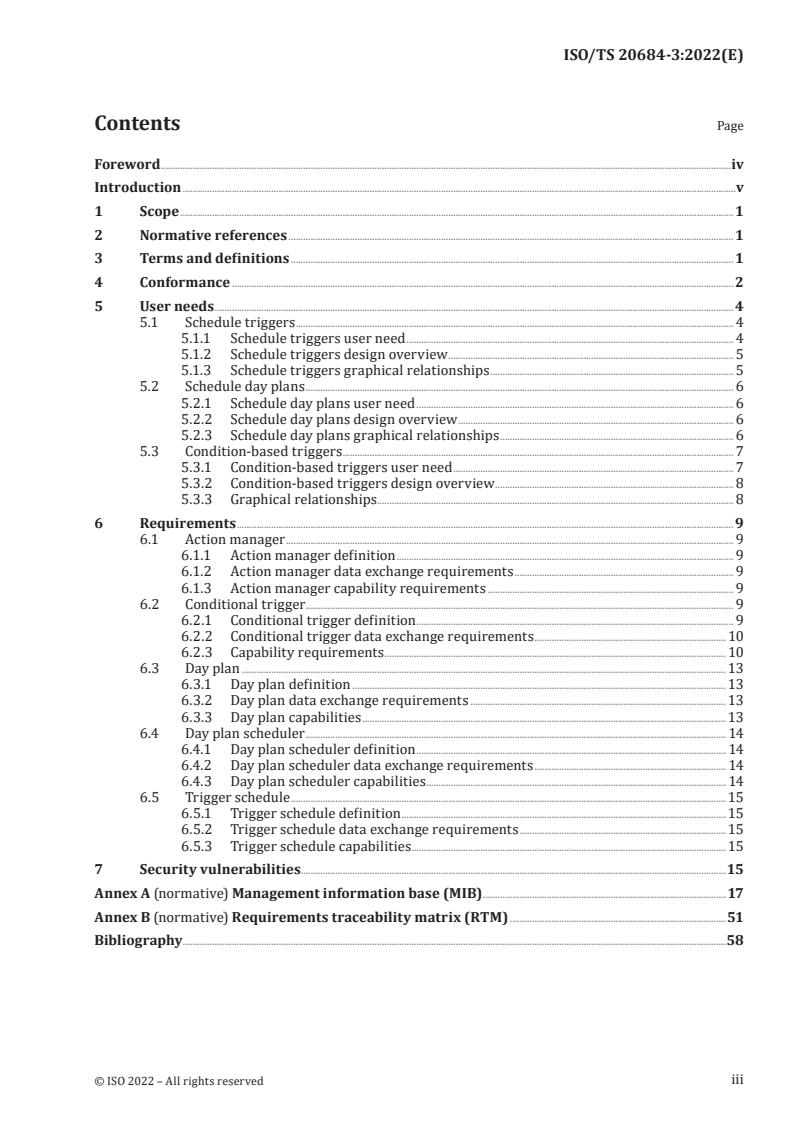
Contents Page
Foreword .iv
Introduction .v
1 Scope . 1
2 Normative references . 1
3 Terms and definitions . 1
4 Conformance . 2
5 User needs . 4
5.1 Schedule triggers . 4
5.1.1 Schedule triggers user need . 4
5.1.2 Schedule triggers design overview . 5
5.1.3 Schedule triggers graphical relationships . 5
5.2 Schedule day plans . 6
5.2.1 Schedule day plans user need . 6
5.2.2 Schedule day plans design overview . 6
5.2.3 Schedule day plans graphical relationships . 6
5.3 Condition-based triggers . 7
5.3.1 Condition-based triggers user need . 7
5.3.2 Condition-based triggers design overview . 8
5.3.3 Graphical relationships. 8
6 Requirements . 9
6.1 Action manager . 9
6.1.1 Action manager definition . 9
6.1.2 Action manager data exchange requirements . 9
6.1.3 Action manager capability requirements . 9
6.2 Conditional trigger . 9
6.2.1 Conditional trigger definition . 9
6.2.2 Conditional trigger data exchange requirements . 10
6.2.3 Capability requirements . 10
6.3 Day plan . 13
6.3.1 Day plan definition . 13
6.3.2 Day plan data exchange requirements .13
6.3.3 Day plan capabilities .13
6.4 Day plan scheduler . 14
6.4.1 Day plan scheduler definition . 14
6.4.2 Day plan scheduler data exchange requirements . 14
6.4.3 Day plan scheduler capabilities . 14
6.5 Trigger schedule .15
6.5.1 Trigger schedule definition . 15
6.5.2 Trigger schedule data exchange requirements . 15
6.5.3 Trigger schedule capabilities . 15
7 Security vulnerabilities .15
Annex A (normative) Management information base (MIB) .17
Annex B (normative) Requirements traceability matrix (RTM) .51
Bibliography .58
iii
Foreword
ISO (the International Organization for Standardization) is a worldwide federation of national standards
bodies (ISO member bodies). The work of preparing International Standards is normally carried out
through ISO technical committees. Each member body interested in a subject for which a technical
committee has been established has the right to be represented on that committee. International
organizations, governmental and non-governmental, in liaison with ISO, also take part in the work.
ISO collaborates closely with the International Electrotechnical Commission (IEC) on all matters of
electrotechnical standardization.
The procedures used to develop this document and those intended for its further maintenance are
described in the ISO/IEC Directives, Part 1. In particular, the different approval criteria needed for the
different types of ISO documents should be noted. This document was drafted in accordance with the
editorial rules of the ISO/IEC Directives, Part 2 (see www.iso.org/directives).
Attention is drawn to the possibility that some of the elements of this document may be the subject of
patent rights. ISO shall not be held responsible for identifying any or all such patent rights. Details of
any patent rights identified during the development of the document will be in the Introduction and/or
on the ISO list of patent declarations received (see www.iso.org/patents).
Any trade name used in this document is information given for the convenience of users and does not
constitute an endorsement.
For an explanation of the voluntary nature of standards, the meaning of ISO specific terms and
expressions related to conformity assessment, as well as information about ISO's adherence to
the World Trade Organization (WTO) principles in the Technical Barriers to Trade (TBT), see
www.iso.org/iso/foreword.html.
This document was prepared by Technical Committee ISO/TC 204, Intelligent transport systems.
A list of all parts in the ISO 20684 series can be found on the ISO website.
Any feedback or questions on this document should be directed to the user’s national standards body. A
complete listing of these bodies can be found at www.iso.org/members.html.
iv
Introduction
0.1 Background
The need for standardized communication with ITS field devices is growing around the world.
Several countries have adopted Simple Network Management Protocol (SNMP) based field device
communication standards.
There is a growing view and empirical evidence that standardizing this activity will result in improved
ITS performance, reduced cost, reduced deployment time, and improved maintainability. The ISO 20684
series extends ISO 15784-2 by defining the management information necessary to monitor, configure
and control features of field devices. The data elements defined in all parts of ISO 20684 series may be
used with any protocol but were designed with an expectation that they would be used with one of the
ISO 15784-2 protocols.
By using this approach, agencies can specify open procurements and systems can be expanded
geographically in an open and non-proprietary manner, which reduces costs, speeds up deployment,
and simplifies integration.
0.2 Overview
SNMP is a collection of well-thought-out and well-proven concepts and principles. SNMP employs the
sound principles of abstraction and standardization. This has led to SNMP being widely accepted as the
prime choice for communication between management systems and devices on the internet and other
communications networks.
The original implementation of SNMP was used to manage network devices such as routers and
switches. Since then, the use of SNMP has grown into many areas of application on the internet and has
also been used successfully over various serial communications networks.
This document defines management information for ITS field devices following the SNMP conventions.
0.3 Document approach and layout
This document defines:
a) the conformance requirements for this document (Clause 4);
b) a set of user needs for user-defined trigger conditions that can “fire” to initiate actions (Clause 5);
c) a set of detailed requirements for the identified user needs (Clause 6);
d) security considerations for the information defined in this document (Clause 7);
e) the management information bases that define the data for the defined requirements (Annex A);
f) the requirements traceability matrix (RTM) that traces the requirements to the design elements
(Annex B).
v
TECHNICAL SPECIFICATION ISO/TS 20684-3:2022(E)
Intelligent transport systems — Roadside modules SNMP
data interface —
Part 3:
Triggers
1 Scope
Field devices are a key component in intelligent transport systems (ITS). Field devices include traffic
signals, message signs, weather stations, traffic sensors, roadside equipment for connected ITS (C-ITS)
environments, etc.
Field devices often need to exchange information with other external entities (managers). Field devices
can be quite complex, necessitating the standardization of many data concepts for exchange. As such,
the ISO 20684 series is divided several individual parts.
This document specifies the needs, requirements and design for multiple mechanisms to fire triggers,
which result in the device attempting to perform an action. Specific types of actions are defined in
other documents and can include sending notifications (ISO/TS 20684-4), entering data into a log for
later retrieval (ISO/TS 20684-5), and/or initiating SNMP-based requests (ISO/TS 20684-6).
NOTE 1 There are similarities between certain portions of NTCIP 1103 and NTCIP 1201 and this document.
NOTE 2 ISO 20684-1 provides additional details about how the ISO 20684 series relates to the overall ITS
architecture.
2 Normative references
The following documents are referred to in the text in such a way that some or all of their content
constitutes requirements of this document. For dated references, only the edition cited applies. For
undated references, the latest edition of the referenced document (including any amendments) applies.
ISO 20684-1:2021, Intelligent transport systems — Roadside modules SNMP data interface — Part 1:
Overview
ISO/TS 20684-7, Intelligent transport systems – Roadside modules SNMP data interface – Part 7: Support
features
IETF RFC 2578, Structure of Management Information Version 2 (SMIv2), April 1999.
IETF RFC 2579, Textual Conventions for SMIv2, April 1999.
IETF RFC 2580, Conformance Statements for SMIv2, April 1999.
IETF RFC 3411, An Architecture for Describing Simple Network Management Protocol (SNMP) Management
Frameworks, December 2002.
3 Terms and definitions
For the purposes of this document, the terms and definitions given in ISO 20684-1 and the following
apply.
ISO and IEC maintain terminology databases for use in standardization at the following addresses:
— ISO Online browsing platform: available at https:// www .iso .org/ obp
— IEC Electropedia: available at https:// www .electropedia .org/
3.1
hysteresis event
condition defined by alternating upper and lower limits
Note 1 to entry: The condition only evaluates to true when:
a) the value rises above the upper limit and the previous true state was when the value was below the lower
limit; or
b) the value falls below the lower limit when the previous true state was above the upper limit.
Note 2 to entry: Hysteretic boundaries can be used to reduce the number of events that can potentially occur
when data fluctuates over a small range near the boundary. Crossing the boundary in one direction generally
reflects the onset of anomalous conditions while crossing in the other direction indicates a return to normal
conditions.
EXAMPLE A user wants to be alerted when the speed along a motorway falls below 50 km/h. If the speed
along the motorway was varying between 45 km/h and 55 km/h, the management station would receive an alert
each time the average fell below 50 km/h during this variation. With a hysteretic boundary, the user can set a
lower bound of 50 km/h and an upper bound of 60 km/h; in this case, the manager receives an alert the first time
that the speed falls below 50 km/h, but does not receive another alert until the speed increases to 60 km/h.
4 Conformance
This clause follows the rules defined in ISO 20684-1. Table 1 traces each user need to a set of software
features. Table 2 traces each feature to a set of requirements. Table 3 defines terms that are used as
predicates in the conformance codes listed in Tables 1 and 2. For a full understanding of these tables
and codes, see ISO 20684-1.
Table 1 — User need and feature conformance
Need Requirement Conformance
5.1: Schedule triggers O,1 (1.*)
6.1: Action manager M
6.5: Trigger schedule M
20684-7 6.1: Local clock M
20684-7 6.2: UTC clock M
20684-7 6.3: Daylight saving time O
5.2: Schedule day plans O,1 (1.*)
6.1: Action manager M
6.3: Day plan M
6.4: Day plan scheduler M
20684-7 6.1: Local clock M
20684-7 6.2: UTC clock M
20684-7 6.3: Daylight saving time O
5.3: Condition-based triggers O,1 (1.*)
6.1: Action manager M
6.2: Conditional trigger M
Table 2 — Requirement conformance
Feature Requirement Conformance
6.1: Action manager
6.1.2.1: Determine action manager capabilities M
6.1.2.2: Configure an action manager M
6.1.2.3: Verify action manager configuration M
6.1.2.4: Retrieve action manager statistics M
6.1.2.5: Retrieve action manager enabled status M
6.1.2.6: Toggle action manager M
6.1.2.7: Delete action manager M
6.2: Conditional trigger
6.2.2.1: Discover triggering capabilities M
6.2.2.2: Configure trigger M
6.2.2.3: Confirm trigger configuration M
6.2.2.4: Delete trigger definition M
6.2.2.5: Retrieve statistics for trigger M
6.2.2.6: Retrieve summary statistics for triggers M
6.2.2.7: Toggle trigger enabled status M
6.2.2.8: Monitor trigger status M
6.2.3.1.1: Support for creation event O,2(1.*)
6.2.3.1.2: Support for deletion event O,2(1.*)
6.2.3.1.3: Support for change in value event O,2(1.*)
6.2.3.1.4: Support for equal event O,2(1.*)
6.2.3.1.5: Support for not equal event O,2(1.*)
6.2.3.1.6: Support for greater than event O,2(1.*)
6.2.3.1.7: Support for less than event O,2(1.*)
6.2.3.1.8: Support for hysteresis event O,2(1.*)
6.2.3.1.9: Support for periodic event O,2(1.*)
6.2.3.1.10: Support for bitwise 'and' event on an INTEGER O,2(1.*)
6.2.3.1.11: Support for bitwise 'and' event on an OCTET STRING O,2(1.*)
6.2.3.2.1: Support for triggers based on current values M
6.2.3.2.2: Support for triggers based on delta values O
6.2.3.3.1: Support for creation wildcards creation:O
6.2.3.3.2: Support for deletion wildcards deletion:O
6.2.3.3.3: Support for on change wildcards onChange:O
6.2.3.4.1: Support for local data with the default context M
6.2.3.4.2: Support for local data with a specialized context O
6.2.3.4.3: Support for remote data O
6.2.3.5: Number of triggers M
6.3: Day plan
6.3.2.1: Configure a day plan M
6.3.2.2: Verify day plan configuration M
6.3.2.3: Toggle the enabled status of a day plan M
6.3.2.4: Determine the enabled status of a day plan M
6.3.2.5: Delete a day plan M
6.3.2.6: Configure a day plan trigger M
TTabablele 2 2 ((ccoonnttiinnueuedd))
Feature Requirement Conformance
6.3.2.7: Verify day plan trigger configuration M
6.3.2.8: Toggle the enabled status of a day plan trigger M
6.3.2.9: Determine the enabled status of a day plan trigger M
6.3.2.10: Delete a day plan trigger M
6.4: Day plan scheduler
6.4.2.1: Configure the day plan selection rules M
6.4.2.2: Verify the day plan selection rule configuration M
6.4.2.3: Disable a day plan schedule rule M
6.4.2.4: Delete a day plan schedule rule M
6.4.2.5: Determine day plan scheduler status M
6.4.2.6: Determine day plan schedule statistics M
6.4.2.7: Toggle the operation of a day plan scheduler M
6.4.2.8: Monitor day plan scheduler errors M
6.5: Trigger schedule
6.5.2.1: Configure a scheduled trigger M
6.5.2.2: Verify schedule for a trigger M
6.5.2.3: Toggle the enabled status of a trigger M
6.5.2.4: Determine enabled status of scheduled trigger M
6.5.2.5: Determine performance of scheduled trigger M
6.5.2.6: Delete a scheduled trigger M
6.5.3.1: Support calendar triggers O,4(1.*)
6.5.3.2: Support one-shot triggers O,4(1.*)
Table 3 — External standard reference
Predicate Subclause
creation 6.2.3.1.1
deletion 6.2.3.1.2
on-change 6.2.3.1.3
5 User needs
5.1 Schedule triggers
5.1.1 Schedule triggers user need
A manager needs to be able to schedule a field device to perform actions at one or more future
known dates and times. The action to be performed can be to issue any command that the manager is
authorized to issue via SNMP, log information, or send a manager a notification. Multiple independent
managers can potentially wish to schedule these actions for various purposes with a level of confidence
that they will not be inadvertently overwritten by other managers.
5.1.2 Schedule triggers design overview
5.1.2.1 Required features
In the simplest case, the “schedule actions” user need shall support the following features.
a) Trigger schedule, as specified by this document, which defines rules for when a scheduled trigger
should fire.
b) Action manager, as specified by this document, which identifies the actions that are to be performed
by the device when each trigger fires.
c) Clock - local, as specified by ISO/TS 20684-7, which is based on the UTC clock with adjustments to
reflect the local time zone. It is used by the trigger schedule to determine when it is time to fire the
trigger.
d) Clock - UTC, as specified by ISO/TS 20684-7, which is used to track the current UTC time.
5.1.2.2 Optional features
An implementation may support the DST feature, as defined in ISO/TS 20684-7, which defines the
specific details about daylight saving time events that adjust the local clock forwards and backwards.
5.1.3 Schedule triggers graphical relationships
The relationships among these features are depicted in Figure 1.
Figure 1 — Schedule triggers
Each trigger schedule defines time(s) at which a trigger will fire. The trigger schedule uses the
ClockLocal to determine when to fire the trigger and thereby implement the action(s). The ClockLocal
is based on the ClockUTC modified by the time zone and optionally by the daylight saving (i.e. summer)
time (DST). When a trigger fires, it causes the ActionManager to perform one or more defined actions;
the mechanisms used to define these actions are covered by other documents, such as ISO/TS 20684-4
(for issuing notifications), ISO/TS 20684-5 (for logging data), and ISO/TS 20684-6 (for issuing SNMP
requests).
5.2 Schedule day plans
5.2.1 Schedule day plans user need
A manager needs to be able to activate a daily schedule of actions where the schedule is selected based
on the current day-of-week and date and the actions within the daily schedule are based on local time-
of-day. Being able to activate a daily schedule as a single unit can simplify the definition of the schedule
of actions that tend to follow daily patterns. For example, with this mechanism a manager could define
two day plans (i.e. two plans, each of which covers one 24-hour day): a 'normal' day plan and a 'holiday'
day plan. The scheduling table would only need one entry to select the normal plan for every day of
the year and a separate entry for each specific day when the holiday schedule is desired. According to
the scheduler logic, the holiday day plan would be selected on the specified days because those entries
would be more specific.
NOTE 1 Achieving the same level of configuration with the more generic "schedule triggers" user need would
produce a much more convoluted configuration. However, if the scheduling logic does not require a day plan, the
"schedule triggers" user need provides a very simple design.
NOTE 2 As only one day plan schedule can be active at any one time, it is recommended that only a single
manager be granted access to the day plan schedule.
5.2.2 Schedule day plans design overview
5.2.2.1 Required features
In the simplest case, the “schedule day plans” user need shall support the following features.
a) Day plan schedule, as specified by this document, which defines the rules for selecting a day plan to
run; only one day plan can be active at any time.
b) Day plan, as specified by this document, which provides a description of the day plan and a list of
triggers to be fired at defined times during the day.
c) Action manager, as specified by this document, which defines the actions that are to be performed
by the device when each trigger fires.
d) Clock - local, as specified within ISO/TS 20684-7, which is based on the UTC clock with adjustments
to reflect the local time zone. It is used by the day plan schedule to select a day plan and is used by
the day plan to identify when it is time to fire each trigger.
e) Clock - UTC, as specified by ISO/TS 20684-7, which is used track the current UTC time.
5.2.2.2 Optional features
An implementation may support the DST feature, as defined in ISO/TS 20684-7, which defines the
specific details about daylight saving time events that adjust the local clock forwards and backwards.
5.2.3 Schedule day plans graphical relationships
The relationships among these features are depicted in Figure 2.
Figure 2 — Schedule day plans
The DayPlanSchedule selects a specific DayPlan based on the local month, day of month, and day of week.
Each DayPlan consists of a description and series times at which a trigger will fire during the day. The
DayPlanSchedule and DayPlanEvent both use the ClockLocal to determine the current local time. The
ClockLocal is based on the ClockUTC modified by the time zone and optionally by the daylight saving
time (DST). When a trigger fires, it causes the ActionManager to perform one or more defined actions;
the mechanisms used to define these actions are covered by other standards, such as ISO/TS 20684-4
(for issuing notifications), ISO/TS 20684-5 (for logging data), and ISO/TS 20684-6 (for issuing SNMP
requests).
5.3 Condition-based triggers
5.3.1 Condition-based triggers user need
One or more managers need to be able to configure a field device to fire a trigger when defined
conditions occur. The trigger can cause the device to issue any command that the manager is authorized
to issue via SNMP, log information, or send the manager a notification. Multiple independent managers
can wish to schedule these triggers for various purposes with a level of confidence that they will not be
inadvertently overwritten by other managers.
EXAMPLE 1 A manager wants the device to record the number of vehicles counted during every signal cycle.
EXAMPLE 2 A manager wants the device to issue a notification to a maintenance agency immediately when a
cabinet door opens.
EXAMPLE 3 A manager wants to activate external equipment under certain conditions, such as when the
temperature drops below freezing.
5.3.2 Condition-based triggers design overview
5.3.2.1 Required features
In the simplest case, the “condition-based triggers” user need shall support the following features:
a) Conditional trigger, as specified by this document, which defines the conditions under which the
trigger fires.
b) Action manager, as specified by this document, which identifies the actions that are to be performed
by the device when each trigger fires.
5.3.2.2 Optional feature group #1
An implementation may support the following features as a single group for this user need.
a) SNMP target, as specified in ISO/TS 20684-7, which can be used to base conditions on data from
remote devices rather than local data.
b) SNMP target parameters, as specified in ISO/TS 20684-7, which defines parameters used to
communicate with a remote SNMP entity.
5.3.3 Graphical relationships
The relationships among these features are depicted in Figure 3.
Figure 3 — Condition-based triggers
Each trigger is configured to monitor:
a) local SNMP data (i.e. any data from the local field device); or
b) SNMP data from a remote device (called an SNMP target).
When the conditions defined by the trigger occur, the trigger fires causing the Action Manager to
perform one or more defined actions. The mechanisms used to define these actions are covered by
other standards, such as ISO/TS 20684-4 (for issuing notifications), ISO/TS 20684-5 (for logging data),
and ISO/TS 20684-6 (for issuing SNMP requests).
6 Requirements
6.1 Action manager
6.1.1 Action manager definition
The action manager associates the firing of a trigger with the actions that are to be performed, such as
notifying a manager of information, as defined in ISO/TS 20684-4; logging information, as defined in
ISO/TS 20684-5; and/or issuing commands, as defined in ISO/TS 20684-6.
NOTE In theory, the action manager could be activated by a mechanism other than the schedule triggers,
schedule day plans, or condition-based triggers mechanisms defined in this document.
6.1.2 Action manager data exchange requirements
6.1.2.1 Determine action manager capabilities
The field device shall allow a manager to determine the types of actions that are supported.
6.1.2.2 Configure an action manager
The field device shall allow a manager to configure an action manager by defining its name, description
and actions to be performed.
6.1.2.3 Verify action manager configuration
The field device shall allow a manager to verify the configuration of an action manager.
6.1.2.4 Retrieve action manager statistics
The field device shall allow a manager to retrieve the number of action attempts and failures that have
occurred in activating each action.
6.1.2.5 Retrieve action manager enabled status
The field device shall allow a manager to retrieve the current enabled status of each action manager.
6.1.2.6 Toggle action manager
The field device shall allow a manager to toggle the enabled status of each action manager. When "off"
the action manager will not implement any actions. When "on" the action manager will implement all
actions associated with the entry.
6.1.2.7 Delete action manager
The field device shall allow a manager to delete an action manager.
6.1.3 Action manager capability requirements
No capability requirements are defined for the event manager.
6.2 Conditional trigger
6.2.1 Conditional trigger definition
A conditional trigger is a feature that monitors a pre-defined condition and "fires" when the condition
transitions to a true state. The parameters that define the trigger also define when the trigger resets
and whether the monitored condition changes upon reset. For example, a trigger may be defined to fire
when a parameter exceeds a defined value. Depending on the configuration, the trigger may not reset
until the parameter drops below the value (and then it monitors the same condition) or the trigger may
immediately reset and begin monitoring when the value drops below a defined value.
A trigger can be based on:
a) any visible data from the local field device;
b) optionally, any visible data from a remote field device target; and
c) optionally, an expression that may use data from the local field device and/or one or more remote
field devices.
6.2.2 Conditional trigger data exchange requirements
6.2.2.1 Discover triggering capabilities
The field device shall allow a manager to discover the capabilities of the conditional trigger feature.
6.2.2.2 Configure trigger
The field device shall allow a manager to configure a trigger.
6.2.2.3 Confirm trigger configuration
The field device shall allow a manager to confirm the current configuration of a trigger.
6.2.2.4 Delete trigger definition
The field device shall allow a manager to delete a trigger.
6.2.2.5 Retrieve statistics for trigger
The field device shall allow a manager to retrieve statistics regarding the firing of a trigger.
6.2.2.6 Retrieve summary statistics for triggers
The field device shall allow a manager to retrieve statistics regarding all defined triggers.
6.2.2.7 Toggle trigger enabled status
The field device shall allow a manager to toggle whether or not the trigger is currently enabled.
6.2.2.8 Monitor trigger status
The field device shall allow a manager to monitor the current status of the trigger.
6.2.3 Capability requirements
6.2.3.1 Conditional trigger types
6.2.3.1.1 Support for creation event
The field device shall support triggers that fire when the specified object [or instance of the specified
object type(s), if a wildcard is used] is created.
6.2.3.1.2 Support for deletion event
The field device shall support triggers that fire when the specified object [or instance of the specified
object type(s), if a wildcard is used] is deleted.
6.2.3.1.3 Support for change in value event
The field device shall support triggers that fire when the monitored value (or values, if a wildcard is
used) changes.
6.2.3.1.4 Support for equal event
The field device shall support triggers that fire when the monitored value equals a specified value.
6.2.3.1.5 Support for not equal event
The field device shall support triggers that fire when the monitored value does not equal a specified
value.
6.2.3.1.6 Support for greater than event
The field device shall support triggers that fire when the monitored value first exceeds a specified
value.
6.2.3.1.7 Support for less than event
The field device shall support triggers that fire when the monitored value first falls below a specified
value.
6.2.3.1.8 Support for hysteresis event
The field device shall support triggers that fire based on a hysteresis condition. In other words, rising
trigger will fire when the monitored value first exceeds an upper threshold and this event will also
reset the falling trigger; likewise, a falling trigger will fire when the monitored value falls below a lower
threshold and this event will also reset the rising trigger.
6.2.3.1.9 Support for periodic event
The field device shall support triggers that fire periodically.
6.2.3.1.10 Support for bitwise 'and' event on an INTEGER
The field device shall support triggers that fire when the result of performing a bitwise 'AND' operation
with the monitored value and a specified value produces an integer that contains at least one set bit.
6.2.3.1.11 Support for bitwise 'and' event on an OCTET STRING
The field device shall support triggers that fire when the result of performing a bitwise 'AND' operation
with the monitored value and a specified value produces a bit string that contains at least one set bit.
6.2.3.2 Trigger sample types
6.2.3.2.1 Support for triggers based on current values
The field device shall support triggers based on the current value of a specified object.
6.2.3.2.2 Support for triggers based on delta values
The field device shall support triggers based on comparisons performed on the relative change in the
value of a specified object since its last reading. In other words, the field device will determine the
difference between two readings and compare this delta value in the operation (i.e. greater than, less
than; equal, not equal; etc.) specified in the trigger.
6.2.3.3 Wildcards
6.2.3.3.1 Support for creation wildcards
The field device shall support the use of wildcards when specifying creation triggers. In other words,
a single conditional trigger can be defined to monitor the creation of any object that starts with a
particular OID string.
6.2.3.3.2 Support for deletion wildcards
The field device shall support the use of wildcards when specifying creation triggers. In other words,
a single conditional trigger can be defined to monitor the deletion of any object that starts with a
particular OID string.
6.2.3.3.3 Support for on change wildcards
The field device shall support the use of wildcards when specifying on change triggers. In other words,
a single conditional trigger can be defined to monitor changes to any object that starts with a particular
OID string.
6.2.3.4 Data source
6.2.3.4.1 Support for local data with the default context
The field device shall support configuring triggers based on data from the local field device using the
default context. In other words, this is the data that represents the current status and configuration of
the local field device.
6.2.3.4.2 Support for local data with a specialized context
The field device shall support configuring triggers based on data from the local field device using a
special context. For example, the local field device can potentially serve as a proxy engine for multiple
other devices. While the data can potentially be stored within the local device, the data represents the
configuration and status of another device or subcomponent of this device.
6.2.3.4.3 Support for remote data
The field device shall support configuring triggers based on data from a remote device. In other words,
the field device shall be able to be configured to monitor values that it obtains by sending SNMP requests
to other field devices (i.e. presumably field devices that do not offer their own support for triggers).
6.2.3.5 Number of triggers
In the absence of any other specification, the field device shall support at least one trigger.
6.3 Day plan
6.3.1 Day plan definition
A day plan consists of a sequence of triggers that are to be fired at specific times during the local
calendar day. Only one day plan may be active at any time. The active day plan is determined by the day
plan schedule.
6.3.2 Day plan data exchange requirements
6.3.2.1 Configure a day plan
The field device shall allow a manager to configure information that applies to all actions performed
within a day plan (e.g. by defining a description and specifying the type of memory to use).
6.3.2.2 Verify day plan configuration
The field device shall allow a manager to determine the configuration of a day plan.
6.3.2.3 Toggle the enabled status of a day plan
The field device shall allow a manager to enable/disable an entire day plan.
6.3.2.4 Determine the enabled status of a day plan
The field device shall allow a manager to determine if a selected day plan is currently allowed to be
active.
6.3.2.5 Delete a day plan
The field device shall allow a manager to delete an entire day plan along with all of its scheduled
triggers.
6.3.2.6 Configure a day plan trigger
The field device shall allow a manager to configure a trigger to call an action to be performed as a part
of a day plan.
6.3.2.7 Verify day plan trigger configuration
The field device shall allow a manager to determine the configuration of a day plan trigger.
6.3.2.8 Toggle the enabled status of a day plan trigger
The field device shall allow a manager to enable/disable a specific trigger within a day plan.
6.3.2.9 Determine the enabled status of a day plan trigger
The field device shall allow a manager to determine if a selected trigger within a day plan is enabled.
6.3.2.10 Delete a day plan trigger
The field device shall allow a manager to delete a scheduled trigger within a day plan.
6.3.3 Day plan capabilities
No capability requirements are defined for the day plan.
6.4 Day plan scheduler
6.4.1 Day plan scheduler definition
The day plan scheduler allows a field device to run a specified day plan, which consists of a series of
triggers (e.g. commands) performed at pre-defined times of day. These actions can be enabled even if
communications to the manager are not available when the actions are supposed to occur. Only one
day plan can be active at any one time; if multiple managers are authorized to write to the day plan
schedule, extra care should be taken to coordinate the actions taken.
6.4.2 Day plan scheduler data exchange requirements
6.4.2.1 Configure the day plan selection rules
The field device shall allow a manager to configure the rules for selecting a specific day plan and
recording a description for each rule written.
6.4.2.2 Verify the day plan selection rule configuration
The field device shall allow a manager to verify the configuration of the day plan schedule.
6.4.2.3 Disable a day plan schedule rule
The field device shall allow a manager to disable the operation of a configured day plan schedule rule.
6.4.2.4 Delete a day plan schedule rule
The field device shall allow a manager to delete a day plan schedule rule.
6.4.2.5 Determine day plan scheduler status
The field device shall allow a manager to determine the current status of the day plan schedule, including
which rule is currently selected based on the local clock, which day plan is selected and whether the
selected day plan schedule is currently enabled (i.e. able to issue commands).
6.4.2.6 Determine day plan schedule statistics
The field device shall allow a manager to determine statistics about the operation of the scheduler, such
as the number of times the scheduler has fired a trigger.
6.4.2.7 Toggle the operation of a day plan scheduler
The field device shall allow a manager to enable/disable the operation of the day plan schedule. When
disabled, the day plan schedule shall continue to select the applicable rule within the schedule, but it
shall not issue any of the resultant day plan schedule commands.
6.4.2.8 Monitor day plan scheduler errors
The field device shall allow a manager to determine details about the last error received related to a
day plan command.
6.4.3 Day plan scheduler capabilities
No capability requirements are defined for the day plan scheduler.
6.5 Trigger schedule
6.5.1 Trigger schedule definition
The trigger schedule causes the field device to fire specific triggers at defined times. Each scheduled
trigger consists of a specification of when to fire the trigger and a reference to the action(s) to be
performed. The trigger is fired even when communications to the manager are not avai
...