

ISO/IEC 18328-4:2018
(Main)Identification cards — ICC-managed devices — Part 4: Test methods for logical characteristics
General Information
- Abstract
This document specifies the test methods used for conformity testing, to determine whether an ICC with at least one ICC-managed device is considered to conform with the specifications of ISO/IEC 18328-3, e.g. device management and device handling.
- Status
- Published
- Publication Date
- 12-Jun-2018
- Technical Committee
- ISO/IEC JTC 1/SC 17 - Cards and security devices for personal identification
- Current Stage
- 9093 - International Standard confirmed
- Start Date
- 03-Oct-2023
- Completion Date
- 29-Aug-2026
Buy Documents

ISO/IEC 18328-4:2018 - Identification cards -- ICC-managed devices

REDLINE ISO/IEC 18328-4:2018 - Identification cards — ICC-managed devices — Part 4: Test methods for logical characteristics Released:6/13/2018
ISO/IEC 18328-4:2018 - Identification cards — ICC-managed devices — Part 4: Test methods for logical characteristics/13/2018
Overview
ISO/IEC 18328-4:2018 - Identification cards - ICC‑managed devices - Part 4: Test methods for logical characteristics defines the test methods used to verify whether an integrated circuit card (ICC) that manages on‑card devices conforms to the functional and logical requirements of ISO/IEC 18328-3 (device organization, security and commands for interchange). Part 4 is part of the ISO/IEC 18328 series and focuses on conformity testing, test design and structured test cases for logical behaviour of ICC‑managed devices.
Key topics and technical requirements
- Scope and purpose: Specifies test methods for determining conformance of an ICC with at least one ICC‑managed device against ISO/IEC 18328‑3 requirements (device management and device handling).
- Test design fundamentals: Defines core testing concepts used throughout the standard:
- Device Under Test (DUT) - an ICC with one or more ICC‑managed devices.
- Test unit - a group of related test cases organized by functionality.
- Test case - an elementary method validating a single function or requirement.
- Test report - standardized output for recorded results and verdicts.
- Structured test units: Test cases are grouped by logical states and functions such as Idle, Ready, Input, Output, Erase, Deactivated, Exclusive, General, Timeout, Shareability, etc., each addressing specific logical characteristics and state transitions.
- Test method components: Preconditions, test setup, test execution and reporting details to ensure repeatability and objective conformity assessment.
- Normative references: Integrates terminology and command/format guidance from ISO/IEC 7816‑4 and other parts of the 18328 series.
Practical applications and who uses it
This standard is intended for professionals and organizations involved in smart‑card device development, testing and certification:
- Smart card and ICC manufacturers - validate on‑card device behaviour and firmware conformance.
- Test laboratories and conformity assessment bodies - implement consistent, repeatable test suites for certification.
- System integrators and solution providers - ensure interoperability and correct device management across ecosystems.
- Government agencies and issuers - verify logical characteristics of identification and payment cards before deployment.
- Test tool and test case developers - build automated test harnesses aligned to the standard’s test units and cases.
Related standards
- ISO/IEC 18328‑1: General framework for ICC‑managed devices
- ISO/IEC 18328‑2: Physical characteristics and card test methods
- ISO/IEC 18328‑3: Organization, security and commands for interchange (requirements targeted by Part 4)
- ISO/IEC 7816‑4: Integrated circuit cards - organization, security and commands
Using ISO/IEC 18328‑4:2018 helps organizations establish consistent, repeatable conformity testing for the logical behaviour of ICC‑managed devices, improving interoperability, security and trust in identification card ecosystems.
Relations
- Consolidated By
ISO 12543-3:2021 - Glass in building — Laminated glass and laminated safety glass — Part 3: Laminated glass - Effective Date
- 06-Jun-2022
Buy Documents
ISO/IEC 18328-4:2018 - Identification cards -- ICC-managed devices
REDLINE ISO/IEC 18328-4:2018 - Identification cards — ICC-managed devices — Part 4: Test methods for logical characteristics Released:6/13/2018
ISO/IEC 18328-4:2018 - Identification cards — ICC-managed devices — Part 4: Test methods for logical characteristics/13/2018
Get Certified
Connect with accredited certification bodies for this standard

BSI Group
BSI (British Standards Institution) is the business standards company that helps organizations make excellence a habit.

NYCE
Mexican standards and certification body.
Sponsored listings
Frequently Asked Questions
ISO/IEC 18328-4:2018 is a standard published by the International Organization for Standardization (ISO). Its full title is "Identification cards — ICC-managed devices — Part 4: Test methods for logical characteristics". This standard covers: This document specifies the test methods used for conformity testing, to determine whether an ICC with at least one ICC-managed device is considered to conform with the specifications of ISO/IEC 18328-3, e.g. device management and device handling.
This document specifies the test methods used for conformity testing, to determine whether an ICC with at least one ICC-managed device is considered to conform with the specifications of ISO/IEC 18328-3, e.g. device management and device handling.
ISO/IEC 18328-4:2018 is classified under the following ICS (International Classification for Standards) categories: 35.240.15 - Identification cards. Chip cards. Biometrics. The ICS classification helps identify the subject area and facilitates finding related standards.
ISO/IEC 18328-4:2018 has the following relationships with other standards: It is inter standard links to ISO 12543-3:2021. Understanding these relationships helps ensure you are using the most current and applicable version of the standard.
ISO/IEC 18328-4:2018 is available in PDF format for immediate download after purchase. The document can be added to your cart and obtained through the secure checkout process. Digital delivery ensures instant access to the complete standard document.
Standards Content (Sample)
INTERNATIONAL ISO/IEC
STANDARD 18328-4
First edition
2018-06
Identification cards — ICC-managed
devices —
Part 4:
Test methods for logical
characteristics
Cartes d'identification — Dispositifs contrôlés par carte à circuit
intégré (ICC) —
Partie 4: Titre manque
Reference number
©
ISO/IEC 2018
© ISO/IEC 2018
All rights reserved. Unless otherwise specified, or required in the context of its implementation, no part of this publication may
be reproduced or utilized otherwise in any form or by any means, electronic or mechanical, including photocopying, or posting
on the internet or an intranet, without prior written permission. Permission can be requested from either ISO at the address
below or ISO’s member body in the country of the requester.
ISO copyright office
CP 401 • Ch. de Blandonnet 8
CH-1214 Vernier, Geneva
Phone: +41 22 749 01 11
Fax: +41 22 749 09 47
Email: copyright@iso.org
Website: www.iso.org
Published in Switzerland
ii © ISO/IEC 2018 – All rights reserved
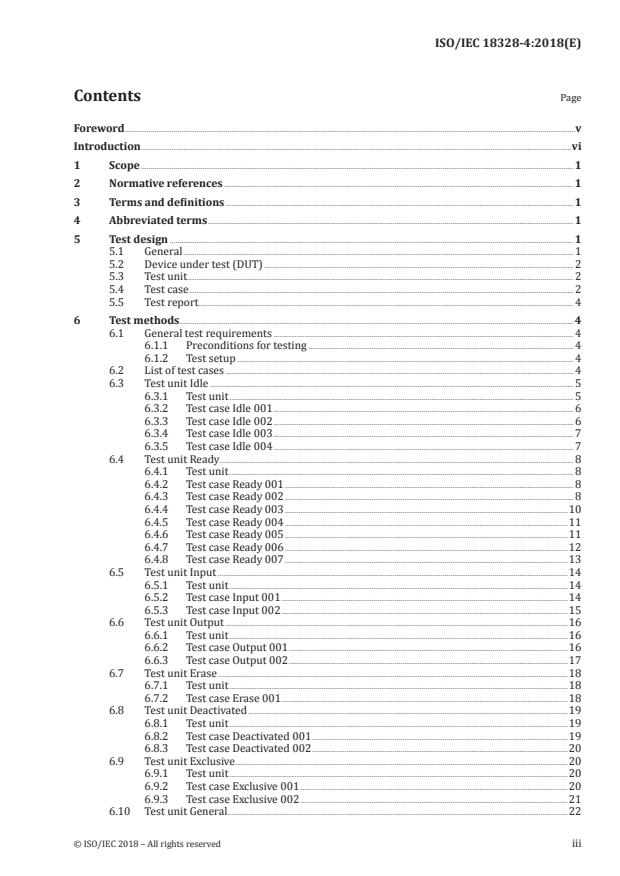
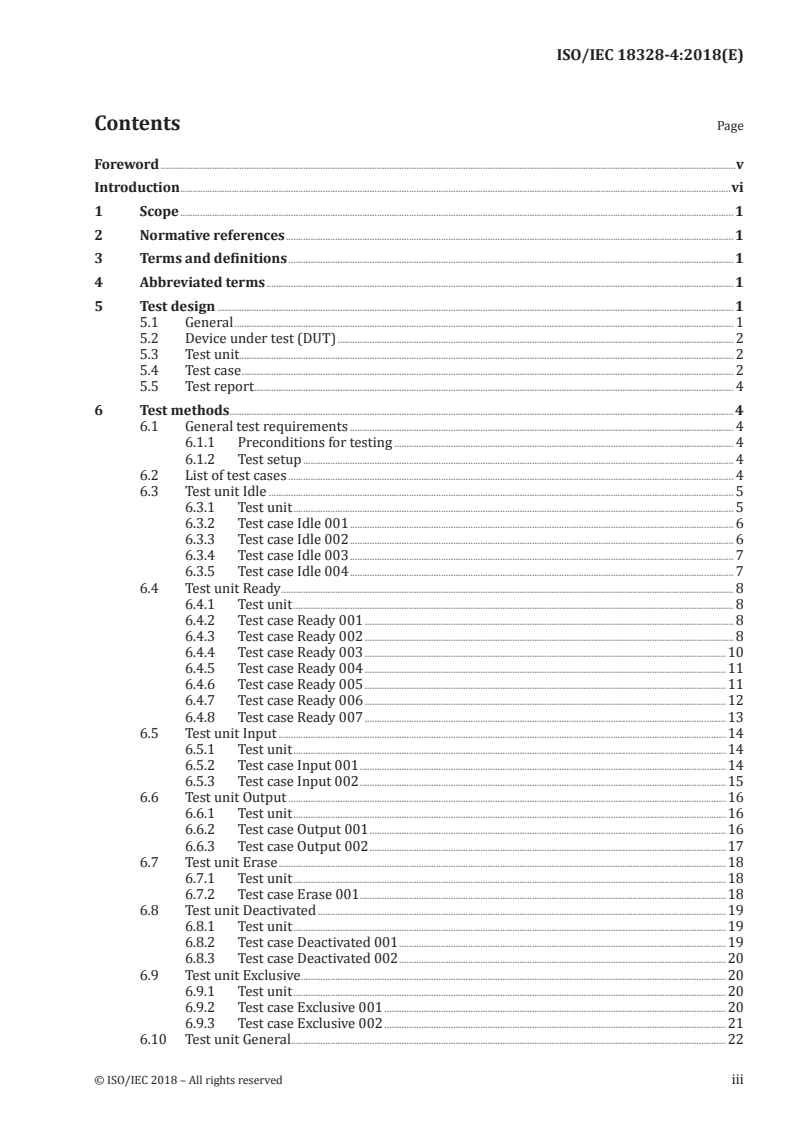
Contents Page
Foreword .v
Introduction .vi
1 Scope .1
2 Normative references .1
3 Terms and definitions .1
4 Abbreviated terms .1
5 Test design .1
5.1 General . 1
5.2 Device under test (DUT) . 2
5.3 Test unit . . 2
5.4 Test case . 2
5.5 Test report . 4
6 Test methods . 4
6.1 General test requirements . 4
6.1.1 Preconditions for testing . 4
6.1.2 Test setup . 4
6.2 List of test cases . 4
6.3 Test unit Idle . 5
6.3.1 Test unit . 5
6.3.2 Test case Idle 001 . 6
6.3.3 Test case Idle 002 . 6
6.3.4 Test case Idle 003 . 7
6.3.5 Test case Idle 004 . 7
6.4 Test unit Ready . 8
6.4.1 Test unit . 8
6.4.2 Test case Ready 001 . 8
6.4.3 Test case Ready 002 . 8
6.4.4 Test case Ready 003 .10
6.4.5 Test case Ready 004 .11
6.4.6 Test case Ready 005 .11
6.4.7 Test case Ready 006 .12
6.4.8 Test case Ready 007 .13
6.5 Test unit Input .14
6.5.1 Test unit .14
6.5.2 Test case Input 001 .14
6.5.3 Test case Input 002 .15
6.6 Test unit Output .16
6.6.1 Test unit .16
6.6.2 Test case Output 001 .16
6.6.3 Test case Output 002 .17
6.7 Test unit Erase .18
6.7.1 Test unit .18
6.7.2 Test case Erase 001 .18
6.8 Test unit Deactivated .19
6.8.1 Test unit .19
6.8.2 Test case Deactivated 001 .19
6.8.3 Test case Deactivated 002 .20
6.9 Test unit Exclusive .20
6.9.1 Test unit .20
6.9.2 Test case Exclusive 001 .20
6.9.3 Test case Exclusive 002 .21
6.10 Test unit General .22
© ISO/IEC 2018 – All rights reserved iii
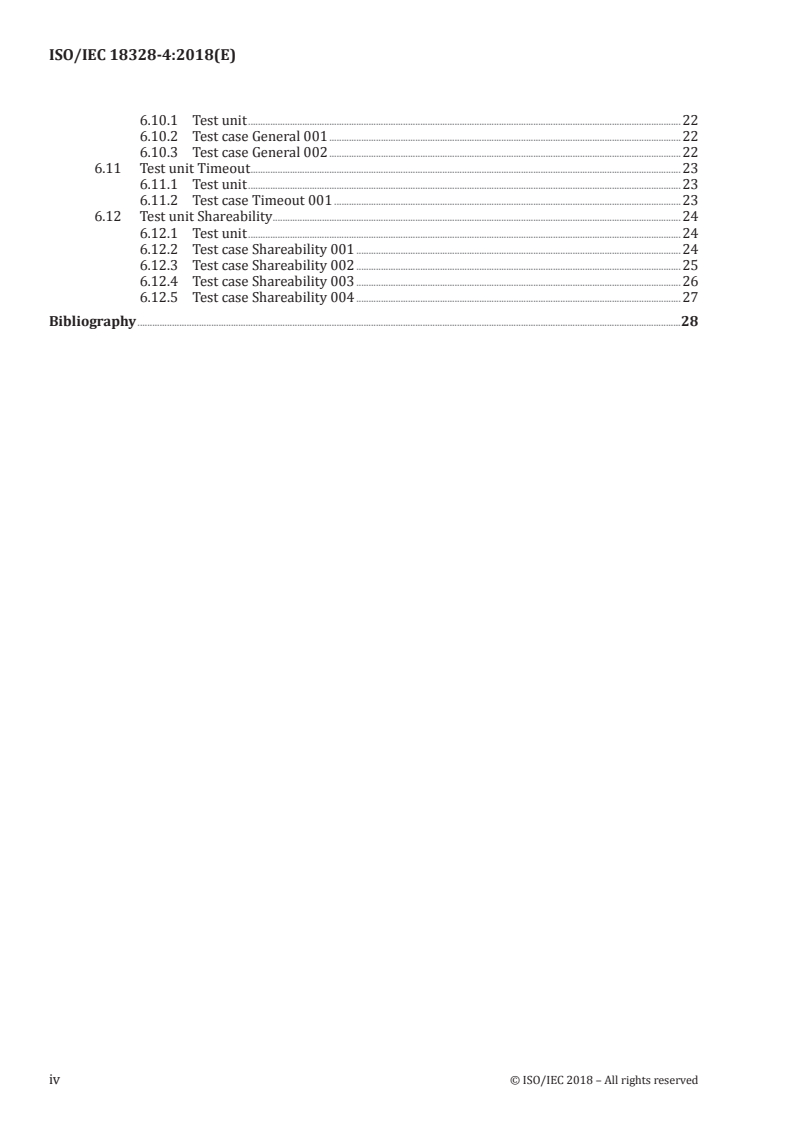
6.10.1 Test unit .22
6.10.2 Test case General 001 .22
6.10.3 Test case General 002 .22
6.11 Test unit Timeout .23
6.11.1 Test unit .23
6.11.2 Test case Timeout 001 .23
6.12 Test unit Shareability .24
6.12.1 Test unit .24
6.12.2 Test case Shareability 001 .24
6.12.3 Test case Shareability 002 .25
6.12.4 Test case Shareability 003 .26
6.12.5 Test case Shareability 004 .27
Bibliography .28
iv © ISO/IEC 2018 – All rights reserved
Foreword
ISO (the International Organization for Standardization) and IEC (the International Electrotechnical
Commission) form the specialized system for worldwide standardization. National bodies that are
members of ISO or IEC participate in the development of International Standards through technical
committees established by the respective organization to deal with particular fields of technical
activity. ISO and IEC technical committees collaborate in fields of mutual interest. Other international
organizations, governmental and non-governmental, in liaison with ISO and IEC, also take part in the
work. In the field of information technology, ISO and IEC have established a joint technical committee,
ISO/IEC JTC 1.
The procedures used to develop this document and those intended for its further maintenance are
described in the ISO/IEC Directives, Part 1. In particular the different approval criteria needed for
the different types of document should be noted. This document was drafted in accordance with the
editorial rules of the ISO/IEC Directives, Part 2 (see www .iso .org/directives).
Attention is drawn to the possibility that some of the elements of this document may be the subject
of patent rights. ISO and IEC shall not be held responsible for identifying any or all such patent
rights. Details of any patent rights identified during the development of the document will be in the
Introduction and/or on the ISO list of patent declarations received (see www .iso .org/patents).
Any trade name used in this document is information given for the convenience of users and does not
constitute an endorsement.
For an explanation on the voluntary nature of standards, the meaning of ISO specific terms and
expressions related to conformity assessment, as well as information about ISO's adherence to the
World Trade Organization (WTO) principles in the Technical Barriers to Trade (TBT) see the following
URL: www .iso .org/iso/foreword .html.
This document was prepared by ISO/IEC JTC 1, Information technology, SC 17, Cards and personal
identification.
A list of all the parts in the ISO 18328 series can be found on the ISO website.
© ISO/IEC 2018 – All rights reserved v
Introduction
The ISO/IEC 18328 series of standards establishes a normative basis for an ICC with at least one
additional device, such as an ICC-managed device.
This document prescribes requirements for testing the conformance of an ICC with at least one ICC-
managed device with requirements of ISO/IEC 18328-3, respectively.
vi © ISO/IEC 2018 – All rights reserved
INTERNATIONAL STANDARD ISO/IEC 18328-4:2018(E)
Identification cards — ICC-managed devices —
Part 4:
Test methods for logical characteristics
1 Scope
This document specifies the test methods used for conformity testing, to determine whether an ICC
with at least one ICC-managed device is considered to conform with the specifications of ISO/IEC 18328-
3, e.g. device management and device handling.
2 Normative references
The following documents are referred to in the text in such a way that some or all of their content
constitutes requirements of this document. For dated references, only the edition cited applies. For
undated references, the latest edition of the referenced document (including any amendments) applies.
ISO/IEC 7816-4, Identification cards — Integrated circuit cards — Part 4: Organization, security and
commands for interchange
ISO/IEC 18328-1, Identification cards — ICC-managed devices — Part 1: General framework
ISO/IEC 18328-2, Identification cards — ICC-managed devices — Part 2: Physical characteristics and test
methods for cards with devices
ISO/IEC 18328-3, Identification cards — ICC-managed devices — Part 3: Organization, security and
commands for interchange
3 Terms and definitions
For the purpose of this document, the terms and definition given in ISO/IEC 7816-4, ISO/IEC 18328-1,
ISO/IEC 18328-2 and ISO/IEC 18328-3 apply.
ISO and IEC maintain terminological databases for use in standardization at the following addresses:
— IEC Electropedia: available at http: //www .electropedia .org/
— ISO Online browsing platform: available at https: //www .iso .org/obp
4 Abbreviated terms
For the purposes of this document, the abbreviated terms given in ISO/IEC 7816-4, ISO/IEC 18328-1,
ISO/IEC 18328-2, ISO/IEC 18328-3 and the following apply.
DUT device under test
5 Test design
5.1 General
This clause describes the concept of the test methods for ICC-managed devices.
© ISO/IEC 2018 – All rights reserved 1
Clause 6 provides test methods for an ICC with a general ICC-managed device. These test methods are
independent from any specific device.
An elementary test method is a test case. All test cases are categorized into several test units.
5.2 Device under test (DUT)
A device under test (DUT) is an ICC with at least one ICC-managed on-card device for this edition of this
document. Figure 1 illustrates a DUT with a test apparatus. This edition of this document specifies the
test methods only for on-card devices. Test cases of checking general feature management DO, such as
Idle 001 to 003 may cover off-card devices.
Figure 1 — DUT with test apparatus
5.3 Test unit
A test unit is a group of test cases that are related to the same type of functionality. Each test unit is
defined by the following information:
Test Unit-ID Uniquely identifies the test unit.
Purpose Specifies the common issue addressed by the test cases contained in this test unit.
References Optionally identifies references applicable to all test cases within the test unit.
5.4 Test case
A test case covers testing one function of an ICC with an ICC-managed device. Each test case is defined
by the following information:
Uniquely identifies the test case within a test unit. Test Case-ID is a concatenation
Test Case-ID
of Test unit-ID and a consecutive number.
Purpose Specifies the requirement addresses in this test case.
Version Version number of this test case.
References Identifies specific reference to the requirement addressed by this test case.
Defines the features for which the test case is applicable. If the DUT does not match
with each of the defined features, the test case is skipped and marked “NA“ (not
Profile
applicable) in the test report.
A feature is described with its own number defined in Table 1.
Defines the state in which the DUT needs to be before the test case can be executed,
Precondition including test cases that shall have been successfully passed, if any. If these precondi-
tions are not fulfilled, the test case is skipped and marked as such in the test report.
2 © ISO/IEC 2018 – All rights reserved
Defines the test steps that shall be taken.
Each step covers a simple, exactly defined operation with a measureable result that
can be included in the test report. The steps shall be performed in the order listed.
Each test step is defined by the following:
— Test Step-ID is a consecutive number, uniquely identifying each test step and
Test scenario
the execution order in the test case.
— Description defines the operation that has to be executed for this step.
— Configuration Data optionally specifies input data required to perform this
test step.
Defines pass criteria for each test step in the test scenario. The analysis of the ob-
Expected result
served result in comparison with this expected result leads to a “Pass” or a “Fail”.
Table 1 lists features described in the column of profile for test cases.
Table 1 — List of features
Number of
Feature
the feature
01 Supplemental logical channel supporting
02 ICC with MF
03 ICC without MF having one application DF
04 ICC having one application DF
05 ICC having two application DFs
06 ICC-managed on-card and/or off-card device
07 ICC-managed on-card device
08 ICC-managed on-card device with DVCP
09 ICC-managed on-card input device
10 ICC-managed on-card input device with DVCP
11 Shareable ICC-managed on-card input device with DVCP
12 Not shareable ICC-managed on-card input device with DVCP
13 ICC-managed on-card input device with supporting time frame
14 ICC-managed on-card output device
15 ICC-managed on-card output device with DVCP
16 Shareable ICC-managed on-card output device with DVCP
17 Not shareable ICC-managed on-card output device with DVCP
18 Device identifier list DO‘83‘ under general feature management DO‘7F74‘ in EF. ATR/INFO under MF
Device identifier list DO‘83‘ under general feature management DO‘7F74‘ in EF .ATR/INFO under
the application DF
Device identifier list DO‘83‘ under general feature management DO‘7F74‘ under the FCI of the
application DF
Device identifier list DO‘83‘ under general feature management DO‘7F74‘ in EF. ATR/INFO or under
the FCI of the application DF
22 adm general device reset command
23 adm logical device reset command
24 adm open device command
25 adm deactivate device command
26 adm reactivate device command
27 adm exclusive device usage command
© ISO/IEC 2018 – All rights reserved 3
Table 1 (continued)
Number of
Feature
the feature
28 adm general device usage command
29 adm get from device command
30 adm get from device command with absent response data field
31 adm put to device command
32 adm put to device command with absent command data field
33 adm get device information command
34 adm erase device content command
A structure (e.g. transparent EF, record or data object) receiving input data from ICC-managed
on-card input device
A proper command (e.g. read binary, read record or get data) for retrieving input data from
a structure
NOTE Feature 06 is provided for test unit Idle 001 to 003 and these test units can cover on-card devices.
5.5 Test report
Detailed test results shall be recorded for reference in a test report. The test report contains the test
result of each:
— test unit;
— test case;
— test step.
If the profile of a test case is not applicable, this is noted. If the profile of a test case is applicable and the
preconditions are fulfilled, the test result for a test step, a test case and a test unit can be:
— Pass for matching the expected results with actually obtained results from the DUT.
— Fail for not matching one of the expected results with actually obtained results from the DUT.
6 Test methods
6.1 General test requirements
6.1.1 Preconditions for testing
The tests in this clause require a fully personalized ICC with at least one on-card ICC-managed device.
6.1.2 Test setup
For setting up these tests, any test apparatus for communicating with an ICC that meets the
requirements of ISO/IEC 7816-1, ISO/IEC 7816-2, ISO/IEC 7816-3, and/or ISO/IEC 14443 (all parts) can
be used.
6.2 List of test cases
Table 2 lists test cases specified in Clause 6. “Input” in the device column of Table 2 means ICC-managed
input device and operation of this device is required for test cases of test unit input, e.g. key inputting,
sensor touching or button pushing. “Output” in the device column of Table 2 means ICC-managed output
device and visually or auditory verification of this device is required for test cases of test unit output,
4 © ISO/IEC 2018 – All rights reserved
e.g. lighting, displaying image or sound. “-” in the device column of Table 2 means that operation of
ICC-managed input device and/or visually or auditory verification of ICC-managed output device is not
required.
Table 2 — List of test cases
Test Unit No. Device Outline
001 - Getting general feature management DO from EF .ATR/INFO with MF
002 - Getting general feature management DO from EF .ATR/INFO without MF
Idle
003 - Getting general feature management DO from FCI of application DF
004 - Opening on-card device
001 - Getting DVCP
002 - Switching usage attribute GENERAL and EXCLUSIVE DEVICE USAGE
003 - Switching activity status READY and DEACTIVATED
Ready 004 - Logical resetting from READY
005 - Logical resetting from DEACTIVATED
006 - General resetting from READY
007 - General resetting from DEACTIVATED
001 Input Inputting data into ICC
Input
002 Input Inputting data into response data field
001 Output Outputting data from ICC
Output
002 Output Outputting data from command data field
Turning back the condition of an output device into same as just after OPEN
Erase 001 Output
DEVICE function applied
001 - Unable to input at DEACTIVATED
Deactivated
002 - Unable to output at DEACTIVATED
001 - Unable to input by other application at EXCLUSIVE DEVICE USAGE
Exclusive
002 - Unable to output by other application at EXCLUSIVE DEVICE USAGE
001 Input Enable to input by different applications at GENERAL DEVICE USAGE
General
002 Output Enable to output by different applications at GENERAL DEVICE USAGE
Timeout 001 - Detecting timeout
001 Input Enable to input by using different logical channels on shareable device
002 Output Enable to output by using different logical channels on shareable device
Shareability
003 Input Unable to input by using other logical channel on not shareable input device
004 Output Unable to output by using other logical channel on not shareable output device
6.3 Test unit Idle
6.3.1 Test unit
Test Unit-ID Idle
Identifying ICC-managed on-card and/or off-card device at IDLE/WAIT state and
Purpose
possible function of additional device management (adm) command
References ISO/IEC 7816-4, ISO/IEC 18328-3
© ISO/IEC 2018 – All rights reserved 5
6.3.2 Test case Idle 001
Test Case-ID Idle 001
Purpose Identifying ICC-managed on-card and/or off-card device at IDLE/WAIT state
Version 1.0
References ISO/IEC 18328-3:2016, Tables 1 and 2
02 ICC with MF
06 ICC-managed on-card and/or off-card device
Profile
18 Device identifier list DO‘83‘ under general feature management DO‘7F74‘ in
EF .ATR/INFO under MF
1. ICC with its communication protocol is activated.
Precondition 2. ICC-managed device is powered.
3. MF is selected.
1. Selecting EF .ATR/INFO by file identifier ‘2F01‘
Test scenario
2. Reading entire content of EF .ATR/INFO
1. The DUT returns SW1-SW2 as ‘9000‘.
2. The DUT returns entire content of EF .ATR/INFO with SW1-SW2 as ‘9000‘.
Expected result
The content includes DO‘7F74‘. DO‘7F74‘ shall include on-card services
DO‘81‘ and its format of value field is according to ISO/IEC 18328-3:2016,
Table 2. DO‘7F74‘ includes device identifier list DO‘83‘ and its format of value
field is according to Table 1 in ISO/IEC 18328-3.
6.3.3 Test case Idle 002
Test Case-ID Idle 002
Purpose Identifying ICC-managed on-card and/or off-card device at IDLE/WAIT state
Version 1.0
References ISO/IEC 18328-3:2016, Tables 1 and 2
03 ICC without MF having one application DF
06 ICC-managed on-card and/or off-card device
Profile
19 Device identifier list DO‘83‘ under general feature management DO‘7F74‘ in
EF .ATR/INFO under the application DF
1. ICC with its communication protocol is activated.
Precondition
2. ICC-managed device is powered.
6 © ISO/IEC 2018 – All rights reserved
1. Selecting the application DF by its DF name.
Test scenario 2. Selecting EF .ATR/INFO by file identifier ‘2F01‘.
3. Reading entire content of EF .ATR/INFO.
1. The DUT returns SW1-SW2 as ‘9000‘.
2. The DUT returns SW1-SW2 as ‘9000‘.
3. The DUT returns entire content of EF .ATR/INFO with SW1-SW2 as ‘9000‘.
Expected result
The content includes DO‘7F74‘. DO‘7F74‘ shall include on-card services
DO‘81‘ and its format of value field is according to ISO/IEC 18328-3:2016,
Table 2. DO‘7F74‘ includes device identifier list DO‘83‘ and its format of value
field is according to ISO/IEC 18328-3:2016, Table 1.
6.3.4 Test case Idle 003
Test Case-ID Idle 003
Purpose Identifying ICC-managed on-card and/or off-card device at IDLE/WAIT state
Version 1.0
References ISO/IEC 18328-3:2016, Tables 1 and 2
04 ICC having one application DF
06 ICC-managed on-card and/or off-card device
Profile
20 Device identifier list DO‘83‘ under general feature management DO‘7F74‘ under
the FCI of the application DF
1. ICC with its communication protocol is activated.
Precondition
2. ICC-managed device is powered.
1. Selecting the application DF by its DF name and reading FCI with FCP or FMD
Test scenario
template
1. The DUT returns entire content of FCI with SW1-SW2 as ‘9000‘.
The content includes DO‘7F74‘. DO‘7F74‘ shall include on-card services
Expected result
DO‘81‘ and its format of value field is according to ISO/IEC 18328-3:2016,
Table 2. DO‘7F74‘ includes device identifier list DO‘83‘ and its format of value
field is according to ISO/IEC 18328-3:2016, Table 1.
6.3.5 Test case Idle 004
Test Case-ID Idle 004
Purpose Opening (selecting) ICC-managed on-card device at IDLE/WAIT state and getting its DHN
Version 1.0
References ISO/IEC 18328-3:2016, Table 5 and 6.3.4
07 ICC-managed on-card device
21 Device identifier list DO‘83‘ under general feature management DO‘7F74‘ in
Profile
EF .ATR/INFO or under the FCI of the application DF
24 adm open device command
© ISO/IEC 2018 – All rights reserved 7
1. ICC with its communication protocol is activated.
2. ICC-managed on-card device is powered.
Precondition
3. MF or an application DF is selected.
4. The device identifier of on-card device is gotten.
1. Opening (selecting) on-card device by using adm open device command with
Test scenario
the device identifier.
1. The DUT returns 1-byte DHN with SW1-SW2 as ‘9000‘.
Expected result
DHN is according to ISO/IEC 18328-3:2016, Table 5.
6.4 Test unit Ready
6.4.1 Test unit
Test Unit-ID Ready
Purpose Possible function of additional device management (adm) command for ICC-man-
aged on-card device at READY state
References ISO/IEC 18328-3
6.4.2 Test case Ready 001
Test Case-ID Ready 001
Purpose Getting DVCP of ICC-managed on-card device
Version 1.0
References ISO/IEC 18328-3:2016, Tables 4, 6 to 9 and 5.5, 6.3.11
08 ICC-managed on-card device with DVCP
Profile
33 adm get device information command
1. ICC with its communication protocol is activated.
2. ICC-managed on-card device is powered and at READY state.
Precondition
3. MF or an application DF is selected.
4. The device identifier and the DHN of on-card device are gotten.
1. Getting the DVCP of on-card device by using adm get device information
Test scenario
command with the DHN
1. The DUT returns DVCP with SW1-SW2 as ‘9000‘.
DVCP is according to ISO/IEC 18328-3:2016, 5.5.
DVCP shall include device descriptor DO‘82‘, device identifier DO‘83‘ and cur-
Expected result
rent activity state DO‘8A‘. Bit b8 of first byte of value field of DO‘82‘ shall be
1 (ICC-managed on-card device). 2-byte value field of DO‘83‘ shall match with
gotten device identifier for precondition. Bits b3-b1 in 1-byte value field of
DO‘8A‘ shall be 010 (READY state).
6.4.3 Test case Ready 002
Test Case-ID Ready 002
Purpose Switching usage attribute of ICC-managed on-card device
Version 1.0
8 © ISO/IEC 2018 – All rights reserved
References ISO/IEC 18328-3:2016, Tables 4, 6 to 9 and 5.5, 6.3.7, 6.3.8, 6.3.11
04 ICC having one application DF
08 ICC-managed on-card device with DVCP
Profile 27 adm exclusive device usage command
28 adm general device usage command
33 adm get device information command
1. ICC with its communication protocol is activated.
2. ICC-managed on-card device is powered and at READY state.
Precondition
3. The application DF is selected.
4. The device identifier and the DHN of on-card device are gotten.
1. Setting usage attribute of ICC-managed on-card device as general by using adm
general device usage command with the DHN
2. Getting the DVCP of on-card device by using adm get device information
command with the DHN
3. Setting usage attribute of ICC-managed device as exclusive by using adm
exclusive device usage command with the DHN
Test scenario
4. Getting the DVCP of on-card device by using adm get device information
command with the DHN
5. Setting usage attribute of ICC-managed device as general by using adm
general device usage command with the DHN
6. Getting the DVCP of on-card device by using adm get device information
command with the DHN
1. The DUT returns SW1-SW2 as ‘9000‘.
2. The DUT returns DVCP with SW1-SW2 as ‘9000‘.
DVCP is according to ISO/IEC 18328-3:2016, 5.5.
DVCP shall include device descriptor DO‘82‘, device identifier DO‘83‘ and cur-
rent activity state DO‘8A‘. Bit b8 of first byte of value field of DO‘82‘ shall be
1 (ICC-managed on-card device). 2-byte value field of DO‘83‘ shall match with
gotten device identifier for precondition. 1-byte value field of DO‘8A‘ shall be
0xxx x010 (GENERAL DEVICE USAGE and READY state).
Expected result
3. The DUT returns SW1-SW2 as ‚9000‘.
4. The DUT returns DVCP with SW1-SW2 as ‘9000‘.
DVCP shall include current activity state DO‘8A‘. 1-byte value field of DO‘8A‘
shall be 1xxx x010 (EXCLUSIVE DEVICE USAGE and READY state).
5. The DUT returns SW1-SW2 as ‘9000‘.
6. The DUT returns DVCP with SW1-SW2 as ‘9000‘.
DVCP shall include current activity state DO‘8A‘. 1-byte value field of DO‘8A‘
shall be 0xxx x010 (GENERAL DEVICE USAGE and READY state).
© ISO/IEC 2018 – All rights reserved 9
6.4.4 Test case Ready 003
Test Case-ID Ready 003
Switching activity state of ICC-managed on-card device between READY and DE-
Purpose
ACTIVATED
Version 1.0
References ISO/IEC 18328-3:2016, Tables 4, 6 to 9 and 5.5, 6.3.5, 6.3.6, 6.3.11
04 ICC having one application DF
08 ICC-managed on-card device with DVCP
Profile 25 adm deactivate device command
26 adm reactivate device command
33 adm get device information command
1. ICC with its communication protocol is activated.
2. ICC-managed on-card device is powered and at READY state.
Precondition
3. The application DF is selected.
4. The device identifier and the DHN of on-card device are gotten.
1. Getting the DVCP of on-card device by using adm get device information
command with the DHN
2. Initiating transition of activity status of on-card device from READY to
DEACTIVATED by using adm deactivate device command with the DHN
3. Getting the DVCP of on-card device by using adm get device information
Test scenario
command with the DHN
4. Initiating transition of activity status of on-card device from DEACTIVATED to
READY by using adm reactivate device command with the DHN
5. Getting the DVCP of on-card device by using adm get device information
command with the DHN
1. The DUT returns DVCP with SW1-SW2 as ‘9000‘.
DVCP is according to ISO/IEC 18328-3:2016, 5.5.
DVCP shall include device descriptor DO‘82‘, device identifier DO‘83‘ and cur-
rent activity state DO‘8A‘. Bit b8 of first byte of value field of DO‘82‘ shall be
1 (ICC-managed on-card device). 2-byte value field of DO‘83‘ shall match with
gotten device identifier for precondition. Bits b3-b1 in 1-byte value field of
DO‘8A‘ shall be 010 (READY state).
2. The DUT returns SW1-SW2 as ‘9000‘.
Expected result
3. The DUT returns DVCP with SW1-SW2 as ‘9000‘.
DVCP shall include current activity state DO‘8A‘. Bits b3-b1 in 1-byte value field
of DO‘8A‘ shall be 100 (DEACTIVATED state).
4. The DUT returns SW1-SW2 as ‘9000‘.
5. The DUT returns DVCP with SW1-SW2 as ‘9000‘.
DVCP shall include current activity state DO‘8A‘. Bits b3-b1 in 1-byte value field
of DO‘8A‘ shall be 010 (READY state).
10 © ISO/IEC 2018 – All rights reserved
6.4.5 Test case Ready 004
Test Case-ID Ready 004
Purpose Logical resetting of ICC-managed on-card device
Version 1.0
References ISO/IEC 18328-3:2016, Tables 4, 6 to 9 and 5.5, 6.3.3, 6.3.11
04 ICC having one application DF
08 ICC-managed on-card device with DVCP
Profile
23 adm logical device reset command
33 adm get device information command
1. ICC with its communication protocol is activated.
2. ICC-managed on-card device is powered and at READY state.
Precondition
3. The application DF is selected.
4. The device identifier and the DHN of on-card device are gotten.
1. Getting the DVCP of on-card device by using adm get device information
command with the DHN
2. Logical resetting of on-card device by using adm logical device reset
Test scenario
command with the DHN
3. Getting the DVCP of on-card device by using adm get device information
command with the DHN
1. The DUT returns DVCP with SW1-SW2 as ‘9000‘.
DVCP is according to ISO/IEC 18328-3:2016, 5.5.
DVCP shall include device descriptor DO‘82‘, device identifier DO‘83‘ and cur-
rent activity state DO‘8A‘. Bit b8 of first byte of value field of DO‘82‘ shall be
1 (ICC-managed on-card device). 2-byte value field of DO‘83‘ shall match with
Expected result
gotten device identifier for precondition. Bits b3-b1 in 1-byte value field of
DO‘8A‘ shall be 010 (READY state).
2. The DUT returns SW1-SW2 as ‘9000‘.
3. The DUT returns SW1-SW2 as checking error, e.g. ‘6985‘ (Activity state not fit
to command) or ‘6A82‘ (DHN not available).
6.4.6 Test case Ready 005
Test Case-ID Ready 005
Purpose Logical resetting of ICC-managed on-card device at DEACTIVATED
Version 1.0
References ISO/IEC 18328-3:2016, Tables 4, 6 to 9 and 5.5, 6.3.3, 6.3.5, 6.3.11
04 ICC having one application DF
08 ICC-managed on-card device with DVCP
Profile 23 adm logical device reset command
25 adm deactivate device command
33 adm get device information command
© ISO/IEC 2018 – All rights reserved 11
1. ICC with its communication protocol is activated.
2. ICC-managed on-card device is powered and at READY state.
Precondition
3. The application DF is selected.
4. The device identifier and the DHN of on-card device are gotten.
1. Getting the DVCP of on-card device by using adm get device information
command with the DHN
2. Initiating transition of activity status of on-card device from READY to
DEACTIVATED by using adm deactivate device command with the DHN
3. Getting the DVCP of on-card device by using adm get device information
Test scenario
command with the DHN
4. Logical resetting of on-card device by using adm logical device reset
command with the DHN
5. Getting the DVCP of on-card device by using adm get device information
command with the DHN
1. The DUT returns DVCP with SW1-SW2 as ‘9000‘.
DVCP is according to ISO/IEC 18328-3:2016, 5.5.
DVCP shall include device descriptor DO‘82‘, device identifier DO‘83‘ and cur-
rent activity state DO‘8A‘. Bit b8 of first byte of value field of DO‘82‘ shall be
1 (ICC-managed on-card device). 2-byte value field of DO‘83‘ shall match with
gotten device identifier for precondition. Bits b3-b1 in 1-byte value field of
DO‘8A‘ shall be 010 (READY state).
2. The DUT returns SW1-SW2 as ‘9000‘.
Expected result
3. The DUT returns DVCP with SW1-SW2 as ‘9000‘.
DVCP shall include current activity state DO‘8A‘. Bits b3-b1 in 1-byte value field
of DO‘8A‘ shall be 100 (DEACTIVATED state).
4. The DUT returns SW1-SW2 as ‘9000‘.
5. The DUT returns SW1-SW2 as checking error, e.g. ‘6985‘ (Activity state not fit
to command) or ‘6A82‘ (DHN not available).
6.4.7 Test case Ready 006
Test Case-ID Ready 006
Purpose General resetting of ICC-managed on-card device
Version 1.0
References ISO/IEC 18328-3:2016, Tables 4, 6 to 9 and 5.5, 6.3.2, 6.3.11
04 ICC having one application DF
08 ICC-managed on-card device with DVCP
Profile
22 adm general device reset command
33 adm get device information command
1. ICC with its communication protocol is activated.
2. ICC-managed on-card device is powered and at READY state.
Precondition
3. The application DF is selected.
4. The device identifier and the DHN of on-card device are gotten.
12 © ISO/IEC 2018 – All rights reserved
1. Getting the DVCP of on-card device by using adm get device information
command with the DHN
2. General resetting of on-card device by using adm general device reset
Test scenario
command with the DHN
3. Getting the DVCP of on-card device by using adm get device information
command with the DHN
1. The DUT returns DVCP with SW1-SW2 as ‘9000‘.
DVCP is according to ISO/IEC 18328-3:2016, 5.5.
DVCP shall include device descriptor DO‘82‘, device identifier DO‘83‘ and cur-
rent activity state DO‘8A‘. Bit b8 of first byte of value field of DO‘82‘ shall be
1 (ICC-managed on-card device). 2-byte value field of DO‘83‘ shall match with
Expected result
gotten device identifier for precondition. Bits b3-b1 in 1-byte value field of
DO‘8A‘ shall be 010 (READY state).
2. The DUT returns SW1-SW2 as ‘9000‘.
3. The DUT returns SW1-SW2 as checking error, e.g. ‘6985‘ (Activity state not fit
to command) or ‘6A82‘ (DHN not available).
6.4.8 Test case Ready 007
Test Case-ID Ready 007
Purpose General resetting of ICC-managed on-card device at DEACTIVATED
Version 1.0
References ISO/IEC 18328-3:2016, Tables 4, 6 to 9 and 5.5, 6.3.2, 6.3.5, 6.3.11
04 ICC having one application DF
08 ICC-managed on-card device with DVCP
Profile
22 adm general device reset command
33 adm get device information command
1. ICC with its communication protocol is activated.
2. ICC-managed on-card device is powered and at READY state.
Precondition
3. The application DF is selected.
4. The device identifier and the DHN of on-card device are gotten.
1. Getting the DVCP of on-card device by using adm get device information
command with the DHN
2. Initiating transition of activity status of on-card device from READY to
DEACTIVATED by using adm deactivate device command with the DHN
3. Getting the DVCP of on-card device by using adm get device information
Test scenario
command with the DHN
4. General resetting of on-card device by using adm general device reset
command with the DHN
5. Getting the DVCP of on-card device by using adm get device information
command with the DHN
© ISO/IEC 2018 – All rights reserved 13
1. The DUT returns DVCP with SW1-SW2 as ‘9000‘.
DVCP is according to ISO/IEC 18328-3:2016, 5.5.
DVCP shall include device descriptor DO‘82‘, device identifier DO‘83‘ and cur-
rent activity state DO‘8A‘. Bit b8 of first byte of value field of DO‘82‘ shall be
1 (ICC-managed on-card
...
© ISO/IEC 2018 – All rights reserved
ISO/IEC TC JTC 1/SC 17
Date: 2018-04-17
Secretariat: BSI
Identification cards — ICC-managed devices — Part 4: Test methods for logical
characteristics
Cartes d'identification — Dispositifs contrôlés par carte à circuit intégré (ICC) —
Partie 4: Titre manque
Warning
This document is not an ISO International Standard. It is distributed for review and
comment. It is subject to change without notice and may not be referred to as an
International Standard.
Recipients of this draft are invited to submit, with their comments, notification of any
relevant patent rights of which they are aware and to provide supporting
documentation.
Document type: International StandardInternational Standard
Document subtype:
Document stage: (40) Enquiry
Document language: EE
X:\IDT\Digitale Technologien\TG_ITS\NA043\NA043_Sekretariate\JTC1_SC17_WG4\Projekte\18328-
4\DIS\ISO_IEC_DIS_18328-4_Test_methods_for_logical_characteristics_test.docx STD Version 2.8l
ISO/IEC DIS 18328-4:2018(E)
All rights reserved. Unless otherwise specified, no part of this publication may be reproduced or
utilized otherwise in any form or by any means, electronic or mechanical, including photocopying,
or posting on the internet or an intranet, without prior written permission. Permission can be
requested from either ISO at the address below or ISO’s member body in the country of the
requester.
ISO copyright office
Ch. de Blandonnet 8 • CP 401
CH-1214 Vernier, Geneva, Switzerland
Tel. + 41 22 749 01 11
Fax + 41 22 749 09 47
copyright@iso.org
www.iso.org
ii © ISO/IEC 2018 – All rights reserved
ISO/IEC DIS 18328-4:2018(E)
Contents Page
Foreword .5 Field Code Changed
Introduction .6 Field Code Changed
1 Scope . 11
2 Normative references . 11
3 Terms and definitions . 11
4 Abbreviated terms . 11
5 Test design . 22
5.1 General . 22
5.2 Device under test (DUT) . 22
5.3 Test unit . 22
5.4 Test case . 22
5.5 Test report . 44
6 Test methods . 55
6.1 General test requirements .5
Field Code Changed
6.1.1 Preconditions for testing .5
Field Code Changed
6.1.2 Test setup .5
Field Code Changed
6.2 List of test cases . 55
6.3 Test unit Idle. 66
6.3.1 Test unit . 66
6.3.2 Test case Idle 001 . 66
6.3.3 Test case Idle 002 . 77
6.3.4 Test case Idle 003 . 77
6.3.5 Test case Idle 004 . 88
6.4 Test unit Ready . 88
6.4.1 Test unit . 88
6.4.2 Test case Ready 001 . 88
6.4.3 Test case Ready 002 . 99
6.4.4 Test case Ready 003 . 1010
6.4.5 Test case Ready 004 . 1112
6.4.6 Test case Ready 005 . 1212
6.4.7 Test case Ready 006 . 1313
6.4.8 Test case Ready 007 . 1414
6.5 Test unit Input . 1515
6.5.1 Test unit . 1515
Field Code Changed
6.5.2 Test case Input 001 . 1515
Field Code Changed
6.5.3 Test case Input 002 . 17
Field Code Changed
6.6 Test unit Output . 18
Field Code Changed
6.6.1 Test unit . 18
6.6.2 Test case Output 001 . 18
Field Code Changed
6.6.3 Test case Output 002 . 19
Field Code Changed
6.7 Test unit Erase . 20
Field Code Changed
6.7.1 Test unit . 20
Field Code Changed
6.7.2 Test case Erase 001 . 20
6.8 Test unit Deactivated . 21 Field Code Changed
6.8.1 Test unit . 21
Field Code Changed
6.8.2 Test case Deactivated 001 . 21
Field Code Changed
6.8.3 Test case Deactivated 002 . 21
Field Code Changed
© ISO/IEC 2018 – All rights reserved iii
ISO/IEC DIS 18328-4:2018(E)
6.9 Test unit Exclusive . 2222
6.9.1 Test unit . 2222
6.9.2 Test case Exclusive 001 . 2222
6.9.3 Test case Exclusive 002 . 23
Field Code Changed
6.10 Test unit General . 24
Field Code Changed
6.10.1 Test unit . 24
Field Code Changed
6.10.2 Test case General 001 . 24
Field Code Changed
6.10.3 Test case General 002 . 25
6.11 Test unit Timeout . 25 Field Code Changed
6.11.1 Test unit . 25
Field Code Changed
6.11.2 Test case Timeout 001. 26
Field Code Changed
6.12 Test unit Shareability . 26
Field Code Changed
6.12.1 Test unit . 26
6.12.2 Test case Shareability 001 . 26 Field Code Changed
6.12.3 Test case Shareability 002 . 27
Field Code Changed
6.12.4 Test case Shareability 003 . 28
Field Code Changed
6.12.5 Test case Shareability 004 . 2829
Field Code Changed
Bibliography . 31
Field Code Changed
iv © ISO/IEC 2018 – All rights reserved
ISO/IEC DIS 18328-4:2018(E)
Foreword
ISO (the International Organization for Standardization) and IEC (the International Electrotechnical
Commission) form the specialized system for worldwide standardization. National bodies that are
members of ISO or IEC participate in the development of International Standards through technical
committees established by the respective organization to deal with particular fields of technical activity.
ISO and IEC technical committees collaborate in fields of mutual interest. Other international
organizations, governmental and non-governmental, in liaison with ISO and IEC, also take part in the
work. In the field of information technology, ISO and IEC have established a joint technical committee,
ISO/IEC JTC 1.
The procedures used to develop this document and those intended for its further maintenance are
described in the ISO/IEC Directives, Part 1. In particular the different approval criteria needed for the
different types of document should be noted. This document was drafted in accordance with the editorial
rules of the ISO/IEC Directives, Part 2 (see www.iso.org/directives).
Attention is drawn to the possibility that some of the elements of this document may be the subject of
patent rights. ISO and IEC shall not be held responsible for identifying any or all such patent
rights. Details of any patent rights identified during the development of the document will be in the
Introduction and/or on the ISO list of patent declarations received (see www.iso.org/patents).
Any trade name used in this document is information given for the convenience of users and does not
constitute an endorsement.
For an explanation on the voluntary nature of standards, the meaning of ISO specific terms and
expressions related to conformity assessment, as well as information about ISO's adherence to the World
Trade Organization (WTO) principles in the Technical Barriers to Trade (TBT) see the following
URL: www.iso.org/iso/foreword.html.
This document was prepared by ISO/IEC JTC 1, Information technology, SC 17, Cards and personal
identification.
A list of all the parts in the ISO 18328 series can be found on the ISO website.
© ISO/IEC 2018 – All rights reserved v
ISO/IEC DIS 18328-4:2018(E)
Introduction
The ISO/IEC 18328 series of standards establishes a normative basis for an ICC with at least one
additional device, such as an ICC-managed device.
This document prescribes requirements for testing the conformance of an ICC with at least one ICC-
managed device with requirements of ISO/IEC 18328-3, respectively.
vi © ISO/IEC 2018 – All rights reserved
DRAFT INTERNATIONAL STANDARD ISO/IEC DIS 18328-4:2018(E)
Identification cards — ICC-managed devices — Part 4: Test
methods for logical characteristics
1 Scope
This document specifies the test methods used for conformity testing, to determine whether an ICC with
at least one ICC-managed device is considered to conform with the specifications of ISO/IEC 18328-3, e.g.
device management and device handling.
2 Normative references
The following documents are referred to in the text in such a way that some or all of their content
constitutes requirements of this document. For dated references, only the edition cited applies. For
undated references, the latest edition of the referenced document (including any amendments) applies.
ISO/IEC 7816-4, Identification cards — Integrated circuit cards — Part 4: Organization, security and
commands for interchange
ISO/IEC 18328-1, Identification cards — ICC-managed devices — Part 1: General framework
ISO/IEC 18328-2, Identification cards — ICC-managed devices — Part 2: Physical characteristics and test
methods for cards with devices
ISO/IEC 18328-3, Identification cards — ICC-managed devices — Part 3: Organization, security and
commands for interchange
3 Terms and definitions
For the purpose of this document, the terms and definition given in ISO/IEC 7816-4, ISO/IEC 18328-1,
ISO/IEC 18328-2 and ISO/IEC 18328-3 apply.
ISO and IEC maintain terminological databases for use in standardization at the following addresses:
— IEC Electropedia: available at http://www.electropedia.org/
— ISO Online browsing platform: available at https://www.iso.org/obp
4 Abbreviated terms
For the purposes of this document, the abbreviated terms given in ISO/IEC 7816-4, ISO/IEC 18328-1,
ISO/IEC 18328-2, ISO/IEC 18328-3 and the following apply.
DUT device under test
© ISO/IEC 2018 – All rights reserved 1
ISO/IEC DIS 18328-4:2018(E)
5 Test design
5.1 General
This clause describes the concept of the test methods for ICC-managed devices.
Clause 6 provides test methods for an ICC with a general ICC-managed device. These test methods are
independent from any specific device.
An elementary test method is a test case. All test cases are categorized into several test units.
5.2 Device under test (DUT)
A device under test (DUT) is an ICC with at least one ICC-managed on-card device for this edition of this
document. Figure 1 illustrates a DUT with a test apparatus. This edition of this document specifies the
test methods only for on-card devices. Test cases of checking general feature management DO, such as
Idle 001 to 003 may cover off-card devices.
Figure 1 — DUT with test apparatus
5.3 Test unit
A test unit is a group of test cases that are related to the same type of functionality. Each test unit is
defined by the following information:
Test Unit-ID Uniquely identifies the test unit.
Purpose Specifies the common issue addressed by the test cases contained in this test unit.
References Optionally identifies references applicable to all test cases within the test unit.
5.4 Test case
A test case covers testing one function of an ICC with an ICC-managed device. Each test case is defined by
the following information:
Uniquely identifies the test case within a test unit. Test Case-ID is a concatenation of Test
Test Case-ID
unit-ID and a consecutive number.
Purpose Specifies the requirement addresses in this test case.
Version Version number of this test case.
References Identifies specific reference to the requirement addressed by this test case.
Defines the features for which the test case is applicable. If the DUT does not match with
each of the defined features, the test case is skipped and marked “NA“ (not applicable) in
Profile
the test report.
A feature is described with its own number defined in Table 1.
2 Error! Reference source not found.
ISO/IEC DIS 18328-4:2018(E)
Defines the state in which the DUT needs to be before the test case can be executed,
Precondition including test cases that shall have been successfully passed, if any. If these preconditions
are not fulfilled, the test case is skipped and marked as such in the test report.
Defines the test steps that shall be taken.
Each step covers a simple, exactly defined operation with a measureable result that can be
included in the test report. The steps shall be performed in the order listed.
Each test step is defined by the following:
— Test Step-ID is a consecutive number, uniquely identifying each test step and the
Test scenario
execution order in the test case.
— Description defines the operation that has to be executed for this step.
— Configuration Data optionally specifies input data required to perform this test step.
Defines pass criteria for each test step in the test scenario. The analysis of the observed
Expected result
result in comparison with this expected result leads to a “Pass” or a “Fail”.
Table 1 lists features described in the column of profile for test cases.
Table 1 — List of features
Number of
Feature
the feature
01 Supplemental logical channel supporting
02 ICC with MF
03 ICC without MF having one application DF
04 ICC having one application DF
05 ICC having two application DFs
06 ICC-managed on-card and/or off-card device
07 ICC-managed on-card device
08 ICC-managed on-card device with DVCP
09 ICC-managed on-card input device
10 ICC-managed on-card input device with DVCP
11 Shareable ICC-managed on-card input device with DVCP
12 Not shareable ICC-managed on-card input device with DVCP
13 ICC-managed on-card input device with supporting time frame
14 ICC-managed on-card output device
15 ICC-managed on-card output device with DVCP
16 Shareable ICC-managed on-card output device with DVCP
17 Not shareable ICC-managed on-card output device with DVCP
Device identifier list DO‘83‘ under general feature management DO‘7F74‘ in EF.ATR/INFO under
MF
Device identifier list DO‘83‘ under general feature management DO‘7F74‘ in EF.ATR/INFO under
the application DF
Error! Reference source not found. 3
ISO/IEC DIS 18328-4:2018(E)
Device identifier list DO‘83‘ under general feature management DO‘7F74‘ under the FCI of the
application DF
Device identifier list DO‘83‘ under general feature management DO‘7F74‘ in EF.ATR/INFO or
under the FCI of the application DF
ADM GENERAL DEVICE RESET command
ADM LOGICAL DEVICE RESET command
ADM OPEN DEVICE command
ADM DEACTIVATE DEVICE command
ADM REACTIVATE DEVICE command
ADM EXCLUSIVE DEVICE USAGE command
ADM GENERAL DEVICE USAGE command
ADM GET FROM DEVICE command
ADM GET FROM DEVICE command with absent response data field
ADM PUT TO DEVICE command
ADM PUT TO DEVICE command with absent command data field
ADM GET DEVICE INFORMATION command
ADM ERASE DEVICE CONTENT command
A structure (e.g. transparent EF, record or data object) receiving input data from ICC-managed on-
card input device
A proper command (e.g. READ BINARY, READ RECORD or GET DATA) for retrieving input data from a
structure
NOTE Feature 06 is provided for test unit Idle 001 to 003 and these test units can cover on-card devices.
5.5 Test report
Detailed test results shall be recorded for reference in a test report. The test report contains the test result
of each:
— test unit;
— test case;
— test step.
If the profile of a test case is not applicable, this is noted. If the profile of a test case is applicable and the
preconditions are fulfilled, the test result for a test step, a test case and a test unit can be:
— Pass for matching the expected results with actually obtained results from the DUT.
— Fail for not matching one of the expected results with actually obtained results from the DUT.
4 Error! Reference source not found.
ISO/IEC DIS 18328-4:2018(E)
6 Test methods
6.1 General test requirements
6.1.1 Preconditions for testing
The tests in this clause require a fully personalized ICC with at least one on-card ICC-managed device.
6.1.2 Test setup
For setting up these tests, any test apparatus for communicating with an ICC that meets the requirements
of ISO/IEC 7816-41, ISO/IEC 7816-2, ISO/IEC 7816-3, and/or ISO/IEC 14443 (all parts) can be used.
6.2 List of test cases
Table 2 lists test cases specified in Clause 6. “Input” in the device column of Table 2 means ICC-managed
input device and operation of this device is required for test cases of test unit input, e.g. key inputting,
sensor touching or button pushing. “Output” in the device column of Table 2 means ICC-managed output
device and visually or auditory verification of this device is required for test cases of test unit output, e.g.
lighting, displaying image or sound. “-” in the device column of Table 2 means that operation of ICC-
managed input device and/or visually or auditory verification of ICC-managed output device is not
required.
Table 2 — List of test cases
Test Unit No. Device Outline
001 - Getting general feature management DO from EF.ATR/INFO with MF
002 - Getting general feature management DO from EF.ATR/INFO without MF
Idle
003 - Getting general feature management DO from FCI of application DF
004 - Opening on-card device
001 - Getting DVCP
002 - Switching usage attribute GENERAL and EXCLUSIVE DEVICE USAGE
003 - Switching activity status READY and DEACTIVATED
Ready 004 - Logical resetting from READY
005 - Logical resetting from DEACTIVATED
006 - General resetting from READY
007 - General resetting from DEACTIVATED
001 Input Inputting data into ICC
Input
002 Input Inputting data into response data field
001 Output Outputting data from ICC
Output
002 Output Outputting data from command data field
Turning back the condition of an output device into same as just after OPEN
Erase 001 Output
DEVICE function applied
001 - Unable to input at DEACTIVATED
Deactivated
002 - Unable to output at DEACTIVATED
Exclusive 001 - Unable to input by other application at EXCLUSIVE DEVICE USAGE
Error! Reference source not found. 5
ISO/IEC DIS 18328-4:2018(E)
002 - Unable to output by other application at EXCLUSIVE DEVICE USAGE
001 Input Enable to input by different applications at GENERAL DEVICE USAGE
General
002 Output Enable to output by different applications at GENERAL DEVICE USAGE
Timeout 001 - Detecting timeout
001 Input Enable to input by using different logical channels on shareable device
002 Output Enable to output by using different logical channels on shareable device
Shareability
003 Input Unable to input by using other logical channel on not shareable input device
004 Output Unable to output by using other logical channel on not shareable output device
6.3 Test unit Idle
6.3.1 Test unit
Test Unit-ID Idle
Identifying ICC-managed on-card and/or off-card device at IDLE/WAIT state and possible
Purpose
function of ADDITIONAL DEVICE MANAGEMENT (ADM) command
References ISO/IEC 7816-4, ISO/IEC 18328-3
6.3.2 Test case Idle 001
Test Case-ID Idle 001
Purpose Identifying ICC-managed on-card and/or off-card device at IDLE/WAIT state
Version 1.0
References ISO/IEC 18328-3:2016, Tables 1 and 2
02 ICC with MF
06 ICC-managed on-card and/or off-card device
Profile
18 Device identifier list DO‘83‘ under general feature management DO‘7F74‘ in
EF.ATR/INFO under MF
1. ICC with its communication protocol is activated.
2. ICC-managed device is powered.
Precondition
3. MF is selected.
1. Selecting EF.ATR/INFO by file identifier ‘2F01‘
Test scenario
2. Reading entire content of EF.ATR/INFO
1. The DUT returns SW1-SW2 as ‘9000‘.
2. The DUT returns entire content of EF.ATR/INFO with SW1-SW2 as ‘9000‘.
Expected result
The content includes DO‘7F74‘. DO‘7F74‘ shall include on-card services DO‘81‘ and its
format of value field is according to ISO/IEC 18328-3:2016, Table 2. DO‘7F74‘ includes
device identifier list DO‘83‘ and its format of value field is according to Table 1 in
ISO/IEC 18328-3.
6 Error! Reference source not found.
ISO/IEC DIS 18328-4:2018(E)
6.3.3 Test case Idle 002
Test Case-ID Idle 002
Purpose Identifying ICC-managed on-card and/or off-card device at IDLE/WAIT state
Version 1.0
References ISO/IEC 18328-3:2016, Tables 1 and 2
03 ICC without MF having one application DF
06 ICC-managed on-card and/or off-card device
Profile
19 Device identifier list DO‘83‘ under general feature management DO‘7F74‘ in
EF.ATR/INFO under the application DF
1. ICC with its communication protocol is activated.
Precondition
2. ICC-managed device is powered.
1. Selecting the application DF by its DF name.
2. Selecting EF.ATR/INFO by file identifier ‘2F01‘.
Test scenario
3. Reading entire content of EF.ATR/INFO.
1. The DUT returns SW1-SW2 as ‘9000‘.
2. The DUT returns SW1-SW2 as ‘9000‘.
3. The DUT returns entire content of EF.ATR/INFO with SW1-SW2 as ‘9000‘.
Expected result
The content includes DO‘7F74‘. DO‘7F74‘ shall include on-card services DO‘81‘ and its
format of value field is according to ISO/IEC 18328-3:2016, Table 2. DO‘7F74‘ includes
device identifier list DO‘83‘ and its format of value field is according to ISO/IEC 18328-
3:2016, Table 1.
6.3.4 Test case Idle 003
Test Case-ID Idle 003
Purpose Identifying ICC-managed on-card and/or off-card device at IDLE/WAIT state
Version 1.0
References ISO/IEC 18328-3:2016, Tables 1 and 2
04 ICC having one application DF
06 ICC-managed on-card and/or off-card device
Profile
20 Device identifier list DO‘83‘ under general feature management DO‘7F74‘ under the FCI of
the application DF
1. ICC with its communication protocol is activated.
Precondition
2. ICC-managed device is powered.
1. Selecting the application DF by its DF name and reading FCI with FCP or FMD template
Test scenario
1. The DUT returns entire content of FCI with SW1-SW2 as ‘9000‘.
Expected result
Error! Reference source not found. 7
ISO/IEC DIS 18328-4:2018(E)
The content includes DO‘7F74‘. DO‘7F74‘ shall include on-card services DO‘81‘ and its
format of value field is according to ISO/IEC 18328-3:2016, Table 2. DO‘7F74‘ includes
device identifier list DO‘83‘ and its format of value field is according to ISO/IEC 18328-
3:2016, Table 1.
6.3.5 Test case Idle 004
Test Case-ID Idle 004
Purpose Opening (selecting) ICC-managed on-card device at IDLE/WAIT state and getting its DHN
Version 1.0
References ISO/IEC 18328-3:2016, Table 5 and 6.3.4
07 ICC-managed on-card device
21 Device identifier list DO‘83‘ under general feature management DO‘7F74‘ in
Profile
EF.ATR/INFO or under the FCI of the application DF
24 ADM OPEN DEVICE command
1. ICC with its communication protocol is activated.
2. ICC-managed on-card device is powered.
Precondition
3. MF or an application DF is selected.
4. The device identifier of on-card device is gotten.
1. Opening (selecting) on-card device by using ADM OPEN DEVICE command with the device
identifier.
Test scenario
1. The DUT returns 1-byte DHN with SW1-SW2 as ‘9000‘.
Expected result
DHN is according to ISO/IEC 18328-3:2016, Table 5.
6.4 Test unit Ready
6.4.1 Test unit
Test Unit-ID Ready
Purpose Possible function of ADDITIONAL DEVICE MANAGEMENT (ADM) command for ICC-managed on-card
device at READY state
References ISO/IEC 18328-3
6.4.2 Test case Ready 001
Test Case-ID Ready 001
Purpose Getting DVCP of ICC-managed on-card device
Version 1.0
References ISO/IEC 18328-3:2016, Tables 4, 6 to 9 and 5.5, 6.3.11
08 ICC-managed on-card device with DVCP
Profile
33 ADM GET DEVICE INFORMATION command
8 Error! Reference source not found.
ISO/IEC DIS 18328-4:2018(E)
1. ICC with its communication protocol is activated.
2. ICC-managed on-card device is powered and at READY state.
Precondition
3. MF or an application DF is selected.
4. The device identifier and the DHN of on-card device are gotten.
1. Getting the DVCP of on-card device by using ADM GET DEVICE INFORMATION command with
Test scenario the DHN
1. The DUT returns DVCP with SW1-SW2 as ‘9000‘.
DVCP is according to ISO/IEC 18328-3:2016, 5.5.
Expected result
DVCP shall include device descriptor DO‘82‘, device identifier DO‘83‘ and current
activity state DO‘8A‘. Bit b8 of first byte of value field of DO‘82‘ shall be 1 (ICC-managed
on-card device). 2-byte value field of DO‘83‘ shall match with gotten device identifier
for precondition. Bits b3-b1 in 1-byte value field of DO‘8A‘ shall be 010 (READY state).
6.4.3 Test case Ready 002
Test Case-ID Ready 002
Purpose Switching usage attribute of ICC-managed on-card device
Version 1.0
References ISO/IEC 18328-3:2016, Tables 4, 6 to 9 and 5.5, 6.3.7, 6.3.8, 6.3.11
04 ICC having one application DF
08 ICC-managed on-card device with DVCP
Profile 27 ADM EXCLUSIVE DEVICE USAGE command
28 ADM GENERAL DEVICE USAGE command
33 ADM GET DEVICE INFORMATION command
1. ICC with its communication protocol is activated.
2. ICC-managed on-card device is powered and at READY state.
Precondition
3. The application DF is selected.
4. The device identifier and the DHN of on-card device are gotten.
Error! Reference source not found. 9
ISO/IEC DIS 18328-4:2018(E)
1. Setting usage attribute of ICC-managed on-card device as general by using ADM GENERAL
DEVICE USAGE command with the DHN
2. Getting the DVCP of on-card device by using ADM GET DEVICE INFORMATION command with
the DHN
3. Setting usage attribute of ICC-managed device as exclusive by using ADM EXCLUSIVE DEVICE
USAGE command with the DHN
Test scenario
4. Getting the DVCP of on-card device by using ADM GET DEVICE INFORMATION command with
the DHN
5. Setting usage attribute of ICC-managed device as general by using ADM GENERAL DEVICE
USAGE command with the DHN
6. Getting the DVCP of on-card device by using ADM GET DEVICE INFORMATION command with
the DHN
1. The DUT returns SW1-SW2 as ‘9000‘.
2. The DUT returns DVCP with SW1-SW2 as ‘9000‘.
DVCP is according to ISO/IEC 18328-3:2016, 5.5.
DVCP shall include device descriptor DO‘82‘, device identifier DO‘83‘ and current
activity state DO‘8A‘. Bit b8 of first byte of value field of DO‘82‘ shall be 1 (ICC-managed
on-card device). 2-byte value field of DO‘83‘ shall match with gotten device identifier for
precondition. 1-byte value field of DO‘8A‘ shall be 0xxx x010 (GENERAL DEVICE USAGE
and READY state).
3. The DUT returns SW1-SW2 as ‚9000‘.
Expected result
4. The DUT returns DVCP with SW1-SW2 as ‘9000‘.
DVCP shall include current activity state DO‘8A‘. 1-byte value field of DO‘8A‘ shall be
1xxx x010 (EXCLUSIVE DEVICE USAGE and READY state).
5. The DUT returns SW1-SW2 as ‘9000‘.
6. The DUT returns DVCP with SW1-SW2 as ‘9000‘.
DVCP shall include current activity state DO‘8A‘. 1-byte value field of DO‘8A‘ shall be
0xxx x010 (GENERAL DEVICE USAGE and READY state).
6.4.4 Test case Ready 003
Test Case-ID Ready 003
Purpose Switching activity state of ICC-managed on-card device between READY and DEACTIVATED
Version 1.0
References ISO/IEC 18328-3:2016, Tables 4, 6 to 9 and 5.5, 6.3.5, 6.3.6, 6.3.11
10 Error! Reference source not found.
ISO/IEC DIS 18328-4:2018(E)
04 ICC having one application DF
08 ICC-managed on-card device with DVCP
Profile 25 ADM DEACTIVATE DEVICE command
26 ADM REACTIVATE DEVICE command
33 ADM GET DEVICE INFORMATION command
1. ICC with its communication protocol is activated.
2. ICC-managed on-card device is powered and at READY state.
Precondition
3. The application DF is selected.
4. The device identifier and the DHN of on-card device are gotten.
1. Getting the DVCP of on-card device by using ADM GET DEVICE INFORMATION command with
the DHN
2. Initiating transition of activity status of on-card device from READY to DEACTIVATED by
using ADM DEACTIVATE DEVICE command with the DHN
3. Getting the DVCP of on-card device by using ADM GET DEVICE INFORMATION command with
Test scenario the DHN
4. Initiating transition of activity status of on-card device from DEACTIVATED to READY by
using ADM REACTIVATE DEVICE command with the DHN
5. Getting the DVCP of on-card device by using ADM GET DEVICE INFORMATION command with
the DHN
1. The DUT returns DVCP with SW1-SW2 as ‘9000‘.
DVCP is according to ISO/IEC 18328-3:2016, 5.5.
DVCP shall include device descriptor DO‘82‘, device identifier DO‘83‘ and current
activity state DO‘8A‘. Bit b8 of first byte of value field of DO‘82‘ shall be 1 (ICC-managed
on-card device). 2-byte value field of DO‘83‘ shall match with gotten device identifier for
precondition. Bits b3-b1 in 1-byte value field of DO‘8A‘ shall be 010 (READY state).
2. The DUT returns SW1-SW2 as ‘9000‘.
Expected result
3. The DUT returns DVCP with SW1-SW2 as ‘9000‘.
DVCP shall include current activity state DO‘8A‘. Bits b3-b1 in 1-byte value field of
DO‘8A‘ shall be 100 (DEACTIVATED state).
4. The DUT returns SW1-SW2 as ‘9000‘.
5. The DUT returns DVCP with SW1-SW2 as ‘9000‘.
DVCP shall include current activity state DO‘8A‘. Bits b3-b1 in 1-byte value field of
DO‘8A‘ shall be 010 (READY state).
6.4.5 Test case Ready 004
Test Case-ID Ready 004
Error! Reference source not found. 11
ISO/IEC DIS 18328-4:2018(E)
Purpose Logical resetting of ICC-managed on-card device
Version 1.0
References ISO/IEC 18328-3:2016, Tables 4, 6 to 9 and 5.5, 6.3.3, 6.3.11
04 ICC having one application DF
08 ICC-managed on-card device with DVCP
Profile
23 ADM LOGICAL DEVICE RESET command
33 ADM GET DEVICE INFORMATION command
1. ICC with its communication protocol is activated.
2. ICC-managed on-card device is powered and at READY state.
Precondition
3. The application DF is selected.
4. The device identifier and the DHN of on-card device are gotten.
1. Getting the DVCP of on-card device by using ADM GET DEVICE INFORMATION command with
the DHN
2. Logical resetting of on-card device by using ADM LOGICAL DEVICE RESET command with the
Test scenario DHN
3. Getting the DVCP of on-card device by using ADM GET DEVICE INFORMATION command with
the DHN
1. The DUT returns DVCP with SW1-SW2 as ‘9000‘.
DVCP is according to ISO/IEC 18328-3:2016, 5.5.
DVCP shall include device descriptor DO‘82‘, device identifier DO‘83‘ and current
activity state DO‘8A‘. Bit b8 of first byte of value field of DO‘82‘ shall be 1 (ICC-managed
Expected result
on-card device). 2-byte value field of DO‘83‘ shall match with gotten device identifier for
precondition. Bits b3-b1 in 1-byte value field of DO‘8A‘ shall be 010 (READY state).
2. The DUT returns SW1-SW2 as ‘9000‘.
3. The DUT returns SW1-SW2 as checking error, e.g. ‘6985‘ (Activity state not fit to
command) or ‘6A82‘ (DHN not available).
6.4.6 Test case Ready 005
Test Case-ID Ready 005
Purpose Logical resetting of ICC-managed on-card device at DEACTIVATED
Version 1.0
References ISO/IEC 18328-3:2016, Tables 4, 6 to 9 and 5.5, 6.3.3, 6.3.5, 6.3.11
12 Error! Reference source not found.
ISO/IEC DIS 18328-4:2018(E)
04 ICC having one application DF
08 ICC-managed on-card device with DVCP
Profile 23 ADM LOGICAL DEVICE RESET command
25 ADM DEACTIVATE DEVICE command
33 ADM GET DEVICE INFORMATION command
1. ICC with its communication protocol is activated.
2. ICC-managed on-card device is powered and at READY state.
Precondition
3. The application DF is selected.
4. The device identifier and the DHN of on-card device are gotten.
1. Getting the DVCP of on-card device by using ADM GET DEVICE INFORMATION command with the
DHN
2. Initiating transition of activity status of on-card device from READY to DEACTIVATED by
using ADM DEACTIVATE DEVICE command with the DHN
3. Getting the DVCP of on-card device by using ADM GET DEVICE INFORMATION command with the
Test scenario DHN
4. Logical resetting of on-card device by using ADM LOGICAL DEVICE RESET command with the
DHN
5. Getting the DVCP of on-card device by using ADM GET DEVICE INFORMATION command with the
DHN
1. The DUT returns DVCP with SW1-SW2 as ‘9000‘.
DVCP is according to ISO/IEC 18328-3:2016, 5.5.
DVCP shall include device descriptor DO‘82‘, device identifier DO‘83‘ and current activity
state DO‘8A‘. Bit b8 of first byte of value field of DO‘82‘ shall be 1 (ICC-managed on-card
device). 2-byte value field of DO‘83‘ shall match with gotten device identifier for
precondition. Bits b3-b1 in 1-byte value field of DO‘8A‘ shall be 010 (READY state).
2. The DUT returns SW1-SW2 as ‘9000‘.
Expected result
3. The DUT returns DVCP with SW1-SW2 as ‘9000‘.
DVCP shall include current activity state DO‘8A‘. Bits b3-b1 in 1-byte value field of DO‘8A‘
shall be 100 (DEACTIVATED state).
4. The DUT returns SW1-SW2 as ‘9000‘.
5. The DUT returns SW1-SW2 as checking error, e.g. ‘6985‘ (Activity state not fit to
command) or ‘6A82‘ (DHN not available).
6.4.7 Test case Ready 006
Test Case-ID Ready 006
Purpose General resetting of ICC-managed on-card device
Version 1.0
Error! Reference source not found. 13
ISO/IEC DIS 18328-4:2018(E)
References ISO/IEC 18328-3:2016, Tables 4, 6 to 9 and 5.5, 6.3.2, 6.3.11
04 ICC having one application DF
08 ICC-managed on-card device with DVCP
Profile
22 ADM GENERAL DEVICE RESET command
33 ADM GET DEVICE INFORMATION command
1. ICC with its communication protocol is activated.
2. ICC-managed on-card device is powered and at READY state.
Precondition
3. The application DF is selected.
4. The device identifier and the DHN of on-card device are gotten.
1. Getting the DVCP of on-card device by using ADM GET DEVICE INFORMATION command with
the DHN
2. General resetting of on-card device by using ADM GENERAL DEVICE RESET command with the
Test scenario DHN
3. Getting the DVCP of on-card device by using ADM GET DEVICE INFORMATION command with
the DHN
1. The DUT returns DVCP with SW1-SW2 as ‘9000‘.
DVCP is according to ISO/IEC 18328-3:2016, 5.5.
DVCP shall include device descriptor DO‘82‘, device identifier DO‘83‘ and current activity
state DO‘8A‘. Bit b8 of first byte of value field of DO‘82‘ shall be 1 (ICC-managed on-card
Expected result device). 2-byte value field of DO‘83‘ shall match with gotten device identifier for
precondition. Bits b3-b1 in 1-byte value field of DO‘8A‘ shall be 010 (READY state).
2. The DUT returns SW1-SW2 as ‘9000‘.
3. The DUT returns SW1-SW2 as checking error, e.g. ‘6985‘ (Activity state not fit to
command) or ‘6A82‘ (DHN not available).
6.4.8 Test case Ready 007
Test Case-ID Ready 007
Purpose General resetting of ICC-managed on-card device at DEACTIVATED
Version 1.0
References ISO/IEC 18328-3:2016, Tables 4, 6 to 9 and 5.5, 6.3.2, 6.3.5, 6.3.11
04 ICC having one application DF
08 ICC-managed on-card device with DVCP
Profile
22 ADM GENERAL DEVICE RESET command
33 ADM GET DEVICE INFORMATION command
14 Error! Reference source not found.
ISO/IEC DIS 18328-4:2018(E)
1. ICC with its communication protocol is activated.
2. ICC-managed on-card device is powered and at READY state.
Precondition
3. The application DF is selected.
4. The device identifier and the DHN of on-card device are gotten.
1. Getting the DVCP of on-card device by using ADM GET DEVICE INFORMATION command with
the DHN
2. Initiating transition of activity status of on-card device from READY to DEACTIVATED by
using ADM DEACTIVATE DEVICE command with the DHN
3. Getting the DVCP of on-card device by using ADM GET DEVICE INFORMATION command with
the DHN
Test scenario
4. General resetting of on-card device by using ADM GENERAL DEVICE RESET command with the
DHN
5. Getting the DVCP of on-card device by using ADM GET DEVICE INFORMATION command with
the DHN
1. The DUT returns DVCP with SW1-SW2 as ‘9000‘.
DVCP is according to ISO/IEC 18328-3:2016, 5.5.
DVCP shall include device descriptor DO‘82‘, device identifier DO‘83‘ and current
activity state DO‘8A‘. Bit b8 of first byte of value field of DO‘82‘ shall be 1 (ICC-managed
on-card device). 2-byte value field of D
...
INTERNATIONAL ISO/IEC
STANDARD 18328-4
First edition
2018-06
Identification cards — ICC-managed
devices —
Part 4:
Test methods for logical
characteristics
Cartes d'identification — Dispositifs contrôlés par carte à circuit
intégré (ICC) —
Partie 4: Titre manque
Reference number
©
ISO/IEC 2018
© ISO/IEC 2018
All rights reserved. Unless otherwise specified, or required in the context of its implementation, no part of this publication may
be reproduced or utilized otherwise in any form or by any means, electronic or mechanical, including photocopying, or posting
on the internet or an intranet, without prior written permission. Permission can be requested from either ISO at the address
below or ISO’s member body in the country of the requester.
ISO copyright office
CP 401 • Ch. de Blandonnet 8
CH-1214 Vernier, Geneva
Phone: +41 22 749 01 11
Fax: +41 22 749 09 47
Email: copyright@iso.org
Website: www.iso.org
Published in Switzerland
ii © ISO/IEC 2018 – All rights reserved
Contents Page
Foreword .v
Introduction .vi
1 Scope .1
2 Normative references .1
3 Terms and definitions .1
4 Abbreviated terms .1
5 Test design .1
5.1 General . 1
5.2 Device under test (DUT) . 2
5.3 Test unit . . 2
5.4 Test case . 2
5.5 Test report . 4
6 Test methods . 4
6.1 General test requirements . 4
6.1.1 Preconditions for testing . 4
6.1.2 Test setup . 4
6.2 List of test cases . 4
6.3 Test unit Idle . 5
6.3.1 Test unit . 5
6.3.2 Test case Idle 001 . 6
6.3.3 Test case Idle 002 . 6
6.3.4 Test case Idle 003 . 7
6.3.5 Test case Idle 004 . 7
6.4 Test unit Ready . 8
6.4.1 Test unit . 8
6.4.2 Test case Ready 001 . 8
6.4.3 Test case Ready 002 . 8
6.4.4 Test case Ready 003 .10
6.4.5 Test case Ready 004 .11
6.4.6 Test case Ready 005 .11
6.4.7 Test case Ready 006 .12
6.4.8 Test case Ready 007 .13
6.5 Test unit Input .14
6.5.1 Test unit .14
6.5.2 Test case Input 001 .14
6.5.3 Test case Input 002 .15
6.6 Test unit Output .16
6.6.1 Test unit .16
6.6.2 Test case Output 001 .16
6.6.3 Test case Output 002 .17
6.7 Test unit Erase .18
6.7.1 Test unit .18
6.7.2 Test case Erase 001 .18
6.8 Test unit Deactivated .19
6.8.1 Test unit .19
6.8.2 Test case Deactivated 001 .19
6.8.3 Test case Deactivated 002 .20
6.9 Test unit Exclusive .20
6.9.1 Test unit .20
6.9.2 Test case Exclusive 001 .20
6.9.3 Test case Exclusive 002 .21
6.10 Test unit General .22
© ISO/IEC 2018 – All rights reserved iii
6.10.1 Test unit .22
6.10.2 Test case General 001 .22
6.10.3 Test case General 002 .22
6.11 Test unit Timeout .23
6.11.1 Test unit .23
6.11.2 Test case Timeout 001 .23
6.12 Test unit Shareability .24
6.12.1 Test unit .24
6.12.2 Test case Shareability 001 .24
6.12.3 Test case Shareability 002 .25
6.12.4 Test case Shareability 003 .26
6.12.5 Test case Shareability 004 .27
Bibliography .28
iv © ISO/IEC 2018 – All rights reserved
Foreword
ISO (the International Organization for Standardization) and IEC (the International Electrotechnical
Commission) form the specialized system for worldwide standardization. National bodies that are
members of ISO or IEC participate in the development of International Standards through technical
committees established by the respective organization to deal with particular fields of technical
activity. ISO and IEC technical committees collaborate in fields of mutual interest. Other international
organizations, governmental and non-governmental, in liaison with ISO and IEC, also take part in the
work. In the field of information technology, ISO and IEC have established a joint technical committee,
ISO/IEC JTC 1.
The procedures used to develop this document and those intended for its further maintenance are
described in the ISO/IEC Directives, Part 1. In particular the different approval criteria needed for
the different types of document should be noted. This document was drafted in accordance with the
editorial rules of the ISO/IEC Directives, Part 2 (see www .iso .org/directives).
Attention is drawn to the possibility that some of the elements of this document may be the subject
of patent rights. ISO and IEC shall not be held responsible for identifying any or all such patent
rights. Details of any patent rights identified during the development of the document will be in the
Introduction and/or on the ISO list of patent declarations received (see www .iso .org/patents).
Any trade name used in this document is information given for the convenience of users and does not
constitute an endorsement.
For an explanation on the voluntary nature of standards, the meaning of ISO specific terms and
expressions related to conformity assessment, as well as information about ISO's adherence to the
World Trade Organization (WTO) principles in the Technical Barriers to Trade (TBT) see the following
URL: www .iso .org/iso/foreword .html.
This document was prepared by ISO/IEC JTC 1, Information technology, SC 17, Cards and personal
identification.
A list of all the parts in the ISO 18328 series can be found on the ISO website.
© ISO/IEC 2018 – All rights reserved v
Introduction
The ISO/IEC 18328 series of standards establishes a normative basis for an ICC with at least one
additional device, such as an ICC-managed device.
This document prescribes requirements for testing the conformance of an ICC with at least one ICC-
managed device with requirements of ISO/IEC 18328-3, respectively.
vi © ISO/IEC 2018 – All rights reserved
INTERNATIONAL STANDARD ISO/IEC 18328-4:2018(E)
Identification cards — ICC-managed devices —
Part 4:
Test methods for logical characteristics
1 Scope
This document specifies the test methods used for conformity testing, to determine whether an ICC
with at least one ICC-managed device is considered to conform with the specifications of ISO/IEC 18328-
3, e.g. device management and device handling.
2 Normative references
The following documents are referred to in the text in such a way that some or all of their content
constitutes requirements of this document. For dated references, only the edition cited applies. For
undated references, the latest edition of the referenced document (including any amendments) applies.
ISO/IEC 7816-4, Identification cards — Integrated circuit cards — Part 4: Organization, security and
commands for interchange
ISO/IEC 18328-1, Identification cards — ICC-managed devices — Part 1: General framework
ISO/IEC 18328-2, Identification cards — ICC-managed devices — Part 2: Physical characteristics and test
methods for cards with devices
ISO/IEC 18328-3, Identification cards — ICC-managed devices — Part 3: Organization, security and
commands for interchange
3 Terms and definitions
For the purpose of this document, the terms and definition given in ISO/IEC 7816-4, ISO/IEC 18328-1,
ISO/IEC 18328-2 and ISO/IEC 18328-3 apply.
ISO and IEC maintain terminological databases for use in standardization at the following addresses:
— IEC Electropedia: available at http: //www .electropedia .org/
— ISO Online browsing platform: available at https: //www .iso .org/obp
4 Abbreviated terms
For the purposes of this document, the abbreviated terms given in ISO/IEC 7816-4, ISO/IEC 18328-1,
ISO/IEC 18328-2, ISO/IEC 18328-3 and the following apply.
DUT device under test
5 Test design
5.1 General
This clause describes the concept of the test methods for ICC-managed devices.
© ISO/IEC 2018 – All rights reserved 1
Clause 6 provides test methods for an ICC with a general ICC-managed device. These test methods are
independent from any specific device.
An elementary test method is a test case. All test cases are categorized into several test units.
5.2 Device under test (DUT)
A device under test (DUT) is an ICC with at least one ICC-managed on-card device for this edition of this
document. Figure 1 illustrates a DUT with a test apparatus. This edition of this document specifies the
test methods only for on-card devices. Test cases of checking general feature management DO, such as
Idle 001 to 003 may cover off-card devices.
Figure 1 — DUT with test apparatus
5.3 Test unit
A test unit is a group of test cases that are related to the same type of functionality. Each test unit is
defined by the following information:
Test Unit-ID Uniquely identifies the test unit.
Purpose Specifies the common issue addressed by the test cases contained in this test unit.
References Optionally identifies references applicable to all test cases within the test unit.
5.4 Test case
A test case covers testing one function of an ICC with an ICC-managed device. Each test case is defined
by the following information:
Uniquely identifies the test case within a test unit. Test Case-ID is a concatenation
Test Case-ID
of Test unit-ID and a consecutive number.
Purpose Specifies the requirement addresses in this test case.
Version Version number of this test case.
References Identifies specific reference to the requirement addressed by this test case.
Defines the features for which the test case is applicable. If the DUT does not match
with each of the defined features, the test case is skipped and marked “NA“ (not
Profile
applicable) in the test report.
A feature is described with its own number defined in Table 1.
Defines the state in which the DUT needs to be before the test case can be executed,
Precondition including test cases that shall have been successfully passed, if any. If these precondi-
tions are not fulfilled, the test case is skipped and marked as such in the test report.
2 © ISO/IEC 2018 – All rights reserved
Defines the test steps that shall be taken.
Each step covers a simple, exactly defined operation with a measureable result that
can be included in the test report. The steps shall be performed in the order listed.
Each test step is defined by the following:
— Test Step-ID is a consecutive number, uniquely identifying each test step and
Test scenario
the execution order in the test case.
— Description defines the operation that has to be executed for this step.
— Configuration Data optionally specifies input data required to perform this
test step.
Defines pass criteria for each test step in the test scenario. The analysis of the ob-
Expected result
served result in comparison with this expected result leads to a “Pass” or a “Fail”.
Table 1 lists features described in the column of profile for test cases.
Table 1 — List of features
Number of
Feature
the feature
01 Supplemental logical channel supporting
02 ICC with MF
03 ICC without MF having one application DF
04 ICC having one application DF
05 ICC having two application DFs
06 ICC-managed on-card and/or off-card device
07 ICC-managed on-card device
08 ICC-managed on-card device with DVCP
09 ICC-managed on-card input device
10 ICC-managed on-card input device with DVCP
11 Shareable ICC-managed on-card input device with DVCP
12 Not shareable ICC-managed on-card input device with DVCP
13 ICC-managed on-card input device with supporting time frame
14 ICC-managed on-card output device
15 ICC-managed on-card output device with DVCP
16 Shareable ICC-managed on-card output device with DVCP
17 Not shareable ICC-managed on-card output device with DVCP
18 Device identifier list DO‘83‘ under general feature management DO‘7F74‘ in EF. ATR/INFO under MF
Device identifier list DO‘83‘ under general feature management DO‘7F74‘ in EF .ATR/INFO under
the application DF
Device identifier list DO‘83‘ under general feature management DO‘7F74‘ under the FCI of the
application DF
Device identifier list DO‘83‘ under general feature management DO‘7F74‘ in EF. ATR/INFO or under
the FCI of the application DF
22 adm general device reset command
23 adm logical device reset command
24 adm open device command
25 adm deactivate device command
26 adm reactivate device command
27 adm exclusive device usage command
© ISO/IEC 2018 – All rights reserved 3
Table 1 (continued)
Number of
Feature
the feature
28 adm general device usage command
29 adm get from device command
30 adm get from device command with absent response data field
31 adm put to device command
32 adm put to device command with absent command data field
33 adm get device information command
34 adm erase device content command
A structure (e.g. transparent EF, record or data object) receiving input data from ICC-managed
on-card input device
A proper command (e.g. read binary, read record or get data) for retrieving input data from
a structure
NOTE Feature 06 is provided for test unit Idle 001 to 003 and these test units can cover on-card devices.
5.5 Test report
Detailed test results shall be recorded for reference in a test report. The test report contains the test
result of each:
— test unit;
— test case;
— test step.
If the profile of a test case is not applicable, this is noted. If the profile of a test case is applicable and the
preconditions are fulfilled, the test result for a test step, a test case and a test unit can be:
— Pass for matching the expected results with actually obtained results from the DUT.
— Fail for not matching one of the expected results with actually obtained results from the DUT.
6 Test methods
6.1 General test requirements
6.1.1 Preconditions for testing
The tests in this clause require a fully personalized ICC with at least one on-card ICC-managed device.
6.1.2 Test setup
For setting up these tests, any test apparatus for communicating with an ICC that meets the
requirements of ISO/IEC 7816-1, ISO/IEC 7816-2, ISO/IEC 7816-3, and/or ISO/IEC 14443 (all parts) can
be used.
6.2 List of test cases
Table 2 lists test cases specified in Clause 6. “Input” in the device column of Table 2 means ICC-managed
input device and operation of this device is required for test cases of test unit input, e.g. key inputting,
sensor touching or button pushing. “Output” in the device column of Table 2 means ICC-managed output
device and visually or auditory verification of this device is required for test cases of test unit output,
4 © ISO/IEC 2018 – All rights reserved
e.g. lighting, displaying image or sound. “-” in the device column of Table 2 means that operation of
ICC-managed input device and/or visually or auditory verification of ICC-managed output device is not
required.
Table 2 — List of test cases
Test Unit No. Device Outline
001 - Getting general feature management DO from EF .ATR/INFO with MF
002 - Getting general feature management DO from EF .ATR/INFO without MF
Idle
003 - Getting general feature management DO from FCI of application DF
004 - Opening on-card device
001 - Getting DVCP
002 - Switching usage attribute GENERAL and EXCLUSIVE DEVICE USAGE
003 - Switching activity status READY and DEACTIVATED
Ready 004 - Logical resetting from READY
005 - Logical resetting from DEACTIVATED
006 - General resetting from READY
007 - General resetting from DEACTIVATED
001 Input Inputting data into ICC
Input
002 Input Inputting data into response data field
001 Output Outputting data from ICC
Output
002 Output Outputting data from command data field
Turning back the condition of an output device into same as just after OPEN
Erase 001 Output
DEVICE function applied
001 - Unable to input at DEACTIVATED
Deactivated
002 - Unable to output at DEACTIVATED
001 - Unable to input by other application at EXCLUSIVE DEVICE USAGE
Exclusive
002 - Unable to output by other application at EXCLUSIVE DEVICE USAGE
001 Input Enable to input by different applications at GENERAL DEVICE USAGE
General
002 Output Enable to output by different applications at GENERAL DEVICE USAGE
Timeout 001 - Detecting timeout
001 Input Enable to input by using different logical channels on shareable device
002 Output Enable to output by using different logical channels on shareable device
Shareability
003 Input Unable to input by using other logical channel on not shareable input device
004 Output Unable to output by using other logical channel on not shareable output device
6.3 Test unit Idle
6.3.1 Test unit
Test Unit-ID Idle
Identifying ICC-managed on-card and/or off-card device at IDLE/WAIT state and
Purpose
possible function of additional device management (adm) command
References ISO/IEC 7816-4, ISO/IEC 18328-3
© ISO/IEC 2018 – All rights reserved 5
6.3.2 Test case Idle 001
Test Case-ID Idle 001
Purpose Identifying ICC-managed on-card and/or off-card device at IDLE/WAIT state
Version 1.0
References ISO/IEC 18328-3:2016, Tables 1 and 2
02 ICC with MF
06 ICC-managed on-card and/or off-card device
Profile
18 Device identifier list DO‘83‘ under general feature management DO‘7F74‘ in
EF .ATR/INFO under MF
1. ICC with its communication protocol is activated.
Precondition 2. ICC-managed device is powered.
3. MF is selected.
1. Selecting EF .ATR/INFO by file identifier ‘2F01‘
Test scenario
2. Reading entire content of EF .ATR/INFO
1. The DUT returns SW1-SW2 as ‘9000‘.
2. The DUT returns entire content of EF .ATR/INFO with SW1-SW2 as ‘9000‘.
Expected result
The content includes DO‘7F74‘. DO‘7F74‘ shall include on-card services
DO‘81‘ and its format of value field is according to ISO/IEC 18328-3:2016,
Table 2. DO‘7F74‘ includes device identifier list DO‘83‘ and its format of value
field is according to Table 1 in ISO/IEC 18328-3.
6.3.3 Test case Idle 002
Test Case-ID Idle 002
Purpose Identifying ICC-managed on-card and/or off-card device at IDLE/WAIT state
Version 1.0
References ISO/IEC 18328-3:2016, Tables 1 and 2
03 ICC without MF having one application DF
06 ICC-managed on-card and/or off-card device
Profile
19 Device identifier list DO‘83‘ under general feature management DO‘7F74‘ in
EF .ATR/INFO under the application DF
1. ICC with its communication protocol is activated.
Precondition
2. ICC-managed device is powered.
6 © ISO/IEC 2018 – All rights reserved
1. Selecting the application DF by its DF name.
Test scenario 2. Selecting EF .ATR/INFO by file identifier ‘2F01‘.
3. Reading entire content of EF .ATR/INFO.
1. The DUT returns SW1-SW2 as ‘9000‘.
2. The DUT returns SW1-SW2 as ‘9000‘.
3. The DUT returns entire content of EF .ATR/INFO with SW1-SW2 as ‘9000‘.
Expected result
The content includes DO‘7F74‘. DO‘7F74‘ shall include on-card services
DO‘81‘ and its format of value field is according to ISO/IEC 18328-3:2016,
Table 2. DO‘7F74‘ includes device identifier list DO‘83‘ and its format of value
field is according to ISO/IEC 18328-3:2016, Table 1.
6.3.4 Test case Idle 003
Test Case-ID Idle 003
Purpose Identifying ICC-managed on-card and/or off-card device at IDLE/WAIT state
Version 1.0
References ISO/IEC 18328-3:2016, Tables 1 and 2
04 ICC having one application DF
06 ICC-managed on-card and/or off-card device
Profile
20 Device identifier list DO‘83‘ under general feature management DO‘7F74‘ under
the FCI of the application DF
1. ICC with its communication protocol is activated.
Precondition
2. ICC-managed device is powered.
1. Selecting the application DF by its DF name and reading FCI with FCP or FMD
Test scenario
template
1. The DUT returns entire content of FCI with SW1-SW2 as ‘9000‘.
The content includes DO‘7F74‘. DO‘7F74‘ shall include on-card services
Expected result
DO‘81‘ and its format of value field is according to ISO/IEC 18328-3:2016,
Table 2. DO‘7F74‘ includes device identifier list DO‘83‘ and its format of value
field is according to ISO/IEC 18328-3:2016, Table 1.
6.3.5 Test case Idle 004
Test Case-ID Idle 004
Purpose Opening (selecting) ICC-managed on-card device at IDLE/WAIT state and getting its DHN
Version 1.0
References ISO/IEC 18328-3:2016, Table 5 and 6.3.4
07 ICC-managed on-card device
21 Device identifier list DO‘83‘ under general feature management DO‘7F74‘ in
Profile
EF .ATR/INFO or under the FCI of the application DF
24 adm open device command
© ISO/IEC 2018 – All rights reserved 7
1. ICC with its communication protocol is activated.
2. ICC-managed on-card device is powered.
Precondition
3. MF or an application DF is selected.
4. The device identifier of on-card device is gotten.
1. Opening (selecting) on-card device by using adm open device command with
Test scenario
the device identifier.
1. The DUT returns 1-byte DHN with SW1-SW2 as ‘9000‘.
Expected result
DHN is according to ISO/IEC 18328-3:2016, Table 5.
6.4 Test unit Ready
6.4.1 Test unit
Test Unit-ID Ready
Purpose Possible function of additional device management (adm) command for ICC-man-
aged on-card device at READY state
References ISO/IEC 18328-3
6.4.2 Test case Ready 001
Test Case-ID Ready 001
Purpose Getting DVCP of ICC-managed on-card device
Version 1.0
References ISO/IEC 18328-3:2016, Tables 4, 6 to 9 and 5.5, 6.3.11
08 ICC-managed on-card device with DVCP
Profile
33 adm get device information command
1. ICC with its communication protocol is activated.
2. ICC-managed on-card device is powered and at READY state.
Precondition
3. MF or an application DF is selected.
4. The device identifier and the DHN of on-card device are gotten.
1. Getting the DVCP of on-card device by using adm get device information
Test scenario
command with the DHN
1. The DUT returns DVCP with SW1-SW2 as ‘9000‘.
DVCP is according to ISO/IEC 18328-3:2016, 5.5.
DVCP shall include device descriptor DO‘82‘, device identifier DO‘83‘ and cur-
Expected result
rent activity state DO‘8A‘. Bit b8 of first byte of value field of DO‘82‘ shall be
1 (ICC-managed on-card device). 2-byte value field of DO‘83‘ shall match with
gotten device identifier for precondition. Bits b3-b1 in 1-byte value field of
DO‘8A‘ shall be 010 (READY state).
6.4.3 Test case Ready 002
Test Case-ID Ready 002
Purpose Switching usage attribute of ICC-managed on-card device
Version 1.0
8 © ISO/IEC 2018 – All rights reserved
References ISO/IEC 18328-3:2016, Tables 4, 6 to 9 and 5.5, 6.3.7, 6.3.8, 6.3.11
04 ICC having one application DF
08 ICC-managed on-card device with DVCP
Profile 27 adm exclusive device usage command
28 adm general device usage command
33 adm get device information command
1. ICC with its communication protocol is activated.
2. ICC-managed on-card device is powered and at READY state.
Precondition
3. The application DF is selected.
4. The device identifier and the DHN of on-card device are gotten.
1. Setting usage attribute of ICC-managed on-card device as general by using adm
general device usage command with the DHN
2. Getting the DVCP of on-card device by using adm get device information
command with the DHN
3. Setting usage attribute of ICC-managed device as exclusive by using adm
exclusive device usage command with the DHN
Test scenario
4. Getting the DVCP of on-card device by using adm get device information
command with the DHN
5. Setting usage attribute of ICC-managed device as general by using adm
general device usage command with the DHN
6. Getting the DVCP of on-card device by using adm get device information
command with the DHN
1. The DUT returns SW1-SW2 as ‘9000‘.
2. The DUT returns DVCP with SW1-SW2 as ‘9000‘.
DVCP is according to ISO/IEC 18328-3:2016, 5.5.
DVCP shall include device descriptor DO‘82‘, device identifier DO‘83‘ and cur-
rent activity state DO‘8A‘. Bit b8 of first byte of value field of DO‘82‘ shall be
1 (ICC-managed on-card device). 2-byte value field of DO‘83‘ shall match with
gotten device identifier for precondition. 1-byte value field of DO‘8A‘ shall be
0xxx x010 (GENERAL DEVICE USAGE and READY state).
Expected result
3. The DUT returns SW1-SW2 as ‚9000‘.
4. The DUT returns DVCP with SW1-SW2 as ‘9000‘.
DVCP shall include current activity state DO‘8A‘. 1-byte value field of DO‘8A‘
shall be 1xxx x010 (EXCLUSIVE DEVICE USAGE and READY state).
5. The DUT returns SW1-SW2 as ‘9000‘.
6. The DUT returns DVCP with SW1-SW2 as ‘9000‘.
DVCP shall include current activity state DO‘8A‘. 1-byte value field of DO‘8A‘
shall be 0xxx x010 (GENERAL DEVICE USAGE and READY state).
© ISO/IEC 2018 – All rights reserved 9
6.4.4 Test case Ready 003
Test Case-ID Ready 003
Switching activity state of ICC-managed on-card device between READY and DE-
Purpose
ACTIVATED
Version 1.0
References ISO/IEC 18328-3:2016, Tables 4, 6 to 9 and 5.5, 6.3.5, 6.3.6, 6.3.11
04 ICC having one application DF
08 ICC-managed on-card device with DVCP
Profile 25 adm deactivate device command
26 adm reactivate device command
33 adm get device information command
1. ICC with its communication protocol is activated.
2. ICC-managed on-card device is powered and at READY state.
Precondition
3. The application DF is selected.
4. The device identifier and the DHN of on-card device are gotten.
1. Getting the DVCP of on-card device by using adm get device information
command with the DHN
2. Initiating transition of activity status of on-card device from READY to
DEACTIVATED by using adm deactivate device command with the DHN
3. Getting the DVCP of on-card device by using adm get device information
Test scenario
command with the DHN
4. Initiating transition of activity status of on-card device from DEACTIVATED to
READY by using adm reactivate device command with the DHN
5. Getting the DVCP of on-card device by using adm get device information
command with the DHN
1. The DUT returns DVCP with SW1-SW2 as ‘9000‘.
DVCP is according to ISO/IEC 18328-3:2016, 5.5.
DVCP shall include device descriptor DO‘82‘, device identifier DO‘83‘ and cur-
rent activity state DO‘8A‘. Bit b8 of first byte of value field of DO‘82‘ shall be
1 (ICC-managed on-card device). 2-byte value field of DO‘83‘ shall match with
gotten device identifier for precondition. Bits b3-b1 in 1-byte value field of
DO‘8A‘ shall be 010 (READY state).
2. The DUT returns SW1-SW2 as ‘9000‘.
Expected result
3. The DUT returns DVCP with SW1-SW2 as ‘9000‘.
DVCP shall include current activity state DO‘8A‘. Bits b3-b1 in 1-byte value field
of DO‘8A‘ shall be 100 (DEACTIVATED state).
4. The DUT returns SW1-SW2 as ‘9000‘.
5. The DUT returns DVCP with SW1-SW2 as ‘9000‘.
DVCP shall include current activity state DO‘8A‘. Bits b3-b1 in 1-byte value field
of DO‘8A‘ shall be 010 (READY state).
10 © ISO/IEC 2018 – All rights reserved
6.4.5 Test case Ready 004
Test Case-ID Ready 004
Purpose Logical resetting of ICC-managed on-card device
Version 1.0
References ISO/IEC 18328-3:2016, Tables 4, 6 to 9 and 5.5, 6.3.3, 6.3.11
04 ICC having one application DF
08 ICC-managed on-card device with DVCP
Profile
23 adm logical device reset command
33 adm get device information command
1. ICC with its communication protocol is activated.
2. ICC-managed on-card device is powered and at READY state.
Precondition
3. The application DF is selected.
4. The device identifier and the DHN of on-card device are gotten.
1. Getting the DVCP of on-card device by using adm get device information
command with the DHN
2. Logical resetting of on-card device by using adm logical device reset
Test scenario
command with the DHN
3. Getting the DVCP of on-card device by using adm get device information
command with the DHN
1. The DUT returns DVCP with SW1-SW2 as ‘9000‘.
DVCP is according to ISO/IEC 18328-3:2016, 5.5.
DVCP shall include device descriptor DO‘82‘, device identifier DO‘83‘ and cur-
rent activity state DO‘8A‘. Bit b8 of first byte of value field of DO‘82‘ shall be
1 (ICC-managed on-card device). 2-byte value field of DO‘83‘ shall match with
Expected result
gotten device identifier for precondition. Bits b3-b1 in 1-byte value field of
DO‘8A‘ shall be 010 (READY state).
2. The DUT returns SW1-SW2 as ‘9000‘.
3. The DUT returns SW1-SW2 as checking error, e.g. ‘6985‘ (Activity state not fit
to command) or ‘6A82‘ (DHN not available).
6.4.6 Test case Ready 005
Test Case-ID Ready 005
Purpose Logical resetting of ICC-managed on-card device at DEACTIVATED
Version 1.0
References ISO/IEC 18328-3:2016, Tables 4, 6 to 9 and 5.5, 6.3.3, 6.3.5, 6.3.11
04 ICC having one application DF
08 ICC-managed on-card device with DVCP
Profile 23 adm logical device reset command
25 adm deactivate device command
33 adm get device information command
© ISO/IEC 2018 – All rights reserved 11
1. ICC with its communication protocol is activated.
2. ICC-managed on-card device is powered and at READY state.
Precondition
3. The application DF is selected.
4. The device identifier and the DHN of on-card device are gotten.
1. Getting the DVCP of on-card device by using adm get device information
command with the DHN
2. Initiating transition of activity status of on-card device from READY to
DEACTIVATED by using adm deactivate device command with the DHN
3. Getting the DVCP of on-card device by using adm get device information
Test scenario
command with the DHN
4. Logical resetting of on-card device by using adm logical device reset
command with the DHN
5. Getting the DVCP of on-card device by using adm get device information
command with the DHN
1. The DUT returns DVCP with SW1-SW2 as ‘9000‘.
DVCP is according to ISO/IEC 18328-3:2016, 5.5.
DVCP shall include device descriptor DO‘82‘, device identifier DO‘83‘ and cur-
rent activity state DO‘8A‘. Bit b8 of first byte of value field of DO‘82‘ shall be
1 (ICC-managed on-card device). 2-byte value field of DO‘83‘ shall match with
gotten device identifier for precondition. Bits b3-b1 in 1-byte value field of
DO‘8A‘ shall be 010 (READY state).
2. The DUT returns SW1-SW2 as ‘9000‘.
Expected result
3. The DUT returns DVCP with SW1-SW2 as ‘9000‘.
DVCP shall include current activity state DO‘8A‘. Bits b3-b1 in 1-byte value field
of DO‘8A‘ shall be 100 (DEACTIVATED state).
4. The DUT returns SW1-SW2 as ‘9000‘.
5. The DUT returns SW1-SW2 as checking error, e.g. ‘6985‘ (Activity state not fit
to command) or ‘6A82‘ (DHN not available).
6.4.7 Test case Ready 006
Test Case-ID Ready 006
Purpose General resetting of ICC-managed on-card device
Version 1.0
References ISO/IEC 18328-3:2016, Tables 4, 6 to 9 and 5.5, 6.3.2, 6.3.11
04 ICC having one application DF
08 ICC-managed on-card device with DVCP
Profile
22 adm general device reset command
33 adm get device information command
1. ICC with its communication protocol is activated.
2. ICC-managed on-card device is powered and at READY state.
Precondition
3. The application DF is selected.
4. The device identifier and the DHN of on-card device are gotten.
12 © ISO/IEC 2018 – All rights reserved
1. Getting the DVCP of on-card device by using adm get device information
command with the DHN
2. General resetting of on-card device by using adm general device reset
Test scenario
command with the DHN
3. Getting the DVCP of on-card device by using adm get device information
command with the DHN
1. The DUT returns DVCP with SW1-SW2 as ‘9000‘.
DVCP is according to ISO/IEC 18328-3:2016, 5.5.
DVCP shall include device descriptor DO‘82‘, device identifier DO‘83‘ and cur-
rent activity state DO‘8A‘. Bit b8 of first byte of value field of DO‘82‘ shall be
1 (ICC-managed on-card device). 2-byte value field of DO‘83‘ shall match with
Expected result
gotten device identifier for precondition. Bits b3-b1 in 1-byte value field of
DO‘8A‘ shall be 010 (READY state).
2. The DUT returns SW1-SW2 as ‘9000‘.
3. The DUT returns SW1-SW2 as checking error, e.g. ‘6985‘ (Activity state not fit
to command) or ‘6A82‘ (DHN not available).
6.4.8 Test case Ready 007
Test Case-ID Ready 007
Purpose General resetting of ICC-managed on-card device at DEACTIVATED
Version 1.0
References ISO/IEC 18328-3:2016, Tables 4, 6 to 9 and 5.5, 6.3.2, 6.3.5, 6.3.11
04 ICC having one application DF
08 ICC-managed on-card device with DVCP
Profile
22 adm general device reset command
33 adm get device information command
1. ICC with its communication protocol is activated.
2. ICC-managed on-card device is powered and at READY state.
Precondition
3. The application DF is selected.
4. The device identifier and the DHN of on-card device are gotten.
1. Getting the DVCP of on-card device by using adm get device information
command with the DHN
2. Initiating transition of activity status of on-card device from READY to
DEACTIVATED by using adm deactivate device command with the DHN
3. Getting the DVCP of on-card device by using adm get device information
Test scenario
command with the DHN
4. General resetting of on-card device by using adm general device reset
command with the DHN
5. Getting the DVCP of on-card device by using adm get device information
command with the DHN
© ISO/IEC 2018 – All rights reserved 13
1. The DUT returns DVCP with SW1-SW2 as ‘9000‘.
DVCP is according to ISO/IEC 18328-3:2016, 5.5.
DVCP shall include device descriptor DO‘82‘, device identifier DO‘83‘ and cur-
rent activity state DO‘8A‘. Bit b8 of first byte of value field of DO‘82‘ shall be
1 (ICC-managed on-card
...