

ISO/IEC TS 23167:2020
(Main)Information technology — Cloud computing — Common technologies and techniques
General Information
- Abstract
This document provides a description of a set of common technologies and techniques used in conjunction with cloud computing. These include: — virtual machines (VMs) and hypervisors; — containers and container management systems (CMSs); — serverless computing; — microservices architecture; — automation; — platform as a service systems and architecture; — storage services; — security, scalability and networking as applied to the above cloud computing technologies.
- Status
- Withdrawn
- Publication Date
- 10-Feb-2020
- Technical Committee
- ISO/IEC JTC 1/SC 38 - Cloud computing and distributed platforms
- Drafting Committee
- ISO/IEC JTC 1/SC 38/WG 3 - Cloud Computing Fundamentals (CCF)
- Current Stage
- 9599 - Withdrawal of International Standard
- Start Date
- 24-Jul-2026
- Completion Date
- 29-Aug-2026
Buy Documents
ISO/IEC TS 23167:2020 - Information technology — Cloud computing — Common technologies and techniques Released:2/11/2020
ISO/IEC TS 23167:2020 - Information technology — Cloud computing — Common technologies and techniques/11/2020
Overview
ISO/IEC TS 23167:2020 - Information technology - Cloud computing - Common technologies and techniques is a Technical Specification that describes a set of widely used technologies and techniques that support modern cloud computing. It provides a structured, vendor-neutral description of components and practices - from virtualization and containers to serverless, microservices, automation, PaaS, storage services, security, scalability and networking - to help architects, developers and operators understand and apply these technologies consistently.
Key topics and technical considerations
The specification documents practical technology areas and associated considerations rather than prescriptive protocols. Major topics covered include:
- Virtual machines and hypervisors - system virtualization concepts, Type I/II hypervisors, VM image formats and metadata.
- Containers and container management systems (CMSs) - container runtime/daemon behavior, image layering, registries, and orchestration capabilities.
- Serverless computing (FaaS) - function lifecycle, frameworks, and relationships with containers and microservices.
- Microservices architecture - design characteristics, multi-layered architectures, service mesh, circuit breakers and API gateways.
- Automation - automation of the development lifecycle and tooling for CI/CD and operations.
- Platform as a Service (PaaS) - PaaS system characteristics and component architectures.
- Data storage as a service (DSaaS) - capabilities, features and notable additional capabilities for cloud storage services.
- Networking and scalability - cloud access, intra-cloud networking, VPNs, elasticity, load balancing and database scaling approaches.
- Security - firewalls, endpoint protection, identity and access management (IAM), data encryption and key management applied to the above technologies.
Practical applications
ISO/IEC TS 23167:2020 is useful for:
- Cloud architects and solution designers evaluating cloud patterns (VMs, containers, serverless, microservices).
- DevOps and SRE teams defining automation, CI/CD and scaling strategies.
- Security teams implementing cloud-focused controls (IAM, encryption, key management).
- Procurement and compliance teams comparing vendor offerings with standard terminology and capabilities.
- Educators and trainers teaching cloud computing fundamentals with an industry standard reference.
The document helps ensure consistent terminology, clarify technology trade‑offs, and support interoperable design and procurement decisions.
Related standards
- ISO/IEC 17788 - Cloud computing - Vocabulary (foundational conceptual definitions)
- ISO/IEC 17789 - Cloud computing - Reference architecture
- Prepared by ISO/IEC JTC 1/SC 38 (Cloud Computing and Distributed Platforms)
Keywords: ISO/IEC TS 23167:2020, cloud computing, virtual machines, hypervisors, containers, serverless, microservices, PaaS, cloud security, cloud scalability, container management systems.
Relations
- Revised
ISO/IEC 23167:2026 - Information technology — Cloud computing — Common technologies and techniques - Effective Date
- 21-Sep-2024
Buy Documents
ISO/IEC TS 23167:2020 - Information technology — Cloud computing — Common technologies and techniques Released:2/11/2020
ISO/IEC TS 23167:2020 - Information technology — Cloud computing — Common technologies and techniques/11/2020
Get Certified
Connect with accredited certification bodies for this standard

BSI Group
BSI (British Standards Institution) is the business standards company that helps organizations make excellence a habit.

NYCE
Mexican standards and certification body.
Sponsored listings
Frequently Asked Questions
ISO/IEC TS 23167:2020 is a technical specification published by the International Organization for Standardization (ISO). Its full title is "Information technology — Cloud computing — Common technologies and techniques". This standard covers: This document provides a description of a set of common technologies and techniques used in conjunction with cloud computing. These include: — virtual machines (VMs) and hypervisors; — containers and container management systems (CMSs); — serverless computing; — microservices architecture; — automation; — platform as a service systems and architecture; — storage services; — security, scalability and networking as applied to the above cloud computing technologies.
This document provides a description of a set of common technologies and techniques used in conjunction with cloud computing. These include: — virtual machines (VMs) and hypervisors; — containers and container management systems (CMSs); — serverless computing; — microservices architecture; — automation; — platform as a service systems and architecture; — storage services; — security, scalability and networking as applied to the above cloud computing technologies.
ISO/IEC TS 23167:2020 is classified under the following ICS (International Classification for Standards) categories: 35.210 - Cloud computing. The ICS classification helps identify the subject area and facilitates finding related standards.
ISO/IEC TS 23167:2020 has the following relationships with other standards: It is inter standard links to ISO/IEC 23167:2026. Understanding these relationships helps ensure you are using the most current and applicable version of the standard.
ISO/IEC TS 23167:2020 is available in PDF format for immediate download after purchase. The document can be added to your cart and obtained through the secure checkout process. Digital delivery ensures instant access to the complete standard document.
Standards Content (Sample)
TECHNICAL ISO/IEC TS
SPECIFICATION 23167
First edition
2020-02
Information technology — Cloud
computing — Common technologies
and techniques
Reference number
©
ISO/IEC 2020
© ISO/IEC 2020
All rights reserved. Unless otherwise specified, or required in the context of its implementation, no part of this publication may
be reproduced or utilized otherwise in any form or by any means, electronic or mechanical, including photocopying, or posting
on the internet or an intranet, without prior written permission. Permission can be requested from either ISO at the address
below or ISO’s member body in the country of the requester.
ISO copyright office
CP 401 • Ch. de Blandonnet 8
CH-1214 Vernier, Geneva
Phone: +41 22 749 01 11
Fax: +41 22 749 09 47
Email: copyright@iso.org
Website: www.iso.org
Published in Switzerland
ii © ISO/IEC 2020 – All rights reserved
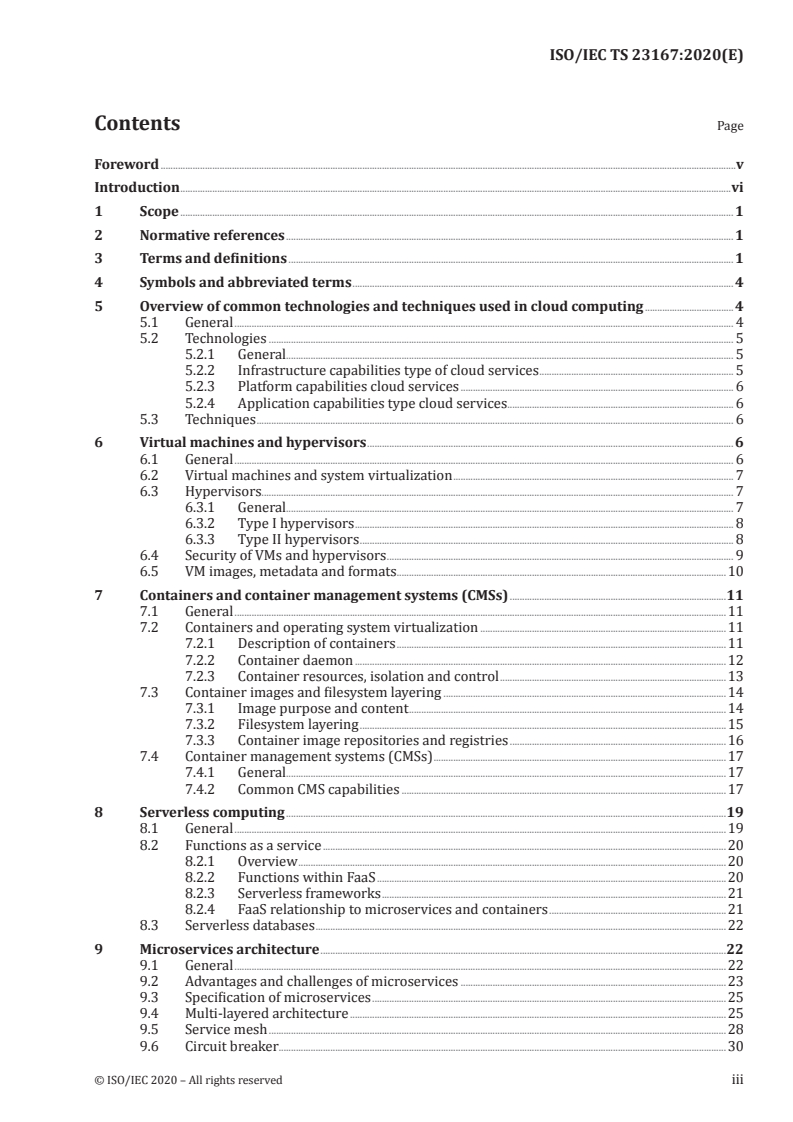
Contents Page
Foreword .v
Introduction .vi
1 Scope . 1
2 Normative references . 1
3 Terms and definitions . 1
4 Symbols and abbreviated terms . 4
5 Overview of common technologies and techniques used in cloud computing .4
5.1 General . 4
5.2 Technologies . 5
5.2.1 General. 5
5.2.2 Infrastructure capabilities type of cloud services . 5
5.2.3 Platform capabilities cloud services . 6
5.2.4 Application capabilities type cloud services . 6
5.3 Techniques . 6
6 Virtual machines and hypervisors . 6
6.1 General . 6
6.2 Virtual machines and system virtualization . 7
6.3 Hypervisors. 7
6.3.1 General. 7
6.3.2 Type I hypervisors . 8
6.3.3 Type II hypervisors . 8
6.4 Security of VMs and hypervisors . 9
6.5 VM images, metadata and formats.10
7 Containers and container management systems (CMSs) .11
7.1 General .11
7.2 Containers and operating system virtualization .11
7.2.1 Description of containers .11
7.2.2 Container daemon .12
7.2.3 Container resources, isolation and control .13
7.3 Container images and filesystem layering .14
7.3.1 Image purpose and content .14
7.3.2 Filesystem layering .15
7.3.3 Container image repositories and registries .16
7.4 Container management systems (CMSs) .17
7.4.1 General.17
7.4.2 Common CMS capabilities .17
8 Serverless computing .19
8.1 General .19
8.2 Functions as a service .20
8.2.1 Overview .20
8.2.2 Functions within FaaS .20
8.2.3 Serverless frameworks .21
8.2.4 FaaS relationship to microservices and containers .21
8.3 Serverless databases .22
9 Microservices architecture .22
9.1 General .22
9.2 Advantages and challenges of microservices .23
9.3 Specification of microservices .25
9.4 Multi-layered architecture .25
9.5 Service mesh .28
9.6 Circuit breaker.30
© ISO/IEC 2020 – All rights reserved iii
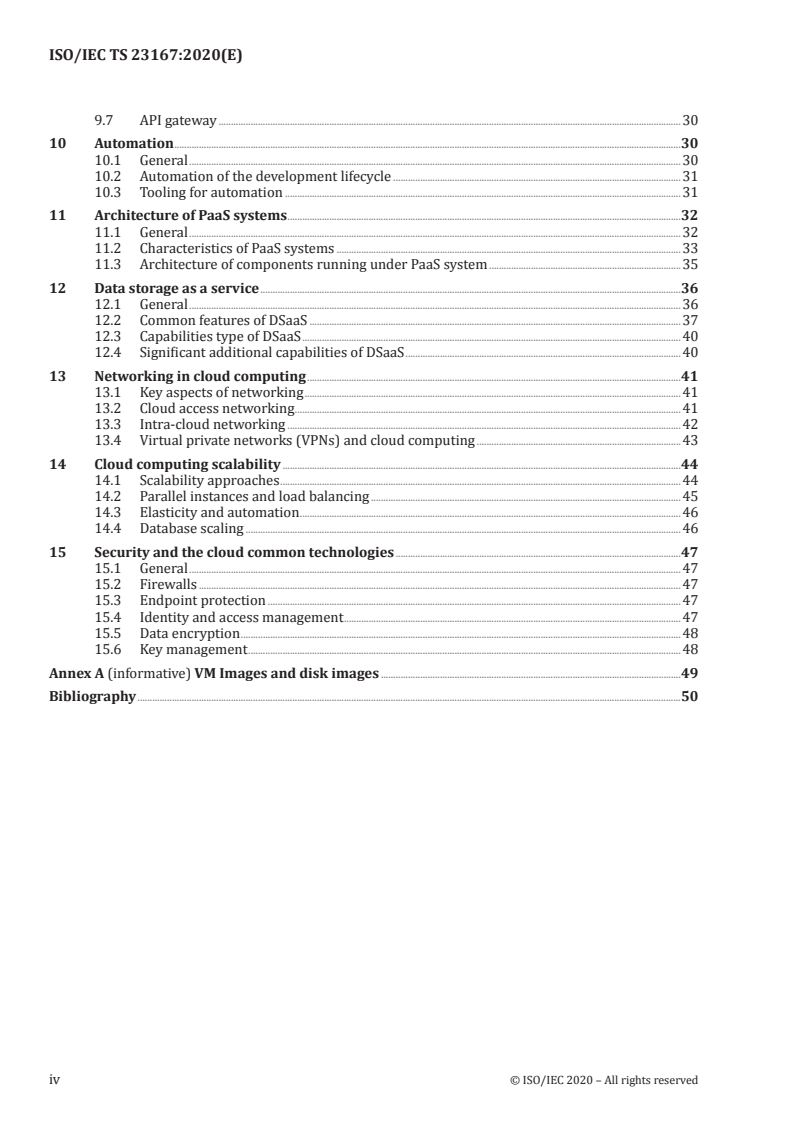
9.7 API gateway .30
10 Automation .30
10.1 General .30
10.2 Automation of the development lifecycle .31
10.3 Tooling for automation .31
11 Architecture of PaaS systems .32
11.1 General .32
11.2 Characteristics of PaaS systems .33
11.3 Architecture of components running under PaaS system .35
12 Data storage as a service .36
12.1 General .36
12.2 Common features of DSaaS .37
12.3 Capabilities type of DSaaS .40
12.4 Significant additional capabilities of DSaaS .40
13 Networking in cloud computing .41
13.1 Key aspects of networking .41
13.2 Cloud access networking .41
13.3 Intra-cloud networking .42
13.4 Virtual private networks (VPNs) and cloud computing .43
14 Cloud computing scalability .44
14.1 Scalability approaches .44
14.2 Parallel instances and load balancing .45
14.3 Elasticity and automation .46
14.4 Database scaling .46
15 Security and the cloud common technologies .47
15.1 General .47
15.2 Firewalls .47
15.3 Endpoint protection .47
15.4 Identity and access management .47
15.5 Data encryption .48
15.6 Key management .48
Annex A (informative) VM Images and disk images .49
Bibliography .50
iv © ISO/IEC 2020 – All rights reserved
Foreword
ISO (the International Organization for Standardization) and IEC (the International Electrotechnical
Commission) form the specialized system for worldwide standardization. National bodies that
are members of ISO or IEC participate in the development of International Standards through
technical committees established by the respective organization to deal with particular fields of
technical activity. ISO and IEC technical committees collaborate in fields of mutual interest. Other
international organizations, governmental and non-governmental, in liaison with ISO and IEC, also
take part in the work.
The procedures used to develop this document and those intended for its further maintenance are
described in the ISO/IEC Directives, Part 1. In particular, the different approval criteria needed for
the different types of document should be noted. This document was drafted in accordance with the
editorial rules of the ISO/IEC Directives, Part 2 (see www .iso .org/ directives).
Attention is drawn to the possibility that some of the elements of this document may be the subject
of patent rights. ISO and IEC shall not be held responsible for identifying any or all such patent
rights. Details of any patent rights identified during the development of the document will be in the
Introduction and/or on the ISO list of patent declarations received (see www .iso .org/ patents) or the IEC
list of patent declarations received (see http:// patents .iec .ch).
Any trade name used in this document is information given for the convenience of users and does not
constitute an endorsement.
For an explanation of the voluntary nature of standards, the meaning of ISO specific terms and
expressions related to conformity assessment, as well as information about ISO's adherence to the
World Trade Organization (WTO) principles in the Technical Barriers to Trade (TBT) see www .iso .org/
iso/ foreword .html.
This document was prepared by Joint Technical Committee ISO/IEC JTC 1, Information technology,
Subcommittee SC 38, Cloud Computing and Distributed Platforms.
Any feedback or questions on this document should be directed to the user’s national standards body. A
complete listing of these bodies can be found at www .iso .org/ members .html.
© ISO/IEC 2020 – All rights reserved v
Introduction
Cloud computing is described at a high, conceptual level in the two foundational standards
[1] [2]
ISO/IEC 17788 and ISO/IEC 17789 .
However, as the use of cloud computing has grown, a set of commonly used technologies has grown to
support, simplify and extend the use of cloud computing alongside sets of commonly used techniques
which enable the effective exploitation of the capabilities of cloud services. Many of these common
technologies and techniques are aimed at developers and operations staff, increasingly linked together
in a unified approach called DevOps (see 10.2). The aim is to speed and simplify the creation and
operation of solutions based on the use of cloud services.
This document aims to describe the common technologies and techniques which relate to cloud
computing, to describe how they relate to each other and to describe how they are used by some of the
roles associated with cloud computing.
This document (a Technical Specification) addresses areas that are still developing in the industry,
where it is believed that there will be a future, but not immediate, need for one or more International
Standards.
This document will be of primary interest to service developers in Cloud Service Providers and to
standards developers working with ISO and other organizations.
vi © ISO/IEC 2020 – All rights reserved
TECHNICAL SPECIFICATION ISO/IEC TS 23167:2020(E)
Information technology — Cloud computing — Common
technologies and techniques
1 Scope
This document provides a description of a set of common technologies and techniques used in
conjunction with cloud computing. These include:
— virtual machines (VMs) and hypervisors;
— containers and container management systems (CMSs);
— serverless computing;
— microservices architecture;
— automation;
— platform as a service systems and architecture;
— storage services;
— security, scalability and networking as applied to the above cloud computing technologies.
2 Normative references
The following documents are referred to in the text in such a way that some or all of their content
constitutes requirements of this document. For dated references, only the edition cited applies. For
undated references, the latest edition of the referenced document (including any amendments) applies.
1)
ISO/IEC 22123-1:— , Information technology — Cloud computing — Part 1:Terminology
3 Terms and definitions
For the purposes of this document, the terms and definitions given in ISO/IEC 22123-1 and the
following apply.
ISO and IEC maintain terminological databases for use in standardization at the following addresses:
— ISO Online browsing platform: available at http:// www .iso .org/ obp
— IEC Electropedia: available at http:// www .electropedia .org/
3.1
guest operating system
guest OS
operating system that runs within a virtual machine
[SOURCE: ISO/IEC 21878:2018, 3.2]
1) To be published.
© ISO/IEC 2020 – All rights reserved 1
3.2
host operating system
host OS
operating system onto which virtualization software is installed
Note 1 to entry: "virtualization software" can include both hypervisor and virtual machines as well as container
daemon (3.4) and containers.
3.3
serverless computing
cloud service category in which the cloud service customer can use different cloud capabilities types
without the cloud service customer having to provision, deploy and manage either hardware or
software resources, other than providing cloud service customer application code or providing cloud
service customer data
Note 1 to entry: Serverless computing provides automatic scaling with dynamic elastic allocation of resources by the
cloud service provider, automatic distribution across multiple locations, and automatic maintenance and backup.
Note 2 to entry: Serverless computing functionality is triggered by one or more cloud service customer defined
events and can execute for a limited time period as required to deal with each event.
Note 3 to entry: Serverless computing functionality can be invoked by direct invocation from web and mobile
applications.
3.4
container daemon
software service that executes on a host operating system (3.2) and is responsible for creating, starting
and stopping containers on that system
3.5
container management system
CMS
software that provides for management and orchestration of container instances
Note 1 to entry: Capabilities include initial creation and placement, scheduling, monitoring, scaling, update and
the parallel deployment of capabilities such as load balancers, firewalls, virtual networks and logging.
3.6
cloud native application
application that is explicitly designed to run within and to take advantage of the capabilities and
environment of cloud services
3.7
functional decomposition
type of modular decomposition in which a system is broken down into components that correspond to
system functions and subfunctions
EXAMPLE Hierarchical decomposition, stepwise refinement.
[SOURCE: ISO/IEC/IEEE 24765:2017, 3.1695]
3.8
continuous deployment
software engineering approach in which teams produce software in short cycles such that the software
can be released to production at any time and where deployment to production is itself automated
3.9
continuous delivery
continuous deployment (3.8) where the deployment stage is initiated manually
2 © ISO/IEC 2020 – All rights reserved
3.10
DevOps
methodology which combines together software development and IT operations in order to shorten the
development and operations lifecycle
3.11
DevSecOps
DevOps (3.10) extended to include security capabilities as an essential and integral part of the
development and operations processes
3.12
orchestration
type of composition where one particular element is used by the composition to oversee and direct the
other elements
Note 1 to entry: The element that directs an orchestration is not part of the orchestration (composition
instance) itself.
Note 2 to entry: See ISO/IEC 18384-3:2016, 8.3.
[SOURCE: ISO/IEC 18384-1:2016, 2.16]
3.13
virtual machine image
VM image
information and executable code necessary to run a virtual machine
3.14
virtual machine metadata
VM metadata
information about the configuration and startup of a virtual machine
3.15
microservice
independently deployable artefact providing a service implementing a specific functional part of an
application
3.16
microservices architecture
design approach that divides an application into a set of microservices (3.15)
3.17
functions as a service
function as a service
FaaS
cloud service category in which the capability provided to the cloud service customer is the execution
of cloud service customer application code, in the form of one or more functions that are each triggered
by a cloud service customer specified event
3.18
serverless database
cloud service category in which the capability provided to the cloud service customer is a fully cloud
service provider managed database made available via an application programming interface
© ISO/IEC 2020 – All rights reserved 3
3.19
firewall
type of security barrier placed between network environments — consisting of a dedicated device
or a composite of several components and techniques — through which all traffic from one network
environment traverses to another, and vice versa, and only authorized traffic, as defined by the local
security policy, is allowed to pass
[SOURCE: ISO/IEC 27033-1:2015, 3.12]
3.20
container registry
component that provides the capability to store and to access container images
3.21
resource affinity
placement of two or more resources close to each other
Note 1 to entry: Closeness relates to factors such as speed of access or high bandwidth of access between the
resources.
4 Symbols and abbreviated terms
API Application programming interface
CMS Container management system
CSC Cloud service customer
CSP Cloud service provider
DNS Domain name service
GUI Graphical user interface
HTTP Hypertext transfer protocol
IaaS Infrastructure as a service
IP Internet protocol
MAC Media access control
OCI Open containers initiative
OS Operating system
OVF Open virtualization format
PaaS Platform as a service
SaaS Software as a service
VPN Virtual private network
5 Overview of common technologies and techniques used in cloud computing
5.1 General
This document provides a description of a set of common technologies and techniques used in
conjunction with cloud computing.
4 © ISO/IEC 2020 – All rights reserved
A common technology is one that is used to implement one or more of the functional components of
[2]
cloud computing described in ISO/IEC 17789:2014,9.2 cloud computing reference architecture. The
common technologies often form part of a cloud service or are employed by the cloud service customer
(CSC) when using a cloud service.
A common technique is a methodology or an approach to performing some of the activities associated
[2]
with cloud computing, as described in ISO/IEC 17789:2014,10.2.2 . It is typical of the common
techniques to either reduce the effort needed to make use of cloud services or to enable full use of the
capabilities provided by cloud services.
Many of the common technologies and techniques are used in conjunction when developing and
operating cloud native applications.
The various common technologies and techniques are described in detail in the following clauses.
In what follows, text that is extracted from other standards are indicated by placing the extracted text
in quotes, using italic text, and providing the exact reference at the end of the extracted text.
5.2 Technologies
5.2.1 General
The common technologies principally relate to virtualization and the control and management of
virtualized resources in the development and operation of cloud native applications. A cloud native
application is an application that is explicitly designed to run within and to take advantage of the
capabilities and environment of cloud services. These technologies address the three primary hardware
[2]
resources identified in ISO/IEC 17789:2014,9.2.4.2 of processing, storage and networking but also
address the platform capabilities type of cloud service. These technologies include:
— Virtualized processing is addressed by virtual machines (see Clause 6), by containers (see Clause 7),
by serverless computing (see Clause 8).
— Virtualized storage is addressed by means of a variety of Data Storage as a Service (see Clause 12).
— Virtualized networking is one of the primary groups of technologies for the provision and use of
networking capabilities in relation to cloud services (see Clause 13).
— The Platform as a Service category of cloud services are designed to enable more rapid development,
testing and production of cloud native applications (see Clause 11).
Security and scalability technologies apply generally across all types of cloud services, although
the explicit use of the technologies by the CSC is more common for some types of cloud service (see
Clause 14 and Clause 15).
5.2.2 Infrastructure capabilities type of cloud services
Technologies commonly used with infrastructure capabilities type of cloud services include:
— virtual machines;
— containers;
— virtualized storage;
— virtualized networking;
— security.
© ISO/IEC 2020 – All rights reserved 5
5.2.3 Platform capabilities cloud services
Technologies commonly used with platform capabilities type of cloud services include:
— containers;
— serverless computing;
— PaaS cloud services;
— virtualized storage;
— virtualized networking;
— security.
5.2.4 Application capabilities type cloud services
Technologies commonly used with application capabilities type of cloud services include:
— virtualized storage;
— virtualized networking;
— security.
5.3 Techniques
The common techniques typically apply to all cloud service categories, although some techniques are
more useful with some categories of cloud service than others.
Orchestration and management of virtualized resources is achieved with tooling, including CMSs (see
Clause 10 and 7.4).
Techniques commonly used with cloud computing include:
— Automation of various kinds, applied throughout the DevOps processes (see Clause 10).
— Scalability approaches such as parallel instances (see Clause 14).
— Microservices design approach to applications and systems (see Clause 9).
— Firewalls, encryption, and Identity and Access Management (IAM) techniques for security and
protection of privacy (see Clause 15).
6 Virtual machines and hypervisors
6.1 General
Virtual machines and hypervisors are technologies that provide virtualized processing (also known
as virtualized compute) for cloud services. These technologies primarily relate to cloud services of
infrastructure capabilities type and IaaS as described in ISO/IEC 17788 and ISO/IEC 17789.
One of the key characteristics of cloud computing is its ability to share resources. This is fundamental
to its economics, but it is also important to characteristics such as scalability and resilience. Sharing of
processing resources requires some level of virtualization. Virtualization in general means that some
resource is made available for use in a form that does not physically exist as such but which is made to
appear to do so by software. In other words, virtualization provides an abstraction of the underlying
resource, being converted into a software defined form for use by other software entities. The software
performing the virtualization enables multiple users to simultaneously share the use of a single physical
6 © ISO/IEC 2020 – All rights reserved
resource without interfering with each other and usually without them being aware of each other. (See
ISO/IEC 22123-1:—, 5.5).
One approach to the virtualization of processing resources is the use of virtual machines, which
involves a hypervisor providing an abstraction of the system hardware and permitting multiple virtual
machines to run on a given physical system, with each VM containing its own guest operating system
(guest OS), as shown in Figure 1. This permits the system to be shared by the applications running in
each VM.
The hypervisor is typically software that is installed and operated by the CSP. The cloud service that
runs the VM offers the capability for the CSU to load software from a VM image and run the software
within a VM on the CSP system. The VM is managed by the hypervisor, but this is not seen directly by
the CSU.
6.2 Virtual machines and system virtualization
A virtual machine (VM) is an isolated execution environment for running software that uses virtualized
physical resources. In other words, this involves the virtualization of the system – and the software within
each VM is given carefully controlled access to the physical resources to enable sharing of those resources
without interference. Sometimes termed system virtual machines, VMs provide the functionality needed to
execute complete software stacks including entire operating systems and the application code that uses the
operating system (ISO/IEC 22123-1:—, 5.5.1). This is as depicted by the "guest OS" and "App x" within
each VM shown in Figure 1.
The purpose of VMs is to enable multiple applications to run at the same time on one hardware system,
while those applications remain isolated from each other. The software running within each VM
appears to have its own system hardware, such as processor, runtime memory, storage device(s) and
networking hardware. Isolated means that the software running within one VM is separated from and
unaware of software running within other VMs on the same system and is also separated from the
host OS. Virtualization commonly means that a subset of the available physical resources can be made
available to each VM, such as limited numbers of processors, limited RAM, limited storage space and
controlled access to networking capabilities.
Each VM contains a complete stack of software, starting with the operating system and continuing with
whatever other software is required to run the application(s) that are executed within the VM. The
software stack could be very simple (e.g. a native application written in a language like C, using only
functions supplied by the operating system itself) or complex (e.g. an application written in a language
TM
such as Java which requires a runtime and which makes extensive use of libraries and/or services
which are not present in the operating system and which have to be supplied separately).
Each VM can in principle contain any operating system. Different VMs on a single hardware system can
run completely different operating systems such as Linux® and Windows®. The only requirement is
that all the software running within the VM is designed for the hardware architecture of the underlying
system – the hardware is virtualized, but not emulated. So, for example, code built for an ARM processor
will not run in a VM running on an Intel x86 system.
6.3 Hypervisors
6.3.1 General
The hypervisor, sometimes termed a virtual machine monitor, is software that virtualizes physical resources
and allows for running virtual machines. Virtualization means control of the abstraction of the underlying
physical resources of the system. The hypervisor also manages the operation of the VMs. The hypervisor
allocates resources to each running VM including processor (CPU), memory, disk storage and networking
capabilities and bandwidth (ISO/IEC 22123-1).
Hypervisors exist as one of two types:
— "Bare metal", "native" or "type I";
© ISO/IEC 2020 – All rights reserved 7
— "Embedded", "hosted" or "type II".
Type I hypervisors can be faster and more efficient, since they do not need to work via a host operating
system. Type II hypervisors may be slower, but have the advantage of being typically easier to set up and
are compatible with a broader range of hardware than type I hypervisors, since hardware variations
have to be dealt with in the type I hypervisor code, whereas the type II hypervisors take advantage of
the hardware support built in to the host operating system.
6.3.2 Type I hypervisors
Type I hypervisors run directly on the underlying system hardware and control that hardware directly
as well as managing the VMs. The organization of a system using a Type I hypervisor is shown in
Figure 1.
Figure 1 — Type I hypervisor virtualization of system hardware
6.3.3 Type II hypervisors
Type II hypervisors run on top of a host operating system, more specifically the host OS kernel. It is
the host operating system that controls the system hardware, while the hypervisor makes use of its
capabilities to run and manage the VMs. The organization of a system with a Type II hypervisor is
shown in Figure 2.
8 © ISO/IEC 2020 – All rights reserved
Figure 2 — Type II hypervisor virtualization of system hardware
6.4 Security of VMs and hypervisors
For hardware systems, the operating system runs at the highest privilege level since it must control
access to all hardware resources. However, in a hypervisor host, since the hypervisor must control all
access to CPU and memory by guest VMs (providing processor and memory virtualization), it should
run at a privilege level higher than all VMs. To facilitate this, hypervisors are installed on hardware
systems that provide assistance for virtualization. Specifically, the hardware system provides two
processor states: root (hypervisor) mode and non-root (guest) mode. All guest OSs run in non-root
mode while the hypervisor alone runs in root mode.
Despite the hardware support for virtualization, the runtime process isolation for VMs provided by
the hypervisor could be subverted by rogue or compromised VMs which have gained access to areas
of memory belonging to the hypervisor or other VMs. Rogue or compromised VMs exploit certain
hypervisor design vulnerabilities with respect to certain software structures such as virtual machine
control block (VMCB) and memory page tables which are used by the hypervisor to keep track of
the execution state of VMs and memory mapping from VM addresses to host memory addresses
respectively. These vulnerabilities of hypervisors have been known for some time and as a result, many
of the vulnerabilities have been addressed or are being addressed. More recent hypervisor versions
have been updated and hardened. The CSC and CSP should check that any hypervisors in use are up-to-
date and hardened against known security vulnerabilities.
Another security implication in a hypervisor host platform stems from software used for providing
device virtualization. Unlike instruction set and memory virtualization, device virtualization is not
directly handled by the hypervisor but by using supporting software modules. Primary sources of
vulnerabilities include: (a) code emulating physical hardware devices running in the hypervisor as a
loadable kernel module and (b) device drivers for direct memory access (DMA) capable devices which
can access memory regions belonging to other VMs or even the hypervisor.
© ISO/IEC 2020 – All rights reserved 9
Potential downstream impacts of a rogue VM taking control of the hypervisor include the installation of
rootkits or attacks on other VMs on the same hypervisor host. All device virtualization software should
be verified against security flaws before installation and use on a system using a hypervisor and VMs.
6.5 VM images, metadata and formats
A virtual machine image (VM image) is a package of data that contains the information and executable
code necessary to run an instance of a VM. The VM image is used to instantiate a new instance of a VM,
as required. The VM image can include the complete software stack required to run an application,
starting with the operating system, libraries, runtimes, the application code itself, configuration files
and other metadata used by the application. The VM image can also include metadata associated with
the instantiation of the VM itself.
The VM metadata contains information about the configuration and startup of the VM. This might
include properties of the VM such as RAM size, CPU requirements and so on. The VM metadata also
typically references the disk images contained in the VM image, in particular indicating how they are
deployed into a VM instance.
The concept of the VM image is that it should contain all the entities required to run an instance of a
VM, where the VM image is used as input data to a hypervisor to enable it to create and start the VM.
Broadly, the VM image consists of two sets of data – firstly, VM metadata and secondly disk images. It is
important to understand that there are in existence many different formats of both VM metadata and
disk images. A particular hypervisor used to instantiate a VM might only understand specific formats
for the VM metadata and disk images. Some of the formats are proprietary, while others are open or
standardised. See Annex A for information about VM image formats.
VM images are based on data held in files – files on filesystems, which are held in the VM image as one
or more disk images. These files can be those of the operating system, the application and any other
part of the software stack that is required. There is at least one disk image, but there can be multiple
disk images if this is the organization of files that is used by the application and its software stack. It is
often the case that the volume of data held in the disk images is very large and as a result, the formats
used to store the data involve the use of compression in one form or another.
There are many VM image and disk image formats in use, a substantial proportion of which are
proprietary or which are open source. Examples of standardised VM image and disk image formats
include:
[18]
— OVF ("Open Virtualization Format") (see ISO/IEC 17203:2017 )
The OVF package has a number of files placed in a single directory. There is an OVF descriptor
file (with extension .ovf) which has XML format contents describing the packaged virtual machine
including the metadata such as the name, hardware requirements and references to the other
files in the package. The OVF package also contains one or more disk images, plus some optional
files such as certificate files. The OVF image format has a relatively wide range of support, either
directly or via import/export tools.
[72]
— ISO disk format – the archive format used for optical disc contents (see ISO 9660 and
[73]
ISO/IEC 13346 )
ISO 9660 is a file system for optical disk media, principally CD-ROMs.
ISO/IEC 13346 (also known as Universal Disk Format or UDF) is often used on DVDs and Blu-r
...
TECHNICAL ISO/IEC TS
SPECIFICATION 23167
First edition
2020-02
Information technology — Cloud
computing — Common technologies
and techniques
Reference number
©
ISO/IEC 2020
© ISO/IEC 2020
All rights reserved. Unless otherwise specified, or required in the context of its implementation, no part of this publication may
be reproduced or utilized otherwise in any form or by any means, electronic or mechanical, including photocopying, or posting
on the internet or an intranet, without prior written permission. Permission can be requested from either ISO at the address
below or ISO’s member body in the country of the requester.
ISO copyright office
CP 401 • Ch. de Blandonnet 8
CH-1214 Vernier, Geneva
Phone: +41 22 749 01 11
Fax: +41 22 749 09 47
Email: copyright@iso.org
Website: www.iso.org
Published in Switzerland
ii © ISO/IEC 2020 – All rights reserved
Contents Page
Foreword .v
Introduction .vi
1 Scope . 1
2 Normative references . 1
3 Terms and definitions . 1
4 Symbols and abbreviated terms . 4
5 Overview of common technologies and techniques used in cloud computing .4
5.1 General . 4
5.2 Technologies . 5
5.2.1 General. 5
5.2.2 Infrastructure capabilities type of cloud services . 5
5.2.3 Platform capabilities cloud services . 6
5.2.4 Application capabilities type cloud services . 6
5.3 Techniques . 6
6 Virtual machines and hypervisors . 6
6.1 General . 6
6.2 Virtual machines and system virtualization . 7
6.3 Hypervisors. 7
6.3.1 General. 7
6.3.2 Type I hypervisors . 8
6.3.3 Type II hypervisors . 8
6.4 Security of VMs and hypervisors . 9
6.5 VM images, metadata and formats.10
7 Containers and container management systems (CMSs) .11
7.1 General .11
7.2 Containers and operating system virtualization .11
7.2.1 Description of containers .11
7.2.2 Container daemon .12
7.2.3 Container resources, isolation and control .13
7.3 Container images and filesystem layering .14
7.3.1 Image purpose and content .14
7.3.2 Filesystem layering .15
7.3.3 Container image repositories and registries .16
7.4 Container management systems (CMSs) .17
7.4.1 General.17
7.4.2 Common CMS capabilities .17
8 Serverless computing .19
8.1 General .19
8.2 Functions as a service .20
8.2.1 Overview .20
8.2.2 Functions within FaaS .20
8.2.3 Serverless frameworks .21
8.2.4 FaaS relationship to microservices and containers .21
8.3 Serverless databases .22
9 Microservices architecture .22
9.1 General .22
9.2 Advantages and challenges of microservices .23
9.3 Specification of microservices .25
9.4 Multi-layered architecture .25
9.5 Service mesh .28
9.6 Circuit breaker.30
© ISO/IEC 2020 – All rights reserved iii
9.7 API gateway .30
10 Automation .30
10.1 General .30
10.2 Automation of the development lifecycle .31
10.3 Tooling for automation .31
11 Architecture of PaaS systems .32
11.1 General .32
11.2 Characteristics of PaaS systems .33
11.3 Architecture of components running under PaaS system .35
12 Data storage as a service .36
12.1 General .36
12.2 Common features of DSaaS .37
12.3 Capabilities type of DSaaS .40
12.4 Significant additional capabilities of DSaaS .40
13 Networking in cloud computing .41
13.1 Key aspects of networking .41
13.2 Cloud access networking .41
13.3 Intra-cloud networking .42
13.4 Virtual private networks (VPNs) and cloud computing .43
14 Cloud computing scalability .44
14.1 Scalability approaches .44
14.2 Parallel instances and load balancing .45
14.3 Elasticity and automation .46
14.4 Database scaling .46
15 Security and the cloud common technologies .47
15.1 General .47
15.2 Firewalls .47
15.3 Endpoint protection .47
15.4 Identity and access management .47
15.5 Data encryption .48
15.6 Key management .48
Annex A (informative) VM Images and disk images .49
Bibliography .50
iv © ISO/IEC 2020 – All rights reserved
Foreword
ISO (the International Organization for Standardization) and IEC (the International Electrotechnical
Commission) form the specialized system for worldwide standardization. National bodies that
are members of ISO or IEC participate in the development of International Standards through
technical committees established by the respective organization to deal with particular fields of
technical activity. ISO and IEC technical committees collaborate in fields of mutual interest. Other
international organizations, governmental and non-governmental, in liaison with ISO and IEC, also
take part in the work.
The procedures used to develop this document and those intended for its further maintenance are
described in the ISO/IEC Directives, Part 1. In particular, the different approval criteria needed for
the different types of document should be noted. This document was drafted in accordance with the
editorial rules of the ISO/IEC Directives, Part 2 (see www .iso .org/ directives).
Attention is drawn to the possibility that some of the elements of this document may be the subject
of patent rights. ISO and IEC shall not be held responsible for identifying any or all such patent
rights. Details of any patent rights identified during the development of the document will be in the
Introduction and/or on the ISO list of patent declarations received (see www .iso .org/ patents) or the IEC
list of patent declarations received (see http:// patents .iec .ch).
Any trade name used in this document is information given for the convenience of users and does not
constitute an endorsement.
For an explanation of the voluntary nature of standards, the meaning of ISO specific terms and
expressions related to conformity assessment, as well as information about ISO's adherence to the
World Trade Organization (WTO) principles in the Technical Barriers to Trade (TBT) see www .iso .org/
iso/ foreword .html.
This document was prepared by Joint Technical Committee ISO/IEC JTC 1, Information technology,
Subcommittee SC 38, Cloud Computing and Distributed Platforms.
Any feedback or questions on this document should be directed to the user’s national standards body. A
complete listing of these bodies can be found at www .iso .org/ members .html.
© ISO/IEC 2020 – All rights reserved v
Introduction
Cloud computing is described at a high, conceptual level in the two foundational standards
[1] [2]
ISO/IEC 17788 and ISO/IEC 17789 .
However, as the use of cloud computing has grown, a set of commonly used technologies has grown to
support, simplify and extend the use of cloud computing alongside sets of commonly used techniques
which enable the effective exploitation of the capabilities of cloud services. Many of these common
technologies and techniques are aimed at developers and operations staff, increasingly linked together
in a unified approach called DevOps (see 10.2). The aim is to speed and simplify the creation and
operation of solutions based on the use of cloud services.
This document aims to describe the common technologies and techniques which relate to cloud
computing, to describe how they relate to each other and to describe how they are used by some of the
roles associated with cloud computing.
This document (a Technical Specification) addresses areas that are still developing in the industry,
where it is believed that there will be a future, but not immediate, need for one or more International
Standards.
This document will be of primary interest to service developers in Cloud Service Providers and to
standards developers working with ISO and other organizations.
vi © ISO/IEC 2020 – All rights reserved
TECHNICAL SPECIFICATION ISO/IEC TS 23167:2020(E)
Information technology — Cloud computing — Common
technologies and techniques
1 Scope
This document provides a description of a set of common technologies and techniques used in
conjunction with cloud computing. These include:
— virtual machines (VMs) and hypervisors;
— containers and container management systems (CMSs);
— serverless computing;
— microservices architecture;
— automation;
— platform as a service systems and architecture;
— storage services;
— security, scalability and networking as applied to the above cloud computing technologies.
2 Normative references
The following documents are referred to in the text in such a way that some or all of their content
constitutes requirements of this document. For dated references, only the edition cited applies. For
undated references, the latest edition of the referenced document (including any amendments) applies.
1)
ISO/IEC 22123-1:— , Information technology — Cloud computing — Part 1:Terminology
3 Terms and definitions
For the purposes of this document, the terms and definitions given in ISO/IEC 22123-1 and the
following apply.
ISO and IEC maintain terminological databases for use in standardization at the following addresses:
— ISO Online browsing platform: available at http:// www .iso .org/ obp
— IEC Electropedia: available at http:// www .electropedia .org/
3.1
guest operating system
guest OS
operating system that runs within a virtual machine
[SOURCE: ISO/IEC 21878:2018, 3.2]
1) To be published.
© ISO/IEC 2020 – All rights reserved 1
3.2
host operating system
host OS
operating system onto which virtualization software is installed
Note 1 to entry: "virtualization software" can include both hypervisor and virtual machines as well as container
daemon (3.4) and containers.
3.3
serverless computing
cloud service category in which the cloud service customer can use different cloud capabilities types
without the cloud service customer having to provision, deploy and manage either hardware or
software resources, other than providing cloud service customer application code or providing cloud
service customer data
Note 1 to entry: Serverless computing provides automatic scaling with dynamic elastic allocation of resources by the
cloud service provider, automatic distribution across multiple locations, and automatic maintenance and backup.
Note 2 to entry: Serverless computing functionality is triggered by one or more cloud service customer defined
events and can execute for a limited time period as required to deal with each event.
Note 3 to entry: Serverless computing functionality can be invoked by direct invocation from web and mobile
applications.
3.4
container daemon
software service that executes on a host operating system (3.2) and is responsible for creating, starting
and stopping containers on that system
3.5
container management system
CMS
software that provides for management and orchestration of container instances
Note 1 to entry: Capabilities include initial creation and placement, scheduling, monitoring, scaling, update and
the parallel deployment of capabilities such as load balancers, firewalls, virtual networks and logging.
3.6
cloud native application
application that is explicitly designed to run within and to take advantage of the capabilities and
environment of cloud services
3.7
functional decomposition
type of modular decomposition in which a system is broken down into components that correspond to
system functions and subfunctions
EXAMPLE Hierarchical decomposition, stepwise refinement.
[SOURCE: ISO/IEC/IEEE 24765:2017, 3.1695]
3.8
continuous deployment
software engineering approach in which teams produce software in short cycles such that the software
can be released to production at any time and where deployment to production is itself automated
3.9
continuous delivery
continuous deployment (3.8) where the deployment stage is initiated manually
2 © ISO/IEC 2020 – All rights reserved
3.10
DevOps
methodology which combines together software development and IT operations in order to shorten the
development and operations lifecycle
3.11
DevSecOps
DevOps (3.10) extended to include security capabilities as an essential and integral part of the
development and operations processes
3.12
orchestration
type of composition where one particular element is used by the composition to oversee and direct the
other elements
Note 1 to entry: The element that directs an orchestration is not part of the orchestration (composition
instance) itself.
Note 2 to entry: See ISO/IEC 18384-3:2016, 8.3.
[SOURCE: ISO/IEC 18384-1:2016, 2.16]
3.13
virtual machine image
VM image
information and executable code necessary to run a virtual machine
3.14
virtual machine metadata
VM metadata
information about the configuration and startup of a virtual machine
3.15
microservice
independently deployable artefact providing a service implementing a specific functional part of an
application
3.16
microservices architecture
design approach that divides an application into a set of microservices (3.15)
3.17
functions as a service
function as a service
FaaS
cloud service category in which the capability provided to the cloud service customer is the execution
of cloud service customer application code, in the form of one or more functions that are each triggered
by a cloud service customer specified event
3.18
serverless database
cloud service category in which the capability provided to the cloud service customer is a fully cloud
service provider managed database made available via an application programming interface
© ISO/IEC 2020 – All rights reserved 3
3.19
firewall
type of security barrier placed between network environments — consisting of a dedicated device
or a composite of several components and techniques — through which all traffic from one network
environment traverses to another, and vice versa, and only authorized traffic, as defined by the local
security policy, is allowed to pass
[SOURCE: ISO/IEC 27033-1:2015, 3.12]
3.20
container registry
component that provides the capability to store and to access container images
3.21
resource affinity
placement of two or more resources close to each other
Note 1 to entry: Closeness relates to factors such as speed of access or high bandwidth of access between the
resources.
4 Symbols and abbreviated terms
API Application programming interface
CMS Container management system
CSC Cloud service customer
CSP Cloud service provider
DNS Domain name service
GUI Graphical user interface
HTTP Hypertext transfer protocol
IaaS Infrastructure as a service
IP Internet protocol
MAC Media access control
OCI Open containers initiative
OS Operating system
OVF Open virtualization format
PaaS Platform as a service
SaaS Software as a service
VPN Virtual private network
5 Overview of common technologies and techniques used in cloud computing
5.1 General
This document provides a description of a set of common technologies and techniques used in
conjunction with cloud computing.
4 © ISO/IEC 2020 – All rights reserved
A common technology is one that is used to implement one or more of the functional components of
[2]
cloud computing described in ISO/IEC 17789:2014,9.2 cloud computing reference architecture. The
common technologies often form part of a cloud service or are employed by the cloud service customer
(CSC) when using a cloud service.
A common technique is a methodology or an approach to performing some of the activities associated
[2]
with cloud computing, as described in ISO/IEC 17789:2014,10.2.2 . It is typical of the common
techniques to either reduce the effort needed to make use of cloud services or to enable full use of the
capabilities provided by cloud services.
Many of the common technologies and techniques are used in conjunction when developing and
operating cloud native applications.
The various common technologies and techniques are described in detail in the following clauses.
In what follows, text that is extracted from other standards are indicated by placing the extracted text
in quotes, using italic text, and providing the exact reference at the end of the extracted text.
5.2 Technologies
5.2.1 General
The common technologies principally relate to virtualization and the control and management of
virtualized resources in the development and operation of cloud native applications. A cloud native
application is an application that is explicitly designed to run within and to take advantage of the
capabilities and environment of cloud services. These technologies address the three primary hardware
[2]
resources identified in ISO/IEC 17789:2014,9.2.4.2 of processing, storage and networking but also
address the platform capabilities type of cloud service. These technologies include:
— Virtualized processing is addressed by virtual machines (see Clause 6), by containers (see Clause 7),
by serverless computing (see Clause 8).
— Virtualized storage is addressed by means of a variety of Data Storage as a Service (see Clause 12).
— Virtualized networking is one of the primary groups of technologies for the provision and use of
networking capabilities in relation to cloud services (see Clause 13).
— The Platform as a Service category of cloud services are designed to enable more rapid development,
testing and production of cloud native applications (see Clause 11).
Security and scalability technologies apply generally across all types of cloud services, although
the explicit use of the technologies by the CSC is more common for some types of cloud service (see
Clause 14 and Clause 15).
5.2.2 Infrastructure capabilities type of cloud services
Technologies commonly used with infrastructure capabilities type of cloud services include:
— virtual machines;
— containers;
— virtualized storage;
— virtualized networking;
— security.
© ISO/IEC 2020 – All rights reserved 5
5.2.3 Platform capabilities cloud services
Technologies commonly used with platform capabilities type of cloud services include:
— containers;
— serverless computing;
— PaaS cloud services;
— virtualized storage;
— virtualized networking;
— security.
5.2.4 Application capabilities type cloud services
Technologies commonly used with application capabilities type of cloud services include:
— virtualized storage;
— virtualized networking;
— security.
5.3 Techniques
The common techniques typically apply to all cloud service categories, although some techniques are
more useful with some categories of cloud service than others.
Orchestration and management of virtualized resources is achieved with tooling, including CMSs (see
Clause 10 and 7.4).
Techniques commonly used with cloud computing include:
— Automation of various kinds, applied throughout the DevOps processes (see Clause 10).
— Scalability approaches such as parallel instances (see Clause 14).
— Microservices design approach to applications and systems (see Clause 9).
— Firewalls, encryption, and Identity and Access Management (IAM) techniques for security and
protection of privacy (see Clause 15).
6 Virtual machines and hypervisors
6.1 General
Virtual machines and hypervisors are technologies that provide virtualized processing (also known
as virtualized compute) for cloud services. These technologies primarily relate to cloud services of
infrastructure capabilities type and IaaS as described in ISO/IEC 17788 and ISO/IEC 17789.
One of the key characteristics of cloud computing is its ability to share resources. This is fundamental
to its economics, but it is also important to characteristics such as scalability and resilience. Sharing of
processing resources requires some level of virtualization. Virtualization in general means that some
resource is made available for use in a form that does not physically exist as such but which is made to
appear to do so by software. In other words, virtualization provides an abstraction of the underlying
resource, being converted into a software defined form for use by other software entities. The software
performing the virtualization enables multiple users to simultaneously share the use of a single physical
6 © ISO/IEC 2020 – All rights reserved
resource without interfering with each other and usually without them being aware of each other. (See
ISO/IEC 22123-1:—, 5.5).
One approach to the virtualization of processing resources is the use of virtual machines, which
involves a hypervisor providing an abstraction of the system hardware and permitting multiple virtual
machines to run on a given physical system, with each VM containing its own guest operating system
(guest OS), as shown in Figure 1. This permits the system to be shared by the applications running in
each VM.
The hypervisor is typically software that is installed and operated by the CSP. The cloud service that
runs the VM offers the capability for the CSU to load software from a VM image and run the software
within a VM on the CSP system. The VM is managed by the hypervisor, but this is not seen directly by
the CSU.
6.2 Virtual machines and system virtualization
A virtual machine (VM) is an isolated execution environment for running software that uses virtualized
physical resources. In other words, this involves the virtualization of the system – and the software within
each VM is given carefully controlled access to the physical resources to enable sharing of those resources
without interference. Sometimes termed system virtual machines, VMs provide the functionality needed to
execute complete software stacks including entire operating systems and the application code that uses the
operating system (ISO/IEC 22123-1:—, 5.5.1). This is as depicted by the "guest OS" and "App x" within
each VM shown in Figure 1.
The purpose of VMs is to enable multiple applications to run at the same time on one hardware system,
while those applications remain isolated from each other. The software running within each VM
appears to have its own system hardware, such as processor, runtime memory, storage device(s) and
networking hardware. Isolated means that the software running within one VM is separated from and
unaware of software running within other VMs on the same system and is also separated from the
host OS. Virtualization commonly means that a subset of the available physical resources can be made
available to each VM, such as limited numbers of processors, limited RAM, limited storage space and
controlled access to networking capabilities.
Each VM contains a complete stack of software, starting with the operating system and continuing with
whatever other software is required to run the application(s) that are executed within the VM. The
software stack could be very simple (e.g. a native application written in a language like C, using only
functions supplied by the operating system itself) or complex (e.g. an application written in a language
TM
such as Java which requires a runtime and which makes extensive use of libraries and/or services
which are not present in the operating system and which have to be supplied separately).
Each VM can in principle contain any operating system. Different VMs on a single hardware system can
run completely different operating systems such as Linux® and Windows®. The only requirement is
that all the software running within the VM is designed for the hardware architecture of the underlying
system – the hardware is virtualized, but not emulated. So, for example, code built for an ARM processor
will not run in a VM running on an Intel x86 system.
6.3 Hypervisors
6.3.1 General
The hypervisor, sometimes termed a virtual machine monitor, is software that virtualizes physical resources
and allows for running virtual machines. Virtualization means control of the abstraction of the underlying
physical resources of the system. The hypervisor also manages the operation of the VMs. The hypervisor
allocates resources to each running VM including processor (CPU), memory, disk storage and networking
capabilities and bandwidth (ISO/IEC 22123-1).
Hypervisors exist as one of two types:
— "Bare metal", "native" or "type I";
© ISO/IEC 2020 – All rights reserved 7
— "Embedded", "hosted" or "type II".
Type I hypervisors can be faster and more efficient, since they do not need to work via a host operating
system. Type II hypervisors may be slower, but have the advantage of being typically easier to set up and
are compatible with a broader range of hardware than type I hypervisors, since hardware variations
have to be dealt with in the type I hypervisor code, whereas the type II hypervisors take advantage of
the hardware support built in to the host operating system.
6.3.2 Type I hypervisors
Type I hypervisors run directly on the underlying system hardware and control that hardware directly
as well as managing the VMs. The organization of a system using a Type I hypervisor is shown in
Figure 1.
Figure 1 — Type I hypervisor virtualization of system hardware
6.3.3 Type II hypervisors
Type II hypervisors run on top of a host operating system, more specifically the host OS kernel. It is
the host operating system that controls the system hardware, while the hypervisor makes use of its
capabilities to run and manage the VMs. The organization of a system with a Type II hypervisor is
shown in Figure 2.
8 © ISO/IEC 2020 – All rights reserved
Figure 2 — Type II hypervisor virtualization of system hardware
6.4 Security of VMs and hypervisors
For hardware systems, the operating system runs at the highest privilege level since it must control
access to all hardware resources. However, in a hypervisor host, since the hypervisor must control all
access to CPU and memory by guest VMs (providing processor and memory virtualization), it should
run at a privilege level higher than all VMs. To facilitate this, hypervisors are installed on hardware
systems that provide assistance for virtualization. Specifically, the hardware system provides two
processor states: root (hypervisor) mode and non-root (guest) mode. All guest OSs run in non-root
mode while the hypervisor alone runs in root mode.
Despite the hardware support for virtualization, the runtime process isolation for VMs provided by
the hypervisor could be subverted by rogue or compromised VMs which have gained access to areas
of memory belonging to the hypervisor or other VMs. Rogue or compromised VMs exploit certain
hypervisor design vulnerabilities with respect to certain software structures such as virtual machine
control block (VMCB) and memory page tables which are used by the hypervisor to keep track of
the execution state of VMs and memory mapping from VM addresses to host memory addresses
respectively. These vulnerabilities of hypervisors have been known for some time and as a result, many
of the vulnerabilities have been addressed or are being addressed. More recent hypervisor versions
have been updated and hardened. The CSC and CSP should check that any hypervisors in use are up-to-
date and hardened against known security vulnerabilities.
Another security implication in a hypervisor host platform stems from software used for providing
device virtualization. Unlike instruction set and memory virtualization, device virtualization is not
directly handled by the hypervisor but by using supporting software modules. Primary sources of
vulnerabilities include: (a) code emulating physical hardware devices running in the hypervisor as a
loadable kernel module and (b) device drivers for direct memory access (DMA) capable devices which
can access memory regions belonging to other VMs or even the hypervisor.
© ISO/IEC 2020 – All rights reserved 9
Potential downstream impacts of a rogue VM taking control of the hypervisor include the installation of
rootkits or attacks on other VMs on the same hypervisor host. All device virtualization software should
be verified against security flaws before installation and use on a system using a hypervisor and VMs.
6.5 VM images, metadata and formats
A virtual machine image (VM image) is a package of data that contains the information and executable
code necessary to run an instance of a VM. The VM image is used to instantiate a new instance of a VM,
as required. The VM image can include the complete software stack required to run an application,
starting with the operating system, libraries, runtimes, the application code itself, configuration files
and other metadata used by the application. The VM image can also include metadata associated with
the instantiation of the VM itself.
The VM metadata contains information about the configuration and startup of the VM. This might
include properties of the VM such as RAM size, CPU requirements and so on. The VM metadata also
typically references the disk images contained in the VM image, in particular indicating how they are
deployed into a VM instance.
The concept of the VM image is that it should contain all the entities required to run an instance of a
VM, where the VM image is used as input data to a hypervisor to enable it to create and start the VM.
Broadly, the VM image consists of two sets of data – firstly, VM metadata and secondly disk images. It is
important to understand that there are in existence many different formats of both VM metadata and
disk images. A particular hypervisor used to instantiate a VM might only understand specific formats
for the VM metadata and disk images. Some of the formats are proprietary, while others are open or
standardised. See Annex A for information about VM image formats.
VM images are based on data held in files – files on filesystems, which are held in the VM image as one
or more disk images. These files can be those of the operating system, the application and any other
part of the software stack that is required. There is at least one disk image, but there can be multiple
disk images if this is the organization of files that is used by the application and its software stack. It is
often the case that the volume of data held in the disk images is very large and as a result, the formats
used to store the data involve the use of compression in one form or another.
There are many VM image and disk image formats in use, a substantial proportion of which are
proprietary or which are open source. Examples of standardised VM image and disk image formats
include:
[18]
— OVF ("Open Virtualization Format") (see ISO/IEC 17203:2017 )
The OVF package has a number of files placed in a single directory. There is an OVF descriptor
file (with extension .ovf) which has XML format contents describing the packaged virtual machine
including the metadata such as the name, hardware requirements and references to the other
files in the package. The OVF package also contains one or more disk images, plus some optional
files such as certificate files. The OVF image format has a relatively wide range of support, either
directly or via import/export tools.
[72]
— ISO disk format – the archive format used for optical disc contents (see ISO 9660 and
[73]
ISO/IEC 13346 )
ISO 9660 is a file system for optical disk media, principally CD-ROMs.
ISO/IEC 13346 (also known as Universal Disk Format or UDF) is often used on DVDs and Blu-r
...