

IEC TR 62908-1-3:2026
(Main)Touch and interactive displays - Part 1-3: Generic - Overview of pen touch technology
- Abstract
IEC TR 62908-1-3:2026, which is a technical report, provides general information on pen touch technology with the aim toward standardization. This document includes an overview of the pen touch technology, critical performance characteristics, issues of characteristics measurements, and other information. The purpose of this document is to provide an overview of the different products available in pen touch technology. The companies and products named in this document do not constitute an endorsement by IEC of these products. This second edition cancels and replaces the first edition published in 2021. This edition constitutes a technical revision.
This edition includes the following significant technical changes with respect to the previous edition:
a) add writing characteristics as physical properties of interaction between a pen and a surface of a screen;
b) add example of frictional response between paper and pencil, AGL and touch pen, and glass and touch pen;
c) add example of touch display used in the classroom regarding writing and optical characteristics.
- Status
- Published
- Publication Date
- 07-Jun-2026
- Technical Committee
- TC 110 - Electronic displays
- Drafting Committee
- WG 9 - TC 110/WG 9
- Current Stage
- PPUB - Publication issued
- Start Date
- 08-Jun-2026
- Completion Date
- 19-Jun-2026
Buy Documents
IEC TR 62908-1-3:2026 - Touch and interactive displays - Part 1-3: Generic - Overview of pen touch technology
REDLINE IEC TR 62908-1-3:2026 RLV - Touch and interactive displays - Part 1-3: Generic - Overview of pen touch technology
IEC TR 62908-1-3:2026 is a Technical Report published by IEC (International Electrotechnical Commission). It gives general information on pen touch technology with the aim toward standardization, covering sensing methods, touch-pen types, critical performance characteristics, and issues of measurement and future development. It is written for people comparing pen-input technologies in products such as smartphones, tablets, notebook PCs, pen tablets, interactive displays, and classroom devices.
What does IEC TR 62908-1-3:2026 specify?
IEC TR 62908-1-3:2026 provides an overview of pen touch technology rather than a product standard with pass or fail requirements. It explains how pen touch works, how pen and panel types are classified, which characteristics matter in practice, and where measurement and standardization issues remain.
The document is organized into clauses on general information, characteristics, applications, future issues, and hardware-software collaboration, plus one informative annex.
| Annex | What it covers |
|---|---|
| Annex A | Example of use-case: touch display used in the classroom, including glare, posture, and writing/optical characteristics |
The scope states that the document is meant to inform standardization work. It also notes that company and product names are examples only and do not imply IEC endorsement.
What are the key requirements of IEC TR 62908-1-3:2026?
IEC TR 62908-1-3:2026 does not set compliance requirements in the way a product standard does. Its main technical content is the classification of technologies, the characteristics to evaluate, and the issues that must be resolved if pen touch is to be standardized.
1. Clause 4 separates pointing devices and pen types
Clause 4 compares finger touch, pen touch, and mouse. The key point is that finger touch and pen touch use absolute coordinates, while a mouse uses relative coordinates. In practice, this explains why a pen is better for accurate drawing and signature input, while finger touch is better for multi-touch gestures.
Clause 4 also classifies touch pens by whether they contain circuits, how they are sensed, and whether communication is unidirectional or bidirectional. That matters because panel compatibility depends on the pen architecture, not just the pen tip.
2. Clause 4.3 maps sensing technology to panel structure
IEC TR 62908-1-3:2026 describes resistive, capacitive, EMI, optical, and ultrasonic sensing. Each type detects the pen in a different way, so the panel design and the pen design must match.
For example, resistive panels detect pressure that shorts two resistive films, capacitive panels detect capacitance changes, EMI panels use electromagnetic induction with antenna coils, optical panels detect shading of light, and ultrasonic panels detect attenuation of ultrasonic signals. In practice, this helps a buyer or designer understand which pen and display combinations are possible.
3. Clause 4.4 describes passive and active stylus pens
The document distinguishes passive stylus pens, which have no electrical circuit, from active stylus pens, which include electronics and often a battery. It also describes protocol families used with active pens for PCAP panels, including MPP, AP, WA, and USI.
This matters when choosing a product platform. Some pens are tied to a specific protocol or system, while others are broader in use but may offer fewer functions.
4. Clause 5 groups the performance characteristics that matter
Clause 5 separates basic touch characteristics from characteristics that are specific to pen use. The basic group includes accuracy, repeatability, jitter, linearity, reproducibility, latency, and perpendicular touch/hover distance, using the measurement framework of IEC 62908-12-10. The pen-specific group adds tracking speed, writing characteristics, position parallax, minimum area and minimum pressure, pressure sensitivity, and tilt angle.
In practice, these are the numbers and observations that determine whether a pen feels precise, responsive, and suitable for handwriting or drawing.
5. Writing characteristics and position parallax are treated as practical design issues
The document treats writing characteristics as physical interaction between the pen and the screen surface, especially friction. It also explains that anti-glare layer (AGL) can change the feel of writing and the optical behavior of the display.
Position parallax is the offset between the displayed target and the pen tip as viewed at an angle. A thicker cover lens and touch panel increase that offset, so display stack-up affects how accurately users can point or write.
6. Clause 6 links technology to real applications
Clause 6 gives application examples for pen tablets, smartphones, notebook PCs, educational tablets, and an interactive projector. It shows that some pens are general-purpose, while others are dedicated to one product family or protocol.
For a reader, this means the document is useful when matching a pen technology to a market segment or product category.
7. Clause 7 identifies open issues for future standardization
Clause 7 highlights unresolved topics such as how to define tracking speed, how to measure writing comfort objectively, how to handle combined finger and pen use, and how to define palm rejection area and pen position relationships.
These are the topics a standards developer, test engineer, or product team would need to settle before a common test method can be finalized.
8. Clause 8 connects pen touch with digital ink software
Clause 8 describes the role of digital ink software platforms and libraries in capturing pressure, speed, angle, and stroke data. It also points to future uses such as signature verification, data protection, user authentication, flexible displays, projectors, and AR/VR glass.
In practice, pen touch is presented as a hardware-and-software system, not only a sensor problem.
What terms does IEC TR 62908-1-3:2026 define?
- Passive stylus pen - A pen without an electrical circuit inside, used with panel sensing methods that do not require pen electronics.
- Active stylus pen - A pen with an internal circuit, usually powered by a battery, that sends signals to the sensing system.
- EMI - Electromagnetic induction, the method used by EMI panels and EMI pens to detect position and related data.
- PCAP - Projected capacitive touch panel, the capacitive panel type commonly used in smartphones, tablets, and notebook PCs.
- AGL - Anti-glare layer, a surface layer used to reduce unwanted reflection and affect writing feel.
- Tracking speed - The delay between pen movement and the system response seen by the user.
- Position parallax - The offset between the pen touch point and the displayed target when the screen is viewed at an angle.
- Writing comfort - The human perception of how closely pen input feels like writing with a real writing tool on paper.
Who uses IEC TR 62908-1-3:2026?
IEC TR 62908-1-3:2026 is used by display manufacturers, stylus and digitizer designers, tablet and notebook PC developers, software teams working on digital ink, and test or quality engineers evaluating pen-input performance. It is also relevant to buyers and product planners who need to compare pen technologies for classrooms, education tablets, interactive boards, smartphones, and pen tablets.
Typical tasks include selecting a sensing method, checking protocol compatibility, evaluating writing feel, planning latency and pressure measurements, and deciding whether a product needs passive or active pen support.
What changed in IEC TR 62908-1-3:2026 from the previous edition?
IEC TR 62908-1-3:2026 is the second edition and it cancels and replaces the first edition published in 2021. The edition is described as a technical revision.
The stated technical changes are:
- writing characteristics were added as physical properties of interaction between a pen and a screen surface;
- an example of frictional response was added for paper and pencil, AGL and touch pen, and glass and touch pen;
- a classroom touch-display example was added for writing and optical characteristics.
Which standards are used with IEC TR 62908-1-3:2026?
| Standard | How it contributes |
|---|---|
| IEC 60068-1 | Provides general environmental testing terms and guidance used for terms and definitions |
| IEC 62908-1-2 | Provides terminology and letter symbols for touch and interactive displays |
| IEC 62908-12-10 | Is cited for touch-display measurement methods and basic electrical performance characteristics |
| ISO/IEC 19794-7 | Is cited for signature/sign time-series data in security-related future uses |
| ISO/IEC 19794-11 | Is cited for signature/sign processed dynamic data in security-related future uses |
| ISO 2813 | Supports gloss measurement in the classroom anti-glare example |
| IEC 62977-3-9 | Supports sparkle-contrast evaluation in the classroom anti-glare example |
What does the IEC TR 62908-1-3:2026 document contain?
The document contains classification tables, panel-structure explanations, and pen-architecture descriptions for resistive, capacitive, EMI, optical, and ultrasonic systems. It includes figures showing panel structures, pen tips, frictional response, position parallax, classroom glare, and software drawing settings.
Clause 5 includes the main performance topics and a formula for position parallax, while Annex A provides a classroom use-case that compares glare, posture, and surface properties. Those parts are used for design decisions, measurement planning, and product comparison rather than certification.
Relations
- Effective Date
- 01-Mar-2024
Buy Documents
IEC TR 62908-1-3:2026 - Touch and interactive displays - Part 1-3: Generic - Overview of pen touch technology
REDLINE IEC TR 62908-1-3:2026 RLV - Touch and interactive displays - Part 1-3: Generic - Overview of pen touch technology
Frequently Asked Questions
IEC TR 62908-1-3:2026 is a technical report published by the International Electrotechnical Commission (IEC). Its full title is "Touch and interactive displays - Part 1-3: Generic - Overview of pen touch technology". This standard covers: IEC TR 62908-1-3:2026, which is a technical report, provides general information on pen touch technology with the aim toward standardization. This document includes an overview of the pen touch technology, critical performance characteristics, issues of characteristics measurements, and other information. The purpose of this document is to provide an overview of the different products available in pen touch technology. The companies and products named in this document do not constitute an endorsement by IEC of these products. This second edition cancels and replaces the first edition published in 2021. This edition constitutes a technical revision. This edition includes the following significant technical changes with respect to the previous edition: a) add writing characteristics as physical properties of interaction between a pen and a surface of a screen; b) add example of frictional response between paper and pencil, AGL and touch pen, and glass and touch pen; c) add example of touch display used in the classroom regarding writing and optical characteristics.
IEC TR 62908-1-3:2026, which is a technical report, provides general information on pen touch technology with the aim toward standardization. This document includes an overview of the pen touch technology, critical performance characteristics, issues of characteristics measurements, and other information. The purpose of this document is to provide an overview of the different products available in pen touch technology. The companies and products named in this document do not constitute an endorsement by IEC of these products. This second edition cancels and replaces the first edition published in 2021. This edition constitutes a technical revision. This edition includes the following significant technical changes with respect to the previous edition: a) add writing characteristics as physical properties of interaction between a pen and a surface of a screen; b) add example of frictional response between paper and pencil, AGL and touch pen, and glass and touch pen; c) add example of touch display used in the classroom regarding writing and optical characteristics.
IEC TR 62908-1-3:2026 is classified under the following ICS (International Classification for Standards) categories: 31.120 - Electronic display devices. The ICS classification helps identify the subject area and facilitates finding related standards.
IEC TR 62908-1-3:2026 has the following relationships with other standards: It is inter standard links to IEC TR 62908-1-3:2021. Understanding these relationships helps ensure you are using the most current and applicable version of the standard.
IEC TR 62908-1-3:2026 is available in PDF format for immediate download after purchase. The document can be added to your cart and obtained through the secure checkout process. Digital delivery ensures instant access to the complete standard document.
Standards Content (Sample)
IEC TR 62908-1-3 ®
Edition 2.0 2026-06
TECHNICAL
REPORT
Touch and interactive displays -
Part 1-3: Generic - Overview of pen touch technology
ICS 31.120 ISBN 978-2-8327-1292-4
All rights reserved. Unless otherwise specified, no part of this publication may be reproduced or utilized in any form or
by any means, electronic or mechanical, including photocopying and microfilm, without permission in writing from either
IEC or IEC's member National Committee in the country of the requester. If you have any questions about IEC copyright
or have an enquiry about obtaining additional rights to this publication, please contact the address below or your local
IEC member National Committee for further information.
IEC Secretariat Tel.: +41 22 919 02 11
3, rue de Varembé info@iec.ch
CH-1211 Geneva 20 www.iec.ch
Switzerland
About the IEC
The International Electrotechnical Commission (IEC) is the leading global organization that prepares and publishes
International Standards for all electrical, electronic and related technologies.
About IEC publications
The technical content of IEC publications is kept under constant review by the IEC. Please make sure that you have the
latest edition, a corrigendum or an amendment might have been published.
IEC publications search - IEC Products & Services Portal - products.iec.ch
webstore.iec.ch/advsearchform Discover our powerful search engine and read freely all the
The advanced search enables to find IEC publications by a publications previews, graphical symbols and the glossary.
variety of criteria (reference number, text, technical With a subscription you will always have access to up to date
committee, …). It also gives information on projects, content tailored to your needs.
replaced and withdrawn publications.
Electropedia - www.electropedia.org
The world's leading online dictionary on electrotechnology,
IEC Just Published - webstore.iec.ch/justpublished
Stay up to date on all new IEC publications. Just Published containing more than 22 500 terminological entries in English
details all new publications released. Available online and and French, with equivalent terms in 25 additional languages.
once a month by email. Also known as the International Electrotechnical Vocabulary
(IEV) online.
IEC Customer Service Centre - webstore.iec.ch/csc
If you wish to give us your feedback on this publication or
need further assistance, please contact the Customer
Service Centre: sales@iec.ch.
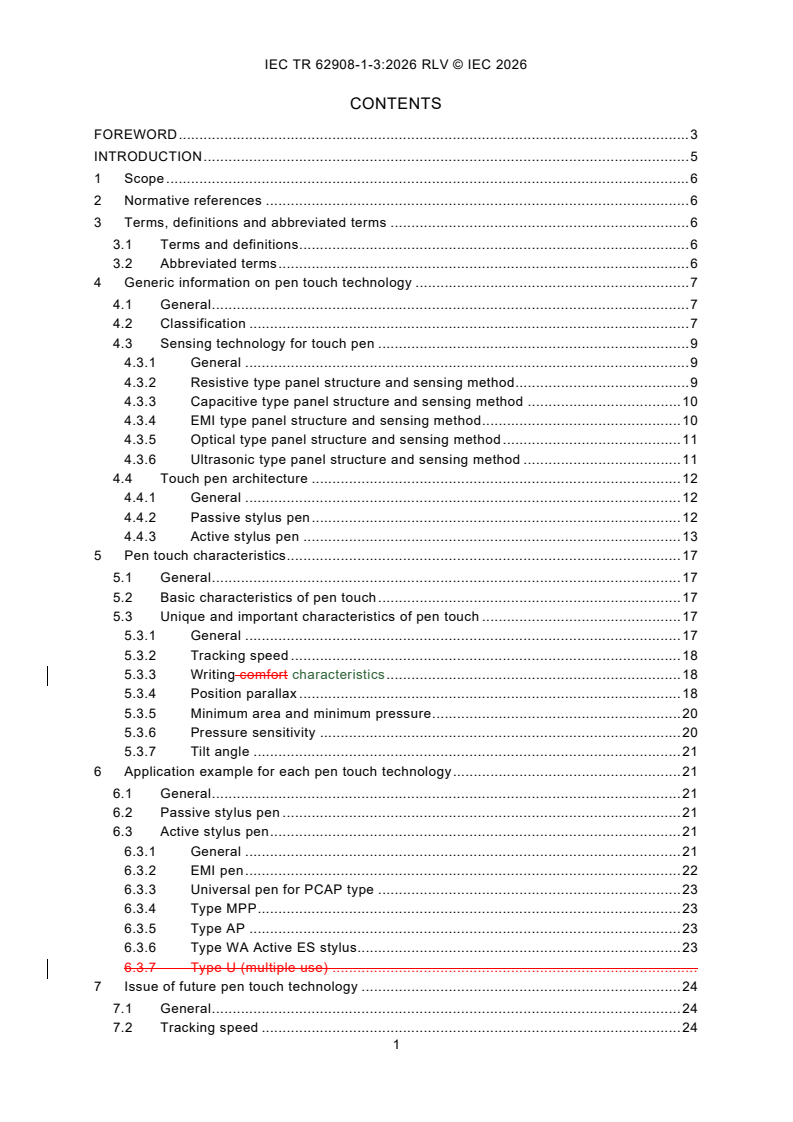
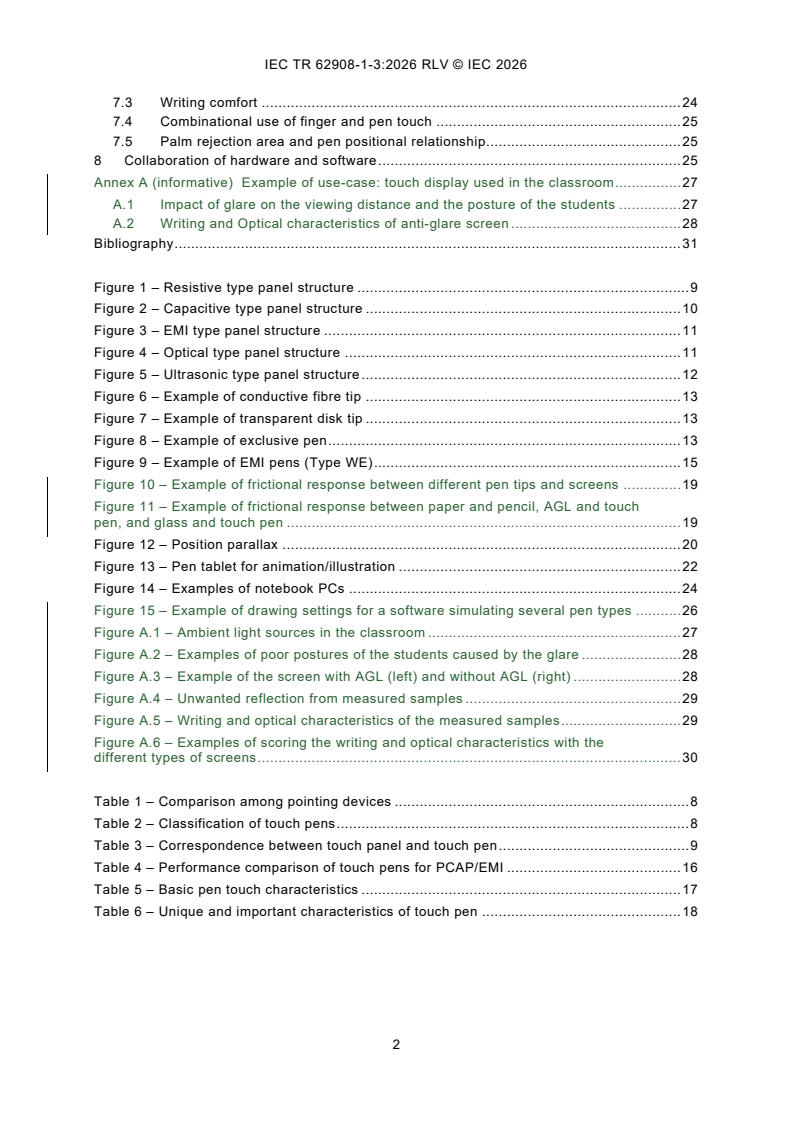
CONTENTS
FOREWORD . 3
INTRODUCTION . 5
1 Scope . 6
2 Normative references . 6
3 Terms, definitions and abbreviated terms . 6
3.1 Terms and definitions . 6
3.2 Abbreviated terms . 6
4 Generic information on pen touch technology . 7
4.1 General . 7
4.2 Classification . 7
4.3 Sensing technology for touch pen . 8
4.3.1 General . 8
4.3.2 Resistive type panel structure and sensing method . 9
4.3.3 Capacitive type panel structure and sensing method . 9
4.3.4 EMI type panel structure and sensing method . 10
4.3.5 Optical type panel structure and sensing method . 11
4.3.6 Ultrasonic type panel structure and sensing method . 11
4.4 Touch pen architecture . 12
4.4.1 General . 12
4.4.2 Passive stylus pen . 12
4.4.3 Active stylus pen . 13
5 Pen touch characteristics . 16
5.1 General . 16
5.2 Basic characteristics of pen touch . 17
5.3 Unique and important characteristics of pen touch . 17
5.3.1 General . 17
5.3.2 Tracking speed . 18
5.3.3 Writing characteristics . 18
5.3.4 Position parallax . 19
5.3.5 Minimum area and minimum pressure . 20
5.3.6 Pressure sensitivity . 20
5.3.7 Tilt angle . 20
6 Application example for each pen touch technology . 21
6.1 General . 21
6.2 Passive stylus pen . 21
6.3 Active stylus pen . 21
6.3.1 General . 21
6.3.2 EMI pen . 21
6.3.3 Universal pen for PCAP type . 22
6.3.4 Type MPP . 22
6.3.5 Type AP . 22
6.3.6 Type WA Active ES stylus. 23
7 Issue of future pen touch technology . 23
7.1 General . 23
7.2 Tracking speed . 23
7.3 Writing comfort . 24
7.4 Combinational use of finger and pen touch . 24
7.5 Palm rejection area and pen positional relationship . 24
8 Collaboration of hardware and software . 25
Annex A (informative) Example of use-case: touch display used in the classroom . 27
A.1 Impact of glare on the viewing distance and the posture of the students . 27
A.2 Writing and Optical characteristics of anti-glare screen . 28
Bibliography . 31
Figure 1 – Resistive type panel structure . 9
Figure 2 – Capacitive type panel structure . 10
Figure 3 – EMI type panel structure . 11
Figure 4 – Optical type panel structure . 11
Figure 5 – Ultrasonic type panel structure . 12
Figure 6 – Example of conductive fibre tip . 13
Figure 7 – Example of transparent disk tip . 13
Figure 8 – Example of exclusive pen . 13
Figure 9 – Example of EMI pens (Type WE) . 14
Figure 10 – Example of frictional response between different pen tips and screens . 18
Figure 11 – Example of frictional response between paper and pencil, AGL and touch
pen, and glass and touch pen . 19
Figure 12 – Position parallax . 20
Figure 13 – Pen tablet for animation/illustration . 22
Figure 14 – Examples of notebook PCs . 23
Figure 15 – Example of drawing settings for a software simulating several pen types . 25
Figure A.1 – Ambient light sources in the classroom . 27
Figure A.2 – Examples of poor postures of the students caused by the glare . 28
Figure A.3 – Example of the screen with AGL (left) and without AGL (right) . 28
Figure A.4 – Unwanted reflection from measured samples . 29
Figure A.5 – Writing and optical characteristics of the measured samples . 29
Figure A.6 – Examples of scoring the writing and optical characteristics with the
different types of screens . 30
Table 1 – Comparison among pointing devices . 7
Table 2 – Classification of touch pens . 8
Table 3 – Correspondence between touch panel and touch pen . 9
Table 4 – Performance comparison of touch pens for PCAP/EMI . 16
Table 5 – Basic pen touch characteristics . 17
Table 6 – Unique and important characteristics of touch pen . 17
INTERNATIONAL ELECTROTECHNICAL COMMISSION
____________
Touch and interactive displays -
Part 1-3: Generic - Overview of pen touch technology
FOREWORD
1) The International Electrotechnical Commission (IEC) is a worldwide organization for standardization comprising
all national electrotechnical committees (IEC National Committees). The object of IEC is to promote international
co-operation on all questions concerning standardization in the electrical and electronic fields. To this end and
in addition to other activities, IEC publishes International Standards, Technical Specifications, Technical Reports,
Publicly Available Specifications (PAS) and Guides (hereafter referred to as "IEC Publication(s)"). Their
preparation is entrusted to technical committees; any IEC National Committee interested in the subject dealt with
may participate in this preparatory work. International, governmental and non-governmental organizations liaising
with the IEC also participate in this preparation. IEC collaborates closely with the International Organization for
Standardization (ISO) in accordance with conditions determined by agreement between the two organizations.
2) The formal decisions or agreements of IEC on technical matters express, as nearly as possible, an international
consensus of opinion on the relevant subjects since each technical committee has representation from all
interested IEC National Committees.
3) IEC Publications have the form of recommendations for international use and are accepted by IEC National
Committees in that sense. While all reasonable efforts are made to ensure that the technical content of IEC
Publications is accurate, IEC cannot be held responsible for the way in which they are used or for any
misinterpretation by any end user.
4) In order to promote international uniformity, IEC National Committees undertake to apply IEC Publications
transparently to the maximum extent possible in their national and regional publications. Any divergence between
any IEC Publication and the corresponding national or regional publication shall be clearly indicated in the latter.
5) IEC itself does not provide any attestation of conformity. Independent certification bodies provide conformity
assessment services and, in some areas, access to IEC marks of conformity. IEC is not responsible for any
services carried out by independent certification bodies.
6) All users should ensure that they have the latest edition of this publication.
7) No liability shall attach to IEC or its directors, employees, servants or agents including individual experts and
members of its technical committees and IEC National Committees for any personal injury, property damage or
other damage of any nature whatsoever, whether direct or indirect, or for costs (including legal fees) and
expenses arising out of the publication, use of, or reliance upon, this IEC Publication or any other IEC
Publications.
8) Attention is drawn to the Normative references cited in this publication. Use of the referenced publications is
indispensable for the correct application of this publication.
9) IEC draws attention to the possibility that the implementation of this document may involve the use of (a)
patent(s). IEC takes no position concerning the evidence, validity or applicability of any claimed patent rights in
respect thereof. As of the date of publication of this document, IEC had not received notice of (a) patent(s), which
may be required to implement this document. However, implementers are cautioned that this may not represent
the latest information, which may be obtained from the patent database available at https://patents.iec.ch. IEC
shall not be held responsible for identifying any or all such patent rights.
IEC TR 62908-1-3 has been prepared by IEC technical committee 110: Electronic displays. It
is a Technical Report.
This second edition cancels and replaces the first edition published in 2021. This
edition constitutes a technical revision.
This edition includes the following significant technical changes with respect to the previous
edition:
a) add writing characteristics as physical properties of interaction between a pen and a surface
of a screen;
b) add example of frictional response between paper and pencil, AGL and touch pen, and glass
and touch pen;
c) add example of touch display used in the classroom regarding writing and optical
characteristics.
The text of this Technical Report is based on the following documents:
Draft Report on voting
110/1834/DTR 110/1849/RVDTR
Full information on the voting for its approval can be found in the report on voting indicated in
the above table.
The language used for the development of this Technical Report is English.
This document was drafted in accordance with ISO/IEC Directives, Part 2, and developed in
accordance with ISO/IEC Directives, Part 1 and ISO/IEC Directives, IEC Supplement, available
at www.iec.ch/members_experts/refdocs. The main document types developed by IEC are
described in greater detail at www.iec.ch/publications.
A list of all parts in the IEC 62908 series, published under the general title Touch and interactive
displays, can be found on the IEC website.
The committee has decided that the contents of this document will remain unchanged until the
stability date indicated on the IEC website under webstore.iec.ch in the data related to the
specific document. At this date, the document will be
– reconfirmed,
– withdrawn, or
– revised.
INTRODUCTION
With the spread of smartphones in recent years, finger touch technology has become
widespread throughout the world. The field of popularization has started with smartphones and
has spread out with information terminals such as notebook (laptop) PCs and tablets to kiosks,
ATMs, sales equipment in the field of social infrastructure, medical equipment for professional
use, and construction-related items.
Finger touch technology faces several challenges, such as malfunction due to usage
environment, wearing of gloves or water droplets, in addition to difficulty of fine drawing with
finger touch, signature input, and so on.
In the early stage of the pen touch technologies, the operating system and application software
only supported the same function as finger touch. However, a new concept of digital ink has
enabled to treat the progressing data, such as writing pressure, pen angle, and drawing, in
addition to the data of the entered trajectory. These are digitized and saved together with the
trajectory data. This means that a new technique with pen input has been developed, which
goes beyond the conventional technology of finger touch input.
Based on the above situation, this document aims to focus on the issues related to future
standardization by summarizing the sensing methods of pen touch, the types of touch pens and
the corresponding technologies, and the market's trend of pen touch technology.
1 Scope
This part of IEC 62908, which is a technical report, provides general information on pen touch
technology with the aim toward standardization. This document includes an overview of the pen
touch technology, critical performance characteristics, issues of characteristics measurements,
and other information.
The purpose of this document is to provide an overview of the different products available in
pen touch technology. The companies and products named in this document do not constitute
an endorsement by IEC of these products.
2 Normative references
The following documents are referred to in the text in such a way that some or all of their content
constitutes requirements of this document. For dated references, only the edition cited applies.
For undated references, the latest edition of the referenced document (including any
amendments) applies.
IEC 60068-1, Environmental testing - Part 1: General and guidance
IEC 62908-1-2, Touch and interactive displays - Part 1-2: Generic - Terminology and letter
symbols
3 Terms, definitions and abbreviated terms
3.1 Terms and definitions
For the purposes of this document, the terms and definitions given in IEC 60068-1 and
IEC 62908-1-2 apply.
ISO and IEC maintain terminology databases for use in standardization at the following
addresses:
– IEC Electropedia: available at https://www.electropedia.org/
– ISO Online browsing platform: available at https://www.iso.org/obp
3.2 Abbreviated terms
AES active electrostatic
AGL anti-glare layer
AP Apple pencil
API application program(ing) interface
AR/VR augmented reality/virtual reality
ATM automated [automatic] teller machine
DSC Digital Stationery Consortium
EMI electromagnetic induction
EMR electromagnetic resonance
ES electrostatics
IC integrated circuits
MPP Microsoft Pen Protocol
OS operating system
PCAP projected capacitive touch panel
SDK software developer's kit
SNR signal-to-noise ratio
USI Universal Stylus Initiative
WA Wacom AES
WE Wacom EMR
4 Generic information on pen touch technology
4.1 General
In Clause 4, the classification of pen types, the corresponding sensing technology, and the
touch panel structure and principle are described.
4.2 Classification
To clarify the performance of the touch pens, a comparison is made among a finger touch, a
pen touch, and a mouse as a pointing device, as shown in Table 1.
The main difference is that finger touch and pen touch indicate an absolute position of the
screen, whereas a mouse indicates a relative position, because it is operated away from the
screen.
The next point is regarding the positional accuracy. As the pen directly touches a specific
position of the screen, it therefore has the highest positional accuracy. The second highest
positional accuracy is the mouse, because it can control a precise position. Finger touch has
the lowest positional accuracy because the finger’s contact area is much larger than the precise
point where the user wants to touch on the screen.
On the other hand, the finger touch is suitable for multi-point designation and intuitive gesture
motion.
In addition, as a pen is "a general writing tool", the pen touch is the most suitable tool for
drawing pictures and signs, and also most suitable for manual input of letters without using a
keyboard.
Table 1 – Comparison among pointing devices
Finger Pen Mouse
Coordinates Absolute coordinates Absolute coordinates Relative coordinates
Positional accuracy Poor Excellent Fair
Multi-points Available Available Not applicable
Gesture operation Excellent Fair Poor
Drawing performance Fair Excellent Poor
Conformance of the signature Fair Excellent Poor
Compatibility with digital ink Not applicable Available Not applicable
Next, the types of touch pens can be classified as shown in Table 2: the first category is whether
the pen has a built-in electrical circuit or not. The next category is about the sensing method of
the pen touch. In the third category, there are two types of communications: one-way
communication (unidirectional) and two-way communication (bidirectional) between the pen and
the sensing panel or the system.
Table 2 – Classification of touch pens
Built-in circuits Pen touch sensing 1 Unidirectional or
Pen type/Protocol
or not method bidirectional
communication
Passive stylus pen Resistive General commercial pen Unidirectional
(without circuits)
PCAP General commercial pen Unidirectional
Active stylus pen PCAP Type MPP Bidirectional
(built-in circuits) Type WA Bidirectional
Type AP Bidirectional
Type USI Bidirectional
Universal pen Bidirectional
EMI Old type Unidirectional
Type WE Bidirectional
Optical Exclusive Bidirectional
The active stylus pen which supports the PCAP touch panel is mostly used with smartphones,
tablets, and notebook PCs (laptops). Some companies have recently developed their own
methods which compete with each other.
The optical pen is developed exclusively for specific systems. There are many types of them,
however the detailed technology is omitted in this document.
4.3 Sensing technology for touch pen
4.3.1 General
There are two types of panel structure for the sensing touch pen:
a) use of the touch panel sensing method (resistive type, capacitive type, optical type, or
ultrasonic type);
b) use of the additional digitizer panel sensing method (EMI method).
Table 3 summarizes the relationship between the touch panel system and the touch pen.
From 4.3.2 to 4.3.6, the structure of each touch panel and the sensing method are described.
___________
1 Microsoft Pen Protocol, Apple Pencil and Wacom AES and Wacom EMR are examples of suitable products
available commercially. This information is given for the convenience of users of this document and does not
constitute an endorsement by IEC of these products.
Table 3 – Correspondence between touch panel and touch pen
Type Resistive Capacitive Optical Ultrasonic EMI panel
panel panel panel panel
Passive stylus Mainly used Mainly used Available Available Not applicable
pen
Active stylus Available Mainly used Available Not applicable Not applicable
pen
EMI pen Available Not applicable Not applicable Not applicable Mainly used
NOTE 1 An electronic circuit is not included in the "passive stylus pen" (e.g. resonant circuits).
NOTE 2 Depending on the material of the passive stylus pen, sensing can be done by an optical method or an
ultrasonic method.
NOTE 3 Active stylus pens are generally made for capacitive type panel.
NOTE 4 There are also special pens for specific products on the market.
4.3.2 Resistive type panel structure and sensing method
The resistive type touch panel is configured with two resistive films and a gap between these
films, which is shown in Figure 1.
By pressing the top resistive film with a finger or a pen, the pressed position is electrically short-
circuited. The driving and controlling IC detect this short-circuited position by measuring the
resistance value of this resistive film.
The pen is sufficiently rigid to electrically short the two layers of resistive film.
Figure 1 – Resistive type panel structure
4.3.3 Capacitive type panel structure and sensing method
The capacitive type panel has a structure in which two types of electrodes are arranged in a
matrix, which is shown in Figure 2.
Since the two types of adjacent electrodes are capacitively coupled, any change in the parasitic
capacitance at the point where a finger or pen touches is affected by the capacitive component
of the human body. The drive circuit detects this change to identify the touch point.
In the case of the passive stylus pen, the conductivity is crucial for this pen to transfer the
parasitic capacitance of the human body to the touch panel.
In the case of the active stylus pen, it has a built-in circuit to change the electric field generated
by the touch panel at a similar level as that of the finger touch. This touch pen has a conductivity
that can transmit a sufficient signal to the touch panel. In addition, various structures can be
used to form the two types of adjacent electrodes on a single substrate. For example, the
electrodes can be formed on two separate pieces of glass or film.
Figure 2 – Capacitive type panel structure
4.3.4 EMI type panel structure and sensing method
As shown in Figure 3, the EMI panel structure has a plurality of rectangular antenna coils
arranged in parallel in a two-dimensional (X-axis, Y-axis) direction orthogonal to each other.
The sensing method of the digitizer uses the electromagnetic induction between a plurality of
antenna coils stretched around the digitizer panel and a touch pen.
As shown in Figure 3 a), the initial touch pen has a transmitter coil, a power supply for
continuously generating an alternating magnetic field from the coil, a driver circuit, and an
oscillator circuit.
The digitizer's main body sequentially changes the switch of the antenna coil to scan the sensor
panel surface. The position of the touch pen was calculated by using the signal level. Where
the touch pen is closest to the panel, the strongest signal is detected from the antenna coil, and
a relatively weak signal is from the coil adjacent to the pen.
Moreover, information such as the switch data of the touch pen and the writing pressure has
been sent to the digitizer's main body by modulating the response signal from the touch pen
side by changing the capacitance inside the touch pen.
In recent years, the 'penable technology type digitizer' (see Figure 3 b) has been
commercialized and occupies the market. In this method, the touch pen has no power source,
and the position is detected by exchanging electromagnetic energy between the touch pen and
the antenna coil of the digitizer body [1] .
___________
Numbers in square brackets refer to the Bibliography.
a) Original type b) WE type
Figure 3 – EMI type panel structure
4.3.5 Optical type panel structure and sensing method
There are various types of optical touch panels, such as a scanning type, a projection type, and
an image (camera) type. Among them, a scanning panel structure is a typical example. This
type of panel has a structure in which a light emitting element array and a light receiving element
array are arranged as a set on opposite sides, as shown in Figure 4.
As for the sensing method, the optical touch panel detects the position by shading the light at
the place where the pen hits.
Figure 4 – Optical type panel structure
4.3.6 Ultrasonic type panel structure and sensing method
In the structure of the ultrasonic touch panel, as shown in Figure 5, ultrasonic transmitters and
receivers are arranged on adjacent sides. The ultrasonic waves transmitted from each side are
sequentially reflected by Reflector 1 at 90° from the side closer to the transmitter Y in Figure 5,
and propagate to the panel. The ultrasonic wave received from the panel is reflected by
Reflector 2 by 90° and propagates to the receiver in sequence.
In the vicinity of the Y transmitter, the ultrasonic wave is immediately reflected by Reflector 1
at 90°, after being propagated to the panel; it will be again reflected at 90° by Reflector 2 near
the Y receiver, and will be received by the Y receiver in a short time after transmission.
In an area far away from the Y transmitter, the propagation distance inside Reflector 1 and 2
becomes long, and the time until it is received by the Y receiver becomes long. Therefore,
ultrasonic waves propagate through the entire surface of the panel with a time difference.
The sensing method attenuates the ultrasonic signal at the place where the pen touches, so
the intensity of the ultrasonic wave at the time corresponding to this place is attenuated, and
the position can be detected.
In this case, the necessary function of the pen is "coupled" with the substrate, such as glass,
which propagates the ultrasonic waves.
Figure 5 – Ultrasonic type panel structure
4.4 Touch pen architecture
4.4.1 General
4.4 describes the structure and features of each type of touch pen more specifically according
to Table 2.
4.4.2 Passive stylus pen
A passive stylus pen is a pen without an electrical circuit inside. The pen tips have different
shapes corresponding to the respective sensing methods.
The shape of the pen tip for the resistive type touch panel is generally a hard tip and often has
a pointed shape.
The pen tip for a PCAP type touch panel has various tip (nib) shapes and materials, but each
has a certain area or more to allow the touch panel to detect the capacitance of the operating
human.
In general, for general public terminals with optical or ultrasonic touch panels, such as ATMs
and ticket vending machines, dedicated touch pens are not sold, but even passive stylus pens
for PCAP can be used, if SNR level is sufficient.
This means that, when using a PCAP passive stylus pen for an optical touch panel, it can be
used if the pen can sufficiently block the sensing light.
On the other hand, in the early days of personal products such as early mobile terminals and
PDAs, resistive touch panels were mainly used, but recently smartphones, tablets, and
notebook PCs have become popular, and along with these, the PCAP type has become the
mainstream touch panel type.
Passive stylus pens for PCAP touch panels have now become mainstream, and a wide variety
of those is now widely sold.
Examples of the material of the pen tip (nib) include silicone rubber, resin, fibre, transparent
disk, among others. Figure 6, Figure 7 and Figure 8 are examples of different types of pens.
Figure 6 – Example of conductive fibre tip
Figure 7 – Example of transparent disk tip
Figure 8 – Example of exclusive pen
4.4.3 Active stylus pen
4.4.3.1 General
An active stylus pen is a pen that has an electronic circuit inside.
An active stylus pen sends out a signal to a dedicated touch sensing system so that the touch
controller detects the signal and calculates the pen position. In order for an active stylus pen to
send out the signal, a battery is generally required in the pen.
An active stylus pen system usually has a modulation capability to send information from the
pen to the system such as the pen tip pressure, battery level, etc.
The active stylus pen is now widely used for smart phones, notebook PCs, and pen tablets with
PCAP touch panels, and many kinds of active stylus pens have been developed and sold.
Furthermore, even for large-sized display products, such as electronic blackboards and
projectors, which use an optical touch panel, a dedicated pen for each product has been
developed and has become popular.
The active stylus pen systems are classified into the following two categories based on their
communication channel:
a) unidirectional: only the pen sends a signal to the device;
b) bidirectional: there is a downlink where the pen sends a signal to the device, and there is
an uplink where the device sends a signal to the pen. The uplink is used for the timing
synchronization between the device and the pen, or for sending commands from the device
to the pen, among others.
An active stylus pen is roughly divided into two fields: an EMI pen for an EMI panel and an
active pen for a PCAP panel.
The types of active stylus pens for PCAPs that are popular in the market are roughly classified
into the following five types:
a) universal active stylus pen (4.4.3.3);
b) type MPP (Microsoft Pen Protocol) (4.4.3.4);
c) type AP (Apple Pencil) type (4.4.3.5);
d) type WA (Wacom AES) (4.4.3.6);
e) type USI (Universal Stylus Initiative) (4.4.3.7).
4.4.3.2 EMI pen
Regarding the EMI system, there was an active pen with a built-in battery in the past, but now
the active pen without a built-in battery is becoming the mainstream.
Now that the Type WE has become mainstream, a number of EMI pens have been released, as
shown in Figure 9.
Figure 9 – Example of EMI pens (Type WE)
The features of these EMI pens are as follows.
Because they do not have any batteries, these pens are small and lightweight with excellent
operability and tracking performance. In addition, the built-in pen pressure sensor has 256 or
more levels of pressure sensing, and it is possible to set up the same function of mouse switch
for the pen tip or the side tail part of the pen via the OS [2].
4.4.3.3 Universal active stylus pen
Although the principal operating details are not clear, this type of pen does not comply with a
particular touch panel drive IC system. Not all PCAP type touch panels can be used, but there
are also cases where even the touch panel of each company's dedicated protocol described
below can be detected and used as a pen touch.
4.4.3.4 Type MPP active stylus pen
In 2015, the type MPP started licensing its technology. This protocol is used widely in notebook
PCs. In addition, this protocol supports palm rejection with both hands, as well as the hovering
function.
4.4.3.5 Type AP active stylus pen
Officially, the type AP launched on the market in 2015.
It seems that this touch panel technology as well as the sensing technology for the active stylus
pen are original, and details are unknown.
4.4.3.6 Type WA active stylus pen
The type WA has been developed as an original type active pen technology for capacitive
panels, and details are unknown.
4.4.3.7 Type USI active stylus pen
The type USI has been supported by a standardization organization since April 2015 with the
purpose of enabling the same active stylus pen to be shared by multiple models. The founding
members include manufacturers with stylus technology, and hardware manufacturers.
The type USI stylus pen has recently been released.
The hardware defines the digitizer IC and pen on the main unit. The current standard defines
the PCAP type method. The resolution is 10 bits (most digitizer pens currently have a resolution
of 8 bits), the interaction between the pen and the digitizer is bidirectional, the writing pressure
is detected in 4 096 steps, and the pen tilt angle is detected [3].
Table 4 is a comparison of the functions of the PCAP-type and EMI-type touch pens currently
used in the most popular smartphones or tablets.
To explain the characteristics of the passive pen in Table 4, the pen pressure and the tilt angle
can be detected in principle even with the passive pen. This is because if the pen tip of the
passive pen is made of a soft resin, the contact area changes depending on the writing pressure
and the contact shape changes depending on the angle, and thus the writing pressure and the
tilt angle can be detected.
As for the EMI pen, there is an example of a product in which a plurality of pens can be used
because an ID is given to the pen.
Table 4 – Performance comparison of touch pens for PCAP/EMI
Panel type PCAP panel EMI panel
Active/Passive
Passive Active
stylus pen
Electro-
Protocol Type
Universal Universal Type MPP Type AP Type WA magnetic
type/name USI
induction
Without Without
With/Without
battery battery
battery and With Battery, with circuits
circuits
No circuits With circuits
Multi-pen
Available Available Available Unknown Available Available Available
touch
Pen pressure
Possible Possible Available Available Available Available Available
sensing
Pen tilt angle
Possible Possible Available Available Available Available Available
sensing
Not
Palm rejection Available Possible Available Available Available Available
a
necessary
Mutual
N.A. Possible Available Available Available Available Possible
communication
Hover sensing N.A. Available Available Available Available Available Available
Cheep Multifarious 3 4 Widely Started Now
Windows®10 iOS
shape used in in 2015 mainstream
supported supported
Remark
Multifarious
pen is type WE
shape
tablet
NOTE 1 Available: This means that it is technically possible and already commercialized.
NOTE 2 Possible: This means that although it is technically possible, it is not currently commercialized.
a
Not necessary: As an EMI panel has no sensitivity for finger and/or palm touch, palm rejection is therefore not
relevant.
4.4.3.8 Exclusive pen
An example of an exclusive pen is the dedicated pen for an interactive projector.
The exclusive pen can communicate with the projector side by an infrared signal when the tip
of the pen hits a screen. The button of the pen also has the same function as the right button
on a mouse. The pointing position of the pen is recognized by the camera on the projector side.
In addition, the finger touch position is recognized not by the camera but by an infrared area
sensor.
5 Pen touch characteristics
5.1 General
The pen touch characteristics are characteristics required for drawing, inputting characters and
operating the screen by a touch pen. This characteristic can be classified into two categories.
the first one is the same as finger touch characteristic. The second one consists of
characteristics that are unique to pen touch.
___________
3 Windows®10 is the trade name of a product supplied by Microsoft. This information is given for the convenience
of users of this document and does not constitute an endorsement by IEC of the product named. Equivalent
products can be used if they can be shown to lead to the same results.
4 IOS is a trademark or registered trademark of Cisco in the U.S. and other countries and is used under license.
5.2 Basic characteristics of pen touch
The pen touch has the same characteristics as the finger touch (see Table 5). See
IEC 62908-12-10 [4] for details.
Table 5 – Basic pen touch characteristics
IEC 62908-12-10:
No. Items Contents Unit
2017 [15]
subclause
1) Closeness of the reported position to the target
1 Accuracy mm 5.2
position (1 point)
2) Closeness of the reported position to the target
position (matrix)
2 Repeatability Specify by repeatedly moving up and down at 1 point mm 5.3
3 Jitter In the matrix, deviation when maintaining a fixed mm 5.3
position
4 Linearity 1) Repeatability
mm 5.4
Deviation of each point when specified in a straight line
2) Jitter
Deviation average when drawing straight lines at
regular intervals
5 Reproducibility Deviation from the centre when 30 points are specified % 5.5
on the circumference
6 Latency The response time between the actual and reported s 5.8
touch.
7 Perpendicular Vertical sensitivity mm 5.13
touch/hover
Height that cannot be recognized as touch
distance
5.3 Unique and important characteristics of pen touch
5.3.1 General
Table 6 lists the characteristics specific to the touch pen. These characteristics are mainly
related to how to use the pen. The position parallax (No. 10) is not a problem with finger touch,
due to the finger size being bigger than the pen tip.
Table 6 – Unique and important characteristics of touch pen
No. Items Contents Remarks
8 Tracking speed Difference between pen touch and responsiveness (drawing See NOTE
speed, distance between touch and response draw, time delay)
9 Writing comfort Writing like a pencil or ball point pen or other types of pens. See NOTE
10 Position parallax Difference between the pen touch position and the screen
display position
11 Minimum Detectable minimum pen pressure and size factor
pressure/Minimum
area
12 Pressure sensitivity Linearity or resolution of sensitivity for pen pressure See NOTE
13 Tilt angle Linearity or resolution of sensitivity for pen tilt angle See NOTE
NOTE It is important to allow more time for these items to establish the measuring method and condition.
5.3.2 Tracking speed
The tracking speed is the delay time between the pen touch and the system side
...
IEC TR 62908-1-3 ®
Edition 2.0 2026-06
TECHNICAL
REPORT
REDLINE VERSION
Touch and interactive displays -
Part 1-3: Generic - General introduction to Overview of pen touch technology
ICS 31.120 ISBN 978-2-8327-1319-8
All rights reserved. Unless otherwise specified, no part of this publication may be reproduced or utilized in any form or
by any means, electronic or mechanical, including photocopying and microfilm, without permission in writing from either
IEC or IEC's member National Committee in the country of the requester. If you have any questions about IEC copyright
or have an enquiry about obtaining additional rights to this publication, please contact the address below or your local
IEC member National Committee for further information.
IEC Secretariat Tel.: +41 22 919 02 11
3, rue de Varembé info@iec.ch
CH-1211 Geneva 20 www.iec.ch
Switzerland
About the IEC
The International Electrotechnical Commission (IEC) is the leading global organization that prepares and publishes
International Standards for all electrical, electronic and related technologies.
About IEC publications
The technical content of IEC publications is kept under constant review by the IEC. Please make sure that you have the
latest edition, a corrigendum or an amendment might have been published.
IEC publications search - IEC Products & Services Portal - products.iec.ch
webstore.iec.ch/advsearchform Discover our powerful search engine and read freely all the
The advanced search enables to find IEC publications by a publications previews, graphical symbols and the glossary.
variety of criteria (reference number, text, technical With a subscription you will always have access to up to date
committee, …). It also gives information on projects, content tailored to your needs.
replaced and withdrawn publications.
Electropedia - www.electropedia.org
IEC Just Published - webstore.iec.ch/justpublished The world's leading online dictionary on electrotechnology,
Stay up to date on all new IEC publications. Just Published containing more than 22 500 terminological entries in English
details all new publications released. Available online and and French, with equivalent terms in 25 additional languages.
once a month by email. Also known as the International Electrotechnical Vocabulary
(IEV) online.
IEC Customer Service Centre - webstore.iec.ch/csc
If you wish to give us your feedback on this publication or
need further assistance, please contact the Customer
Service Centre: sales@iec.ch.
CONTENTS
FOREWORD . 3
INTRODUCTION . 5
1 Scope . 6
2 Normative references . 6
3 Terms, definitions and abbreviated terms . 6
3.1 Terms and definitions . 6
3.2 Abbreviated terms . 6
4 Generic information on pen touch technology . 7
4.1 General . 7
4.2 Classification . 7
4.3 Sensing technology for touch pen . 9
4.3.1 General . 9
4.3.2 Resistive type panel structure and sensing method . 9
4.3.3 Capacitive type panel structure and sensing method . 10
4.3.4 EMI type panel structure and sensing method . 10
4.3.5 Optical type panel structure and sensing method . 11
4.3.6 Ultrasonic type panel structure and sensing method . 11
4.4 Touch pen architecture . 12
4.4.1 General . 12
4.4.2 Passive stylus pen . 12
4.4.3 Active stylus pen . 13
5 Pen touch characteristics . 17
5.1 General . 17
5.2 Basic characteristics of pen touch . 17
5.3 Unique and important characteristics of pen touch . 17
5.3.1 General . 17
5.3.2 Tracking speed . 18
5.3.3 Writing comfort characteristics . 18
5.3.4 Position parallax . 18
5.3.5 Minimum area and minimum pressure . 20
5.3.6 Pressure sensitivity . 20
5.3.7 Tilt angle . 21
6 Application example for each pen touch technology . 21
6.1 General . 21
6.2 Passive stylus pen . 21
6.3 Active stylus pen . 21
6.3.1 General . 21
6.3.2 EMI pen . 22
6.3.3 Universal pen for PCAP type . 23
6.3.4 Type MPP . 23
6.3.5 Type AP . 23
6.3.6 Type WA Active ES stylus. 23
6.3.7 Type U (multiple use) .
7 Issue of future pen touch technology . 24
7.1 General . 24
7.2 Tracking speed . 24
7.3 Writing comfort . 24
7.4 Combinational use of finger and pen touch . 25
7.5 Palm rejection area and pen positional relationship . 25
8 Collaboration of hardware and software . 25
Annex A (informative) Example of use-case: touch display used in the classroom . 27
A.1 Impact of glare on the viewing distance and the posture of the students . 27
A.2 Writing and Optical characteristics of anti-glare screen . 28
Bibliography . 31
Figure 1 – Resistive type panel structure . 9
Figure 2 – Capacitive type panel structure . 10
Figure 3 – EMI type panel structure . 11
Figure 4 – Optical type panel structure . 11
Figure 5 – Ultrasonic type panel structure . 12
Figure 6 – Example of conductive fibre tip . 13
Figure 7 – Example of transparent disk tip . 13
Figure 8 – Example of exclusive pen . 13
Figure 9 – Example of EMI pens (Type WE) . 15
Figure 10 – Example of frictional response between different pen tips and screens . 19
Figure 11 – Example of frictional response between paper and pencil, AGL and touch
pen, and glass and touch pen . 19
Figure 12 – Position parallax . 20
Figure 13 – Pen tablet for animation/illustration . 22
Figure 14 – Examples of notebook PCs . 24
Figure 15 – Example of drawing settings for a software simulating several pen types . 26
Figure A.1 – Ambient light sources in the classroom . 27
Figure A.2 – Examples of poor postures of the students caused by the glare . 28
Figure A.3 – Example of the screen with AGL (left) and without AGL (right) . 28
Figure A.4 – Unwanted reflection from measured samples . 29
Figure A.5 – Writing and optical characteristics of the measured samples . 29
Figure A.6 – Examples of scoring the writing and optical characteristics with the
different types of screens . 30
Table 1 – Comparison among pointing devices . 8
Table 2 – Classification of touch pens . 8
Table 3 – Correspondence between touch panel and touch pen . 9
Table 4 – Performance comparison of touch pens for PCAP/EMI . 16
Table 5 – Basic pen touch characteristics . 17
Table 6 – Unique and important characteristics of touch pen . 18
INTERNATIONAL ELECTROTECHNICAL COMMISSION
____________
Touch and interactive displays -
Part 1-3: Generic - General introduction to Overview of pen touch
technology
FOREWORD
1) The International Electrotechnical Commission (IEC) is a worldwide organization for standardization comprising
all national electrotechnical committees (IEC National Committees). The object of IEC is to promote international
co-operation on all questions concerning standardization in the electrical and electronic fields. To this end and
in addition to other activities, IEC publishes International Standards, Technical Specifications, Technical Reports,
Publicly Available Specifications (PAS) and Guides (hereafter referred to as "IEC Publication(s)"). Their
preparation is entrusted to technical committees; any IEC National Committee interested in the subject dealt with
may participate in this preparatory work. International, governmental and non-governmental organizations liaising
with the IEC also participate in this preparation. IEC collaborates closely with the International Organization for
Standardization (ISO) in accordance with conditions determined by agreement between the two organizations.
2) The formal decisions or agreements of IEC on technical matters express, as nearly as possible, an international
consensus of opinion on the relevant subjects since each technical committee has representation from all
interested IEC National Committees.
3) IEC Publications have the form of recommendations for international use and are accepted by IEC National
Committees in that sense. While all reasonable efforts are made to ensure that the technical content of IEC
Publications is accurate, IEC cannot be held responsible for the way in which they are used or for any
misinterpretation by any end user.
4) In order to promote international uniformity, IEC National Committees undertake to apply IEC Publications
transparently to the maximum extent possible in their national and regional publications. Any divergence between
any IEC Publication and the corresponding national or regional publication shall be clearly indicated in the latter.
5) IEC itself does not provide any attestation of conformity. Independent certification bodies provide conformity
assessment services and, in some areas, access to IEC marks of conformity. IEC is not responsible for any
services carried out by independent certification bodies.
6) All users should ensure that they have the latest edition of this publication.
7) No liability shall attach to IEC or its directors, employees, servants or agents including individual experts and
members of its technical committees and IEC National Committees for any personal injury, property damage or
other damage of any nature whatsoever, whether direct or indirect, or for costs (including legal fees) and
expenses arising out of the publication, use of, or reliance upon, this IEC Publication or any other IEC
Publications.
8) Attention is drawn to the Normative references cited in this publication. Use of the referenced publications is
indispensable for the correct application of this publication.
9) IEC draws attention to the possibility that the implementation of this document may involve the use of (a)
patent(s). IEC takes no position concerning the evidence, validity or applicability of any claimed patent rights in
respect thereof. As of the date of publication of this document, IEC had not received notice of (a) patent(s), which
may be required to implement this document. However, implementers are cautioned that this may not represent
the latest information, which may be obtained from the patent database available at https://patents.iec.ch. IEC
shall not be held responsible for identifying any or all such patent rights.
This redline version of the official IEC Standard allows the user to identify the changes made
to the previous edition IEC TR 62908-1-3:2021. A vertical bar appears in the margin wherever
a change has been made. Additions are in green text, deletions are in strikethrough red text.
IEC TR 62908-1-3 has been prepared by IEC technical committee 110: Electronic displays. It
is a Technical Report.
This second edition cancels and replaces the first edition published in 2021. This
edition constitutes a technical revision.
This edition includes the following significant technical changes with respect to the previous
edition:
a) add writing characteristics as physical properties of interaction between a pen and a surface
of a screen;
b) add example of frictional response between paper and pencil, AGL and touch pen, and glass
and touch pen;
c) add example of touch display used in the classroom regarding writing and optical
characteristics.
The text of this Technical Report is based on the following documents:
Draft Report on voting
110/1834/DTR 110/1849/RVDTR
Full information on the voting for its approval can be found in the report on voting indicated in
the above table.
The language used for the development of this Technical Report is English.
This document was drafted in accordance with ISO/IEC Directives, Part 2, and developed in
accordance with ISO/IEC Directives, Part 1 and ISO/IEC Directives, IEC Supplement, available
at www.iec.ch/members_experts/refdocs. The main document types developed by IEC are
described in greater detail at www.iec.ch/publications.
A list of all parts in the IEC 62908 series, published under the general title Touch and interactive
displays, can be found on the IEC website.
The committee has decided that the contents of this document will remain unchanged until the
stability date indicated on the IEC website under webstore.iec.ch in the data related to the
specific document. At this date, the document will be
– reconfirmed,
– withdrawn, or
– revised.
INTRODUCTION
With the spread of smartphones in recent years, finger touch technology has become
widespread throughout the world. The field of popularization has started with smartphones and
has spread out with information terminals such as notebook (laptop) PCs and tablets to kiosks,
ATMs, sales equipment in the field of social infrastructure, medical equipment for professional
use, and construction-related items.
Finger touch technology faces several challenges, such as malfunction due to usage
environment, wearing of gloves or water droplets, in addition to difficulty of fine drawing with
finger touch, signature input, and so on.
In the early stage of the pen touch technologies, the operating system and application software
only supported the same function as finger touch, but recently. However, a new concept of
digital ink has enabled to use not only the data of the entered trajectory, but also treat the
progressing data, such as writing pressure, pen angle, and drawing, being in addition to the
data of the entered trajectory. These are digitized and saved together with the trajectory data.
This means that a new technique with pen input has been developed, which goes beyond the
conventional technology of finger touch input.
Based on the above situation, this document aims to focus on the issues related to future
standardization by summarizing the sensing methods of pen touch, the types of touch pens and
the corresponding technologies, and the market's trend of pen touch technology.
1 Scope
This part of IEC 62908, which is a technical report, provides general information on pen touch
technology with the aim toward standardization. This document includes an overview of the pen
touch technology, critical performance characteristics, issues of characteristics measurements,
and other information.
The purpose of this document is to provide an overview of the different products available in
pen touch technology.
NOTE The companies and products named in this document do not constitute an endorsement
by IEC of these products.
2 Normative references
The following documents are referred to in the text in such a way that some or all of their content
constitutes requirements of this document. For dated references, only the edition cited applies.
For undated references, the latest edition of the referenced document (including any
amendments) applies.
IEC 60068-1, Environmental testing - Part 1: General and guidance
IEC 62908-1-2, Touch and interactive displays - Part 1-2: Generic - Terminology and letter
symbols
3 Terms, definitions and abbreviated terms
3.1 Terms and definitions
For the purposes of this document, the terms and definitions given in IEC 60068-1 and
IEC 62908-1-2 apply.
ISO and IEC maintain terminology databases for use in standardization at the following
addresses:
– IEC Electropedia: available at https://www.electropedia.org/
– ISO Online browsing platform: available at https://www.iso.org/obp
3.2 Abbreviated terms
AES active electrostatic
AGL anti-glare layer
AP Apple pencil
API application program(ing) interface
AR/VR augmented reality/virtual reality
ATM automated [automatic] teller machine
DSC Digital Stationery Consortium
EMI electromagnetic induction
EMR electromagnetic resonance
ES electrostatics
IC integrated circuits
MPP Microsoft Pen Protocol
OS operating system
PCAP projected capacitive touch panel
SDK software developer's kit
SNR signal-to-noise ratio
USI Universal Stylus Initiative
WA Wacom AES
WE Wacom EMR
4 Generic information on pen touch technology
4.1 General
In Clause 4, the classification of pen types, the corresponding sensing technology, and the
touch panel structure and principle are described.
4.2 Classification
To clarify the performance of the touch pens, a comparison is made among a finger touch, a
pen touch, and a mouse as a pointing device, as shown in Table 1.
The first major difference is that the finger touch and pen touch specify the absolute position of
the screen, but the mouse specifies the relative position of the screen, because it operates at
a different place from the screen.
The next point is regarding the accuracy of the position. the pen touches directly a specific
position of the screen, so the pen touches have the highest position accuracy. The second
highest accuracy is the mouse, because the mouse can control the precise position, and the
lowest accuracy is the finger touch, because the point area of a finger is larger than a certain
area on the screen.
The main difference is that finger touch and pen touch indicate an absolute position of the
screen, whereas a mouse indicates a relative position, because it is operated away from the
screen.
The next point is regarding the positional accuracy. As the pen directly touches a specific
position of the screen, it therefore has the highest positional accuracy. The second highest
positional accuracy is the mouse, because it can control a precise position. Finger touch has
the lowest positional accuracy because the finger’s contact area is much larger than the precise
point where the user wants to touch on the screen.
On the other hand, the finger touch is suitable for multi-point designation and intuitive gesture
motion.
In addition, as a pen is "a general writing tool", the pen touch is the most suitable tool for
drawing pictures and signs, and also most suitable for manual input of letters without using a
keyboard.
Table 1 – Comparison among pointing devices
Finger Pen Mouse
Coordinates Absolute coordinates Absolute coordinates Relative coordinates
Positional accuracy Poor Excellent Fair
Multi-points Available Available Not applicable
Gesture operation Excellent Fair Poor
Drawing performance Fair Excellent Poor
Conformance of the signature Fair Excellent Poor
Compatibility with digital ink Not applicable Available Not applicable
Next, the types of touch pens can be classified as shown in Table 2: the first category is whether
the pen has a built-in electrical circuit or not. The next category is about the sensing method of
detecting the pen touch. In the third category, there are two types of communications: one-way
communication (unidirectional) and two-way communication (bidirectional) between the pen and
the detection sensing panel or the system side.
Table 2 – Classification of touch pens
Built-in circuits Pen touch sensing 1 Unidirectional or
Pen type/Protocol
or not method bidirectional
communication
Passive stylus pen Resistive General commercial pen Unidirectional
(without circuits) PCAP General commercial pen Unidirectional
Active stylus pen PCAP Type MPP Bidirectional
(built-in circuits) Type WA Bidirectional
Type AP Bidirectional
Type USI Bidirectional
Universal pen Bidirectional
EMI Old type BidirectionalUnidirectional
Type WE UnidirectionalBidirectional
Optical Exclusive Bidirectional
The active stylus pen which supports the PCAP touch panel is mostly used with smartphones,
tablets, and notebook PCs (laptops). Some companies have recently developed their own
methods which compete with each other.
The optical pen is developed exclusively for specific systems. There are many types of them,
however the detailed technology is omitted in this document.
___________
1 Microsoft Pen Protocol, Apple Pencil, and Wacom AES and Wacom EMR are examples of suitable products
available commercially. This information is given for the convenience of users of this document and does not
constitute an endorsement by IEC of these products.
4.3 Sensing technology for touch pen
4.3.1 General
There are two types of panel structure for the sensing touch pen:
a) use of the touch panel sensing method (resistive type, capacitive type, optical type, or
ultrasonic type);
b) use of the additional digitizer panel sensing method (EMI method).
Table 3 summarizes the relationship between the touch panel system and the touch pen.
From 4.3.2 to 4.3.6, the structure of each touch panel and the detection sensing method are
described.
Table 3 – Correspondence between touch panel and touch pen
Type Resistive Capacitive Optical Ultrasonic EMI panel
panel panel panel panel
Passive stylus Mainly used Mainly used Available Available Not applicable
pen
Active stylus Available Mainly used Available Not applicable Not applicable
pen
EMI pen Available Not applicable Not applicable Not applicable Mainly used
NOTE 1 An electronic circuit is not included in the "passive stylus pen" (e.g. resonant circuits).
NOTE 2 Depending on the material of the passive stylus pen, detection sensing can be done by an optical method
or an ultrasonic method.
NOTE 3 Active stylus pens are generally made for capacitive type panel.
NOTE 4 There are also special pens for specific products on the market.
4.3.2 Resistive type panel structure and sensing method
The resistive type touch panel is configured with two resistive films and a gap between these
films, which is shown in Figure 1.
By pressing the top resistive film with a finger or a pen, the pressed position is electrically short-
circuited. The driving and controlling IC detect this short-circuited position by measuring the
resistance value of this resistive film.
The pen is sufficiently rigid to electrically short the two layers of resistive film.
Figure 1 – Resistive type panel structure
4.3.3 Capacitive type panel structure and sensing method
The capacitive type panel has a structure in which two types of electrodes are arranged in a
matrix, which is shown in Figure 2.
Since the two types of adjacent electrodes are capacitively coupled,any change in the parasitic
capacitance at the point where a finger or pen touches is affected by the capacitive component
of the human body. The drive circuit detects this change to identify the touch point.
In the case of the passive stylus pen, this pen needs the conductivity is crucial for this pen to
transfer the parasitic capacitance of the human body to the touch panel.
In the case of the active stylus pen, it has a built-in circuit to change the electric field generated
by the touch panel at a similar level as that of the finger touch. This touch pen has a conductivity
that can transmit a sufficient signal to the touch panel. In addition, there are various structures
forming can be used to form the two types of adjacent electrodes on a single substrate. For
example, the electrodes are can be formed on two separate pieces of glass or film.
Figure 2 – Capacitive type panel structure
4.3.4 EMI type panel structure and sensing method
As shown in Figure 3, the EMI panel structure has a plurality of rectangular antenna coils
arranged in parallel in a two-dimensional (X-axis, Y-axis) direction orthogonal to each other.
The detection sensing method of the digitizer uses the electromagnetic induction between a
plurality of antenna coils stretched around the digitizer panel and a touch pen.
As shown in Figure 3 a), the initial touch pen has a transmitter coil, a power supply for
continuously generating an alternating magnetic field from the coil, a driver circuit, and an
oscillator circuit.
The digitizer's main body sequentially changes the switch of the antenna coil to scan the sensor
panel surface. The position of the touch pen was calculated by using the signal level. Where
the touch pen is closest to the panel, the strongest signal is detected from the antenna coil, and
a relatively weak signal is from the coil adjacent to the pen.
Moreover, information such as the switch data of the touch pen and the writing pressure has
been sent to the digitizer's main body by modulating the response signal from the touch pen
side by changing the capacity capacitance inside the touch pen.
In recent years, the 'penable technology type digitizer' (see Figure 3 b) has been
commercialized and occupies the market. In this method, the touch pen has no power source,
and the position is detected by exchanging electromagnetic energy between the touch pen and
the antenna coil of the digitizer body [1] .
a) Original type b) WE type
Figure 3 – EMI type panel structure
4.3.5 Optical type panel structure and sensing method
There are various types of optical touch panels, such as a scanning type, a projection type, and
an image (camera) type. Among them, a scanning panel structure is a typical example. This
type of panel has a structure in which a light emitting element array and a light receiving element
array are arranged as a set on opposite sides, as shown in Figure 4.
As for the detection sensing method, the optical touch panel detects the position by shading
the light at the place where the pen hits.
Figure 4 – Optical type panel structure
4.3.6 Ultrasonic type panel structure and sensing method
In the structure of the ultrasonic touch panel, as shown in Figure 5, ultrasonic transmitters and
receivers are arranged on adjacent sides. The ultrasonic waves transmitted from each side are
___________
Numbers in square brackets refer to the Bibliography.
sequentially reflected by Reflector 1 at 90° from the side closer to the transmitter Y in Figure 5,
and propagate to the panel. The ultrasonic wave received from the panel is reflected by
Reflector 2 by 90° and propagates to the receiver in sequence.
In the vicinity of the Y transmitter, the ultrasonic wave is immediately reflected by Reflector 1
at 90°, after being propagated to the panel; it will be again reflected at 90° by Reflector 2 near
the Y receiver, and will be received by the Y receiver in a short time after transmission.
In an area far away from the Y transmitter, the propagation distance inside Reflector 1 and 2
becomes long, and the time until it is received by the Y receiver becomes long. Therefore,
ultrasonic waves propagate through the entire surface of the panel with a time difference.
The detection sensing method attenuates the ultrasonic signal at the place where the pen
touches, so the intensity of the ultrasonic wave at the time corresponding to this place is
attenuated, and the position can be detected.
In this case, the necessary function of the pen is "coupled" with the substrate, such as glass,
which propagates the ultrasonic waves.
Figure 5 – Ultrasonic type panel structure
4.4 Touch pen architecture
4.4.1 General
4.4 describes the structure and features of each type of touch pen more specifically according
to Table 2.
4.4.2 Passive stylus pen
A passive stylus pen is a pen without an electrical circuit inside. The pen tips have different
shapes corresponding to the respective detection sensing methods.
The shape of the pen tip for the resistive type touch panel is generally a hard tip and often has
a pointed shape.
The pen tip for a PCAP type touch panel has various tip (nib) shapes and materials, but each
has a certain area or more to allow the touch panel to detect the capacity capacitance of the
operating human.
In general, for general public terminals with optical or ultrasonic touch panels, such as ATMs
and ticket vending machines, dedicated touch pens are not sold, but even passive stylus pens
for PCAP can be used, if SNR level is sufficient.
This means that, when using a PCAP passive stylus pen for an optical touch panel, it can be
used if the pen can sufficiently block the sensing light.
On the other hand, in the early days of personal products such as early mobile terminals and
PDAs, resistive touch panels were mainly used, but recently smartphones, tablets, and
notebook PCs have become popular, and along with these, the PCAP type has become the
mainstream touch panel type.
Passive stylus pens for PCAP touch panels have now become mainstream, and a wide variety
of those is now widely sold.
Examples of the material of the pen tip (nib) include silicone rubber, resin, fibre, transparent
disk, among others. Figure 6, Figure 7 and Figure 8 are examples of different types of pens.
Figure 6 – Example of conductive fibre tip
Figure 7 – Example of transparent disk tip
Figure 8 – Example of exclusive pen
4.4.3 Active stylus pen
4.4.3.1 General
An active stylus pen is a pen that has an electronic circuit inside.
An active stylus pen sends out a signal to a dedicated touch sensing system so that the touch
controller detects the signal and calculates the pen position. In order for an active stylus pen to
send out the signal, a battery is generally required in the pen.
An active stylus pen system usually has a modulation capability to send information from the
pen to the system such as the pen tip pressure, battery level, etc.
The active stylus pen is now widely used for smart phones, notebook PCs, and pen tablets with
PCAP touch panels, and many kinds of active stylus pens have been developed and sold.
Furthermore, even for large-sized display products, such as electronic blackboards and
projectors, which use an optical touch panel, a dedicated pen for each product has been
developed and has become popular.
The active stylus pen systems are classified into the following two categories based on their
communication channel:
a) unidirectional: only the pen sends a signal to the device;
b) bidirectional: there is a downlink where the pen sends a signal to the device, and there is
an uplink where the device sends a signal to the pen. The uplink is used for the timing
synchronization between the device and the pen, or for sending commands from the device
to the pen, among others.
An active stylus pen is roughly divided into two fields: an EMI pen for an EMI panel and an
active pen for a PCAP panel.
The types of active stylus pens for PCAPs that are popular in the market are roughly classified
into the following five types:
a) universal active stylus pen (4.4.3.3);
b) type MPP (Microsoft Pen Protocol) (4.4.3.4);
c) type AP (Apple Pencil) type (4.4.3.5);
d) type WA (Wacom AES) (4.4.3.6);
e) type USI (Universal Stylus Initiative) (4.4.3.7).
4.4.3.2 EMI pen
Regarding the EMI system, there was an active pen with a built-in battery in the past, but now
the active pen without a built-in battery is becoming the mainstream.
Now that the Type WE has become mainstream, a number of EMI pens have been released, as
shown in Figure 9.
Figure 9 – Example of EMI pens (Type WE)
The features of these EMI pens are as follows.
Because they do not have any batteries, these pens are small and lightweight with excellent
operability and tracking performance. In addition, the built-in pen pressure sensor has 256 or
more levels of pressure sensing, and it is possible to set up the same function of mouse switch
for the pen tip and/or the side tail part of the pen via the OS [2].
4.4.3.3 Universal active stylus pen
Although the principal operating details are not clear, this type of pen does not comply with a
particular touch panel drive IC system. Not all PCAP type touch panels can be used, but there
are also cases where even the touch panel of each company's dedicated protocol described
below can be detected and used as a pen touch.
4.4.3.4 Type MPP active stylus pen
In 2015, the type MPP started licensing its technology. This protocol is used widely in notebook
PCs. In addition, this protocol supports palm rejection with both hands, as well as the hovering
function.
4.4.3.5 Type AP active stylus pen
Officially, the type AP launched on the market in 2015.
It seems that this touch panel technology as well as the sensing technology for the active stylus
pen are original, and details are unknown.
4.4.3.6 Type WA active stylus pen
The type WA has been developed as an original type active pen technology for capacitive
panels, and details are unknown.
4.4.3.7 Type USI active stylus pen
The type USI has been supported by a standardization organization since April 2015 with the
purpose of enabling the same active stylus pen to be shared by multiple models. The founding
members include manufacturers with stylus technology, and hardware manufacturers.
The type USI stylus pen has recently been released.
The hardware defines the digitizer IC and pen on the main unit. The current standard defines
the PCAP type method. The resolution is 10 bits (most digitizer pens currently have a resolution
of 8 bits), the interaction between the pen and the digitizer is bidirectional, the writing pressure
is detected in 4 096 steps, and the pen tilt angle is detected [3].
Table 4 is a comparison of the functions of the PCAP-type and EMI-type touch pens currently
used in the most popular smartphones or tablets.
To explain the characteristics of the passive pen in Table 4, the pen pressure and the tilt angle
can be detected in principle even with the passive pen. This is because if the pen tip of the
passive pen is made of a soft resin, the contact area changes depending on the writing pressure
and the contact shape changes depending on the angle, and thus the writing pressure and the
tilt angle can be detected.
As for the EMI pen, there is an example of a product in which a plurality of pens can be used
because an ID is given to the pen.
Table 4 – Performance comparison of touch pens for PCAP/EMI
Panel type PCAP panel EMI panel
Active/Passive
Passive Active
stylus pen
Electro-
Protocol Type
Universal Universal Type MPP Type AP Type WA magnetic
type/name USI
induction
Without
Without
With/Without
battery
battery
battery and With Battery, with circuits
With
circuits
No circuits
circuits
Multi-pen touch Available Available Available Unknown Available Available Available
Pen pressure
Possible Possible Available Available Available Available Available
detectionsensing
Pen tilt angle
Possible Possible Available Available Available Available Available
detectionsensing
Not
Palm rejection Available Possible Available Available Available Available
a
necessary
Mutual
N.A. Possible Available Available Available Available Possible
communication
Hover sensing N.A. Available Available Available Available Available Available
Cheep Multifarious 3 4 Widely Started Now
Windows®10 iOS
shape used in in 2015 mainstream
supported supported
Remark
Multifarious
pen is type WE
shape
tablet
NOTE 1 Available: This means that it is technically possible and already commercialized.
NOTE 2 Possible: This means that although it is technically possible, it is not currently commercialized.
a
Not necessary: As an EMI panel has no sensitivity for finger and/or palm touch, palm rejection is therefore not
relevant.
___________
3 Windows®10 is the trade name of a product supplied by Microsoft. This information is given for the convenience
of users of this document and does not constitute an endorsement by IEC of the product named. Equivalent
products may can be used if they can be shown to lead to the same results.
4 IOS is a trademark or registered trademark of Cisco in the U.S. and other countries and is used under license.
4.4.3.8 Exclusive pen
An example of an exclusive pen is the dedicated pen for an interactive projector.
The exclusive pen can communicate with the projector side by an infrared signal when the tip
of the pen hits a screen. The button of the pen also has the same function as the right button
on a mouse. The pointing position of the pen is recognized by the camera on the projector side.
In addition, the finger touch position is recognized not by the camera but by an infrared area
sensor.
5 Pen touch characteristics
5.1 General
The pen touch characteristics are characteristics required for drawing, inputting characters and
operating the screen by a touch pen. This characteristic can be classified into two categories.
the first one is the same as finger touch characteristic. The second one consists of
characteristics that are unique to pen touch.
5.2 Basic characteristics of pen touch
The pen touch has the same characteristics as the finger touch (see Table 5). See
IEC 62908-12-10 [4] for details.
Table 5 – Basic pen touch characteristics
No. Items Contents Unit IEC 62908-12-10:
2017 [15]
subclause
1 Accuracy 1) Closeness of the reported position to the target mm 5.2
position (1 point)
2) Closeness of the reported position to the target
position (matrix)
2 Repeatability Specify by repeatedly moving up and down at 1 point mm 5.3
3 Jitter In the matrix, deviation when maintaining a fixed mm 5.3
position
4 Linearity 1) Repeatability mm 5.4
Deviation of each point when specified in a straight line
2) Jitter
Deviation average when drawing straight lines at
regular intervals
5 Reproducibility Deviation from the centre when 30 points are specified % 5.5
on the circumference
6 Latency The response time be
...