

IEC 62541-13:2025
(Main)OPC unified architecture - Part 13: Aggregates
General Information
- Abstract
IEC 62541-13:2025 defines the information model associated with Aggregates. Programmatically produced aggregate examples are listed in Annex A. This third edition cancels and replaces the second edition published in 2020. This edition constitutes a technical revision.
This edition includes the following technical changes with respect to the previous edition:
a) Multiple fixes for the computation of aggregates
• The Raw status bit is always set for non-bad StatusCodes for the Start and End aggregates.
• Entries in the Interpolative examples Tables A2.2 Historian1, Historian2, and Historian3 have been changed from Good to Good, Raw status codes when the timestamp matches with the timestamp of the data source.
• Missing tables have been added for DurationInStateZero and DurationInStateNonZero.
• The value of zero has been removed for results with a StatusCode of bad.
• Data Type was listed as "Status Code" when it is "Double" for both Standard Deviation and both Variance Aggregates.
• Rounding Error in TimeAverage and TimeAverage2 have been corrected.
• The status codes have been corrected for the last two intervals and the value has been corrected in the last interval.
• The wording has been changed to be more consistent with the certification testing tool.
• UsedSlopedExtrapolation set to true for Historian2 and all examples locations needed new values or status' are modified.
• Values affected by percent good and percent bad have been updated.
• PercentGood/PercentBad are now accounted for in the calculation.
• TimeAverage uses SlopedInterpolation but the Time aggregate is incorrectly allowed to used Stepped Interpolation.
• Partial bit is now correctly calculated.
• Unclear sentence was removed.
• Examples have been moved to a CSV.
• The value and status code for Historian 3 have been updated.
• TimeAverage2 Historian1 now takes uncertain regions into account when calculating StatusCodes.
• TimeAverage2 Historian2 now takes uncertain regions into account when calculating StatusCodes.
• Total2 Historian1 now takes uncertain regions into account when calculating StatusCodes
• Total2 Historian2 now takes uncertain regions into account when calculating StatusCodes
• Maximum2 Historian1 now takes uncertain regions into account when calculating StatusCodes
• MaximumActualTime2 Historian1 now takes uncertain regions into account when calculating StatusCodes
• Minimum2 Historian1 now takes uncertain regions into account when calculating StatusCodes
• MinimumActualTime2 Historian1 now has the StatusCodes calculated while using the TreatUncertainAsBad flag.
• Range2 Historian1 now looks at TreatUncertainAsBad in the calculation of the StatusCodes.
• Clarifications have been made to the text defining how PercentGood/PercentBad are used. The table values and StatusCodes of the TimeAverage2 and Total2 aggregates have been corrected.
- Status
- Published
- Publication Date
- 15-Dec-2025
- Technical Committee
- SC 65E - Devices and integration in enterprise systems
- Drafting Committee
- WG 8 - TC 65/SC 65E/WG 8
- Current Stage
- PPUB - Publication issued
- Start Date
- 16-Dec-2025
- Completion Date
- 10-Dec-2025
Buy Documents

IEC 62541-13:2025 - OPC unified architecture - Part 13: Aggregates Released:12/16/2025

REDLINE IEC 62541-13:2025 RLV - OPC unified architecture - Part 13: Aggregates/16/2025

IEC 62541-13:2025 - Architecture unifiée OPC - Partie 13: Agrégats Released:12/16/2025

IEC 62541-13:2025 - OPC unified architecture - Part 13: Aggregates Released:12/16/2025
Overview - IEC 62541-13:2025 (OPC UA - Aggregates)
IEC 62541-13:2025 is the third edition of the OPC Unified Architecture (OPC UA) specification that defines the information model associated with Aggregates. It standardizes how aggregate values (for example averages, totals, minima/maxima, and time-weighted metrics) are computed, represented, and exposed by OPC UA servers and historical systems. This edition cancels and replaces IEC 62541-13:2020 and constitutes a technical revision with multiple computation and example fixes. Annex A contains programmatically produced aggregate examples (now provided as CSV).
Key topics and technical requirements
- Aggregate information model: Nodes and types to represent AggregateFunction objects, AggregateConfiguration and related AddressSpace structures.
- AggregateFilter and ReadProcessedDetails: Definitions for MonitoredItem aggregate filters and processed reads used by client requests.
- Standard aggregate functions: Definitions and semantics for aggregates such as TimeAverage, TimeAverage2, Total, Total2, Minimum/Maximum, Range, Count, DurationInState, Start/End/Delta, StandardDeviation/Variance, PercentGood/PercentBad, WorstQuality, etc.
- StatusCodes and information bits: Rules for computing StatusCodes (including Raw and Partial bits), handling uncertain data and bad statuses, and operation-level result codes.
- Interpolation and extrapolation: Clarifications on SlopedInterpolation vs SteppedInterpolation, use of sloped extrapolation, and how interpolation affects aggregate results.
- Uncertain and percent-good handling: PercentGood/PercentBad are now accounted for in calculations; TreatUncertainAsBad behavior clarified for many aggregates.
- Examples & certification alignment: Numerous corrections (rounding errors, data type corrections, removed incorrect zero values, updated Historian examples) to align with certification testing tools.
Practical applications
- Implementing consistent historian aggregation for SCADA, DCS and IIoT platforms.
- Building OPC UA servers/clients that provide certified aggregate metrics for analytics, reporting and KPI dashboards.
- Ensuring interoperability between process historians, analytics engines and OPC UA-aware applications when computing time-weighted averages, totals, and quality-aware aggregates.
- Supporting automated testing and certification by using the standardized example CSVs and clarified StatusCode rules.
Who should use this standard
- OPC UA server and historian implementers
- System integrators and automation vendors
- Industrial data platform and analytics developers
- Certification and test-tool authors working with OPC UA aggregates
Related standards
- Other parts of IEC 62541 (OPC UA core services, security and information models) - consult the IEC 62541 series for core OPC UA requirements and interoperability guidance.
Keywords: IEC 62541-13:2025, OPC Unified Architecture, Aggregates, aggregate functions, TimeAverage, PercentGood, TreatUncertainAsBad, interpolation, OPC UA historian.
Relations
- Effective Date
- 05-Sep-2023
Buy Documents
IEC 62541-13:2025 - OPC unified architecture - Part 13: Aggregates Released:12/16/2025
REDLINE IEC 62541-13:2025 RLV - OPC unified architecture - Part 13: Aggregates/16/2025
IEC 62541-13:2025 - Architecture unifiée OPC - Partie 13: Agrégats Released:12/16/2025
IEC 62541-13:2025 - OPC unified architecture - Part 13: Aggregates Released:12/16/2025
Get Certified
Connect with accredited certification bodies for this standard

BSI Group
BSI (British Standards Institution) is the business standards company that helps organizations make excellence a habit.

DVS-ZERT GmbH
German welding certification society.
CARES (UK Certification Authority for Reinforcing Steels)
UK certification for reinforcing steels and construction.
Sponsored listings
Frequently Asked Questions
IEC 62541-13:2025 is a standard published by the International Electrotechnical Commission (IEC). Its full title is "OPC unified architecture - Part 13: Aggregates". This standard covers: IEC 62541-13:2025 defines the information model associated with Aggregates. Programmatically produced aggregate examples are listed in Annex A. This third edition cancels and replaces the second edition published in 2020. This edition constitutes a technical revision. This edition includes the following technical changes with respect to the previous edition: a) Multiple fixes for the computation of aggregates • The Raw status bit is always set for non-bad StatusCodes for the Start and End aggregates. • Entries in the Interpolative examples Tables A2.2 Historian1, Historian2, and Historian3 have been changed from Good to Good, Raw status codes when the timestamp matches with the timestamp of the data source. • Missing tables have been added for DurationInStateZero and DurationInStateNonZero. • The value of zero has been removed for results with a StatusCode of bad. • Data Type was listed as "Status Code" when it is "Double" for both Standard Deviation and both Variance Aggregates. • Rounding Error in TimeAverage and TimeAverage2 have been corrected. • The status codes have been corrected for the last two intervals and the value has been corrected in the last interval. • The wording has been changed to be more consistent with the certification testing tool. • UsedSlopedExtrapolation set to true for Historian2 and all examples locations needed new values or status' are modified. • Values affected by percent good and percent bad have been updated. • PercentGood/PercentBad are now accounted for in the calculation. • TimeAverage uses SlopedInterpolation but the Time aggregate is incorrectly allowed to used Stepped Interpolation. • Partial bit is now correctly calculated. • Unclear sentence was removed. • Examples have been moved to a CSV. • The value and status code for Historian 3 have been updated. • TimeAverage2 Historian1 now takes uncertain regions into account when calculating StatusCodes. • TimeAverage2 Historian2 now takes uncertain regions into account when calculating StatusCodes. • Total2 Historian1 now takes uncertain regions into account when calculating StatusCodes • Total2 Historian2 now takes uncertain regions into account when calculating StatusCodes • Maximum2 Historian1 now takes uncertain regions into account when calculating StatusCodes • MaximumActualTime2 Historian1 now takes uncertain regions into account when calculating StatusCodes • Minimum2 Historian1 now takes uncertain regions into account when calculating StatusCodes • MinimumActualTime2 Historian1 now has the StatusCodes calculated while using the TreatUncertainAsBad flag. • Range2 Historian1 now looks at TreatUncertainAsBad in the calculation of the StatusCodes. • Clarifications have been made to the text defining how PercentGood/PercentBad are used. The table values and StatusCodes of the TimeAverage2 and Total2 aggregates have been corrected.
IEC 62541-13:2025 defines the information model associated with Aggregates. Programmatically produced aggregate examples are listed in Annex A. This third edition cancels and replaces the second edition published in 2020. This edition constitutes a technical revision. This edition includes the following technical changes with respect to the previous edition: a) Multiple fixes for the computation of aggregates • The Raw status bit is always set for non-bad StatusCodes for the Start and End aggregates. • Entries in the Interpolative examples Tables A2.2 Historian1, Historian2, and Historian3 have been changed from Good to Good, Raw status codes when the timestamp matches with the timestamp of the data source. • Missing tables have been added for DurationInStateZero and DurationInStateNonZero. • The value of zero has been removed for results with a StatusCode of bad. • Data Type was listed as "Status Code" when it is "Double" for both Standard Deviation and both Variance Aggregates. • Rounding Error in TimeAverage and TimeAverage2 have been corrected. • The status codes have been corrected for the last two intervals and the value has been corrected in the last interval. • The wording has been changed to be more consistent with the certification testing tool. • UsedSlopedExtrapolation set to true for Historian2 and all examples locations needed new values or status' are modified. • Values affected by percent good and percent bad have been updated. • PercentGood/PercentBad are now accounted for in the calculation. • TimeAverage uses SlopedInterpolation but the Time aggregate is incorrectly allowed to used Stepped Interpolation. • Partial bit is now correctly calculated. • Unclear sentence was removed. • Examples have been moved to a CSV. • The value and status code for Historian 3 have been updated. • TimeAverage2 Historian1 now takes uncertain regions into account when calculating StatusCodes. • TimeAverage2 Historian2 now takes uncertain regions into account when calculating StatusCodes. • Total2 Historian1 now takes uncertain regions into account when calculating StatusCodes • Total2 Historian2 now takes uncertain regions into account when calculating StatusCodes • Maximum2 Historian1 now takes uncertain regions into account when calculating StatusCodes • MaximumActualTime2 Historian1 now takes uncertain regions into account when calculating StatusCodes • Minimum2 Historian1 now takes uncertain regions into account when calculating StatusCodes • MinimumActualTime2 Historian1 now has the StatusCodes calculated while using the TreatUncertainAsBad flag. • Range2 Historian1 now looks at TreatUncertainAsBad in the calculation of the StatusCodes. • Clarifications have been made to the text defining how PercentGood/PercentBad are used. The table values and StatusCodes of the TimeAverage2 and Total2 aggregates have been corrected.
IEC 62541-13:2025 is classified under the following ICS (International Classification for Standards) categories: 25.040.40 - Industrial process measurement and control; 35.100.05 - Multilayer applications. The ICS classification helps identify the subject area and facilitates finding related standards.
IEC 62541-13:2025 has the following relationships with other standards: It is inter standard links to IEC 62541-13:2020. Understanding these relationships helps ensure you are using the most current and applicable version of the standard.
IEC 62541-13:2025 is available in PDF format for immediate download after purchase. The document can be added to your cart and obtained through the secure checkout process. Digital delivery ensures instant access to the complete standard document.
Standards Content (Sample)
IEC 62541-13 ®
Edition 3.0 2025-12
INTERNATIONAL
STANDARD
OPC unified architecture -
Part 13: Aggregates
ICS 25.040.40; 35.100.05 ISBN 978-2-8327-0841-5
All rights reserved. Unless otherwise specified, no part of this publication may be reproduced or utilized in any form or
by any means, electronic or mechanical, including photocopying and microfilm, without permission in writing from either
IEC or IEC's member National Committee in the country of the requester. If you have any questions about IEC copyright
or have an enquiry about obtaining additional rights to this publication, please contact the address below or your local
IEC member National Committee for further information.
IEC Secretariat Tel.: +41 22 919 02 11
3, rue de Varembé info@iec.ch
CH-1211 Geneva 20 www.iec.ch
Switzerland
About the IEC
The International Electrotechnical Commission (IEC) is the leading global organization that prepares and publishes
International Standards for all electrical, electronic and related technologies.
About IEC publications
The technical content of IEC publications is kept under constant review by the IEC. Please make sure that you have the
latest edition, a corrigendum or an amendment might have been published.
IEC publications search - IEC Products & Services Portal - products.iec.ch
webstore.iec.ch/advsearchform Discover our powerful search engine and read freely all the
publications previews, graphical symbols and the glossary.
The advanced search enables to find IEC publications by a
variety of criteria (reference number, text, technical With a subscription you will always have access to up to date
committee, …). It also gives information on projects, content tailored to your needs.
replaced and withdrawn publications.
Electropedia - www.electropedia.org
The world's leading online dictionary on electrotechnology,
IEC Just Published - webstore.iec.ch/justpublished
Stay up to date on all new IEC publications. Just Published containing more than 22 500 terminological entries in English
details all new publications released. Available online and and French, with equivalent terms in 25 additional languages.
once a month by email. Also known as the International Electrotechnical Vocabulary
(IEV) online.
IEC Customer Service Centre - webstore.iec.ch/csc
If you wish to give us your feedback on this publication or
need further assistance, please contact the Customer
Service Centre: sales@iec.ch.
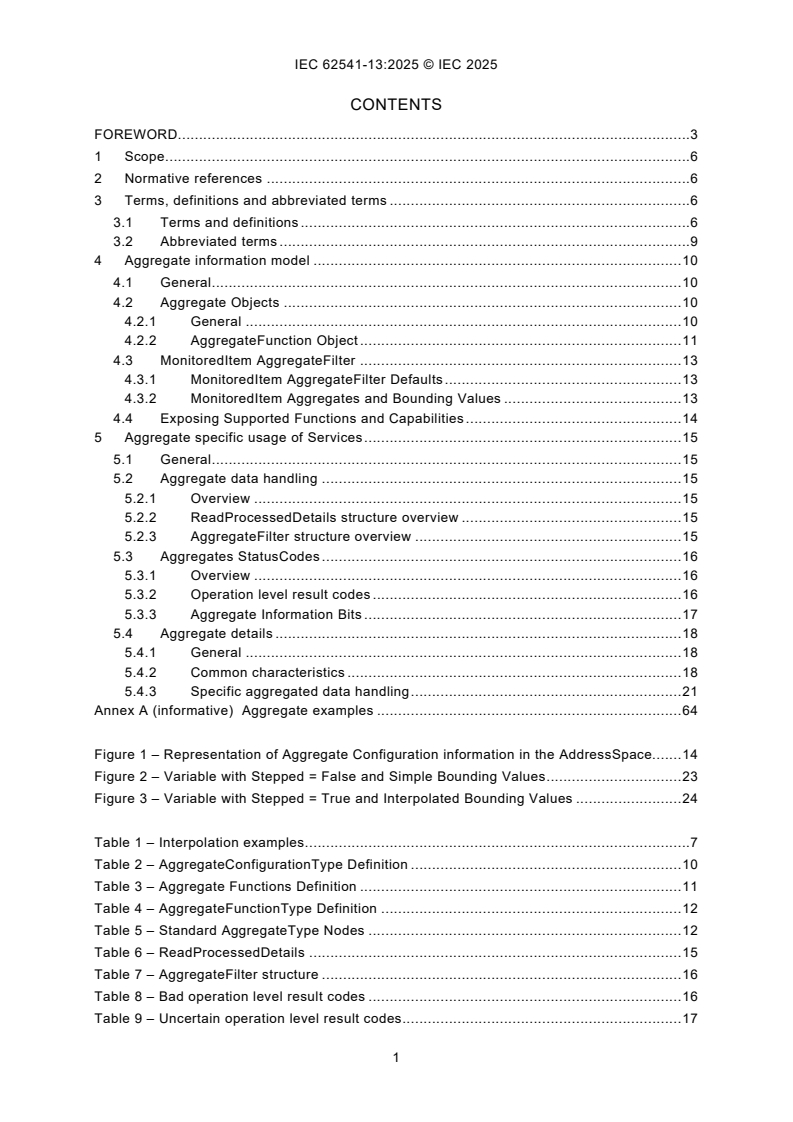
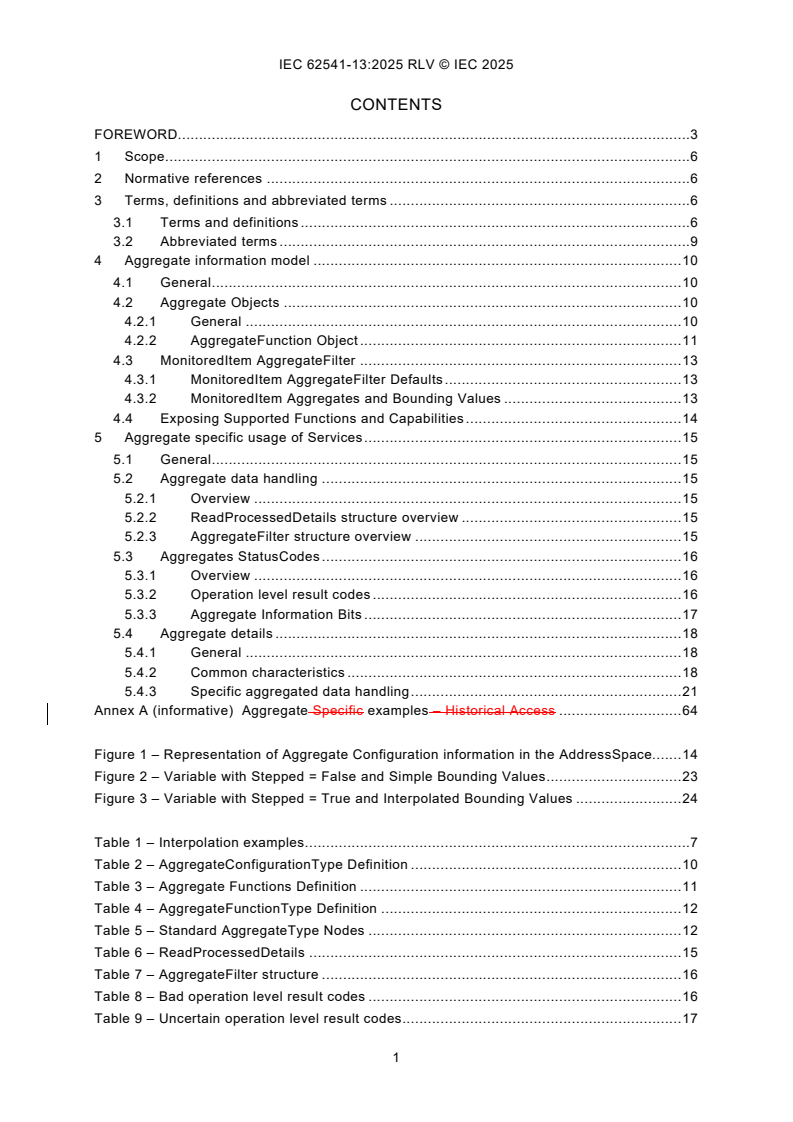
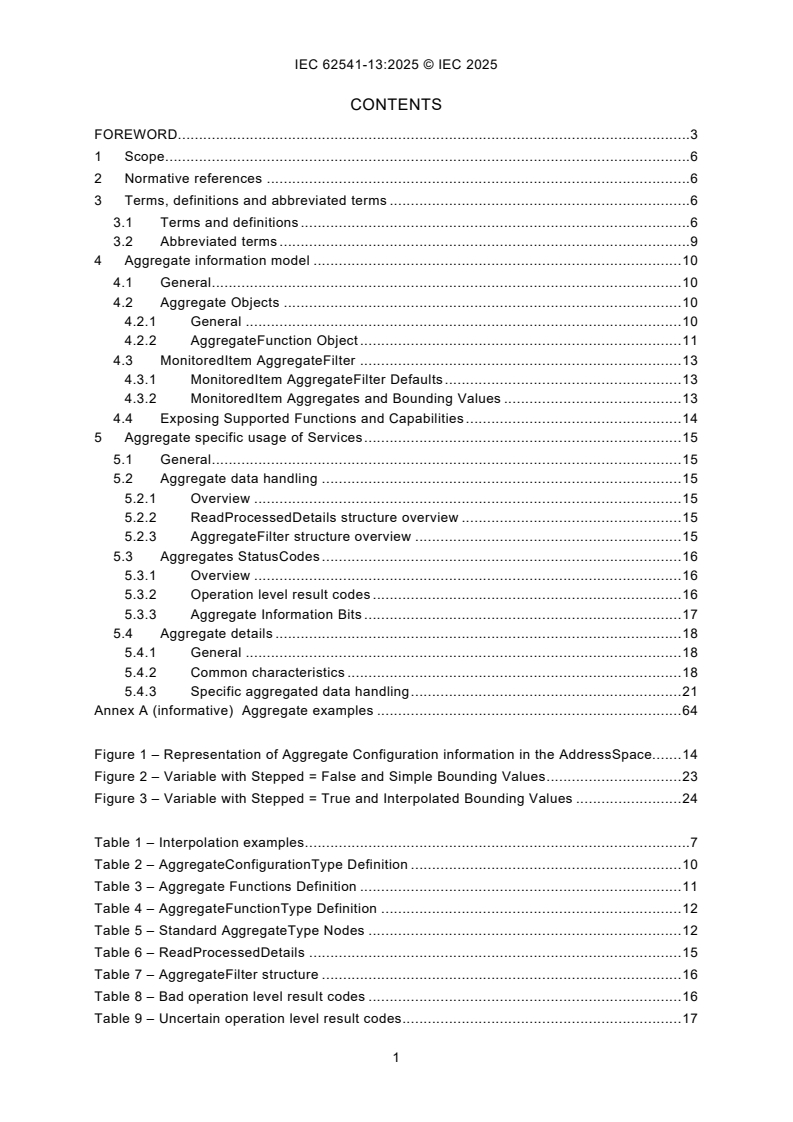
CONTENTS
FOREWORD. 3
1 Scope . 6
2 Normative references . 6
3 Terms, definitions and abbreviated terms . 6
3.1 Terms and definitions . 6
3.2 Abbreviated terms . 9
4 Aggregate information model . 10
4.1 General . 10
4.2 Aggregate Objects . 10
4.2.1 General . 10
4.2.2 AggregateFunction Object . 11
4.3 MonitoredItem AggregateFilter . 13
4.3.1 MonitoredItem AggregateFilter Defaults . 13
4.3.2 MonitoredItem Aggregates and Bounding Values . 13
4.4 Exposing Supported Functions and Capabilities . 14
5 Aggregate specific usage of Services . 15
5.1 General . 15
5.2 Aggregate data handling . 15
5.2.1 Overview . 15
5.2.2 ReadProcessedDetails structure overview . 15
5.2.3 AggregateFilter structure overview . 15
5.3 Aggregates StatusCodes . 16
5.3.1 Overview . 16
5.3.2 Operation level result codes . 16
5.3.3 Aggregate Information Bits . 17
5.4 Aggregate details . 18
5.4.1 General . 18
5.4.2 Common characteristics . 18
5.4.3 Specific aggregated data handling . 21
Annex A (informative) Aggregate examples . 64
Figure 1 – Representation of Aggregate Configuration information in the AddressSpace. 14
Figure 2 – Variable with Stepped = False and Simple Bounding Values . 23
Figure 3 – Variable with Stepped = True and Interpolated Bounding Values . 24
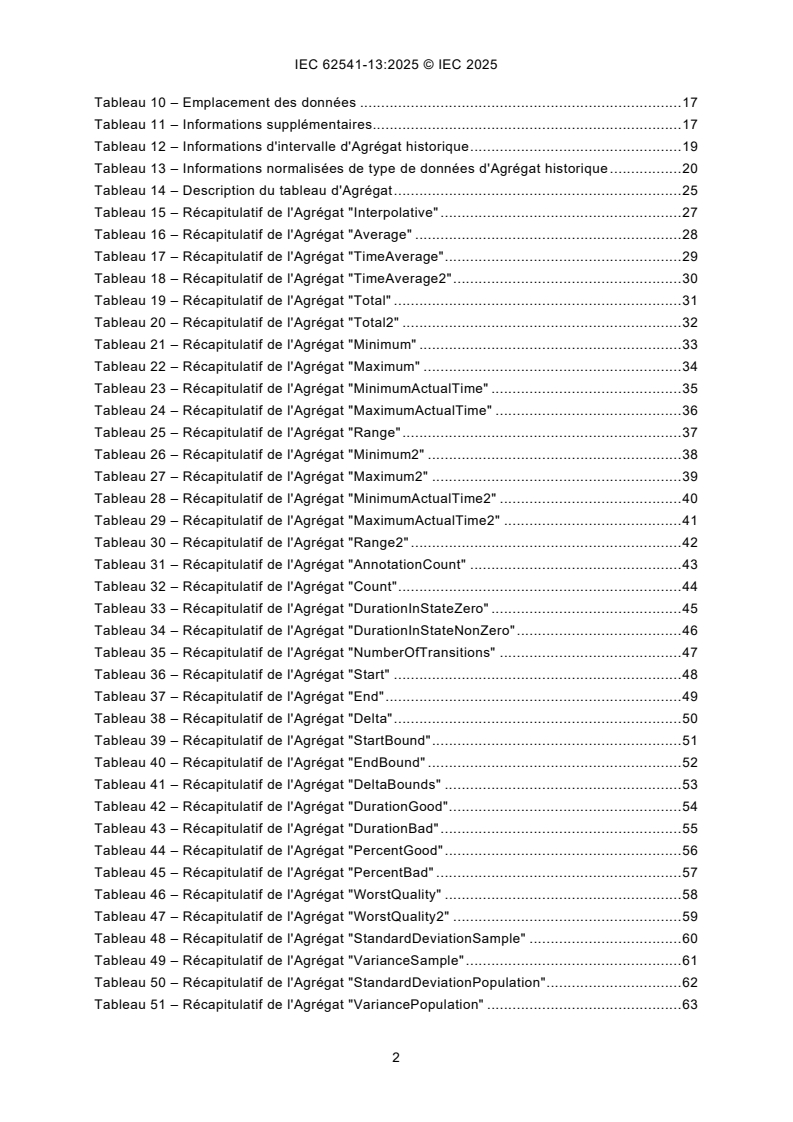
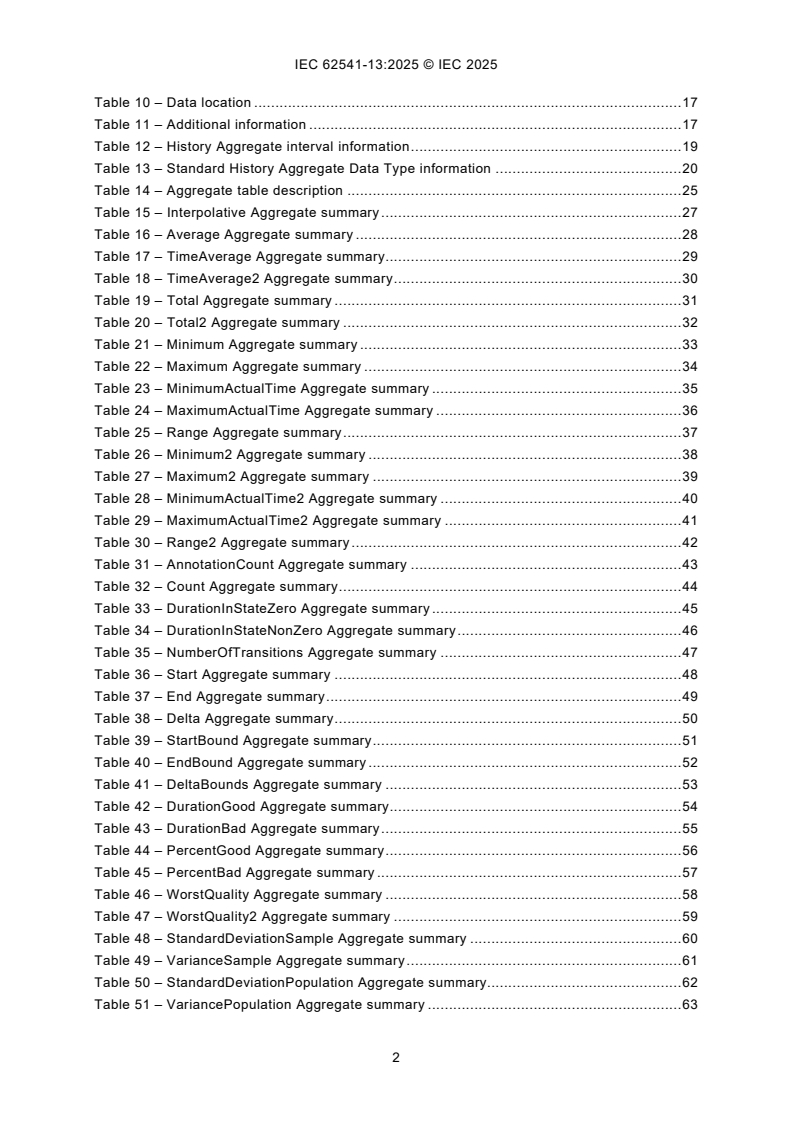
Table 1 – Interpolation examples . 7
Table 2 – AggregateConfigurationType Definition . 10
Table 3 – Aggregate Functions Definition . 11
Table 4 – AggregateFunctionType Definition . 12
Table 5 – Standard AggregateType Nodes . 12
Table 6 – ReadProcessedDetails . 15
Table 7 – AggregateFilter structure . 16
Table 8 – Bad operation level result codes . 16
Table 9 – Uncertain operation level result codes . 17
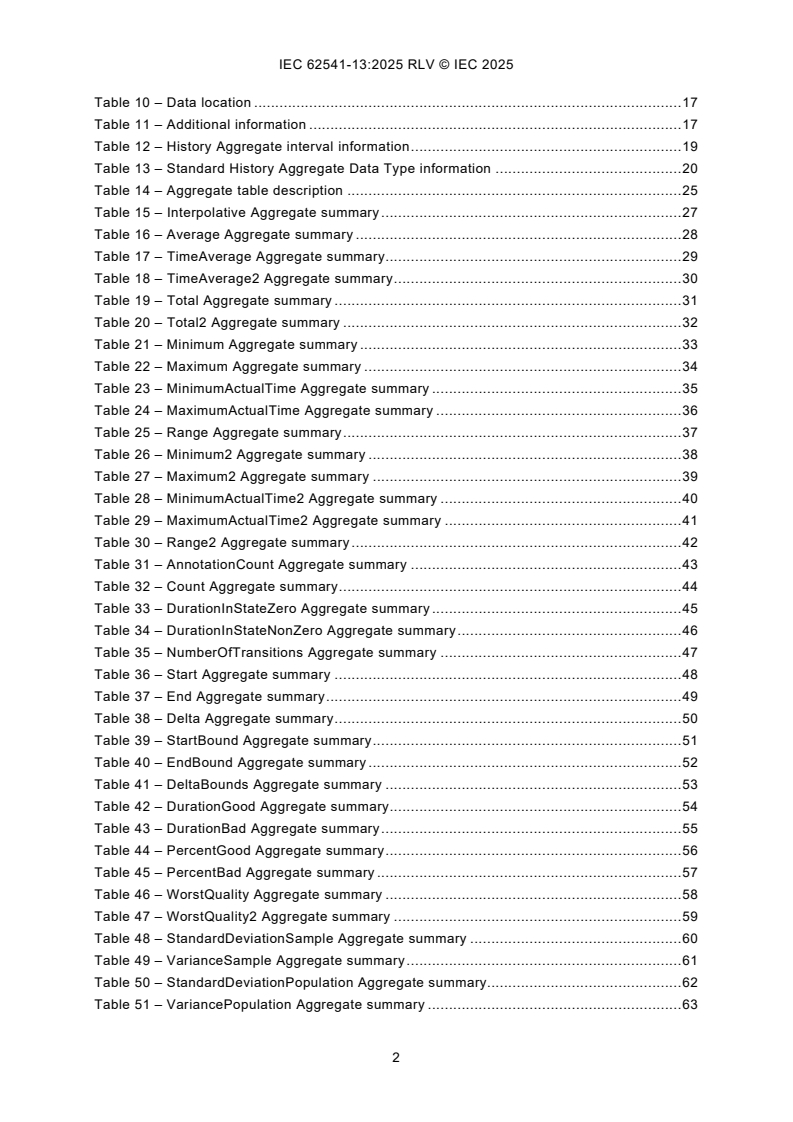
Table 10 – Data location . 17
Table 11 – Additional information . 17
Table 12 – History Aggregate interval information . 19
Table 13 – Standard History Aggregate Data Type information . 20
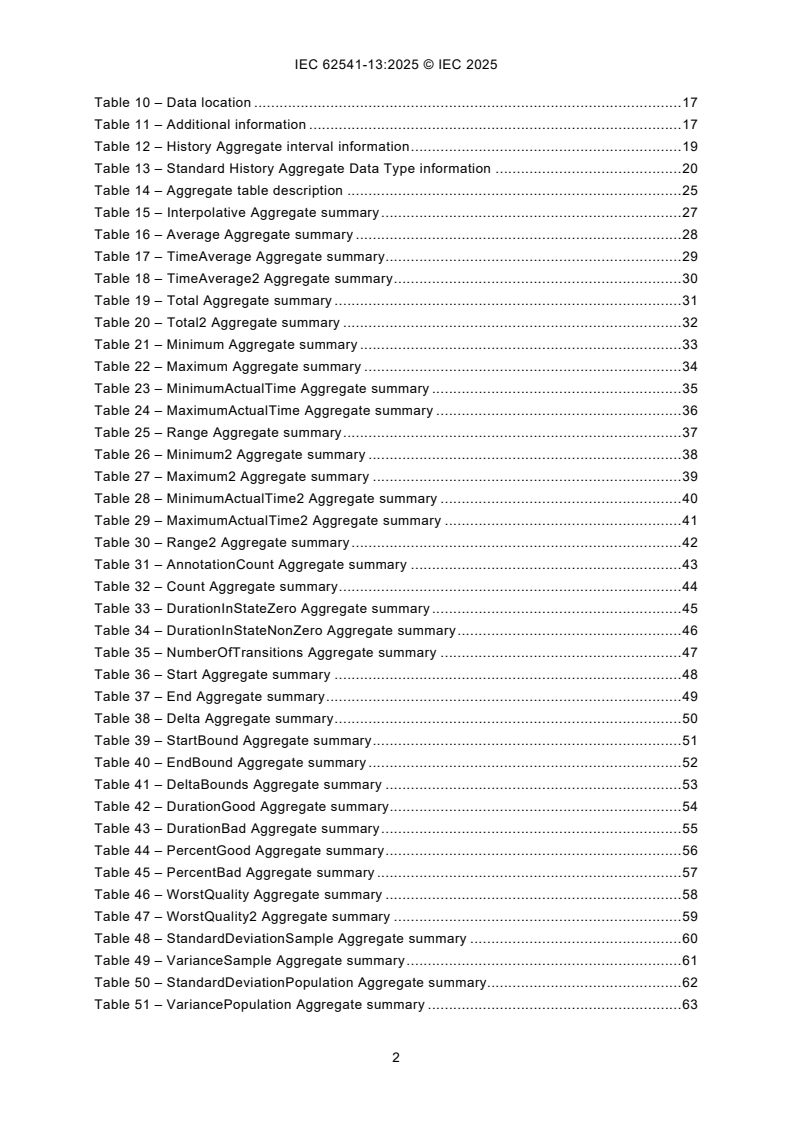
Table 14 – Aggregate table description . 25
Table 15 – Interpolative Aggregate summary . 27
Table 16 – Average Aggregate summary . 28
Table 17 – TimeAverage Aggregate summary . 29
Table 18 – TimeAverage2 Aggregate summary . 30
Table 19 – Total Aggregate summary . 31
Table 20 – Total2 Aggregate summary . 32
Table 21 – Minimum Aggregate summary . 33
Table 22 – Maximum Aggregate summary . 34
Table 23 – MinimumActualTime Aggregate summary . 35
Table 24 – MaximumActualTime Aggregate summary . 36
Table 25 – Range Aggregate summary . 37
Table 26 – Minimum2 Aggregate summary . 38
Table 27 – Maximum2 Aggregate summary . 39
Table 28 – MinimumActualTime2 Aggregate summary . 40
Table 29 – MaximumActualTime2 Aggregate summary . 41
Table 30 – Range2 Aggregate summary . 42
Table 31 – AnnotationCount Aggregate summary . 43
Table 32 – Count Aggregate summary . 44
Table 33 – DurationInStateZero Aggregate summary . 45
Table 34 – DurationInStateNonZero Aggregate summary . 46
Table 35 – NumberOfTransitions Aggregate summary . 47
Table 36 – Start Aggregate summary . 48
Table 37 – End Aggregate summary . 49
Table 38 – Delta Aggregate summary . 50
Table 39 – StartBound Aggregate summary . 51
Table 40 – EndBound Aggregate summary . 52
Table 41 – DeltaBounds Aggregate summary . 53
Table 42 – DurationGood Aggregate summary . 54
Table 43 – DurationBad Aggregate summary . 55
Table 44 – PercentGood Aggregate summary . 56
Table 45 – PercentBad Aggregate summary . 57
Table 46 – WorstQuality Aggregate summary . 58
Table 47 – WorstQuality2 Aggregate summary . 59
Table 48 – StandardDeviationSample Aggregate summary . 60
Table 49 – VarianceSample Aggregate summary . 61
Table 50 – StandardDeviationPopulation Aggregate summary. 62
Table 51 – VariancePopulation Aggregate summary . 63
INTERNATIONAL ELECTROTECHNICAL COMMISSION
____________
OPC unified architecture -
Part 13: Aggregates
FOREWORD
1) The International Electrotechnical Commission (IEC) is a worldwide organization for standardization comprising
all national electrotechnical committees (IEC National Committees). The object of IEC is to promote international
co-operation on all questions concerning standardization in the electrical and electronic fields. To this end and
in addition to other activities, IEC publishes International Standards, Technical Specifications, Technical Reports,
Publicly Available Specifications (PAS) and Guides (hereafter referred to as “IEC Publication(s)”). Their
preparation is entrusted to technical committees; any IEC National Committee interested in the subject dealt with
may participate in this preparatory work. International, governmental and non-governmental organizations liaising
with the IEC also participate in this preparation. IEC collaborates closely with the International Organization for
Standardization (ISO) in accordance with conditions determined by agreement between the two organizations.
2) The formal decisions or agreements of IEC on technical matters express, as nearly as possible, an international
consensus of opinion on the relevant subjects since each technical committee has representation from all
interested IEC National Committees.
3) IEC Publications have the form of recommendations for international use and are accepted by IEC National
Committees in that sense. While all reasonable efforts are made to ensure that the technical content of IEC
Publications is accurate, IEC cannot be held responsible for the way in which they are used or for any
misinterpretation by any end user.
4) In order to promote international uniformity, IEC National Committees undertake to apply IEC Publications
transparently to the maximum extent possible in their national and regional publications. Any divergence between
any IEC Publication and the corresponding national or regional publication shall be clearly indicated in the latter.
5) IEC itself does not provide any attestation of conformity. Independent certification bodies provide conformity
assessment services and, in some areas, access to IEC marks of conformity. IEC is not responsible for any
services carried out by independent certification bodies.
6) All users should ensure that they have the latest edition of this publication.
7) No liability shall attach to IEC or its directors, employees, servants or agents including individual experts and
members of its technical committees and IEC National Committees for any personal injury, property damage or
other damage of any nature whatsoever, whether direct or indirect, or for costs (including legal fees) and
expenses arising out of the publication, use of, or reliance upon, this IEC Publication or any other IEC
Publications.
8) Attention is drawn to the Normative references cited in this publication. Use of the referenced publications is
indispensable for the correct application of this publication.
9) IEC draws attention to the possibility that the implementation of this document may involve the use of (a)
patent(s). IEC takes no position concerning the evidence, validity or applicability of any claimed patent rights in
respect thereof. As of the date of publication of this document, IEC had not received notice of (a) patent(s), which
may be required to implement this document. However, implementers are cautioned that this may not represent
the latest information, which may be obtained from the patent database available at https://patents.iec.ch. IEC
shall not be held responsible for identifying any or all such patent rights.
IEC 62541-13 has been prepared by subcommittee 65E: Devices and integration in enterprise
systems, of IEC technical committee 65: Industrial-process measurement, control and
automation. It is an International Standard.
This third edition cancels and replaces the second edition published in 2020. This edition
constitutes a technical revision.
This edition includes the following technical changes with respect to the previous edition:
a) Multiple fixes for the computation of aggregates
• The Raw status bit is always set for non-bad StatusCodes for the Start and End
aggregates.
• Entries in the Interpolative examples Tables A2.2 Historian1, Historian2, and Historian3
have been changed from Good to Good, Raw status codes when the timestamp matches
with the timestamp of the data source.
• Missing tables have been added for DurationInStateZero and DurationInStateNonZero.
• The value of zero has been removed for results with a StatusCode of bad.
• Data Type was listed as "Status Code" when it is "Double" for both Standard Deviation
and both Variance Aggregates.
• Rounding Error in TimeAverage and TimeAverage2 have been corrected.
• The status codes have been corrected for the last two intervals and the value has been
corrected in the last interval.
• The wording has been changed to be more consistent with the certification testing tool.
• UsedSlopedExtrapolation set to true for Historian2 and all examples locations needed
new values or status' are modified.
• Values affected by percent good and percent bad have been updated.
• PercentGood/PercentBad are now accounted for in the calculation.
• TimeAverage uses SlopedInterpolation but the Time aggregate is incorrectly allowed to
used Stepped Interpolation.
• Partial bit is now correctly calculated.
• Unclear sentence was removed.
• Examples have been moved to a CSV.
• The value and status code for Historian 3 have been updated.
• TimeAverage2 Historian1 now takes uncertain regions into account when calculating
StatusCodes.
• TimeAverage2 Historian2 now takes uncertain regions into account when calculating
StatusCodes.
• Total2 Historian1 now takes uncertain regions into account when calculating
StatusCodes
• Total2 Historian2 now takes uncertain regions into account when calculating
StatusCodes
• Maximum2 Historian1 now takes uncertain regions into account when calculating
StatusCodes
• MaximumActualTime2 Historian1 now takes uncertain regions into account when
calculating StatusCodes
• Minimum2 Historian1 now takes uncertain regions into account when calculating
StatusCodes
• MinimumActualTime2 Historian1 now has the StatusCodes calculated while using the
TreatUncertainAsBad flag.
• Range2 Historian1 now looks at TreatUncertainAsBad in the calculation of the
StatusCodes.
• Clarifications have been made to the text defining how PercentGood/PercentBad are
used. The table values and StatusCodes of the TimeAverage2 and Total2 aggregates
have been corrected.
The text of this International Standard is based on the following documents:
Draft Report on voting
65E/1059/CDV 65E/1098/RVC
Full information on the voting for its approval can be found in the report on voting indicated in
the above table.
The language used for the development of this International Standard is English.
This document was drafted in accordance with ISO/IEC Directives, Part 2, and developed in
accordance with ISO/IEC Directives, Part 1 and ISO/IEC Directives, IEC Supplement, available
at www.iec.ch/members_experts/refdocs. The main document types developed by IEC are
described in greater detail at www.iec.ch/publications.
Throughout this document and the other parts of the IEC 62541 series, certain document
conventions are used:
Italics are used to denote a defined term or definition that appears in the "Terms and definitions"
clause in one of the parts of the IEC 62541 series.
Italics are also used to denote the name of a service input or output parameter or the name of
a structure or element of a structure that are usually defined in tables.
The italicized terms and names are, with a few exceptions, written in camel-case (the practice
of writing compound words or phrases in which the elements are joined without spaces, with
each element's initial letter capitalized within the compound). For example, the defined term is
AddressSpace instead of Address Space. This makes it easier to understand that there is a
single definition for AddressSpace, not separate definitions for Address and Space.
A list of all parts in the IEC 62541 series, published under the general title OPC Unified
Architecture, can be found on the IEC website.
The committee has decided that the contents of this document will remain unchanged until the
stability date indicated on the IEC website under webstore.iec.ch in the data related to the
specific document. At this date, the document will be
– reconfirmed,
– withdrawn, or
– revised.
1 Scope
This part of IEC 62541 is part of the overall OPC Unified Architecture specification series and
defines the information model associated with Aggregates.
Programmatically produced aggregate examples are listed in Annex A.
2 Normative references
The following documents, in whole or in part, are normatively referenced in this document and
are indispensable for its application. For dated references, only the edition cited applies. For
undated references, the latest edition of the referenced document (including any amendments
and errata) applies.
IEC 62541-1, OPC Unified Architecture - Part 1: Overview and Concepts
IEC 62541-3, OPC Unified Architecture - Part 3: Address Space Model
IEC 62541-4, OPC Unified Architecture - Part 4: Services
IEC 62541-5, OPC Unified Architecture - Part 5: Information Model
IEC 62541-8, OPC Unified Architecture - Part 8: Data Access
IEC 62541-11, OPC Unified Architecture - Part 11: Historical Access
3 Terms, definitions and abbreviated terms
3.1 Terms and definitions
For the purposes of this document, the terms and definitions given in IEC 62541-1,
IEC 62541-3, IEC 62541-4, and IEC 62541-11 and the following apply.
ISO and IEC maintain terminology databases for use in standardization at the following
addresses:
– IEC Electropedia: available at https://www.electropedia.org/
– ISO Online browsing platform: available at https://www.iso.org/obp
3.1.1
ProcessingInterval
timespan for which derived values are produced basedNo terms and definitions are listed in this
document
Note 1 to entry: The total time domain specified for ReadProcessed is divided by the ProcessingInterval. For
example, performing a 10-minute Average over the time range 12:00 to 12:30 would result in a set of three intervals
of ProcessingInterval length, with each interval having a start time of 12:00, 12:10 and 12:20 respectively. The rules
used to determine the interval Bounds are discussed in 5.4.2.2.
3.1.2
Interpolated data
data that is calculated from data samples
Note 1 to entry: Data samples can be historical data or buffered real time data. An interpolated value is calculated
from the data points on either side of the requested timestamp.
3.1.3
EffectiveEndTime
time immediately before endTime
Note 1 to entry: All Aggregate calculations include the startTime but exclude the endTime. However, it is sometimes
necessary to return an Interpolated End Bound as the value for an Interval with a timestamp that is in the interval.
Servers are expected to use the time immediately before endTime where the time resolution of the Server determines
the exact value (do not confuse this with hardware or operating system time resolution). For example, if the endTime
is 12:01:00, the time resolution is 1 second, then the EffectiveEndTime is 12:00:59. See 5.4.2.4.
If time is flowing backwards, Servers are expected to use the time immediately after endTime where the time
resolution of the Server determines the exact value.
3.1.4
Extrapolated data
data constructed from a discrete data set but is outside of the discrete data set
Note 1 to entry: It is similar to the process of interpolation, which constructs new points between known points, but
its result is subject to greater uncertainty. Extrapolated data is used in cases where the requested time period falls
farther into the future than the data available in the underlying system. See example in Table 1.
3.1.5
SlopedInterpolation
simple linear interpolation
Note 1 to entry: Compare to curve fitting using linear polynomials. See example in Table 1.
3.1.6
SteppedInterpolation
Interpolation holding the last data point constant or interpolating the value based on a horizontal
line fit
Note 1 to entry: Consider the following Table 1 of raw and Interpolated/Extrapolated values:
Table 1 – Interpolation examples
Timestamp Raw Value Sloped Interpolation Stepped Interpolation
12:00:00 10
12:00:05 15 10
12:00:08 18 10
12:00:10 20
12:00:15 25 20
12:00:20 30
SlopedExtrapolation SteppedExtrapolation
12:00:25 35 30
12:00:27 37 30
3.1.7
bounding values
values at the startTime and endTime needed for Aggregates to compute the result
Note 1 to entry: If Raw data does not exist at the startTime and endTime a value shall be estimated. There are two
ways to determine Bounding Values for an interval. One way (called Interpolated Bounding Values) uses the first
non-Bad data points found before and after the timestamp to estimate the bound. The other (called Simple Bounding
Values) uses the data points immediately before and after the boundary timestamps to estimate the bound even if
these points are Bad. Entries 3.1.8 and 3.1.9 describe the two different approaches in more detail.
In all cases the TreatUncertainAsBad (see 4.2.1.2) flag is used to determine whether Uncertain values are Bad or
non-Bad.
If a Raw value was not found and a non-Bad bounding value exists the Aggregate Bits (see 5.3.3) are set to
‘Interpolated’.
When calculating bounding values, the value portion of Raw data that has Bad status is set to null. This means the
value portion is not used in any calculation and a null is returned if the raw value is returned. The status portion is
determined by the rules specified by the bound or Aggregate.
The Interpolated Bounding Values approach (see 3.1.8) is the same as what is used in Classic OPC Historical Data
Access (HDA) and is important for applications such as advanced process control where having useful values at all
times is important. The Simple Bounding Values approach (see 3.1.9) is new in this standard and is important for
applications which shall produce regulatory reports and cannot use estimated values in place of Bad data.
3.1.8
interpolated bounding values
bounding values determined by a calculation using the nearest Good value
Note 1 to entry: Interpolated Bounding Values using SlopedInterpolation are calculated as follows:
• if a non-Bad Raw value exists at the timestamp then it is the bounding value;
• find the first non-Bad Raw value before the timestamp;
• find the first non-Bad Raw value after the timestamp;
• draw a line between before value and after value;
• use point where the line crosses the timestamp as an estimate of the bounding value.
The calculation can be expressed with the following formula:
V = (T – T ) × (V – V ) / (T – T ) + V
bound bound before after before after before before
where V is a value at ‘x’ and T is the timestamp associated with V .
x x x
If no non-Bad values exist before the timestamp the StatusCode is Bad_NoData. The StatusCode is
Uncertain_DataSubNormal if any Bad values exist between the before value and after value. If either the before
value or the after value are Uncertain the StatusCode is Uncertain_DataSubNormal. If the after value does not exist
the before value shall be extrapolated using SlopedExtrapolation or SteppedExtrapolation.
The period of time that is searched to discover the Good values before and after the timestamp is Server dependent,
but if a Good value is not found within some reasonable time range then the Server will assume it does not exist.
The Server as a minimum should search a time range which is at least the size of the ProcessingInterval.
Interpolated Bounding Values using SlopedExtrapolation are calculated as follows:
• find the first non-Bad Raw value before timestamp;
• find the second non-Bad Raw value before timestamp;
• draw a line between these two values;
• extend the line to where it crosses the timestamp;
• use the point where the line crosses the timestamp as an estimate of the bounding value.
The formula is the same as the one used for SlopedInterpolation.
The StatusCode is always Uncertain_DataSubNormal. If only one non-Bad raw value can be found before the
timestamp then SteppedExtrapolation is used to estimate the bounding value.
Interpolated Bounding Values using SteppedInterpolation are calculated as follows:
• if a non-Bad Raw value exists at the timestamp then it is the bounding value;
• find the first non-Bad Raw value before timestamp;
• use the value as an estimate of the bounding value.
The StatusCode is Uncertain_DataSubNormal if any Bad values exist between the before value and the timestamp.
If no non-Bad Raw data exists before the timestamp then the StatusCode is Bad_NoData. If the value before the
timestamp is Uncertain the StatusCode is Uncertain_DataSubNormal. The value after the timestamp is not necessary
when using SteppedInterpolation; however, if the timestamp is after the end of the data then the bounding value is
treated as extrapolated and the StatusCode is Uncertain_DataSubNormal.
SteppedExtrapolation is a term that describes SteppedInterpolation when a timestamp is after the last value in the
history collection.
3.1.9
simple bounding values
bounding values determined by a calculation using the nearest value
Note 1 to entry: Simple Bounding Values using SlopedInterpolation are calculated as follows:
• if any Raw value exists at the timestamp then it is the bounding value;
• find the first Raw value before timestamp;
• find the first Raw value after timestamp;
• if the value after the timestamp is Bad then the before value is the bounding value;
• draw a line between before value and after value;
• use point where the line crosses the timestamp as an estimate of the bounding value.
The formula is the same as the one used for SlopedInterpolation in 3.1.5.
If a Raw value at the timestamp is Bad the StatusCode is Bad_NoData. If the value before the timestamp is Bad the
StatusCode is Bad_NoData. If the value before the timestamp is Uncertain the StatusCode is
Uncertain_DataSubNormal. If the value after the timestamp is Bad or Uncertain the StatusCode is
Uncertain_DataSubNormal.
Simple Bounding Values using SteppedInterpolation are calculated as follows:
• if any Raw value exists at the timestamp then it is the bounding value;
• find the first Raw value before timestamp;
• if the value before timestamp is non-Bad then it is the bounding value.
If a Raw value at the timestamp is Bad the StatusCode is Bad_NoData. If the value before the timestamp is Bad the
StatusCode is Bad_NoData. If the value before the timestamp is Uncertain the StatusCode is
Uncertain_DataSubNormal.
If either bounding time of an interval is beyond the last data point, then the Server can use extrapolation or return
an error. If extrapolation is used by the server the type [SteppedExtrapolation or SloppedExtrapolation] of
extrapolation is server specific.
In some Historians, the last Raw value does not necessarily indicate the end of the data. Based on the Historian's
knowledge of the data collection mechanism, i.e. frequency of data updates and latency, the Historian can extend
the last value to a time known by the Historian to be covered. When calculating Simple Bounding Values the Historian
will act as if there is another Raw value at this timestamp.
In the same way, if the earliest time of an interval starts before the first data point in history and the latest time is
after the first data point in history, then the interval will be treated as if the interval extends from the first data point
in history to the latest time of the interval and the StatusCode of the interval will have the Partial bit set (see 5.3.3.2).
The period of time that is searched to discover the values before and after the timestamp is Server dependent, but
if a value is not found within some reasonable time range then the Server will assume it does not exist. The Server
as a minimum should search a time range which is at least the size of the ProcessingInterval.
3.2 Abbreviated terms
DA Data Access
HA Historical Access (access to historical data or events)
HDA Historical Data Access
UA Unified Architecture
4 Aggregate information model
4.1 General
IEC 62541-3 and IEC 62541-5 standards define the representation of Aggregate historical or
buffered real time data in the OPC Unified Architecture. This includes the definition of
Aggregates used in processed data retrieval and in historical retrieval. This definition includes
both standard Reference types and Object types.
4.2 Aggregate Objects
4.2.1 General
4.2.1.1 Overview
OPC UA Servers can support several different functionalities and capabilities. The following
standard Objects are used to expose these capabilities in a common fashion, and there are
several standard defined concepts that can be extended by vendors.
4.2.1.2 AggregateConfigurationType
The AggregateConfigurationType defines the general characteristics of a Node that defines the
Aggregate configuration of any Variable or Property. AggregateConfiguration Object represents
the browse entry point for information on how the Server treats Aggregate specific functionality
such as handling Uncertain data. It is formally defined in Table 2.
Table 2 – AggregateConfigurationType Definition
Attribute Value
BrowseName AggregateConfigurationType
IsAbstract False
References NodeClass BrowseName DataType TypeDefinition ModellingRule
Subtype of the BaseObjectType defined in IEC 62541-5
HasProperty Variable TreatUncertainAsBad Boolean PropertyType Mandatory
HasProperty Variable PercentDataBad Byte PropertyType Mandatory
HasProperty Variable PercentDataGood Byte PropertyType Mandatory
HasProperty Variable UseSlopedExtrapolation Boolean PropertyType Mandatory
Conformance Units
Aggregate Master Configuration
The TreatUncertainAsBad Variable indicates how the Server treats data returned with a
StatusCode severity Uncertain with respect to Aggregate calculations. A value of True indicates
the Server considers the severity equivalent to Bad, a value of False indicates the Server
considers the severity equivalent to Good, unless the Aggregate definition says otherwise. The
default value is True. Note that the value is still treated as Uncertain when the StatusCode for
the result is calculated.
The PercentDataBad Variable indicates the minimum percentage of Bad data in a given interval
required for the StatusCode for the given interval for processed data request to be set to Bad.
(Uncertain is treated as defined above.) Refer to 5.4.3 for details on using this Variable when
assigning StatusCodes. For details on which Aggregates use the PercentDataBad Variable, see
the definition of each Aggregate. The default value is 100.
The PercentDataGood Variable indicates the minimum percentage of Good data in a given
interval required for the StatusCode for the given interval for the processed data requests to be
set to Good. Refer to 5.4.3 for details on using this Variable when assigning StatusCodes. For
details on which Aggregates use the PercentDataGood Variable, see the definition of each
Aggregate. The default value is 100.
The following calculations are used to detemine the StatusCode which will be used to calculate
the value of the aggregate. Refer to 5.4.3 for details on using these Variables when assigning
StatusCodes. The PercentDataGood and PercentDataBad shall follow the following relationship
PercentDataGood ≥ (100 – PercentDataBad). If they are equal the result of the
PercentDataGood calculation is used. If the values entered for PercentDataGood and
PercentDataBad do not result in a valid calculation (e.g. Bad = 80; Good = 0) the result will
have a StatusCode of Bad_AggregateInvalidInputs. The StatusCode
Bad_AggregateInvalidInputs will be returned if the value of PercentDataGood or
PercentDataBad exceed 100.
The UseSlopedExtrapolation Variable indicates how the Server interpolates data when no
boundary value exists (i.e. extrapolating into the future from the last known value). A value of
False indicates that the Server will use a SteppedExtrapolation format, and hold the last known
value constant. A value of True indicates the Server will project the value using
UseSlopedExtrapolation mode. The default value is False. For SimpleBounds this value is
ignored.
4.2.2 AggregateFunction Object
4.2.2.1 General
This Object is used as the browse entry point for information about the Aggregates supported
by a Server. The content of this Object is already defined by its type definition. All Instances of
the FolderType use the standard BrowseName of ‘AggregateFunctions’. The HasComponent
Reference is used to relate a ServerCapabilities Object and/or any
HistoryServerCapabilitiesType Object to an AggregateFunction Object. AggregateFunctions is
formally defined in Table 3.
Table 3 – Aggregate Functions Definition
Attribute Value
BrowseName AggregateFunctions
References Node BrowseName DataType TypeDefinition Modelling
Class Rule
HasTypeDefiniti Object FolderType Defined in IEC 62541-5
on
Type
Conformance Units
Historical Access Aggregates
Each ServerCapabilities and HistoryServerCapabilitiesType Object shall reference an
AggregateFunction Object. In addition, each HistoricalConfiguration Object belonging to a
HistoricalDataNode can reference an AggregateFunction Object using the HasComponent
Reference.
4.2.2.2 AggregateFunctionType
This ObjectType defines an Aggregate supported by a UA Server. This Object is formally
defined in Table 4.
Table 4 – AggregateFunctionType Definition
Attribute Value
BrowseName AggregateFunctionType
IsAbstract False
References Node BrowseName DataType Type Mod.
Class Definition Rule
Subtype of the BaseObjectType defined in IEC 62541-5
Conformance Units
Historical Access Aggregates
For the AggregateFunctionType, the Description Attribute (inherited from the Base NodeClass),
is mandatory. The Description Attribute provides a localized description of the Aggregate.
Table 5 specifies the BrowseName and Description Attributes for the standard Aggregate
Objects. The description is the localized “en” text. For other locales it shall be translated.
Table 5 – Standard AggregateType Nodes
BrowseName Description
Interpolation Aggregate
Interpolative At the beginning of each interval, retrieve the calculated value from the data points
on either side of the requested timestamp.
Average Retrieve the average value of the data over the interval.
TimeAverage Retrieve the time weighted average data over the interval using Interpolated
Bounding Values.
TimeAverage2 Retrieve the time weighted average data over the interval using Simple Bounding
Values.
Total Retrieve the total (time integral) of the data over the interval using Interpolated
Bounding Values.
Total2 Retrieve the total (time integral) of the data over the interval using Simple Bounding
Values.
Minimum Retrieve the minimum raw value in the interval with the timestamp of the start of the
interval.
Maximum Retrieve the maximum raw value in the interval with the timestamp of the start of
the interval.
MinimumActualTime Retrieve the minimum value in the interval and the timestamp of the minimum
value.
MaximumActualTime Retrieve the maximum value in the interval and the timestamp of the maximum
value.
Range Retrieve the difference between the minimum and maximum value over the interval.
Minimum2 Retrieve the minimum value in the interval including the Simple Bounding Values.
Maximum2 Retrieve the maximum value in the interval including the Simple Bounding Values.
MinimumActualTime2 Retrieve the minimum value with the actual timestamp including the Simple
Bounding Values.
MaximumActualTime2 Retrieve the maximum value with the actual timestamp including the Simple
Bounding Values.
Range2 Retrieve the difference between the Minimum2 and Maximum2 value over the
interval.
Count Retrieve the number of raw values over the interval.
DurationInStateZero Retrieve the time a Boolean or numeric was in a zero state using Simple Bounding
Values.
BrowseName Description
Interpolation Aggregate
DurationInStateNonZero Retrieve the time a Boolean or numeric was in a non-zero state using Simple
Bounding Values.
NumberOfTransitions Retrieve the number of changes between zero and non-zero that a Boolean or
numeric value experienced in the interval.
Start Retrieve the value at the beginning of the interval.
End Retrieve the value at the end of the interval.
Delta Retrieve the difference between the Start and End value in the interval.
StartBound Retrieve the value at the beginning of the interval using Simple Bounding Values.
EndBound Retrieve the value at the end of the interval using Simple Bounding Values.
DeltaBounds Retrieve the difference between the StartBound and EndBound value in the interval
using Simple Bounding Values.
DurationGood Retrieve the total duration of time in the interval during which the data is Good.
DurationBad Retrieve the total duration of time in the interval during which the data is Bad.
PercentGood Retrieve the percentage of data (0 to 100) in the interval which has Good
StatusCode.
PercentBad Retrieve the percentage of data (0 to 100) in the interval which has Bad
StatusCode.
WorstQuality Retrieve the worst StatusCode of data in the interval.
WorstQuality2 Retrieve the worst StatusCode of data in the interval including the Simple Bounding
Values.
AnnotationCount Retrieve the number of Annotations in the interval (applies to Historical Aggregates
only).
StandardDeviationSample Retrieve the standard deviation for the interval for a sample of the population (n-1).
VarianceSample Retrieve the variance for the interval as calculated by the
StandardDeviationSample.
StandardDeviation Retrieve the standard deviation for the interval for a complete population (n) which
Population includes Simple Bounding Values.
VariancePopulation Retrieve the variance for the interval as calculated by the
StandardDeviationPopulation which includes Simple Bounding Values.
4.3 MonitoredItem AggregateFilter
4.3.1 MonitoredItem AggregateFilter Defaults
The default values used for MonitoredItem Aggregates are the same as those used for historical
Aggregates. They are defined in 4.2.1.2. For additional information on MonitoredItem
AggregateFilter, see IEC 62541-4.
4.3.2 MonitoredItem Aggregates and Bounding Values
When calculating MonitoredItem Aggregates that require the use of Bounding Values, the
bounds are perhaps not known. The calculation is done in the same manner as a historical read
with the Partial Bit set. The historian can wait s
...
IEC 62541-13 ®
Edition 3.0 2025-12
INTERNATIONAL
STANDARD
REDLINE VERSION
OPC unified architecture -
Part 13: Aggregates
ICS 25.040.40; 35.100.05 ISBN 978-2-8327-0963-4
All rights reserved. Unless otherwise specified, no part of this publication may be reproduced or utilized in any form or
by any means, electronic or mechanical, including photocopying and microfilm, without permission in writing from either
IEC or IEC's member National Committee in the country of the requester. If you have any questions about IEC copyright
or have an enquiry about obtaining additional rights to this publication, please contact the address below or your local
IEC member National Committee for further information.
IEC Secretariat Tel.: +41 22 919 02 11
3, rue de Varembé info@iec.ch
CH-1211 Geneva 20 www.iec.ch
Switzerland
About the IEC
The International Electrotechnical Commission (IEC) is the leading global organization that prepares and publishes
International Standards for all electrical, electronic and related technologies.
About IEC publications
The technical content of IEC publications is kept under constant review by the IEC. Please make sure that you have the
latest edition, a corrigendum or an amendment might have been published.
IEC publications search - IEC Products & Services Portal - products.iec.ch
webstore.iec.ch/advsearchform Discover our powerful search engine and read freely all the
The advanced search enables to find IEC publications by a publications previews, graphical symbols and the glossary.
variety of criteria (reference number, text, technical With a subscription you will always have access to up to date
committee, …). It also gives information on projects, content tailored to your needs.
replaced and withdrawn publications.
Electropedia - www.electropedia.org
The world's leading online dictionary on electrotechnology,
IEC Just Published - webstore.iec.ch/justpublished
Stay up to date on all new IEC publications. Just Published containing more than 22 500 terminological entries in English
details all new publications released. Available online and and French, with equivalent terms in 25 additional languages.
once a month by email. Also known as the International Electrotechnical Vocabulary
(IEV) online.
IEC Customer Service Centre - webstore.iec.ch/csc
If you wish to give us your feedback on this publication or
need further assistance, please contact the Customer
Service Centre: sales@iec.ch.
CONTENTS
FOREWORD. 3
1 Scope . 6
2 Normative references . 6
3 Terms, definitions and abbreviated terms . 6
3.1 Terms and definitions . 6
3.2 Abbreviated terms . 9
4 Aggregate information model . 10
4.1 General . 10
4.2 Aggregate Objects . 10
4.2.1 General . 10
4.2.2 AggregateFunction Object . 11
4.3 MonitoredItem AggregateFilter . 13
4.3.1 MonitoredItem AggregateFilter Defaults . 13
4.3.2 MonitoredItem Aggregates and Bounding Values . 13
4.4 Exposing Supported Functions and Capabilities . 14
5 Aggregate specific usage of Services . 15
5.1 General . 15
5.2 Aggregate data handling . 15
5.2.1 Overview . 15
5.2.2 ReadProcessedDetails structure overview . 15
5.2.3 AggregateFilter structure overview . 15
5.3 Aggregates StatusCodes . 16
5.3.1 Overview . 16
5.3.2 Operation level result codes . 16
5.3.3 Aggregate Information Bits . 17
5.4 Aggregate details . 18
5.4.1 General . 18
5.4.2 Common characteristics . 18
5.4.3 Specific aggregated data handling . 21
Annex A (informative) Aggregate Specific examples – Historical Access . 64
Figure 1 – Representation of Aggregate Configuration information in the AddressSpace. 14
Figure 2 – Variable with Stepped = False and Simple Bounding Values . 23
Figure 3 – Variable with Stepped = True and Interpolated Bounding Values . 24
Table 1 – Interpolation examples . 7
Table 2 – AggregateConfigurationType Definition . 10
Table 3 – Aggregate Functions Definition . 11
Table 4 – AggregateFunctionType Definition . 12
Table 5 – Standard AggregateType Nodes . 12
Table 6 – ReadProcessedDetails . 15
Table 7 – AggregateFilter structure . 16
Table 8 – Bad operation level result codes . 16
Table 9 – Uncertain operation level result codes . 17
Table 10 – Data location . 17
Table 11 – Additional information . 17
Table 12 – History Aggregate interval information . 19
Table 13 – Standard History Aggregate Data Type information . 20
Table 14 – Aggregate table description . 25
Table 15 – Interpolative Aggregate summary . 27
Table 16 – Average Aggregate summary . 28
Table 17 – TimeAverage Aggregate summary . 29
Table 18 – TimeAverage2 Aggregate summary . 30
Table 19 – Total Aggregate summary . 31
Table 20 – Total2 Aggregate summary . 32
Table 21 – Minimum Aggregate summary . 33
Table 22 – Maximum Aggregate summary . 34
Table 23 – MinimumActualTime Aggregate summary . 35
Table 24 – MaximumActualTime Aggregate summary . 36
Table 25 – Range Aggregate summary . 37
Table 26 – Minimum2 Aggregate summary . 38
Table 27 – Maximum2 Aggregate summary . 39
Table 28 – MinimumActualTime2 Aggregate summary . 40
Table 29 – MaximumActualTime2 Aggregate summary . 41
Table 30 – Range2 Aggregate summary . 42
Table 31 – AnnotationCount Aggregate summary . 43
Table 32 – Count Aggregate summary . 44
Table 33 – DurationInStateZero Aggregate summary . 45
Table 34 – DurationInStateNonZero Aggregate summary . 46
Table 35 – NumberOfTransitions Aggregate summary . 47
Table 36 – Start Aggregate summary . 48
Table 37 – End Aggregate summary . 49
Table 38 – Delta Aggregate summary . 50
Table 39 – StartBound Aggregate summary . 51
Table 40 – EndBound Aggregate summary . 52
Table 41 – DeltaBounds Aggregate summary . 53
Table 42 – DurationGood Aggregate summary . 54
Table 43 – DurationBad Aggregate summary . 55
Table 44 – PercentGood Aggregate summary . 56
Table 45 – PercentBad Aggregate summary . 57
Table 46 – WorstQuality Aggregate summary . 58
Table 47 – WorstQuality2 Aggregate summary . 59
Table 48 – StandardDeviationSample Aggregate summary . 60
Table 49 – VarianceSample Aggregate summary . 61
Table 50 – StandardDeviationPopulation Aggregate summary. 62
Table 51 – VariancePopulation Aggregate summary . 63
INTERNATIONAL ELECTROTECHNICAL COMMISSION
____________
OPC unified architecture -
Part 13: Aggregates
FOREWORD
1) The International Electrotechnical Commission (IEC) is a worldwide organization for standardization comprising
all national electrotechnical committees (IEC National Committees). The object of IEC is to promote international
co-operation on all questions concerning standardization in the electrical and electronic fields. To this end and
in addition to other activities, IEC publishes International Standards, Technical Specifications, Technical Reports,
Publicly Available Specifications (PAS) and Guides (hereafter referred to as “IEC Publication(s)”). Their
preparation is entrusted to technical committees; any IEC National Committee interested in the subject dealt with
may participate in this preparatory work. International, governmental and non-governmental organizations liaising
with the IEC also participate in this preparation. IEC collaborates closely with the International Organization for
Standardization (ISO) in accordance with conditions determined by agreement between the two organizations.
2) The formal decisions or agreements of IEC on technical matters express, as nearly as possible, an international
consensus of opinion on the relevant subjects since each technical committee has representation from all
interested IEC National Committees.
3) IEC Publications have the form of recommendations for international use and are accepted by IEC National
Committees in that sense. While all reasonable efforts are made to ensure that the technical content of IEC
Publications is accurate, IEC cannot be held responsible for the way in which they are used or for any
misinterpretation by any end user.
4) In order to promote international uniformity, IEC National Committees undertake to apply IEC Publications
transparently to the maximum extent possible in their national and regional publications. Any divergence between
any IEC Publication and the corresponding national or regional publication shall be clearly indicated in the latter.
5) IEC itself does not provide any attestation of conformity. Independent certification bodies provide conformity
assessment services and, in some areas, access to IEC marks of conformity. IEC is not responsible for any
services carried out by independent certification bodies.
6) All users should ensure that they have the latest edition of this publication.
7) No liability shall attach to IEC or its directors, employees, servants or agents including individual experts and
members of its technical committees and IEC National Committees for any personal injury, property damage or
other damage of any nature whatsoever, whether direct or indirect, or for costs (including legal fees) and
expenses arising out of the publication, use of, or reliance upon, this IEC Publication or any other IEC
Publications.
8) Attention is drawn to the Normative references cited in this publication. Use of the referenced publications is
indispensable for the correct application of this publication.
9) IEC draws attention to the possibility that the implementation of this document may involve the use of (a)
patent(s). IEC takes no position concerning the evidence, validity or applicability of any claimed patent rights in
respect thereof. As of the date of publication of this document, IEC had not received notice of (a) patent(s), which
may be required to implement this document. However, implementers are cautioned that this may not represent
the latest information, which may be obtained from the patent database available at https://patents.iec.ch. IEC
shall not be held responsible for identifying any or all such patent rights.
This redline version of the official IEC Standard allows the user to identify the changes made
to the previous edition IEC 62541-13:2020. A vertical bar appears in the margin wherever a
change has been made. Additions are in green text, deletions are in strikethrough red text.
IEC 62541-13 has been prepared by subcommittee 65E: Devices and integration in enterprise
systems, of IEC technical committee 65: Industrial-process measurement, control and
automation. It is an International Standard.
This third edition cancels and replaces the second edition published in 2020. This edition
constitutes a technical revision.
This edition includes the following technical changes with respect to the previous edition:
a) Multiple fixes for the computation of aggregates
• The Raw status bit is always set for non-bad StatusCodes for the Start and End
aggregates.
• Entries in the Interpolative examples Tables A2.2 Historian1, Historian2, and Historian3
have been changed from Good to Good, Raw status codes when the timestamp matches
with the timestamp of the data source.
• Missing tables have been added for DurationInStateZero and DurationInStateNonZero.
• The value of zero has been removed for results with a StatusCode of bad.
• Data Type was listed as "Status Code" when it is "Double" for both Standard Deviation
and both Variance Aggregates.
• Rounding Error in TimeAverage and TimeAverage2 have been corrected.
• The status codes have been corrected for the last two intervals and the value has been
corrected in the last interval.
• The wording has been changed to be more consistent with the certification testing tool.
• UsedSlopedExtrapolation set to true for Historian2 and all examples locations needed
new values or status' are modified.
• Values affected by percent good and percent bad have been updated.
• PercentGood/PercentBad are now accounted for in the calculation.
• TimeAverage uses SlopedInterpolation but the Time aggregate is incorrectly allowed to
used Stepped Interpolation.
• Partial bit is now correctly calculated.
• Unclear sentence was removed.
• Examples have been moved to a CSV.
• The value and status code for Historian 3 have been updated.
• TimeAverage2 Historian1 now takes uncertain regions into account when calculating
StatusCodes.
• TimeAverage2 Historian2 now takes uncertain regions into account when calculating
StatusCodes.
• Total2 Historian1 now takes uncertain regions into account when calculating
StatusCodes
• Total2 Historian2 now takes uncertain regions into account when calculating
StatusCodes
• Maximum2 Historian1 now takes uncertain regions into account when calculating
StatusCodes
• MaximumActualTime2 Historian1 now takes uncertain regions into account when
calculating StatusCodes
• Minimum2 Historian1 now takes uncertain regions into account when calculating
StatusCodes
• MinimumActualTime2 Historian1 now has the StatusCodes calculated while using the
TreatUncertainAsBad flag.
• Range2 Historian1 now looks at TreatUncertainAsBad in the calculation of the
StatusCodes.
• Clarifications have been made to the text defining how PercentGood/PercentBad are
used. The table values and StatusCodes of the TimeAverage2 and Total2 aggregates
have been corrected.
The text of this International Standard is based on the following documents:
Draft Report on voting
65E/1059/CDV 65E/1098/RVC
Full information on the voting for its approval can be found in the report on voting indicated in
the above table.
The language used for the development of this International Standard is English.
This document was drafted in accordance with ISO/IEC Directives, Part 2, and developed in
accordance with ISO/IEC Directives, Part 1 and ISO/IEC Directives, IEC Supplement, available
at www.iec.ch/members_experts/refdocs. The main document types developed by IEC are
described in greater detail at www.iec.ch/publications.
Throughout this document and the other parts of the IEC 62541 series, certain document
conventions are used:
Italics are used to denote a defined term or definition that appears in the "Terms and definitions"
clause in one of the parts of the IEC 62541 series.
Italics are also used to denote the name of a service input or output parameter or the name of
a structure or element of a structure that are usually defined in tables.
The italicized terms and names are, with a few exceptions, written in camel-case (the practice
of writing compound words or phrases in which the elements are joined without spaces, with
each element's initial letter capitalized within the compound). For example, the defined term is
AddressSpace instead of Address Space. This makes it easier to understand that there is a
single definition for AddressSpace, not separate definitions for Address and Space.
A list of all parts in the IEC 62541 series, published under the general title OPC Unified
Architecture, can be found on the IEC website.
The committee has decided that the contents of this document will remain unchanged until the
stability date indicated on the IEC website under webstore.iec.ch in the data related to the
specific document. At this date, the document will be
– reconfirmed,
– withdrawn, or
– revised.
1 Scope
This part of IEC 62541 is part of the overall OPC Unified Architecture specification series and
defines the information model associated with Aggregates.
Programmatically produced aggregate examples are listed in Annex A.
2 Normative references
The following documents, in whole or in part, are normatively referenced in this document and
are indispensable for its application. For dated references, only the edition cited applies. For
undated references, the latest edition of the referenced document (including any amendments
and errata) applies.
IEC TR 62541-1, OPC Unified Architecture - Part 1: Overview and Concepts
IEC 62541-3, OPC Unified Architecture - Part 3: Address Space Model
IEC 62541-4, OPC Unified Architecture - Part 4: Services
IEC 62541-5, OPC Unified Architecture - Part 5: Information Model
IEC 62541-8, OPC Unified Architecture - Part 8: Data Access
IEC 62541-11, OPC Unified Architecture - Part 11: Historical Access
3 Terms, definitions and abbreviated terms
3.1 Terms and definitions
For the purposes of this document, the terms and definitions given in IEC TR 62541-1,
IEC 62541-3, IEC 62541-4, and IEC 62541-11 and the following apply.
ISO and IEC maintain terminology databases for use in standardization at the following
addresses:
– IEC Electropedia: available at https://www.electropedia.org/
– ISO Online browsing platform: available at https://www.iso.org/obp
3.1.1
ProcessingInterval
timespan for which derived values are produced based on a specified Aggregate basedNo terms
and definitions are listed in this document
Note 1 to entry: The total time domain specified for ReadProcessed is divided by the ProcessingInterval. For
example, performing a 10-minute Average over the time range 12:00 to 12:30 would result in a set of three intervals
of ProcessingInterval length, with each interval having a start time of 12:00, 12:10 and 12:20 respectively. The rules
used to determine the interval Bounds are discussed in 5.4.2.2.
3.1.2
Interpolated data
data that is calculated from data samples
Note 1 to entry: Data samples may can be historical data or buffered real time data. An interpolated value is
calculated from the data points on either side of the requested timestamp.
3.1.3
EffectiveEndTime
time immediately before endTime
Note 1 to entry: All Aggregate calculations include the startTime but exclude the endTime. However, it is sometimes
necessary to return an Interpolated End Bound as the value for an Interval with a timestamp that is in the interval.
Servers are expected to use the time immediately before endTime where the time resolution of the Server determines
the exact value (do not confuse this with hardware or operating system time resolution). For example, if the endTime
is 12:01:00, the time resolution is 1 second, then the EffectiveEndTime is 12:00:59. See 5.4.2.4.
If time is flowing backwards, Servers are expected to use the time immediately after endTime where the time
resolution of the Server determines the exact value.
3.1.4
Extrapolated data
data constructed from a discrete data set but is outside of the discrete data set
Note 1 to entry: It is similar to the process of interpolation, which constructs new points between known points, but
its result is subject to greater uncertainty. Extrapolated data is used in cases where the requested time period falls
farther into the future than the data available in the underlying system. See example in Table 1.
3.1.5
SlopedInterpolation
simple linear interpolation
Note 1 to entry: Compare to curve fitting using linear polynomials. See example in Table 1.
3.1.6
SteppedInterpolation
Interpolation holding the last data point constant or interpolating the value based on a horizontal
line fit
Note 1 to entry: Consider the following Table 1 of raw and Interpolated/Extrapolated values:
Table 1 – Interpolation examples
Timestamp Raw Value Sloped Interpolation Stepped Interpolation
12:00:00 10
12:00:05 15 10
12:00:08 18 10
12:00:10 20
12:00:15 25 20
12:00:20 30
SlopedExtrapolation SteppedExtrapolation
12:00:25 35 30
12:00:27 37 30
3.1.7
bounding values
values at the startTime and endTime needed for Aggregates to compute the result
Note 1 to entry: If Raw data does not exist at the startTime and endTime a value shall be estimated. There are two
ways to determine Bounding Values for an interval. One way (called Interpolated Bounding Values) uses the first
non-Bad data points found before and after the timestamp to estimate the bound. The other (called Simple Bounding
Values) uses the data points immediately before and after the boundary timestamps to estimate the bound even if
these points are Bad. Entries 3.1.8 and 3.1.9 describe the two different approaches in more detail.
In all cases the TreatUncertainAsBad (see 4.2.1.2) flag is used to determine whether Uncertain values are Bad or
non-Bad.
If a Raw value was not found and a non-Bad bounding value exists the Aggregate Bits (see 5.3.3) are set to
‘Interpolated’.
When calculating bounding values, the value portion of Raw data that has Bad status is set to null. This means the
value portion is not used in any calculation and a null is returned if the raw value is returned. The status portion is
determined by the rules specified by the bound or Aggregate.
The Interpolated Bounding Values approach (see 3.1.8) is the same as what is used in Classic OPC Historical Data
Access (HDA) and is important for applications such as advanced process control where having useful values at all
times is important. The Simple Bounding Values approach (see 3.1.9) is new in this standard and is important for
applications which shall produce regulatory reports and cannot use estimated values in place of Bad data.
3.1.8
interpolated bounding values
bounding values determined by a calculation using the nearest Good value
Note 1 to entry: Interpolated Bounding Values using SlopedInterpolation are calculated as follows:
• if a non-Bad Raw value exists at the timestamp then it is the bounding value;
• find the first non-Bad Raw value before the timestamp;
• find the first non-Bad Raw value after the timestamp;
• draw a line between before value and after value;
• use point where the line crosses the timestamp as an estimate of the bounding value.
The calculation can be expressed with the following formula:
V = (T – T ) × (V – V ) / (T – T ) + V
bound bound before after before after before before
where V is a value at ‘x’ and T is the timestamp associated with V .
x x x
If no non-Bad values exist before the timestamp the StatusCode is Bad_NoData. The StatusCode is
Uncertain_DataSubNormal if any Bad values exist between the before value and after value. If either the before
value or the after value are Uncertain the StatusCode is Uncertain_DataSubNormal. If the after value does not exist
the before value shall be extrapolated using SlopedExtrapolation or SteppedExtrapolation.
The period of time that is searched to discover the Good values before and after the timestamp is Server dependent,
but if a Good value is not found within some reasonable time range then the Server will assume it does not exist.
The Server as a minimum should search a time range which is at least the size of the ProcessingInterval.
Interpolated Bounding Values using SlopedExtrapolation are calculated as follows:
• find the first non-Bad Raw value before timestamp;
• find the second non-Bad Raw value before timestamp;
• draw a line between these two values;
• extend the line to where it crosses the timestamp;
• use the point where the line crosses the timestamp as an estimate of the bounding value.
The formula is the same as the one used for SlopedInterpolation.
The StatusCode is always Uncertain_DataSubNormal. If only one non-Bad raw value can be found before the
timestamp then SteppedExtrapolation is used to estimate the bounding value.
Interpolated Bounding Values using SteppedInterpolation are calculated as follows:
• if a non-Bad Raw value exists at the timestamp then it is the bounding value;
• find the first non-Bad Raw value before timestamp;
• use the value as an estimate of the bounding value.
The StatusCode is Uncertain_DataSubNormal if any Bad values exist between the before value and the timestamp.
If no non-Bad Raw data exists before the timestamp then the StatusCode is Bad_NoData. If the value before the
timestamp is Uncertain the StatusCode is Uncertain_DataSubNormal. The value after the timestamp is not needed
necessary when using SteppedInterpolation; however, if the timestamp is after the end of the data then the bounding
value is treated as extrapolated and the StatusCode is Uncertain_DataSubNormal.
SteppedExtrapolation is a term that describes SteppedInterpolation when a timestamp is after the last value in the
history collection.
3.1.9
simple bounding values
bounding values determined by a calculation using the nearest value
Note 1 to entry: Simple Bounding Values using SlopedInterpolation are calculated as follows:
• if any Raw value exists at the timestamp then it is the bounding value;
• find the first Raw value before timestamp;
• find the first Raw value after timestamp;
• if the value after the timestamp is Bad then the before value is the bounding value;
• draw a line between before value and after value;
• use point where the line crosses the timestamp as an estimate of the bounding value.
The formula is the same as the one used for SlopedInterpolation in 3.1.5.
If a Raw value at the timestamp is Bad the StatusCode is Bad_NoData. If the value before the timestamp is Bad the
StatusCode is Bad_NoData. If the value before the timestamp is Uncertain the StatusCode is
Uncertain_DataSubNormal. If the value after the timestamp is Bad or Uncertain the StatusCode is
Uncertain_DataSubNormal.
Simple Bounding Values using SteppedInterpolation are calculated as follows:
• if any Raw value exists at the timestamp then it is the bounding value;
• find the first Raw value before timestamp;
• if the value before timestamp is non-Bad then it is the bounding value.
If a Raw value at the timestamp is Bad the StatusCode is Bad_NoData. If the value before the timestamp is Bad the
StatusCode is Bad_NoData. If the value before the timestamp is Uncertain the StatusCode is
Uncertain_DataSubNormal.
If either bounding time of an interval is beyond the last data point, then the Server may can use extrapolation or
return an error. If extrapolation is used by the server the type [SteppedExtrapolation or SloppedExtrapolation] of
extrapolation is server specific.
In some Historians, the last Raw value does not necessarily indicate the end of the data. Based on the Historian's
knowledge of the data collection mechanism, i.e. frequency of data updates and latency, the Historian may can
extend the last value to a time known by the Historian to be covered. When calculating Simple Bounding Values the
Historian will act as if there is another Raw value at this timestamp.
In the same way, if the earliest time of an interval starts before the first data point in history and the latest time is
after the first data point in history, then the interval will be treated as if the interval extends from the first data point
in history to the latest time of the interval and the StatusCode of the interval will have the Partial bit set (see 5.3.3.2).
The period of time that is searched to discover the values before and after the timestamp is Server dependent, but
if a value is not found within some reasonable time range then the Server will assume it does not exist. The Server
as a minimum should search a time range which is at least the size of the ProcessingInterval.
3.2 Abbreviated terms
DA Data Access
HA Historical Access (access to historical data or events)
HDA Historical Data Access
UA Unified Architecture
4 Aggregate information model
4.1 General
IEC 62541-3 and IEC 62541-5 standards define the representation of Aggregate historical or
buffered real time data in the OPC Unified Architecture. This includes the definition of
Aggregates used in processed data retrieval and in historical retrieval. This definition includes
both standard Reference types and Object types.
4.2 Aggregate Objects
4.2.1 General
4.2.1.1 Overview
OPC UA Servers can support several different functionalities and capabilities. The following
standard Objects are used to expose these capabilities in a common fashion, and there are
several standard defined concepts that can be extended by vendors.
4.2.1.2 AggregateConfigurationType
The AggregateConfigurationType defines the general characteristics of a Node that defines the
Aggregate configuration of any Variable or Property. AggregateConfiguration Object represents
the browse entry point for information on how the Server treats Aggregate specific functionality
such as handling Uncertain data. It is formally defined in Table 2.
Table 2 – AggregateConfigurationType Definition
Attribute Value
BrowseName AggregateConfigurationType
IsAbstract False
References NodeClass BrowseName DataType TypeDefinition ModellingRule
Subtype of the BaseObjectType defined in IEC 62541-5
HasProperty Variable TreatUncertainAsBad Boolean PropertyType Mandatory
HasProperty Variable PercentDataBad Byte PropertyType Mandatory
HasProperty Variable PercentDataGood Byte PropertyType Mandatory
HasProperty Variable UseSlopedExtrapolation Boolean PropertyType Mandatory
Conformance Units
Aggregate Master Configuration
The TreatUncertainAsBad Variable indicates how the Server treats data returned with a
StatusCode severity Uncertain with respect to Aggregate calculations. A value of True indicates
the Server considers the severity equivalent to Bad, a value of False indicates the Server
considers the severity equivalent to Good, unless the Aggregate definition says otherwise. The
default value is True. Note that the value is still treated as Uncertain when the StatusCode for
the result is calculated.
The PercentDataBad Variable indicates the minimum percentage of Bad data in a given interval
required for the StatusCode for the given interval for processed data request to be set to Bad.
(Uncertain is treated as defined above.) Refer to 5.4.3 for details on using this Variable when
assigning StatusCodes. For details on which Aggregates use the PercentDataBad Variable, see
the definition of each Aggregate. The default value is 100.
The PercentDataGood Variable indicates the minimum percentage of Good data in a given
interval required for the StatusCode for the given interval for the processed data requests to be
set to Good. Refer to 5.4.3 for details on using this Variable when assigning StatusCodes. For
details on which Aggregates use the PercentDataGood Variable, see the definition of each
Aggregate. The default value is 100.
The following calculations are used to detemine the StatusCode which will be used to calculate
the value of the aggregate. Refer to 5.4.3 for details on using these Variables when assigning
StatusCodes. The PercentDataGood and PercentDataBad shall follow the following relationship
PercentDataGood ≥ (100 – PercentDataBad). If they are equal the result of the
PercentDataGood calculation is used. If the values entered for PercentDataGood and
PercentDataBad do not result in a valid calculation (e.g. Bad = 80; Good = 0) the result will
have a StatusCode of Bad_AggregateInvalidInputs. The StatusCode
Bad_AggregateInvalidInputs will be returned if the value of PercentDataGood or
PercentDataBad exceed 100.
The UseSlopedExtrapolation Variable indicates how the Server interpolates data when no
boundary value exists (i.e. extrapolating into the future from the last known value). A value of
False indicates that the Server will use a SteppedExtrapolation format, and hold the last known
value constant. A value of True indicates the Server will project the value using
UseSlopedExtrapolation mode. The default value is False. For SimpleBounds this value is
ignored.
4.2.2 AggregateFunction Object
4.2.2.1 General
This Object is used as the browse entry point for information about the Aggregates supported
by a Server. The content of this Object is already defined by its type definition. All Instances of
the FolderType use the standard BrowseName of ‘AggregateFunctions’. The HasComponent
Reference is used to relate a ServerCapabilities Object and/or any
HistoryServerCapabilitiesType Object to an AggregateFunction Object. AggregateFunctions is
formally defined in Table 3.
Table 3 – Aggregate Functions Definition
Attribute Value
BrowseName AggregateFunctions
References Node BrowseName DataType TypeDefinition Modelling
Class Rule
HasTypeDefiniti Object FolderType Defined in IEC 62541-5
on
Type
Conformance Units
Historical Access Aggregates
Each ServerCapabilities and HistoryServerCapabilitiesType Object shall reference an
AggregateFunction Object. In addition, each HistoricalConfiguration Object belonging to a
HistoricalDataNode may can reference an AggregateFunction Object using the HasComponent
Reference.
4.2.2.2 AggregateFunctionType
This ObjectType defines an Aggregate supported by a UA Server. This Object is formally
defined in Table 4.
Table 4 – AggregateFunctionType Definition
Attribute Value
BrowseName AggregateFunctionType
IsAbstract False
References Node BrowseName DataType Type Mod.
Class Definition Rule
Subtype of the BaseObjectType defined in IEC 62541-5
Conformance Units
Historical Access Aggregates
For the AggregateFunctionType, the Description Attribute (inherited from the Base NodeClass),
is mandatory. The Description Attribute provides a localized description of the Aggregate.
Table 5 specifies the BrowseName and Description Attributes for the standard Aggregate
Objects. The description is the localized “en” text. For other locales it shall be translated.
Table 5 – Standard AggregateType Nodes
BrowseName Description
Interpolation Aggregate
Interpolative At the beginning of each interval, retrieve the calculated value from the data points
on either side of the requested timestamp.
Average Retrieve the average value of the data over the interval.
TimeAverage Retrieve the time weighted average data over the interval using Interpolated
Bounding Values.
TimeAverage2 Retrieve the time weighted average data over the interval using Simple Bounding
Values.
Total Retrieve the total (time integral) of the data over the interval using Interpolated
Bounding Values.
Total2 Retrieve the total (time integral) of the data over the interval using Simple Bounding
Values.
Minimum Retrieve the minimum raw value in the interval with the timestamp of the start of the
interval.
Maximum Retrieve the maximum raw value in the interval with the timestamp of the start of
the interval.
MinimumActualTime Retrieve the minimum value in the interval and the timestamp of the minimum
value.
MaximumActualTime Retrieve the maximum value in the interval and the timestamp of the maximum
value.
Range Retrieve the difference between the minimum and maximum value over the interval.
Minimum2 Retrieve the minimum value in the interval including the Simple Bounding Values.
Maximum2 Retrieve the maximum value in the interval including the Simple Bounding Values.
MinimumActualTime2 Retrieve the minimum value with the actual timestamp including the Simple
Bounding Values.
MaximumActualTime2 Retrieve the maximum value with the actual timestamp including the Simple
Bounding Values.
Range2 Retrieve the difference between the Minimum2 and Maximum2 value over the
interval.
Count Retrieve the number of raw values over the interval.
DurationInStateZero Retrieve the time a Boolean or numeric was in a zero state using Simple Bounding
Values.
BrowseName Description
Interpolation Aggregate
DurationInStateNonZero Retrieve the time a Boolean or numeric was in a non-zero state using Simple
Bounding Values.
NumberOfTransitions Retrieve the number of changes between zero and non-zero that a Boolean or
numeric value experienced in the interval.
Start Retrieve the value at the beginning of the interval.
End Retrieve the value at the end of the interval.
Delta Retrieve the difference between the Start and End value in the interval.
StartBound Retrieve the value at the beginning of the interval using Simple Bounding Values.
EndBound Retrieve the value at the end of the interval using Simple Bounding Values.
DeltaBounds Retrieve the difference between the StartBound and EndBound value in the interval
using Simple Bounding Values.
DurationGood Retrieve the total duration of time in the interval during which the data is Good.
DurationBad Retrieve the total duration of time in the interval during which the data is Bad.
PercentGood Retrieve the percentage of data (0 to 100) in the interval which has Good
StatusCode.
PercentBad Retrieve the percentage of data (0 to 100) in the interval which has Bad
StatusCode.
WorstQuality Retrieve the worst StatusCode of data in the interval.
WorstQuality2 Retrieve the worst StatusCode of data in the interval including the Simple Bounding
Values.
AnnotationCount Retrieve the number of Annotations in the interval (applies to Historical Aggregates
only).
StandardDeviationSample Retrieve the standard deviation for the interval for a sample of the population (n-1).
VarianceSample Retrieve the variance for the interval as calculated by the
StandardDeviationSample.
StandardDeviation Retrieve the standard deviation for the interval for a complete population (n) which
Population includes Simple Bounding Values.
VariancePopulation Retrieve the variance for the interval as calculated by the
StandardDeviationPopulation which includes Simple Bounding Values.
4.3 MonitoredItem AggregateFilter
4.3.1 MonitoredItem AggregateFilter Defaults
The default values used for MonitoredItem Aggregates are the same as those used for historical
Aggregates. Th
...
IEC 62541-13 ®
Edition 3.0 2025-12
NORME
INTERNATIONALE
Architecture unifiée OPC -
Partie 13: Agrégats
ICS 25.040.40; 35.100.05 ISBN 978-2-8327-0841-5
Droits de reproduction réservés. Sauf indication contraire, aucune partie de cette publication ne peut être reproduite ni
utilisée sous quelque forme que ce soit et par aucun procédé, électronique ou mécanique, y compris la photocopie et
les microfilms, sans l'accord écrit de l'IEC ou du Comité national de l'IEC du pays du demandeur. Si vous avez des
questions sur le copyright de l'IEC ou si vous désirez obtenir des droits supplémentaires sur cette publication, utilisez
les coordonnées ci-après ou contactez le Comité national de l'IEC de votre pays de résidence.
IEC Secretariat Tel.: +41 22 919 02 11
3, rue de Varembé info@iec.ch
CH-1211 Geneva 20 www.iec.ch
Switzerland
A propos de l'IEC
La Commission Electrotechnique Internationale (IEC) est la première organisation mondiale qui élabore et publie des
Normes internationales pour tout ce qui a trait à l'électricité, à l'électronique et aux technologies apparentées.
A propos des publications IEC
Le contenu technique des publications IEC est constamment revu. Veuillez vous assurer que vous possédez l’édition la
plus récente, un corrigendum ou amendement peut avoir été publié.
Recherche de publications IEC - IEC Products & Services Portal - products.iec.ch
webstore.iec.ch/advsearchform Découvrez notre puissant moteur de recherche et consultez
La recherche avancée permet de trouver des publications gratuitement tous les aperçus des publications, symboles
IEC en utilisant différents critères (numéro de référence, graphiques et le glossaire. Avec un abonnement, vous aurez
texte, comité d’études, …). Elle donne aussi des toujours accès à un contenu à jour adapté à vos besoins.
informations sur les projets et les publications remplacées
ou retirées. Electropedia - www.electropedia.org
Le premier dictionnaire d'électrotechnologie en ligne au
IEC Just Published - webstore.iec.ch/justpublished monde, avec plus de 22 500 articles terminologiques en
Restez informé sur les nouvelles publications IEC. Just anglais et en français, ainsi que les termes équivalents
Published détaille les nouvelles publications parues. dans 25 langues additionnelles. Egalement appelé
Disponible en ligne et une fois par mois par email. Vocabulaire Electrotechnique International (IEV) en ligne.
Service Clients - webstore.iec.ch/csc
Si vous désirez nous donner des commentaires sur cette
publication ou si vous avez des questions contactez-
nous: sales@iec.ch.
SOMMAIRE
AVANT-PROPOS . 3
1 Domaine d'application . 6
2 Références normatives . 6
3 Termes, définitions et abréviations . 6
3.1 Termes et définitions . 6
3.2 Abréviations . 10
4 Modèle d'information d'Agrégat . 10
4.1 Généralités . 10
4.2 Objets d'Agrégat . 10
4.2.1 Généralités . 10
4.2.2 Objet AggregateFunction . 11
4.3 AggregateFilter MonitoredItem . 13
4.3.1 Valeurs par défaut d'AggregateFilter MonitoredItem . 13
4.3.2 Agrégats MonitoredItem et Valeurs limites . 13
4.4 Fonctions et capacités d'exposition prises en charge . 14
5 Utilisation spécifique à l'Agrégat des Services . 15
5.1 Généralités . 15
5.2 Traitement des données d'Agrégat . 15
5.2.1 Vue d'ensemble . 15
5.2.2 Vue d'ensemble de la structure ReadProcessedDetails . 15
5.2.3 Vue d'ensemble de la structure AggregateFilter . 16
5.3 StatusCodes des Agrégats . 16
5.3.1 Vue d'ensemble . 16
5.3.2 Codes de résultats de niveau opérationnel . 16
5.3.3 Bits d'information d'Agrégat . 17
5.4 Détails de l'Agrégat . 18
5.4.1 Généralités . 18
5.4.2 Caractéristiques communes . 19
5.4.3 Traitement des données agrégées spécifiques . 21
Annexe A (informative) Exemples d'Agrégats . 64
Figure 1 – Représentation des informations de configuration d'Agrégat dans
l'AddressSpace . 14
Figure 2 – Variable avec Stepped = False et Valeurs limites simples . 23
Figure 3 – Variable avec Stepped = True et Valeurs limites interpolées . 24
Tableau 1 – Exemples d'interpolation . 7
Tableau 2 – Définition d'AggregateConfigurationType . 10
Tableau 3 – Définition des fonctions d'Agrégat . 11
Tableau 4 – Définition d'AggregateFunctionType . 12
Tableau 5 – Nœuds d'AggregateType normalisés . 12
Tableau 6 – ReadProcessedDetails . 15
Tableau 7 – Structure AggregateFilter . 16
Tableau 8 – Codes de résultat de niveau d'opération "Bad" . 17
Tableau 9 – Codes de résultats de niveau opérationnel "Uncertain" . 17
Tableau 10 – Emplacement des données . 17
Tableau 11 – Informations supplémentaires . 17
Tableau 12 – Informations d'intervalle d'Agrégat historique . 19
Tableau 13 – Informations normalisées de type de données d'Agrégat historique . 20
Tableau 14 – Description du tableau d'Agrégat . 25
Tableau 15 – Récapitulatif de l'Agrégat "Interpolative" . 27
Tableau 16 – Récapitulatif de l'Agrégat "Average" . 28
Tableau 17 – Récapitulatif de l'Agrégat "TimeAverage" . 29
Tableau 18 – Récapitulatif de l'Agrégat "TimeAverage2" . 30
Tableau 19 – Récapitulatif de l'Agrégat "Total" . 31
Tableau 20 – Récapitulatif de l'Agrégat "Total2" . 32
Tableau 21 – Récapitulatif de l'Agrégat "Minimum" . 33
Tableau 22 – Récapitulatif de l'Agrégat "Maximum" . 34
Tableau 23 – Récapitulatif de l'Agrégat "MinimumActualTime" . 35
Tableau 24 – Récapitulatif de l'Agrégat "MaximumActualTime" . 36
Tableau 25 – Récapitulatif de l'Agrégat "Range" . 37
Tableau 26 – Récapitulatif de l'Agrégat "Minimum2" . 38
Tableau 27 – Récapitulatif de l'Agrégat "Maximum2" . 39
Tableau 28 – Récapitulatif de l'Agrégat "MinimumActualTime2" . 40
Tableau 29 – Récapitulatif de l'Agrégat "MaximumActualTime2" . 41
Tableau 30 – Récapitulatif de l'Agrégat "Range2" . 42
Tableau 31 – Récapitulatif de l'Agrégat "AnnotationCount" . 43
Tableau 32 – Récapitulatif de l'Agrégat "Count" . 44
Tableau 33 – Récapitulatif de l'Agrégat "DurationInStateZero" . 45
Tableau 34 – Récapitulatif de l'Agrégat "DurationInStateNonZero" . 46
Tableau 35 – Récapitulatif de l'Agrégat "NumberOfTransitions" . 47
Tableau 36 – Récapitulatif de l'Agrégat "Start" . 48
Tableau 37 – Récapitulatif de l'Agrégat "End" . 49
Tableau 38 – Récapitulatif de l'Agrégat "Delta" . 50
Tableau 39 – Récapitulatif de l'Agrégat "StartBound" . 51
Tableau 40 – Récapitulatif de l'Agrégat "EndBound" . 52
Tableau 41 – Récapitulatif de l'Agrégat "DeltaBounds" . 53
Tableau 42 – Récapitulatif de l'Agrégat "DurationGood" . 54
Tableau 43 – Récapitulatif de l'Agrégat "DurationBad" . 55
Tableau 44 – Récapitulatif de l'Agrégat "PercentGood" . 56
Tableau 45 – Récapitulatif de l'Agrégat "PercentBad" . 57
Tableau 46 – Récapitulatif de l'Agrégat "WorstQuality" . 58
Tableau 47 – Récapitulatif de l'Agrégat "WorstQuality2" . 59
Tableau 48 – Récapitulatif de l'Agrégat "StandardDeviationSample" . 60
Tableau 49 – Récapitulatif de l'Agrégat "VarianceSample" . 61
Tableau 50 – Récapitulatif de l'Agrégat "StandardDeviationPopulation" . 62
Tableau 51 – Récapitulatif de l'Agrégat "VariancePopulation" . 63
COMMISSION ÉLECTROTECHNIQUE INTERNATIONALE
____________
Architecture unifiée OPC -
Partie 13: Agrégats
AVANT-PROPOS
1) La Commission Électrotechnique Internationale (IEC) est une organisation mondiale de normalisation composée
de l'ensemble des comités électrotechniques nationaux (Comités nationaux de l'IEC). L'IEC a pour objet de
favoriser la coopération internationale pour toutes les questions de normalisation dans les domaines de
l'électricité et de l'électronique. À cet effet, l'IEC – entre autres activités – publie des Normes internationales,
des Spécifications techniques, des Rapports techniques, des Spécifications accessibles au public (PAS) et des
Guides (ci-après dénommés "Publication(s) de l'IEC"). Leur élaboration est confiée à des comités d'études, aux
travaux desquels tout Comité national intéressé par le sujet traité peut participer. Les organisations
internationales, gouvernementales et non gouvernementales, en liaison avec l'IEC, participent également aux
travaux. L'IEC collabore étroitement avec l'Organisation Internationale de Normalisation (ISO), selon des
conditions fixées par accord entre les deux organisations.
2) Les décisions ou accords officiels de l'IEC concernant les questions techniques représentent, dans la mesure du
possible, un accord international sur les sujets étudiés, étant donné que les Comités nationaux de l'IEC intéressés
sont représentés dans chaque comité d'études.
3) Les Publications de l'IEC se présentent sous la forme de recommandations internationales et sont agréées
comme telles par les Comités nationaux de l'IEC. Tous les efforts raisonnables sont entrepris afin que
l'IEC s'assure de l'exactitude du contenu technique de ses publications; l'IEC ne peut pas être tenue responsable
de l'éventuelle mauvaise utilisation ou interprétation qui en est faite par un quelconque utilisateur final.
4) Dans le but d'encourager l'uniformité internationale, les Comités nationaux de l'IEC s'engagent, dans toute la
mesure possible, à appliquer de façon transparente les Publications de l'IEC dans leurs publications nationales
et régionales. Toutes divergences entre toutes Publications de l'IEC et toutes publications nationales ou
régionales correspondantes doivent être indiquées en termes clairs dans ces dernières.
5) L'IEC elle-même ne fournit aucune attestation de conformité. Des organismes de certification indépendants
fournissent des services d'évaluation de conformité et, dans certains secteurs, accèdent aux marques de
conformité de l'IEC. L'IEC n'est responsable d'aucun des services effectués par les organismes de certification
indépendants.
6) Tous les utilisateurs doivent s'assurer qu'ils sont en possession de la dernière édition de cette publication.
7) Aucune responsabilité ne doit être imputée à l'IEC, à ses administrateurs, employés, auxiliaires ou mandataires,
y compris ses experts particuliers et les membres de ses comités d'études et des Comités nationaux de l'IEC,
pour tout préjudice causé en cas de dommages corporels et matériels, ou de tout autre dommage de quelque
nature que ce soit, directe ou indirecte, ou pour supporter les coûts (y compris les frais de justice) et les dépenses
découlant de la publication ou de l'utilisation de cette Publication de l'IEC ou de toute autre Publication de l'IEC,
ou au crédit qui lui est accordé.
8) L'attention est attirée sur les références normatives citées dans cette publication. L'utilisation de publications
référencées est obligatoire pour une application correcte de la présente publication.
9) L'IEC attire l'attention sur le fait que la mise en application du présent document peut entraîner l'utilisation d'un
ou de plusieurs brevets. L'IEC ne prend pas position quant à la preuve, à la validité et à l'applicabilité de tout
droit de brevet revendiqué à cet égard. À la date de publication du présent document, l'IEC n'avait pas reçu
notification qu'un ou plusieurs brevets pouvaient être nécessaires à sa mise en application. Toutefois, il y a lieu
d'avertir les responsables de la mise en application du présent document que des informations plus récentes
sont susceptibles de figurer dans la base de données de brevets, disponible à l'adresse https://patents.iec.ch.
L'IEC ne saurait être tenue pour responsable de ne pas avoir identifié tout ou partie de tels droits de brevet.
L'IEC 62541-13 a été établie par le sous-comité 65E: Les appareils et leur intégration dans les
systèmes de l'entreprise, du comité d'études 65 de l'IEC: Mesure, commande et automation
dans les processus industriels. Il s'agit d'une Norme internationale.
Cette troisième édition annule et remplace la deuxième édition parue en 2020. Cette édition
constitue une révision technique.
Cette édition inclut les modifications techniques suivantes par rapport à l'édition précédente:
a) corrections multiples pour le calcul des agrégats
• le bit de statut "Raw" est toujours défini pour les StatusCodes autres que "bad" des
agrégats de Début et de Fin;
• les entrées des tableaux d'exemples pour "Interpolative" en A2.2 Historique 1,
Historique 2 et Historique 3 ont été modifiées pour passer du code de statut "Good" au
code de statut "Good, Raw" lorsque l'horodatage correspond à l'horodatage de la source
de données;
• des tableaux manquants ont été ajoutés pour DurationInStateZero et
DurationInStateNonZero;
• la valeur zéro a été supprimée pour les résultats avec un StatusCode "bad";
• le type de données était indiqué comme étant "Code de statut" alors qu'il est "Double"
pour les deux Agrégats d'Écart type et les deux Agrégats de Variance;
• les erreurs d'arrondi dans TimeAverage et TimeAverage2 ont été corrigées;
• les codes de statut ont été corrigés pour les deux derniers intervalles et la valeur a été
corrigée dans le dernier intervalle;
• la formulation a été modifiée pour plus de cohérence avec l'outil d'essai de certification;
• UsedSlopedExtrapolation mis à "true" pour Historian2 et tous les emplacements
d'exemples nécessitant de nouvelles valeurs ou de nouveaux statuts ont été modifiés,
• les valeurs influencées par PercentGood et PercentBad ont été mises à jour;
• PercentGood/PercentBad sont désormais pris en compte dans le calcul;
• TimeAverage utilise SlopedInterpolation, mais l'agrégat "Time" est autorisé à tort à
utiliser SteppedInterpolation;
• le bit Partial est désormais calculé correctement;
• la phrase peu claire a été supprimée;
• les exemples ont été déplacés dans un fichier CSV;
• la valeur et le code de statut d'Historique 3 ont été mis à jour;
• TimeAverage2 (Historique 1) prend désormais en compte les régions incertaines dans
le calcul des StatusCodes;
• TimeAverage2 (Historique 2) prend désormais en compte les régions incertaines dans
le calcul des StatusCodes;
• Total2 (Historique 1) prend désormais en compte les régions incertaines dans le calcul
des StatusCodes;
• Total2 (Historique 2) prend désormais en compte les régions incertaines dans le calcul
des StatusCodes;
• Maximum2 (Historique 1) prend désormais en compte les régions incertaines dans le
calcul des StatusCodes;
• MaximumActualTime2 (Historique 1) prend désormais en compte les régions incertaines
dans le calcul des StatusCodes;
• Minimum2 (Historique 1) prend désormais en compte les régions incertaines dans le
calcul des StatusCodes;
• MinimumActualTime2 (Historique 1) présente désormais les StatusCodes calculés en
utilisant le fanion TreatUncertainAsBad;
• Range2 (Historique 1) prend désormais en compte TreatUncertainAsBad dans le calcul
des StatusCodes;
• des clarifications ont été apportées au texte définissant l'utilisation de
PercentGood/PercentBad; les valeurs des tableaux et les StatusCodes des agrégats
TimeAverage2 et Total2 ont été corrigés.
Le texte de cette Norme internationale est issu des documents suivants:
Projet Rapport de vote
65E/1059/CDV 65E/1098/RVC
Le rapport de vote indiqué dans le tableau ci-dessus donne toute information sur le vote ayant
abouti à son approbation.
La langue employée pour l'élaboration de cette Norme internationale est l'anglais.
Ce document a été rédigé selon les Directives ISO/IEC, Partie 2, il a été développé selon les
Directives ISO/IEC, Partie 1 et les Directives ISO/IEC, Supplément IEC, disponibles sous
www.iec.ch/members_experts/refdocs. Les principaux types de documents développés par
l'IEC sont décrits plus en détail sous www.iec.ch/publications.
Dans l'ensemble du présent document et dans les autres parties de la série IEC 62541,
certaines conventions de document sont utilisées:
Le format italique est utilisé pour mettre en évidence un terme défini ou une définition qui
apparaît à l'article "Termes et définitions" dans l'une des parties de la série IEC 62541.
Le format italique est également utilisé pour mettre en évidence le nom d'un paramètre d'entrée
ou de sortie de service, ou le nom d'une structure ou d'un élément de structure habituellement
défini dans les tableaux.
Les termes et noms en italique sont, à quelques exceptions près, écrits en camel-case (pratique
qui consiste à joindre, sans espace, les éléments des mots ou expressions composés, la
première lettre de chaque élément étant en majuscule). Par exemple, le terme défini est
AddressSpace et non Espace d'Adressage. Cela permet de mieux comprendre qu'il existe une
définition unique pour AddressSpace, et non deux définitions distinctes pour Espace et pour
Adressage.
Une liste de toutes les parties de la série IEC 62541, publiées sous le titre général Architecture
unifiée OPC, se trouve sur le site web de l'IEC.
Le comité a décidé que le contenu de ce document ne sera pas modifié avant la date de stabilité
indiquée sur le site web de l'IEC sous webstore.iec.ch dans les données relatives au document
recherché. À cette date, le document sera
– reconduit,
– supprimé, ou
– révisé.
1 Domaine d'application
La présente partie de l'IEC 62541 fait partie de la série de spécifications générales sur
l'Architecture unifiée OPC. Elle définit le modèle d'information associé aux Agrégats.
Des exemples d'agrégats produits par programme sont répertoriés à l'Annexe A.
2 Références normatives
Les documents suivants sont cités dans le texte de sorte qu'ils constituent, pour tout ou partie
de leur contenu, des exigences du présent document et sont indispensables pour son
application. Pour les références datées, seule l'édition citée s'applique. Pour les références
non datées, la dernière édition du document de référence s'applique (y compris les éventuels
amendements et errata).
IEC 62541-1, Architecture unifiée OPC - Partie 1: Vue d'ensemble et concepts
IEC 62541-3, Architecture unifiée OPC - Partie 3: Modèle d'espace d'adressage
IEC 62541-4, Architecture unifiée OPC - Partie 4: Services
IEC 62541-5, Architecture unifiée OPC - Partie 5: Modèle d'information
IEC 62541-8, Architecture unifiée OPC - Partie 8: Accès aux données
IEC 62541-11, Architecture unifiée OPC - Partie 11: Accès à l'historique
3 Termes, définitions et abréviations
3.1 Termes et définitions
Pour les besoins du présent document, les termes et définitions de l'IEC 62541-1,
l'IEC 62541-3, l'IEC 62541-4 et l'IEC 62541-11, ainsi que les suivants s'appliquent.
L'ISO et l'IEC tiennent à jour des bases de données terminologiques destinées à être utilisées
en normalisation, consultables aux adresses suivantes:
– IEC Electropedia: disponible à l'adresse https://www.electropedia.org/
– ISO Online browsing platform: disponible à l'adresse https://www.iso.org/obp
3.1.1
ProcessingInterval
durée pendant laquelle les valeurs obtenues sont générées en fonction d'un Agrégat spécifié
Note 1 à l'article: Le domaine temporel total spécifié pour ReadProcessed est divisé par le ProcessingInterval. Par
exemple, le calcul d'une moyenne de 10 min sur la plage de temps 12:00-12:30 donne lieu à un ensemble de trois
intervalles de longueur ProcessingInterval, chaque intervalle commençant respectivement à 12:00, 12:10 et 12:20.
Les règles permettant de déterminer les Limites de l'intervalle sont présentées en 5.4.2.2.
3.1.2
données interpolées
données calculées à partir d'échantillons de données
Note 1 à l'article: Les échantillons de données peuvent être des données historiques ou des données en temps réel
mises en mémoire tampon. Une valeur interpolée est calculée à partir des points de données d'un côté ou de l'autre
de l'horodatage demandé.
3.1.3
EffectiveEndTime
heure précédant immédiatement endTime
Note 1 à l'article: Tous les calculs d'Agrégat incluent startTime, mais excluent endTime. Toutefois, il est parfois
nécessaire de renvoyer une limite de fin Interpolée comme valeur d'un Intervalle avec un horodatage qui se trouve
dans l'Intervalle. Les Serveurs sont supposés utiliser l'heure précédant immédiatement endTime si la résolution
temporelle du Serveur détermine la valeur exacte (à ne pas confondre avec la résolution temporelle du matériel ou
du système d'exploitation). Par exemple, si endTime est égal à 12:01:00 et que la résolution temporelle est de 1 s,
EffectiveEndTime est égal à 12:00:59. Voir le 5.4.2.4.
Si l'heure recule, les Serveurs sont supposés utiliser l'heure qui suit immédiatement endTime, la résolution
temporelle du Serveur déterminant la valeur exacte.
3.1.4
données extrapolées
données construites à partir d'un ensemble de données discrètes, mais qui ne font pas partie
de cet ensemble
Note 1 à l'article: S'apparente au processus d'interpolation, qui construit de nouveaux points entre des points
connus, mais son résultat fait l'objet d'une plus grande incertitude. Les données extrapolées sont utilisées lorsque
la période demandée est ultérieure aux données disponibles dans le système sous-jacent. Voir l'exemple donné dans
le Tableau 1.
3.1.5
SlopedInterpolation
interpolation linéaire simple
Note 1 à l'article: Comparer à l'ajustement de courbe à l'aide de polynômes linéaires. Voir l'exemple donné dans le
Tableau 1.
3.1.6
SteppedInterpolation
interpolation qui maintient le dernier point de données constant ou qui interpole la valeur à
partir d'un ajustement de courbe horizontale
Note 1 à l'article: Se reporter au Tableau 1 suivant qui répertorie les valeurs brutes et interpolées/extrapolées.
Tableau 1 – Exemples d'interpolation
Horodatage Valeur brute Interpolation Interpolation
inclinée échelonnée
12:00:00 10
12:00:05 15 10
12:00:08 18 10
12:00:10 20
12:00:15 25 20
12:00:20 30
SlopedExtrapolation SteppedExtrapolation
12:00:25 35 30
12:00:27 37 30
3.1.7
valeurs limites
valeurs en startTime et endTime nécessaires aux Agrégats pour calculer le résultat
Note 1 à l'article: Si les Données brutes n'existent pas en startTime et endTime, une valeur doit être estimée. Il
existe deux moyens de déterminer les Valeurs limites d'un intervalle. L'une, dite des Valeurs limites interpolées,
utilise les premiers points de données non "Bad" trouvés avant et après l'horodatage pour estimer la limite. L'autre,
dite des Valeurs limites simples, utilise les points de données se trouvant immédiatement avant et après les
horodatages limites pour estimer la limite, même si ces points sont "Bad". Les 3.1.8 et 3.1.9 décrivent les deux
approches différentes plus en détail.
Dans tous les cas, le fanion TreatUncertainAsBad (voir 4.2.1.2) est utilisé pour déterminer si les valeurs incertaines
sont "Bad" ou non "Bad".
Si une Valeur brute n'a pas été trouvée et qu'il existe une valeur limite non "Bad", la valeur "Interpolated" est attribuée
aux bits d'Agrégat (voir 5.3.3).
Lors du calcul des Valeurs limites, une valeur nulle est attribuée à la partie des Données brutes dont le statut est
"Bad". Cela signifie que la partie de valeur n'est pas utilisée dans le calcul, et qu'une valeur nulle est renvoyée si la
valeur brute est renvoyée. La partie relative au statut est déterminée par les règles spécifiées par la limite ou
l'Agrégat.
L'approche dite des Valeurs limites interpolées (voir 3.1.8) est identique à celle utilisée dans l'OPC HDA (Historical
Data Access) classique, et est importante pour les applications telles que la commande de processus avancée, dans
lesquelles il est important de détenir à tout moment des valeurs utiles. L'approche dite des valeurs limites simples
(voir 3.1.9) est une approche nouvelle dans la présente norme. Elle est importante pour les applications qui doivent
régulièrement générer des rapports et ne peuvent pas utiliser les valeurs estimées à la place des données "Bad".
3.1.8
valeurs limites interpolées
valeurs limites calculées à l'aide de la valeur "Good" la plus proche
Note 1 à l'article: Les Valeurs limites interpolées utilisant SlopedInterpolation sont calculées comme suit:
• s'il existe une valeur brute non "Bad" au niveau de l'horodatage, il s'agit de la valeur limite;
• rechercher la première valeur brute non "Bad" avant l'horodatage;
• rechercher la première valeur brute non "Bad" après l'horodatage;
• tracer une droite entre la valeur précédente et la valeur suivante;
• utiliser le point d'intersection des droites avec l'horodatage comme une estimation de la valeur limite.
Le calcul peut être exprimé par la formule suivante:
V = (T – T ) × (V – V ) / (T – T ) + V
limite limite précédente suivante précédente suivante précédente précédente
où V est une valeur en "x" et T est l'horodatage associé à V .
x x x
S'il existe une valeur non "Bad" avant l'horodatage, le StatusCode est Bad_NoData. Le StatusCode est
Uncertain_DataSubNormal s'il existe une valeur "Bad" entre la valeur précédente et la valeur suivante. Si la valeur
de l'une ou l'autre des valeurs précédente ou suivante est "Uncertain", le StatusCode est Uncertain_DataSubNormal.
Si la valeur suivante n'existe pas, la valeur précédente doit être extrapolée à l'aide de SlopedExtrapolation ou de
SteppedExtrapolation.
La période recherchée pour déterminer les valeurs "Good" avant et après l'horodatage dépend du Serveur, mais si
une valeur "Good" est introuvable dans un intervalle de temps raisonnable, le Serveur prend pour hypothèse qu'elle
n'existe pas. Il convient que le Serveur recherche au moins un intervalle de temps au moins égal à la taille de
ProcessingInterval.
Les Valeurs limites interpolées utilisant SlopedExtrapolation sont calculées comme suit:
• rechercher la première valeur brute non "Bad" avant l'horodatage;
• rechercher la deuxième valeur brute non "Bad" avant l'horodatage;
• tracer une droite entre ces deux valeurs;
• étendre la droite jusqu'à ce qu'elle coupe l'horodatage;
• utiliser le point d'intersection de la droite avec l'horodatage comme une estimation de la valeur limite.
La formule est la même que celle utilisée pour SlopedInterpolation.
Le StatusCode est toujours Uncertain_DataSubNormal. Si une seule valeur brute non "Bad" peut être trouvée avant
l'horodatage, SteppedExtrapolation est utilisé pour estimer la valeur limite.
Les Valeurs limites interpolées utilisant SteppedInterpolation sont calculées comme suit:
• s'il existe une valeur brute non "Bad" au niveau de l'horodatage, il s'agit de la valeur limite;
• rechercher la première valeur brute non "Bad" avant l'horodatage;
• utiliser la valeur comme une estimation de la valeur limite.
Le StatusCode est Uncertain_DataSubNormal s'il existe une valeur "Bad" entre la valeur précédente et l'horodatage.
S'il n'existe aucune Donnée brute non "Bad" avant l'horodatage, le StatusCode est Bad_NoData. Si la valeur
précédant l'horodatage est "Uncertain", le StatusCode est Uncertain_DataSubNormal. La valeur après l'horodatage
n'est pas nécessaire lors de l'utilisation de SteppedInterpolation. Toutefois, si l'horodatage est après la fin des
données, la valeur limite est traitée comme étant extrapolée, et le StatusCode est Uncertain_DataSubNormal.
SteppedExtrapolation est un terme qui décrit SteppedInterpolation lorsque l'horodatage est placé après la dernière
valeur dans l'ensemble d'historiques.
3.1.9
valeurs limites simples
valeurs limites calculées à l'aide de la valeur la plus proche
Note 1 à l'article: Les Valeurs limites simples utilisant SlopedInterpolation sont calculées comme suit:
• s'il existe une valeur brute au niveau de l'horodatage, il s'agit de la valeur limite;
• rechercher la première valeur brute avant l'horodatage;
• rechercher la première valeur brute après l'horodatage;
• si la valeur qui suit l'horodatage est "Bad", la valeur précédente est la valeur limite;
• tracer une droite entre la valeur précédente et la valeur suivante;
• utiliser le point d'intersection des droites avec l'horodatage comme une estimation de la valeur limite.
La formule est la même que celle utilisée pour SlopedInterpolation au 3.1.5.
Si une valeur brute au niveau de l'horodatage est "Bad", le StatusCode est Bad_NoData. Si la valeur précédant
l'horodatage est "Bad", le StatusCode est Bad_NoData. Si la valeur précédant l'horodatage est "Uncertain", le
StatusCode est Uncertain_DataSubNormal. Si la valeur qui suit l'horodatage est "Bad" ou "Uncertain", le StatusCode
est Uncertain_DataSubNormal.
Les Valeurs limites simples utilisant SteppedInterpolation sont calculées comme suit:
• s'il existe une valeur brute au niveau de l'horodatage, il s'agit de la valeur limite;
• rechercher la première valeur brute avant l'horodatage;
• si la valeur qui précède l'horodatage est non "Bad", il s'agit de la valeur limite.
Si une valeur brute au niveau de l'horodatage est "Bad", le StatusCode est Bad_NoData. Si la valeur précédant
l'horodatage est "Bad", le StatusCode est Bad_NoData. Si la valeur précédant l'horodatage est "Uncertain", le
StatusCode est Uncertain_DataSubNormal.
Si le temps limite d'un intervalle se situe au-delà du dernier point de données, le Serveur peut extrapoler ou renvoyer
un message d'erreur. Si le serveur choisit l'extrapolation, le type d'extrapolation [SteppedExtrapolation ou
SloppedExtrapolation] lui est spécifique.
Dans certains historiques, la dernière valeur brute n'indique pas nécessairement la fin des données. Selon les
connaissances de l'historique en matière de mécanisme de collecte de données, c'est-à-dire la fréquence des mises
à jour de données et la latence, il peut étendre la dernière valeur jusqu'à une période à couvrir connue. Lors du
calcul des Valeurs limites simples, l'historique agit comme s'il y avait une autre valeur brute au niveau de cet
horodatage.
De la même manière, si la première période d'un intervalle commence avant le premier point de données de
l'historique et que la dernière période se situe après le premier point de données de l'historique, l'intervalle est traité
comme s'il s'étendait entre le premier point de données de l'historique et la dernière période de l'intervalle, et le bit
Partial est attribué au StatusCode de l'intervalle (voir 5.3.3.2).
La période recherchée pour déterminer les valeurs avant et après l'horodatage dépend du Serveur, mais si une
valeur est introuvable dans un intervalle de temps raisonnable, le Serveur prend pour hypothèse qu'elle n'existe pas.
Il convient que le Serveur recherche au moins un intervalle de temps au moins égal à la taille de ProcessingInterval.
3.2 Abréviations
DA (Data Access) Accès aux données
HA (Historical Access) Accès à l'historique (accès aux données ou événements
historiques)
HDA (Historical Data Access) Accès aux données historiques
UA (Unified Architecture) Architecture unifiée
4 Modèle d'information d'Agrégat
4.1 Généralités
Les normes IEC 62541-3 et IEC 62541-5 définissent la représentation des données historiques
ou en temps réel mises en mémoire tampon d'Agrégat dans l'Architecture unifiée OPC. Cela
inclut la définition des Agrégats utilisés dans l'extraction des données traitées et l'extraction de
l'historique. La présente définition inclut les types Référence et Objet normalisés.
4.2 Objets d'Agrégat
4.2.1 Généralités
4.2.1.1 Vue d'ensemble
Les Serveurs OPC UA peuvent prendre en charge plusieurs fonctionnalités et capacités
différentes. Les Objets normalisés suivants permettent de présenter ces capacités en commun,
plusieurs concepts définis normalisés pouvant être étendus par les fournisseurs.
4.2.1.2 AggregateConfigurationType
L'AggregateConfigurationType définit les caractéristiques générales d'un Nœud qui définit la
configuration d'Agrégat d'une Variable ou Propriété. L'Objet AggregateConfiguration représente
le point d'entrée de navigation des informations relatives à la manière dont le Serveur traite la
fonctionnalité spécifique à l'Agrégat (les données "Uncertain", par exemple). Il est défini de
manière formelle dans le Tableau 2.
Tableau 2 – Définition d'AggregateConfigurationType
Attribut Valeur
BrowseName AggregateConfigurationType
IsAbstract False
Références NodeClass BrowseName DataType TypeDefinition ModellingRule
Sous-type du BaseObjectType défini dans l' IEC 62541-5
HasProperty Variable TreatUncertainAsBad Boolean PropertyType Obligatoire
HasProperty Variable PercentDataBad Byte PropertyType Obligatoire
HasProperty Variable PercentDataGood Byte PropertyType Obligatoire
HasProperty Variable UseSlopedExtrapolation Boolean PropertyType Obligatoire
Unités de Conformité
Agrégat Configuration maître
La Variable TreatUncertainAsBad indique la manière dont le Serveur traite les données
renvoyées avec une sévérité de StatusCode Uncertain par rapport aux calculs d'Agrégat. Les
valeurs "True" et "False" indiquent respectivement que le Serveur estime la sévérité comme
étant équivalente à Bad et Good, sauf indication contraire de la définition d'Agrégat. La valeur
par défaut est "True". Noter que la valeur est toujours traitée comme "Uncertain" lorsque le
StatusCode du résultat est calculé.
La Variable PercentDataBad indique le pourcentage minimal de données "Bad" dans un
intervalle donné, exigé pour le StatusCode afin d'attribuer la valeur Bad à l'intervalle donné de
la demande de données traitée (Uncertain est traité comme cela est indiqué ci-dessus). Voir le
5.4.3 pour plus de détails sur l'utilisation de cette Variable lors de l'attribution de StatusCodes.
Pour plus de détails sur les Agrégats qui utilisent la Variable PercentDataBad, voir la définition
de chaque Agrégat. La valeur par défaut est 100.
La Variable PercentDataGood indique le pourcentage minimal de données "Good" dans un
intervalle donné, exigé pour le StatusCode afin d'attribuer la valeur Good à l'intervalle donné
de la demande de données traitée. Voir le 5.4.3 pour plus de détails sur l'utilisation de cette
Variable lors de l'attribution de StatusCodes. Pour plus de détails sur les Agrégats qui utilisent
la Variable PercentDataGood, voir la définition de chaque Agrégat. La valeur par défaut est 100.
Les calculs suivants permettent de déterminer le StatusCode utilisé pour calculer la valeur de
l'agrégat. Voir le 5.4.3 pour plus de détails sur l'utilisation de ces Variables lors de l'attribution
de StatusCodes. Le PercentDataGood et le PercentDataBad doivent suivre la relation
PercentDataGood ≥ (100 – PercentDataBad). S'ils sont égaux, le résultat du calcul de
PercentDataGood est utilisé. Si les valeurs attribuées aux variables PercentDataGood et
PercentDataBad ne permettent pas un calcul valide (comme Bad = 80; Good = 0) ou si ces
valeurs sont supérieures à 100, le StatusCode du résultat est Bad_AggregateInvalidInputs.
La Variable UseSlopedExtrapolation indique la manière dont le Serveur interpole les données
en l'absence de valeur limite (c'est-à-dire en extrapolant dans le futur à partir de la dernière
valeur connue). La valeur "False" indique que le Serveur utilise un format SteppedExtrapolation,
et maintient constante la dernière valeur connue. La valeur "True" indique que le Serveur
projette la valeur en utilisant le mode UseSlopedExtrapolation. La valeur par défaut est False.
Pour SimpleBounds, cette valeur n'est pas prise en compte.
4.2.2 Objet AggregateFunction
4.2.2.1 Généralités
Cet Objet est utilisé comme point d'entrée de navigation des informations relatives aux
Agrégats pris en charge par un Serveur. Le contenu de cet Objet est déjà défini par sa définition
de type. Toutes les Instances de FolderType utilisent le BrowseName normalisé
"AggregateFunctions". La Référence HasComponent est utilisée pour associer un Objet
ServerCapabilities et/ou un Objet HistoryServerCapabilitiesType à un Objet
AggregateFunction. AggregateFunctions est défini de façon formelle dans le Tableau 3.
Tableau 3 – Définition des fonctions d'Agrégat
Attribut Valeur
BrowseName AggregateFunctions
Références Node BrowseName DataType TypeDefinition Modelling
Class Rule
HasType Object FolderType Défini en IEC 62541-5
Definition Type
Unités de Conformité
Accès à l'historique Agrégats
Chaque Objet ServerCapabilities et HistoryServerCapabilitiesType doit faire référence à un
Objet AggregateFunction. De plus, chaque Objet HistoricalConfiguration appartenant à un
HistoricalDataNode peut faire référence à un Objet AggregateFunction utilisant la Référence
HasComponent.
4.2.2.2 AggregateFunctionType
Cet ObjectType définit un Agrégat pris en charge par un Serveur UA. Cet Objet est défini de
façon formelle dans le Tableau 4.
Tableau 4 – Définition d'AggregateFunctionType
Attribut Valeur
BrowseName AggregateFunctionType
IsAbstract False
Références Node BrowseName DataType Type Modelling
Class Definition Rule
Sous-type du BaseObjectType défini en IEC 62541-5
Unités de Conformité
Accès à l'historique Agrégats
Pour l'AggregateFunctionType, l'Attribut Description (hérité de la NodeClass Base) est
obligatoire. L'Attribut Description offre une description localisée de l'Agrégat.
Le Tableau 5 spécifie les Attributs BrowseName et Description pour les Objets d'Agrégats
normalisés. La description est le texte "en" localisé. Pour les autres paramètres de lieu, elle
doit être traduite.
Tableau 5 – Nœuds d'AggregateType normalisés
BrowseName Description
Agrégat d'interpolation
Interpolative Au début de chaque intervalle, extraire la valeur calculée des points de
données de part et d'autre de l'horodatage demandé.
Average Extraire la valeur moyenne des données sur l'intervalle.
TimeAverage Extraire les données moyennes pondérées dans le temps sur l'intervalle à l'aide
des Valeurs limites interpolées.
TimeAverage2 Extraire les données moyennes pondérées dans le temps sur l'intervalle à l'aide
des Valeurs limites simples.
Total Extraire la totalité (intégrale par rapport au temps) des données sur l'intervalle
à l'aide des Valeurs limites interpolées.
Total2 Extraire la totalité (intégrale par rapport au temps) des données sur l'intervalle
à l'aide des Valeurs limites simples.
Minimum Extraire la valeur brute minimale dans l'intervalle avec l'horodatage du début de
l'intervalle.
Maximum Extraire la valeur brute maximale dans l'intervalle avec l'horodatage du début
de l'intervalle.
MinimumActualTime Extraire la valeur minimale dans l'intervalle et l'horodatage de la valeur
minimale.
MaximumActualTime Extraire
...
IEC 62541-13 ®
Edition 3.0 2025-12
INTERNATIONAL
STANDARD
NORME
INTERNATIONALE
OPC unified architecture -
Part 13: Aggregates
Architecture unifiée OPC -
Partie 13: Agrégats
ICS 25.040.40, 35.100.05 ISBN 978-2-8327-0841-5
All rights reserved. Unless otherwise specified, no part of this publication may be reproduced or utilized in any form or
by any means, electronic or mechanical, including photocopying and microfilm, without permission in writing from either
IEC or IEC's member National Committee in the country of the requester. If you have any questions about IEC copyright
or have an enquiry about obtaining additional rights to this publication, please contact the address below or your local
IEC member National Committee for further information.
Droits de reproduction réservés. Sauf indication contraire, aucune partie de cette publication ne peut être reproduite ni
utilisée sous quelque forme que ce soit et par aucun procédé, électronique ou mécanique, y compris la photocopie et
les microfilms, sans l'accord écrit de l'IEC ou du Comité national de l'IEC du pays du demandeur. Si vous avez des
questions sur le copyright de l'IEC ou si vous désirez obtenir des droits supplémentaires sur cette publication, utilisez
les coordonnées ci-après ou contactez le Comité national de l'IEC de votre pays de résidence.
IEC Secretariat Tel.: +41 22 919 02 11
3, rue de Varembé info@iec.ch
CH-1211 Geneva 20 www.iec.ch
Switzerland
About the IEC
The International Electrotechnical Commission (IEC) is the leading global organization that prepares and publishes
International Standards for all electrical, electronic and related technologies.
About IEC publications
The technical content of IEC publications is kept under constant review by the IEC. Please make sure that you have the
latest edition, a corrigendum or an amendment might have been published.
IEC publications search - IEC Products & Services Portal - products.iec.ch
webstore.iec.ch/advsearchform Discover our powerful search engine and read freely all the
The advanced search enables to find IEC publications by a publications previews, graphical symbols and the glossary.
variety of criteria (reference number, text, technical With a subscription you will always have access to up to date
committee, …). It also gives information on projects, content tailored to your needs.
replaced and withdrawn publications.
Electropedia - www.electropedia.org
IEC Just Published - webstore.iec.ch/justpublished The world's leading online dictionary on electrotechnology,
Stay up to date on all new IEC publications. Just Published containing more than 22 500 terminological entries in English
details all new publications released. Available online and and French, with equivalent terms in 25 additional languages.
Also known as the International Electrotechnical Vocabulary
once a month by email.
(IEV) online.
IEC Customer Service Centre - webstore.iec.ch/csc
If you wish to give us your feedback on this publication or
need further assistance, please contact the Customer
Service Centre: sales@iec.ch.
A propos de l'IEC
La Commission Electrotechnique Internationale (IEC) est la première organisation mondiale qui élabore et publie des
Normes internationales pour tout ce qui a trait à l'électricité, à l'électronique et aux technologies apparentées.
A propos des publications IEC
Le contenu technique des publications IEC est constamment revu. Veuillez vous assurer que vous possédez l’édition la
plus récente, un corrigendum ou amendement peut avoir été publié.
Recherche de publications IEC - IEC Products & Services Portal - products.iec.ch
webstore.iec.ch/advsearchform Découvrez notre puissant moteur de recherche et consultez
La recherche avancée permet de trouver des publications gratuitement tous les aperçus des publications, symboles
IEC en utilisant différents critères (numéro de référence, graphiques et le glossaire. Avec un abonnement, vous aurez
texte, comité d’études, …). Elle donne aussi des toujours accès à un contenu à jour adapté à vos besoins.
informations sur les projets et les publications remplacées
ou retirées. Electropedia - www.electropedia.org
Le premier dictionnaire d'électrotechnologie en ligne au
IEC Just Published - webstore.iec.ch/justpublished monde, avec plus de 22 500 articles terminologiques en
Restez informé sur les nouvelles publications IEC. Just anglais et en français, ainsi que les termes équivalents
Published détaille les nouvelles publications parues. dans 25 langues additionnelles. Egalement appelé
Disponible en ligne et une fois par mois par email. Vocabulaire Electrotechnique International (IEV) en ligne.
Service Clients - webstore.iec.ch/csc
Si vous désirez nous donner des commentaires sur cette
publication ou si vous avez des questions contactez-
nous: sales@iec.ch.
CONTENTS
FOREWORD. 3
1 Scope . 6
2 Normative references . 6
3 Terms, definitions and abbreviated terms . 6
3.1 Terms and definitions . 6
3.2 Abbreviated terms . 9
4 Aggregate information model . 10
4.1 General . 10
4.2 Aggregate Objects . 10
4.2.1 General . 10
4.2.2 AggregateFunction Object . 11
4.3 MonitoredItem AggregateFilter . 13
4.3.1 MonitoredItem AggregateFilter Defaults . 13
4.3.2 MonitoredItem Aggregates and Bounding Values . 13
4.4 Exposing Supported Functions and Capabilities . 14
5 Aggregate specific usage of Services . 15
5.1 General . 15
5.2 Aggregate data handling . 15
5.2.1 Overview . 15
5.2.2 ReadProcessedDetails structure overview . 15
5.2.3 AggregateFilter structure overview . 15
5.3 Aggregates StatusCodes . 16
5.3.1 Overview . 16
5.3.2 Operation level result codes . 16
5.3.3 Aggregate Information Bits . 17
5.4 Aggregate details . 18
5.4.1 General . 18
5.4.2 Common characteristics . 18
5.4.3 Specific aggregated data handling . 21
Annex A (informative) Aggregate examples . 64
Figure 1 – Representation of Aggregate Configuration information in the AddressSpace. 14
Figure 2 – Variable with Stepped = False and Simple Bounding Values . 23
Figure 3 – Variable with Stepped = True and Interpolated Bounding Values . 24
Table 1 – Interpolation examples . 7
Table 2 – AggregateConfigurationType Definition . 10
Table 3 – Aggregate Functions Definition . 11
Table 4 – AggregateFunctionType Definition . 12
Table 5 – Standard AggregateType Nodes . 12
Table 6 – ReadProcessedDetails . 15
Table 7 – AggregateFilter structure . 16
Table 8 – Bad operation level result codes . 16
Table 9 – Uncertain operation level result codes . 17
Table 10 – Data location . 17
Table 11 – Additional information . 17
Table 12 – History Aggregate interval information . 19
Table 13 – Standard History Aggregate Data Type information . 20
Table 14 – Aggregate table description . 25
Table 15 – Interpolative Aggregate summary . 27
Table 16 – Average Aggregate summary . 28
Table 17 – TimeAverage Aggregate summary . 29
Table 18 – TimeAverage2 Aggregate summary . 30
Table 19 – Total Aggregate summary . 31
Table 20 – Total2 Aggregate summary . 32
Table 21 – Minimum Aggregate summary . 33
Table 22 – Maximum Aggregate summary . 34
Table 23 – MinimumActualTime Aggregate summary . 35
Table 24 – MaximumActualTime Aggregate summary . 36
Table 25 – Range Aggregate summary . 37
Table 26 – Minimum2 Aggregate summary . 38
Table 27 – Maximum2 Aggregate summary . 39
Table 28 – MinimumActualTime2 Aggregate summary . 40
Table 29 – MaximumActualTime2 Aggregate summary . 41
Table 30 – Range2 Aggregate summary . 42
Table 31 – AnnotationCount Aggregate summary . 43
Table 32 – Count Aggregate summary . 44
Table 33 – DurationInStateZero Aggregate summary . 45
Table 34 – DurationInStateNonZero Aggregate summary . 46
Table 35 – NumberOfTransitions Aggregate summary . 47
Table 36 – Start Aggregate summary . 48
Table 37 – End Aggregate summary . 49
Table 38 – Delta Aggregate summary . 50
Table 39 – StartBound Aggregate summary . 51
Table 40 – EndBound Aggregate summary . 52
Table 41 – DeltaBounds Aggregate summary . 53
Table 42 – DurationGood Aggregate summary . 54
Table 43 – DurationBad Aggregate summary . 55
Table 44 – PercentGood Aggregate summary . 56
Table 45 – PercentBad Aggregate summary . 57
Table 46 – WorstQuality Aggregate summary . 58
Table 47 – WorstQuality2 Aggregate summary . 59
Table 48 – StandardDeviationSample Aggregate summary . 60
Table 49 – VarianceSample Aggregate summary . 61
Table 50 – StandardDeviationPopulation Aggregate summary. 62
Table 51 – VariancePopulation Aggregate summary . 63
INTERNATIONAL ELECTROTECHNICAL COMMISSION
____________
OPC unified architecture -
Part 13: Aggregates
FOREWORD
1) The International Electrotechnical Commission (IEC) is a worldwide organization for standardization comprising
all national electrotechnical committees (IEC National Committees). The object of IEC is to promote international
co-operation on all questions concerning standardization in the electrical and electronic fields. To this end and
in addition to other activities, IEC publishes International Standards, Technical Specifications, Technical Reports,
Publicly Available Specifications (PAS) and Guides (hereafter referred to as “IEC Publication(s)”). Their
preparation is entrusted to technical committees; any IEC National Committee interested in the subject dealt with
may participate in this preparatory work. International, governmental and non-governmental organizations liaising
with the IEC also participate in this preparation. IEC collaborates closely with the International Organization for
Standardization (ISO) in accordance with conditions determined by agreement between the two organizations.
2) The formal decisions or agreements of IEC on technical matters express, as nearly as possible, an international
consensus of opinion on the relevant subjects since each technical committee has representation from all
interested IEC National Committees.
3) IEC Publications have the form of recommendations for international use and are accepted by IEC National
Committees in that sense. While all reasonable efforts are made to ensure that the technical content of IEC
Publications is accurate, IEC cannot be held responsible for the way in which they are used or for any
misinterpretation by any end user.
4) In order to promote international uniformity, IEC National Committees undertake to apply IEC Publications
transparently to the maximum extent possible in their national and regional publications. Any divergence between
any IEC Publication and the corresponding national or regional publication shall be clearly indicated in the latter.
5) IEC itself does not provide any attestation of conformity. Independent certification bodies provide conformity
assessment services and, in some areas, access to IEC marks of conformity. IEC is not responsible for any
services carried out by independent certification bodies.
6) All users should ensure that they have the latest edition of this publication.
7) No liability shall attach to IEC or its directors, employees, servants or agents including individual experts and
members of its technical committees and IEC National Committees for any personal injury, property damage or
other damage of any nature whatsoever, whether direct or indirect, or for costs (including legal fees) and
expenses arising out of the publication, use of, or reliance upon, this IEC Publication or any other IEC
Publications.
8) Attention is drawn to the Normative references cited in this publication. Use of the referenced publications is
indispensable for the correct application of this publication.
9) IEC draws attention to the possibility that the implementation of this document may involve the use of (a)
patent(s). IEC takes no position concerning the evidence, validity or applicability of any claimed patent rights in
respect thereof. As of the date of publication of this document, IEC had not received notice of (a) patent(s), which
may be required to implement this document. However, implementers are cautioned that this may not represent
the latest information, which may be obtained from the patent database available at https://patents.iec.ch. IEC
shall not be held responsible for identifying any or all such patent rights.
IEC 62541-13 has been prepared by subcommittee 65E: Devices and integration in enterprise
systems, of IEC technical committee 65: Industrial-process measurement, control and
automation. It is an International Standard.
This third edition cancels and replaces the second edition published in 2020. This edition
constitutes a technical revision.
This edition includes the following technical changes with respect to the previous edition:
a) Multiple fixes for the computation of aggregates
• The Raw status bit is always set for non-bad StatusCodes for the Start and End
aggregates.
• Entries in the Interpolative examples Tables A2.2 Historian1, Historian2, and Historian3
have been changed from Good to Good, Raw status codes when the timestamp matches
with the timestamp of the data source.
• Missing tables have been added for DurationInStateZero and DurationInStateNonZero.
• The value of zero has been removed for results with a StatusCode of bad.
• Data Type was listed as "Status Code" when it is "Double" for both Standard Deviation
and both Variance Aggregates.
• Rounding Error in TimeAverage and TimeAverage2 have been corrected.
• The status codes have been corrected for the last two intervals and the value has been
corrected in the last interval.
• The wording has been changed to be more consistent with the certification testing tool.
• UsedSlopedExtrapolation set to true for Historian2 and all examples locations needed
new values or status' are modified.
• Values affected by percent good and percent bad have been updated.
• PercentGood/PercentBad are now accounted for in the calculation.
• TimeAverage uses SlopedInterpolation but the Time aggregate is incorrectly allowed to
used Stepped Interpolation.
• Partial bit is now correctly calculated.
• Unclear sentence was removed.
• Examples have been moved to a CSV.
• The value and status code for Historian 3 have been updated.
• TimeAverage2 Historian1 now takes uncertain regions into account when calculating
StatusCodes.
• TimeAverage2 Historian2 now takes uncertain regions into account when calculating
StatusCodes.
• Total2 Historian1 now takes uncertain regions into account when calculating
StatusCodes
• Total2 Historian2 now takes uncertain regions into account when calculating
StatusCodes
• Maximum2 Historian1 now takes uncertain regions into account when calculating
StatusCodes
• MaximumActualTime2 Historian1 now takes uncertain regions into account when
calculating StatusCodes
• Minimum2 Historian1 now takes uncertain regions into account when calculating
StatusCodes
• MinimumActualTime2 Historian1 now has the StatusCodes calculated while using the
TreatUncertainAsBad flag.
• Range2 Historian1 now looks at TreatUncertainAsBad in the calculation of the
StatusCodes.
• Clarifications have been made to the text defining how PercentGood/PercentBad are
used. The table values and StatusCodes of the TimeAverage2 and Total2 aggregates
have been corrected.
The text of this International Standard is based on the following documents:
Draft Report on voting
65E/1059/CDV 65E/1098/RVC
Full information on the voting for its approval can be found in the report on voting indicated in
the above table.
The language used for the development of this International Standard is English.
This document was drafted in accordance with ISO/IEC Directives, Part 2, and developed in
accordance with ISO/IEC Directives, Part 1 and ISO/IEC Directives, IEC Supplement, available
at www.iec.ch/members_experts/refdocs. The main document types developed by IEC are
described in greater detail at www.iec.ch/publications.
Throughout this document and the other parts of the IEC 62541 series, certain document
conventions are used:
Italics are used to denote a defined term or definition that appears in the "Terms and definitions"
clause in one of the parts of the IEC 62541 series.
Italics are also used to denote the name of a service input or output parameter or the name of
a structure or element of a structure that are usually defined in tables.
The italicized terms and names are, with a few exceptions, written in camel-case (the practice
of writing compound words or phrases in which the elements are joined without spaces, with
each element's initial letter capitalized within the compound). For example, the defined term is
AddressSpace instead of Address Space. This makes it easier to understand that there is a
single definition for AddressSpace, not separate definitions for Address and Space.
A list of all parts in the IEC 62541 series, published under the general title OPC Unified
Architecture, can be found on the IEC website.
The committee has decided that the contents of this document will remain unchanged until the
stability date indicated on the IEC website under webstore.iec.ch in the data related to the
specific document. At this date, the document will be
– reconfirmed,
– withdrawn, or
– revised.
1 Scope
This part of IEC 62541 is part of the overall OPC Unified Architecture specification series and
defines the information model associated with Aggregates.
Programmatically produced aggregate examples are listed in Annex A.
2 Normative references
The following documents, in whole or in part, are normatively referenced in this document and
are indispensable for its application. For dated references, only the edition cited applies. For
undated references, the latest edition of the referenced document (including any amendments
and errata) applies.
IEC 62541-1, OPC Unified Architecture - Part 1: Overview and Concepts
IEC 62541-3, OPC Unified Architecture - Part 3: Address Space Model
IEC 62541-4, OPC Unified Architecture - Part 4: Services
IEC 62541-5, OPC Unified Architecture - Part 5: Information Model
IEC 62541-8, OPC Unified Architecture - Part 8: Data Access
IEC 62541-11, OPC Unified Architecture - Part 11: Historical Access
3 Terms, definitions and abbreviated terms
3.1 Terms and definitions
For the purposes of this document, the terms and definitions given in IEC 62541-1,
IEC 62541-3, IEC 62541-4, and IEC 62541-11 and the following apply.
ISO and IEC maintain terminology databases for use in standardization at the following
addresses:
– IEC Electropedia: available at https://www.electropedia.org/
– ISO Online browsing platform: available at https://www.iso.org/obp
3.1.1
ProcessingInterval
timespan for which derived values are produced basedNo terms and definitions are listed in this
document
Note 1 to entry: The total time domain specified for ReadProcessed is divided by the ProcessingInterval. For
example, performing a 10-minute Average over the time range 12:00 to 12:30 would result in a set of three intervals
of ProcessingInterval length, with each interval having a start time of 12:00, 12:10 and 12:20 respectively. The rules
used to determine the interval Bounds are discussed in 5.4.2.2.
3.1.2
Interpolated data
data that is calculated from data samples
Note 1 to entry: Data samples can be historical data or buffered real time data. An interpolated value is calculated
from the data points on either side of the requested timestamp.
3.1.3
EffectiveEndTime
time immediately before endTime
Note 1 to entry: All Aggregate calculations include the startTime but exclude the endTime. However, it is sometimes
necessary to return an Interpolated End Bound as the value for an Interval with a timestamp that is in the interval.
Servers are expected to use the time immediately before endTime where the time resolution of the Server determines
the exact value (do not confuse this with hardware or operating system time resolution). For example, if the endTime
is 12:01:00, the time resolution is 1 second, then the EffectiveEndTime is 12:00:59. See 5.4.2.4.
If time is flowing backwards, Servers are expected to use the time immediately after endTime where the time
resolution of the Server determines the exact value.
3.1.4
Extrapolated data
data constructed from a discrete data set but is outside of the discrete data set
Note 1 to entry: It is similar to the process of interpolation, which constructs new points between known points, but
its result is subject to greater uncertainty. Extrapolated data is used in cases where the requested time period falls
farther into the future than the data available in the underlying system. See example in Table 1.
3.1.5
SlopedInterpolation
simple linear interpolation
Note 1 to entry: Compare to curve fitting using linear polynomials. See example in Table 1.
3.1.6
SteppedInterpolation
Interpolation holding the last data point constant or interpolating the value based on a horizontal
line fit
Note 1 to entry: Consider the following Table 1 of raw and Interpolated/Extrapolated values:
Table 1 – Interpolation examples
Timestamp Raw Value Sloped Interpolation Stepped Interpolation
12:00:00 10
12:00:05 15 10
12:00:08 18 10
12:00:10 20
12:00:15 25 20
12:00:20 30
SlopedExtrapolation SteppedExtrapolation
12:00:25 35 30
12:00:27 37 30
3.1.7
bounding values
values at the startTime and endTime needed for Aggregates to compute the result
Note 1 to entry: If Raw data does not exist at the startTime and endTime a value shall be estimated. There are two
ways to determine Bounding Values for an interval. One way (called Interpolated Bounding Values) uses the first
non-Bad data points found before and after the timestamp to estimate the bound. The other (called Simple Bounding
Values) uses the data points immediately before and after the boundary timestamps to estimate the bound even if
these points are Bad. Entries 3.1.8 and 3.1.9 describe the two different approaches in more detail.
In all cases the TreatUncertainAsBad (see 4.2.1.2) flag is used to determine whether Uncertain values are Bad or
non-Bad.
If a Raw value was not found and a non-Bad bounding value exists the Aggregate Bits (see 5.3.3) are set to
‘Interpolated’.
When calculating bounding values, the value portion of Raw data that has Bad status is set to null. This means the
value portion is not used in any calculation and a null is returned if the raw value is returned. The status portion is
determined by the rules specified by the bound or Aggregate.
The Interpolated Bounding Values approach (see 3.1.8) is the same as what is used in Classic OPC Historical Data
Access (HDA) and is important for applications such as advanced process control where having useful values at all
times is important. The Simple Bounding Values approach (see 3.1.9) is new in this standard and is important for
applications which shall produce regulatory reports and cannot use estimated values in place of Bad data.
3.1.8
interpolated bounding values
bounding values determined by a calculation using the nearest Good value
Note 1 to entry: Interpolated Bounding Values using SlopedInterpolation are calculated as follows:
• if a non-Bad Raw value exists at the timestamp then it is the bounding value;
• find the first non-Bad Raw value before the timestamp;
• find the first non-Bad Raw value after the timestamp;
• draw a line between before value and after value;
• use point where the line crosses the timestamp as an estimate of the bounding value.
The calculation can be expressed with the following formula:
V = (T – T ) × (V – V ) / (T – T ) + V
bound bound before after before after before before
where V is a value at ‘x’ and T is the timestamp associated with V .
x x x
If no non-Bad values exist before the timestamp the StatusCode is Bad_NoData. The StatusCode is
Uncertain_DataSubNormal if any Bad values exist between the before value and after value. If either the before
value or the after value are Uncertain the StatusCode is Uncertain_DataSubNormal. If the after value does not exist
the before value shall be extrapolated using SlopedExtrapolation or SteppedExtrapolation.
The period of time that is searched to discover the Good values before and after the timestamp is Server dependent,
but if a Good value is not found within some reasonable time range then the Server will assume it does not exist.
The Server as a minimum should search a time range which is at least the size of the ProcessingInterval.
Interpolated Bounding Values using SlopedExtrapolation are calculated as follows:
• find the first non-Bad Raw value before timestamp;
• find the second non-Bad Raw value before timestamp;
• draw a line between these two values;
• extend the line to where it crosses the timestamp;
• use the point where the line crosses the timestamp as an estimate of the bounding value.
The formula is the same as the one used for SlopedInterpolation.
The StatusCode is always Uncertain_DataSubNormal. If only one non-Bad raw value can be found before the
timestamp then SteppedExtrapolation is used to estimate the bounding value.
Interpolated Bounding Values using SteppedInterpolation are calculated as follows:
• if a non-Bad Raw value exists at the timestamp then it is the bounding value;
• find the first non-Bad Raw value before timestamp;
• use the value as an estimate of the bounding value.
The StatusCode is Uncertain_DataSubNormal if any Bad values exist between the before value and the timestamp.
If no non-Bad Raw data exists before the timestamp then the StatusCode is Bad_NoData. If the value before the
timestamp is Uncertain the StatusCode is Uncertain_DataSubNormal. The value after the timestamp is not necessary
when using SteppedInterpolation; however, if the timestamp is after the end of the data then the bounding value is
treated as extrapolated and the StatusCode is Uncertain_DataSubNormal.
SteppedExtrapolation is a term that describes SteppedInterpolation when a timestamp is after the last value in the
history collection.
3.1.9
simple bounding values
bounding values determined by a calculation using the nearest value
Note 1 to entry: Simple Bounding Values using SlopedInterpolation are calculated as follows:
• if any Raw value exists at the timestamp then it is the bounding value;
• find the first Raw value before timestamp;
• find the first Raw value after timestamp;
• if the value after the timestamp is Bad then the before value is the bounding value;
• draw a line between before value and after value;
• use point where the line crosses the timestamp as an estimate of the bounding value.
The formula is the same as the one used for SlopedInterpolation in 3.1.5.
If a Raw value at the timestamp is Bad the StatusCode is Bad_NoData. If the value before the timestamp is Bad the
StatusCode is Bad_NoData. If the value before the timestamp is Uncertain the StatusCode is
Uncertain_DataSubNormal. If the value after the timestamp is Bad or Uncertain the StatusCode is
Uncertain_DataSubNormal.
Simple Bounding Values using SteppedInterpolation are calculated as follows:
• if any Raw value exists at the timestamp then it is the bounding value;
• find the first Raw value before timestamp;
• if the value before timestamp is non-Bad then it is the bounding value.
If a Raw value at the timestamp is Bad the StatusCode is Bad_NoData. If the value before the timestamp is Bad the
StatusCode is Bad_NoData. If the value before the timestamp is Uncertain the StatusCode is
Uncertain_DataSubNormal.
If either bounding time of an interval is beyond the last data point, then the Server can use extrapolation or return
an error. If extrapolation is used by the server the type [SteppedExtrapolation or SloppedExtrapolation] of
extrapolation is server specific.
In some Historians, the last Raw value does not necessarily indicate the end of the data. Based on the Historian's
knowledge of the data collection mechanism, i.e. frequency of data updates and latency, the Historian can extend
the last value to a time known by the Historian to be covered. When calculating Simple Bounding Values the Historian
will act as if there is another Raw value at this timestamp.
In the same way, if the earliest time of an interval starts before the first data point in history and the latest time is
after the first data point in history, then the interval will be treated as if the interval extends from the first data point
in history to the latest time of the interval and the StatusCode of the interval will have the Partial bit set (see 5.3.3.2).
The period of time that is searched to discover the values before and after the timestamp is Server dependent, but
if a value is not found within some reasonable time range then the Server will assume it does not exist. The Server
as a minimum should search a time range which is at least the size of the ProcessingInterval.
3.2 Abbreviated terms
DA Data Access
HA Historical Access (access to historical data or events)
HDA Historical Data Access
UA Unified Architecture
4 Aggregate information model
4.1 General
IEC 62541-3 and IEC 62541-5 standards define the representation of Aggregate historical or
buffered real time data in the OPC Unified Architecture. This includes the definition of
Aggregates used in processed data retrieval and in historical retrieval. This definition includes
both standard Reference types and Object types.
4.2 Aggregate Objects
4.2.1 General
4.2.1.1 Overview
OPC UA Servers can support several different functionalities and capabilities. The following
standard Objects are used to expose these capabilities in a common fashion, and there are
several standard defined concepts that can be extended by vendors.
4.2.1.2 AggregateConfigurationType
The AggregateConfigurationType defines the general characteristics of a Node that defines the
Aggregate configuration of any Variable or Property. AggregateConfiguration Object represents
the browse entry point for information on how the Server treats Aggregate specific functionality
such as handling Uncertain data. It is formally defined in Table 2.
Table 2 – AggregateConfigurationType Definition
Attribute Value
BrowseName AggregateConfigurationType
IsAbstract False
References NodeClass BrowseName DataType TypeDefinition ModellingRule
Subtype of the BaseObjectType defined in IEC 62541-5
HasProperty Variable TreatUncertainAsBad Boolean PropertyType Mandatory
HasProperty Variable PercentDataBad Byte PropertyType Mandatory
HasProperty Variable PercentDataGood Byte PropertyType Mandatory
HasProperty Variable UseSlopedExtrapolation Boolean PropertyType Mandatory
Conformance Units
Aggregate Master Configuration
The TreatUncertainAsBad Variable indicates how the Server treats data returned with a
StatusCode severity Uncertain with respect to Aggregate calculations. A value of True indicates
the Server considers the severity equivalent to Bad, a value of False indicates the Server
considers the severity equivalent to Good, unless the Aggregate definition says otherwise. The
default value is True. Note that the value is still treated as Uncertain when the StatusCode for
the result is calculated.
The PercentDataBad Variable indicates the minimum percentage of Bad data in a given interval
required for the StatusCode for the given interval for processed data request to be set to Bad.
(Uncertain is treated as defined above.) Refer to 5.4.3 for details on using this Variable when
assigning StatusCodes. For details on which Aggregates use the PercentDataBad Variable, see
the definition of each Aggregate. The default value is 100.
The PercentDataGood Variable indicates the minimum percentage of Good data in a given
interval required for the StatusCode for the given interval for the processed data requests to be
set to Good. Refer to 5.4.3 for details on using this Variable when assigning StatusCodes. For
details on which Aggregates use the PercentDataGood Variable, see the definition of each
Aggregate. The default value is 100.
The following calculations are used to detemine the StatusCode which will be used to calculate
the value of the aggregate. Refer to 5.4.3 for details on using these Variables when assigning
StatusCodes. The PercentDataGood and PercentDataBad shall follow the following relationship
PercentDataGood ≥ (100 – PercentDataBad). If they are equal the result of the
PercentDataGood calculation is used. If the values entered for PercentDataGood and
PercentDataBad do not result in a valid calculation (e.g. Bad = 80; Good = 0) the result will
have a StatusCode of Bad_AggregateInvalidInputs. The StatusCode
Bad_AggregateInvalidInputs will be returned if the value of PercentDataGood or
PercentDataBad exceed 100.
The UseSlopedExtrapolation Variable indicates how the Server interpolates data when no
boundary value exists (i.e. extrapolating into the future from the last known value). A value of
False indicates that the Server will use a SteppedExtrapolation format, and hold the last known
value constant. A value of True indicates the Server will project the value using
UseSlopedExtrapolation mode. The default value is False. For SimpleBounds this value is
ignored.
4.2.2 AggregateFunction Object
4.2.2.1 General
This Object is used as the browse entry point for information about the Aggregates supported
by a Server. The content of this Object is already defined by its type definition. All Instances of
the FolderType use the standard BrowseName of ‘AggregateFunctions’. The HasComponent
Reference is used to relate a ServerCapabilities Object and/or any
HistoryServerCapabilitiesType Object to an AggregateFunction Object. AggregateFunctions is
formally defined in Table 3.
Table 3 – Aggregate Functions Definition
Attribute Value
BrowseName AggregateFunctions
References Node BrowseName DataType TypeDefinition Modelling
Class Rule
HasTypeDefiniti Object FolderType Defined in IEC 62541-5
on
Type
Conformance Units
Historical Access Aggregates
Each ServerCapabilities and HistoryServerCapabilitiesType Object shall reference an
AggregateFunction Object. In addition, each HistoricalConfiguration Object belonging to a
HistoricalDataNode can reference an AggregateFunction Object using the HasComponent
Reference.
4.2.2.2 AggregateFunctionType
This ObjectType defines an Aggregate supported by a UA Server. This Object is formally
defined in Table 4.
Table 4 – AggregateFunctionType Definition
Attribute Value
BrowseName AggregateFunctionType
IsAbstract False
References Node BrowseName DataType Type Mod.
Class Definition Rule
Subtype of the BaseObjectType defined in IEC 62541-5
Conformance Units
Historical Access Aggregates
For the AggregateFunctionType, the Description Attribute (inherited from the Base NodeClass),
is mandatory. The Description Attribute provides a localized description of the Aggregate.
Table 5 specifies the BrowseName and Description Attributes for the standard Aggregate
Objects. The description is the localized “en” text. For other locales it shall be translated.
Table 5 – Standard AggregateType Nodes
BrowseName Description
Interpolation Aggregate
Interpolative At the beginning of each interval, retrieve the calculated value from the data points
on either side of the requested timestamp.
Average Retrieve the average value of the data over the interval.
TimeAverage Retrieve the time weighted average data over the interval using Interpolated
Bounding Values.
TimeAverage2 Retrieve the time weighted average data over the interval using Simple Bounding
Values.
Total Retrieve the total (time integral) of the data over the interval using Interpolated
Bounding Values.
Total2 Retrieve the total (time integral) of the data over the interval using Simple Bounding
Values.
Minimum Retrieve the minimum raw value in the interval with the timestamp of the start of the
interval.
Maximum Retrieve the maximum raw value in the interval with the timestamp of the start of
the interval.
MinimumActualTime Retrieve the minimum value in the interval and the timestamp of the minimum
value.
MaximumActualTime Retrieve the maximum value in the interval and the timestamp of the maximum
value.
Range Retrieve the difference between the minimum and maximum value over the interval.
Minimum2 Retrieve the minimum value in the interval including the Simple Bounding Values.
Maximum2 Retrieve the maximum value in the interval including the Simple Bounding Values.
MinimumActualTime2 Retrieve the minimum value with the actual timestamp including the Simple
Bounding Values.
MaximumActualTime2 Retrieve the maximum value with the actual timestamp including the Simple
Bounding Values.
Range2 Retrieve the difference between the Minimum2 and Maximum2 value over the
interval.
Count Retrieve the number of raw values over the interval.
DurationInStateZero Retrieve the time a Boolean or numeric was in a zero state using Simple Bounding
Values.
BrowseName Description
Interpolation Aggregate
DurationInState
...