

ISO/IEC 29341-3-1:2008
(Main)Information technology - UPnP Device Architecture - Part 3-1: Audio Video Device Control Protocol - Audio Video Architecture
General Information
- Abstract
ISO/IEC 29341-3-1:2008(E) describes the overall UPnP AV architecture that forms the foundation for the UPnP AV device and service templates. The series of ISO/IEC 29341 publications defines an architecture for pervasive peer-to-peer network connectivity of intelligent appliances, wireless devices and PCs. It is designed to bring easy to use, flexible, standards-based connectivity to ad-hoc or unmanaged networks whether in the home, in a small business, public spaces or attached to the Internet.
- Status
- Published
- Publication Date
- 27-Nov-2008
- Technical Committee
- ISO/IEC JTC 1 - Information technology
- Current Stage
- DELPUB - Deleted Publication
- Start Date
- 06-Sep-2011
- Completion Date
- 28-Aug-2026
Overview
ISO/IEC 29341-3-1:2008 defines the Audio Video (AV) Device Control Protocol as part of the Universal Plug and Play (UPnP) Device Architecture, focusing specifically on the AV architecture for networked devices. Developed by the International Electrotechnical Commission (IEC) and adopted as an international standard, this document sets out the foundational architecture and operational principles that enable seamless peer-to-peer connectivity and control among various intelligent appliances, PCs, and wireless devices.
The AV Device Architecture facilitates flexible interworking by supporting diverse content formats and transfer protocols. It is designed to operate efficiently across unmanaged or ad-hoc networks, making it suitable for environments ranging from home networks to small business and public spaces. This standard allows users to easily connect and control AV equipment, enabling direct content flow between devices with minimal management overhead.
Key Topics
- UPnP AV Architecture: The standard introduces the core AV architecture, which serves as the basis for all UPnP AV devices and services. It manages interactions between control points, media servers, and media renderers.
- Device Roles: Defines three primary entities:
- MediaServer: Stores/distributes content (e.g., video, audio, images).
- MediaRenderer: Plays or displays the content.
- Control Point: Coordinates operations, enabling users to initiate playback, stop, pause, or adjust render settings.
- Content Format Independence: The architecture is agnostic to specific media formats (e.g., MPEG2, MP3, JPEG) and supports various transfer protocols (e.g., HTTP GET, RTP, IEEE-1394).
- Direct Device-to-Device Content Flow: After initial coordination by the control point, AV content flows directly between server and renderer, usually via an “out-of-band” protocol not involving the control point in the actual transfer.
- Scalability and Flexibility: Supports devices with minimal computational resources as well as advanced, feature-rich devices.
Applications
ISO/IEC 29341-3-1:2008 is widely applicable in environments where ease of use and interoperability between consumer electronic devices are essential. Common use cases include:
- Home Entertainment Networks: Enables seamless media streaming between TVs, set-top boxes, speakers, and mobile devices without manual configuration. For example, a user can browse music on a networked PC and play it on home speakers with a smart remote.
- Smart Home Integration: Supports automation scenarios where smart appliances interact dynamically. Devices such as TVs, audio systems, and display panels communicate over the home network.
- Small Business Multimedia Setups: Facilitates content sharing in conference rooms or lobbies, where digital signage or audio/video playback devices can be controlled centrally.
- Device Manufacturers: Provides a standardized approach to implementing UPnP AV features, allowing for greater market compatibility and reduced integration costs.
Related Standards
- ISO/IEC 29341-1: UPnP Device Architecture (General Framework)
- ISO/IEC 29341-3-2: Defines MediaRenderer device template
- ISO/IEC 29341-3-3: Defines MediaServer device template
- ISO/IEC 29341-3-10 to 29341-3-13: Service templates for AVTransport, ConnectionManager, ContentDirectory, and RenderingControl
- IEEE 1394, IEC 61883: Transfer protocols commonly used in AV content streaming
- Other UPnP Device and Service Standards: For broader network device compatibility (e.g., print, HVAC, security)
Practical Value
Implementing ISO/IEC 29341-3-1:2008 ensures devices can work together in modern connected environments, boosting user convenience and interoperability. Manufacturers and developers benefit from integrating this UPnP AV architecture, as it provides a flexible, scalable, and standards-based approach to audio and video device control across diverse platforms and network types.
For more details or to obtain the full standard, visit the IEC Webstore.
Relations
- Effective Date
- 05-Sep-2023
Get Certified
Connect with accredited certification bodies for this standard

BSI Group
BSI (British Standards Institution) is the business standards company that helps organizations make excellence a habit.

NYCE
Mexican standards and certification body.
Sponsored listings
Frequently Asked Questions
ISO/IEC 29341-3-1:2008 is a standard published by the International Electrotechnical Commission (IEC). Its full title is "Information technology - UPnP Device Architecture - Part 3-1: Audio Video Device Control Protocol - Audio Video Architecture". This standard covers: ISO/IEC 29341-3-1:2008(E) describes the overall UPnP AV architecture that forms the foundation for the UPnP AV device and service templates. The series of ISO/IEC 29341 publications defines an architecture for pervasive peer-to-peer network connectivity of intelligent appliances, wireless devices and PCs. It is designed to bring easy to use, flexible, standards-based connectivity to ad-hoc or unmanaged networks whether in the home, in a small business, public spaces or attached to the Internet.
ISO/IEC 29341-3-1:2008(E) describes the overall UPnP AV architecture that forms the foundation for the UPnP AV device and service templates. The series of ISO/IEC 29341 publications defines an architecture for pervasive peer-to-peer network connectivity of intelligent appliances, wireless devices and PCs. It is designed to bring easy to use, flexible, standards-based connectivity to ad-hoc or unmanaged networks whether in the home, in a small business, public spaces or attached to the Internet.
ISO/IEC 29341-3-1:2008 is classified under the following ICS (International Classification for Standards) categories: 35.200 - Interface and interconnection equipment. The ICS classification helps identify the subject area and facilitates finding related standards.
ISO/IEC 29341-3-1:2008 has the following relationships with other standards: It is inter standard links to ISO/IEC 29341-3-1:2011. Understanding these relationships helps ensure you are using the most current and applicable version of the standard.
ISO/IEC 29341-3-1:2008 is available in PDF format for immediate download after purchase. The document can be added to your cart and obtained through the secure checkout process. Digital delivery ensures instant access to the complete standard document.
Standards Content (Sample)
ISO/IEC 29341-3-1
Edition 1.0 2008-11
INTERNATIONAL
STANDARD
Information technology – UPnP Device Architecture –
Part 3-1: Audio Video Device Control Protocol – Audio Video Architecture
All rights reserved. Unless otherwise specified, no part of this publication may be reproduced or utilized in any form
or by any means, electronic or mechanical, including photocopying and microfilm, without permission in writing from
either IEC or IEC's member National Committee in the country of the requester.
If you have any questions about ISO/IEC copyright or have an enquiry about obtaining additional rights to this
publication, please contact the address below or your local IEC member National Committee for further information.
IEC Central Office
3, rue de Varembé
CH-1211 Geneva 20
Switzerland
Email: inmail@iec.ch
Web: www.iec.ch
About the IEC
The International Electrotechnical Commission (IEC) is the leading global organization that prepares and publishes
International Standards for all electrical, electronic and related technologies.
About IEC publications
The technical content of IEC publications is kept under constant review by the IEC. Please make sure that you have the
latest edition, a corrigenda or an amendment might have been published.
ƒ Catalogue of IEC publications: www.iec.ch/searchpub
The IEC on-line Catalogue enables you to search by a variety of criteria (reference number, text, technical committee,…).
It also gives information on projects, withdrawn and replaced publications.
ƒ IEC Just Published: www.iec.ch/online_news/justpub
Stay up to date on all new IEC publications. Just Published details twice a month all new publications released. Available
on-line and also by email.
ƒ Electropedia: www.electropedia.org
The world's leading online dictionary of electronic and electrical terms containing more than 20 000 terms and definitions
in English and French, with equivalent terms in additional languages. Also known as the International Electrotechnical
Vocabulary online.
ƒ Customer Service Centre: www.iec.ch/webstore/custserv
If you wish to give us your feedback on this publication or need further assistance, please visit the Customer Service
Centre FAQ or contact us:
Email: csc@iec.ch
Tel.: +41 22 919 02 11
Fax: +41 22 919 03 00
ISO/IEC 29341-3-1
Edition 1.0 2008-11
INTERNATIONAL
STANDARD
Information technology – UPnP Device Architecture –
Part 3-1: Audio Video Device Control Protocol – Audio Video Architecture
INTERNATIONAL
ELECTROTECHNICAL
COMMISSION
PRICE CODE
J
ICS 35.200 ISBN 978-2-88910-842-8
– 2 – 29341-3-1 © ISO/IEC:2008(E)
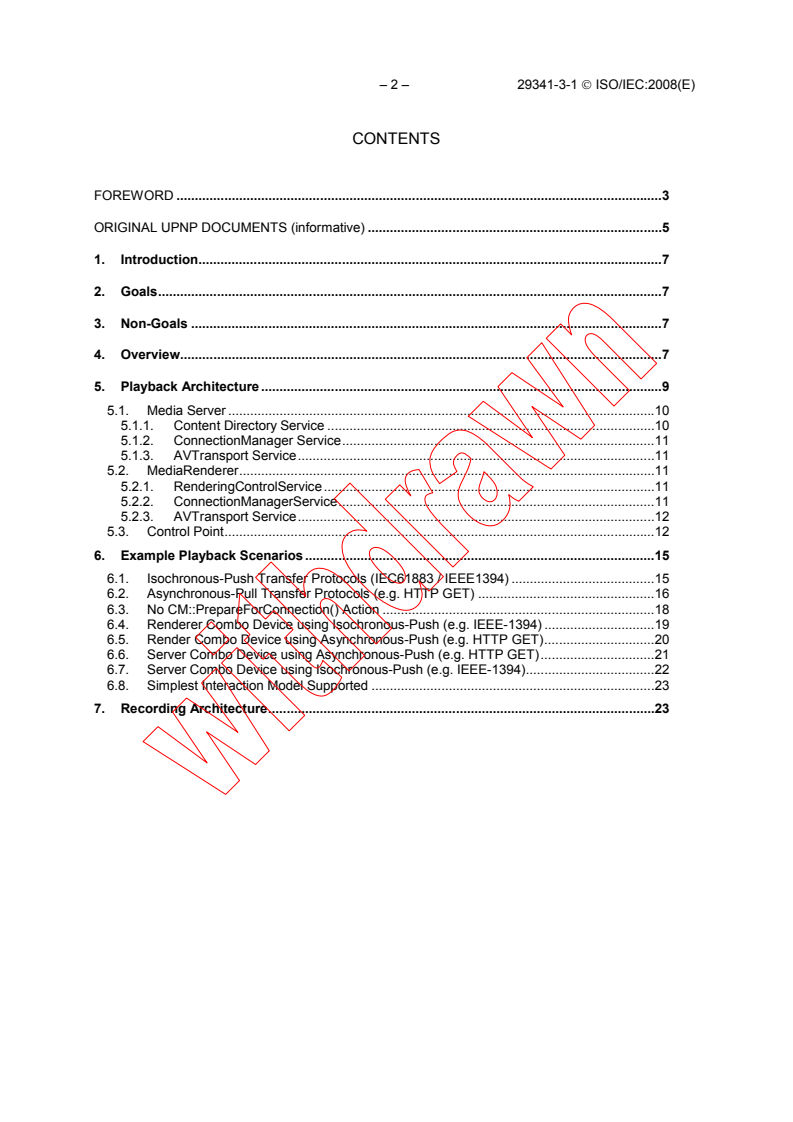
CONTENTS
FOREWORD .3
ORIGINAL UPNP DOCUMENTS (informative) .5
1. Introduction.7
2. Goals.7
3. Non-Goals .7
4. Overview.7
5. Playback Architecture.9
5.1. Media Server .10
5.1.1. Content Directory Service .10
5.1.2. ConnectionManager Service.11
5.1.3. AVTransport Service.11
5.2. MediaRenderer.11
5.2.1. RenderingControlService.11
5.2.2. ConnectionManagerService.11
5.2.3. AVTransport Service.12
5.3. Control Point.12
6. Example Playback Scenarios .15
6.1. Isochronous-Push Transfer Protocols (IEC61883 / IEEE1394) .15
6.2. Asynchronous-Pull Transfer Protocols (e.g. HTTP GET) .16
6.3. No CM::PrepareForConnection() Action .18
6.4. Renderer Combo Device using Isochronous-Push (e.g. IEEE-1394) .19
6.5. Render Combo Device using Asynchronous-Push (e.g. HTTP GET).20
6.6. Server Combo Device using Asynchronous-Push (e.g. HTTP GET).21
6.7. Server Combo Device using Isochronous-Push (e.g. IEEE-1394).22
6.8. Simplest Interaction Model Supported .23
7. Recording Architecture.23
29341-3-1 © ISO/IEC:2008(E) – 3 –
INFORMATION TECHNOLOGY –
UPNP DEVICE ARCHITECTURE –
Part 3-1: Audio Video Device Control Protocol –
Audio Video Architecture
FOREWORD
1) ISO (International Organization for Standardization) and IEC (International Electrotechnical Commission) form
the specialized system for worldwide standardization. National bodies that are members of ISO or IEC
participate in the development of International Standards. Their preparation is entrusted to technical
committees; any ISO and IEC member body interested in the subject dealt with may participate in this
preparatory work. International governmental and non-governmental organizations liaising with ISO and IEC
also participate in this preparation.
2) In the field of information technology, ISO and IEC have established a joint technical committee, ISO/IEC JTC
1. Draft International Standards adopted by the joint technical committee are circulated to national bodies for
voting. Publication as an International Standard requires approval by at least 75 % of the national bodies
casting a vote.
3) The formal decisions or agreements of IEC and ISO on technical matters express, as nearly as possible, an
international consensus of opinion on the relevant subjects since each technical committee has representation
from all interested IEC and ISO member bodies.
4) IEC, ISO and ISO/IEC publications have the form of recommendations for international use and are accepted
by IEC and ISO member bodies in that sense. While all reasonable efforts are made to ensure that the
technical content of IEC, ISO and ISO/IEC publications is accurate, IEC or ISO cannot be held responsible for
the way in which they are used or for any misinterpretation by any end user.
5) In order to promote international uniformity, IEC and ISO member bodies undertake to apply IEC, ISO and
ISO/IEC publications transparently to the maximum extent possible in their national and regional publications.
Any divergence between any ISO/IEC publication and the corresponding national or regional publication should
be clearly indicated in the latter.
6) ISO and IEC provide no marking procedure to indicate their approval and cannot be rendered responsible for
any equipment declared to be in conformity with an ISO/IEC publication.
7) All users should ensure that they have the latest edition of this publication.
8) No liability shall attach to IEC or ISO or its directors, employees, servants or agents including individual
experts and members of their technical committees and IEC or ISO member bodies for any personal injury,
property damage or other damage of any nature whatsoever, whether direct or indirect, or for costs (including
legal fees) and expenses arising out of the publication of, use of, or reliance upon, this ISO/IEC publication or
any other IEC, ISO or ISO/IEC publications.
9) Attention is drawn to the normative references cited in this publication. Use of the referenced publications is
indispensable for the correct application of this publication.
IEC and ISO draw attention to the fact that it is claimed that compliance with this document may involve the use of
patents as indicated below.
ISO and IEC take no position concerning the evidence, validity and scope of the putative patent rights. The holders
of the putative patent rights have assured IEC and ISO that they are willing to negotiate free licences or licences
under reasonable and non-discriminatory terms and conditions with applicants throughout the world. In this respect,
the statements of the holders of the putative patent rights are registered with IEC and ISO.
Intel Corporation has informed IEC and ISO that it has patent applications or granted patents.
Information may be obtained from:
Intel Corporation
Standards Licensing Department
5200 NE Elam Young Parkway
MS: JFS-98
USA – Hillsboro, Oregon 97124
Microsoft Corporation has informed IEC and ISO that it has patent applications or granted patents as listed below:
– 4 – 29341-3-1 © ISO/IEC:2008(E)
6101499 / US; 6687755 / US; 6910068 / US; 7130895 / US; 6725281 / US; 7089307 / US; 7069312 / US;
10/783 524 /US
Information may be obtained from:
Microsoft Corporation
One Microsoft Way
USA – Redmond WA 98052
Philips International B.V. has informed IEC and ISO that it has patent applications or granted patents.
Information may be obtained from:
Philips International B.V. – IP&S
High Tech campus, building 44 3A21
NL – 5656 Eindhoven
NXP B.V. (NL) has informed IEC and ISO that it has patent applications or granted patents.
Information may be obtained from:
NXP B.V. (NL)
High Tech campus 60
NL – 5656 AG Eindhoven
Matsushita Electric Industrial Co. Ltd. has informed IEC and ISO that it has patent applications or granted patents.
Information may be obtained from:
Matsushita Electric Industrial Co. Ltd.
1-3-7 Shiromi, Chuoh-ku
JP – Osaka 540-6139
Hewlett Packard Company has informed IEC and ISO that it has patent applications or granted patents as listed
below:
5 956 487 / US; 6 170 007 / US; 6 139 177 / US; 6 529 936 / US; 6 470 339 / US; 6 571 388 / US; 6 205
466 / US
Information may be obtained from:
Hewlett Packard Company
1501 Page Mill Road
USA – Palo Alto, CA 94304
Samsung Electronics Co. Ltd. has informed IEC and ISO that it has patent applications or granted patents.
Information may be obtained from:
Digital Media Business, Samsung Electronics Co. Ltd.
416 Maetan-3Dong, Yeongtang-Gu,
KR – Suwon City 443-742
Attention is drawn to the possibility that some of the elements of this document may be the subject of patent rights
other than those identified above. IEC and ISO shall not be held responsible for identifying any or all such patent
rights.
ISO/IEC 29341-3-1 was prepared by UPnP Implementers Corporation and adopted, under the PAS procedure, by
joint technical committee ISO/IEC JTC 1, Information technology, in parallel with its approval by national bodies of
ISO and IEC.
The list of all currently available parts of the ISO/IEC 29341 series, under the general title Universal plug and play
(UPnP) architecture, can be found on the IEC web site.
This International Standard has been approved by vote of the member bodies, and the voting results may be
obtained from the address given on the second title page.
29341-3-1 © ISO/IEC:2008(E) – 5 –
ORIGINAL UPNP DOCUMENTS
(informative)
Reference may be made in this document to original UPnP documents. These references are retained in order to
maintain consistency between the specifications as published by ISO/IEC and by UPnP Implementers Corporation.
The following table indicates the original UPnP document titles and the corresponding part of ISO/IEC 29341:
UPnP Document Title ISO/IEC 29341 Part
UPnP Device Architecture 1.0 ISO/IEC 29341-1
UPnP Basic:1 Device ISO/IEC 29341-2
UPnP AV Architecture:1 ISO/IEC 29341-3-1
UPnP MediaRenderer:1 Device ISO/IEC 29341-3-2
UPnP MediaServer:1 Device ISO/IEC 29341-3-3
UPnP AVTransport:1 Service ISO/IEC 29341-3-10
UPnP ConnectionManager:1 Service ISO/IEC 29341-3-11
UPnP ContentDirectory:1 Service ISO/IEC 29341-3-12
UPnP RenderingControl:1 Service ISO/IEC 29341-3-13
UPnP MediaRenderer:2 Device ISO/IEC 29341-4-2
UPnP MediaServer:2 Device ISO/IEC 29341-4-3
UPnP AV Datastructure Template:1 ISO/IEC 29341-4-4
UPnP AVTransport:2 Service ISO/IEC 29341-4-10
UPnP ConnectionManager:2 Service ISO/IEC 29341-4-11
UPnP ContentDirectory:2 Service ISO/IEC 29341-4-12
UPnP RenderingControl:2 Service ISO/IEC 29341-4-13
UPnP ScheduledRecording:1 ISO/IEC 29341-4-14
UPnP DigitalSecurityCamera:1 Device ISO/IEC 29341-5-1
UPnP DigitalSecurityCameraMotionImage:1 Service ISO/IEC 29341-5-10
UPnP DigitalSecurityCameraSettings:1 Service ISO/IEC 29341-5-11
UPnP DigitalSecurityCameraStillImage:1 Service ISO/IEC 29341-5-12
UPnP HVAC_System:1 Device ISO/IEC 29341-6-1
UPnP HVAC_ZoneThermostat:1 Device ISO/IEC 29341-6-2
UPnP ControlValve:1 Service ISO/IEC 29341-6-10
UPnP HVAC_FanOperatingMode:1 Service ISO/IEC 29341-6-11
UPnP FanSpeed:1 Service ISO/IEC 29341-6-12
UPnP HouseStatus:1 Service ISO/IEC 29341-6-13
UPnP HVAC_SetpointSchedule:1 Service ISO/IEC 29341-6-14
UPnP TemperatureSensor:1 Service ISO/IEC 29341-6-15
UPnP TemperatureSetpoint:1 Service ISO/IEC 29341-6-16
UPnP HVAC_UserOperatingMode:1 Service ISO/IEC 29341-6-17
UPnP BinaryLight:1 Device ISO/IEC 29341-7-1
UPnP DimmableLight:1 Device ISO/IEC 29341-7-2
UPnP Dimming:1 Service ISO/IEC 29341-7-10
UPnP SwitchPower:1 Service ISO/IEC 29341-7-11
UPnP InternetGatewayDevice:1 Device ISO/IEC 29341-8-1
UPnP LANDevice:1 Device ISO/IEC 29341-8-2
UPnP WANDevice:1 Device ISO/IEC 29341-8-3
UPnP WANConnectionDevice:1 Device ISO/IEC 29341-8-4
UPnP WLANAccessPointDevice:1 Device ISO/IEC 29341-8-5
UPnP LANHostConfigManagement:1 Service ISO/IEC 29341-8-10
UPnP Layer3Forwarding:1 Service ISO/IEC 29341-8-11
UPnP LinkAuthentication:1 Service ISO/IEC 29341-8-12
UPnP RadiusClient:1 Service ISO/IEC 29341-8-13
UPnP WANCableLinkConfig:1 Service ISO/IEC 29341-8-14
UPnP WANCommonInterfaceConfig:1 Service ISO/IEC 29341-8-15
UPnP WANDSLLinkConfig:1 Service ISO/IEC 29341-8-16
UPnP WANEthernetLinkConfig:1 Service ISO/IEC 29341-8-17
UPnP WANIPConnection:1 Service ISO/IEC 29341-8-18
UPnP WANPOTSLinkConfig:1 Service ISO/IEC 29341-8-19
UPnP WANPPPConnection:1 Service ISO/IEC 29341-8-20
UPnP WLANConfiguration:1 Service ISO/IEC 29341-8-21
UPnP Printer:1 Device ISO/IEC 29341-9-1
UPnP Scanner:1.0 Device ISO/IEC 29341-9-2
UPnP ExternalActivity:1 Service ISO/IEC 29341-9-10
UPnP Feeder:1.0 Service ISO/IEC 29341-9-11
UPnP PrintBasic:1 Service ISO/IEC 29341-9-12
UPnP Scan:1 Service ISO/IEC 29341-9-13
UPnP QoS Architecture:1.0 ISO/IEC 29341-10-1
UPnP QosDevice:1 Service ISO/IEC 29341-10-10
UPnP QosManager:1 Service ISO/IEC 29341-10-11
UPnP QosPolicyHolder:1 Service ISO/IEC 29341-10-12
UPnP QoS Architecture:2 ISO/IEC 29341-11-1
– 6 – 29341-3-1 © ISO/IEC:2008(E)
UPnP Document Title ISO/IEC 29341 Part
UPnP QOS v2 Schema Files ISO/IEC 29341-11-2
UPnP QosDevice:2 Service ISO/IEC 29341-11-10
UPnP QosManager:2 Service ISO/IEC 29341-11-11
UPnP QosPolicyHolder:2 Service ISO/IEC 29341-11-12
UPnP RemoteUIClientDevice:1 Device ISO/IEC 29341-12-1
UPnP RemoteUIServerDevice:1 Device ISO/IEC 29341-12-2
UPnP RemoteUIClient:1 Service ISO/IEC 29341-12-10
UPnP RemoteUIServer:1 Service ISO/IEC 29341-12-11
UPnP DeviceSecurity:1 Service ISO/IEC 29341-13-10
UPnP SecurityConsole:1 Service ISO/IEC 29341-13-11
29341-3-1 © ISO/IEC:2008(E) – 7 –
1. Introduction
This document describes the overall UPnP AV Architecture, which forms the foundation for the UPnP AV
Device and Service templates. The AV Architecture defines the general interaction between UPnP Control
Points and UPnP AV devices. It is independent of any particular device type, content format, and transfer
protocol. It supports a variety of devices such as TVs, VCRs, CD/DVD players/jukeboxes, settop boxes, stereos
systems, MP3 players, still-image cameras, camcorders, electronic picture frames (EPFs), and the PC. The AV
Architecture allows devices to support different types of formats for the entertainment content (such as MPEG2,
MPEG4, JPEG, MP3, Windows Media Architecture (WMA), bitmaps (BMP), NTSC, PAL, ATSC, etc.) and
multiple types of transfer protocols (such as IEC-61883/IEEE-1394, HTTP GET, RTP, HTTP PUT/POST,
TCP/IP, etc.). The following sections describe the AV Architecture and how the various UPnP AV devices and
services work together to enable various end-user scenarios.
2. Goals
The UPnP AV Architecture was explicitly defined to meet the following goals:
• To support arbitrary transfer protocols and content formats.
• To enable the AV content to flow directly between devices without any intervention from the Control
Point.
• To enable Control Points to remain independent of any particular transfer protocol and content format.
This allows Control Points to transparently support new protocols and formats.
• Scalability, i.e. support of devices with very low resources, especially memory and processing power as
well as full-featured devices.
3. Non-Goals
The UPnP AV Architecture does not enable any of the following:
• Two-way Interactive Communication, such as audio and video conferencing, Internet gaming, etc.
• Access Control, Content Protection, and Digital Rights Management
• Synchronized playback to multiple rendering devices.
4. Overview
In most (non-AV) UPnP scenarios, a Control Point controls the operation of one or more UPnP devices in order
to accomplish the desired behavior. Although the Control Point is managing multiple devices, all interactions
occur in isolation between the Control Point and each device. The Control Point coordinates the operation of
each device to achieve an overall, synchronized, end-user effect. The individual devices do not interact directly
with each another. All of the coordination between the devices is performed by the Control Point and not the
devices themselves.
– 8 – 29341-3-1 © ISO/IEC:2008(E)
Control Point
UPnP Actions
Device 1 Device 2
Figure 1 – Typical UPnP Device Interaction Model
AV
Control Point
AV AV
UPnP Actions
Device 1 Device 2
(Source) (Sink)
Out-of-Band
Transfer Protocol
Figure 2 – UPnP AV Device Interaction Model
Most AV scenarios involve the flow of (entertainment) content (i.e. a movie, song, picture, etc.) from one device
to another. As shown in Figure 2, an AV Control Point interacts with two or more UPnP devices acting as source
and sink, respectively. Although the Control Point coordinates and synchronizes the behavior of both devices,
the devices themselves interact with each other using a non-UPnP (“out-of-band”) communication protocol. The
Control Point uses UPnP to initialize and configure both devices so that the desired content is transferred from
one device to the other. However, since the content is transferred using an “out-of-band” transfer protocol, the
Control Point is not directly involved in the actual transfer of the content. The Control Point configures the
devices as needed, triggers the flow of content, then gets out of the way. Thus, after the transfer has begun, the
Control Point can be disconnected without disrupting the flow of content. In other words, the core task (i.e.
transferring the content) continues to function even without the Control Point present.
As described in the above scenario, three distinct entities are involved: the Control Point, the source of the media
content (called the “MediaServer”), and the sink for the content (called the “MediaRenderer”). Throughout the
remainder of the document, all three entities are described as if they were independent devices on the network.
Although this configuration may be common (i.e. a remote control, a VCR, and a TV), the AV Architecture
supports arbitrary combinations of these entities within a single physical device. For example, a TV can be
treated as a rendering device (e.g. a display). However, since most TVs contain a built-in tuner, the TV can also
act as a server device because it could tune to a particular channel and send that content to a MediaRenderer (e.g.
29341-3-1 © ISO/IEC:2008(E) – 9 –
its local display or some remote device such as a tuner-less display). Similarly, many MediaServers and/or
MediaRenderers may also include Control Point functionality. For example, an MP3 Renderer will likely have
some UI controls (e.g. a small display and some buttons) that allow the user to control the playback of music.
5. Playback Architecture
Figure 3 – Content playback scenario
The most common task that end-users want to perform is to render (i.e. play) individual items of content on a
specific rendering device. As shown in, Figure 3, a content playback scenario involves three distinct UPnP
components: a MediaServer, a MediaRenderer, and a UPnP Control Point. These three components (each with a
well-defined role) work together to accomplish the task. In this scenario, the MediaServer contains
(entertainment) content that the user wants to render (e.g. display or listen to) on the MediaRenderer. The user
interacts with the Control Point’s UI to locate and select the desired content on the MediaServer and to select the
target MediaRenderer.
The MediaServer contains or has access to a variety of entertainment content, either stored locally or stored on an
external device that is accessible via the MediaServer. The MediaServer is able to access its content and transmit
it to another device via the network using some type of transfer protocol. The content exposed by the
MediaServer may include arbitrary types of content including video, audio, and/or still images. The content is
transmitted over the network using a transfer protocol and data format that is that is understood by the
MediaServer and MediaRenderer. MediaServers may support one or multiple transfer protocols and data formats
for each content item or be able to convert the format of a given content item into another formats on the fly.
Examples of a MediaServer include a VCR, CD/DVD player/jukebox, camera, camcorder, PC, set-top box,
satellite receiver, audio tape player, etc.
The MediaRenderer obtains content from a MediaServer via network. Examples of a MediaRenderer include TV,
stereo, network-enabled speakers, MP3 players, Electronic Picture Frame (EPF), a music-controlled water
fountain, etc. The type of content that a MediaRenderer can receive depends on the transfer protocols and data
formats that it supports. Some MediaRenderers may only support one type of content (e.g. audio or still images),
where as other MediaRenderers may support a wide variety of content including video, audio, still images.
The Control Point coordinates and manages the operation of the MediaServer and MediaRenderer as directed by
the user (e.g. play, stop, pause) in order to accomplish the desired task (e.g. play “MyFavorite” music).
Additionally, the Control Point provides the UI (if any) for the user to interact with in order to control the
operation of the device(s) (e.g. to select the desired content). The layout of the Control Point’s UI and the
functionality that it exposes is implementation dependent and determined solely by the Control Point’s
manufacturer. Some examples of a Control Point might include a TV with a traditional remote control or a
wireless PDA-like device with a small display.
– 10 – 29341-3-1 © ISO/IEC:2008(E)
Note: The above descriptions talk about devices “sending/receiving content to/from the home network.” In the
context of the AV Architecture, this includes point-to-point connections such as an RCA cable that is used to
connect a VCR to a TV. The AV Architecture treats this type of connection as a small part (e.g. segment) of the
home network. Refer to the ConnectionManager Service Template for more details [?].
As described above, the AV Architecture consists of three distinct components that perform well-defined roles.
In some cases, these components will exist as separate, individual UPn
...