

CWA 16926-62:2023
(Main)Extensions for Financial Services (XFS) interface specification Release 3.50 - Part 62: Printer and Scanning Device Class Interface - Programmer's Reference - Migration from Version 3.40 (CWA 16926:2020) to Version 3.50 (this CWA)
- Abstract
This specification shows the modifications made to version 3.40 of CWA 16926-3 in version 3.50.
- Status
- Withdrawn
- Publication Date
- 24-Jan-2023
- Withdrawal Date
- 06-Oct-2026
- Technical Committee
- CEN/WS XFS - Extensions for financial services (XFS) interface specification
- Current Stage
- 9960 - Withdrawal effective - Withdrawal
- Start Date
- 29-Apr-2026
- Completion Date
- 07-Oct-2026

Overview
CWA 16926-62:2023 is the Programmer’s Reference for the XFS (Extensions for Financial Services) Printer and Scanning Device Class Interface, documenting the migration from Release 3.40 to Release 3.50 (CWA 16926:2020 → CWA 16926-62:2023). Published as part of the multi-part CWA 16926 XFS family, this CWA identifies the modifications, updated command/ event semantics, and revised form/media models that software vendors and integrators must follow when updating drivers, service providers (SPI) and applications (API) for banking printers and scanners.
Keywords: XFS, Extensions for Financial Services, Printer and Scanning Device Class Interface, Release 3.50, migration, CWA 16926-62, programmer's reference, banking printers, forms model.
Key Topics and Technical Scope
- Migration details: Clear description of changes between version 3.40 and 3.50, helping implementers adapt existing XFS-based service providers and applications.
- Commands and Info functions: Updated lists and semantics for printer/scanner commands (e.g., print, read, raw data, control media) and information queries (status, capabilities, form/media lists).
- Events: Revised event definitions that affect error handling and asynchronous device notifications (media inserted/presented, thresholds, device position, power-save changes).
- Form and Media Model: Specification of form, sub-form, field, frame, table and media definition syntax and measurements - essential for multi-page, wad and passbook printing workflows.
- Command/event flows: Example flows for single- and multi-page printing scenarios, including immediate vs. separate media control.
- C-header and integration guidance: Reference C-header file and guidance for multi-vendor environments and consistent implementation.
- Device types & capabilities: Coverage of banking printer types and scanner behaviors to standardize interoperability.
- References to SNMP/MIB: Part of the XFS family that includes optional MIB/SNMP integration for device monitoring.
Practical Applications
- Updating ATM, teller, and branch banking software to comply with XFS 3.50 printer/scanner behavior.
- Porting or testing service providers (SPIs) and applications (APIs) for multi-vendor hardware interoperability.
- Implementing reliable print/scan workflows (passbooks, receipts, forms) and robust event/error handling in financial services devices.
- Maintaining regulatory and vendor-consistency in enterprise banking deployments.
Who should use this standard
- Device manufacturers (printers, scanners) and firmware teams
- XFS service provider and API developers
- ATM and branch software integrators
- QA/test teams validating migration from XFS 3.40 to 3.50
- Network/operations staff using SNMP/MIB for monitoring
Related Standards
- CWA 16926 series (Parts 1–67) - API/SPI and other device class interfaces
- Part 61: API/SPI migration guidance (related migration material)
- XFS MIB Parts (29–47) for SNMP monitoring and device-specific MIBs
This CWA provides the authoritative migration roadmap for implementers to ensure compatible, interoperable printer and scanner behavior under XFS Release 3.50.
Get Certified
Connect with accredited certification bodies for this standard

BSI Group
BSI (British Standards Institution) is the business standards company that helps organizations make excellence a habit.

NYCE
Mexican standards and certification body.
Sponsored listings
Frequently Asked Questions
CWA 16926-62:2023 is a technical report published by the European Committee for Standardization (CEN). Its full title is "Extensions for Financial Services (XFS) interface specification Release 3.50 - Part 62: Printer and Scanning Device Class Interface - Programmer's Reference - Migration from Version 3.40 (CWA 16926:2020) to Version 3.50 (this CWA)". This standard covers: This specification shows the modifications made to version 3.40 of CWA 16926-3 in version 3.50.
This specification shows the modifications made to version 3.40 of CWA 16926-3 in version 3.50.
CWA 16926-62:2023 is classified under the following ICS (International Classification for Standards) categories: 35.200 - Interface and interconnection equipment; 35.240.15 - Identification cards. Chip cards. Biometrics; 35.240.40 - IT applications in banking. The ICS classification helps identify the subject area and facilitates finding related standards.
CWA 16926-62:2023 is available in PDF format for immediate download after purchase. The document can be added to your cart and obtained through the secure checkout process. Digital delivery ensures instant access to the complete standard document.
Standards Content (Sample)
SLOVENSKI STANDARD
01-april-2023
Specifikacija vmesnika razširitev za finančne storitve (XFS), izdaja 3.50 - 62. del:
Vmesnik razreda tiskalnikov in naprav za skeniranje - Referenca za programerje -
Prehod z različice 3.40 (CWA 16926:2020) na različico 3.50 (ta CWA)
Extensions for Financial Services (XFS) interface specification Release 3.50 - Part 62:
Printer and Scanning Device Class Interface - Programmer's Reference - Migration from
Version 3.40 (CWA 16926:2020) to Version 3.50 (this CWA)
Ta slovenski standard je istoveten z: CWA 16926-62:2023
ICS:
35.200 Vmesniška in povezovalna Interface and interconnection
oprema equipment
35.240.15 Identifikacijske kartice. Čipne Identification cards. Chip
kartice. Biometrija cards. Biometrics
35.240.40 Uporabniške rešitve IT v IT applications in banking
bančništvu
2003-01.Slovenski inštitut za standardizacijo. Razmnoževanje celote ali delov tega standarda ni dovoljeno.
CEN
CWA 16926-62
WORKSHOP
January 2023
AGREEMENT
ICS 35.200; 35.240.15; 35.240.40
English version
Extensions for Financial Services (XFS) interface
specification Release 3.50 - Part 62: Printer and Scanning
Device Class Interface - Programmer's Reference -
Migration from Version 3.40 (CWA 16926:2020) to
Version 3.50 (this CWA)
This CEN Workshop Agreement has been drafted and approved by a Workshop of representatives of interested parties, the
constitution of which is indicated in the foreword of this Workshop Agreement.
The formal process followed by the Workshop in the development of this Workshop Agreement has been endorsed by the
National Members of CEN but neither the National Members of CEN nor the CEN-CENELEC Management Centre can be held
accountable for the technical content of this CEN Workshop Agreement or possible conflicts with standards or legislation.
This CEN Workshop Agreement can in no way be held as being an official standard developed by CEN and its Members.
This CEN Workshop Agreement is publicly available as a reference document from the CEN Members National Standard Bodies.
CEN members are the national standards bodies of Austria, Belgium, Bulgaria, Croatia, Cyprus, Czech Republic, Denmark, Estonia, Finland, France,
Germany, Greece, Hungary, Iceland, Ireland, Italy, Latvia, Lithuania, Luxembourg, Malta, Netherlands, Norway, Poland, Portugal, Republic of North
Macedonia, Romania, Serbia, Slovakia, Slovenia, Spain, Sweden, Switzerland, Türkiye and United Kingdom.
EUROPEAN COMMITTEE FOR STANDARDIZATION
COMITÉ EUROPÉEN DE NORMALISATION
EUROPÄISCHES KOMITEE FÜR NORMUNG
CEN-CENELEC Management Centre: Rue de la Science 23, B-1040 Brussels
© 2023 CEN All rights of exploitation in any form and by any means reserved worldwide for CEN national Members.
Ref. No.:CWA 16926-62:2023 E
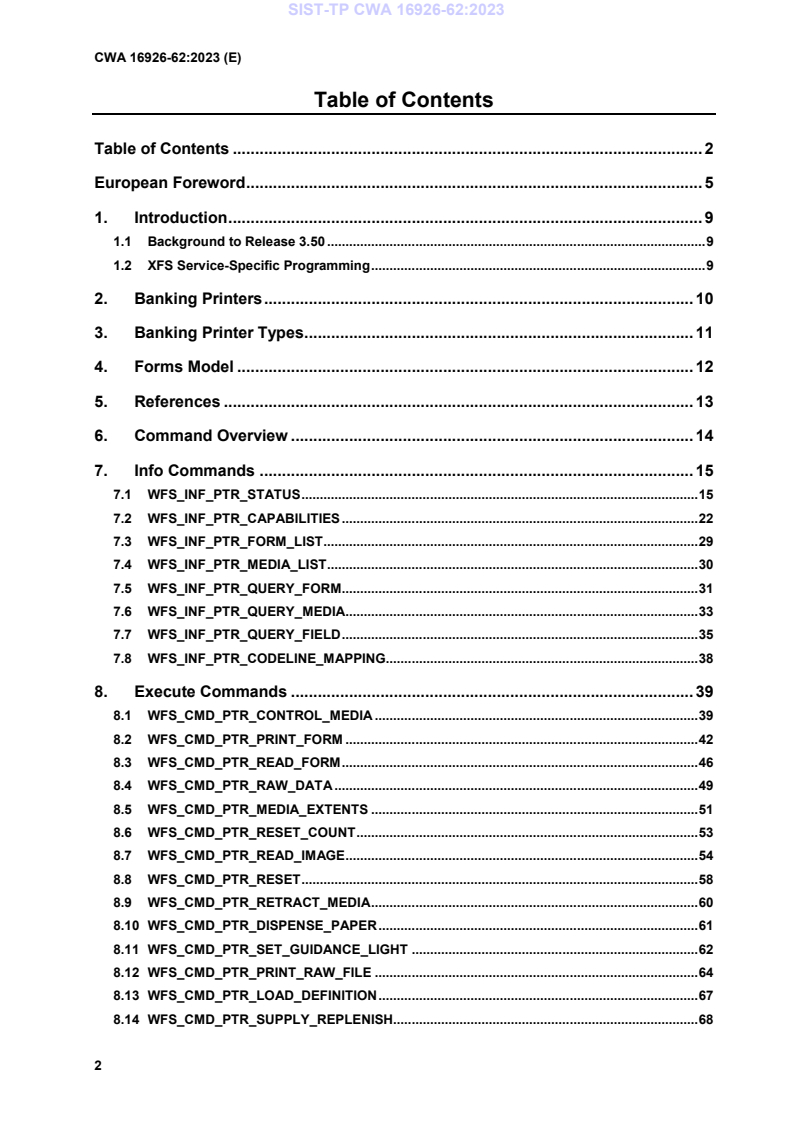
Table of Contents
Table of Contents . 2
European Foreword . 5
1. Introduction . 9
1.1 Background to Release 3.50 . 9
1.2 XFS Service-Specific Programming . 9
2. Banking Printers . 10
3. Banking Printer Types . 11
4. Forms Model . 12
5. References . 13
6. Command Overview . 14
7. Info Commands . 15
7.1 WFS_INF_PTR_STATUS . 15
7.2 WFS_INF_PTR_CAPABILITIES . 22
7.3 WFS_INF_PTR_FORM_LIST . 29
7.4 WFS_INF_PTR_MEDIA_LIST . 30
7.5 WFS_INF_PTR_QUERY_FORM . 31
7.6 WFS_INF_PTR_QUERY_MEDIA . 33
7.7 WFS_INF_PTR_QUERY_FIELD . 35
7.8 WFS_INF_PTR_CODELINE_MAPPING. 38
8. Execute Commands . 39
8.1 WFS_CMD_PTR_CONTROL_MEDIA . 39
8.2 WFS_CMD_PTR_PRINT_FORM . 42
8.3 WFS_CMD_PTR_READ_FORM . 46
8.4 WFS_CMD_PTR_RAW_DATA . 49
8.5 WFS_CMD_PTR_MEDIA_EXTENTS . 51
8.6 WFS_CMD_PTR_RESET_COUNT . 53
8.7 WFS_CMD_PTR_READ_IMAGE . 54
8.8 WFS_CMD_PTR_RESET . 58
8.9 WFS_CMD_PTR_RETRACT_MEDIA . 60
8.10 WFS_CMD_PTR_DISPENSE_PAPER . 61
8.11 WFS_CMD_PTR_SET_GUIDANCE_LIGHT . 62
8.12 WFS_CMD_PTR_PRINT_RAW_FILE . 64
8.13 WFS_CMD_PTR_LOAD_DEFINITION . 67
8.14 WFS_CMD_PTR_SUPPLY_REPLENISH. 68
8.15 WFS_CMD_PTR_POWER_SAVE_CONTROL . 69
8.16 WFS_CMD_PTR_CONTROL_PASSBOOK . 70
8.17 WFS_CMD_PTR_SET_BLACK_MARK_MODE . 71
8.18 WFS_CMD_PTR_SYNCHRONIZE_COMMAND . 72
9. Events . 73
9.1 WFS_EXEE_PTR_NOMEDIA . 73
9.2 WFS_EXEE_PTR_MEDIAINSERTED . 74
9.3 WFS_EXEE_PTR_FIELDERROR . 75
9.4 WFS_EXEE_PTR_FIELDWARNING . 76
9.5 WFS_USRE_PTR_RETRACTBINTHRESHOLD . 77
9.6 WFS_SRVE_PTR_MEDIATAKEN . 78
9.7 WFS_USRE_PTR_PAPERTHRESHOLD . 79
9.8 WFS_USRE_PTR_TONERTHRESHOLD . 80
9.9 WFS_SRVE_PTR_MEDIAINSERTED . 81
9.10 WFS_USRE_PTR_LAMPTHRESHOLD . 82
9.11 WFS_USRE_PTR_INKTHRESHOLD . 83
9.12 WFS_SRVE_PTR_MEDIADETECTED . 84
9.13 WFS_SRVE_PTR_RETRACTBINSTATUS . 85
9.14 WFS_EXEE_PTR_MEDIAPRESENTED. 86
9.15 WFS_SRVE_PTR_DEFINITIONLOADED . 87
9.16 WFS_EXEE_PTR_MEDIAREJECTED . 88
9.17 WFS_SRVE_PTR_MEDIAPRESENTED . 89
9.18 WFS_SRVE_PTR_MEDIAAUTORETRACTED . 90
9.19 WFS_SRVE_PTR_DEVICEPOSITION . 91
9.20 WFS_SRVE_PTR_POWER_SAVE_CHANGE . 92
10. Form, Sub-Form, Field, Frame, Table and Media Definitions . 93
10.1 Definition Syntax . 93
10.2 Form and Media Measurements . 94
10.3 Form Definition . 95
10.4 SubForm Definition . 97
10.5 Field Definition . 98
10.6 Frame Definition . 103
Sample 1: Simple framing . 106
Sample 2: Framing with title . 107
Sample 3: Framing with filled interior . 108
Sample 4: Repeated Framing . 108
10.7 Media Definition . 110
10.8 XFS Form/Media Definition Files in Multi-Vendor Environments . 112
11. Command and Event Flows during Single and Multi Page / Wad Printing . 113
11.1 Single Page / Single Wad Printing with immediate Media Control . 113
11.2 Single Page / Single Wad Printing with separate Media Control . 114
11.3 Multi Page / Multi Wad Printing with immediate Media Control . 115
11.4 Multi Page / Multi Wad Printing with separate Media Control . 117
11.5 Printing with immediate Media Control and bMediaPresented == FALSE . 119
12. C-Header File . 120
European Foreword
This CEN Workshop Agreement has been developed in accordance with the CEN-CENELEC Guide 29
“CEN/CENELEC Workshop Agreements – The way to rapid consensus” and with the relevant provisions of
CEN/CENELEC Internal Regulations - Part 2. It was approved by a Workshop of representatives of interested parties
on 2022-11-08, the constitution of which was supported by CEN following several public calls for participation, the
first of which was made on 1998-06-24. However, this CEN Workshop Agreement does not necessarily include all
relevant stakeholders.
The final text of this CEN Workshop Agreement was provided to CEN for publication on 2022-11-18.
The following organizations and individuals developed and approved this CEN Workshop Agreement:
• AURIGA SPA
• CIMA SPA
• DIEBOLD NIXDORF SYSTEMS GMBH
• FIS BANKING SOLUTIONS UK LTD (OTS)
• FUJITSU TECHNOLOGY SOLUTIONS
• GLORY LTD
• GRG BANKING EQUIPMENT HK CO LTD
• HITACHI CHANNEL SOLUTIONS CORP
• HYOSUNG TNS INC
• JIANGSU GUOGUANG ELECTRONIC INFORMATION TECHNOLOGY
• KAL
• KEBA HANDOVER AUTOMATION GMBH
• NCR FSG
• NEXUS SOFTWARE
• OBERTHUR CASH PROTECTION
• OKI ELECTRIC INDUSTRY SHENZHEN
• SALZBURGER BANKEN SOFTWARE
• SECURE INNOVATION
• SIGMA SPA
It is possible that some elements of this CEN/CWA may be subject to patent rights. The CEN-CENELEC policy on
patent rights is set out in CEN-CENELEC Guide 8 “Guidelines for Implementation of the Common IPR Policy on
Patents (and other statutory intellectual property rights based on inventions)”. CEN shall not be held responsible for
identifying any or all such patent rights.
The Workshop participants have made every effort to ensure the reliability and accuracy of the technical and non-
technical content of CWA 16926-03, but this does not guarantee, either explicitly or implicitly, its correctness. Users
of CWA 16926-03 should be aware that neither the Workshop participants, nor CEN can be held liable for damages
or losses of any kind whatsoever which may arise from its application. Users of CWA 16926-03 do so on their own
responsibility and at their own risk.
The CWA is published as a multi-part document, consisting of:
Part 1: Application Programming Interface (API) - Service Provider Interface (SPI) - Programmer's Reference
Part 2: Service Classes Definition - Programmer's Reference
Part 3: Printer and Scanning Device Class Interface - Programmer's Reference
Part 4: Identification Card Device Class Interface - Programmer's Reference
Part 5: Cash Dispenser Device Class Interface - Programmer's Reference
Part 6: PIN Keypad Device Class Interface - Programmer's Reference
Part 7: Check Reader/Scanner Device Class Interface - Programmer's Reference
Part 8: Depository Device Class Interface - Programmer's Reference
Part 9: Text Terminal Unit Device Class Interface - Programmer's Reference
Part 10: Sensors and Indicators Unit Device Class Interface - Programmer's Reference
Part 11: Vendor Dependent Mode Device Class Interface - Programmer's Reference
Part 12: Camera Device Class Interface - Programmer's Reference
Part 13: Alarm Device Class Interface - Programmer's Reference
Part 14: Card Embossing Unit Device Class Interface - Programmer's Reference
Part 15: Cash-In Module Device Class Interface - Programmer's Reference
Part 16: Card Dispenser Device Class Interface - Programmer's Reference
Part 17: Barcode Reader Device Class Interface - Programmer's Reference
Part 18: Item Processing Module Device Class Interface - Programmer's Reference
Part 19: Biometrics Device Class Interface - Programmer's Reference
Parts 20 - 28: Reserved for future use.
Parts 29 through 47 constitute an optional addendum to this CWA. They define the integration between the SNMP
standard and the set of status and statistical information exported by the Service Providers.
Part 29: XFS MIB Architecture and SNMP Extensions - Programmer’s Reference
Part 30: XFS MIB Device Specific Definitions - Printer Device Class
Part 31: XFS MIB Device Specific Definitions - Identification Card Device Class
Part 32: XFS MIB Device Specific Definitions - Cash Dispenser Device Class
Part 33: XFS MIB Device Specific Definitions - PIN Keypad Device Class
Part 34: XFS MIB Device Specific Definitions - Check Reader/Scanner Device Class
Part 35: XFS MIB Device Specific Definitions - Depository Device Class
Part 36: XFS MIB Device Specific Definitions - Text Terminal Unit Device Class
Part 37: XFS MIB Device Specific Definitions - Sensors and Indicators Unit Device Class
Part 38: XFS MIB Device Specific Definitions - Camera Device Class
Part 39: XFS MIB Device Specific Definitions - Alarm Device Class
Part 40: XFS MIB Device Specific Definitions - Card Embossing Unit Class
Part 41: XFS MIB Device Specific Definitions - Cash-In Module Device Class
Part 42: Reserved for future use.
Part 43: XFS MIB Device Specific Definitions - Vendor Dependent Mode Device Class
Part 44: XFS MIB Application Management
Part 45: XFS MIB Device Specific Definitions - Card Dispenser Device Class
Part 46: XFS MIB Device Specific Definitions - Barcode Reader Device Class
Part 47: XFS MIB Device Specific Definitions - Item Processing Module Device Class
Part 48: XFS MIB Device Specific Definitions - Biometrics Device Class
Parts 49 - 60 are reserved for future use.
Part 61: Application Programming Interface (API) - Migration from Version 3.40 (CWA 16296:2020) to Version
3.50 (this CWA) - Service Provider Interface (SPI) - Programmer's Reference
Part 62: Printer and Scanning Device Class Interface - Migration from Version 3.40 (CWA 16296:2020) to Version
3.50 (this CWA) - Programmer's Reference
Part 63: Identification Card Device Class Interface - Migration from Version 3.40 (CWA 16296:2020) to Version
3.50 (this CWA) - Programmer's Reference
Part 64: Cash Dispenser Device Class Interface - Migration from Version 3.40 (CWA 16296:2020) to Version 3.50
(this CWA) - Programmer's Reference
Part 65: PIN Keypad Device Class Interface - Migration from Version 3.40 (CWA 16296:2020) to Version 3.50 (this
CWA) - Programmer's Reference
Part 66: Check Reader/Scanner Device Class Interface - Migration from Version 3.40 (CWA 16296:2020) to Version
3.50 (this CWA) - Programmer's Reference
Part 67: Depository Device Class Interface - Migration from Version 3.40 (CWA 16296:2020) to Version 3.50 (this
CWA) - Programmer's Reference
Part 68: Text Terminal Unit Device Class Interface - Migration from Version 3.40 (CWA 16296:2020) to Version
3.50 (this CWA) - Programmer's Reference
Part 69: Sensors and Indicators Unit Device Class Interface - Migration from Version 3.40 (CWA 16296:2020) to
Version 3.50 (this CWA) - Programmer's Reference
Part 70: Vendor Dependent Mode Device Class Interface - Migration from Version 3.40 (CWA 16296:2020) to
Version 3.50 (this CWA) - Programmer's Reference
Part 71: Camera Device Class Interface - Migration from Version 3.40 (CWA 16296:2020) to Version 3.50 (this
CWA) - Programmer's Reference
Part 72: Alarm Device Class Interface - Migration from Version 3.40 (CWA 16296:2020) to Version 3.50 (this CWA)
- Programmer's Reference
Part 73: Card Embossing Unit Device Class Interface - Migration from Version 3.40 (CWA 16296:2020) to Version
3.50 (this CWA) - Programmer's Reference
Part 74: Cash-In Module Device Class Interface - Migration from Version 3.40 (CWA 16296:2020) to Version 3.50
(this CWA) - Programmer's Reference
Part 75: Card Dispenser Device Class Interface - Migration from Version 3.40 (CWA 16296:2020) to Version 3.50
(this CWA) - Programmer's Reference
Part 76: Barcode Reader Device Class Interface - Migration from Version 3.40 (CWA 16296:2020) to Version 3.50
(this CWA) - Programmer's Reference
Part 77: Item Processing Module Device Class Interface - Migration from Version 3.40 (CWA 16296:2020) to
Version 3.50 (this CWA) - Programmer's Reference
Part 78: Biometric Device Class Interface - Migration from Version 3.40 (CWA 16296:2020) to Version 3.50 (this
CWA) - Programmer's Reference
In addition to these Programmer's Reference specifications, the reader of this CWA is also referred to a
complementary document, called Release Notes. The Release Notes contain clarifications and explanations on the
CWA specifications, which are not requiring functional changes. The current version of the Release Notes is available
online from: https://www.cen.eu/work/Sectors/Digital_society/Pages/WSXFS.aspx.
The information in this document represents the Workshop's current views on the issues discussed as of the date of
publication. It is provided for informational purposes only and is subject to change without notice. CEN makes no
warranty, express or implied, with respect to this document.
Revision History:
3.00 October 18, 2000 Initial Release.
3.10 November 29, 2007 For a description of changes from version 3.00 to version
3.10 see the PTR 3.10 Migration document.
3.20 March 2, 2011 For a description of changes from version 3.10 to version
3.20 see the PTR 3.20 Migration document.
3.30 March 19, 2015 For a description of changes from version 3.20 to version
3.30 see the PTR 3.30 Migration document.
3.40 December 06, 2019 For a description of changes from version 3.30 to version
3.40 see the PTR 3.40 Migration document.
3.50 November 18, 2022 For a description of changes from version 3.40 to version
3.50 see the PTR 3.50 Migration document.
1. Introduction
1.1 Background to Release 3.50
The CEN/XFS Workshop aims to promote a clear and unambiguous specification defining a multi-vendor software
interface to financial peripheral devices. The XFS (eXtensions for Financial Services) specifications are developed
within the CEN (European Committee for Standardization/Information Society Standardization System) Workshop
environment. CEN Workshops aim to arrive at a European consensus on an issue that can be published as a CEN
Workshop Agreement (CWA).
The CEN/XFS Workshop encourages the participation of both banks and vendors in the deliberations required to
create an industry standard. The CEN/XFS Workshop achieves its goals by focused sub-groups working
electronically and meeting quarterly.
Release 3.50 of the XFS specification is based on a C API and is delivered with the continued promise for the
protection of technical investment for existing applications. This release of the specification extends the
functionality and capabilities of the existing devices covered by the specification:
• Addition of E2E security
• PIN Password Entry
1.2 XFS Service-Specific Programming
The service classes are defined by their service-specific commands and the associated data structures, error codes,
messages, etc. These commands are used to request functions that are specific to one or more classes of Service
Providers, but not all of them, and therefore are not included in the common API for basic or administration
functions.
When a service-specific command is common among two or more classes of Service Providers, the syntax of the
command is as similar as possible across all services, since a major objective of XFS is to standardize function
codes and structures for the broadest variety of services. For example, using the WFSExecute function, the
commands to read data from various services are as similar as possible to each other in their syntax and data
structures.
In general, the specific command set for a service class is defined as a superset of the specific capabilities likely to
be provided by the developers of the services of that class; thus any particular device will normally support only a
subset of the defined command set.
There are three cases in which a Service Provider may receive a service-specific command that it does not support:
The requested capability is defined for the class of Service Providers by the XFS specification, the particular vendor
implementation of that service does not support it, and the unsupported capability is not considered to be
fundamental to the service. In this case, the Service Provider returns a successful completion, but does no operation.
An example would be a request from an application to turn on a control indicator on a passbook printer; the Service
Provider recognizes the command, but since the passbook printer it is managing does not include that indicator, the
Service Provider does no operation and returns a successful completion to the application.
The requested capability is defined for the class of Service Providers by the XFS specification, the particular vendor
implementation of that service does not support it, and the unsupported capability is considered to be fundamental
to the service. In this case, a WFS_ERR_UNSUPP_COMMAND error for Execute commands or
WFS_ERR_UNSUPP_CATEGORY error for Info commands is returned to the calling application. An example
would be a request from an application to a cash dispenser to retract items where the dispenser hardware does not
have that capability; the Service Provider recognizes the command but, since the cash dispenser it is managing is
unable to fulfil the request, returns this error.
The requested capability is not defined for the class of Service Providers by the XFS specification. In this case, a
WFS_ERR_INVALID_COMMAND error for Execute commands or WFS_ERR_INVALID_CATEGORY error
for Info commands is returned to the calling application.
This design allows implementation of applications that can be used with a range of services that provide differing
subsets of the functionalities that are defined for their service class. Applications may use the WFSGetInfo and
WFSAsyncGetInfo commands to inquire about the capabilities of the service they are about to use, and modify
their behavior accordingly, or they may use functions and then deal with error returns to make decisions as to how
to use the service.
2. Banking Printers
This specification describes the functionality of the services provided by banking printers and scanning devices
under XFS, focusing on the following areas:
• application programming for printing
• print document definition
• integration with the Windows architecture
• scanning images for devices such as check scanners
These descriptions include definitions of the service-specific commands that can be issued, using the
WFSAsyncExecute, WFSExecute, WFSGetInfo and WFSAsyncGetInfo functions.
The requirements for printing in banking applications are significantly different from those of the conventional PC
environment, and the XFS support delivers the foundation for financial application printing, including:
• Controlled access to shared printers
The banking printers can be shared between workstations and the XFS layer provides the ability for the
application to manage ownership of a print device. This allows an application to identify the operator
granted control of the printer, and to ensure that a teller printing multiple documents is not interrupted by
work for other applications.
• Application controlled printing
In the banking environment, it is necessary for the application to receive positive feedback on the
availability of print devices, and the success or failure of individual print operations. The XFS printer
support provides a standard mechanism for application retrieval of this status information.
• Management of printing peripherals
Distributed banking networks require the ability to track the availability and failure of printing
peripherals on a branch and system-wide basis. Through the XFS WFSRegister function monitoring
programs can collect error alerts from the banking printers.
• Vendor independent API and document definition
All of the XFS peripheral implementations are designed around a standardized family of APIs to allow
application code portability across vendor hardware platforms. With printers, it is also recognized that
banks invest a significant amount of resource in the authoring of print documents. The XFS printer
service class is implemented around a forms model which also standardizes the basic document
definition. This extends the investment protection provided by XFS compliant systems to include this
additional part of the application development.
• Windows printing integration
It is possible for a banking printer to offer printing capabilities that can be accessed by non-banking
specific applications, such as general office productivity packages. This would not, for example, be true
for a receipt printer, but it could be the case for a device with document printing capabilities. A vendor
may choose an XFS implementation that allows both types of applications (XFS and Windows
applications using the Windows printing subsystem) to share the printing devices. The vendor should
specify any impact this approach has on XFS subsystem operation, such as error reporting.
Full implementation of the above features depends on the individual vendor-supplied Service Providers. This
specification outlines the functionality and requirements for applications using the XFS printer and scanning
services, and for the development of those services.
3. Banking Printer Types
The XFS printer service defines and supports five types of banking printers through a common interface:
• Receipt Printer
The receipt printer is used to print cut sheet documents. It may or may not require insert or eject
operations, and often includes an operator identification device, e.g. Teller A and Teller B lights, for
shared operation.
• Journal Printer
The journal is a continuous form device used to record a hardcopy audit trail of transactions, and for
certain report printing requirements.
• Passbook Printer
The passbook device is physically and functionally the most complex printer. The XFS definition
supports automatic positioning of the book, as well as read/write capability for an optional integrated
magnetic stripe. The implementation also manages the book geometry - i.e. the margins and centerfolds -
presenting the simplest possible application interface while delivering the full range of functionality.
Some passbook devices also support the dispensing of new passbooks from up to four passbook paper
sources (upper, aux, aux2, lower). Some passbook devices may also be able to place a full passbook in a
parking station, print the new passbook and return both to the customer. Passbooks can only be dispensed
or moved from the parking station if there is no other media in the print position or in the entry/exit slot.
• Document Printer
Document printing is similar to receipt printing - a set of fields are positioned on one or more inserted
sheets of paper - but the focus is on full-size forms. It should be noted that the XFS environment supports
the printing of text and graphic fields from the application. The electronic printing of the form image (the
template portion of the form which is usually pre-printed with dot-matrix style printers) may also be
printed by the application.
• Scanner Printer
The scanner printer is a device incorporating both the capabilities to scan inserted documents and
optionally to print on them. These devices may have more than one area where documents may be
retained.
Additional hardware components, like scanners, stripe readers, OCR readers, and stamps, normally attached
directly to the printer are also controlled through this interface. Additionally the Printer and Scanning class
interface can also be used for devices that are capable of scanning without necessarily printing. This includes
devices such as Check Scanners.
The specification refers to the terms paper and media. When the term paper is used this refers to paper that is
situated in a paper supply attached to the device. The term media is used for media that is inserted by the customer
(e.g. check and other material that is scanned) or that is issued to the customer (e.g. a receipt or statement). Receipt,
document printers and also passbook printers with white passbook dispensing capability have both. As soon as the
paper gets printed it becomes media. Scanners only have media. The term media does not apply to journal printers.
When paper is in the print position it is classified as media, on some printers that maintain paper under the print
head there will always be both media and paper.
4. Forms Model
The XFS printing class functionality is based on a “forms” model for printing. Banking documents are represented
as a series of text and/or graphic fields output from the application, and positioned on the document by the XFS
printing system.
The form is an object which includes the positioning and presentation information for each of the fields in the
document. The application selects a form, and supplies only the field data and the control parameters to fully define
the print document.
The form objects are owned and managed by the XFS printing service. To optimize maintainability of the system,
the application can query the service for the list of fields required to print a given form. Through this mechanism, it
is not necessary to duplicate the field contents of forms in application authoring data. The figure below outlines the
printing process from the application's view.
Query Form Info
List of Field Nam es
Application
XFS Print
Print Com m and w/
List of Field Values
Com pletion Status
The XFS implementation recognizes that the form object must be supported by job-specific data to fully address
printing requirements. As an example, a form defining a passbook print line will need to have its origin defined
externally in order to be reused for different passbook lines. These job specific parameters are supplied on the call
to the WFSExecute: WFS_CMD_PTR_PRINT_FORM command.
In some cases, the application wants to print a block of data without considering it as a series of separate fields. One
example is a line of journal data, fully formatted by the application. This can be handled by defining a one field
form, or by use of the WFSExecute: WFS_CMD_PTR_RAW_DATA command.
The document definition under XFS printing is standardized to provide portability across vendor implementations.
The standard has been defined at the source language level for the document definition, allowing vendor differences
at the runtime level to manage implementation specific dependencies, providing several areas where vendors can
provide value-added extensions. As an example, a vendor providing a graphical form definition tool can produce
the field definition object format directly. The XFS requirements for portability are:
• A vendor must be able to export print format in the standardized field definition source format for
portability to other systems.
• A vendor must be able to import document formats produced on other systems in the standardized field
definition source format.
• A vendor can extend the field definition source language, but any verbs included in the standard must be
implemented strictly as defined by the standard. Import and export facilities must be tolerant of source
language extensions, reporting but ignoring the exceptions.
The document definition also recognizes that unique hardware restrictions may require tuning of field positioning
from one vendor's platform to another. To enhance portability, the XFS document format has specifically been
defined to allow a single reference adjustment for all fields to avoid forcing the customer to reposition each field.
5. References
1. XFS Application Programming Interface (API)/Service Provider Interface ( SPI), Programmer’s Reference
Revision 3.4050
2. International Civil Aviation Organization (ICAO) Doc 9303 – Machine Readable Travel Documents
(https://www.icao.int/publications/pages/publication.aspx?docnum=9303), part 10
6. Command Overview
The basic operation of the print devices is managed using the WFSGetInfo/WFSAsyncGetInfo and
WFSExecute/WFSAsyncExecute functions, with two primary commands:
WFS_INF_PTR_QUERY_FORM
This command retrieves the form header information, and the list of fields. It is performed using
WFSGetInfo, which means that it can be performed even when the service is locked by another user.
WFS_CMD_PTR_PRINT_FORM
This command is performed using WFSExecute, and includes as parameter data the name of the form to
select and the required field data values.
This approach combines in the most efficient manner the four logical steps required to print a form:
• Selecting a document form object.
• Querying the service for the list of fields.
• Supplying the data for each field.
• Issuing the print command.
By using a WFSGetInfo command for retrieval of the list of field names, rather than WFSExecute (which is
blocked when the service is locked by another application), it is possible for an application to assemble the required
set of fields for a form before locking the service. This minimizes the time that each application request ties up the
service. Using WFSGetInfo, it is also possible to query the attributes of a particular field. This command is
generally not required for most applications.
The combination of form selection, field value presentation, and the print action into an atomic command - the
WFSExecute: WFS_CMD_PTR_PRINT_FORM command - makes it possible to express a complete print
operation with one API call. This implementation allows an application to perform a print operation without
locking and subsequently unlocking the service (although locking may still be desirable for other reasons). To do
multiple print operations without allowing other applications to intersperse their print requests, it is still necessary
to use the lock functions. Where these multiple print functions represent a series of passbook lines (using the
INDEX capability in the field definition), the WFSExecute: WFS_CMD_PTR_PRINT_FORM command provides
support for management of the print line number. Note that if a form contains a tabular field (i.e. one with a non-
zero INDEX value), and data is not supplied for some of the lines in the “table”, then those lines are left blank.
For printers with the capability to read from a passbook (OCR, MICR and/or magnetic stripe), the data is read with
the WFSExecute: WFS_CMD_PTR_READ_FORM command. The data is written using the WFSExecute:
WFS_CMD_PTR_PRINT_FORM command. Since these devices are usable only for passbook operations, they are
not defined as separate logical devices.
Finally, the WFSExecute: WFS_CMD_PTR_PRINT_RAW_FILE command can be used to print a file that
contains a complete print job in the native printer language. This file will have been created through the Windows
GDI.
7. Info Commands
7.1 WFS_INF_PTR_STATUS
Description This command is used to request status information for the device.
Input Param None.
Output Param LPWFSPTRSTATUS lpStatus;
typedef struct _wfs_ptr_status
{
WORD fwDevice;
WORD fwMedia;
WORD fwPaper[WFS_PTR_SUPPLYSIZE];
WORD fwToner;
WORD fwInk;
WORD fwLamp;
LPWFSPTRRETRACTBINS *lppRetractBins;
USHORT usMediaOnStacker;
LPSTR lpszExtra;
DWORD dwGuidLights[WFS_PTR_GUIDLIGHTS_SIZE];
WORD wDevicePosition;
USHORT usPowerSaveRecoveryTime;
WORD wPaperType[WFS_PTR_SUPPLYSIZE];
WORD wAntiFraudModule;
WORD wBlackMarkMode;
} WFSPTRSTATUS, *LPWFSPTRSTATUS;
fwDevice
Specifies the state of the print device as one of the following flags:
Value Meaning
WFS_PTR_DEVONLINE The device is online (i.e. powered on and
operable).
WFS_PTR_DEVOFFLINE The device is offline (e.g. the operator has
taken the device offline by turning a switch).
WFS_PTR_DEVPOWEROFF The device is powered off or physically not
connected.
WFS_PTR_DEVNODEVICE There is no device intended to be there; e.g.
this type of self service machine does not
contain such a device or it is internally not
configured.
WFS_PTR_DEVHWERROR The device is inoperable due to a hardware
error.
WFS_PTR_DEVUSERERROR The device is present but a person is
preventing proper device operation.
WFS_PTR_DEVBUSY The device is busy and unable to process an
execute command at this time.
WFS_PTR_DEVFRAUDATTEMPT The device is present but is inoperable
because it has detected a fraud attempt.
WFS_PTR_DEVPOTENTIALFRAUD The device has detected a potential fraud
attempt and is capable of remaining in
service. In this case the application should
make the decision as to whether to take the
device offline.
fwMedia
Specifies the state of the print media (i.e. receipt, statement, passbook, etc.) as one of the
following values. This field does not apply to journal printers:
Value Meaning
WFS_PTR_MEDIAPRESENT Media is in the print position, on the stacker
or on the transport (i.e. a passbook in the
parking station is not considered to be
present). On devices with continuous paper
supplies, this value is set when paper is
under the print head. On devices with no
supply or individual sheet supplies, this
value is set when paper/media is successfully
inserted/loaded.
WFS_PTR_MEDIANOTPRESENT Media is not in the print position or on the
stacker.
WFS_PTR_MEDIAJAMMED Media is jammed in the device.
WFS_PTR_MEDIANOTSUPP The capability to report the state of the print
media is not supported by the device.
WFS_PTR_MEDIAUNKNOWN The state of the print media cannot be
determined with the device in its current
state.
WFS_PTR_MEDIAENTERING Media is at the entry/exit slot of the device.
WFS_PTR_MEDIARETRACTED Media was retracted during the reset
operation.
fwPaper […]
Specifies the state of the paper supplies. A number of paper supplies are defined below. Vendor
specific paper supplies are defined starting from the end of the array. The maximum paper index
is WFS_PTR_SUPPLYMAX.
fwPaper [WFS_PTR_SUPPLYUPPER]
Specifies the state of the only paper supply or the upper paper supply, if more than one, as one of
the following values:
Value Meaning
WFS_PTR_PAPERFULL The paper supply is full.
WFS_PTR_PAPERLOW The paper supply is low.
WFS_PTR_PAPEROUT The paper supply is empty.
WFS_PTR_PAPERNOTSUPP Capability not supported by device.
WFS_PTR_PAPERUNKNOWN Status cannot be determine
...