


oSIST prEN IEC 62541-24:2024
(Main)OPC unified architecture - Part 24: Scheduler
OPC unified architecture - Part 24: Scheduler
IEC 62541-24:2026 specifies an OPC UA information model to expose information, at what dates and times specific actions are executed by the OPC UA Server. Those schedules can optionally also be manipulated via the information model.
The schedule defines on which dates they are active, and can also reference global calendars representing specific dates, for example public holidays. In addition, the schedule defines times and actions that will be executed at that time. The model defines writing Variables and calling Methods but can be extended to other actions as well.
The NamespaceUri for all NodeIds defined in this document is defined in Annex A.
OPC Unified Architecture – Teil 24: Scheduler
Architecture unifiée OPC - Partie 24: Ordonnanceur
IEC 62541-24:2026 spécifie un Modèle d'information OPC UA pour présenter des informations, aux dates et heures auxquelles des actions spécifiques sont exécutées par le Serveur OPC UA. Ces programmes peuvent aussi être éventuellement manipulés au travers du modèle d'information.
Le programme définit les dates auxquelles les actions ont lieu, et peut également référencer des calendriers globaux indiquant des dates spécifiques, comme les jours fériés. De plus, le programme définit les heures et les actions exécutées au moment indiqué. Le modèle définit l'écriture de Variables et l'appel de Méthodes, mais peut également être étendu à d'autres actions.
Le NamespaceUri pour tous les NodeIds définis dans le présent document est défini à l'Annexe A.
Enotna arhitektura OPC - 24. del: Časovni razporejevalnik
General Information
- Status
- Not Published
- Public Enquiry End Date
- 30-Mar-2024
- Technical Committee
- MOV - Measuring equipment for electromagnetic quantities
- Current Stage
- 4020 - Public enquire (PE) (Adopted Project)
- Start Date
- 30-Jan-2024
- Due Date
- 18-Jun-2024
- Completion Date
- 05-Apr-2024
Overview
The IEC oSIST prEN IEC 62541-24:2024 standard, titled "OPC Unified Architecture - Part 24: Scheduler," is a vital technical specification developed by the International Electrotechnical Commission (IEC). This document is part of the OPC Unified Architecture (OPC UA) series and introduces a standardized scheduler mechanism designed to enhance automation, control, and enterprise integration processes in industrial and IT environments.
As part of IEC Technical Committee 65 (Industrial-process measurement, control and automation), Subcommittee 65E focuses on devices and integration in enterprise systems. The Scheduler standard outlines a comprehensive information model, object types, and data structures enabling precise scheduling and execution of automated actions in OPC UA-compliant systems.
Key Topics
This standard addresses essential topics including:
- Scheduler Information Model: Provides a detailed architecture to define time-based actions and schedules within OPC UA systems, supporting varied temporal automation needs.
- Use Cases:
- Scheduling recurring actions on specific weekdays.
- Scheduling actions on special or one-off dates and intervals.
- Defining exception schedules and handling global calendar events.
- OPC UA ObjectTypes:
- CalendarType: Defines calendar structures and methods to manage date lists.
- ScheduleType: Describes scheduling objects, allowing addition and removal of exceptions dynamically.
- DataTypes:
- Specialized types such as SpecialEventType, DateType, DateRangeType, TimeType, and BaseActionType format calendar entries, time intervals, and executable actions.
- Profiles and Conformance Units: Framework for standardized compliance ensuring interoperability across vendor implementations.
- Namespaces and Metadata: Defines the organizational structure and identification for scheduler-related components promoting uniform integration.
Applications
The OPC UA Scheduler standard is highly applicable across various industrial and IT applications where time-based automation is required:
- Industrial Automation: Automate control loops, machinery start/stop sequences, and maintenance tasks aligned with factory schedules.
- Process Control Systems: Manage timed process adjustments or safety shutdowns according to predefined plans.
- Building and Energy Management: Schedule HVAC, lighting systems, and energy consumption for optimized performance.
- Enterprise IT Solutions: Coordinate batch jobs, data backups, system updates, and other time-dependent software functions.
- Smart Grids and Utilities: Schedule load balancing and demand response actions for efficient energy distribution.
By enabling consistent scheduling capabilities within OPC UA architecture, this standard facilitates improved operational efficiency, reduces manual intervention, and supports proactive maintenance cycles.
Related Standards
oSIST prEN IEC 62541-24:2024 complements the OPC UA family of standards by enhancing the functional scope with scheduling capabilities:
- IEC 62541 Series: The whole OPC Unified Architecture suite detailing communication protocols, information models, and services for industrial interoperability.
- IEC 62541-99: Common services and core functionalities relevant for scheduler integration.
- IEC 61131: Programming standards for industrial controllers which can utilize OPC UA scheduling for runtime management.
- ISO/IEC Directives, Part 2: Governing the drafting and structure of international standards to ensure uniformity and clarity.
Conclusion
The OPC UA Scheduler standard (oSIST prEN IEC 62541-24:2024) plays a crucial role in modern industrial and IT ecosystems by providing a rigorous and scalable framework for automating time-based actions within OPC UA environments. Its detailed information model, object definitions, and data types enable flexible, reliable scheduling - integral for high-performance industrial process measurement, control, and enterprise integration solutions. Stakeholders in automation, control engineering, and IT management sectors will find this standard invaluable for advancing automation capabilities while ensuring interoperability and compliance.

Frequently Asked Questions
oSIST prEN IEC 62541-24:2024 is a draft published by the Slovenian Institute for Standardization (SIST). Its full title is "OPC unified architecture - Part 24: Scheduler". This standard covers: IEC 62541-24:2026 specifies an OPC UA information model to expose information, at what dates and times specific actions are executed by the OPC UA Server. Those schedules can optionally also be manipulated via the information model. The schedule defines on which dates they are active, and can also reference global calendars representing specific dates, for example public holidays. In addition, the schedule defines times and actions that will be executed at that time. The model defines writing Variables and calling Methods but can be extended to other actions as well. The NamespaceUri for all NodeIds defined in this document is defined in Annex A.
IEC 62541-24:2026 specifies an OPC UA information model to expose information, at what dates and times specific actions are executed by the OPC UA Server. Those schedules can optionally also be manipulated via the information model. The schedule defines on which dates they are active, and can also reference global calendars representing specific dates, for example public holidays. In addition, the schedule defines times and actions that will be executed at that time. The model defines writing Variables and calling Methods but can be extended to other actions as well. The NamespaceUri for all NodeIds defined in this document is defined in Annex A.
oSIST prEN IEC 62541-24:2024 is classified under the following ICS (International Classification for Standards) categories: 25.040 - Industrial automation systems; 25.040.40 - Industrial process measurement and control; 35.240.50 - IT applications in industry. The ICS classification helps identify the subject area and facilitates finding related standards.
oSIST prEN IEC 62541-24:2024 is available in PDF format for immediate download after purchase. The document can be added to your cart and obtained through the secure checkout process. Digital delivery ensures instant access to the complete standard document.
Standards Content (Sample)
SLOVENSKI STANDARD
01-marec-2024
Enotna arhitektura OPC - 24. del: Časovni razporejevalnik
OPC unified architecture - Part 24: Scheduler
Ta slovenski standard je istoveten z: prEN IEC 62541-24:2024
ICS:
25.040.40 Merjenje in krmiljenje Industrial process
industrijskih postopkov measurement and control
35.240.50 Uporabniške rešitve IT v IT applications in industry
industriji
2003-01.Slovenski inštitut za standardizacijo. Razmnoževanje celote ali delov tega standarda ni dovoljeno.
65E/1049/CDV
COMMITTEE DRAFT FOR VOTE (CDV)
PROJECT NUMBER:
IEC 62541-24 ED1
DATE OF CIRCULATION: CLOSING DATE FOR VOTING:
2024-01-26 2024-04-19
SUPERSEDES DOCUMENTS:
65E/959/NP, 65E/1019/RVN
IEC SC 65E : DEVICES AND INTEGRATION IN ENTERPRISE SYSTEMS
SECRETARIAT: SECRETARY:
United States of America Mr Donald (Bob) Lattimer
OF INTEREST TO THE FOLLOWING COMMITTEES: PROPOSED HORIZONTAL STANDARD:
Other TC/SCs are requested to indicate their interest, if any,
in this CDV to the secretary.
FUNCTIONS CONCERNED:
EMC ENVIRONMENT QUALITY ASSURANCE SAFETY
SUBMITTED FOR CENELEC PARALLEL VOTING NOT SUBMITTED FOR CENELEC PARALLEL VOTING
Attention IEC-CENELEC parallel voting
The attention of IEC National Committees, members of
CENELEC, is drawn to the fact that this Committee Draft for
Vote (CDV) is submitted for parallel voting.
The CENELEC members are invited to vote through the
CENELEC online voting system.
This document is still under study and subject to change. It should not be used for reference purposes.
Recipients of this document are invited to submit, with their comments, notification of any relevant patent rights of which
they are aware and to provide supporting documentation.
Recipients of this document are invited to submit, with their comments, notification of any relevant “In Some Countries”
clauses to be included should this proposal proceed. Recipients are reminded that the CDV stage is the final stage for
submitting ISC clauses. (SEE AC/22/2007 OR NEW GUIDANCE DOC).
TITLE:
OPC Unified Architecture – Part 24: Scheduler
PROPOSED STABILITY DATE: 2026
NOTE FROM TC/SC OFFICERS:
electronic file, to make a copy and to print out the content for the sole purpose of preparing National Committee positions.
You may not copy or "mirror" the file or printed version of the document, or any part of it, for any other purpose without
permission in writing from IEC.
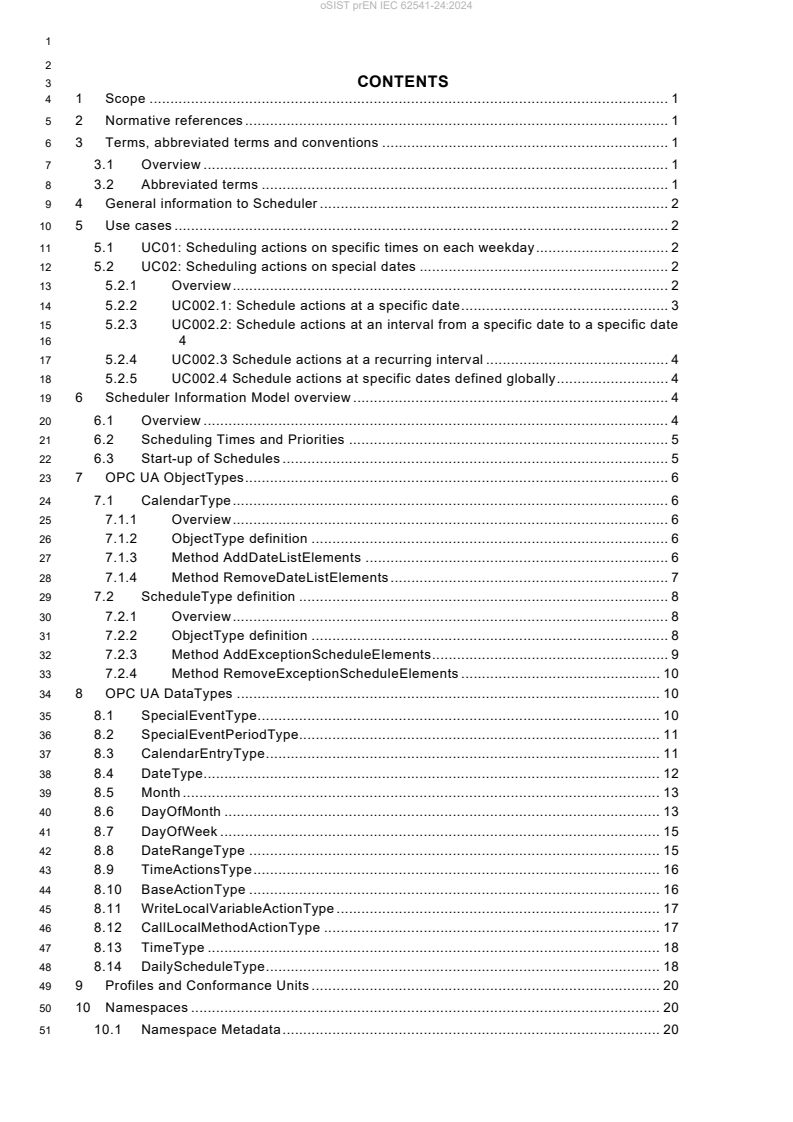
3 CONTENTS
4 1 Scope . 1
5 2 Normative references . 1
6 3 Terms, abbreviated terms and conventions . 1
7 3.1 Overview . 1
8 3.2 Abbreviated terms . 1
9 4 General information to Scheduler . 2
10 5 Use cases . 2
11 5.1 UC01: Scheduling actions on specific times on each weekday . 2
12 5.2 UC02: Scheduling actions on special dates . 2
13 5.2.1 Overview . 2
14 5.2.2 UC002.1: Schedule actions at a specific date . 3
15 5.2.3 UC002.2: Schedule actions at an interval from a specific date to a specific date
16 4
17 5.2.4 UC002.3 Schedule actions at a recurring interval . 4
18 5.2.5 UC002.4 Schedule actions at specific dates defined globally . 4
19 6 Scheduler Information Model overview . 4
20 6.1 Overview . 4
21 6.2 Scheduling Times and Priorities . 5
22 6.3 Start-up of Schedules . 5
23 7 OPC UA ObjectTypes . 6
24 7.1 CalendarType . 6
25 7.1.1 Overview . 6
26 7.1.2 ObjectType definition . 6
27 7.1.3 Method AddDateListElements . 6
28 7.1.4 Method RemoveDateListElements . 7
29 7.2 ScheduleType definition . 8
30 7.2.1 Overview . 8
31 7.2.2 ObjectType definition . 8
32 7.2.3 Method AddExceptionScheduleElements . 9
33 7.2.4 Method RemoveExceptionScheduleElements . 10
34 8 OPC UA DataTypes . 10
35 8.1 SpecialEventType . 10
36 8.2 SpecialEventPeriodType. 11
37 8.3 CalendarEntryType . 11
38 8.4 DateType. 12
39 8.5 Month . 13
40 8.6 DayOfMonth . 13
41 8.7 DayOfWeek . 15
42 8.8 DateRangeType . 15
43 8.9 TimeActionsType . 16
44 8.10 BaseActionType . 16
45 8.11 WriteLocalVariableActionType . 17
46 8.12 CallLocalMethodActionType . 17
47 8.13 TimeType . 18
48 8.14 DailyScheduleType . 18
49 9 Profiles and Conformance Units . 20
50 10 Namespaces . 20
51 10.1 Namespace Metadata . 20
IEC CDV 62541-24 © IEC 2023
52 10.2 Handling of OPC UA Namespaces . 20
53 Annex A (normative) Scheduler Namespace and Identifiers . 22
54 A.1 Namespace and Identifiers for the Scheduler Information Model . 22
56 FIGURES
58 Figure 1 – Overview Scheduler Information Model . 5
61 TABLES
63 Table 1 – Example Weekly Schedule . 2
64 Table 2 – Example Exception Schedule . 3
65 Table 3 – Example Calendars . 3
66 Table 4 – CalendarType Definition . 6
67 Table 5 – CalendarType Attribute values for child Nodes . 6
68 Table 6 – AddDateListElements Method Arguments . 7
69 Table 7 – AddDateListElements Method AddressSpace definition . 7
70 Table 8 – RemoveDateListElements Method Arguments . 7
71 Table 9 – RemoveDateListElements Method AddressSpace definition . 8
72 Table 10 – ScheduleType definition . 8
73 Table 11 – ScheduleType Attribute values for child Nodes . 9
74 Table 12 – AddExceptionScheduleElements Method Arguments . 9
75 Table 13 – AddExceptionScheduleElements Method AddressSpace definition . 10
76 Table 14 – RemoveExceptionScheduleElements Method Arguments . 10
77 Table 15 – RemoveExceptionScheduleElements Method AddressSpace definition . 10
78 Table 16 – SpecialEventType Structure . 11
79 Table 17 – SpecialEventType Definition . 11
80 Table 18 – SpecialEventPeriodType Union . 11
81 Table 19 – SpecialEventPeriodType definition . 11
82 Table 20 – CalendarEntryType Union . 12
83 Table 21 – CalendarEntryType Definition . 12
84 Table 22 – DateType Structure . 12
85 Table 23 – DateType Definition . 12
86 Table 24 – Month Values . 13
87 Table 25 – Month Definition . 13
88 Table 26 – DayOfMonth Values . 14
89 Table 27 – DayOfMonth Definition . 14
90 Table 28 – DayOfWeek Values . 15
91 Table 29 – DayOfWeek Definition . 15
92 Table 30 – DateRangeType Structure . 15
93 Table 31 – DateRangeType Definition . 16
94 Table 32 – TimeActionsType Structure . 16
95 Table 33 – TimeActionsType Definition . 16
96 Table 34 – BaseActionType Structure . 17
IEC CDV 62541-24 © IEC 2023
97 Table 35 – BaseActionType Definition . 17
98 Table 36 – WriteLocalVariableActionType Structure . 17
99 Table 37 – WriteLocalVariableActionType Definition . 17
100 Table 38 – CallLocalMethodActionType Structure . 18
101 Table 39 – CallLocalMethodActionType Definition . 18
102 Table 40 – TimeType Structure . 18
103 Table 41 – TimeType Definition . 18
104 Table 42 – DailyScheduleType Structure . 19
105 Table 43 – DailyScheduleType Definition . 19
106 Table 44 – Profile URIs for Scheduler. 20
107 Table 45 – NamespaceMetadata Object for this Document . 20
108 Table 46 – Namespaces used in a Scheduler Server . 21
109 Table 47 – Namespaces used in this document . 21
IEC CDV 62541-24 © IEC 2023
112 INTERNATIONAL ELECTROTECHNICAL COMMISSION
113 ____________
115 OPC UNIFIED ARCHITECTURE –
117 Part 24: Scheduler
119 FOREWORD
120 1) The International Electrotechnical Commission (IEC) is a worldwide organization for standardization comprising all national
121 electrotechnical committees (IEC National Committees). The object of IEC is to promote international co-operation on all
122 questions concerning standardization in the electrical and electronic fields. To this end and in addition to other activities,
123 IEC publishes International Standards, Technical Specifications, Technical Reports, Publicly Available Specifications (PAS)
124 and Guides (hereafter referred to as “IEC Publication(s)”). Their preparation is entrusted to technical committees; any IEC
125 National Committee interested in the subject dealt with may participate in this preparatory work. International, governmental
126 and non-governmental organizations liaising with the IEC also participate in this preparation. IEC collaborates closely with
127 the International Organization for Standardization (ISO) in accordance with conditions determined by agreement between
128 the two organizations.
129 2) The formal decisions or agreements of IEC on technical matters express, as nearly as possible, an international consensus
130 of opinion on the relevant subjects since each technical committee has representation from all interested IEC National
131 Committees.
132 3) IEC Publications have the form of recommendations for international use and are accepted by IEC National Committees in
133 that sense. While all reasonable efforts are made to ensure that the technical content of IEC Publications is accurate, IEC
134 cannot be held responsible for the way in which they are used or for any misinterpretation by any end user.
135 4) In order to promote international uniformity, IEC National Committees undertake to apply IEC Publications transparently to
136 the maximum extent possible in their national and regional publications. Any divergence between any IEC Publication and
137 the corresponding national or regional publication shall be clearly indicated in the latter.
138 5) IEC itself does not provide any attestation of conformity. Independent certification bodies provide conformity assessment
139 services and, in some areas, access to IEC marks of conformity. IEC is not responsible for any services carried out by
140 independent certification bodies.
141 6) All users should ensure that they have the latest edition of this publication.
142 7) No liability shall attach to IEC or its directors, employees, servants or agents including individual experts and members of
143 its technical committees and IEC National Committees for any personal injury, property damage or other damage of any
144 nature whatsoever, whether direct or indirect, or for costs (including legal fees) and expenses arising out of the publication,
145 use of, or reliance upon, this IEC Publication or any other IEC Publications.
146 8) Attention is drawn to the Normative references cited in this publication. Use of the referenced publications is indispensable
147 for the correct application of this publication.
148 9) Attention is drawn to the possibility that some of the elements of this IEC Publication may be the subject of patent rights.
149 IEC shall not be held responsible for identifying any or all such patent rights.
150 The main task of IEC technical committees is to prepare International Standards. However, a technical
151 committee may propose the publication of a technical report when it has collected data of a different
152 kind from that which is normally published as an International Standard, for example "state of the art".
153 International Standard IEC 62541-24 has been prepared by subcommittee 65E: Devices and integration
154 in enterprise systems, of IEC technical committee 65: Industrial-process measurement, control and
155 automation.
156 The text of this international standard is based on the following documents:
CDV Report on voting
65E/XX/CDV 65E/XX/RVC
158 Full information on the voting for the approval of this international standard can be found in the report
159 on voting indicated in the above table.
160 This publication has been drafted in accordance with the ISO/IEC Directives, Part 2.
161 Throughout this document and the other Parts of the series, certain document conventions are used:
IEC CDV 62541-24 © IEC 2023
162 Italics are used to denote a defined term or definition that appears in the “Terms and definition” clause
163 in one of the parts of the series.
164 Italics are also used to denote the name of a service input or output parameter or the name of a structure
165 or element of a structure that are usually defined in tables.
166 The italicized terms and names are also often written in camel-case (the practice of writing compound
167 words or phrases in which the elements are joined without spaces, with each element's initial letter
168 capitalized within the compound). For example, the defined term is AddressSpace instead of Address
169 Space. This makes it easier to understand that there is a single definition for AddressSpace, not
170 separate definitions for Address and Space.
171 A list of all parts of the IEC 62541 series is included in IEC 62541-1 clause 4 Structure of the OPC UA
172 series and published under the general title OPC Unified Architecture, can be found on the IEC website.
173 The committee has decided that the contents of this publication will remain unchanged until the stability
174 date indicated on the IEC web site under "http://webstore.iec.ch" in the data related to the specific
175 publication. At this date, the publication will be
176 • reconfirmed,
177 • withdrawn,
178 • replaced by a revised edition, or
179 • amended.
181 A bilingual version of this publication may be issued at a later date.
IMPORTANT – The 'colour inside' logo on the cover page of this publication indicates
that it contains colours which are considered to be useful for the correct understanding
of its contents. Users should therefore print this document using a colour printer.
IEC CDV 62541-24 © IEC 2023 1
187 OPC Unified Architecture Specification
189 Part 24: Scheduler
193 1 Scope
194 This document specifies an OPC UA information model to expose information, at what dates
195 and times specific actions are executed by the OPC UA Server. Those schedules can optionally
196 also be manipulated via the information model.
197 The schedule defines on which dates they are active, and can also reference global calendars
198 representing specific dates, for example public holidays. In addition, the schedule defines times
199 and actions that should be executed at that time. The model defines writing Variables and
200 calling Methods, but can be extended to other actions as well.
201 2 Normative references
202 The following referenced documents are indispensable for the application of this document. For
203 dated references, only the edition cited applies. For undated references, the latest edition of
204 the referenced document (including any amendments and errata) applies.
205 IEC 62541-1, OPC Unified Architecture – Part 1: Overview and Concepts
206 IEC 62541-3, OPC Unified Architecture – Part 3: Address Space Model
207 IEC 62541-4, OPC Unified Architecture – Part 4: Services
208 IEC 62541-5, OPC Unified Architecture – Part 5: Information Model
209 IEC 62541-6, OPC Unified Architecture – Part 6: Mappings
210 IEC 62541-7, OPC Unified Architecture – Part 7: Profiles
211 3 Terms, abbreviated terms and conventions
212 3.1 Overview
213 It is assumed that basic concepts of OPC UA information modelling are understood in this
214 document. This document will use these concepts to describe the Scheduler Information Model.
215 For the purposes of this document, the terms and definitions given in IEC 62541-1, IEC 62541-
216 3, IEC 62541-4, IEC 62541-5, IEC 62541-7 as well as the following apply.
217 Note that OPC UA terms and terms defined in this document are italicized in the document.
218 3.2 Abbreviated terms
220 HTTP Hypertext Transfer Protocol
221 PMS Production Management System
222 URI Uniform Resource Identifier
223 XML Extensible Markup Language
2 IEC CDV 62541-24 © IEC 2023
224 4 General information to Scheduler
225 Schedulers allow to define per day of the week specific times at which specific actions are
226 executed in the OPC UA Server.
227 In addition, schedulers can define special dates and times at which specific actions are
228 executed in the OPC UA Server. If such a date occurs, the actions of the special date are
229 executed, and the weekly schedule is ignored.
230 A scheduler can define the special dates by either
231 - defining a concrete date (e.g., 2022-01-17),
232 - defining a range of dates (e.g., 2022-01-17 until 2022-04-13)
st
233 - defining repeating dates with wildcards (e.g., every 1 January)
234 - or referencing global calendars containing for example all public holidays of a year
235 Per date an array of times and corresponding actions including parameterization is defined,
236 when the action is executed. Actions can be the writing of Variables or calling Methods, but can
237 also be extended to other actions.
238 5 Use cases
239 5.1 UC01: Scheduling actions on specific times on each weekday
240 The user wants to schedule that at specific times on each individual weekday a specific action
241 is executed, for example the heating is set to a specific setpoint. In Table 1, an example of such
242 a schedule is given. It contains the schedule for the heating of a school building, that is not
243 used over the weekend. It may be needed to disable the schedule, e.g. when it is warm outside
244 during summer.
245 Table 1 – Example Weekly Schedule
Monday Tuesday Wednesday Thursday Friday Saturday Sunday
00:00 07:00 07:00 07:00 07:00 00:00 00:00
Night On On On On Off Off
07:00 16:30 16:30 16:30 16:30
On Night Night Night Off
16:30
Night
247 5.2 UC02: Scheduling actions on special dates
248 5.2.1 Overview
249 The user wants to schedule that on special dates or date periods a specific action is executed,
250 for example switching off the heating during public holidays. The user wants to be able to define
251 those dates individual or reference predefined dates that can be used in several schedules. In
252 Table 2, an example is given.
IEC CDV 62541-24 © IEC 2023 3
253 Table 2 – Example Exception Schedule
Date Time Value Priority
Day Interval Recurring Reference
Every 11
05:00 On
Saturday of (School
12:00 Off
March 2022 board)
05:00 On
2022-04-03 – 12
2022-04-07 (IT user)
16:30 Off
05:00 On 13
2022-04-01 (facility
manager)
CAL1
Variable 00:00 Off 14
Holidays
CAL2
Set 00:00 Off 15
Holidays
CAL3
School 00:00 Off 16
Vacation
255 The calendars referenced in Table 2 are defined in Table 3.
256 Table 3 – Example Calendars
Day Interval Recurring Note
CAL1: Variable Holidays
2022-04-18 Easter Monday
2022-05-26 Ascension Day
CAL2: Set Holidays
Jan 01. New Year’s
Jan 06. Epiphany
Dec 24. Christmas Eve
Dec 25. Christmas Day
Dec 26. Christmas Day
CAL3: School Vacation
2022-02-21 –
2022-02-25
2022-07-25 –
2022-09-02
2022-12-23 –
2023-01-02
258 The example shows more detailed use cases, summarized in the following subsections.
259 5.2.2 UC002.1: Schedule actions at a specific date
260 As shown in Table 2 in the third entry, a special schedule on a specific date (2022-04-01) shall
261 be applied.
4 IEC CDV 62541-24 © IEC 2023
262 5.2.3 UC002.2: Schedule actions at an interval from a specific date to a specific date
263 As shown in Table 2 in the second entry, a special schedule on a specific interval (2022-04-03
264 – 2022-04-07) shall be applied.
265 5.2.4 UC002.3 Schedule actions at a recurring interval
266 As shown in Table 2 in the first entry, a special schedule on a recurring interval (every Saturday
267 per of March 2022) shall be applied.
268 5.2.5 UC002.4 Schedule actions at specific dates defined globally
269 As shown in Table 2 in the last three entries, a special schedule shall be applied on dates
270 defined globally. The global definition shall support concrete dates (CAL1), recurring dates
271 (CAL2) and concrete ranges (CAL3).
272 6 Scheduler Information Model overview
273 6.1 Overview
274 This specification defines two main ObjectTypes:
275 - an instance of CalendarType represent a globally defined set of dates that can be
276 referenced by schedule Objects;
277 - an instance of ScheduleType represent a schedule, that defines for specific dates or
278 weekdays specific times and actions, that shall be executed at those times.
279 An overview is given in Figure 1. Instances of ScheduleType can have a WeeklySchedule,
280 defining per weekday specific times and per specific time a list of actions that shall be executed
281 at that time. Optionally, the WeeklySchedule can be configured by OPC UA Clients.
282 In addition, or as alternative, a schedule Object can have a ExceptionSchedule. This defines
283 special dates (days), either by defining a concrete date, a range of dates, or recurring dates, or
284 by referencing instances of CalendarType. The optional Methods
285 AddExceptionScheduleElements and RemoveExceptionScheduleElements can be used to
286 configure the ExceptionSchedule by an OPC UA Client.
SchedulerType
CalendarType
0:PropertyType
0:BaseDataVariableType
ExceptionSchedule
PresentValue
0:PropertyType
0:PropertyType
WeeklySchedule
DateList
0:PropertyType
0:LocalTime
AddDataListElements
0:PropertyType
EffectivePeriod
RemoveDataListElements
0:PropertyType
ApplyLastAfterStart
AddExceptionScheduleElements
RemoveExceptionScheduleElements
IEC CDV 62541-24 © IEC 2023 5
288 Figure 1 – Overview Scheduler Information Model
289 The CalendarType defines a DateList with specific dates. The optional AddDateListElements
290 and RemoveDateListElements Methods can be used to manipulate the DateList Property by
291 OPC UA Clients.
292 This specification does not define any specific entry points where to find schedule or calendar
293 Objects. It is expected that they are placed reasonable in the AddressSpace, for example as
294 child Object of an Object that is manipulated by actions of the schedule Object.
295 This specification does not define any specific mechanism how new schedule or calendar
296 Objects are added or removed via OPC UA. Information Models using those Objects might
297 define specific mechanisms like Methods or using the NodeManagement Service Set.
298 6.2 Scheduling Times and Priorities
299 A schedule Object can contain a WeeklySchedule with one entry per weekday and / or an
300 ExceptionSchedule. One of both shall be defined. The WeeklySchedule contains for each day
301 actions, that should be taken at specific times. The ExceptionSchedule contains specific dates
302 or ranges of dates, and the corresponding actions that should be taken at specific times. For
303 example, the ExceptionSchedule can contain an entry with all public holidays and another with
304 plant holidays. Since the different entries of the ExceptionSchedule might overlap, each entry
305 contains a priority. If overlapping entries exist, the one with the highest priority is used. If both,
306 WeeklySchedule and ExceptionSchedule exist, the exception schedule has priority over the
307 WeeklySchedule. That is, if the exception schedule has a matching date, the exception
308 schedule is used, otherwise the weekly schedule.
309 6.3 Start-up of Schedules
310 When a Server restarts or starts the first time, and when a schedule Object becomes active (by
311 reaching its EffectivePeriod, see 7.2.2) there are two options how a schedule Object shall react.
312 If the ApplyLastAfterStart Property is set to TRUE, the Server shall find the last set of actions
313 to be executed before the current time and execute those actions. The mechanism to find the
314 last set of actions is to find the last element in the list of TimeActionsType that occurs on or
315 before the current time, and then use that element’s actions. If no such element is found, then
316 no action is executed.
317 If the ApplyLastAfterStart Property is set to FALSE, the Server does not consider any previous
318 actions and starts executing actions according to the defined schedule defined in the future.
6 IEC CDV 62541-24 © IEC 2023
319 7 OPC UA ObjectTypes
320 7.1 CalendarType
321 7.1.1 Overview
322 The CalendarType provides a list of calendar dates. Each entry in the list describes a specific
323 date or date pattern, or range of dates. The CalendarType ObjectType is formally defined in
324 Table 4.
325 7.1.2 ObjectType definition
326 Table 4 – CalendarType Definition
Attribute Value
BrowseName CalendarType
IsAbstract False
Description
Provides a list of calendar dates. Each entry in the list describes a specific date or date pattern, or range of
dates
References NodeClass BrowseName DataType TypeDefinition Other
Subtype of the 0:BaseObjectType
0:HasComponent Variable PresentValue 0:Boolean 0:BaseDataVariable M
Type
0:HasProperty Variable DateList CalendarEntryType[] 0:PropertyType M
0:HasComponent Method AddDateListElements O
0:HasComponent Method RemoveDateListElements O
Conformance Units
Scheduler Calendar Base
328 This PresentValue indicates the current value of the calendar: True if the current date is in the
329 DateList and False if it is not. For the current date that local time of the OPC UA Server shall
330 be considered.
331 The DateList is an array of elements of which each is either a specific date or date pattern, or
332 range of dates.
333 The child Nodes of the CalendarType have additional Attribute values defined in Table 5.
334 Table 5 – CalendarType Attribute values for child Nodes
BrowsePath
Description Attribute
PresentValue Indicates if the current date is in the DateList (true) or not (false)
DateList Array of elements each defining either a specific date or date pattern, or range of dates
AddDateListElements Adds elements to the DateList
RemoveDateListElements Removes elements of the DateList
336 7.1.3 Method AddDateListElements
337 This Method adds entries to the DateList Property. Even if one entry cannot be added, the other
338 entries are still processed and added, if possible. The signature of this Method is specified
339 below. Table 6 and Table 7 specify the Arguments and AddressSpace representation,
340 respectively.
341 Signature
342 AddDateListElements (
343 [in] CalendarEntryType[] CalendarEntries
344 [out] 0:Int32[] EntryResults
IEC CDV 62541-24 © IEC 2023 7
345 );
346 Table 6 – AddDateListElements Method Arguments
Argument Description
CalendarEntries An array of calendar entries to be added to the DateList Property.
EntryResults An array of results, one entry per entry in CalendarEntries, indicating if the individual entry could be
added. Each result <> 0 indicates, that adding this calendar entry was not successful.
0 – OK
-1 – Duplicate – Entry already in DateList
-2 – Invalid Format – The entry contains an invalid format, e.g. an invalid range
Values larger 0 can be used for vendor-specific errors.
348 Method Result Codes (defined in Call Service)
Result Code Description
BadNodeIdUnknown See IEC 62541-4 for a general description.
BadNotWritable See IEC 62541-4 for a general description.
BadOutOfMemory See IEC 62541-4 for a general description.
350 Table 7 – AddDateListElements Method AddressSpace definition
Attribute Value
BrowseName AddDateListElements
References NodeClass BrowseName DataType TypeDefinition ModellingRule
0:HasProperty Variable 0:InputArguments 0:Argument[] 0:PropertyType 0:Mandatory
0:HasProperty Variable 0:OutputArguments 0:Argument[] 0:PropertyType 0:Mandatory
352 7.1.4 Method RemoveDateListElements
353 This Method removes entries from the DateList Property. Even if one entry cannot be removed,
354 the other entries are still processed and removed, if possible. The signature of this Method is
355 specified below. Table 8 and Table 9 specify the Arguments and AddressSpace representation,
356 respectively.
357 Signature
358 RemoveDateListElements (
359 [in] CalendarEntryType[] CalendarEntries
360 [out] 0:Int32[] EntryResults
361 );
362 Table 8 – RemoveDateListElements Method Arguments
Argument Description
CalendarEntries An array of calendar entries to be removed from the DateList Property.
EntryResults An array of results, one entry per entry in CalendarEntries, indicating if the individual entry could be
removed. Each result <> 0 indicates, that removing this calendar entry was not successful.
0 – OK
-1 – Not found – Entry is not in DateList
Values larger 0 can be used for vendor-specific errors.
364 Method Result Codes (defined in Call Service)
Result Code Description
BadNodeIdUnknown See IEC 62541-4 for a general description.
BadNotWritable See IEC 62541-4 for a general description.
8 IEC CDV 62541-24 © IEC 2023
366 Table 9 – RemoveDateListElements Method AddressSpace definition
Attribute Value
BrowseName RemoveDateListElements
References NodeClass BrowseName DataType TypeDefinition ModellingRule
0:HasProperty Variable 0:InputArguments 0:Argument[] 0:PropertyType 0:Mandatory
0:HasProperty Variable 0:OutputArguments 0:Argument[] 0:PropertyType 0:Mandatory
368 7.2 ScheduleType definition
369 7.2.1 Overview
370 The ScheduleType defines a periodic schedule that can recur over a range of dates. The
371 schedule may have optional exceptions at arbitrary times or dates. The basic unit of a schedule
372 is days, which are divided into two types: normal days within a week and exception days. A
373 priority mechanism defines which scheduled event is currently valid. The ScheduleType is
374 formally defined in Table 10.
375 7.2.2 ObjectType definition
376 Table 10 – ScheduleType definition
Attribute Value
BrowseName ScheduleType
IsAbstract False
Description Defines a periodic schedule that can recur over a range of dates. The schedule may have optional exceptions at
arbitrary times or dates. The basic unit of a schedule is days, which are divided into two types: normal days
within a week and exception days. A priority mechanism defines which scheduled event is currently valid. The
schedule includes a PresentValue Variable whose value describes the current state of the schedule, including a
default value when no schedules are in effect.
References Node Class BrowseName DataType TypeDefinition Other
Subtype of the 0:BaseObjectType
0:HasProperty Variable ExceptionSchedule SpecialEventType[] 0:PropertyType O
0:HasComponent Method AddExceptionScheduleElements O
0:HasComponent Method RemoveExceptionScheduleElements O
0:HasProperty Variable WeeklySchedule DailyScheduleType[7] 0:PropertyType O
0:HasProperty Variable 0:LocalTime 0:TimeZoneDataType 0:PropertyType M
0: HasProperty Variable EffectivePeriod DateRangeType 0:PropertyType O
0:HasProperty Variable ApplyLastAfterStart 0:Boolean 0:PropertyType M
Conformance Units
Scheduler Scheduling Base
378 The ExceptionSchedule provides an array of SpecialEventType. If present, each of those
379 special events describes a sequence of schedule actions that take precedence over a normal
380 day’s behaviour on a special day or days.
381 The WeeklySchedule provides an array of seven DailyScheduleType. Each entry represents
382 one day of the week. The first entry in the array represents Monday, the last Sunday. Each
383 element describes a sequence of times and a list of actions that provides a sequence of
384 schedule actions on one day of the week when no ExceptionSchedule is in effect.
385 At least one of the two Properties ExceptionSchedule and WeeklySchedule shall be present.
386 To manipulate the ExceptionSchedule, the Methods AddExceptionScheduleElements and
387 RemoveExceptionScheduleElements should be used. This simplifies adding and removing
388 entries of the array. As the WeeklySchedule is a fixed-size array with a length of 7, there are
389 no corresponding Methods. Instead, an individual entry of the array may be written by the Client
390 to change only the schedule of one weekday.
IEC CDV 62541-24 © IEC 2023 9
391 The 0:LocalTime provides information about the local time of the schedule Object. All scheduled
392 times are UTC time. Clients need to consider this Property to calculate the local time of the
393 schedule. If this Property is changed, it is server-specific whether the times of the schedule are
394 adjusted or not. If the Server and the Object the schedule is defined for are in the same local
395 time, the Object may reference the 0:LocalTime Property of the 0:Server Object.
396 The EffectivePeriod specifies the range of dates within which the schedule Object is active.
397 Upon entering its effective period, the object shall execute the defined actions at the defined
398 times, otherwise it shall not execute any actions.
399 The ApplyLastAfterStart Property defines if the last set of actions shall be applied when starting
400 the schedule Object (see 6.3 for details).
401 The child Nodes of the ScheduleType have additional Attribute values defined in Table 11.
402 Table 11 – ScheduleType Attribute values for child Nodes
BrowsePath
Description Attribute
ExceptionSchedule An array of special events. If present, each of those special events describes a sequence of
schedule actions that take precedence over a normal day’s behaviour on a special day or days.
AddExceptionScheduleElements Adds elements to the ExceptionSchedule
RemoveExceptionScheduleElements Removes elements from the ExceptionSchedule
WeeklySchedule Each entry represents one day of the week. The first entry in the array represents Monday, the last
Sunday. Each element describes a sequence of times and a list of actions that provides a sequence
of schedule actions on one day of the week when no ExceptionSchedule is in effect.
0:LocalTime Provides information about the local time of the schedule Object. All scheduled times are UTC
time. Clients need to consider this Property to calculate the local time of the schedule. If this
Property is changed, it is server-specific whether the times of the schedule are adjusted or not.
EffectivePeriod Specifies the range of dates within which the schedule Object is active. Upon entering its effective
period, the object shall execute the defined actions at the defined times, otherwise it shall not
execute any actions.
ApplyLastAfterStart The ApplyLastAfterStart Property defines if the last set of actions shall be applied when starting
the schedule Object
404 7.2.3 Method AddExceptionScheduleElements
405 This Method adds entries to the ExceptionSchedule Property. Even if one entry cannot be
406 added, the other entries are still processed and added, if possible. The signature of this Method
407 is specified below. Table 12 and Table 13 specify the Arguments and AddressSpace
408 representation, respectively.
409 Signature
410 AddExceptionScheduleElements (
411 [in] SpecialEventType[] SpecialEvents
412 [out] 0:Int32[] EntryResults
413 );
414 Table 12 – AddExceptionScheduleElements Method Arguments
Argument Description
SpecialEvents An array of special events to be added to the ExceptionSchedule Property.
EntryResults An array of results, one entry per entry in SpecialEvents, indicating if the individual entry could be added.
Each result <> 0 indicates, that adding this special event entry was not successful.
0 – OK
-1 – Duplicate – Entry already in ExceptionSchedule
-2 – Invalid Format – The entry contains an invalid format, e.g. an invalid range
Values larger 0 can be used for vendor-specific errors.
416 Method Result Codes (defined in Call Service)
10 IEC CDV 62541-24 © IEC 2023
Result Code Description
BadNodeIdUnknown See IEC 62541-4 for a general description.
BadNotWritable See IEC 62541-4 for a general description.
BadOutOfMemory See IEC 62541-4 for a general description.
418 Table 13 – AddExceptionScheduleElements Method AddressSpace definition
Attribu
...
Questions, Comments and Discussion
Ask us and Technical Secretary will try to provide an answer. You can facilitate discussion about the standard in here.
Loading comments...