

ISO/IEC 9636-4:1991
(Main)Information technology — Computer graphics — Interfacing techniques for dialogues with graphical devices (CGI) — Functional specification — Part 4: Segments
General Information
- Abstract
Defines those functions of the interface concerned with the creation, modification, and manipulation of graphic pictures using segments. Annexes A and B form an integral part of this standard. Annexes C and D are for information only.
- Status
- Published
- Publication Date
- 17-Dec-1991
- Technical Committee
- ISO/IEC JTC 1/SC 24 - Computer graphics, image processing and environmental data representation
- Drafting Committee
- ISO/IEC JTC 1/SC 24/WG 6 - Computer Graphics and Virtual Reality
- Current Stage
- 9093 - International Standard confirmed
- Start Date
- 08-Dec-2021
- Completion Date
- 29-Aug-2026

Overview
ISO/IEC 9636-4:1991 specifies the segment functionality of the Computer Graphics Interface (CGI) used to create, modify and manage graphic pictures composed of grouped graphic primitives. Part 4 of ISO/IEC 9636 focuses on segment storage and the interface functions that operate on segments - including creation, reopening, closing, copying, renaming and deletion - and the mechanisms for rendering, regeneration and inquiry. Annexes A and B are integral; Annexes C and D provide informative guidance.
Keywords: ISO/IEC 9636-4, CGI segments, computer graphics interface, segment storage, graphic object pipeline.
Key Topics
Segment identification and lifecycle
- Each Segment has a unique Segment identifier; identifiers may be reused after deletion.
- Segments are created with CREATE SEGMENT, closed with CLOSE SEGMENT and can be reopened (REOPEN SEGMENT). At most one Segment may be open at a time.
- GET NEW SEGMENT IDENTIFIER returns an available identifier for client use.
Segment content and immutability
- Graphic objects (primitives with attributes) are appended to segments during definition; objects in a segment cannot be modified or removed individually once stored.
Segment attributes and behaviour
- Attributes covered include visibility, transformation, highlighting, detectability, display priority, and pick priority.
- Attributes influence rendering, feedback (e.g., highlighting for user interaction), and input association for picking.
Display and regeneration
- Functions and modes for segment display, quick update methods, explicit segment display and segment regeneration are defined, including handling of segment storage overflow.
Copying, inheritance and picking
- COPY SEGMENT semantics and the inheritance filter (including clipping inheritance) determine how attributes and geometry propagate when segments are duplicated.
- Picking and simulate-pick functions tie segments into input mechanisms.
Inquiry and state management
- Functions to query segment description tables, segment state lists, individual segment states and lists of identifiers in use.
Applications
- Reference for developers implementing CGI-compliant graphics systems or graphics device drivers.
- Useful to software engineers building virtual devices (class OUTPUT and OUTIN), graphics libraries, visualization tools and CAD systems that require structured, reusable scene elements.
- Guidance for implementers concerned with rendering pipelines, pick input behavior, segment-level updates and storage management.
Related Standards
- ISO/IEC 9636-1: Overview, profiles and conformance
- ISO/IEC 9636-2: Control
- ISO/IEC 9636-3: Output
- ISO/IEC 9636-5: Input and echoing
- ISO/IEC 9636-6: Raster
- ISO 7942:1985 (GKS functional description)
- ISO/IEC 9637 (data stream binding, character and binary encoding)
This standard is essential when designing interoperable, standards-compliant CGI implementations that manage reusable graphic segments and predictable rendering and input behavior.
Get Certified
Connect with accredited certification bodies for this standard

BSI Group
BSI (British Standards Institution) is the business standards company that helps organizations make excellence a habit.

NYCE
Mexican standards and certification body.
Sponsored listings
Frequently Asked Questions
ISO/IEC 9636-4:1991 is a standard published by the International Organization for Standardization (ISO). Its full title is "Information technology — Computer graphics — Interfacing techniques for dialogues with graphical devices (CGI) — Functional specification — Part 4: Segments". This standard covers: Defines those functions of the interface concerned with the creation, modification, and manipulation of graphic pictures using segments. Annexes A and B form an integral part of this standard. Annexes C and D are for information only.
Defines those functions of the interface concerned with the creation, modification, and manipulation of graphic pictures using segments. Annexes A and B form an integral part of this standard. Annexes C and D are for information only.
ISO/IEC 9636-4:1991 is classified under the following ICS (International Classification for Standards) categories: 35.140 - Computer graphics. The ICS classification helps identify the subject area and facilitates finding related standards.
ISO/IEC 9636-4:1991 is available in PDF format for immediate download after purchase. The document can be added to your cart and obtained through the secure checkout process. Digital delivery ensures instant access to the complete standard document.
Standards Content (Sample)
ISOIIEC
INTERNATIONAL
STANDARD
9636-4
First edition
1991-12-15
Information technology - Computer graphics -
Interfacing techniques for dialogues with
graphical devices (CGI) - Functional
specification -
Part 4:
Segments
Technologies de I’information -. Infographie - Interfaces pour
I’infographie - Sp&ifications fonctionnelles -
Partie 4: Segments
Reference number
ISO/1 EC 9636-4: 199 1 (E)
ISO/IEC 9636-4 : 1991 (E)
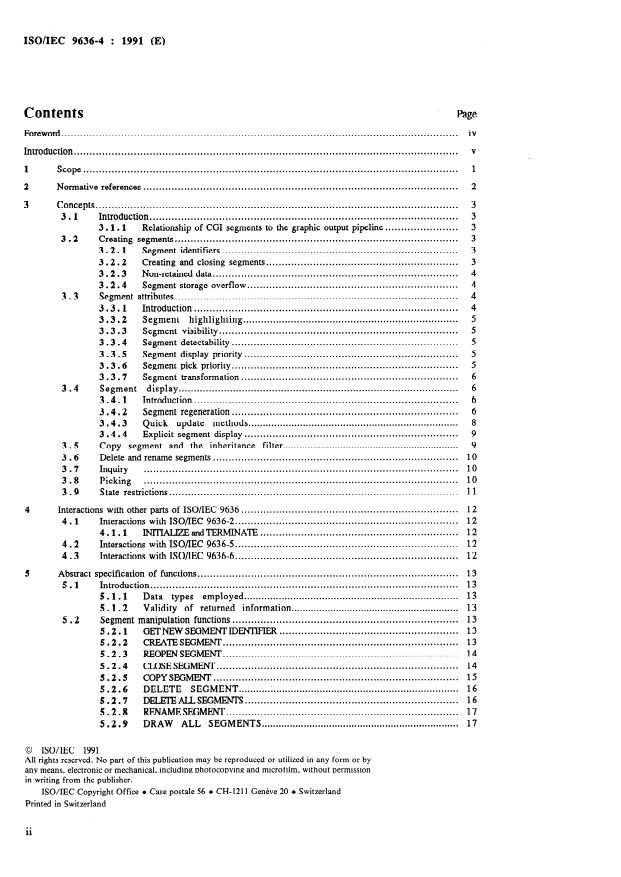
Contents
Page
iv
Foreword .
V
Introduction .
1 Scope .
2 Normative references .
3 Concepts .
3.1 Introduction .
....................... 3
3.1.1 Relationship of CG1 Segments to the graphic output Pipeline
3.2 Creating Segments .
3.2.1 Segment identifiers .
............................................................. 3
3.2.2 Creating and closing Segments
3.2.3 Non-retained data .
3.2.4 Segment storage Overflow .
3.3 Segment attributes .
3.3.1 Introduction .
3.3.2 Segment highlighting .
3.3.3 Segment visibility .
3.3.4 Segment detectability .
Segment display priority .
3.3.5
3.3.6 Segment pick priority .
3.3.7 Segment transformation .
3.4 Segment display .
Introduction .
3.4.1
Segment regeneration .
3.4.2
.........................................................................
3.4.3 Quick update methods
3.4.4 Explicit Segment display .
3.5 Copy Segment and the inheritance filter .
3.6 Delete and rename Segments .
3.7 Inquiry .
....................................................................................................
3.8 Picking
3.9 S tate restrictions .
.....................................................................
4 Interactions with other parts of ISO/IEC 9636
.......................................................................
4.1 Interactions with ISO/IEC 9636-2
...............................................................
4.1.1 INlTHZEandTERMINATE
....................................................................... 12
4.2 Interactions with ISO/IEC 9636-5
....................................................................... 12
4.3 Interactions with ISO/IEC 9636-6
5 Abstract specification of functions .
5.1 Introduction .
.......................................................................... 13
5.1.1 Data types employed
............................................................ 13
5.1.2 Validity of returned information
5.2 Segment manipulation functions .
5.2.1 GETNEWSEGMENTIDENTHER .
5.2.2 CREATESEGMENT .
REOPENSEGMENT .
5.2.3
.............................................................................
5.2.4 CUISESEGMENT
.............................................................................. 15
5.2.5 COPY SEGMENT
............................................................................ 16
5.2.6 DELETE SEGMENT -
.................................................................... 16
5.2.7 DELEIEALLSEGMENTS
5.2.8 RENAMEsEGMENT .
...................................................................... 17
5.2.9 DRAW ALL SEGMENTS
@ ISO/IEC 1991
All rights reserved. No part of this publication may be reproduced or utilized in any form or by
any means, electronie or mechanical, including photocopying and microfilm, without Permission
in writing from the publisher.
ISO/IEC Copyright Office l Case postale 56 l CH-121 1 Geneve 20 l Switzerland
Printed in Switzerland
ISO/IEC 9636-4 : 1991 (E)
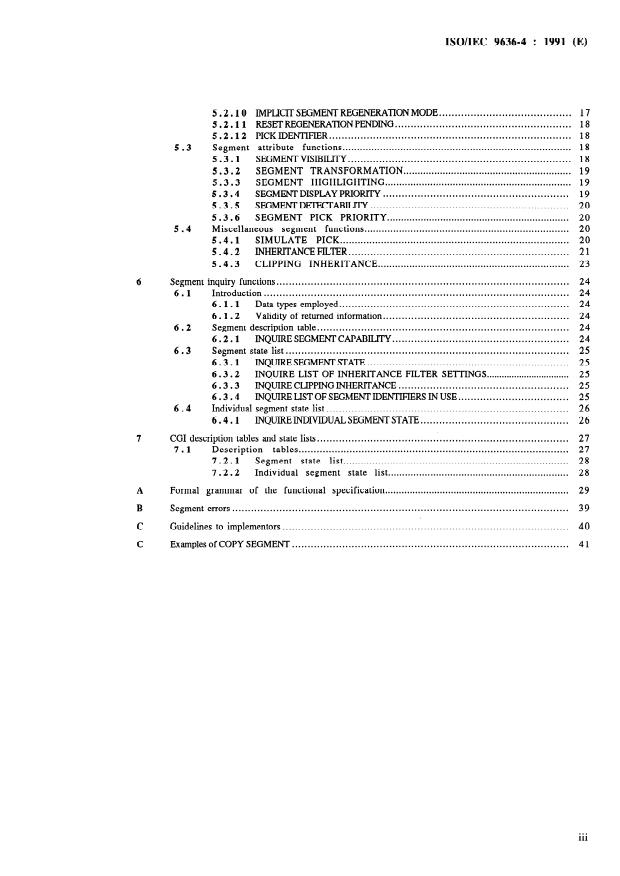
5.2.10 IMPLKIT SEGMENT REGENERATION MODE . 17
RESET REGENFWUION PENDING . 18
5.2.11
............................................................................. 18
5.2.12 PICKIDEN’TFIER
5.3 Segment attribute functions . 18
5.3.1 SEGMENT VISIBILITY . 18
............................................................
5.3.2 SEGMENT TRANSFORMATION 19
..................................................................
5.3.3 SEGMENT HIGHLIGHTING 19
5.3.4 SEGMENT DISPLAY PRIORITY . 19
5.3.5 SEGMENTDETECI’ABILII’Y . 20
SEGMENT PICK PRIORITY . 20
5.3.6
Miscellaneous Segment functions . 20
5.4
SIMULATE PICK . 20
5.4.1
INHERITANCEFILTER . 21
5.4.2
CLIPPING INHERITANCE . 23
5.4.3
............................................................................................. 24
6 Segment inquiry functions
................................................................................................. 24
6.1 Introduction
Data types employed . 24
6.1.1
Validity of retumed information . 24
6.1.2
................................................................................ 24
6.2 Segment description table
INQUIRE SEGMENT CAPAFHUTY . 24
6.2.1
6.3 Segment state list .
6.3.1 INQUIRE SEGMENT STATE . 25
6.3.2 INQUIRE LIST OF INHERITANCE FILTER SETTINGS . 25
6.3.3 INQUIRECLIPPINGINHERIIANCE . 25
6.3.4 INQUIRE LIST OF SEGMENT IDENTIFIERS IN USE . 25
6.4 Individual Segment state list . 26
6.4.1 INQUIREINDMDUALSEGMENTSTATE . 26
7 CG1 description tables and state lists . 27
7.1 Description tables . 27
7.2.1 Segment state list . 28
................................................................
7.2.2 Individual Segment state list 28
A Formal grammar of the functional specification . . . . . . . . . . . . . . . . . . . . . . . . . . . . . . . . . . . . . . . . . . . . . . . . . . . . . . . . . . . . . . . . . . . 29
B Segment errors . . . . . . . . . . . . . . . . . . . . . . . . . . . . . . . . . . . . . . . . . . . . . . . . . . . . . . . . . . . . . . . . . . . . . . . . . . . . . . . . . . . . . . . . . . . . . . . . . . . . . . . . . . . 39
C Guidelines to implernentors . . . . . . . . . . . . . . . . . . . . . . . . . . . . . . . . . . . . . . . . . . . . . . . . . . . . . . . . . . . . . . . . . . . . . . . . . . . . . . . . . . . . . . . . . . . 40
C Examples of COPY SEGMENT . . . . . . . . . . . . . . . . . . . . . . . . . . . . . . . . . . . . . . . . . . . . . . . . . . . . . . . . . . . . . . . . . . . . . . . . . . . . . . . . . . . . . . . . 41
. . .
ISO/IEC 9636-4 : 1991 (E)
Foreword
ISO (the International Organization for Standardization) and IEC (the International Electrotechnical Commission) form the
speciahzed System for worldwide standardization. National bodies that are members of ISO or IEC participate in the
development of International Standards through technical committees established by the respective organization to deal with
particular fields of technical activity. ISO and IEC technical committees collaborate in fields of mutual interest. Other
international organizations, govemmental and non-govemmental, in liaison with ISO and IEC, also take part in the work.
In the field of information technology, ISO and IEC have established a joint technical committee, ISO/IEC JTC 1. Draft
International Standards adopted by the joint technical committee are circulated to national bodies for voting. Publication as
an International Standard requires approval by at least 75 % of the national bodies casting a vote.
International Standard ISO/IEC 9636-4 was prepared by Joint Technical Committee ISO/IEC JTC 1, Information
technology.
ISO/IEC 9636 consists of the following parts, under the general title Information technology - Computer graphics -
Interfacing techniques for dialogues with graphical devices (CGZ) - Functional specification:
- Part 1: Overview, profiles, and conformance
- Part 2: Control
-Part 3: Output
-Part 4: Segments
-Part 5: Input and echoing
- Part 6: Raster
Annexes A and B form an integral part of this part of ISO/IEC 9636. Annexes C and D are for information only.
ISO/IEC 9636-4 : 1991 (E)
Introduction
This part of ISO/IEC 9636 describes the functions of the Computer Graphits Interface concemed with segment storage.
The functionality incorporated in this part of ISO/IEC 9636 is concemed with creating, modifying, and manipulating graphic
pictures using segments.
The functional&y described in this part of ISO/IEC 9636 pertains to Virtual Devices of class OUTPUT and OUTIN.
This page intentionally left blank
ISO/IEC 9636-4 : 1991(E)
INTERNATIONAL STANDARD
Information technology - Computer graphics -
Interfacing techniques for dialogues with graphical
devices (CGI) - Functional specification -
Part 4:
Segments
1 Scope
This part of ISO/IEC 9636 defines those functions of the Computer Graphits Interface concemed with the creation,
modification, and manipulation of graphic pictures using Segments.
This part of ISO/IEC 9636 is part 4 of ISO/IEC 9636, and should be read in conjunction with ISO/IEC 9636-1,
ISO/IEC 9636-2, and ISO/IEC 9636-3. The relationship of this part of ISO/IEC 9636 to the other parts of ISO/IEC 9636 is
described in ISO/IEC 9636-1 and in clause 4.
The functionality described in this part of ISO/IEC 9636 pertains to Virtual Devices of class OUTPUT and OUTIN.
ISO/IEC 9636-4 : 1991 (E)
2 Normative references
The following Standards contain provisions which, through reference in this text, constitute provisions of this part of
ISO/IEC 9636. At the time of publication, the editions indicated were valid. All Standards are subject to revision, and Parties
to agreements based on this part of ISO/IEC 9636 arc encouraged to investigate the possibility of applying the most recent
editions of the Standards listed below. Members of IEC and ISO maintain registers of currently valid International Standards.
ISO 7942 : 1985 In&ormation processing Systems - Computer graphics - Graphical Kerne1 System (GKS) functional
description.
ISO/IEC 9636- 1 : 199 1 Information technology - Computer graphics - Interfacing techniques for dialogues with graphical
devices (CGI) - Functional specification -Part 1: Overview, Profites, and conformance.
ISO/IEC 9636-2 : 1991 Information technology - Computer graphics - Interfacing techniques for dialogues with graphical
devices (CGI} - Functional specification - Part 2: Control.
- Interfacing techniques for dialogues with graphical
ISO/IEC 9636-3 : 1991 Information technology - Computer graphics
devices (CGI) - Functional specification - Part 3: Output.
ISO/IEC 9636-5 : 1991 Information technology - Computer graphics - Inteflacing techniques for dialogues with graphical
devices (CGI) - Functional specification -Part 5: Input and echoing.
ISO/IEC 9636-6 : 199 1 Information technology - Computer graphics - Interfacing techniques for dialogues with graphical
devices (CGI) - Functional specification - Part 6: Raster.
- Inteflacing techniques for dialogues with graphical
ISO/IEC 9637-1 : -V Information technology - Computer graphics
- Data stream binding - Part 1: Character encoding.
devices (CGI)
- Interfacing techniques for dialogues with graphical
ISO/IEC 9637-2 : -V Information technology - Computer graphics
devices (CGI) - Data stream binding - Part 2: Binary encoding.
l) To be published.
ISODEC 9636-4 : 1991 (E)
3 Concepts
3.1 Introduction
This part of ISO/IEC 9636 specifies how graphic objects may be grouped in segments and be identified by a unique Segment
identifier. The graphic objects stored in Segments are composed of graphic primitives with associated attribute values. This
part of ISO/IEC 9636 defines a set of functions for creating, modifying, and manipulating Segments. This functionality is
divided into the following areas:
Segment manipulation functions, including Segment creation, deletion, renaming, and copying. Graphit objects may
also be appended to the end of an existing Segment. Graphit objects within a segment, however, cannot be modified
or deleted.
Segment attribute functions, including modification of Segment attributes (e.g. transformation, visibility). Some
Segment attributes affect the rendered appearance of Segments and tan be a basis for feedback during graphic picture
manipulation. Other attributes affect how input concepts and segments are associated in support of pick input.
Segment inquiry functions, by which access is provided to the information in the description tables and state lists
concemed with Segments.
Relationship of CG1 Segments to the graphic output Pipeline
The overview of the CG1 Graphit Object Pipeline presented in ISO/IEC 9636-1, clause 5, describes the relationship between
Segments and the Pipeline. Additional details are described in this part of ISO/IEC 9636 in connection with the particular
functional areas that are affected.
3.2 Creating Segments
3.2.1 Segment identifiers
Esch Segment has a unique Segment identifier associated with it. The client tan refer to a specific Segment by using its
associated Segment identifier. Once a Segment is deleted, the identifier that was associated with it may be reused for another
Segment definition. The Segment identifier associated with a Segment may be changed with the RENAME SEGMENT
function. The Maximum Number of Simultaneously Existing Segments entry in the Segment Description Table indicates the
number of Segments which may coexist at one time (this number is implementation-dependent). The List of Segment
Identifiers in use may be inquired from the Segment State List.
The client provides a Segment identifier as a Parameter to the CREATE SEGMENT function used to create a new Segment.
For cases in which the client does not wish to keep a record of which identifiers are available, the function GET NEW
SEGMENT IDENTIFIER is provided. This function will retum an available Segment identifier. A Segment identifier is a
Parameter of most of the functions defined in this part of ISO/IEC 9636.
3 2.2 Creating and closing Segments
Segments are created when the CREATE SEGMENT function is invoked. This is the only means of creating a Segment. A
Segment is opened by CREATE SEGMENT and the Segment Open State entry in the Segment State List is set to YES.
There tan be at most one Segment open at any one time. While a segment is open, graphic objects passed along the Graphit
Object Pipeline are stored in the Segment (a process termed Segment definition) and rendered on the drawing surface if the
Segments Visibility attribute is VISIBLE. The open Segment is closed by invoking the function CLOSE SEGMENT and the
Segment Open State entry in the Segment State List is set to NO (see figure 1).
An existing Segment may be reopened at a later time with the REOPEN SEGMENT function. When reopened, subsequent
graphic objects are appended to the open Segment using the same conceptual mechanism as when the Segment was created. A
reopened Segment is closed by invoking the function CLOSE SEGMENT.
ISO/IEC 9636-4 : 1991 (E)
Concepts
Creating segments
Any function which may Cause Segment
CREATE S\EGMENT
overflow, e.g. COPY SEGMENT, when
REOPEN SEGMENT
such fimctions Causes Segment overflow
/ J
CLOSE SEGMENT
DELETE ALL SEGMENTS,
[DELETE SEGMENT]
NOTE - DELETE SEGMENT will Change the state from YES or OVERFLOW
to NO only if the currently open segment is deleted.
Figure 1 - Segment Open state transitions
Note that objects stored in Segments have associated with them all applicable individual attribute values independent of the value
of the corresponding ASF value. Thus by changing the ASF (by means of INHERITANCE FILTER, see 3.5), it is still possible to
display the Object with the individual attribute value associated on creation even when the corresponding ASF value was initially
BUNDLED.
3.2.3 Non-retained data
Any graphic Object passing along the Pipeline when there is no Segment open is termed non-retained data. Such graphic objects
are rendered onto the drawing surface in the usual manner as described in ISO/IEC 9636-3. However, non-retained data is never
rendered again as a result of implicit or explicit regeneration.
3.2.4 Segment storage overflow
Segment storage Overflow may occur when storing graphic objects in Segments. If Overflow occurs, all graphic objects Prior to
the first Object that Causes the Overflow are stored in the Segment. The graphic Object causing the ovefflow as well as graphic
objects following the Segment storage Overflow and Prior to Segment closure are rendered as non-retained data and a class 6 error
is generated.
Once an Overflow has occurred, the Segment Open State in the Segment State List is set to OVERFLOW. Invoking CLOSE
SEGMENT, DELETE SEGMENT, or DELETE ALL SEGMENTS is the only way to Change the Segment Open State from
OVERFLOW to NO (other than by INITIALIZE) (see figure 1).
Segment storage overflow may also occur when a Segment is created or reopened. In this case, the CREATE SEGMENT or
REOPEN SEGMENT function is ignored, a class 6 error is generated, and graphic objects following the Segment storage
Overflow and before the Segment is closed are rendered as non-retained data.
3.3 Segment attributes
3.3.1 Introduction
The Segment attribute values associated with a particular Segment affect that segment’s rendering and pick input properties. A
segment’s attribute values, including Segment Transformation, are set by default when the Segment is initially created and tan be
changed individually at any time while the Segment still exists. Segment attribute values may be inquired from the Individual
Segment State Lists.
ISO/IEC 9636-4 : 1991 (E)
Segment attributes Concepts
The rendering of graphic objects within a Segment while the Segment is being defined depends on the segment’s attributes of
Visibility, Highlighting, Display Priority, and Segment Transformation, and the current setting of the Implicit Segment
Regeneration Mode. For example, if Visibility is set to INVISIBLE before the creation of the first graphic Object to be stored
in the Segment, the Segment is not rendered. If Visibility is changed part way through the Segment definition and the Implicit
Segment Regeneration Mode is SUPPRESSED, each new Object will be rendered as it is received without regard to the
Display Priority attribute.
3.3.2 Segment highlighting
The Highlighting attribute of a Segment tan take the values NORMAL or HIGHLIGHIED. The form in which highlighting
is represented is implementation-dependent. However, the appearance of a segment when highlighted shall be different from
when it is not. When a segment’s highlighting attribute is changed, all of the graphic objects of the Segment are displayed
based on the Implicit Segment Regeneration Mode and the segment’s Display Priority. (See 3.4.)
3.3.3 Segment visibility
The Visibility attribute of a Segment tan take the value of INVISIBLE or VISIBLE. When a segment’s Visibility attribute is
set to be VISIBLE, all of the graphic objects of the segment are displayed based upon the Implicit Segment Regeneration
Mode and the segment’s Display Priority. A Segment tan be picked if and only if it is both VISIBLE and DETECTABLE. If
Segment storage overflow occurs, objects following the Segment storage Overflow and before the Segment is closed wilI be
rendered as non-retained data independent of the value of the Visibility attribute.
3.3.4 Segment detectability
The Detectability attribute of a Segment tan take the value of UNDETECTABLE or DETECTABLE. Segment detectability
does not affect the display or appearance of Segments. A Segment tan be picked if and only if it is both VISIBLE and
DETECTABLE.
3.3.5 Segment display priority
The Display Priority attribute of a Segment determines how overlapping Segments are displayed. In general, Segments with
higher display priorities will be displayed as if they were in front of Segments with lower display priorities. This part of
ISO/IEC 9636 allows latitude in cases where overlapping Segments have the same display priority. The preferred behaviour is
as follows:
The effective relative display priority of a set of overlapping segments having the same display priority value is
consistent with their relative creation time Order. In particular, the most recently created Segments will appear in
front of Segments created earlier (this is consistent with the effect of drawing the same graphic objects as non-
retained data in the same Order as the Segments were created). Reopening a segment does not Change the effective
relative display priority of the Segment.
The Effective Relative Display Priority entry in the Segment Description Table indicates the supported capability, as follows:
- A level of TIME ORDER indicates that the most recently created Segment is displayed in front, as described above;
- A level of TIME ORDER - REOPEN is similar to TIME ORDER, except that a Change in the effective relative
display priority is possible for a Segment if subsequently reopened;
- A level of OTHER indicates that there is no guaranteed effective relative display priority behaviour.
The SEGMENT DISPLAY PRIORITY function is used to Change the display priority of a Segment. When a Segments
Display Priority is changed, the Segments display is based on the Implicit Segment Regeneration Mode and the new Display
Priority. (See 3.4.)
3.3.6 Segment pick priority
The Pick Priority attribute of a Segment is used to resolve the picking of Segments which overlap. If two or more Segments
overlap and the pick location is within the intersection of these Segments, the Segments picked will be one, or more, of those
with the highest pick priority. The returned list of pick values (see 5.4.1 and PICK input in ISO/IEC 9636-5) corresponds to
all those Segments having the highest identical pick priority and are retumed in Order of decreasing display priority.
ISO/IEC 9636-4 : 1991 (E)
Concepts Segment attributes
3.3.7 Segment transformation
The Segment Transformation attribute specifies a coordinate transformation to be applied to the graphic objects contained in
the Segment. This transformation allows scaling, translation, and rotation of Segments. The Segment transformation is a
transformation of VDC space to VDC space and is distinct from the VDC-to-Device Mapping (see ISO/IEC 9636-2, 3.3),
which is a transformation of VDC space to DC space.
The Segment Transformation attribute is set by the SEGMENT TRANSFORMATION function. This function simply
replaces the Segment Transformation attribute associated with a particular segment. A segment transformation is composed sf
a 2x2 scaling and rotation portion and a 2x1 translation portion. The default Segment Transformation for each Segment is the
identity transformation.
The Segment Transformation attribute is associated with the graphic objects of a segment when they enter into the graphic
Object pipeline. This associated transformation is then applied during the rendering of the graphic objects.
A graphic Object is transformed by the transformation resulting from the concatenation of the Segment transformation and the
object’s transformation attribute before the application of the VDC-to-Device Mapping. The method of concatenation is such
that the final effect during rendering is as if the object’s transformation attribute was applied first, followed by application of
the segment transformation. This transformation is applied to the graphic object’s VDC point data and all associated attributes
having VDC paramaterizations, with the exception of the associated Clip rectangle.
NOTE - If the client wishes to accumulate or concatenate transformations for the purpose of setting the Segment
Transformation attribute, it is necessary to do this above the CGI. The use of Segment transformations may produce
coordinates that cannot be expressed within the VDC range; this is handled in an implementation-dependent way.
3.4 Segment display
3.4.1 Introduction
Segment display is the process which produces a visible image on a drawing surface from the graphic objects in a Segment.
The functions COPY SEGMENT and DRAW ALL SEGMENTS provide for the display of Segments, individually and
collectively. Segments may also be displayed implicitly, under some circumstances, without using the above functions (see
3.4.2).
In addition to the attributes associated with the graphic objects stored in Segments, the Highlighting, Visibility, Display
Priority, and Segment Transformation attributes of Segments affect the appearance of the displayed segment.
Some devices cannot immediately Change a picture. A Plotter for example tan only add to a picture; the Plotter would need to
advance the Paper and redraw the picture to show the effect of a Change of Segment Transformation. Similarly, a Change of a
Segments Display Priority attribute might Cause different sections of a picture to become visible or obscured, and Visibility
and Highlighting attributes may also Cause the picture to alter.
On devices which cannot erase or Change part of a picture, Implicit Segment Regeneration Mode of SUPPRESSED is more
efficient in terms of time and material. Implicit Segment Regeneration Mode in combination with the Visibility attribute
gives the client the ability to accumulate picture changes. At some later time, the client tan explicitly utilize PREPARE
DRAWING SURFACE and DRAW ALL SEGMENTS.
3.4.2 Segment regeneration
Conceptually, the contents of segment storage, along with the values of various state list and bundle table entries, describe a
certain picture. In addition to the stored graphic objects, the state list information which may affect the appearance of the
picture is shown in table 1.
Segment creation or deletion, as well as dynamic changes to any of the state list entries in table 1, may affect the accuracy of
the rendered picture (i.e. whether or not the current, rendered picture representation accurately reflects the picture described in
Segment storage and state lists). The process of bringing the rendered picture representation to a state consistent with the
current contents of segment storage and state lists is referred to as regeneration.
ISO/IEC 9636-4 : 1991 (E)
Concepts
Segment display
Table 1 - State list information which may affect the appearance of the picture
VDC-to-Device Mapping Segment Attributes:
Colour table entries Display Priority
Background Colour Visibility
Bundled primitive attribute values Highlighting
Segment Transformation
(depending on associated ASFs)
Pattern table entries
List of Font Names
When there is a discrepancy between the current contents of the drawing surface and the described picture, a regeneration is
pending. The Segment State List includes a Regeneration Pending entry, which indicates whether or not any such discrepancy
currently exists. Changes to the picture, or to the state list information that controls the appearance of the picture (see table 1)
may Cause the Regeneration Pending entry to be set to YES. If there is any visible picture discrepancy, the implementation
shall set the entry to YES. The implementation may also set the entry to YES in case that a Change effects no visible
discrepancy, but the implementation is not able to determine that there is no discrepancy. Once set, Regeneration Pending
remains set until an implicit regeneration or until the function RESET REGENERATION PENDING has been invoked.
There are a number of CG1 functions which may Change the contents of the drawing surface in such a way that it no langer
accurately reflects the contents of Segment storage, but do not Cause Regeneration Pending to be set. This set of functions
includes COPY SEGMENT when there is no Segment open and all graphic primitive functions executed when there is no
Segment open (thereby creating non-retained data). It also includes bitblts, PIXEL ARRAY, DRAWING BITMAP, and
PREPARE DRAWING SURFACE. It is the client’s responsibility to be aware of the implications of the use of these
functions in conjunction with Segments and handle any desired regeneration explicitly.
For performante reasons, it may be preferable to batch a number of picture changes and then perform a Single regeneration. A
means to control regeneration behaviour is provided by the Implicit Segment Regeneration Mode entry in the Segment State
List. When Implicit Segment Regeneration Mode is SUPPRESSED, the Virtual Device will not perform any regeneration
even if one is pending.
For particular devices, some changes may not necessitate a regeneration. An important (and common) example concerns
changes to the Colour Table on a raster device. Typically, such devices implement a colour table in hardware. Changing the
colour representation associated with a given colour index immediately (and retroactively) affects all Pixels drawn with that
index. No regeneration process is required to bring the picture up to date.
For each state list entry corresponding to information in table 1, a Dynamit Modification Accepted For entry in a description
table indicates which changes
- tan be performed immediately (IMM);
- tan be simulated (CBS) (see 3.4.3);
- lead to an implicit regeneration (IRG).
If the Dynamit Modification Accepted For ctype of Change> entry is IMM, the effect of a Change to the relevant state list
information will propagate immediately to the picture without any regeneration.
If the Dynamit Modification Accepted For entry is IRG and Implicit Segment Regeneration Mode is
SUPPRESSED, the effect of a Change to the relevant state list information will be to set Regeneration Pending to YES but
no regeneration will be initiated.
If the Dynamit Modification Accepted For entry is IRG and Implicit Segment Regeneration Mode is
ALLOWED, any Change of the relevant state list information will initiate the regeneration process immediately after the
function that caused the Change of state list information.
If the Dynamit Modification Accepted For Adding Objects To Open Segment entry in the Segment Description Table is IRG
and the Implicit Segment Regeneration Mode is SUPPRESSED, then each Object added to the open Segment will be rendered
as it is received without regard to the Display Priority attribute value; this will Cause the Regeneration Pending entry to be set
to YES if there is any visible picture discrepancy. If the Implicit Segment Regeneration Mode is ALLOWED, then each Object
added to the open Segment shall be rendered with the correct display priority (relative to possibly overlapping segments of
higher display priority).
ISO/IEC 9636-4 : 1991 (E)
Concepts Segment display
Other operations, beside changing the state list entries, may Cause a discrepancy between the described picture and the drawing
surface. These include deleting a segment and adding additional graphic objects to an open segment. The Segment Description
Table has Dynamit Modification Accepted For flags for these changes. The distinction is also made between Visibility
changes from visible to invisible and from invisible to visible.
If a regeneration is pending at the time of a transition of the Implicit Segment Regeneration Mode to ALLOWED, then a side
effect of the IMPLICIT SEGMENT REGENERATION MODE function is to Cause a regeneration to occur at that time.
For any function that Causes a regeneration to occur, the regeneration process occurs after execution of the function and
subsequent functions will not be interpreted until after the effects of the regeneration have been realized. Conceptually, the
effect of a regeneration may be described as follows:
The drawing surface is prepared (cleared), and copies of all of the graphic objects in all the visible Segments
in segment storage are inserted into the Graphit Object Pipeline as described in ISO/IEC 9636, and the
Regeneration Pending entry is set to NO.
All non-retained data is erased if a regeneration occurs. The prediction of regeneration requires careful attention to the Dynamit
Modification Accepted For flags, which may differ from one CG1 implementation to another.
Regeneration should not be confused with Deferral Mode which controls an entirely different aspect of Virtual Device
behaviour. One of the more important manifestations of deferral relates to buffering that may occur between calling a CG1
function at a procedural interface and subsequent interpretation of that function at a data stream interpreter further downstream
in the implementation. Thus deferral is concemed with the promptness with which function invocations will be acted upon.
Regeneration effects never occur until the causing functions are actually acted upon.
3.4.3 Quick update methods
When segments are complex or there are many of them, regeneration may be a fairly time consuming process. The CG1
provides a way to allow implernentations to offer quick update methods for changes that would otherwise require a
regeneration. Examples might include changes to Segment attributes, such as a Change in Segment Transformation, Visibility,
Highlighting or Display Priority. Quick Update Methods may be used to gain performante in interactive situations at the risk
of the picture no longer accurately reflecting the state of Segment storage.
For example, a Segment may be “erased” by drawing it in the background colour. In cases where this Operation is feasible,
performante might be significantly improved, especially when dealing with a large number of Segments. Many clients may
accept a compromise in picture accuracy in favour of greater interactiveness. At some appropriate later time (perhaps, upon
Operator request), the client tan regenerate an uncompromised picture using DRAW ALL SEGMENTS
The above type of picture repair is referred to as using a quick update method, as opposed to regeneration. Quick update
methods are not claimed to be faithful to the Segment model, but under many circumstances, are guaranteed to be faster. For
many applications, there may be circumstances under which the client tan know that the quick update will actually be perfett.
For example, if the client never dmws any overlapping segments.
Changes which have implementation defined quick update methods are indicated by a Dynamit Modification Accepted For
flag of value CBS. This indicates that the effect of such a Change tan be simulated. Any Change which tan
be simulated tan also be regenerated.
Quick update behaviour is permitted to occur if the Implicit Segment Regeneration Mode is set to UQUM, (for Use Quick
Update Method) and the Dynamit Modification Accepted For flag is CBS. If Implicit Segment Regeneration
Mode is set to UQUM, regeneration remains suppressed.
The only point in time when a quick update tan occur is when the function causing the need for it is invoked. If Implicit
Segment Regeneration Mode is SUPPRESSED, then quick update methods are also suppressed. If the Implicit Segment
Regeneration Mode is either SUPPRESSED or UQUM and a Change is made for which Dynamit Modification Accepted For
entry is CBS, then Regeneration Pending will be set to YES. An exception to this may occur when a particular
implementation knows that the picture repair using quick update was, in fact, faithful to the segment model and state lists.
If the Implicit Segment Regeneration Mode is ALLOWED and a Change is made for which the Dynamit Modification
Accepted For flag is CBS or IRG, then an implicit Segment regeneration will be performed as a result of the function causing
the Change.
ISO/IEC 9636-4 : 1991 (E)
Segment display Concepts
Although control of the use of quick update methods is provided for in ISO/IEC 96364, the actual behaviour of an instance of
a quick update is implementation-dependent.
3.4.4 Explicit Segment display
The CG1 functions COPY SEGMENT and DRAW ALL SEGMENTS may be used to explicitly display segments. DRAW
ALL SEGMENTS displays all visible Segments in a manner consistent with their display priorities. Its Operation is
independent of the Regeneration Pending state list entry and does not affect the setting of this entry. A Single segment may be
displayed by invoking the COPY SEGMENT function with the identity transformation as well as the INHERITANCE
FILTER function with the filter selection list set to ALL and the selection setting set to SEGMENT. This Segment will be
rendered in front of any already rendered Segments with no regard to display priority.
3.5 Copy Segment and the inheritance filter
The COPY SEGMENT function copies the graphic objects of an identified Source Segment into the Graphit Object Pipeline,
concatenating a coordinate transformation specified by the copy transformation Parameter and optionally concatenating the
Source Segments Segment Transformation attribute with the transformation associated with the copied objects. The copy
transformation affects all associated Clip rectangles; the Source Segments Segment Transformation does not affect Clip
rectangles.
The copied graphic objects may be altered in a variety of ways:
a) The inheritance filter controls whether individual attribute values of the graphic objects are re-associated from the CG1
state lists (see 5.4.2).
b) The CLIPPING INHERITANCE function controls whether the effective Clip region associated with the Object is
ignored or intersected with the Clip Rectangle in the General Attributes and Output Control State List.
c) A copy transformation is concatenated with the graphic objects’ associated transformation and, optionally, the
Segment Transformation of the Source Segment may also be concatenated according to the rules for transformations
(See 3.3.7).
If the Segment Open State is NO when the COPY SEGMENT function is interpreted, then the copied objects are treated as
non-retained data and the associated transformations are applied during rendering. If the Segment Open State is YES when
COPY SEGMENT is interpreted, the group of objects from the Source Segment with their associated copy and (optional)
Source Segment transformations are added to the open Segment. The Segment Transformation attribute value of the open
Segment also affects the eventual rendering of the group of objects copied. Transformations associated during a copy segment
Operation are Object attribute values. They do not affect the open Segment, only the group of objects copied. These
transformations are never dissociated during subsequent copy Segment operations regardless of Parameter values or inheritance
filter settings. The replacement, transformation concatenation, and intersection of Clip rectangles according to the setting of the
inheritance filter is discussed in 5.2.5.
The client specifies a copy transformation Parameter with the invocation of COPY SEGMENT. The copy transformation is
associated with the graphic objects as they are copied and it affects any associated Clip rectangles. The transformation may
translate, scale, rotate, and skew, though some implernentations may not support rotation or skewing of clip rectangles -
whether this is supported or not is indicated by the Transform Clip Region Effectiveness entry in the Segment Description
Table.
The client also specifies whether the Source Segments Segment Transformation attribute value is also to be concatenated with
the copied objects’ associated transformation. If the Source segment’s Segment Transformation attribute value is concatenated,
then the resulting association is such that when the transformations are subsequently applied, the Segment transformation is
applied before the copy transformation. In general, they are not commutative.
may be
NOTE - Repeated copying may occur, in which case, multiple pairs of Source Segment and copy transfonnations
applied to the objects. These will be applied in the Order from the first copy through to the last copy.
Examples of the use of the COPY SEGMENT and INHERITANCE FILTER functions are given in annex D.
ISOIIEC 9636-4 : 1991 (E)
Concepts Delete and rename Segments
3.6 Delete and rename Segments
The DELETE SEGMENT functi
...