

ISO 21757-1:2020
(Main)Document management — ECMAScript for PDF — Part 1: Use of ISO 32000-2 (PDF 2.0)
General Information
- Abstract
This document defines a set of ECMAScript object types for automating and interacting with PDF documents and the contents of such documents.
- Status
- Published
- Publication Date
- 15-Dec-2020
- Technical Committee
- ISO/TC 171/SC 2 - Document file formats, EDMS systems and authenticity of information
- Drafting Committee
- ISO/TC 171/SC 2/WG 7 - PDF/Engineering
- Current Stage
- 9093 - International Standard confirmed
- Start Date
- 05-Mar-2026
- Completion Date
- 29-Aug-2026
Buy Documents

ISO 21757-1:2020 - Document management -- ECMAScript for PDF

ISO 21757-1:2020 - Document management — ECMAScript for PDF — Part 1: Use of ISO 32000-2 (PDF 2.0)/16/2020
Overview
ISO 21757-1:2020 - Document management - ECMAScript for PDF - Part 1: Use of ISO 32000-2 (PDF 2.0) defines a standardized ECMAScript (JavaScript) interface for automating and interacting with PDF documents that conform to ISO 32000-2 (PDF 2.0). The standard specifies object types, syntax rules, security contexts and a comprehensive ECMAScript API for programmatic access to PDF structure and content.
Key topics and technical requirements
- Scope and normative references: Aligns ECMAScript for PDF usage with the PDF 2.0 foundations of ISO 32000-2.
- Terms, definitions and notation: Establishes a consistent vocabulary and notation for PDF scripting.
- Syntax and method arguments: Defines syntax conventions and argument handling for ECMAScript methods in the PDF environment.
- Paths and Safe Path: Specifies how script paths are represented and how safe paths are enforced when accessing file or resource locations.
- Privileged vs non‑privileged contexts: Describes security models and restrictions for code running with different privilege levels inside a PDF runtime.
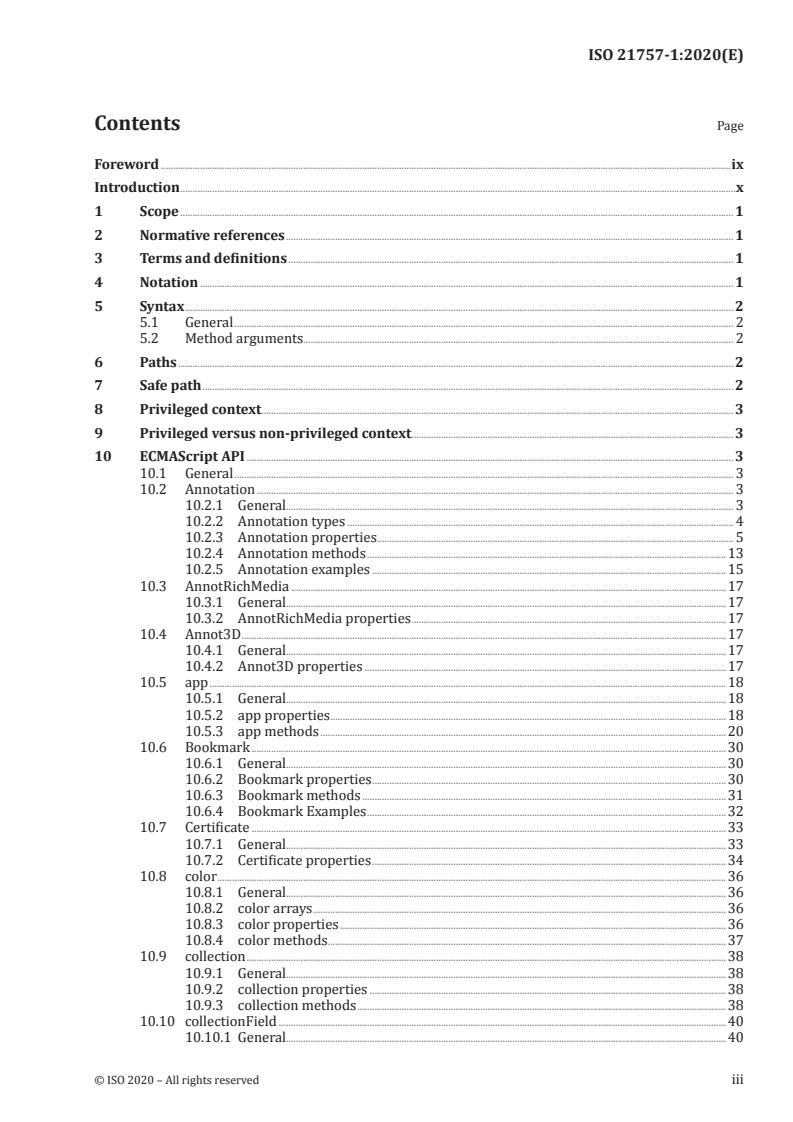
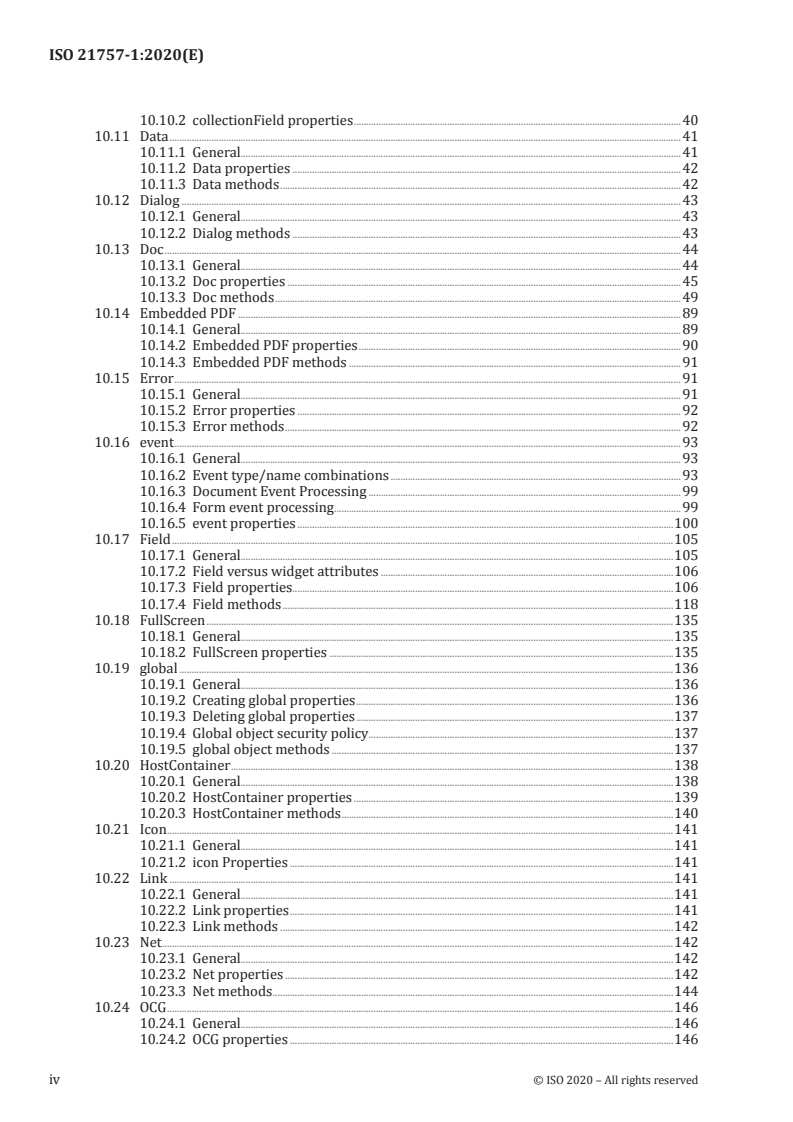
- ECMAScript API object model: Detailed object types and APIs for interacting with PDF elements. The table of contents shows standardized objects such as:
- Annotation, AnnotRichMedia, Annot3D
- app, Doc, Embedded PDF
- Field, Bookmark, Dialog, FullScreen
- Certificate, Icon, color, collection, Data, Error, event, global, HostContainer
- Properties and methods: For each object type the standard documents properties and callable methods to manipulate PDF content, annotations, forms, bookmarks, events, and more.
Practical applications
- PDF automation and workflows: Automate form processing, batch updates, metadata extraction and content modification using standardized PDF scripting.
- Interactive forms and annotations: Implement consistent behavior for actions, validation, and dynamic appearance across PDF 2.0 viewers.
- Document management systems (ECM): Integrate PDF scripting capabilities into enterprise content management (ECM) platforms for processing, indexing and automated publishing.
- PDF viewers and tool vendors: Build interoperable PDF readers and authoring tools that support standardized ECMAScript APIs.
- Security and compliance: Apply privileged/non‑privileged context rules and safe path handling to maintain secure PDF execution environments.
Who should use this standard
- PDF developers and software engineers implementing JavaScript-based PDF features
- ECM and document management solution architects
- PDF viewer and authoring tool vendors
- QA testers and compliance officers validating PDF script behavior against PDF 2.0
Related standards
- ISO 32000-2 (PDF 2.0) - foundational PDF specification referenced by ISO 21757-1:2020.
Keywords: ISO 21757-1:2020, ECMAScript for PDF, PDF 2.0, ISO 32000-2, PDF automation, JavaScript in PDF, PDF scripting, document management, ECM.
Buy Documents
ISO 21757-1:2020 - Document management -- ECMAScript for PDF
ISO 21757-1:2020 - Document management — ECMAScript for PDF — Part 1: Use of ISO 32000-2 (PDF 2.0)/16/2020
Get Certified
Connect with accredited certification bodies for this standard

BSI Group
BSI (British Standards Institution) is the business standards company that helps organizations make excellence a habit.

NYCE
Mexican standards and certification body.
Sponsored listings
Frequently Asked Questions
ISO 21757-1:2020 is a standard published by the International Organization for Standardization (ISO). Its full title is "Document management — ECMAScript for PDF — Part 1: Use of ISO 32000-2 (PDF 2.0)". This standard covers: This document defines a set of ECMAScript object types for automating and interacting with PDF documents and the contents of such documents.
This document defines a set of ECMAScript object types for automating and interacting with PDF documents and the contents of such documents.
ISO 21757-1:2020 is classified under the following ICS (International Classification for Standards) categories: 35.240.30 - IT applications in information, documentation and publishing. The ICS classification helps identify the subject area and facilitates finding related standards.
ISO 21757-1:2020 is available in PDF format for immediate download after purchase. The document can be added to your cart and obtained through the secure checkout process. Digital delivery ensures instant access to the complete standard document.
Standards Content (Sample)
INTERNATIONAL ISO
STANDARD 21757-1
First edition
2020-12
Document management — ECMAScript
for PDF —
Part 1:
Use of ISO 32000-2 (PDF 2.0)
Reference number
©
ISO 2020
© ISO 2020
All rights reserved. Unless otherwise specified, or required in the context of its implementation, no part of this publication may
be reproduced or utilized otherwise in any form or by any means, electronic or mechanical, including photocopying, or posting
on the internet or an intranet, without prior written permission. Permission can be requested from either ISO at the address
below or ISO’s member body in the country of the requester.
ISO copyright office
CP 401 • Ch. de Blandonnet 8
CH-1214 Vernier, Geneva
Phone: +41 22 749 01 11
Email: copyright@iso.org
Website: www.iso.org
Published in Switzerland
ii © ISO 2020 – All rights reserved
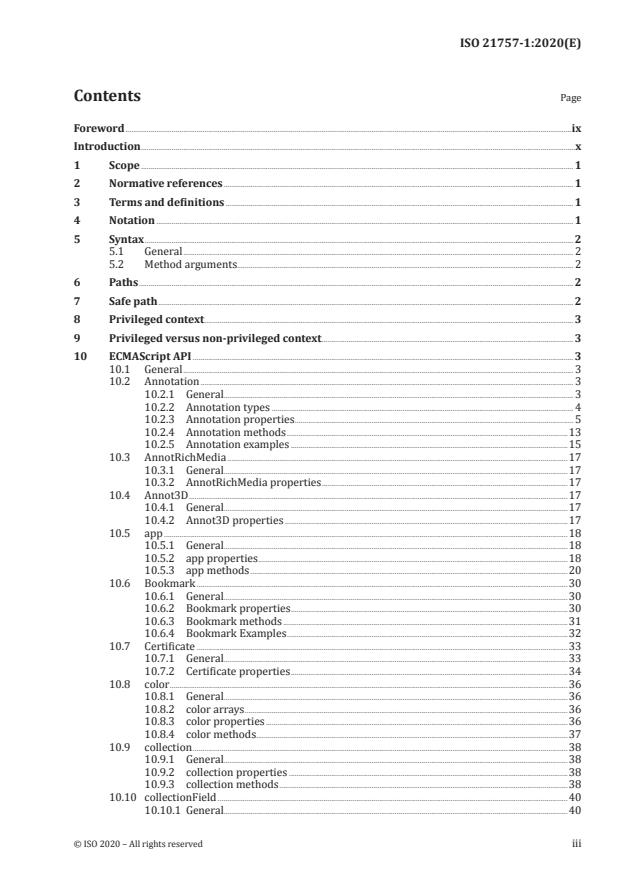
Contents Page
Foreword .ix
Introduction .x
1 Scope . 1
2 Normative references . 1
3 Terms and definitions . 1
4 Notation . 1
5 Syntax . 2
5.1 General . 2
5.2 Method arguments. 2
6 Paths . 2
7 Safe path . 2
8 Privileged context . 3
9 Privileged versus non-privileged context . 3
10 ECMAScript API . 3
10.1 General . 3
10.2 Annotation . 3
10.2.1 General. 3
10.2.2 Annotation types . 4
10.2.3 Annotation properties . . 5
10.2.4 Annotation methods .13
10.2.5 Annotation examples .15
10.3 AnnotRichMedia .17
10.3.1 General.17
10.3.2 AnnotRichMedia properties .17
10.4 Annot3D .17
10.4.1 General.17
10.4.2 Annot3D properties .17
10.5 app .18
10.5.1 General.18
10.5.2 app properties .18
10.5.3 app methods .20
10.6 Bookmark .30
10.6.1 General.30
10.6.2 Bookmark properties .30
10.6.3 Bookmark methods .31
10.6.4 Bookmark Examples .32
10.7 Certificate .33
10.7.1 General.33
10.7.2 Certificate properties .34
10.8 color .36
10.8.1 General.36
10.8.2 color arrays .36
10.8.3 color properties .36
10.8.4 color methods .37
10.9 collection .38
10.9.1 General.38
10.9.2 collection properties .38
10.9.3 collection methods .38
10.10 collectionField .40
10.10.1 General.40
10.10.2 collectionField properties .40
10.11 Data .41
10.11.1 General.41
10.11.2 Data properties .42
10.11.3 Data methods .42
10.12 Dialog .43
10.12.1 General.43
10.12.2 Dialog methods .43
10.13 Doc .44
10.13.1 General.44
10.13.2 Doc properties .45
10.13.3 Doc methods .49
10.14 Embedded PDF .89
10.14.1 General.89
10.14.2 Embedded PDF properties .90
10.14.3 Embedded PDF methods .91
10.15 Error .91
10.15.1 General.91
10.15.2 Error properties .92
10.15.3 Error methods .92
10.16 event .93
10.16.1 General.93
10.16.2 Event type/name combinations .93
10.16.3 Document Event Processing .99
10.16.4 Form event processing . .99
10.16.5 event properties .100
10.17 Field .105
10.17.1 General.105
10.17.2 Field versus widget attributes .106
10.17.3 Field properties.106
10.17.4 Field methods .118
10.18 FullScreen .135
10.18.1 General.135
10.18.2 FullScreen properties .135
10.19 global .136
10.19.1 General.136
10.19.2 Creating global properties .136
10.19.3 Deleting global properties .137
10.19.4 Global object security policy .137
10.19.5 global object methods .137
10.20 HostContainer .138
10.20.1 General.138
10.20.2 HostContainer properties .139
10.20.3 HostContainer methods .140
10.21 Icon .141
10.21.1 General.141
10.21.2 icon Properties .141
10.22 Link .141
10.22.1 General.141
10.22.2 Link properties .141
10.22.3 Link methods .142
10.23 Net .142
10.23.1 General.142
10.23.2 Net properties .142
10.23.3 Net methods .144
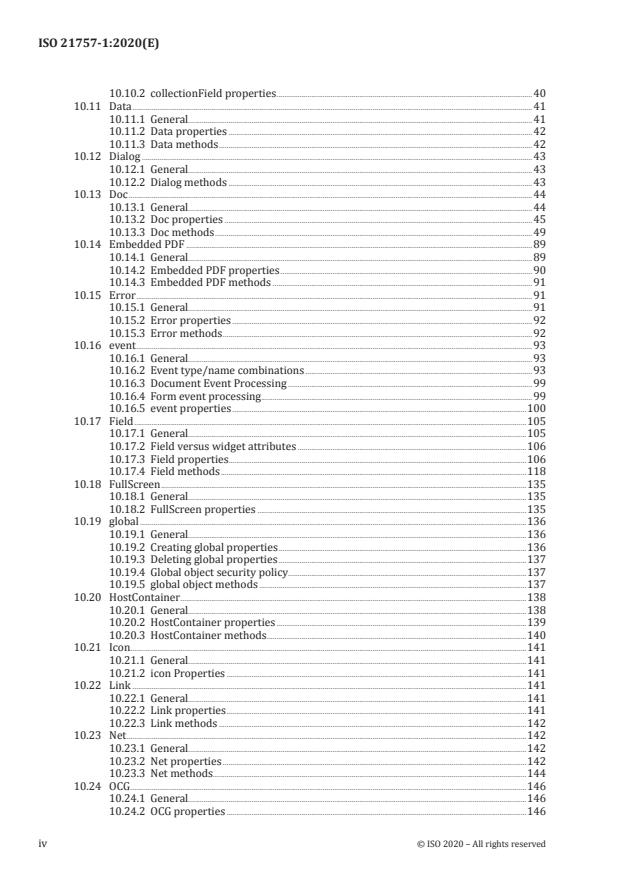
10.24 OCG .146
10.24.1 General.146
10.24.2 OCG properties .146
iv © ISO 2020 – All rights reserved
10.24.3 OCG methods .147
10.25 PrintParams .148
10.25.1 General.148
10.25.2 PrintParams properties .148
10.26 RDN .151
10.26.1 General.151
10.26.2 RDN properties .152
10.27 ReadStream .152
10.27.1 General.152
10.27.2 ReadStream methods .152
10.28 security .153
10.28.1 General.153
10.28.2 security constants .153
10.28.3 security Properties . .153
10.28.4 security Methods .154
10.29 SecurityHandler .157
10.29.1 General.157
10.29.2 SecurityHandler properties .157
10.29.3 SecurityHandler methods .160
10.30 SecurityPolicy .163
10.30.1 General.163
10.30.2 SecurityPolicy properties .163
10.31 SignatureInfo .163
10.31.1 General.163
10.31.2 SignatureInfo Base properties .163
10.31.3 SignatureInfo object public key security handler properties.165
10.31.4 Modification Detection and Prevention (MDP) Values .168
10.32 SOAP .168
10.32.1 General.168
10.32.2 SOAP properties .169
10.32.3 SOAP methods .169
10.33 Span .181
10.33.1 General.181
10.33.2 Span properties .181
10.34 Template .183
10.34.1 General.183
10.34.2 Template properties . .183
10.34.3 Template methods .183
10.35 Thermometer .184
10.35.1 General.184
10.35.2 Thermometer properties .184
10.35.3 Thermometer methods .185
10.36 this .185
10.36.1 General.185
10.36.2 Variable and function name conflicts .186
10.37 util .186
10.37.1 General.186
10.37.2 util methods .186
11 ECMAScript 3D API .193
11.1 General .193
11.1.1 Basic Objects .193
11.1.2 Scene object . .193
11.1.3 Canvas object .193
11.1.4 Runtime object . .194
11.1.5 Resource objects .194
11.2 Event handlers.194
11.2.1 General.194
11.2.2 CameraEvent .194
11.2.3 KeyEvent .194
11.2.4 MouseEvent .194
11.2.5 RenderEvent .195
11.2.6 ScrollWheelEvent .195
11.2.7 SelectionEvent . . .195
11.2.8 TimeEvent .195
11.2.9 ToolEvent .195
12 Object overview .196
12.1 General .196
12.2 Animation .196
12.2.1 General.196
12.2.2 Animation properties .196
12.3 Background .196
12.3.1 General.196
12.3.2 Background object properties .196
12.3.3 Background object methods .196
12.4 BoundingBox .197
12.4.1 General.197
12.4.2 BoundingBox properties .197
12.5 Camera .197
12.5.1 General.197
12.5.2 Camera properties .198
12.5.3 Camera methods .199
12.6 CameraEvent .199
12.6.1 General.199
12.6.2 CameraEvent properties .199
12.7 CameraEventHandler .200
12.7.1 General.200
12.7.2 CameraEventHandler methods .200
12.8 Canvas .201
12.8.1 General.201
12.8.2 Canvas properties .201
12.8.3 Canvas methods .201
12.9 ClippingPlane .202
12.9.1 General.202
12.9.2 ClippingPlane Methods .202
12.10 Color .202
12.10.1 General.202
12.10.2 Color properties .202
12.10.3 Color methods .202
12.11 HitInfo .203
12.11.1 General.203
12.11.2 HitInfo properties .204
12.12 Host .204
12.12.1 General.204
12.13 Image .204
12.13.1 General.204
12.13.2 Image properties.204
12.13.3 Image methods .204
12.14 KeyEvent .205
12.14.1 General.205
12.14.2 KeyEvent properties .205
12.15 KeyEventHandler .207
12.15.1 General.207
12.15.2 KeyEventHandler methods .208
12.16 Light .208
12.16.1 General.208
12.16.2 Light properties .208
vi © ISO 2020 – All rights reserved
12.17 Material .209
12.17.1 General.
...
INTERNATIONAL ISO
STANDARD 21757-1
First edition
2020-12
Document management — ECMAScript
for PDF —
Part 1:
Use of ISO 32000-2 (PDF 2.0)
Reference number
©
ISO 2020
© ISO 2020
All rights reserved. Unless otherwise specified, or required in the context of its implementation, no part of this publication may
be reproduced or utilized otherwise in any form or by any means, electronic or mechanical, including photocopying, or posting
on the internet or an intranet, without prior written permission. Permission can be requested from either ISO at the address
below or ISO’s member body in the country of the requester.
ISO copyright office
CP 401 • Ch. de Blandonnet 8
CH-1214 Vernier, Geneva
Phone: +41 22 749 01 11
Email: copyright@iso.org
Website: www.iso.org
Published in Switzerland
ii © ISO 2020 – All rights reserved
Contents Page
Foreword .ix
Introduction .x
1 Scope . 1
2 Normative references . 1
3 Terms and definitions . 1
4 Notation . 1
5 Syntax . 2
5.1 General . 2
5.2 Method arguments. 2
6 Paths . 2
7 Safe path . 2
8 Privileged context . 3
9 Privileged versus non-privileged context . 3
10 ECMAScript API . 3
10.1 General . 3
10.2 Annotation . 3
10.2.1 General. 3
10.2.2 Annotation types . 4
10.2.3 Annotation properties . . 5
10.2.4 Annotation methods .13
10.2.5 Annotation examples .15
10.3 AnnotRichMedia .17
10.3.1 General.17
10.3.2 AnnotRichMedia properties .17
10.4 Annot3D .17
10.4.1 General.17
10.4.2 Annot3D properties .17
10.5 app .18
10.5.1 General.18
10.5.2 app properties .18
10.5.3 app methods .20
10.6 Bookmark .30
10.6.1 General.30
10.6.2 Bookmark properties .30
10.6.3 Bookmark methods .31
10.6.4 Bookmark Examples .32
10.7 Certificate .33
10.7.1 General.33
10.7.2 Certificate properties .34
10.8 color .36
10.8.1 General.36
10.8.2 color arrays .36
10.8.3 color properties .36
10.8.4 color methods .37
10.9 collection .38
10.9.1 General.38
10.9.2 collection properties .38
10.9.3 collection methods .38
10.10 collectionField .40
10.10.1 General.40
10.10.2 collectionField properties .40
10.11 Data .41
10.11.1 General.41
10.11.2 Data properties .42
10.11.3 Data methods .42
10.12 Dialog .43
10.12.1 General.43
10.12.2 Dialog methods .43
10.13 Doc .44
10.13.1 General.44
10.13.2 Doc properties .45
10.13.3 Doc methods .49
10.14 Embedded PDF .89
10.14.1 General.89
10.14.2 Embedded PDF properties .90
10.14.3 Embedded PDF methods .91
10.15 Error .91
10.15.1 General.91
10.15.2 Error properties .92
10.15.3 Error methods .92
10.16 event .93
10.16.1 General.93
10.16.2 Event type/name combinations .93
10.16.3 Document Event Processing .99
10.16.4 Form event processing . .99
10.16.5 event properties .100
10.17 Field .105
10.17.1 General.105
10.17.2 Field versus widget attributes .106
10.17.3 Field properties.106
10.17.4 Field methods .118
10.18 FullScreen .135
10.18.1 General.135
10.18.2 FullScreen properties .135
10.19 global .136
10.19.1 General.136
10.19.2 Creating global properties .136
10.19.3 Deleting global properties .137
10.19.4 Global object security policy .137
10.19.5 global object methods .137
10.20 HostContainer .138
10.20.1 General.138
10.20.2 HostContainer properties .139
10.20.3 HostContainer methods .140
10.21 Icon .141
10.21.1 General.141
10.21.2 icon Properties .141
10.22 Link .141
10.22.1 General.141
10.22.2 Link properties .141
10.22.3 Link methods .142
10.23 Net .142
10.23.1 General.142
10.23.2 Net properties .142
10.23.3 Net methods .144
10.24 OCG .146
10.24.1 General.146
10.24.2 OCG properties .146
iv © ISO 2020 – All rights reserved
10.24.3 OCG methods .147
10.25 PrintParams .148
10.25.1 General.148
10.25.2 PrintParams properties .148
10.26 RDN .151
10.26.1 General.151
10.26.2 RDN properties .152
10.27 ReadStream .152
10.27.1 General.152
10.27.2 ReadStream methods .152
10.28 security .153
10.28.1 General.153
10.28.2 security constants .153
10.28.3 security Properties . .153
10.28.4 security Methods .154
10.29 SecurityHandler .157
10.29.1 General.157
10.29.2 SecurityHandler properties .157
10.29.3 SecurityHandler methods .160
10.30 SecurityPolicy .163
10.30.1 General.163
10.30.2 SecurityPolicy properties .163
10.31 SignatureInfo .163
10.31.1 General.163
10.31.2 SignatureInfo Base properties .163
10.31.3 SignatureInfo object public key security handler properties.165
10.31.4 Modification Detection and Prevention (MDP) Values .168
10.32 SOAP .168
10.32.1 General.168
10.32.2 SOAP properties .169
10.32.3 SOAP methods .169
10.33 Span .181
10.33.1 General.181
10.33.2 Span properties .181
10.34 Template .183
10.34.1 General.183
10.34.2 Template properties . .183
10.34.3 Template methods .183
10.35 Thermometer .184
10.35.1 General.184
10.35.2 Thermometer properties .184
10.35.3 Thermometer methods .185
10.36 this .185
10.36.1 General.185
10.36.2 Variable and function name conflicts .186
10.37 util .186
10.37.1 General.186
10.37.2 util methods .186
11 ECMAScript 3D API .193
11.1 General .193
11.1.1 Basic Objects .193
11.1.2 Scene object . .193
11.1.3 Canvas object .193
11.1.4 Runtime object . .194
11.1.5 Resource objects .194
11.2 Event handlers.194
11.2.1 General.194
11.2.2 CameraEvent .194
11.2.3 KeyEvent .194
11.2.4 MouseEvent .194
11.2.5 RenderEvent .195
11.2.6 ScrollWheelEvent .195
11.2.7 SelectionEvent . . .195
11.2.8 TimeEvent .195
11.2.9 ToolEvent .195
12 Object overview .196
12.1 General .196
12.2 Animation .196
12.2.1 General.196
12.2.2 Animation properties .196
12.3 Background .196
12.3.1 General.196
12.3.2 Background object properties .196
12.3.3 Background object methods .196
12.4 BoundingBox .197
12.4.1 General.197
12.4.2 BoundingBox properties .197
12.5 Camera .197
12.5.1 General.197
12.5.2 Camera properties .198
12.5.3 Camera methods .199
12.6 CameraEvent .199
12.6.1 General.199
12.6.2 CameraEvent properties .199
12.7 CameraEventHandler .200
12.7.1 General.200
12.7.2 CameraEventHandler methods .200
12.8 Canvas .201
12.8.1 General.201
12.8.2 Canvas properties .201
12.8.3 Canvas methods .201
12.9 ClippingPlane .202
12.9.1 General.202
12.9.2 ClippingPlane Methods .202
12.10 Color .202
12.10.1 General.202
12.10.2 Color properties .202
12.10.3 Color methods .202
12.11 HitInfo .203
12.11.1 General.203
12.11.2 HitInfo properties .204
12.12 Host .204
12.12.1 General.204
12.13 Image .204
12.13.1 General.204
12.13.2 Image properties.204
12.13.3 Image methods .204
12.14 KeyEvent .205
12.14.1 General.205
12.14.2 KeyEvent properties .205
12.15 KeyEventHandler .207
12.15.1 General.207
12.15.2 KeyEventHandler methods .208
12.16 Light .208
12.16.1 General.208
12.16.2 Light properties .208
vi © ISO 2020 – All rights reserved
12.17 Material .209
12.17.1 General.
...