


ISO/IEC TS 20071-11:2012
(Main)Information technology — User interface component accessibility — Part 11: Guidance for alternative text for images
Information technology — User interface component accessibility — Part 11: Guidance for alternative text for images
ISO/IEC TS 20071-11:2012 applies to all static images that are used in any type of electronic document. It also applies to individual images within a slide show of electronic images. ISO/IEC TS 20071-11:2012 does not apply to moving images (e.g. movies). The guidance contained in ISO/IEC TS 20071-11:2012 is intended to be used by the person who creates content to be placed in an electronic document. There is no expectation that this person will have any additional expertise beyond understanding the contents of the document and why an image was chosen to be placed within the document. While the main intent of the guidance within ISO/IEC TS 20071-11:2012 is the creation of text alternatives, the information identified in this guidance could be placed in the main document text, reducing the length of the resulting text alternatives. However, placing information in the main document text does not fully replace the function of having some text alternatives for each image.
Technologies de l'information — Accessibilité du composant interface utilisateur — Partie 11: Lignes directrices pour le texte alternatif pour images
General Information
- Status
- Withdrawn
- Publication Date
- 12-Nov-2012
- Withdrawal Date
- 12-Nov-2012
- Technical Committee
- ISO/IEC JTC 1/SC 35 - User interfaces
- Drafting Committee
- ISO/IEC JTC 1/SC 35/WG 6 - User interfaces accessibility
- Current Stage
- 9599 - Withdrawal of International Standard
- Start Date
- 16-Dec-2019
- Completion Date
- 12-Feb-2026
Relations
- Effective Date
- 12-Aug-2017



Get Certified
Connect with accredited certification bodies for this standard

BSI Group
BSI (British Standards Institution) is the business standards company that helps organizations make excellence a habit.

NYCE
Mexican standards and certification body.
Sponsored listings
Frequently Asked Questions
ISO/IEC TS 20071-11:2012 is a technical specification published by the International Organization for Standardization (ISO). Its full title is "Information technology — User interface component accessibility — Part 11: Guidance for alternative text for images". This standard covers: ISO/IEC TS 20071-11:2012 applies to all static images that are used in any type of electronic document. It also applies to individual images within a slide show of electronic images. ISO/IEC TS 20071-11:2012 does not apply to moving images (e.g. movies). The guidance contained in ISO/IEC TS 20071-11:2012 is intended to be used by the person who creates content to be placed in an electronic document. There is no expectation that this person will have any additional expertise beyond understanding the contents of the document and why an image was chosen to be placed within the document. While the main intent of the guidance within ISO/IEC TS 20071-11:2012 is the creation of text alternatives, the information identified in this guidance could be placed in the main document text, reducing the length of the resulting text alternatives. However, placing information in the main document text does not fully replace the function of having some text alternatives for each image.
ISO/IEC TS 20071-11:2012 applies to all static images that are used in any type of electronic document. It also applies to individual images within a slide show of electronic images. ISO/IEC TS 20071-11:2012 does not apply to moving images (e.g. movies). The guidance contained in ISO/IEC TS 20071-11:2012 is intended to be used by the person who creates content to be placed in an electronic document. There is no expectation that this person will have any additional expertise beyond understanding the contents of the document and why an image was chosen to be placed within the document. While the main intent of the guidance within ISO/IEC TS 20071-11:2012 is the creation of text alternatives, the information identified in this guidance could be placed in the main document text, reducing the length of the resulting text alternatives. However, placing information in the main document text does not fully replace the function of having some text alternatives for each image.
ISO/IEC TS 20071-11:2012 is classified under the following ICS (International Classification for Standards) categories: 35.240.20 - IT applications in office work. The ICS classification helps identify the subject area and facilitates finding related standards.
ISO/IEC TS 20071-11:2012 has the following relationships with other standards: It is inter standard links to ISO/IEC 20071-11:2019. Understanding these relationships helps ensure you are using the most current and applicable version of the standard.
ISO/IEC TS 20071-11:2012 is available in PDF format for immediate download after purchase. The document can be added to your cart and obtained through the secure checkout process. Digital delivery ensures instant access to the complete standard document.
Standards Content (Sample)
TECHNICAL ISO/IEC
SPECIFICATION TS
20071-11
First edition
2012-12-01
Information technology — User interface
component accessibility —
Part 11:
Guidance for alternative text for images
Technologies de l'information — Accessibilité du composant interface
utilisateur —
Partie 11: Lignes directrices pour le texte alternatif pour images
Reference number
©
ISO/IEC 2012
© ISO/IEC 2012
All rights reserved. Unless otherwise specified, no part of this publication may be reproduced or utilized in any form or by any means,
electronic or mechanical, including photocopying and microfilm, without permission in writing from either ISO at the address below or
ISO's member body in the country of the requester.
ISO copyright office
Case postale 56 CH-1211 Geneva 20
Tel. + 41 22 749 01 11
Fax + 41 22 749 09 47
E-mail copyright@iso.org
Web www.iso.org
Published in Switzerland
ii © ISO/IEC 2012 – All rights reserved
Contents Page
Foreword . v
Introduction . vi
1 Scope . 1
2 Terms and definitions . 1
2.1 Text alternatives and related definitions . 1
2.2 Image and related definitions . 2
2.3 Importance and related definitions . 3
2.4 Information relationship definitions . 3
2.5 Image content and related definitions . 4
2.6 Image sources and related definitions . 4
2.7 Information type definitions . 5
3 Framework for describing images and creating text alternatives . 6
3.1 Uses of text alternatives . 6
3.2 Structure of descriptions . 6
3.3 Structure of text alternatives . 7
4 Requirements and recommendations for describing images . 8
4.1 A procedure for creating text alternatives . 8
4.2 Purposes . 10
4.2.1 Introduction to purposes . 10
4.2.2 Informative purposes . 10
4.2.3 Control purposes . 11
4.2.4 Decorative purposes . 11
4.2.5 Formatting purposes . 12
4.2.6 Brevity of statements of purposes . 12
4.3 Context of an image . 13
4.3.1 Text alternatives relate an image to its context within a document . 13
4.3.2 Context of images within panels within a document . 13
4.4 Levels of importance . 13
4.4.1 Importance is context dependent . 13
4.4.2 Importance . 14
4.5 Images and image components . 16
4.6 Identification of content . 18
4.6.1 Introduction to identification of content . 18
4.6.2 Subjective content . 18
4.6.3 Objective content . 18
4.6.4 Relationships of images and their components . 20
5 Expanding on the identification and elaboration of content . 20
5.1 Introduction . 20
5.2 Detailed questions relating to identification ("what") . 21
5.2.1 Classifying the image (or image component) . 21
5.2.2 Elaborating on textual content . 22
5.2.3 Elaborating on physical objects . 22
5.2.4 Elaborating on people . 22
5.2.5 Elaborating on perceptual objects and perceptual properties of other objects . 22
5.2.6 Elaborating subjective descriptions . 23
5.2.7 Elaborating on logical relationships / interactions and actions . 23
5.2.8 Elaborating on locations/places . 24
5.3 Detailed questions relating to temporal elaboration ("when") . 24
5.3.1 Introduction to temporal properties . 24
5.3.2 Elaborating about time periods . 25
© ISO/IEC 2012 – All rights reserved iii
5.3.3 Elaborating about events / activities .25
5.3.4 Elaborating sequential relationships .25
5.3.5 Elaborating on states .26
5.3.6 Elaborating on slide shows .26
5.4 Detailed questions relating to physical (spatial) relationship elaboration ("where") .27
5.5 Detailed questions relating to quantitative elaboration ("how much") .27
5.6 Detailed questions relating to procedural elaboration ("how") .28
5.6.1 Elaborating on the intended use of the image .28
5.6.2 Elaborating on control .28
6 Guidance on writing text alternatives .28
6.1 Importance and purpose .28
6.2 Elaborating on the context of an image .28
6.3 Flow with the document content .29
6.4 Story telling .29
6.5 Independence of importance from order .29
7 Guidance on evaluating text alternatives .29
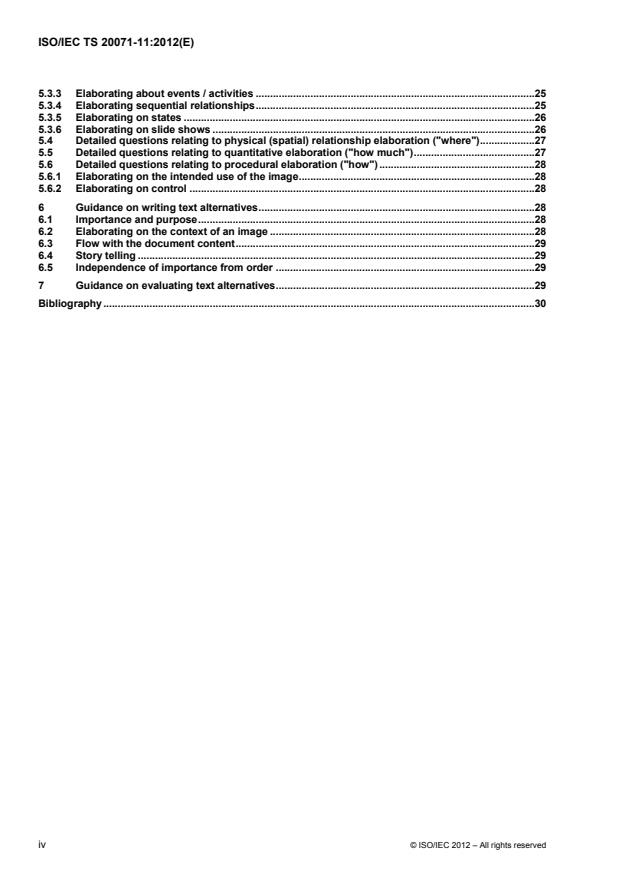
Bibliography .30
iv © ISO/IEC 2012 – All rights reserved
Foreword
ISO (the International Organization for Standardization) and IEC (the International Electrotechnical
Commission) form the specialized system for worldwide standardization. National bodies that are members of
ISO or IEC participate in the development of International Standards through technical committees
established by the respective organization to deal with particular fields of technical activity. ISO and IEC
technical committees collaborate in fields of mutual interest. Other international organizations, governmental
and non-governmental, in liaison with ISO and IEC, also take part in the work. In the field of information
technology, ISO and IEC have established a joint technical committee, ISO/IEC JTC 1.
International Standards are drafted in accordance with the rules given in the ISO/IEC Directives, Part 2.
The main task of the joint technical committee is to prepare International Standards. Draft International
Standards adopted by the joint technical committee are circulated to national bodies for voting. Publication as
an International Standard requires approval by at least 75 % of the national bodies casting a vote.
In other circumstances, particularly when there is an urgent market requirement for such documents, the joint
technical committee may decide to publish an ISO/IEC Technical Specification (ISO/IEC TS), which
represents an agreement between the members of the joint technical committee and is accepted for
publication if it is approved by 2/3 of the members of the committee casting a vote.
An ISO/IEC TS is reviewed after three years in order to decide whether it will be confirmed for a further three
years, revised to become an International Standard, or withdrawn. If the ISO/IEC TS is confirmed, it is
reviewed again after a further three years, at which time it must either be transformed into an International
Standard or be withdrawn.
Attention is drawn to the possibility that some of the elements of this document may be the subject of patent
rights. ISO shall not be held responsible for identifying any or all such patent rights.
ISO/IEC TS 20071-11 was prepared by Joint Technical Committee ISO/IEC JTC 1, Information technology,
Subcommittee SC 35, User interfaces.
© ISO/IEC 2012 – All rights reserved v
Introduction
The saying that "A picture is worth a thousand words" recognizes that images can present a wealth of
information. It is important that alternative textual descriptions or representations be used to present the user
with a comprehensive account of the purpose and content of images to people unable to see or interpret
them.
Text alternatives help people who cannot see the images to understand what the image is of or the purpose it
serves by providing the same information in textual form. Text alternatives can be useful to those with visual
impairments, those who turned images off in order to improve webpage loading speeds, and those who
cannot understand the image being displayed. This document provides guidance for web and document
developers to help them create informative descriptions for various types of illustrations.
vi © ISO/IEC 2012 – All rights reserved
TECHNICAL SPECIFICATION ISO/IEC TS 20071-11:2012(E)
Information technology — User interface component
accessibility —
Part 11:
Guidance for alternative text for images
1 Scope
This part of ISO/IEC 20071 applies to all static images that are used in any type of electronic document. It also
applies to individual images within a slide show of electronic images.
NOTE While text alternatives can be implemented via various mechanisms in various types of electronic documents,
the contents of this technical report are not dependent on the choice of implementation mechanism or of electronic
document type.
This part of ISO/IEC 20071 does not apply to moving images (e.g. movies).
The guidance contained in this part of ISO/IEC 20071 is intended to be used by the person who creates
content to be placed in an electronic document. There is no expectation that this person will have any
additional expertise beyond understanding the contents of the document and why an image was chosen to be
placed within the document.
While the main intent of the guidance within this part of ISO/IEC 20071 is the creation of text alternatives, the
information identified in this guidance could be placed in the main document text, reducing the length of the
resulting text alternatives. However, placing information in the main document text does not fully replace the
function of having some text alternatives for each image.
2 Terms and definitions
For the purposes of this document, the following terms and definitions apply.
2.1 Text alternatives and related definitions
2.1.1
text alternative
a textual description or representation of an image
NOTE 1 By storing this description or representation in text format, it is able to be rendered in any available modality.
NOTE 2 The main audience of text alternatives is the users of screen reading features.
NOTE 3 Text alternatives are often provided to screen reader users in the form of primary and secondary alternative
texts of an image.
© ISO/IEC 2012 – All rights reserved 1
2.1.2
primary alternative text
main text alternative provided to users of screen readers
NOTE Different technologies and platforms provide various mechanisms for containing and presenting primary
alternative text.
EXAMPLE In XHTML, HTML4, and HTML5, primary alternative text is provided in the “alt” attribute of the img tag.
TM
EXAMPLE In Flash , primary alternative text is provided through the “Name” field.
EXAMPLE In PDF, primary alternative text is provided through the /Alt entry in a structure element’s dictionary.
2.1.3
secondary alternative text
additional text alternative provided to users of screen readers beyond primary alternative text
NOTE Different technologies and platforms provide various mechanisms for containing and presenting secondary
alternative text.
EXAMPLE In XHTML and HTML4, secondary alternative text is provided in the “longdesc” attribute of the img tag.
TM
EXAMPLE In Flash , secondary alternative text is provided through the “Description” field.
EXAMPLE In EPUB, secondary alternative text is provided through the “describedAt” attribute.
2.1.4
main document text
textual content of a document that is always presented to the users
2.2 Image and related definitions
2.2.1
image
graphical content intended to be presented visually
NOTE This includes graphics that are encoded in any electronic format, including, but not limited to) formats that are
comprised of individual pixels (e.g. those produced by paint programs or by photographic means) and formats that
comprised of formulas (e.g. those produced as scalable vector drawings).
2.2.2
static image
image where the set of image components and their relationships to one another do not change over time
NOTE 1 This includes images where the content/representation of individual image components might change over
time, e.g. indicators where the value they are indicating changes in real time.
NOTE 2 The concept of static image is used for all images that are not slide shows or moving images.
NOTE 3 This use of static image is similar to the ISO/IEC 13249-5 use of “still image”. However, it differs in that a static
image might have moving components. ISO/IEC 13249-5 states “A still image user-defined type is generic to image
handling. It addresses the need to store, manage, and retrieve information based on aspects of inherent image
characteristics such as height, width, and format and based on image features such as average color, color histogram,
positional color, and texture. It also addresses the need to employ manipulation such as rotation, scaling as well as
similarity assessment.”
2 © ISO/IEC 2012 – All rights reserved
2.2.3
slide show
set of images that replace one another periodically
NOTE 1 The replacement of one static image by another static image can be controlled automatically by the system (in
which case the timing for each image is usually predetermined) or manually by the user (where the timing for each image
is determined on a case by case basis).
NOTE 2 Slide shows are usually composed of static images, but might include short movies. The interval between
static images in a slide show are considered longer than in a movie, such that the motion being portrayed by the slide
show would appear staggered instead of smooth like in a movie.
2.2.4
moving image
image where the contents are dynamically changing
NOTE This includes realistic moving images (often referred to as movies), abstract moving images (often referred to
as cartoons), and even non-representational moving images (often referred to as light shows).
2.2.5
component logical part of an image that provides important content that the user should be aware of
NOTE 1 Types of image component include (but not limited to) shapes, objects, persons, areas, and text.
NOTE 2 Text components can include natural and/or formal languages (such as mathematical equations).
2.3 Importance and related definitions
2.3.1
importance
level of need for users to know information about an image (or image
component)
2.3.2
essential
information that is necessary to understand the image and/or its function within
the document
2.3.3
significant
information that is needed for a more detailed understanding of the image
within the document to most users most of the time
2.3.4
helpful
information that provides a thorough understanding to target audiences
regarding the image within the document
2.3.5
not important
information that does not help provide additional understanding about the
image within the document to users
2.4 Information relationship definitions
2.4.1
relationship type
information about an association between entities
© ISO/IEC 2012 – All rights reserved 3
2.4.2
logical
information about what entities are interacting and how they interact
2.4.3
temporal
information about when some action or entity occurs
2.4.4
physical
spatial
information about where one entity is in relation to another entity
2.5 Image content and related definitions
2.5.1
content data, information, objects, relationships, and/or concepts to be communicated from the originator to
the user according to certain communication goals
NOTE 1 Adapted from ISO 14915-1 definition 3.1.
NOTE 2 Content can be presented in realistic, abstract, or even non-representational manners. The distinction
between these types of presentation is how closely they represent the natural world.
2.5.2
realistic
image perceived by the user to faithfully represent data, information, objects, relationships,
and/or concepts in the natural world
NOTE Adapted from ISO 14915-3 definition 3.7.5.
EXAMPLE Photographic images, pictures intended to be true-to-life, diagrams used to illustrate how to assemble a
set of parts.
2.5.3
abstract
image intended to present important major data, information, object, relationship, and/or
conceptual components, without faithfully representing them as they occur in the natural world
EXAMPLE Cartoons, abstract art (where the basis for abstraction can be recognized), graphs and charts.
2.5.4
non-representational
image intended for decorative purposes without the intent to represent any particular natural
world data, information, objects, relationships, and/or concepts
EXAMPLE Art presenting colors and textures (without any recognizable objective contents).
2.6 Image sources and related definitions
2.6.1
source means of obtaining an image (or image component)
4 © ISO/IEC 2012 – All rights reserved
2.6.2
photograph electronic copy of an image of something that has its own independent existence in the real world
NOTE While the photograph is a true rendering of the object(s) that it illustrates, those objects can themselves be
realistic, abstract, or even non-representational.
2.6.3
electronic drawing image created as an original work to be rendered on the computer
NOTE Electronic drawings can be realistic, abstract/non-representational and can contain realistic,
abstract/non-representational components. They can even contain embedded photographs as components.
2.7 Information type definitions
2.7.1
physical
information about phenomena which have a concrete existence; objects,
agents, or scenes that have a physical existence
[14915-3 definition 3.6.7]
NOTE This can include states and histories of objects.
2.7.2
value
quantitative information describing properties of an object
[14915-3 definition 3.6.12]
2.7.3
quantitative
statistical information or numerical data and the relationships between the
numbers
NOTE 1 Quantitative information is often presented in a graphical manner.
NOTE 2 Quantitative images are often used for comparison between related sets of data, such as comparing net profit
over a period of time.
NOTE 3 Examples of quantitative images include charts and graphs.
2.7.4
control
information that can be used to take some action which manipulates data, other
objects or their attributes
NOTE Adapted from ISO 14915-2 definition 3.8.
2.7.5
event
information about a state change, message indicating the occurrence of an
action, or conveying a significant change in the world
[14915-3 definition 3.6.6]
© ISO/IEC 2012 – All rights reserved 5
2.7.6
state
properties of the environment, objects or agents that remain constant during a
period of time
[14915-3 definition 3.6.11]
3 Framework for describing images and creating text alternatives
3.1 Uses of text alternatives
Images are often used to convey a large amount of information quickly, whether it is a diagram for
constructing a desk or a photo of what happened at a birthday party. In one glance, a person can retrieve a
large amount of information and have a general understanding about the remaining content in the document in
which the image resides.
Images are sometimes used to supplement or complement the document content or can be another
representation of the same content. However, sometimes the image stands alone or adds information that is
not part of the other document content. The information that is present in the image but not the other
document content does not get conveyed to those who are unable to see the image. Text alternatives are
needed to convey that information.
There are many reasons why a person might need text alternatives, including (but not limited to)
a) the person has a visual impairment;
b) the person is using a program that aurally reads the document content while doing something else (such
as driving or cooking);
c) the device being used to view the image is unable to properly display the image or the image is difficult to
see, (such as on a mobile device);
d) the person turned off images on their Web browser to increase loading speed; and
e) the person cannot understand and/or interpret the image.
Tools (such as screen readers) exist that can read aloud text that appears on a document to those who
cannot or are not looking at the screen. If an image can be described and represented textually, then the tools
can also read the text alternatives aloud.
Text alternatives might include a description of what the image looks like and/or an interpretation of what the
image represents or its function. Different text alternatives might exist for the same image, differing in length
and (as a result) information. Technology often allows for a primary alternative text as well as a secondary
alternative text. Providing both primary alternative text and secondary alternative text can give the user a
choice in the amount of detail they wish to receive about an image.
3.2 Structure of descriptions
In order to write informative text alternatives for an image, it is important to first know the information being
represented in the image. It is difficult to share knowledge about an image with others when the writer does
not have knowledge of what the image is. Therefore, it is important to gather or identify as much information
as possible about an image.
6 © ISO/IEC 2012 – All rights reserved
To gather as much information as possible, the following image description structure is used. Initially, the
structure identifies information about the whole image. It focuses on information that applies to the entire
image. Because an image can have a vast amount of information, the structure breaks down the image into
several parts (called image components) and focuses on identifying information about each part (or image
component). Breaking down the image into several parts allows for focus on the details of those particular
parts, resulting in more information about the image. An image component could be broken down further into
additional image components.
The structure of image information (illustrated in Figure 1) for the Whole Image and each image component
includes a name, the purpose, the basic image information or content, and the elaboration of the basic image
information. The name identifies the part of the image that the information applies. The purpose identifies why
the image (or image component) exists on the document. The basic image information or content identifies
what is in the image (or image component). The elaboration of the basic information looks at more specific
details about the image (or image component).
Figure 1 — Structure of image information
The intent of the structure is to identify as much information about an image as possible. The same piece of
information might appear multiple times. A piece of information identified at the Whole Image level might be
identified again at the image component level or it may be identified as part of multiple image components. It
is not necessary for the information to be unique.
3.3 Structure of text alternatives
From the identified image information, the text alternatives are composed. The structure presented in this
document strives to generate informative text alternatives for images. The two main kinds of text alternatives
are the primary alternative text and the secondary alternative text.
The primary alternative text is sometimes automatically displayed (in a hidden manner) to tools such as
screen readers. There is generally a limitation on the length of the primary alternative text. Different tools
suggest or impose different limits. For example, for Web pages, it is sometimes suggested that it be less than
125 characters. Given the limited number of characters, the amount of information that primary alternative text
can contain is also limited. Therefore, the primary alternative text is often viewed as an overview of the image
content, what the image is about, or the function of the image.
The secondary alternative text, on the other hand, generally does not have limits on the length of the
description and therefore can contain a larger amount of information about the image. It can consist of details
about the image that could not be part of the primary alternative text. Since there is no limit on the amount of
information, it can include information that some users might not need.
© ISO/IEC 2012 – All rights reserved 7
The structure of text alternatives should be based on the importance of each piece of image information. This
importance can help to determine if the information is presented in the primary alternative text, secondary
alternative text, both primary and secondary alternative texts, or not at all.
The context in which the image is used is a central concept in this framework. The same image can be used
for different reasons or purposes. Depending on the purpose and context, different pieces of information
become important or unimportant. Therefore, different text alternatives (both primary and secondary
alternative texts) might be created for a single image.
4 Requirements and recommendations for describing images
4.1 A procedure for creating text alternatives
Text alternatives should be created by the person creating the main content of the document and/or selecting
the image(s) for use in the document. While various experts might analyze an image to a greater extent (e.g.
for cataloguing purposes in a library of images), the important expertise involved in this procedure is
understanding the information the image is to convey within its document.
The creation of suitable text alternatives (both the primary and secondary alternative texts) should be based
on a thorough understanding of the image, its components, and its purpose in the document within which it is
contained. This can be done by applying the following procedure:
a) Identify the purpose of the image
Identify and document the purpose of each image in accordance with Clause 4.2. This step influences
which image components and information are important for the user to know.
This involves answering the question "Why?"
b) Identify of the image components
Depending on the purpose of the image, identify the image components in accordance with Clause 6.4.
This step is necessary to properly identify information about the image that might be important to the
user.
This can be done in a two stage process:
1) Identify the image as a whole
2) Identify the image components of the image
NOTE Identifying image components is an iterative process. Individual image components can be further
separated into a number of (lower level) image components until all components that are important to describe have
been identified.
c) Identify the image (or image component) content
Depending on the purpose of the image and the importance of the image (or image components), identify
the content about an image and its components in accordance with Clause 4.5.
This involves answering the question "What?"
NOTE 1 “Who” is a specific instance of “What” that involves recognizable people.
NOTE 2 Importance is based on the need of users to know information about the image and is related to the
purpose of the image (or image component) and context in which the image is presented. Different information
becomes important depending on the purpose of the image and the environment or context of the image.
8 © ISO/IEC 2012 – All rights reserved
NOTE 3 While identified content is complex, it might become useful to separate that image (or image component)
into several (lower level) image components, in order to better be able to identify simpler content components.
d) Elaborate on the image (or image component) content
Where elaboration aids understanding of the image, elaborate on the description of the image (or image
component) in accordance with Clause 4.6 and Clause 5.
This involves answering applicable questions relating to:
1) "What?"
2) "When?"
3) "Where?"
4) "How much?"
5) "How?"
NOTE 1 This step helps to identify information that might be important to the user.
NOTE 2 While initial identification of image (or image component) content might capture the most obvious
information, elaboration focuses more on specific details that might be missed at first glance but that might also be
important for the user to know.
e) Organize information into text alternatives
Organize the information obtained in steps a) to d) to improve its readability and allocate to the primary or
secondary alternative texts of an image. This involves:
1) Removing redundancies within the identified information.
2) Allocating each piece of information to primary or secondary alternative text or other applicable
location (e.g. caption or main document text) based on the importance of the information. Where the
resulting description is too long or too detailed, moving less significant information from the primary
and secondary alternative texts of an image.
3) Organizing the information in each location in a logical, readable order.
4) Ensuring compatibility between the descriptive information with the environment and context of the
image (e.g. descriptions outside the image that are redundant or conflicting with this information such
as captions and document content).
f) Evaluate text alternatives
Evaluate potential text alternatives (both primary and secondary alternative texts) by someone other than
the person who created it to check that it suitably describes the image within the context of the document
within which it is contained.
NOTE 1 While it is ideal for this to involve actual user testing, it is important that this step not be omitted due to lack
of available users or other resources.
NOTE 2 Evaluation by a colleague or friend is better than no external evaluation at all.
© ISO/IEC 2012 – All rights reserved 9
4.2 Purposes
4.2.1 Introduction to purposes
A purpose identifies “why” an image is being presented as part of a document. It often identifies the function
that the image serves within the document.
NOTE 1 While it is important to identify the purpose or purposes of an image, it is usually not productive to try and
identify the purposes of individual components of an image.
NOTE 2 A “purpose” is similar to but different from a statement of the abstract content of an image. A purpose
identifies why the image was presented, while the subjective content identifies the meaning of the object.
[see Clause 4.5.2].
Purposes can be classified in terms of:
informative purposes
control purposes
decorative purposes
formatting purposes
NOTE 3 While the purpose of the image can be considered in terms of the four classifications, it is more useful to
describe the purpose instead. For example, “The image is used to illustrate this process” rather than “informative”.
NOTE 4 It is recognized that images (and image components) can have more than one reason for being presented.
a) The image was chosen to be in the document for a reason (purpose). This purpose should be
alternatively achieved by the text alternatives.
b) Depending on the purpose and the context of use of an image, a statement of purpose may be needed as
the first part of the primary alternative text for the image.
4.2.2 Informative purposes
Most images are intended to provide information to the user that duplicates, supplements, and/or provides an
example of content that is also presented textually, usually within the same document.
Images used primarily for informative purposes generally contain information that is important for the user to
receive.
a) Where an image is presented for informative purposes, the text alternatives shall include an identification
of the content of the image. [see Clause 4.5]
NOTE This often also involves elaboration of the content. [see Clause 4.6]
Some images are accompanied with a caption that provides a brief statement of its purpose. In such cases,
repeating the statement of purpose (and especially repeating the caption) in text alternatives is not helpful.
b) If a caption is associated with an image, and it provides a suitable statement of the purpose of the image,
text alternatives should not restate the purpose.
NOTE Within WAI-ARIA it is possible to use the caption as part of the text alternative.
c) If a caption is not associated with an image, either a caption should be added to the document containing
the image or the text alternatives for the image should start with a statement of purpose that would make
a suitable caption.
10 © ISO/IEC 2012 – All rights reserved
d) If the main purpose of an image (or image component) is to present information that the user can interpret
from an objective description of the image (and its components), then its purpose in the text alternatives
may be stated at the level of a caption.
e) If the purpose of the image (or image component) includes presenting subjective/emotional/motivational
information, then this aspect of the purpose should be described in text alternatives.
4.2.3 Control purposes
Images are often used as the basis for developing controls.
NOTE 1 Images can be used with/as controls such as buttons, sliders, knobs, icons, links.
EXAMPLE An image is used as the target for a hyperlink.
The ability to associate text alternatives with these images depends on how they are implemented. In cases
where the images are separately addressable from the controls, it is both possible and useful to provide
suitable text alternatives.
Images used with/as controls are significant images.
Where an image is used in conjunction with a control, text alternatives should provide both information about
the image and its relationship to its associated control.
NOTE 2 This can be fully accomplished by following the guidance within the other parts of this document. [See
Clause 5.6]
4.2.4 Decorative purposes
Decorative images are often ignored by creators of text alternatives. However, this can result in failure to
provide screen reader users with important information.
The use of images for decorative purposes might be intended to add visual appeal to a document. This visual
appeal might be important in attracting and retaining the attention of users to a document. If text alternatives
are not used for such images, screen reader users are deprived of getting the same emotional information that
is provided visually. However, in this case the image is actually used to present emotional and subjective
information [see Clause 4.2.2].
The information present in some decorative images is of minimal importance. Providing text alternatives for
such images might create unnecessary work for users of text alternatives.
Some situations of where text alternatives might not be needed or appropriate include:
a) an image that is used only to fill space that otherwise would be empty;
EXAMPLE 1 Background images composed of colors/textures are often used for the sole role of making Web
pages appear attractive, without adding any particular meaning to the Web page.
© ISO/IEC 2012 – All rights reserved 11
b) an image that is excessively used where redundant complete text alternatives for each usage would
provide a hindrance to the user.
EXAMPLE 2 A corporate logo is used instead of standard bullets to precede items in a list. The items in the list
can also be recognized as items in the list from their formatting, and thus knowledge of the existence of the bullets (or
images used to replace standard bullets) does not provide any additional information on formatting. Furthermore,
repeatedly providing the same text alternatives for each of these bullets could become annoying to screen reader
users.
NOTE It is best to analyze all images according to the procedure in Clause 6.1 and to allow the importance level of
descriptive information to determine whether or not text alternatives are needed.
4.2.5 Formatting purposes
Formatting organizes, separates, and/or highlights some information to distinguish it from other information.
Markup languages, such as HTML and SGML, provide explicit means for formatting text entries. If they are
properly used, the addition of images, such as horizontal line separators, only provides additional redundant
formatting.
NOTE 1 While developers often fail to provide text alternatives for images used for formatting, the use of such images
instead of or in addition to standard formatting methods often is also done for decorating the document [see Clause 6.2.4].
NOTE 2 Even if an image used for formatting has multiple image components, these components are not significant or
useful in describing the purpose of the image for formatting.
NOTE 3 The existence of components used for formatting within an image might appear to have some importance.
However, this can be described by describing the relationship between the components, without needing to describe the
means of formatting used, unless they also fulfill some other purpose in the image.
a) It is not necessary to provide text alternatives to describe the use of images solely for formatting
purposes, provided that the formatting information is otherwise provided to the user textually or through
markup.
EXAMPL
...
Questions, Comments and Discussion
Ask us and Technical Secretary will try to provide an answer. You can facilitate discussion about the standard in here.
Loading comments...