

ISO/IEC 20071-31:2026
(Main)Information technology — User interface component accessibility — Part 31: Accessibility of kiosks
- Abstract
This document provides requirements and guidance for kiosk manufacturers, service providers and purchasers to ensure that kiosks can be used by a diverse range of users. This document specifies requirements and recommendations for designing, manufacturing, installing, and operating kiosks to ensure accessibility across diverse users and varying physical and environmental conditions. The requirements and recommendations pertain to the presentation of information, operation and interaction with users on kiosks. They are applied to hardware, software and content of the kiosks, as well as their installation environment.
- Status
- Published
- Publication Date
- 17-Aug-2026
- Technical Committee
- ISO/IEC JTC 1/SC 35 - User interfaces
- Drafting Committee
- ISO/IEC JTC 1/SC 35 - User interfaces
- Current Stage
- 6060 - International Standard published
- Start Date
- 18-Aug-2026
- Due Date
- 19-Apr-2027
- Completion Date
- 18-Aug-2026

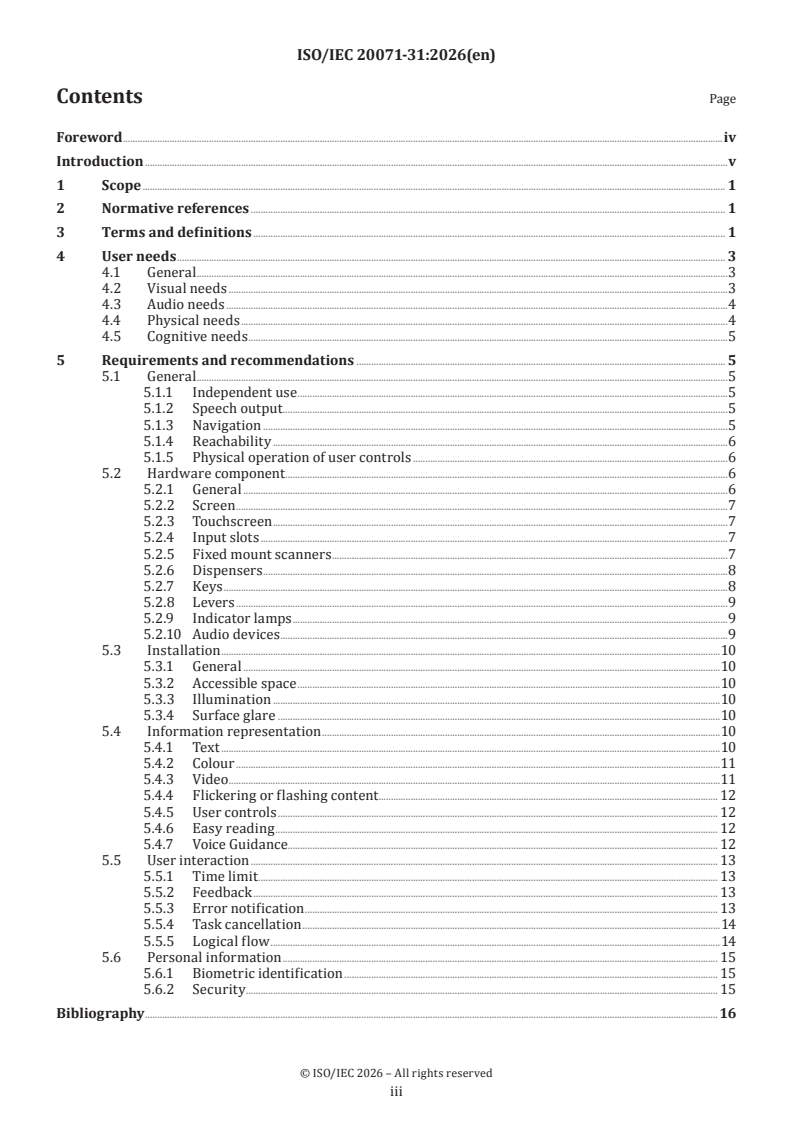
ISO/IEC 20071-31:2026 is an International Standard published by ISO and IEC for kiosk accessibility. It specifies requirements and recommendations for designing, manufacturing, installing and operating kiosks so they can be used by a diverse range of users, including people with disabilities, older persons and people without disabilities. The standard is aimed at kiosk manufacturers, service providers and purchasers, and it also supports installers and operators who need to make kiosks usable in real public and private settings.
What does ISO/IEC 20071-31:2026 specify?
ISO/IEC 20071-31:2026 specifies how kiosks should present information, handle user interaction and support operation under different physical and environmental conditions. It applies to hardware, software, content and the installation environment, so accessibility is treated as a system property rather than only a screen or only a control panel.
The document is organized into these main parts:
- Clause 1 - Scope
- Clause 2 - Normative references
- Clause 3 - Terms and definitions
- Clause 4 - User needs
- Clause 5 - Requirements and recommendations
- 5.1 General
- 5.2 Hardware component
- 5.3 Installation
- 5.4 Information representation
- 5.5 User interaction
- 5.6 Personal information
- Bibliography
In practice, that structure lets a reader move from user needs to concrete design and operating requirements.
What are the key requirements of ISO/IEC 20071-31:2026?
ISO/IEC 20071-31:2026 focuses on independent use, accessible controls, readable and perceivable information, predictable interaction and protection of personal information. The main idea is that a kiosk should remain usable even when a user cannot see, hear, speak, reach, grasp or process information in the same way as a typical user.
Independent use and accessible output
Clause 5.1.1 requires kiosks to be operable without requiring users to attach, connect or install assistive technology. Devices needed for operation, such as keyboards, keypads, speakers and earphone terminals, shall be provided. In practice, a kiosk must include built-in alternatives, not depend on the user bringing extra equipment.
Clause 5.1.2 requires speech output for operational instructions, confirmations, error messages and other necessary information. It also requires non-visual initiation, correlation between audio and on-screen information, and speech that can be interrupted and repeated. That matters because users who cannot see, or who have difficulty reading, still need to understand what the kiosk is asking them to do.
Clause 5.1.3 requires tactilely discernible input user controls for navigation, and Clause 5.1.4 requires controls to be reachable at accessible heights for users standing or seated in a wheelchair. Clause 5.1.5 requires physical controls to be usable with one hand, without tight grasping, twisting or excessive force. In practice, this affects placement, reach range and the feel of buttons, levers and similar controls.
Hardware, installation and layout
Clause 5.2 requires user controls to be designed for their intended use, located for ease of use and clearly labelled with visual and non-visual labels. It then gives detailed requirements for screens, touchscreens, input slots, scanners, dispensers, keys, levers, indicator lamps and audio devices. This helps designers check each hardware feature against a practical accessibility need, not just the overall machine.
Clause 5.2.2 requires screens to be viewable from standing and seated positions and to avoid reflected light. Clause 5.2.3 extends reachability requirements to touchscreens and requires them to work with items such as a prosthetic limb or stylus. Clause 5.2.4 and 5.2.5 address locating input slots and scanning areas so users can find and position cards, codes and identity documents accurately.
Clause 5.3 covers installation. Kiosks shall be placed where all users can access them, with sufficient front space for wheelchair access, adequate illumination and minimized surface glare. In practice, accessibility depends not only on the kiosk itself but also on where and how it is installed.
Information presentation and interaction
Clause 5.4 sets requirements for text, colour, video, flashing content, touchscreen controls, easy reading and voice guidance. It requires readable text sizes, text enlargement where possible, no use of colour as the sole means of conveying information, sharp luminance contrast, and no flickering or flashing content that can trigger reactions. It also requires mandatory videos to include audio descriptions and either captions or sign language support, or both.
Clause 5.5 deals with user interaction. If a time limit is used, users must be told about it and able to extend it. The kiosk must provide feedback on user actions, help users recover from errors, allow task cancellation and return to the initial stage, and present information in a logical flow. In practice, this reduces confusion, supports slower users and helps users correct mistakes without starting over.
Personal information and authentication
Clause 5.6 requires biometric identification not to be the only means of identification. It also requires sensitive personal information on screen to be protected from visual exposure, and speech output with sensitive content to be delivered only through earphones or devices approved by the user. If an earphone is disconnected during use, speech output shall be blocked and the user informed. This is important where kiosks handle payments, identity checks or other private transactions.
What terms does ISO/IEC 20071-31:2026 define?
ISO/IEC 20071-31:2026 defines the key terms used to describe kiosk accessibility and its components.
- Accessibility - the extent to which products, systems, services, environments and facilities can be used by the widest range of users to achieve identified goals in identified contexts of use.
- Assistive technology - equipment, product systems, hardware, software or services used to increase, maintain or improve a person's capabilities.
- Kiosk - a device installed in a public place that processes tasks such as document issuance, information provision, product ordering and payment through user interaction.
- Input media - items a user inserts into a kiosk during a task, such as cards, bills, coins, ID cards, vouchers and coupons.
- Output media - items a kiosk gives to a user after a task, such as tickets, receipts, prescriptions and physical products.
- User controls - the hardware and software components a user operates to use a kiosk.
- Meaningful image - an image needed for using the kiosk, whether printed, engraved, attached or displayed.
- Pictogram - a graphical composition intended to convey specific information, possibly using symbols, borders, patterns or colour.
Who uses ISO/IEC 20071-31:2026?
ISO/IEC 20071-31:2026 is used by kiosk manufacturers, service providers, purchasers, installers and operators. Manufacturers can use it when designing hardware, software and content. Service providers and operators can use it when configuring speech output, feedback, time limits and privacy settings. Purchasers and procurement teams can use it when specifying accessible kiosks for airports, stations, restaurants, theatres and similar public settings.
Which standards are used with ISO/IEC 20071-31:2026?
ISO/IEC 20071-31:2026 points readers to several related standards and guidance documents for definitions and detailed accessibility criteria.
| Standard | What it contributes |
|---|---|
| ISO/IEC 29138-1:2018 | User accessibility needs referenced in the user-needs clause notes |
| ISO/IEC 40500:2025 | WCAG 2.2 guidance cited for colour use, moving text and seizure-related content |
| EN 301-549 | Accessibility criteria cited for control height, force and volume control |
| CSA/ASC B651.2:22 | Accessible self-service device guidance cited for spacing, protrusion and lighting examples |
| ISO/IEC 23859 | Guidance on written text that is easy to read and understand |
| ISO 9241-112:2025 | Source for the accessibility definition and information presentation principles |
| ISO 16505:2019 | Source for the glare definition |
| ISO 15836-1:2017 | Source for the label definition |
| ISO 17840-1:2022 | Source for the pictogram definition |
| ISO 9241-302:2008 | Source for the screen definition |
| ISO/IEC 4933:2026 | Source for the user interface element definition |
What does the ISO/IEC 20071-31:2026 document contain?
ISO/IEC 20071-31:2026 contains a clause-by-clause set of requirements and recommendations for accessible kiosks, supported by notes and examples that explain how the requirements work in practice. It covers user needs, hardware features, installation conditions, information representation, interaction behavior and personal-information handling.
The document also contains terminology definitions used throughout the standard, plus a bibliography of related accessibility and user-interface standards. Its practical value is in the detailed treatment of kiosk parts and use conditions, such as screens, touchscreens, card slots, scanners, dispensers, audio devices, time limits, error handling and privacy-related speech output.
Get Certified
Connect with accredited certification bodies for this standard

BSI Group
BSI (British Standards Institution) is the business standards company that helps organizations make excellence a habit.

NYCE
Mexican standards and certification body.
Sponsored listings
Frequently Asked Questions
ISO/IEC 20071-31:2026 is a standard published by the International Organization for Standardization (ISO). Its full title is "Information technology — User interface component accessibility — Part 31: Accessibility of kiosks". This standard covers: This document provides requirements and guidance for kiosk manufacturers, service providers and purchasers to ensure that kiosks can be used by a diverse range of users. This document specifies requirements and recommendations for designing, manufacturing, installing, and operating kiosks to ensure accessibility across diverse users and varying physical and environmental conditions. The requirements and recommendations pertain to the presentation of information, operation and interaction with users on kiosks. They are applied to hardware, software and content of the kiosks, as well as their installation environment.
This document provides requirements and guidance for kiosk manufacturers, service providers and purchasers to ensure that kiosks can be used by a diverse range of users. This document specifies requirements and recommendations for designing, manufacturing, installing, and operating kiosks to ensure accessibility across diverse users and varying physical and environmental conditions. The requirements and recommendations pertain to the presentation of information, operation and interaction with users on kiosks. They are applied to hardware, software and content of the kiosks, as well as their installation environment.
ISO/IEC 20071-31:2026 is classified under the following ICS (International Classification for Standards) categories: 35.240.20 - IT applications in office work. The ICS classification helps identify the subject area and facilitates finding related standards.
ISO/IEC 20071-31:2026 is available in PDF format for immediate download after purchase. The document can be added to your cart and obtained through the secure checkout process. Digital delivery ensures instant access to the complete standard document.
Standards Content (Sample)
International
Standard
ISO/IEC 20071-31
First edition
Information technology — User
2026-08
interface component accessibility —
Part 31:
Accessibility of kiosks
Technologies de l'information — Accessibilité du composant
interface utilisateur —
Partie 31: Accessibilité des kiosques
Reference number
© ISO/IEC 2026
All rights reserved. Unless otherwise specified, or required in the context of its implementation, no part of this publication may
be reproduced or utilized otherwise in any form or by any means, electronic or mechanical, including photocopying, or posting on
the internet or an intranet, without prior written permission. Permission can be requested from either ISO at the address below
or ISO’s member body in the country of the requester.
ISO copyright office
CP 401 • Ch. de Blandonnet 8
CH-1214 Vernier, Geneva
Phone: +41 22 749 01 11
Email: copyright@iso.org
Website: www.iso.org
Published in Switzerland
© ISO/IEC 2026 – All rights reserved
ii
Contents Page
Foreword .iv
Introduction .v
1 Scope . 1
2 Normative references . 1
3 Terms and definitions . 1
4 User needs . 3
4.1 General .3
4.2 Visual needs .3
4.3 Audio needs .4
4.4 Physical needs .4
4.5 Cognitive needs .5
5 Requirements and recommendations . 5
5.1 General .5
5.1.1 Independent use .5
5.1.2 Speech output . .5
5.1.3 Navigation .5
5.1.4 Reachability .6
5.1.5 Physical operation of user controls .6
5.2 Hardware component .6
5.2.1 General .6
5.2.2 Screen .7
5.2.3 Touchscreen .7
5.2.4 Input slots .7
5.2.5 Fixed mount scanners .7
5.2.6 Dispensers .8
5.2.7 Keys .8
5.2.8 Levers .9
5.2.9 Indicator lamps .9
5.2.10 Audio devices .9
5.3 Installation .10
5.3.1 General .10
5.3.2 Accessible space .10
5.3.3 Illumination .10
5.3.4 Surface glare .10
5.4 Information representation .10
5.4.1 Text .10
5.4.2 Colour .11
5.4.3 Video . .11
5.4.4 Flickering or flashing content . 12
5.4.5 User controls . 12
5.4.6 Easy reading . 12
5.4.7 Voice Guidance. 12
5.5 User interaction . 13
5.5.1 Time limit . 13
5.5.2 Feedback . 13
5.5.3 Error notification . 13
5.5.4 Task cancellation .14
5.5.5 Logical flow .14
5.6 Personal information . 15
5.6.1 Biometric identification . 15
5.6.2 Security . . . 15
Bibliography .16
© ISO/IEC 2026 – All rights reserved
iii
Foreword
ISO (the International Organization for Standardization) and IEC (the International Electrotechnical
Commission) form the specialized system for worldwide standardization. National bodies that are
members of ISO or IEC participate in the development of International Standards through technical
committees established by the respective organization to deal with particular fields of technical activity.
ISO and IEC technical committees collaborate in fields of mutual interest. Other international organizations,
governmental and non-governmental, in liaison with ISO and IEC, also take part in the work.
The procedures used to develop this document and those intended for its further maintenance are described
in the ISO/IEC Directives, Part 1. In particular, the different approval criteria needed for the different types
of document should be noted. This document was drafted in accordance with the editorial rules of the ISO/
IEC Directives, Part 2 (see www.iso.org/directives or www.iec.ch/members_experts/refdocs).
ISO and IEC draw attention to the possibility that the implementation of this document may involve the
use of (a) patent(s). ISO and IEC take no position concerning the evidence, validity or applicability of any
claimed patent rights in respect thereof. As of the date of publication of this document, ISO and IEC had not
received notice of (a) patent(s) which may be required to implement this document. However, implementers
are cautioned that this may not represent the latest information, which may be obtained from the patent
database available at www.iso.org/patents and https://patents.iec.ch. ISO and IEC shall not be held
responsible for identifying any or all such patent rights.
Any trade name used in this document is information given for the convenience of users and does not
constitute an endorsement.
For an explanation of the voluntary nature of standards, the meaning of ISO specific terms and expressions
related to conformity assessment, as well as information about ISO's adherence to the World Trade
Organization (WTO) principles in the Technical Barriers to Trade (TBT) see www.iso.org/iso/foreword.html.
In the IEC, see www.iec.ch/understanding-standards.
This document was prepared by Joint Technical Committee ISO/IEC JTC 1, Information technology,
Subcommittee SC 35, User interfaces.
A list of all parts in the ISO/IEC 20071 series can be found on the ISO and IEC websites.
Any feedback or questions on this document should be directed to the user’s national standards
body. A complete listing of these bodies can be found at www.iso.org/members.html and
www.iec.ch/national-committees.
© ISO/IEC 2026 – All rights reserved
iv
Introduction
As kiosks are widely used in public and private sectors such as airports, railroad stations, subway stations,
restaurants, theatres etc., it is important to make kiosks more accessible to people with disabilities, older
persons and people without disabilities.
This document describes requirements and recommendations on design, production, installation,
manipulation and operation of the accessible kiosks. If kiosks are designed, implemented and operated as
specified in this document, accessibility for users with various special needs can be ensured.
Kiosk manufacturers can produce accessible kiosks by referring to this document in the design,
implementation and production of the accessible kiosks. Kiosk purchasing and procurement officers can
refer to this document when they purchase kiosks that ensure easy and convenient use for a diverse range
of customers. Kiosk installers and operators can improve satisfaction of various customers by providing
accessibility to them by referring to this document.
© ISO/IEC 2026 – All rights reserved
v
International Standard ISO/IEC 20071-31:2026(en)
Information technology — User interface component
accessibility —
Part 31:
Accessibility of kiosks
1 Scope
This document provides requirements and guidance for kiosk manufacturers, service providers and
purchasers to ensure that kiosks can be used by a diverse range of users.
This document specifies requirements and recommendations for designing, manufacturing, installing,
and operating kiosks to ensure accessibility across diverse users and varying physical and environmental
conditions. The requirements and recommendations pertain to the presentation of information, operation
and interaction with users on kiosks. They are applied to hardware, software and content of the kiosks, as
well as their installation environment.
2 Normative references
There are no normative references in this document.
3 Terms and definitions
For the purposes of this document, the following terms and definitions apply.
ISO and IEC maintain terminology databases for use in standardization at the following addresses:
— ISO Online browsing platform: available at https:// www .iso .org/ obp
— IEC Electropedia: available at https:// www .electropedia .org/
3.1
accessibility
extent to which products, systems, services, environments and facilities can be used by people from a
population with the widest range of user needs, characteristics and capabilities to achieve identified goals in
identified contexts of use
Note 1 to entry: Context of use includes direct use or use supported by assistive technologies.
[SOURCE: ISO 9241-112:2025, 3.11]
3.2
assistive technology
equipment, product system, hardware, software or service that is used to increase, maintain or improve
capabilities of individuals
Note 1 to entry: Assistive technology is an umbrella term that is broader than assistive products.
Note 2 to entry: Assistive technology can include assistive services and professional services needed for assessment,
recommendation and provision.
[SOURCE: ISO/IEC Guide 71:2014, 2.16]
© ISO/IEC 2026 – All rights reserved
3.3
glare
condition of vision in which there is discomfort or a reduction in the ability to see details or objects, caused
by an unsuitable distribution or range of luminance or by extreme contrasts
[SOURCE: ISO 16505:2019, 3.8]
3.4
indicator lamp
lamp used to notify a user of specific status of kiosks
3.5
input media
items that users are required to insert into a kiosk during the process of performing and completing a task
EXAMPLE Credit cards, bills, coins, ID cards, vouchers, coupons, etc.
3.6
kiosk
device that is installed at a public place to process tasks such as document issuance, information provision,
product ordering and payment in response to user interactions
EXAMPLE Unmanned ticket machine, unmanned ordering machine, unmanned civil application issuance machine,
unmanned prescription issuing machine, unmanned certificate issuance machine, unmanned fee settlement machine,
ATM, information machine, etc.
3.7
label
descriptive name given a user control for human recognition
Note 1 to entry: A label can be printed on the surface of a kiosk or be provided as content through a display.
[SOURCE: ISO 15836-1:2017, 3.2.2, modified — The word “element” has been replaced by “user control” in
the definition, the EXAMPLE has been deleted and Note 1 to entry has been added.]
3.8
meaningful image
image necessary for using the kiosk, whether printed, engraved, adhered to the kiosk surface, or displayed
on the screen
3.9
output media
items that a kiosk provides to users as the result of performing and completing a task
EXAMPLE Tickets, receipts, prescriptions, physical products, etc.
3.10
pictogram
graphical composition that may include a symbol plus other graphic elements, such as a border, background
pattern or colour that is intended to convey specific information
[SOURCE: ISO 17840-1:2022, 3.15]
3.11
screen
part of the display device that is devoted to displaying visible information
[SOURCE: ISO 9241-302:2008, 3.4.40, modified — The NOTE has been deleted.]
© ISO/IEC 2026 – All rights reserved
3.12
user controls
hardware and software components that users need to operate to use a kiosk
EXAMPLE Touch screens, buttons, keys, levers, speakers, microphones, etc.
3.13
user interface element
entity of the user interface that is presented to the user by the software
EXAMPLE 1 User interface elements in a graphical user interface include such things as basic objects (such as icons,
window title bars, menu items, push buttons, image maps and editable text fields) or containers (such as windows,
grouping boxes, menu bars, menus, groups of mutually-exclusive option buttons and compound images that are made
up of several smaller images).
EXAMPLE 2 User interface elements in an audio user interface include such things as menus, menu items, messages
and action prompts.
EXAMPLE 3 User interface elements in tactile interfaces include such things as tactile dots, tactile bars, surfaces,
knobs and grips.
[SOURCE: ISO/IEC 4933:2026, 3.1.6, modified — Note 1 to entry and Note 2 to entry have been deleted.]
4 User needs
4.1 General
Different users have different sets of user accessibility needs in different contexts to make kiosks accessible
to them. This clause specifies the users with special needs and their needs for interactions between users
and the kiosks.
4.2 Visual needs
a) Some users need the kiosk to provide at least one method for its use that does not involve seeing.
NOTE 1 Users who are unable to see encompass both visually impaired individuals and those who have
temporary visual impairments due to physical or environmental factors.
NOTE 2 Some users need to have visual information available in other modalities (see ISO/IEC 29138-1:2018,
6.5.3).
NOTE 3 Some users need to locate and identify all actionable components without activating them (see
ISO/IEC 29138-1:2018, 6.5.21).
NOTE 4 Some users need to be able to distinguish between actionable and non-actionable components in any
modality (see ISO/IEC 29138-1:2018, 6.5.22).
b) Some users need the kiosk to provide at least one method for its use that is suitable for being used with
low vision.
NOTE 5 A user with very low vision can perceive information through enlarged visual information or visual
information provided in high contrast.
NOTE 6 A user with very low vision can get help from a kiosk that is designed for the users who are unable to
see.
NOTE 7 Some users need to have presentation attributes specific to the visual modality that match an
individual's needs (see ISO/IEC 29138-1:2018, 6.5.10).
c) Some users need the kiosk to provide at least one method for its use that does not rely on colour vision.
NOTE 8 Some users need to have presentation attributes specific to the visual modality that match an
individual's needs (see ISO/IEC 29138-1:2018, 6.5.10).
© ISO/IEC 2026 – All rights reserved
d) Some users need the kiosk to provide at least one method for its use that does not cause photosensitive
seizures.
NOTE 9 Some users need to avoid patterns that cause psychological or physical discomfort or disturbance (see
ISO/IEC 29138-1:2018, 6.4.6).
NOTE 10 Some users need to have the system free from environmental barriers (see ISO/IEC 29138-1:2018,
6.4.8).
4.3 Audio needs
a) Some users need the kiosk to provide at least one method for its use that does not involve hearing.
NOTE 1 Users who are unable to hear encompass both the deaf and those who have temporary hearing
impairments due to physical or environmental factors.
NOTE 2 Some users need to have audio information available in other modalities (see ISO/IEC 29138-1:2018,
6.5.5).
b) Some users need the kiosk to provide at least one method for its use that is suitable for use with hearing
impairments.
NOTE 3 A user with very low hearing can perceive information by improving the clarity of auditory information,
decreasing background noise, extending the range of volume control, expanding the high-pitched range, etc.
NOTE 4 A user with hearing impairment can get help from a kiosk that is designed for the users who are unable
to hear.
NOTE 5 Some users need to have presentation attributes specific to the auditory modality that match an
individual's needs (see ISO/IEC 29138-1:2018, 6.5.14).
c) Some users need the kiosk to provide at least one method for its use that does not involve speaking.
NOTE 6 A user who cannot speak can operate the kiosk using input devices such as keyboards, keypads, pens
or touch user interfaces.
4.4 Physical needs
a) Some users need the kiosk to provide at least one method for its use that is suitable to use with mobility
impairments.
NOTE 1 It is difficult for some users to perform fine joint movements, drawing with their hands, closing their
fingers, twisting their wrists, squeezing strongly or moving multiple hands (tips) at the same time.
NOTE 2 Users who have a mobility impairment of upper extremities and hands can operate the kiosk using
one-handed manipulation, consecutive key manipulation, voice command, etc.
NOTE 3 Some users need to have acceptable input or interaction attributes specific to the tactile modality (see
ISO/IEC 29138-1:2018, 6.7.7).
NOTE 4 Some users need to have a method to fully operate the system that does not require simultaneous
actions (see ISO/IEC 29138-1:2018, 6.7.15).
b) Some users need the kiosk to provide at least one method for its use from a low position.
NOTE 5 Users who are short in stature include those permanently short, wheelchair users and children.
NOTE 6 Some users need to position system components and devices in suitable locations for their use (see
ISO/IEC 29138-1:2018, 6.7.10).
NOTE 7 Users who are short in stature can operate the kiosk if all user controls are provided at low position.
© ISO/IEC 2026 – All rights reserved
4.5 Cognitive needs
Some users with cognitive impairments or limited comprehension need the kiosk to provide at least one
method for its use.
NOTE 1 Some users need to have information presented as easy to understand as possible (see ISO/IEC 29138-1:2018,
6.6.8).
NOTE 2 Some users need to have information provided pictorially, as well as via text (see ISO/IEC 29138-1:2018,
6.6.12).
NOTE 3 Some users need to avoid unnecessarily high cognitive demands (see ISO/IEC 29138-1:2018, 6.6.17).
5 Requirements and recommendations
5.1 General
5.1.1 Independent use
As a closed system, the kiosk shall be operable without requiring the user to attach, connect or install
assistive technology.
Devices necessary for operation, such as keyboards or keypads, speakers and earphone terminals, shall be
provided.
EXAMPLE A user who is unable to use the touch interface operates the kiosk using a keyboard or keypad.
NOTE Some users prefer to use personal listening devices, such as personal headsets. In this case, personal
headsets are not considered assistive technology.
5.1.2 Speech output
Information is typically presented visually, such as through text, pictures or images. Users who are unable
to see cannot perceive the information presented in these formats.
a) The kiosk shall provide speech output, including operational instructions, user input confirmation,
error messages and all necessary information for kiosk use.
NOTE 1 Providing speech output not only aids users who are blind or
...