


IEC TS 61970-556:2016
(Main)Energy management system application program interface (EMS-API) - Part 556: CIM based graphic exchange format (CIM/G)
Energy management system application program interface (EMS-API) - Part 556: CIM based graphic exchange format (CIM/G)
IEC TS 61970-556:2016(E) specifies a CIM-based graphic exchange format (CIM/G). It includes graphic file structure and graphic element definitions. This document supports a mechanism for off-line exchange of graphic displays and on-line remote browsing of diagrams among distinct SCADA/EMS systems that may be provided by multiple vendors and located in different places.
General Information
- Status
- Published
- Publication Date
- 26-Sep-2016
- Technical Committee
- TC 57 - Power systems management and associated information exchange
- Drafting Committee
- WG 13 - TC 57/WG 13
- Current Stage
- PPUB - Publication issued
- Start Date
- 27-Sep-2016
- Completion Date
- 31-Jan-2017
Overview
IEC TS 61970-556:2016 - "Energy management system application program interface (EMS-API) – Part 556: CIM based graphic exchange format (CIM/G)" - is a Technical Specification from IEC TC57 that defines a CIM-based graphic exchange format for power system diagrams. The document (Edition 1.0, 2016-09) specifies diagram and definition file structures, graphic element definitions and an XML-based format to enable both off‑line exchange of graphic displays and on‑line remote browsing of diagrams between distinct SCADA/EMS systems supplied by different vendors.
Key topics and requirements
- CIM-based graphic model (CIM/G): Graphics are mapped to the Common Information Model (CIM) so diagrams can reference domain objects consistently across systems.
- Diagram file structure and definition files: A clear XML structure is specified for diagram containers and reusable element definition files to ensure interoperable exchange.
- Graphic element definitions: Includes basic shapes and power-system-specific elements (breaker, bay, link, dynamic text, voltage level, substation, power grid, etc.) and rules for user‑defined elements and references.
- Runtime display mechanisms: Defines approaches for local runtime rendering and remote browsing (online) to meet near real‑time operational needs.
- Styling and visual conventions: Guidance for drawing attributes, color identification (e.g., by voltage level), and default object styles (informative annexes).
- Use cases and examples: Use case scenarios, sample diagram examples and menu definitions are provided to guide implementations.
- Normative references: Integration with IEC 61970-301 (CIM base), IEC 61970-453 (diagram layout profile) and IEC TS 61970-555 (efficient model exchange).
Applications and who uses it
- Utility system integrators and vendors building or integrating EMS/SCADA visualization, HMI and diagram repositories.
- Software developers implementing diagram exchange, common MMIs, or remote diagram browsing across multi‑vendor systems.
- Transmission and distribution operators seeking standardised off‑line diagram transfer, versioning, or online remote access to single‑line and substation diagrams.
- Consultants and standards engineers designing interoperable energy management and control-room graphics.
Related standards
- IEC 61970-301 - Common Information Model (CIM) base
- IEC 61970-453 - Diagram layout profile
- IEC TS 61970-555 - CIM based efficient model exchange format
Keywords: IEC TS 61970-556, CIM/G, CIM based graphic exchange format, EMS-API, SCADA/EMS, diagram file structure, graphic element definitions, remote browsing, XML diagram exchange.
Get Certified
Connect with accredited certification bodies for this standard

TL 9000 QuEST Forum
Telecommunications quality management system.

ANCE
Mexican certification and testing association.

Intertek Slovenia
Intertek testing, inspection, and certification services in Slovenia.
Sponsored listings
Frequently Asked Questions
IEC TS 61970-556:2016 is a technical specification published by the International Electrotechnical Commission (IEC). Its full title is "Energy management system application program interface (EMS-API) - Part 556: CIM based graphic exchange format (CIM/G)". This standard covers: IEC TS 61970-556:2016(E) specifies a CIM-based graphic exchange format (CIM/G). It includes graphic file structure and graphic element definitions. This document supports a mechanism for off-line exchange of graphic displays and on-line remote browsing of diagrams among distinct SCADA/EMS systems that may be provided by multiple vendors and located in different places.
IEC TS 61970-556:2016(E) specifies a CIM-based graphic exchange format (CIM/G). It includes graphic file structure and graphic element definitions. This document supports a mechanism for off-line exchange of graphic displays and on-line remote browsing of diagrams among distinct SCADA/EMS systems that may be provided by multiple vendors and located in different places.
IEC TS 61970-556:2016 is classified under the following ICS (International Classification for Standards) categories: 33.200 - Telecontrol. Telemetering. The ICS classification helps identify the subject area and facilitates finding related standards.
IEC TS 61970-556:2016 is available in PDF format for immediate download after purchase. The document can be added to your cart and obtained through the secure checkout process. Digital delivery ensures instant access to the complete standard document.
Standards Content (Sample)
IEC TS 61970-556 ®
Edition 1.0 2016-09
TECHNICAL
SPECIFICATION
colour
inside
Energy management system application program interface (EMS-API) –
Part 556: CIM based graphic exchange format (CIM/G)
All rights reserved. Unless otherwise specified, no part of this publication may be reproduced or utilized in any form
or by any means, electronic or mechanical, including photocopying and microfilm, without permission in writing from
either IEC or IEC's member National Committee in the country of the requester. If you have any questions about IEC
copyright or have an enquiry about obtaining additional rights to this publication, please contact the address below or
your local IEC member National Committee for further information.
IEC Central Office Tel.: +41 22 919 02 11
3, rue de Varembé Fax: +41 22 919 03 00
CH-1211 Geneva 20 info@iec.ch
Switzerland www.iec.ch
About the IEC
The International Electrotechnical Commission (IEC) is the leading global organization that prepares and publishes
International Standards for all electrical, electronic and related technologies.
About IEC publications
The technical content of IEC publications is kept under constant review by the IEC. Please make sure that you have the
latest edition, a corrigenda or an amendment might have been published.
IEC Catalogue - webstore.iec.ch/catalogue Electropedia - www.electropedia.org
The stand-alone application for consulting the entire The world's leading online dictionary of electronic and
bibliographical information on IEC International Standards, electrical terms containing 20 000 terms and definitions in
Technical Specifications, Technical Reports and other English and French, with equivalent terms in 15 additional
documents. Available for PC, Mac OS, Android Tablets and languages. Also known as the International Electrotechnical
iPad. Vocabulary (IEV) online.
IEC publications search - www.iec.ch/searchpub IEC Glossary - std.iec.ch/glossary
The advanced search enables to find IEC publications by a 65 000 electrotechnical terminology entries in English and
variety of criteria (reference number, text, technical French extracted from the Terms and Definitions clause of
committee,…). It also gives information on projects, replaced IEC publications issued since 2002. Some entries have been
and withdrawn publications. collected from earlier publications of IEC TC 37, 77, 86 and
CISPR.
IEC Just Published - webstore.iec.ch/justpublished
Stay up to date on all new IEC publications. Just Published IEC Customer Service Centre - webstore.iec.ch/csc
details all new publications released. Available online and If you wish to give us your feedback on this publication or
also once a month by email. need further assistance, please contact the Customer Service
Centre: csc@iec.ch.
IEC TS 61970-556 ®
Edition 1.0 2016-09
TECHNICAL
SPECIFICATION
colour
inside
Energy management system application program interface (EMS-API) –
Part 556: CIM based graphic exchange format (CIM/G)
INTERNATIONAL
ELECTROTECHNICAL
COMMISSION
ICS 33.200 ISBN 978-2-8322-3654-3
– 2 – IEC TS 61970-556:2016 © IEC 2016
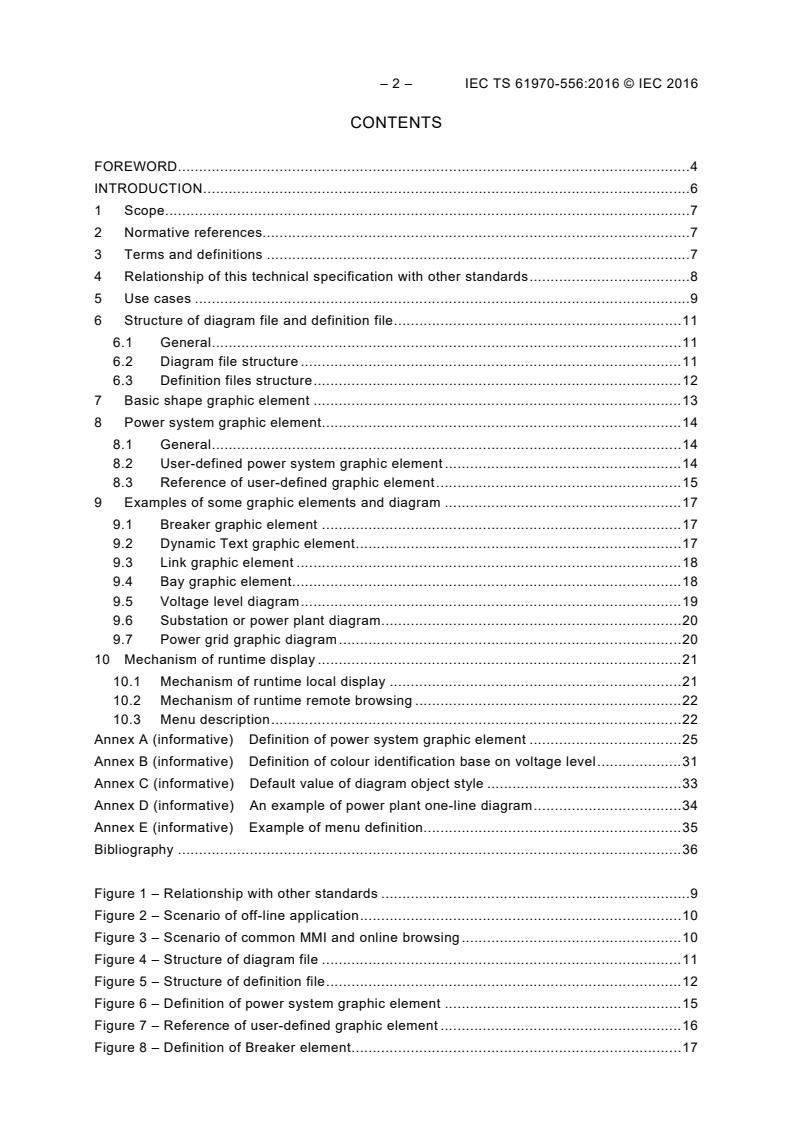
CONTENTS
FOREWORD . 4
INTRODUCTION . 6
1 Scope . 7
2 Normative references. 7
3 Terms and definitions . 7
4 Relationship of this technical specification with other standards . 8
5 Use cases . 9
6 Structure of diagram file and definition file . 11
6.1 General . 11
6.2 Diagram file structure . 11
6.3 Definition files structure . 12
7 Basic shape graphic element . 13
8 Power system graphic element . 14
8.1 General . 14
8.2 User-defined power system graphic element . 14
8.3 Reference of user-defined graphic element . 15
9 Examples of some graphic elements and diagram . 17
9.1 Breaker graphic element . 17
9.2 Dynamic Text graphic element . 17
9.3 Link graphic element . 18
9.4 Bay graphic element . 18
9.5 Voltage level diagram . 19
9.6 Substation or power plant diagram . 20
9.7 Power grid graphic diagram . 20
10 Mechanism of runtime display . 21
10.1 Mechanism of runtime local display . 21
10.2 Mechanism of runtime remote browsing . 22
10.3 Menu description . 22
Annex A (informative) Definition of power system graphic element . 25
Annex B (informative) Definition of colour identification base on voltage level . 31
Annex C (informative) Default value of diagram object style . 33
Annex D (informative) An example of power plant one-line diagram . 34
Annex E (informative) Example of menu definition. 35
Bibliography . 36
Figure 1 – Relationship with other standards . 9
Figure 2 – Scenario of off-line application . 10
Figure 3 – Scenario of common MMI and online browsing . 10
Figure 4 – Structure of diagram file . 11
Figure 5 – Structure of definition file . 12
Figure 6 – Definition of power system graphic element . 15
Figure 7 – Reference of user-defined graphic element . 16
Figure 8 – Definition of Breaker element . 17
Figure 9 – Reference of Breaker element . 17
Figure 10 – Definition of Dynamic Text graphic element . 17
Figure 11 – Reference of Dynamic Text graphic element . 18
Figure 12 – Reference of Link graphic element . 18
Figure 13 – An example of Bay element definition. 19
Figure 14 – Reference of a bay element . 19
Figure 15 – Example of Voltage level diagram . 19
Figure 16 – Example of Substation diagram with voltage level . 20
Figure 17 – Example of Substation diagram without voltage level . 20
Figure 18 – Example of Power grid graphic diagram . 21
Figure 19 – Mechanism of runtime local display . 22
Figure 20 – Mechanism of runtime remote browsing . 22
Figure 21 – Menu description . 23
Figure D.1 – Example of power plant one-line diagram . 34
Table 1 – Common elements and attributes of SVG . 13
Table 2 – Common drawing attributes . 14
Table B.1 – Examples of colour value and legend . 31
– 4 – IEC TS 61970-556:2016 © IEC 2016
INTERNATIONAL ELECTROTECHNICAL COMMISSION
____________
ENERGY MANAGEMENT SYSTEM APPLICATION
PROGRAM INTERFACE (EMS-API) –
Part 556: CIM based graphic exchange format (CIM/G)
FOREWORD
1) The International Electrotechnical Commission (IEC) is a worldwide organization for standardization comprising
all national electrotechnical committees (IEC National Committees). The object of IEC is to promote international
co-operation on all questions concerning standardization in the electrical and electronic fields. To this end and in
addition to other activities, IEC publishes International Standards, Technical Specifications, Technical Reports,
Publicly Available Specifications (PAS) and Guides (hereafter referred to as “IEC Publication(s)”). Their
preparation is entrusted to technical committees; any IEC National Committee interested in the subject dealt with
may participate in this preparatory work. International, governmental and non-governmental organizations liaising
with the IEC also participate in this preparation. IEC collaborates closely with the International Organization for
Standardization (ISO) in accordance with conditions determined by agreement between the two organizations.
2) The formal decisions or agreements of IEC on technical matters express, as nearly as possible, an international
consensus of opinion on the relevant subjects since each technical committee has representation from all
interested IEC National Committees.
3) IEC Publications have the form of recommendations for international use and are accepted by IEC National
Committees in that sense. While all reasonable efforts are made to ensure that the technical content of IEC
Publications is accurate, IEC cannot be held responsible for the way in which they are used or for any
misinterpretation by any end user.
4) In order to promote international uniformity, IEC National Committees undertake to apply IEC Publications
transparently to the maximum extent possible in their national and regional publications. Any divergence between
any IEC Publication and the corresponding national or regional publication shall be clearly indicated in the latter.
5) IEC itself does not provide any attestation of conformity. Independent certification bodies provide conformity
assessment services and, in some areas, access to IEC marks of conformity. IEC is not responsible for any
services carried out by independent certification bodies.
6) All users should ensure that they have the latest edition of this publication.
7) No liability shall attach to IEC or its directors, employees, servants or agents including individual experts and
members of its technical committees and IEC National Committees for any personal injury, property damage or
other damage of any nature whatsoever, whether direct or indirect, or for costs (including legal fees) and expenses
arising out of the publication, use of, or reliance upon, this IEC Publication or any other IEC Publications.
8) Attention is drawn to the Normative references cited in this publication. Use of the referenced publications is
indispensable for the correct application of this publication.
9) Attention is drawn to the possibility that some of the elements of this IEC Publication may be the subject of patent
rights. IEC shall not be held responsible for identifying any or all such patent rights.
The main task of IEC technical committees is to prepare International Standards. In exceptional
circumstances, a technical committee may propose the publication of a technical specification
when
• the required support cannot be obtained for the publication of an International Standard,
despite repeated efforts, or
• the subject is still under technical development or where, for any other reason, there is the
future but no immediate possibility of an agreement on an International Standard.
Technical specifications are subject to review within three years of publication to decide whether
they can be transformed into International Standards.
IEC TS 61970-556, which is a technical specification, has been prepared by IEC technical
committee 57: Power systems management and associated information exchange.
The text of this technical specification is based on the following documents:
Enquiry draft Report on voting
57/1731/DTS 57/1770/RVC
Full information on the voting for the approval of this technical specification can be found in the
report on voting indicated in the above table.
This document has been drafted in accordance with the ISO/IEC Directives, Part 2.
A list of all parts in the IEC 61970 series, published under the general title Energy management
system application program interface (EMS-API), can be found on the IEC website.
In this technical specification, the following print types are used:
– attributes for user defined graphic elements: in italic type.
The committee has decided that the contents of this publication will remain unchanged until the
stability date indicated on the IEC website under "http://webstore.iec.ch" in the data related to
the specific publication. At this date, the publication will be
• transformed into an International standard,
• reconfirmed,
• withdrawn,
• replaced by a revised edition, or
• amended.
A bilingual version of this publication may be issued at a later date.
IMPORTANT – The 'colour inside' logo on the cover page of this publication indicates
that it contains colours which are considered to be useful for the correct
understanding of its contents. Users should therefore print this document using a
colour printer.
– 6 – IEC TS 61970-556:2016 © IEC 2016
INTRODUCTION
This technical specification is part of the IEC 61970 series that define an Application Program
Interface (API) for an Energy Management System (EMS).
IEC 61970-301 specifies a Common Information Model (CIM): a logical view of the physical
aspects of an electric utility operation. The CIM is described using the Unified Modelling
Language (UML), a language used to specify, visualize, and document systems in an object
oriented manner.
This part of IEC 61970, which is a technical specification, specifies how to exchange CIM based
graphic objects using XML, which details how to display an object. This document defines a
format to facilitate efficient graphic data transfer, which will meet the real-time requirements for
on-line remote diagram browsing and exchanging.
ENERGY MANAGEMENT SYSTEM APPLICATION
PROGRAM INTERFACE (EMS-API) –
Part 556: CIM based graphic exchange format (CIM/G)
1 Scope
This part of IEC 61970, which is a technical specification, specifies a CIM-based graphic
exchange format (CIM/G). It includes graphic file structure and graphic element definitions.
This document supports a mechanism for off-line exchange of graphic displays and on-line
remote browsing of diagrams among distinct SCADA/EMS systems that may be provided by
multiple vendors and located in different places.
2 Normative references
The following documents are referred to in the text in such a way that some or all of their content
constitutes requirements of this document. For dated references, only the edition cited applies.
For undated references, the latest edition of the referenced document (including any
amendments) applies.
IEC 61970-301, Energy management system application program interface (EMS-API) – Part
301: Common information model (CIM) base
IEC 61970-453, Energy management system application program interface (EMS-API) – Part
453: Diagram layout profile
IEC TS 61970-555, Energy management system application program interface (EMS-API) –
Part 555: CIM based efficient model exchange format
3 Terms and definitions
For the purposes of this document, the terms and definitions given in IEC 60050 and the
following apply.
ISO and IEC maintain terminological databases for use in standardization at the following
addresses:
• IEC Electropedia: available at http://www.electropedia.org/
• ISO Online browsing platform: available at http://www.iso.org/obp
3.1
domain object
instance of a class that models a Real-World Object with a unique identity
Note 1 to entry: A domain object inherits from a CIM Identified Object; it is normally not a diagram object. The
definition of Domain object refers to IEC 61970-453. In this document, it indicates the graphic model of power system
equipment.
3.2
diagram
electronic equivalent of a seamless paper plan
– 8 – IEC TS 61970-556:2016 © IEC 2016
Note 1 to entry: The diagram is an identified container for the diagram objects. Examples of diagrams include
substation schematics, transportation or distribution network orthogonal schematics, or pseudo-geographical
schematics. A diagram has a well-defined coordinate space. A diagram is a set of power system graphic elements,
basic graphic elements, analog and static text. This definition refers to IEC 61970-453. The diagram in this document
indicates a single picture file, such as substation one-line diagram file, power grid diagram file.
3.3
diagram object
representation of domain objects or static background in a diagram
Note 1 to entry: An example for domain objects includes breakers. An example for static background object includes
lakes. This definition refers to IEC 61970-453. Diagram object is defined as Graphic Element in this document.
Graphic Element includes Basic Shape Graphic Element and Power System Graphic Element.
3.4
diagram object style
definition of how to render diagram objects possibly based on the state of domain objects
Note 1 to entry: Typically, the diagram object style is resolved in a very specific way for each system. This definition
refers to IEC 61970-453. It indicates rendering style of Basic Graphic Elements and Power System Graphic Elements
in this document.
3.5
layer
set of graphics displayed as varying granularity within certain zooming levels
Note 1 to entry: Each layer within the same magnification of graphics can be configured separately as visible or
invisible, so as to meet the different description requirements of grid models in different application environments.
3.6
basic shape graphic element
SVG compatible basic shape graphic element, such as line, rectangle, circle, ellipse, polygon,
etc.
3.7
power system graphic element
graphic element of power system equipment and topology
Note 1 to entry: This is a representation of domain objects and instantiation of diagram objects in IEC 61979-453.
4 Relationship of this technical specification with other standards
This part of IEC 61970 (CIM/G) is a part of the IEC 61970 series. It is based on the
IEC 61970-300 and 61970-400 series. It has a close relationship with IEC 61970-453, as shown
in Figure 1. This document inherits the roles shaped in IEC 61970-301; at the same time it
complements and expands IEC 61970-453 on diagram presentation and rendering. The diagram
layout profiles and linkage with power equipment model are defined in IEC 61970-453; while the
detailed diagram presentation and exchange format are defined in this document, not only in
off-line cases, but also for on-line applications.
IEC
Figure 1 – Relationship with other standards
5 Use cases
With this document, the following scenarios are envisaged:
1) Diagram layout profile and the exchange rules of diagram objects are defined in
IEC 61970-453, and the exchange entity is specified in this document, which specifies how
to exchange CIM based diagram objects using XML and details how to display an object.
This document can realize the off-line exchange of graphic displays among distinct
SCADA/EMS systems that may be provided by multiple vendors and located in different
places, i.e. between control center A and control center B, between a control center and a
substation or power plant, etc. Mutual conversion between graphics and models can also be
achieved efficiently by it. Figure 2 shows a typical scenario of off-line application.
– 10 – IEC TS 61970-556:2016 © IEC 2016
IEC
Figure 2 – Scenario of off-line application
2) On-line remote browsing of diagrams among distinct SCADA/EMS systems that may be
provided by multiple vendors and located in different places, i.e. between control center A
and control center B, between a control center and a substation or power plant, etc. Figure
3 shows a typical scenario of common MMI and online browsing.
Schematic Styles and
Network
Diagram Presentation
Model
Definitions Rules
Retrieve Layout Retrieve States Retrieve Styles
CIM/G
CIM/G
CIM/G
CIM/G
Display Engine
Local Browser
Display Engine
Remote Browser
Select Scale and
Display Graphic Elements
View Mode (Theme)
Display Graphic Elements
APP1 APP3
APP2
EMS EMS
APP4
MMS
MMS
IEC
Figure 3 – Scenario of common MMI and online browsing
The online diagram browsing mechanism based on CIM/G is just like the web browsing based on
HTML. The information browsing on Internet cannot be achieved without specific HTML
description. The CIM/G specification works similarly to HTML specification, which describes the
power equipment for on-line diagram browsing. Upon that substantial project costs could be
saved, especially for those substations or power plants whose diagrams are seldom called by
the control center but should be browsed quickly when required.
6 Structure of diagram file and definition file
6.1 General
CIM/G files are plain text files based on XML. There are two kinds of files in CIM/G; one is the
visible diagram file, and the other is the definition file.
6.2 Diagram file structure
The diagram file includes Declaration tag, Include tag, and G block. ‘G’ block includes ‘Layer’ tag
and graphic element tag. Figure 4 shows a general CIM/G file.
Declaration
context="realtime">
G
/>
Include
G Body
IEC
Figure 4 – Structure of diagram file
Declaration: Declaration shows XML version and encoding information of CIM/G.
Include tag: Include tag is used to import the predefined common used graphic information, the
definition file structure refer to 8.2.The Include tag has three attributes: element, color and style.
• The element=‘Element.d’ list the predefined power system graphic elements, refer to
Annex A.
• The color=‘Color.d’ list the predefined colour’s code, name, related RGB value and voltage
level, all of them have the same meaning, it could be extended or redefined by the user
(vendor), refer to Annex B.
• The style=‘Style.d’ list the default values of diagram style, refer to Annex C.
• The menu=‘Menu.d’ list the predefined menu, it could be extended or redefined by the user
(vendor), refer to Annex E.
G tag: G is the root tag in a G file. All of the graphic objects in G tag should be displayed
concretely. The entire graphic data block starts and ends with G tag. In the G block, all graphic
elements are sensitive points which could interact with the user, just like ‘Anchor’ points in Web
page. It has five attributes: ‘type’, ‘viewbox’, ‘background’ ,‘app’, ‘context’.
• The ‘type’ attribute indicates the diagram types such as grid, substation, powerplant,
GIS(geographic diagram), etc.
• The ‘viewbox’ attribute indicates the G diagram visible rectangle area (x,y,w,h), which
defined by the top left point coordinate with the width and height of the diagram.
• The ‘background’ attribute indicates the background colour by colour name or RGB(r,g,b)
value, or a picture by image file. Other attributes could be defined by the user.
– 12 – IEC TS 61970-556:2016 © IEC 2016
• The ‘app’ attribute indicates the diagram could be used for the ‘application’, such as
‘SCADA’.
• The ‘Context’ attribute indicates the diagram could be used in the ‘context’, such as
‘realtime’.
Layer tag: Layer tag is used to describe different layers graphic elements in a diagram. Each
layer can appear at specific zooming level or different topics.
• The name attributes indicate the name of the layer.
• The visible attributes indicate the visible zoom level by two values of ‘from, to’. Other
attributes could be defined by the user.
DataList tag: The DataList tag is used to describe the dynamic data set associated with power
system graphic elements in the diagram. It could be used to speed up the preparation of the
dynamic data list for the diagram data refreshing. It has 4 attributes: ‘type’, ‘num’, ‘start’ , ‘end’.
• The ‘type’ attribute indicates the type of dynamic data,it includes state, measurements and
control.
• The ‘num’ attribute indicates numbers of the dynamic data; the dynamic data is numbered in
order.
• The ‘start’ attribute indicates the number of the first dynamic data.
• The ‘end’ attribute indicates the number of the last dynamic data.
6.3 Definition files structure
The definition files are named Element.d, Color.d , Style.d and Menu.d, referring to Annexes A,
B, C and E. Here the ‘defs’ tag is used to define the power system elements, voltage and colours,
as well as common styles. All of the definitions are not directly visible; they could be referenced
from the diagram file (G file) − this is a big difference with the G file. The structure of these kinds
of files is as shown in Figure 5.
IEC
Figure 5 – Structure of definition file
Here, the declaration tag and defs tag are used. The definitions of elements, colours, styles and
menu could be put into one file as in this example, and could also be put into three different files
as in Annexes A, B, C and E.
Declaration: Declaration shows XML version and encoding information of CIM/G, as in the
diagram file.
defs: defs tag is also a standard tag of SVG; it indicates the definitions following it. It has two
basic attributes: ‘id’ and ‘timestamp’. Besides the above two, other attributes could also be
defined by the user.
• Id: indicates the type of the definition, such as element, colour, style and menu, it could be
extended based on user needs.
• Timestamp: indicates the time stamp of the definition file be modified,
"yyyy-MM-ddHH:mm:ss" means year, month, day, hour, minute, second. It is adopted for the
version comparison between common style package and local user-defined style package,
refer to Clause 9.
• Language: indicates the language used by menu, such as English, French,
German,Russian,Chinese, etc. It is adopted for all menus.
7 Basic shape graphic element
The Basic Shape Graphic Element uses the same grammar rules of SVG (refer to Table 1). In
order to improve the efficiency, some attribute names of basic elements have been abstracted
from their original long name (refer to Table 1). In order to shape the graphic elements for power
system, variables of basic graphic elements in the SVG are appropriately simplified in CIM/G, as
shown in Table 1:
Table 1 – Common elements and attributes of SVG
Element name Main attributes
rect x, y, width, height, rx, ry
circle cx, cy, r
ellipse cx, cy, rx, ry
line x1,y1,x2,y2
polyline Points
polygon Points
path D
text x, y, font-family, font-size
image x, y, width, height, xlink:href
animate from, to
As above, rect, circle, ellipse, line, polyline and polygon represent basic standard shape, text
represents a single string, path represents the geometry of the outline of an object, defined in
terms of‘M’ (moveto),‘L’ (lineto),‘C’ (curveto), ‘a’(arc) and‘z’ (closepath) commands. In path
attributes, ’uppercase’ command indicates the absolute coordinates. In the attributes of image
and ‘xlink:href’ indicates the external file references. In the attributes of animate, ‘from’ and ‘to’
show the moving way of the path.
CIM/G supports all of the basic shape graphic elements and allows users to define any other
graphic elements. See Clause 8, Power system graphic elements, for the detail.
Any user-defined graphic element could be referenced directly in the same way as basic shape
graphic elements. This is different from the indirect reference pattern in SVG, where the
‘xlink:href’ attribute in ‘use’ tag is adopted when the user-defined graphic element is referenced.
At the same time, the indirect reference pattern of user-defined graphic element is still allowed
in CIM/G.
A reference example in CIM/G is shown as follows:
– 14 – IEC TS 61970-556:2016 © IEC 2016
A reference example in SVG is shown as follows:
To improve efficiency, CIM/G abbreviates the SVG attribute names. Common drawing attributes
of basic painting environment are shown in Table 2:
Table 2 – Common drawing attributes
Description Attribute name of CIM/G Attribute name of SVG
width w Width
height h Height
line colour lc Stroke
line width lw stroke-width
line style ls stroke-dash-array
fill colour fc fill
fill mode fm fill-rule
transform tf Transform
font size fs font-size
font family ff font-family
The default value of common drawing attributes and styles are detailed in Annex C.
8 Power system graphic element
8.1 General
Power system graphic elements include all kinds of power system equipment (such as Breaker,
Disconnector, Power transformer, Bus-bar, etc.) and equipment containers (such as bay,
voltage level, substation, power-plant, etc.) (refer to IEC 61970-301 for detail) and the
corresponding model exchange format refers to IEC TS 61970-555 for detail. All graphic
elements in a diagram could be sensitive points or sensitive areas, which could interact with
users through use of mouse or keyboard devices, just like ‘Anchor’ points on a Web page.
Power system equipment graphic elements are defined in ’element.d’ file (refer to Annex A).
These elements can be referenced in any diagram.
8.2 User-defined power system graphic element
Power system graphic elements should correspond to the equipment model defined in
IEC 61970-301. A power system graphic element is defined by ‘defs’ tag. The definition of
elements is as shown in Figure 6.
glue=”x1,y1 x2,y2… ” A=”Func1” >
IEC
Figure 6 – Definition of power system graphic element
Here, UserDefinedElement indicates the name of the power system equipment, such as Breaker,
Disconnector, PowerTransformer, BusbarSection,ACLineSegment, DCLineSegment, etc. which
was defined in IEC 61970-301.The substation equipment defined in IEC 61850 could also be
defined as a graphic element in the same way as above. Annex A list the common used power
system graphic elements; it could be redefined or extended by the users or vendors as needed.
There are six common attributes for each user defined graphic element. The ‘id’, ‘loc’, ‘data’ and
‘show’ attributes are the formal attributes of the graphic element (like the formal parameters in
the program calls).The actual parameters are passed by referencing graphic element. The ‘box’
and ‘glue’ is the ontology property of the graphic element. Meanings of the attributes are as
follows:
id: indicates the unique identifier of this graphic element in current diagram. The id could be
empty in definition file, but must be passed by referencing file.
loc: indicates the location area of a graphic element in the canvas: x and y are the upper left
corner coordinates of the graphic element, w and h its width and height in the canvas. The loc
could be empty in the definition file, but must be passed by the referencing file. Here x, y, w and
h should be in low case.
data: indicates the graphic element associated CIM model data or object ID. There are two types
of attribute data, one is the actual value, and the other is the indirect data ID or index with a ‘#’
prefix. There may be several data in the attribute, separated by commas. The data could be
empty in definition file, but must be passed by the referencing file.
show: indicates display status and style of the graphic element. The format is show=”Q,T,F,S”.
Here, each of Q,T,F and S is an integer number less than 255 (maximum one byte value). The
data could be empty in the definition file, but must be passed by the referencing file. The detail
refers to 8.3.
box: indicates the rectangle of the graphics element: ‘X’,‘Y’ are the left-top coordinates of the
element box, ‘W’,‘H’ the width and height of the box. X, Y, W and H for definition should be in
upper case. They should be defined in the definition file. Here, X, Y, W and H should be in upper
case.
glue: indicates the connectivity points of the graphic element, where x0,y0till to xn, yn meaning
the graphic coordinates of terminals. The number of terminals is determined by the associated
power equipment, such as two terminals for a circuit breaker, three terminals for a three-winding
power transformer, while the terminal number of a bus is determined by the number of lines
connected to this bus and the number may be n. The glue is numbered according to the order of
the coordinates, e.g. point (x0,y0) corresponds to glue0, point (x1,y1) to glue1 and till point
(xn,yn) to gluen. This attribute should be defined in definition file.
A: indicates the Anchor related interactive functions or diagrams to be called when this element
being pointed by mouse device.
8.3 Reference of user-defined graphic element
The user-defined graphic element may be referenced directly as shown in Figure 7.
– 16 – IEC TS 61970-556:2016 © IEC 2016
IEC
Figure 7 – Reference of user-defined graphic element
The ‘id’, ‘loc’, ‘data’, ‘show’ and ‘A’ attributes may be adopted via directly referencing the
user-defined graphic element.
id: indicates the unique identifier of this graphic element in current diagram.
loc: indicates the location area of a graphic element in the canvas: x and y are the upper left
corner coordinates of the graphic element, w and h its width and height on the graphic element.
x, y, w, h for referencing should be in low case. When a graphic element is drawn in a diagram,
its real left-top coordinates are calculated by:
x_real = XX_definition+x_reference;
y_real = YY_definition+y_reference;
and when ‘w’ and ‘h’ of is Inconsistent with ‘W’ and ‘H’ in the definition of graphic element, ‘W’
and ‘H’ should be transformed to ‘w’ and ‘h’.
data: indicates the graphic element associated CIM model data or object ID. There are two types
of attribute data, one is the actual value, and the other is the indirectly data ID or index with a ‘#’
prefix. There may be several data in the attribute, separated by commas.
show: indicates display status and style of the graphic element. The format is show=”Q,T,F,S”.
Here, each of Q,T,F and S is an integer number less than 255(maximum one byte value). The
show attribute must be passed from referencing file. The data could be empty in definition file,
but must be passed from referencing file.
‘Q’ indicates Quality of data; the definition refers to IEC 61970-301 and IEC 61850.
‘T’ indicates Topological status (Energized, Un-energized and Grounded); the related colour
refers to Annex B.
‘F’ indicates Flashing flag, F=0 means no flashing; F=1 means flashing every 1 second, other
values could be defined by users.
‘S’ indicates Shape change marker; S=0 means no shape change, other values could be
defined by users.
For example, show=”0,3,0,0” means the data quality is valid, the topological colour is 500kV
voltage colour code, and there is no flashing or shape changing. For convenience in some cases,
“Q,T,F,S” could be simplified as “status”.
A: indicates the Anchor related interactive functions or diagrams to be called when this element
is being pointed by a mouse device.
The five attributes(id, loc, data, show, A) should be passed by referencing diagram, that
indicates the actual equipment id, location in the diagram, dynamic data showing styles and
interactive function. Based on all attributes, the user defined element could be rendered on the
diagram canvas.
9 Examples of some graphic elements and diagram
9.1 Breaker graphic element
The Breaker graphic element is a graphic presentation of a circuit breaker in the power system.
It is commonly presented by a rectangle. Colour of the device is set according to its voltage level
(refer to Annex A), or the name of the colour, the RGB value. An unfilled rectangle indicates
status of the breaker is open, while a filled rectangle shows it is close. A Breaker element may
have other common attributes which are described in the basic graphic element.
1) Definition of Breaker in ‘element.d’
A Breaker element definition is shown in Figure 8. Refer to Annex A for the whole graphic
element set.
Definition Shape
IEC
Figure 8 – Definition of Breaker element
2) Reference of Breaker in a diagram
A Breaker element is referenced as shown in Figure 9.
IEC
Figure 9 – Reference of Breaker element
Here show=”0,C,0,0” means the data quality is valid, the topological colour is normal voltage
colour code, and there are no flashing or shape changing.
9.2 Dynamic Text graphic element
A Dynamic Text(DText)graphic element is adopted to describe the electrical measurement. It
is not a power system equipment, however it could be used in all power system graphic element.
Its definition structure is shown in Figure 10.
IEC
Figure 10 – Definition of Dynamic Text graphic element
A reference example of DText graphic element is illustrated as shown in Figure 11.
– 18 – IEC TS 61970-556:2016 © IEC 2016
IEC
Figure 11 – Reference of Dynamic Text graphic element
The ‘id’, ‘loc’, ‘data’ and ‘show’ attributes may be adopted via directly referencing the tag.
Meanings of the attributes refer to 8.2 and 8.3.
9.3 Link graphic element
The Link graphic element is a special graphic element. It is not a normal equipment, just a short
line to link two or more equipment, and without any measurement and impedance. It presents
the idea of ‘ConnectivityNode’ defined in IEC 61970-301. The well designed power system
graphic element could be connected directly by its glue point, in most cases it is not necessary
to use the link element. The Link element may have three attributes: points, connect and show.
An example of Link graphic element is illustrated as shown in Figure 12.
IEC
Figure 12 – Reference of Link graphic element
points: This indicates the linked points.
connect: This represents relationship of connection between equipment graphic elements. The
format is defined with connect = "glue0, equip0;glue1, equip1",which means that the glue point
0 of equipment0 and glue point 1 of equipment1 are connected by the Link element.
9.4 Bay graphic element
It is the graphic presentation of ‘Bay’ model defined in IEC 61970-301, which is used to describe
the configuration of breakers, disconnectors and ground disconnectors in the bay area. Since
most bays can be generalized as bay graphic elements, the substation diagram can be briefly
described by several bay graphic elements.
The definition of Bay graphic element is described in 8.3. How to reference the Bay graphic
element is addressed in 8.4.
An example of Bay graphic element is illustrated as shown in Figure 13.
----
...
Questions, Comments and Discussion
Ask us and Technical Secretary will try to provide an answer. You can facilitate discussion about the standard in here.
Loading comments...