

IEC 62541-21:2026
(Main)OPC unified architecture - Part 21: Device Onboarding
General Information
- Abstract
IEC 62541-21:2026 defines the life cycle of Devices and Composites and mechanisms to verify their authenticity, set up their security and maintain their configuration.
The NodeIds of all Nodes described in this standard are only symbolic names. Annex A defines the NamespaceUri for all NodeIds and the actual NodeIds.
- Status
- Published
- Publication Date
- 04-Jan-2026
- Technical Committee
- SC 65E - Devices and integration in enterprise systems
- Drafting Committee
- WG 8 - TC 65/SC 65E/WG 8
- Current Stage
- PPUB - Publication issued
- Start Date
- 05-Jan-2026
- Completion Date
- 10-Dec-2025
Buy Documents
IEC 62541-21:2026 - OPC unified architecture - Part 21: Device Onboarding Released:1/5/2026
IEC 62541-21:2026 - Architecture unifiée OPC - Partie 21: Mise en service d'appareils Released:1/5/2026
IEC 62541-21:2026 - OPC unified architecture - Part 21: Device Onboarding Released:1/5/2026
Overview
IEC 62541-21:2026 is an international standard developed by the International Electrotechnical Commission (IEC) that specifies the device onboarding process within the OPC Unified Architecture (OPC UA) framework. This standard defines the complete life cycle of devices and composite devices, focusing on mechanisms for verifying authenticity, securing devices, and maintaining their configuration throughout their operational lifetime.
Device onboarding according to IEC 62541-21:2026 ensures that devices integrated into an industrial system or IoT environment can be securely introduced, authenticated, configured, and managed effectively. The standard covers all stages from device distribution to decommissioning, emphasizing security and trust management using techniques like Trust on First Use (TOFU) and ticket-based authentication.
Key Topics
- Device Lifecycle Management: Defines stages such as distribution, onboarding, application setup, configuration, operation, and decommissioning, ensuring comprehensive coverage of device management.
- Authentication & Security: Introduces ticket semantics and authentication models including pull and push management to verify device identity and establish secure communication.
- Device Identities and Tickets: Specifies how device identities are represented, managed, and validated, using tickets to assert trust and authenticate device credentials.
- Information Model: Provides a structured address space for registrars, devices, and applications to implement onboarding workflows consistent with OPC UA.
- Roles and Privileges: Establishes well-known roles and their associated privileges to control access during onboarding processes.
- Software and Firmware Management: Addresses the update mechanisms and verification of device software states with a SoftwareUpdateManager.
- Security Concepts: Incorporates secure elements, transfer of physical control, and certificate management to protect device integrity and trustworthiness.
- Namespace and Identifier Management: Includes definitions of NamespaceUri and symbolic NodeIds to unify device representation within OPC UA.
Applications
IEC 62541-21:2026 is vital for industries and sectors deploying OPC UA-based systems that require secure and reliable device management including:
- Industrial Automation: Secure and standardized onboarding for sensors, actuators, controllers to ensure interoperability and lifecycle security.
- Internet of Things (IoT): Secure device identity establishment and configuration in connected devices for smart factories, smart grids, and building automation.
- Energy and Utilities: Managing secure deployment and lifecycle of metering and network devices with authentication and configuration control.
- Smart Manufacturing: Facilitates secure integration of machines and robots by managing device identities, software updates and configuration.
- Supply Chain Management: Ensures device authenticity and secure handover when devices change ownership or operational control.
By adopting this standard, organizations benefit from standardized secure onboarding workflows that reduce risks related to unauthorized device access, configuration errors, and software integrity issues.
Related Standards
IEC 62541-21:2026 is part of the broader OPC Unified Architecture series, which includes:
- IEC 62541-1 - Overview and concepts for OPC UA architecture.
- IEC 62541-4 - Services within OPC UA, detailing transport and communication.
- IEC 62541-9 - Address space model for OPC UA.
- IEC 62541-8 - Information security for OPC UA, covering secure channels and encryption.
- IEC 62541-19 - Discovery mechanisms within OPC UA.
- Other Parts of IEC 62541 series focusing on information models, semantic data models, and specific device integration.
Integrating IEC 62541-21:2026 with these related standards ensures comprehensive implementation of secure, interoperable OPC UA systems aligning with international best practices for device onboarding and management.
Keywords: IEC 62541-21, OPC Unified Architecture, device onboarding, device lifecycle, device authentication, secure device integration, OPC UA security, ticket-based authentication, device identity, industrial IoT standards, OPC UA device configuration, Trust on First Use, device software management, device lifecycle security.
Buy Documents
IEC 62541-21:2026 - OPC unified architecture - Part 21: Device Onboarding Released:1/5/2026
IEC 62541-21:2026 - Architecture unifiée OPC - Partie 21: Mise en service d'appareils Released:1/5/2026
IEC 62541-21:2026 - OPC unified architecture - Part 21: Device Onboarding Released:1/5/2026
Get Certified
Connect with accredited certification bodies for this standard

DVS-ZERT GmbH
German welding certification society.
CARES (UK Certification Authority for Reinforcing Steels)
UK certification for reinforcing steels and construction.
EWF/IIW (European/International Welding Federation)
International welding personnel certification.
Sponsored listings
Frequently Asked Questions
IEC 62541-21:2026 is a standard published by the International Electrotechnical Commission (IEC). Its full title is "OPC unified architecture - Part 21: Device Onboarding". This standard covers: IEC 62541-21:2026 defines the life cycle of Devices and Composites and mechanisms to verify their authenticity, set up their security and maintain their configuration. The NodeIds of all Nodes described in this standard are only symbolic names. Annex A defines the NamespaceUri for all NodeIds and the actual NodeIds.
IEC 62541-21:2026 defines the life cycle of Devices and Composites and mechanisms to verify their authenticity, set up their security and maintain their configuration. The NodeIds of all Nodes described in this standard are only symbolic names. Annex A defines the NamespaceUri for all NodeIds and the actual NodeIds.
IEC 62541-21:2026 is classified under the following ICS (International Classification for Standards) categories: 25.040 - Industrial automation systems. The ICS classification helps identify the subject area and facilitates finding related standards.
IEC 62541-21:2026 is available in PDF format for immediate download after purchase. The document can be added to your cart and obtained through the secure checkout process. Digital delivery ensures instant access to the complete standard document.
Standards Content (Sample)
IEC 62541-21 ®
Edition 1.0 2026-01
INTERNATIONAL
STANDARD
OPC Unified architecture –
Part 21: Device Onboarding
ICS 25.040 ISBN 978-2-8327-0847-7
All rights reserved. Unless otherwise specified, no part of this publication may be reproduced or utilized in any form or
by any means, electronic or mechanical, including photocopying and microfilm, without permission in writing from either
IEC or IEC's member National Committee in the country of the requester. If you have any questions about IEC copyright
or have an enquiry about obtaining additional rights to this publication, please contact the address below or your local
IEC member National Committee for further information.
IEC Secretariat Tel.: +41 22 919 02 11
3, rue de Varembé info@iec.ch
CH-1211 Geneva 20 www.iec.ch
Switzerland
About the IEC
The International Electrotechnical Commission (IEC) is the leading global organization that prepares and publishes
International Standards for all electrical, electronic and related technologies.
About IEC publications
The technical content of IEC publications is kept under constant review by the IEC. Please make sure that you have the
latest edition, a corrigendum or an amendment might have been published.
IEC publications search - IEC Products & Services Portal - products.iec.ch
webstore.iec.ch/advsearchform Discover our powerful search engine and read freely all the
The advanced search enables to find IEC publications by a publications previews, graphical symbols and the glossary.
variety of criteria (reference number, text, technical With a subscription you will always have access to up to date
committee, …). It also gives information on projects, content tailored to your needs.
replaced and withdrawn publications.
Electropedia - www.electropedia.org
The world's leading online dictionary on electrotechnology,
IEC Just Published - webstore.iec.ch/justpublished
Stay up to date on all new IEC publications. Just Published containing more than 22 500 terminological entries in English
details all new publications released. Available online and and French, with equivalent terms in 25 additional languages.
once a month by email. Also known as the International Electrotechnical Vocabulary
(IEV) online.
IEC Customer Service Centre - webstore.iec.ch/csc
If you wish to give us your feedback on this publication or
need further assistance, please contact the Customer
Service Centre: sales@iec.ch.
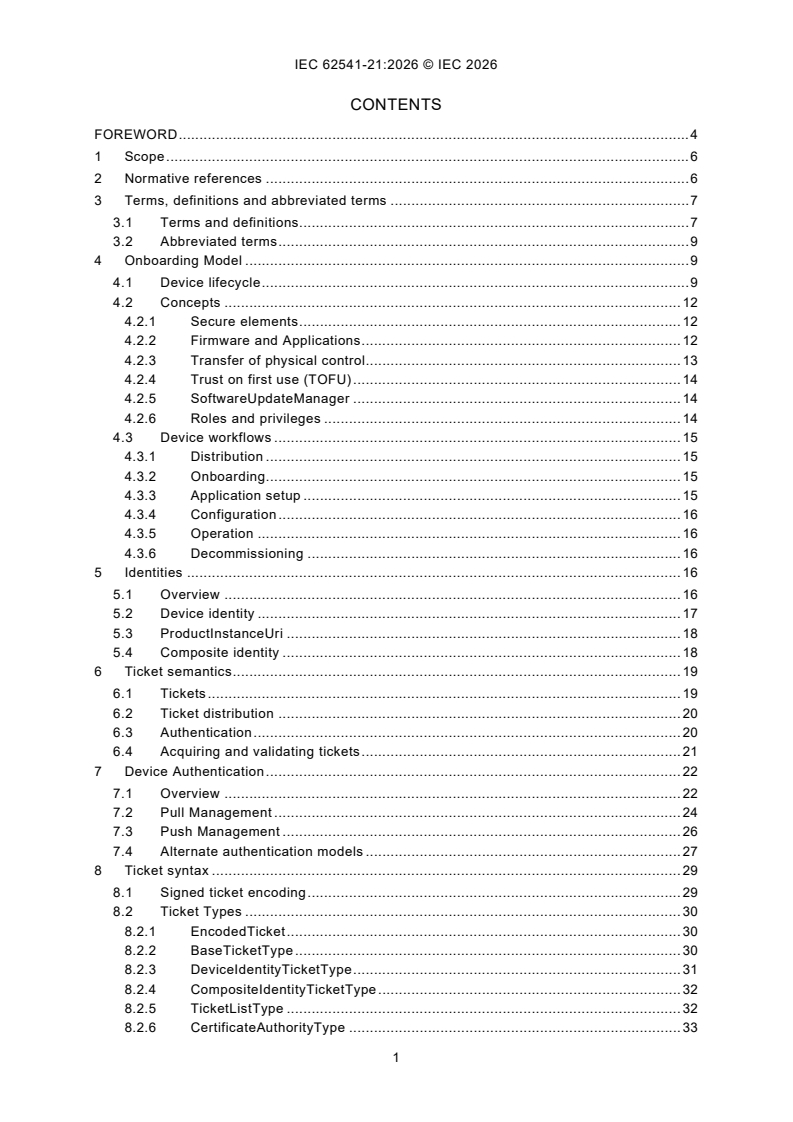
CONTENTS
FOREWORD . 4
1 Scope . 6
2 Normative references . 6
3 Terms, definitions and abbreviated terms . 7
3.1 Terms and definitions. 7
3.2 Abbreviated terms . 9
4 Onboarding Model . 9
4.1 Device lifecycle . 9
4.2 Concepts . 12
4.2.1 Secure elements . 12
4.2.2 Firmware and Applications . 12
4.2.3 Transfer of physical control. 13
4.2.4 Trust on first use (TOFU) . 14
4.2.5 SoftwareUpdateManager . 14
4.2.6 Roles and privileges . 14
4.3 Device workflows . 15
4.3.1 Distribution . 15
4.3.2 Onboarding . 15
4.3.3 Application setup . 15
4.3.4 Configuration . 16
4.3.5 Operation . 16
4.3.6 Decommissioning . 16
5 Identities . 16
5.1 Overview . 16
5.2 Device identity . 17
5.3 ProductInstanceUri . 18
5.4 Composite identity . 18
6 Ticket semantics . 19
6.1 Tickets . 19
6.2 Ticket distribution . 20
6.3 Authentication . 20
6.4 Acquiring and validating tickets . 21
7 Device Authentication . 22
7.1 Overview . 22
7.2 Pull Management . 24
7.3 Push Management . 26
7.4 Alternate authentication models . 27
8 Ticket syntax . 29
8.1 Signed ticket encoding . 29
8.2 Ticket Types . 30
8.2.1 EncodedTicket . 30
8.2.2 BaseTicketType . 30
8.2.3 DeviceIdentityTicketType . 31
8.2.4 CompositeIdentityTicketType . 32
8.2.5 TicketListType . 32
8.2.6 CertificateAuthorityType . 33
9 Information Model . 34
9.1 Overview . 34
9.2 Registrar . 34
9.2.1 Overview . 34
9.2.2 DeviceRegistrarType . 34
9.2.3 ProvideIdentities . 35
9.2.4 UpdateSoftwareStatus . 36
9.2.5 RegisterDeviceEndpoint . 37
9.2.6 GetManagers . 38
9.2.7 ManagerDescription . 39
9.2.8 RegisterManagedApplication . 40
9.2.9 DeviceRegistrar . 41
9.2.10 DeviceRegistrarAdminType. 41
9.2.11 RegisterTickets . 42
9.2.12 UnregisterTickets . 43
9.2.13 DeviceRegistrationAuditEventType . 43
9.2.14 DeviceIdentityAcceptedAuditEventType . 44
9.2.15 DeviceSoftwareUpdatedAuditEventType . 45
9.3 Device Configuration Application (DCA) . 45
9.3.1 Overview . 45
9.3.2 ProvisionableDevice . 46
9.3.3 ProvisionableDeviceType . 47
9.3.4 RequestTickets . 48
9.3.5 SetRegistrarEndpoints . 48
9.3.6 ApplicationConfigurationType . 49
10 Namespaces. 50
10.1 Namespace Metadata . 50
10.2 Handling of OPC UA Namespaces . 50
Annex A (normative) Namespaces and Identifiers . 52
A.1 Namespace and Identifiers for the Onboarding Information Model . 52
A.2 Capability Identifier . 52
Bibliography . 53
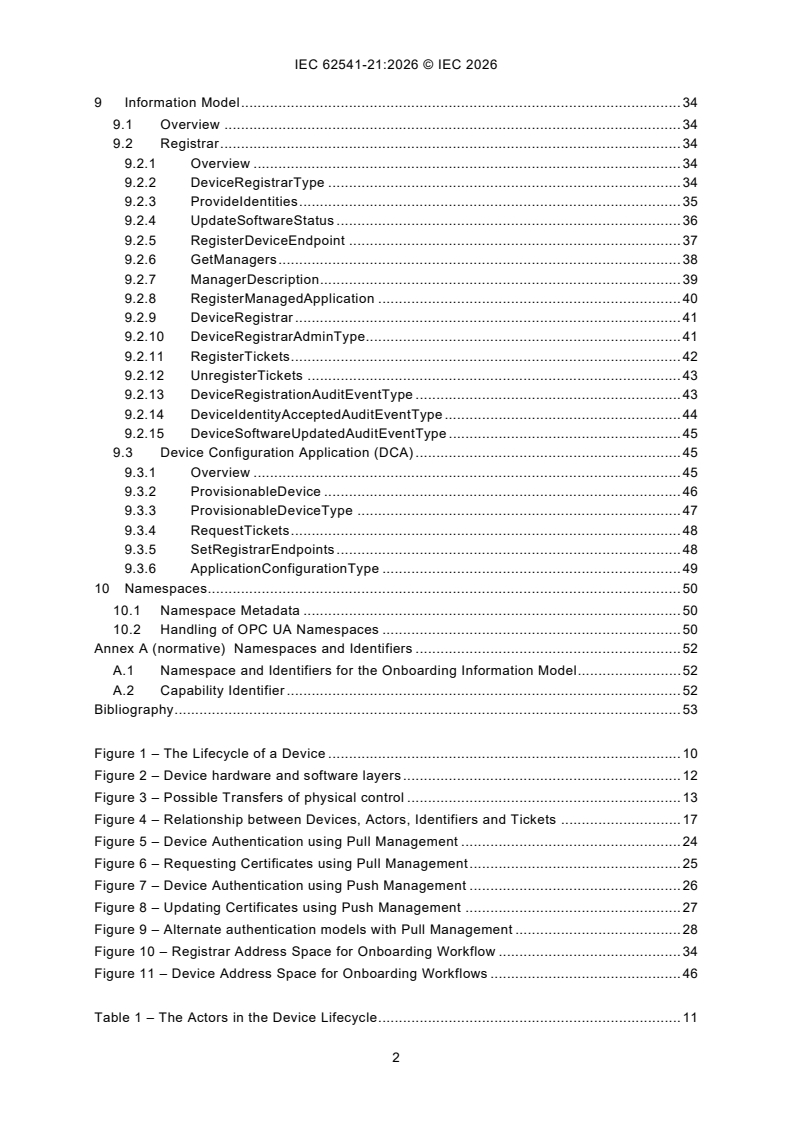
Figure 1 – The Lifecycle of a Device . 10
Figure 2 – Device hardware and software layers . 12
Figure 3 – Possible Transfers of physical control . 13
Figure 4 – Relationship between Devices, Actors, Identifiers and Tickets . 17
Figure 5 – Device Authentication using Pull Management . 24
Figure 6 – Requesting Certificates using Pull Management . 25
Figure 7 – Device Authentication using Push Management . 26
Figure 8 – Updating Certificates using Push Management . 27
Figure 9 – Alternate authentication models with Pull Management . 28
Figure 10 – Registrar Address Space for Onboarding Workflow . 34
Figure 11 – Device Address Space for Onboarding Workflows . 46
Table 1 – The Actors in the Device Lifecycle . 11
Table 2 – The Stages in the Device Lifecycle . 11
Table 3 – Well-known Roles for Onboarding . 15
Table 4 – Privileges for Onboarding . 15
Table 5 – RFC 7515 Header Fields . 30
Table 6 – EncodedTicket Definition . 30
Table 7 – BaseTicketType Structure . 31
Table 8 – BaseTicketType Definition . 31
Table 9 – DeviceIdentityTicketType Structure . 31
Table 10 – DeviceIdentityTicketType Definition . 32
Table 11 – CompositeIdentityTicketType Structure . 32
Table 12 – CompositeIdentityTicketType Definition . 32
Table 13 – TicketListType Structure . 33
Table 14 – TicketListType Definition . 33
Table 15 – CertificateAuthorityType Structure . 33
Table 16 – CertificateAuthorityType Definition . 33
Table 17 – DeviceRegistrarType Definition . 35
Table 18 – ProvideIdentities Method AddressSpace Definition . 36
Table 19 – UpdateSoftwareStatus Method AddressSpace Definition . 37
Table 20 – RegisterDeviceEndpoint Method AddressSpace Definition . 38
Table 21 – GetManagers Method AddressSpace Definition . 39
Table 22 – ManagerDescription Structure . 39
Table 23 – ManagerDescription Definition . 40
Table 24 – RegisterManagedApplication Method AddressSpace Definition. 41
Table 25 – DeviceRegistrar Definition . 41
Table 26 – DeviceRegistrarAdminType Definition . 41
Table 27 – RegisterTickets Method AddressSpace Definition . 42
Table 28 – UnregisterTickets Method AddressSpace Definition . 43
Table 29 – DeviceRegistrationAuditEventType Definition . 44
Table 30 – DeviceIdentityAcceptedAuditEventType Definition . 44
Table 31 – DeviceSoftwareUpdatedAuditEventType Definition . 45
Table 32 – ProvisionableDevice Object Definition . 47
Table 33 – ProvisionableDeviceType Definition . 47
Table 34 – RequestTickets Method AddressSpace Definition . 48
Table 35 – SetRegistrarEndpoints Method AddressSpace Definition . 49
Table 36 – ApplicationConfigurationType Definition . 49
Table 37 – NamespaceMetadata Object for this Document . 50
Table 38 – Namespaces used in this document . 51
INTERNATIONAL ELECTROTECHNICAL COMMISSION
____________
OPC unified architecture -
Part 21: Device Onboarding
FOREWORD
1) The International Electrotechnical Commission (IEC) is a worldwide organization for standardization comprising
all national electrotechnical committees (IEC National Committees). The object of IEC is to promote international
co-operation on all questions concerning standardization in the electrical and electronic fields. To this end and
in addition to other activities, IEC publishes International Standards, Technical Specifications, Technical Reports,
Publicly Available Specifications (PAS) and Guides (hereafter referred to as “IEC Publication(s)”). Their
preparation is entrusted to technical committees; any IEC National Committee interested in the subject dealt with
may participate in this preparatory work. International, governmental and non-governmental organizations liaising
with the IEC also participate in this preparation. IEC collaborates closely with the International Organization for
Standardization (ISO) in accordance with conditions determined by agreement between the two organizations.
2) The formal decisions or agreements of IEC on technical matters express, as nearly as possible, an international
consensus of opinion on the relevant subjects since each technical committee has representation from all
interested IEC National Committees.
3) IEC Publications have the form of recommendations for international use and are accepted by IEC National
Committees in that sense. While all reasonable efforts are made to ensure that the technical content of IEC
Publications is accurate, IEC cannot be held responsible for the way in which they are used or for any
misinterpretation by any end user.
4) In order to promote international uniformity, IEC National Committees undertake to apply IEC Publications
transparently to the maximum extent possible in their national and regional publications. Any divergence between
any IEC Publication and the corresponding national or regional publication shall be clearly indicated in the latter.
5) IEC itself does not provide any attestation of conformity. Independent certification bodies provide conformity
assessment services and, in some areas, access to IEC marks of conformity. IEC is not responsible for any
services carried out by independent certification bodies.
6) All users should ensure that they have the latest edition of this publication.
7) No liability shall attach to IEC or its directors, employees, servants or agents including individual experts and
members of its technical committees and IEC National Committees for any personal injury, property damage or
other damage of any nature whatsoever, whether direct or indirect, or for costs (including legal fees) and
expenses arising out of the publication, use of, or reliance upon, this IEC Publication or any other IEC
Publications.
8) Attention is drawn to the Normative references cited in this publication. Use of the referenced publications is
indispensable for the correct application of this publication.
9) IEC draws attention to the possibility that the implementation of this document may involve the use of (a)
patent(s). IEC takes no position concerning the evidence, validity or applicability of any claimed patent rights in
respect thereof. As of the date of publication of this document, IEC had not received notice of (a) patent(s), which
may be required to implement this document. However, implementers are cautioned that this may not represent
the latest information, which may be obtained from the patent database available at https://patents.iec.ch. IEC
shall not be held responsible for identifying any or all such patent rights.
IEC 62541-21 has been prepared by subcommittee 65E: Devices and integration in enterprise
systems, of IEC technical committee 65: Industrial-process measurement, control and
automation. It is an International Standard.
The text of this International Standard is based on the following documents:
Draft Report on voting
65E/1046/CDV 65E/1103/RVC
Full information on the voting for its approval can be found in the report on voting indicated in
the above table.
The language used for the development of this International Standard is English.
This document was drafted in accordance with ISO/IEC Directives, Part 2, and developed in
accordance with ISO/IEC Directives, Part 1 and ISO/IEC Directives, IEC Supplement, available
at www.iec.ch/members_experts/refdocs. The main document types developed by IEC are
described in greater detail at www.iec.ch/publications.
Throughout this document and the other Parts of the series, certain document conventions are
used:
Italics are used to denote a defined term or definition that appears in the “Terms and definitions”
clause in one of the parts of the series.
Italics are also used to denote the name of a service input or output parameter or the name of
a structure or element of a structure that are usually defined in tables.
The italicized terms and names are also often written in camel-case (the practice of writing
compound words or phrases in which the elements are joined without spaces, with each
element's initial letter capitalized within the compound). For example, the defined term is
AddressSpace instead of Address Space. This makes it easier to understand that there is a
single definition for AddressSpace, not separate definitions for Address and Space.
A list of all parts in the IEC 62541 series, published under the general title OPC Unified
Architecture, can be found on the IEC website.
The committee has decided that the contents of this document will remain unchanged until the
stability date indicated on the IEC website under webstore.iec.ch in the data related to the
specific document. At this date, the document will be
– reconfirmed,
– withdrawn, or
– revised.
1 Scope
This part of IEC 62541 defines the life cycle of Devices and Composites and mechanisms to
verify their authenticity, set up their security and maintain their configuration.
The NodeIds of all Nodes described in this standard are only symbolic names. Annex A defines
the NamespaceUri for all NodeIds and the actual NodeIds.
2 Normative references
The following documents are referred to in the text in such a way that some or all of their content
constitutes requirements of this document. For dated references, only the edition cited applies.
For undated references, the latest edition of the referenced document (including any
amendments) applies.
IEC 62541-1, OPC Unified Architecture - Part 1: Overview and Concepts
IEC 62541-2, OPC Unified Architecture - Part 2: Security
IEC 62541-3, OPC Unified Architecture - Part 3: Address Space Model
IEC 62541-4, OPC Unified Architecture - Part 4: Services
IEC 62541-5, OPC Unified Architecture - Part 5: Information Model
IEC 62541-6, OPC Unified Architecture - Part 6: Mappings
IEC 62541-9, OPC Unified Architecture - Part 9: Alarms and Conditions
IEC 62541-12, OPC Unified Architecture - Part 12: Discovery and Global Services
IEC 62541-22, OPC Unified Architecture - Part 22: Base Network Model
IEC 62541-100, OPC Unified Architecture - Part 100: Device Model
IEEE Std 802.1AR-2018, IEEE Standard for Local and Metropolitan Area Networks - Secure
Device Identity
IETF RFC 2045, N. Freed, N. Borenstein, Multipurpose Internet Mail Extensions (MIME) Part
One: Format of Internet Message Bodies, November 1996, available at
https://tools.ietf.org/html/rfc2045
IETF RFC 4648, S. Josefsson, The Base16, Base32, and Base64 Data Encodings, Octobre
2006, available at https://tools.ietf.org/html/rfc4648
IETF RFC 5280, D. Cooper, S. Santesson, S. Farrell, S. Boeyen, T. Polk, Russ Housley,
Internet X.509 Public Key Infrastructure Certificate, May 2008, available at
https://tools.ietf.org/html/rfc5280
IETF RFC 7515, M. Jones, J. Bradley, N. Sakimura, JSON Web Signature (JWS), May 2015,
available at https://tools.ietf.org/html/rfc7515
IETF RFC 7518, M. Jones, JSON Web Algorithms (JWA), May 2015, available at
https://tools.ietf.org/html/rfc7518
3 Terms, definitions and abbreviated terms
3.1 Terms and definitions
For the purposes of this document, the terms and definitions given in IEC 62541-1, IEC 62541-2,
IEC 62541-3, IEC 62541-4, IEC 62541-6, IEC 62541-9 and IEC 62541-100 and the following
apply.
ISO and IEC maintain terminology databases for use in standardization at the following
addresses:
– IEC Electropedia: available at https://www.electropedia.org/
– ISO Online browsing platform: available at https://www.iso.org/obp
3.1.1
Application
a program that runs on a Device and communicates with other Applications on the network.
Note 1 to entry: Each Application has an identifier that is unique within the network.
Note 2 to entry: An OPC UA Application is an Application that supports OPC UA.
3.1.2
ApplicationUri
a globally unique identifier for an OPC UA Application running on a particular Device.
Note 1 to entry: The Application Instance Certificate has the ApplicationUri in the subjectAltName field.
3.1.3
Composite
collection of Devices or Composites assembled into a single unit
Note 1 to entry: Each Composite has a globally unique identifier.
Note 2 to entry: A Composite can act as a single Device when connected to a network.
Note 3 to entry: A Composite can appear as multiple Devices when connected to a network.
3.1.4
CompositeBuilder
organization that creates Composites
3.1.5
CompositeInstanceUri
globally unique resource identifier assigned by a builder to a Composite
3.1.6
DCA Client
DCA which is a Client and supports PullManagement
3.1.7
DCA Server
DCA which is a Server and supports PushManagement
3.1.8
Device
independent physical entity capable of performing one or more specified functions in a particular
context and delimited by its interfaces as defined in IEC 62541-100
Note 1 to entry: For this document a Device also executes one or more OPC UA Applications.
Note 2 to entry: a generic computer or mobile device can be a Device if it has a DeviceIdentity Certificate
3.1.9
Device Configuration Application (DCA)
Client or Server installed on a Device used to configure other applications installed on the same
Device
Note 1 to entry: a DCA which is a Client uses PullManagement (see 7.2) to interact with the Registrar.
Note 2 to entry: the Registrar uses PushManagement (see 7.3) to interact with a DCA which is a Server.
3.1.10
DeviceIdentity Certificate
Certificate issued to a Device that identifies the Device
Note 1 to entry: All DeviceIdentity Certificates have the ProductInstanceUri as a subjectAltName.
Note 2 to entry: All DeviceIdentity Certificates are IDevID or LDevID Certificates as defined by IEEE Std 802.1AR-
2018.
Note 3 to entry: The ProductInstanceUri is the ApplicationUri when the DeviceIdentity Certificate is used to create
a SecureChannel.
3.1.11
Distributor
organization that re-sells Devices and/or Composites
Note 1 to entry: A Distributor can enhance Devices and Composites by adding customized products or services.
3.1.12
Manufacturer
organization that creates Devices
3.1.13
OwnerOperator
organization deploying and operating a system that comprises of Devices, Composites or other
computers connected via a network
3.1.14
Privilege
named set of permissions or access rights which are needed to perform a task
3.1.15
ProductInstanceUri
globally unique resource identifier assigned by the manufacturer to a Device
3.1.16
Registrar
OPC UA Application that registers and authenticates Devices added to the network
3.1.17
SystemIntegrator
organization that installs and configures a system for an OwnerOperator that comprises of
Devices, Composites or other computers connected via a network
3.1.18
SecureElement
hardware component that protects Private Keys from unauthorized access and disclosure
3.1.19
Ticket
document that identifies a Device or Composite and has a DigitalSignature
3.2 Abbreviated terms
API application programming interface
ASN.1 abstract syntax notation #1
CA certificate authority
CRL certificate revocation list
DCA device configuration application
DER ASN.1 distinguished encoding rules
DHCP dynamic host configuration protocol
DNS domain name system
ERP enterprise resource planning
GDS global discovery server
IDevID initial device identifier
LDevID locally significant device identifier
LDS local discovery server
mDNS multicast domain name system
NAT network address translation
PKCS public key cryptography standards
TLS transport layer security
TPM trusted platform module
UA unified architecture
URI uniform resource identifier
URN uniform resource name
4 Onboarding Model
4.1 Device lifecycle
The Onboarding model is designed to allow the configuration of a Device to be managed over
the complete lifecycle of the Device from manufacture to decommissioning. The entire lifecycle
approach is required because Devices, unlike PC-class computers, are often shipped with
automation software pre-installed and are connected directly to sensitive networks. This
requires a process to authenticate Devices before they are given access to a sensitive network.
The complete life cycle of a Device is shown in Figure 1.
Figure 1 – The Lifecycle of a Device
The actors in the Device lifecycle are described in Table 1.
Table 1 – The Actors in the Device Lifecycle
Actor Description
Device A computer that is able to communicate via a network. A Device has a unique
identifier and can have one or more Applications (see 3.1.4)
Composite A collection of Devices or Composites assembled into a single unit. Each Composite
has a unique identifier and can appear as a single Device on a network or it can
appear as multiple Devices (see 3.1.3).
Application A program that runs on a Device. Each Application has a unique identifier and
communicates with other Applications on the network (see 3.1.1).
OwnerOperator An organization deploying and operating a system that comprises of Devices,
Composites or other computers connected via a network (see 3.1.13).
Manufacturer An organization that creates Devices (see 3.1.12).
CompositeBuilder An organization that creates Composites (see 3.1.4).
Distributor An organization that re-sells Devices and/or Composites. A Distributor enhances
Devices and Composites by adding customized products or services before resale
(see 3.1.11).
SystemIntegrator An organization that installs and configures a system for an OwnerOperator that
comprises of Devices, Composites or other computers connected via a network (see
3.1.17).
RegistrarAdmin A user authorized to change the configuration of the Registrar.
SoftwareUpdateAdmin A user authorized to update the firmware running on a Device.
A user authorized to make changes to security configuration for Clients and Servers
SecurityAdmin
running on the network.
The stages in the lifecycle for a single Device are described in Table 2. This information model
defines mechanisms to automate some of the tasks necessary for each stage.
Table 2 – The Stages in the Device Lifecycle
Stage Description
Device Manufacture A Device is created and a DeviceIdentity Certificate is assigned. This Certificate is
provided when the Device is transferred to other actors. During Device Manufacture,
Applications can be installed on the Device. A Ticket describing the Device is created
and signed by the Manufacturer.
Composite Assembly A Composite is created from Devices and a unique identity is assigned to the
Composite. This identity is provided when the Composite is transferred to other actors.
During Composite Assembly, Applications can be installed on the Devices contained in
the Composite. A Ticket describing the Composite is created and signed by the
CompositeBuilder.
Distribution The Device or Composite is stored until it is delivered to a CompositeBuilder,
SystemIntegrator, OwnerOperator or another Distributor.
Onboarding The SystemIntegrator connects a Device to the network and verifies that the identity
reported by the Device matches the identity in a Ticket provided by the Manufacturer or
CompositeBuilder.
Application Setup The SystemIntegrator configures the Applications running on the Device or Composite
so they can communicate with other Applications running in the system. This process
includes distributing TrustLists and issuing Certificates.
Configuration The OwnerOperator performs tasks that are not done while the Device is in full
operation, such as updating firmware, installing new Applications, or changing
Application configuration.
Operation The Device does the tasks it was deployed to do.
Decommissioning The Device has all access revoked and, if the Device is still functional, then it is reset
to the default factory settings.
The commonly understood concept of “Commissioning” is represented by the Onboarding,
Application Setup and Configuration stages.
The stages in the Device lifecycle map onto workflows that are defined in this document. The
workflows are described in 4.2.
4.2 Concepts
4.2.1 Secure elements
SecureElements are a hardware-based storage for cryptographic secrets that protect them
against authorized access and disclosure. The mechanisms defined for Device authentication
depend on PrivateKeys that are stored in SecureElements. PrivateKeys stored on Devices
without SecureElements can be stolen and reused on counterfeit Devices.
OwnerOperators can provision Devices without SecureElements if they have other ways to
ensure their authenticity.
4.2.2 Firmware and Applications
Every Device has multiple layers of hardware and software that are installed and managed at
different stages in the lifecycle by different actors. The layers are shown in Figure 2.
Figure 2 – Device hardware and software layers
A Device has firmware that is generally not changed during normal operation. Firmware updates
can be provided by the Manufacturer to correct software bugs or patch security flaws. A Device
should have a mechanism to ensure the integrity of the system, including the firmware, during
the boot process. A Device should have a way to update firmware after onboarding in the
OwnerOperator’s system.
A Device should have SecureElement storage used for security sensitive elements such as
Private Keys. This storage cannot be backed up nor is it affect by a firmware update. The Private
Key of DeviceIdentity Certificates (IDevID and LDevID) shall be placed in this storage.
A Device shall have a Device Configuration Application (DCA) which is used for Device
authentication and setup of other Applications on the Device.
A Device can have storage used for Applications and their configuration. A Device should have
a mechanism to back up and restore configurations. A Device can support multiple Applications
which have their own configuration and security configuration.
A Device has storage for the Application security configuration that is not required to be in the
protected storage. This storage is separate from the storage for Applications and configurations.
Certificates, Trust Lists, administrator credentials are examples of information that is part of the
security configuration. The Device shall have mechanisms to ensure that only authorized actors
are able to alter the security configuration or access sensitive data such as the PrivateKeys. If
a Device supports multiple Applications, the set of authorized actors can be different for each
Application.
4.2.3 Transfer of physical control
Implicit in the Device lifecycle is the notion that Devices and Composites will be physically
delivered to different actors. The transfers of physical control that can occur are shown in
Figure 3.
Figure 3 – Possible Transfers of physical control
In many cases, the Distributor belongs to the same organization as the Manufacturer or
CompositeBuilder. Similarly, the Integrator and the OwnerOperator can be the same
organization.
When a transfer of physical control occurs, the supplier ships the equipment (a Device or
Composite) and an electronic Ticket (see 6) that describes the equipment. The receiver can
use the Ticket to authenticate the origin of the equipment using the mechanisms defined in this
standard or save it so it can be provided when the equipment is transferred to another actor.
While an actor has physical control, the actor can Install, Provision, Configure or Operate (see
Table 2) the equipment. For example, if an actor (e.g., a CompositeBuilder) makes changes to
a Device and then transfers this Device to another actor (e.g., an OwnerOperator) then those
changes can restrict what the new owner is able to do, i.e., CompositeBuilder can install an
Application used for maintenance that the OwnerOperator cannot access.
The workflows (see 4.3) describe this process in more detail.
4.2.4 Trust on first use (TOFU)
The onboarding process defined in this document describes how an OwnerOperator can
authenticate Devices added to the network. This document does not define any mechanisms to
allow Devices to authenticate the network it is connected to. This implies that a Device
connected to a network will allow itself to be configured via any network that it is connected to.
This behaviour is called “Trust on First Use” or TOFU.
When first connected to a network the DCA will be in an initial state where it will either attempt
to discover a network service that it can get its configuration (PullManagement, see 7.2) or wait
for another application to provide its configuration (PushManagement, see 7.3).
Once the onboarding process completes the DCA is supplied with credentials that authorize
Applications that are allowed to make changes to its security configuration. Devices should
have a mechanism to return the DCA to an initial state which discards all configuration, including
all credentials and TrustLists that were assigned in a previous onboarding process.
The new state allows the TOFU onboarding process to start again. Note the initial state is not
the same as a factory reset which typically deletes all software installed on the Device. The
reset mechanism should require proof of physical possession of the Device to ensure it cannot
be exploited remotely.
The TOFU model exposes the Device to malicious actors that are running on the network. This
means the network used for configuration has to be protected to make it harder for a malicious
actor to gain access to the network. OwnerOperators should also have network services
designed to detect and eliminate malicious applications that attempt to interfere with the
onboarding process.
Devices can have other ways to assign the credentials provided by the onboarding process in
order to avoid the risks associated with TOFU.
4.2.5 SoftwareUpdateManager
The SoftwareUpdateManager is a system component that provides updates to firmware or
software running on a Device. The SoftwareUpdateManager can implement the standard model
defined in IEC 62541-100, however, it often will be specific to the Manufacturer. This document
defines APIs that allow any SoftwareUpdateManager to coordinate with the components defined
in this document.
The SoftwareUpdateManager is an important part of the onboarding process because it is
necessary to ensure that Devices with out-of-date firmware are not allowed on the network. The
interactions between the SoftwareUpdateManager and the other components are described in
clause 7. The SoftwareUpdateManager possibly is not present in systems where the
OwnerOperator has other mechanisms in place to ensure the Devices have up to date firmware.
4.2.6 Roles and privileges
Registrars and DCA Servers are required to restrict access to many of the features they provide.
These restrictions are described either by referring to well-known Roles to which a Session is
required to have access to or by referring to named Privileges which are assigned to Sessions
using mechanisms other than the well-known Roles. Privileges are required because not all
restrictions can be expressed simply by granting Role permissions on Nodes. For example,
authenticated Devices are granted the ability to update only their own information which means
the decision on granting access can depend on the values of the arguments passed to a Method
call rather than the permissions on the Method Node. The well-known Roles used in this
document are listed in Table 3.
Table 3 – Well-known Roles for Onboarding
Name Description
RegistrarAdmin The Role grants rights to manage the Tickets known the Registrar and approve
Devices when automatic authentication was not possible.
SoftwareUpdateAdmin The Role grants rights to set the software status for a Device.
SecurityAdmin The Role grants the right to changes the security configuration of a Registrar or a
DCA Server. For the DCA Server this includes the right to set the location of the
Registrar or to force the Server to restart the authentication process.
The Privileges used in this document are listed in Table 4.
Table 4 – Privileges for Onboarding
Name Description
DeviceSelfAdmin The Device has rights to modify its own registration.
The Client is a DCA that has rights to request Certificates and TrustLists for Applications
DCA
that it has been granted rights to.
For a detailed description of Roles, see IEC 62541-3.
4.3 Device workflows
4.3.1 Distribution
Distribution is the process of transferring physi
...
IEC 62541-21 ®
Edition 1.0 2026-01
NORME
INTERNATIONALE
Architecture unifiée OPC -
Partie 21: Mise en service d'appareils
ICS 25.040 ISBN 978-2-8327-0847-7
Droits de reproduction réservés. Sauf indication contraire, aucune partie de cette publication ne peut être reproduite ni
utilisée sous quelque forme que ce soit et par aucun procédé, électronique ou mécanique, y compris la photocopie et
les microfilms, sans l'accord écrit de l'IEC ou du Comité national de l'IEC du pays du demandeur. Si vous avez des
questions sur le copyright de l'IEC ou si vous désirez obtenir des droits supplémentaires sur cette publication, utilisez
les coordonnées ci-après ou contactez le Comité national de l'IEC de votre pays de résidence.
IEC Secretariat Tel.: +41 22 919 02 11
3, rue de Varembé info@iec.ch
CH-1211 Geneva 20 www.iec.ch
Switzerland
A propos de l'IEC
La Commission Electrotechnique Internationale (IEC) est la première organisation mondiale qui élabore et publie des
Normes internationales pour tout ce qui a trait à l'électricité, à l'électronique et aux technologies apparentées.
A propos des publications IEC
Le contenu technique des publications IEC est constamment revu. Veuillez vous assurer que vous possédez l’édition la
plus récente, un corrigendum ou amendement peut avoir été publié.
Recherche de publications IEC - IEC Products & Services Portal - products.iec.ch
webstore.iec.ch/advsearchform Découvrez notre puissant moteur de recherche et consultez
La recherche avancée permet de trouver des publications gratuitement tous les aperçus des publications, symboles
IEC en utilisant différents critères (numéro de référence, graphiques et le glossaire. Avec un abonnement, vous aurez
texte, comité d’études, …). Elle donne aussi des toujours accès à un contenu à jour adapté à vos besoins.
informations sur les projets et les publications remplacées
ou retirées. Electropedia - www.electropedia.org
Le premier dictionnaire d'électrotechnologie en ligne au
IEC Just Published - webstore.iec.ch/justpublished monde, avec plus de 22 500 articles terminologiques en
Restez informé sur les nouvelles publications IEC. Just anglais et en français, ainsi que les termes équivalents
dans 25 langues additionnelles. Egalement appelé
Published détaille les nouvelles publications parues.
Disponible en ligne et une fois par mois par email. Vocabulaire Electrotechnique International (IEV) en ligne.
Service Clients - webstore.iec.ch/csc
Si vous désirez nous donner des commentaires sur cette
publication ou si vous avez des questions contactez-
nous: sales@iec.ch.
SOMMAIRE
AVANT-PROPOS . 4
1 Domaine d'application . 6
2 Références normatives . 6
3 Termes, définitions et abréviations . 7
3.1 Termes et définitions . 7
3.2 Abréviations . 9
4 Modèle de mise en service . 10
4.1 Cycle de vie de l'Appareil . 10
4.2 Concepts . 12
4.2.1 Éléments sécurisés . 12
4.2.2 Micrologiciel et Applications. 12
4.2.3 Transfert de contrôle physique . 13
4.2.4 Faire confiance lors de la première utilisation (TOFU, Trust On First
Use) . 14
4.2.5 SoftwareUpdateManager . 14
4.2.6 Rôles et Privilèges . 15
4.3 Flux de travail de l'Appareil . 15
4.3.1 Distribution . 15
4.3.2 Mise en service . 15
4.3.3 Paramétrage d'Applications . 16
4.3.4 Configuration . 16
4.3.5 Fonctionnement . 16
4.3.6 Mise hors service . 16
5 Identités . 17
5.1 Vue d'ensemble . 17
5.2 Identité d'un Appareil . 17
5.3 ProductInstanceUri . 18
5.4 Identité d'un Composite . 19
6 Sémantique des Tickets . 20
6.1 Tickets . 20
6.2 Distribution de Tickets . 20
6.3 Authentification . 21
6.4 Acquisition et validation de Tickets . 22
7 Authentification d'un Appareil . 23
7.1 Vue d'ensemble . 23
7.2 Gestion en flux tiré . 25
7.3 Gestion en flux poussé . 28
7.4 Autres modèles d'authentification. 29
8 Syntaxe des Tickets . 31
8.1 Encodage du Ticket signé . 31
8.2 Types de Tickets . 32
8.2.1 EncodedTicket . 32
8.2.2 BaseTicketType . 32
8.2.3 DeviceIdentityTicketType . 33
8.2.4 CompositeIdentityTicketType . 34
8.2.5 TicketListType . 35
8.2.6 CertificateAuthorityType . 35
9 Modèle d'information . 36
9.1 Vue d'ensemble . 36
9.2 Entité d'enregistrement . 36
9.2.1 Vue d'ensemble . 36
9.2.2 DeviceRegistrarType . 37
9.2.3 ProvideIdentities . 38
9.2.4 UpdateSoftwareStatus . 39
9.2.5 RegisterDeviceEndpoint . 40
9.2.6 GetManagers . 41
9.2.7 ManagerDescription . 41
9.2.8 RegisterManagedApplication . 42
9.2.9 DeviceRegistrar . 43
9.2.10 DeviceRegistrarAdminType. 44
9.2.11 RegisterTickets . 44
9.2.12 UnregisterTickets . 45
9.2.13 DeviceRegistrationAuditEventType . 46
9.2.14 DeviceIdentityAcceptedAuditEventType . 47
9.2.15 DeviceSoftwareUpdatedAuditEventType . 47
9.3 Application de configuration de l'appareil (DCA) . 48
9.3.1 Vue d'ensemble . 48
9.3.2 ProvisionableDevice . 49
9.3.3 ProvisionableDeviceType . 50
9.3.4 RequestTickets . 51
9.3.5 SetRegistrarEndpoints . 51
9.3.6 ApplicationConfigurationType . 52
10 Espaces de noms . 53
10.1 Métadonnées de l'espace de noms . 53
10.2 Gestion des Espaces de noms OPC UA . 53
Annexe A (normative) Espace de noms et identificateurs . 55
A.1 Espace de noms et identificateurs pour le modèle d'information de mise en
service . 55
A.2 Identificateur de capacité . 55
Bibliographie . 56
Figure 1 – Cycle de vie d'un Appareil . 10
Figure 2 – Couches matérielles et logicielles . 12
Figure 3 – Transferts possibles de contrôle physique . 13
Figure 4 – Relation entre les Appareils, les Acteurs, les Identificateurs et les Tickets . 17
Figure 5 – Authentification d'un Appareil à l'aide de la gestion en flux tiré . 25
Figure 6 – Demande de Certificats à l'aide de la gestion en flux tiré . 27
Figure 7 – Authentification d'un Appareil à l'aide de la gestion en flux poussé . 28
Figure 8 – Mise à jour des Certificats à l'aide de la gestion en flux poussé . 29
Figure 9 – Autres modèles d'authentification avec gestion en flux tiré . 30
Figure 10 – Espace d'adressage de l'entité d'enregistrement pour le flux de travail de
mise en service . 37
Figure 11 – Espace d'adressage de l'appareil pour les flux de travail de mise en
service . 49
Tableau 1 – Acteurs du cycle de vie de l'Appareil . 11
Tableau 2 – Étapes du cycle de vie de l'Appareil . 11
Tableau 3 – Rôles notoires lors de la mise en service . 15
Tableau 4 – Privilèges lors de la mise en service . 15
Tableau 5 – Champs d'en-tête RFC 7515. 32
Tableau 6 – Définition d'EncodedTicket . 32
Tableau 7 – Structure de BaseTicketType . 33
Tableau 8 – Définition de BaseTicketType . 33
Tableau 9 – Structure de DeviceIdentityTicketType. 34
Tableau 10 – Définition de DeviceIdentityTicketType . 34
Tableau 11 – Structure de CompositeIdentityTicketType . 34
Tableau 12 – Définition de CompositeIdentityTicketType . 34
Tableau 13 – Structure de TicketListType . 35
Tableau 14 – Définition de TicketListType . 35
Tableau 15 – Structure de CertificateAuthorityType . 35
Tableau 16 – Définition de CertificateAuthorityType . 36
Tableau 17 – Définition de DeviceRegistrarType . 37
Tableau 18 – Définition de l'AddressSpace pour la Méthode ProvideIdentities . 39
Tableau 19 – Définition de l'AddressSpace pour la Méthode UpdateSoftwareStatus . 40
Tableau 20 – Définition de l'AddressSpace pour la Méthode RegisterDeviceEndpoint . 40
Tableau 21 – Définition de l'AddressSpace pour la Méthode GetManagers . 41
Tableau 22 – Structure de ManagerDescription. 42
Tableau 23 – Définition de ManagerDescription . 42
Tableau 24 – Définition de l'AddressSpace pour la Méthode
RegisterManagedApplication . 43
Tableau 25 – Définition de DeviceRegistrar . 43
Tableau 26 – Définition de DeviceRegistrarAdminType . 44
Tableau 27 – Définition de l'AddressSpace pour la Méthode RegisterTickets . 45
Tableau 28 – Définition de l'AddressSpace pour la Méthode UnregisterTickets . 46
Tableau 29 – Définition de DeviceRegistrationAuditEventType . 46
Tableau 30 – Définition de DeviceIdentityAcceptedAuditEventType . 47
Tableau 31 – Définition de DeviceSoftwareUpdatedAuditEventType . 48
Tableau 32 – Définition de l'Objet ProvisionableDevice . 50
Tableau 33 – Définition de ProvisionableDeviceType . 50
Tableau 34 – Définition de l'AddressSpace pour la Méthode RequestTickets . 51
Tableau 35 – Définition de l'AddressSpace pour la Méthode SetRegistrarEndpoints . 52
Tableau 36 – Définition d'ApplicationConfigurationType . 52
Tableau 37 – Objet NamespaceMetadata pour le présent document . 53
Tableau 38 – Espaces de noms utilisés dans le présent document . 54
COMMISSION ÉLECTROTECHNIQUE INTERNATIONALE
____________
Architecture unifiée OPC -
Partie 21: Mise en service d'appareils
AVANT-PROPOS
1) La Commission Électrotechnique Internationale (IEC) est une organisation mondiale de normalisation composée
de l'ensemble des comités électrotechniques nationaux (Comités nationaux de l'IEC). L'IEC a pour objet de
favoriser la coopération internationale pour toutes les questions de normalisation dans les domaines de
l'électricité et de l'électronique. À cet effet, l'IEC – entre autres activités – publie des Normes internationales,
des Spécifications techniques, des Rapports techniques, des Spécifications accessibles au public (PAS) et des
Guides (ci-après dénommés "Publication(s) de l'IEC"). Leur élaboration est confiée à des comités d'études, aux
travaux desquels tout Comité national intéressé par le sujet traité peut participer. Les organisations
internationales, gouvernementales et non gouvernementales, en liaison avec l'IEC, participent également aux
travaux. L'IEC collabore étroitement avec l'Organisation Internationale de Normalisation (ISO), selon des
conditions fixées par accord entre les deux organisations.
2) Les décisions ou accords officiels de l'IEC concernant les questions techniques représentent, dans la mesure du
possible, un accord international sur les sujets étudiés, étant donné que les Comités nationaux de l'IEC intéressés
sont représentés dans chaque comité d'études.
3) Les Publications de l'IEC se présentent sous la forme de recommandations internationales et sont agréées
comme telles par les Comités nationaux de l'IEC. Tous les efforts raisonnables sont entrepris afin que
l'IEC s'assure de l'exactitude du contenu technique de ses publications; l'IEC ne peut pas être tenue responsable
de l'éventuelle mauvaise utilisation ou interprétation qui en est faite par un quelconque utilisateur final.
4) Dans le but d'encourager l'uniformité internationale, les Comités nationaux de l'IEC s'engagent, dans toute la
mesure possible, à appliquer de façon transparente les Publications de l'IEC dans leurs publications nationales
et régionales. Toutes divergences entre toutes Publications de l'IEC et toutes publications nationales ou
régionales correspondantes doivent être indiquées en termes clairs dans ces dernières.
5) L'IEC elle-même ne fournit aucune attestation de conformité. Des organismes de certification indépendants
fournissent des services d'évaluation de conformité et, dans certains secteurs, accèdent aux marques de
conformité de l'IEC. L'IEC n'est responsable d'aucun des services effectués par les organismes de certification
indépendants.
6) Tous les utilisateurs doivent s'assurer qu'ils sont en possession de la dernière édition de cette publication.
7) Aucune responsabilité ne doit être imputée à l'IEC, à ses administrateurs, employés, auxiliaires ou mandataires,
y compris ses experts particuliers et les membres de ses comités d'études et des Comités nationaux de l'IEC,
pour tout préjudice causé en cas de dommages corporels et matériels, ou de tout autre dommage de quelque
nature que ce soit, directe ou indirecte, ou pour supporter les coûts (y compris les frais de justice) et les dépenses
découlant de la publication ou de l'utilisation de cette Publication de l'IEC ou de toute autre Publication de l'IEC,
ou au crédit qui lui est accordé.
8) L'attention est attirée sur les références normatives citées dans cette publication. L'utilisation de publications
référencées est obligatoire pour une application correcte de la présente publication.
9) L'IEC attire l'attention sur le fait que la mise en application du présent document peut entraîner l'utilisation d'un
ou de plusieurs brevets. L'IEC ne prend pas position quant à la preuve, à la validité et à l'applicabilité de tout
droit de brevet revendiqué à cet égard. À la date de publication du présent document, l'IEC n'avait pas reçu
notification qu'un ou plusieurs brevets pouvaient être nécessaires à sa mise en application. Toutefois, il y a lieu
d'avertir les responsables de la mise en application du présent document que des informations plus récentes
sont susceptibles de figurer dans la base de données de brevets, disponible à l'adresse https://patents.iec.ch.
L'IEC ne saurait être tenue pour responsable de ne pas avoir identifié tout ou partie de tels droits de brevet.
L'IEC 62541-21 a été établie par le sous-comité 65E: Les dispositifs et leur intégration dans les
systèmes de l'entreprise, du comité d'études 65 de l'IEC: Mesure, commande et automation
dans les processus industriels. Il s'agit d'une Norme internationale.
Le texte de cette Norme internationale est issu des documents suivants:
Projet Rapport de vote
65E/1046/CDV 65E/1103/RVC
Le rapport de vote indiqué dans le tableau ci-dessus donne toute information sur le vote ayant
abouti à son approbation.
La langue employée pour l'élaboration de cette Norme internationale est l'anglais.
Ce document a été rédigé selon les Directives ISO/IEC, Partie 2, il a été développé selon les
Directives ISO/IEC, Partie 1 et les Directives ISO/IEC, Supplément IEC, disponibles sous
www.iec.ch/members_experts/refdocs. Les principaux types de documents développés par
l'IEC sont décrits plus en détail sous www.iec.ch/publications.
Dans l'ensemble du présent document et dans les autres parties de la série, certaines
conventions de document sont utilisées:
Le format italique est utilisé pour mettre en évidence un terme défini ou une définition qui
apparaît à l'article "Termes et définitions" dans l'une des parties de la série.
Le format italique est également utilisé pour mettre en évidence le nom d'un paramètre d'entrée
ou de sortie de service, ou le nom d'une structure ou d'un élément de structure habituellement
défini dans les tableaux.
Par ailleurs, les termes et noms en italique sont souvent écrits en camel-case (pratique qui
consiste à joindre, sans espace, les éléments des mots ou expressions composés, la première
lettre de chaque élément étant en majuscule). Par exemple, le terme défini est AddressSpace
et non Espace d'Adressage. Cela permet de mieux comprendre qu'il existe une définition unique
pour AddressSpace, et non deux définitions distinctes pour Espace et pour Adressage.
Une liste de toutes les parties de la série IEC 62541, publiées sous le titre général Architecture
unifiée OPC, se trouve sur le site web de l'IEC.
Le comité a décidé que le contenu de ce document ne sera pas modifié avant la date de stabilité
indiquée sur le site web de l'IEC sous webstore.iec.ch dans les données relatives au document
recherché. À cette date, le document sera
– reconduit,
– supprimé, ou
– révisé.
1 Domaine d'application
La présente partie de l'IEC 62541 définit le cycle de vie des Appareils et des Composites, ainsi
que les mécanismes de vérification de leur authenticité, de configuration de leur sécurité et de
maintenance de leur configuration.
Les NodeIds de tous les Nœuds décrits dans la présente norme sont uniquement des noms
symboliques. L'Annexe A définit le NamespaceUri pour tous les NodeIds et les NodeIds réels.
2 Références normatives
Les documents suivants sont cités dans le texte de sorte qu'ils constituent, pour tout ou partie
de leur contenu, des exigences du présent document. Pour les références datées, seule
l'édition citée s'applique. Pour les références non datées, la dernière édition du document de
référence s'applique (y compris les éventuels amendements).
IEC 62541-1, Architecture unifiée OPC - Partie 1: Vue d'ensemble et concepts
IEC 62541-2, Architecture unifiée OPC - Partie 2: Sécurité
IEC 62541-3, Architecture unifiée OPC - Partie 3: Modèle d'espace d'adressage
IEC 62541-4, Architecture unifiée OPC - Partie 4: Services
IEC 62541-5, Architecture unifiée OPC - Partie 5: Modèle d'information
IEC 62541-6, Architecture unifiée OPC - Partie 6: Mappings
IEC 62541-9, Architecture unifiée OPC - Partie 9: Alarmes et conditions
IEC 62541-12, Architecture unifiée OPC - Partie 12: Services globaux et de découverte
IEC 62541-22, Architecture unifiée OPC - Partie 22: Modèle de réseau de base
IEC 62541-100, Architecture unifiée OPC - Partie 100: Modèle d'appareil
IEEE Std 802.1AR-2018, IEEE Standard for Local and Metropolitan Area Networks - Secure
Device Identity (disponible en anglais seulement)
IETF RFC 2045, N. Freed, N. Borenstein, Multipurpose Internet Mail Extensions (MIME) Part
One: Format of Internet Message Bodies, November 1996, disponible à l'adresse
https://tools.ietf.org/html/rfc2045 (disponible en anglais seulement)
IETF RFC 4648, S. Josefsson, The Base16, Base32, and Base64 Data Encodings, Octobre
2006, disponible à l'adresse https://tools.ietf.org/html/rfc4648 (disponible en anglais seulement)
IETF RFC 5280, D. Cooper, S. Santesson, S. Farrell, S. Boeyen, T. Polk, Russ Housley,
Internet X.509 Public Key Infrastructure Certificate, May 2008, disponible à l'adresse
https://tools.ietf.org/html/rfc5280 (disponible en anglais seulement)
IETF RFC 7515, M. Jones, J. Bradley, N. Sakimura, JSON Web Signature (JWS), May 2015,
disponible à l'adresse https://tools.ietf.org/html/rfc7515 (disponible en anglais seulement)
IETF RFC 7518, M. Jones, JSON Web Algorithms (JWA), May 2015, disponible à l'adresse
https://tools.ietf.org/html/rfc7518 (disponible en anglais seulement)
3 Termes, définitions et abréviations
3.1 Termes et définitions
Pour les besoins du présent document, les termes et définitions de l'IEC 62541-1, l'IEC 62541-2,
l'IEC 62541-3, l'IEC 62541-4, l'IEC 62541-6, l'IEC 62541-9 et l'IEC 62541-100 ainsi que les
suivants s'appliquent.
L'ISO et l'IEC tiennent à jour des bases de données terminologiques destinées à être utilisées
en normalisation, consultables aux adresses suivantes:
– IEC Electropedia: disponible à l'adresse https://www.electropedia.org/
– ISO Online browsing platform: disponible à l'adresse https://www.iso.org/obp
3.1.1
Application
programme qui fonctionne sur un Appareil et communique avec d'autres Applications sur le
réseau
Note 1 à l'article: Chaque Application a un identificateur unique au sein du réseau.
Note 2 à l'article: Une Application OPC UA est une Application qui prend en charge OPC UA.
3.1.2
ApplicationUri
identificateur unique au niveau global d'une Application OPC UA qui s'exécute sur un Appareil
particulier
Note 1 à l'article: L'identificateur ApplicationUri est inclus dans le champ subjectAltName du Certificat d'instance
d'application.
3.1.3
Composite
Ensemble d'Appareils ou de Composites regroupés au sein d'une seule unité
Note 1 à l'article: Chaque Composite a un identificateur unique au niveau global.
Note 2 à l'article: Un Composite peut agir en tant qu'Appareil unique lorsqu'il est connecté à un réseau.
Note 3 à l'article: Un Composite peut apparaître sous la forme de plusieurs Appareils connectés à un réseau.
3.1.4
CompositeBuilder
organisation qui crée des Composites
3.1.5
CompositeInstanceUri
identificateur de ressource unique au niveau global attribué par un constructeur à un Composite
3.1.6
Client DCA
application de configuration des appareils Client qui prend en charge PullManagement
3.1.7
Serveur DCA
application de configuration des appareils Serveur qui prend en charge PushManagement
3.1.8
Appareil
entité physique indépendante capable d'accomplir une ou plusieurs fonctions spécifiées dans
un contexte particulier et délimitée par ses interfaces, comme cela est défini dans
l'IEC 62541-100
Note 1 à l'article: Dans le présent document, un Appareil exécute également une ou plusieurs Applications OPC UA.
Note 2 à l'article: Un ordinateur ou appareil mobile générique peut être un Appareil s'il dispose d'un Certificat
DeviceIdentity.
3.1.9
Application de configuration de l'appareil (DCA)
Client ou Aerveur installé sur un Appareil et utilisé pour configurer les autres applications
installées sur le même Appareil
Note 1 à l'article: Une DCA Client utilise PullManagement (voir 7.2) pour interagir avec l'Entité d'enregistrement.
Note 2 à l'article: L'Entité d'enregistrement utilise PushManagement (voir 7.3) pour interagir avec une DCA Serveur.
Note 3 à l'article: L'abréviation "DCA" est dérivée du terme anglais développé correspondant "Device Configuration
Application".
3.1.10
Certificat DeviceIdentity
Certificat délivré à un Appareil qui identifie cet Appareil
Note 1 à l'article: Pour tous les Certificats DeviceIdentity, le ProductInstanceUri est défini en tant que
subjectAltName.
Note 2 à l'article: Tous les Certificats DeviceIdentity sont des Certificats IDevID ou LDevID définis par IEEE Std
802.1AR-2018.
Note 3 à l'article: Le ProductInstanceUri est l'ApplicationUri lorsque le Certificat DeviceIdentity est utilisé pour créer
un SecureChannel.
3.1.11
Distributeur
organisation qui revend des Appareils et/ou des Composites
Note 1 à l'article: Un Distributeur peut améliorer les Appareils et les Composites en y ajoutant des produits ou
services personnalisés.
3.1.12
Fabricant
organisation qui fabrique des Appareils
3.1.13
OwnerOperator
organisation qui déploie et exploite un système qui comprend des Appareils, des Composites
ou d'autres ordinateurs connectés par un réseau
3.1.14
Privilège
ensemble nommé d'autorisations ou de droits d'accès nécessaires pour réaliser une tâche
3.1.15
ProductInstanceUri
identificateur de ressource unique au niveau global attribué par le fabricant à un Appareil
3.1.16
Entité d'enregistrement
Application OPC UA qui enregistre et authentifie les Appareils ajoutés au réseau
3.1.17
SystemIntegrator
organisation qui installe et configure pour un OwnerOperator un système comprenant des
Appareils, des Composites ou d'autres ordinateurs connectés par un réseau
3.1.18
SecureElement
composant matériel qui protège les Clés privées contre tout accès et divulgation non autorisés
3.1.19
Ticket
document qui identifie un Appareil ou un Composite et qui est associé à une DigitalSignature
3.2 Abréviations
API (Application Programming Interface) Interface de programmation d'application
ASN.1 (Abstract Syntax Notation #1) Notation syntaxique abstraite n°1
CA (Certificate Authority) Autorité de certification
CRL (Certificate Revocation List) Liste de révocation de certificat
DCA (Device Configuration Application) Application de configuration de l'appareil
DER (Distinguished Encoding Rules) Règles de codage distinctives ASN.1
DHCP (Dynamic Host Configuration) Protocole DHCP
DNS (Domain Name System) Système de noms de domaine
ERP (Enterprise Resource Planning) Planification des ressources de l'entreprise
GDS (Global Discovery Server) Serveur de découverte global
IDevID (Initial Device Identifier) Identificateur initial de l'appareil
LDevID (Locally Significant Device Identificateur local de l'appareil
Identifier)
LDS (Local Discovery Server) Serveur de découverte local
mDNS (Multicast Domain Name System) Système de noms de domaine de
multidiffusion
NAT (Network Address Translation) Traduction d'adresse réseau
PKCS (Public Key Cryptography Standards) Normes de cryptographie à clé publique
TLS (Transport Layer Security) Protocole TLS
TPM (Trusted Platform Module) Module de plateforme de confiance
UA (Unified Architecture) Architecture unifiée
URI (Uniform Resource Identifier) Identificateur uniforme de ressources
URN (Uniform Resource Name) Nom de ressource uniforme
4 Modèle de mise en service
4.1 Cycle de vie de l'Appareil
Le modèle de mise en service est conçu pour gérer la configuration d'un Appareil pendant la
totalité de son cycle de vie, de la fabrication à la mise hors service. La prise en compte de
l'ensemble du cycle de vie est requise, car les Appareils, contrairement aux ordinateurs de
classe PC, sont souvent livrés avec un logiciel d'automatisation préinstallé et sont connectés
directement à des réseaux sensibles. Un processus d'authentification des Appareils est donc
nécessaire avant de leur donner accès à un réseau sensible.
L'ensemble du cycle de vie d'un Appareil est représenté à la Figure 1.
Figure 1 – Cycle de vie d'un Appareil
Les différents acteurs impliqués dans le cycle de vie de l'Appareil sont décrits dans le Tableau 1.
Tableau 1 – Acteurs du cycle de vie de l'Appareil
Acteur Description
Appareil Ordinateur capable de communiquer par un réseau. Un Appareil est associé à un
identificateur unique et il peut disposer d'une ou de plusieurs Applications (voir
3.1.4).
Composite Ensemble d'Appareils ou de Composites regroupés au sein d'une seule unité.
Chaque Composite est associé à un identificateur unique et peut apparaître sous la
forme d'un Appareil unique sur un réseau ou sous la forme de plusieurs Appareils
(voir 3.1.3).
Application Programme qui s'exécute sur un Appareil. Chaque Application est associée à un
identificateur unique et communique avec d'autres Applications sur le réseau (voir
3.1.1).
OwnerOperator Organisation qui déploie et exploite un système incluant des Appareils, des
Composites ou d'autres ordinateurs connectés par un réseau (voir 3.1.13).
Fabricant Organisation qui fabrique des Appareils (voir 3.1.12).
CompositeBuilder Organisation qui fabrique des Composites (voir 3.1.4).
Organisation qui revend des Appareils et/ou des Composites. Un Distributeur
Distributeur
améliore les Appareils et les Composites en y ajoutant des produits ou services
personnalisés avant de les revendre (voir 3.1.11).
SystemIntegrator Organisation qui installe et configure pour un OwnerOperator un système incluant
des Appareils, des Composites ou d'autres ordinateurs connectés par un réseau
(voir 3.1.17).
RegistrarAdmin Utilisateur autorisé à modifier la configuration de l'Entité d'enregistrement.
SoftwareUpdateAdmin Utilisateur autorisé à mettre à jour le micrologiciel en cours d'exécution sur un
appareil.
SecurityAdmin Utilisateur autorisé à apporter des modifications à la configuration de sécurité des
Clients et des Serveurs qui s'exécutent sur le réseau.
Les étapes du cycle de vie d'un Appareil unique sont décrites dans le Tableau 2. Ce modèle
d'information définit les mécanismes permettant d'automatiser certaines des tâches
nécessaires à chaque étape.
Tableau 2 – Étapes du cycle de vie de l'Appareil
Étape Description
Fabrication de Un Appareil est fabriqué et un Certificat DeviceIdentity lui est attribué. Ce Certificat est
l'Appareil fourni lorsque l'Appareil est transféré à d'autres acteurs. Au cours de la Fabrication de
l'Appareil, des Applications peuvent être installées sur l'Appareil. Un Ticket décrivant
l'Appareil est créé et signé par le Fabricant.
Ensemble Composite Un Composite est créé à partir de plusieurs Appareils et une identité unique est
attribuée à ce Composite. Cette identité est fournie lorsque le Composite est transféré
à d'autres acteurs. Au cours de la Création du Composite, des Applications peuvent
être installées sur les différents Appareils contenus dans le Composite. Un Ticket
décrivant le Composite est créé et signé par le CompositeBuilder.
Distribution L'Appareil ou le Composite est stocké jusqu'à ce qu'il soit livré à un CompositeBuilder,
à un SystemIntegrator, à un OwnerOperator ou à un autre Distributeur.
Mise en service Le SystemIntegrator connecte un Appareil au réseau et vérifie que l'identité déclarée
par l'Appareil correspond à celle figurant dans un Ticket fourni par le Fabricant ou le
CompositeBuilder.
Paramétrage Le SystemIntegrator configure les Applications en cours d'exécution sur l'Appareil ou
d'Applications sur le Composite afin qu'elles puissent communiquer avec d'autres Applications en
cours d'exécution sur le système. Ce processus inclut la distribution de TrustLists et
l'émission de Certificats.
Configuration L'OwnerOperator exécute des tâches qui ne sont pas effectuées lorsque l'Appareil est
en pleine activité, telles que les mises à jour du micrologiciel, l'installation de nouvelles
Applications ou les modifications de la configuration de l'Application.
Fonctionnement L'Appareil exécute les tâches pour lesquelles il a été déployé.
Tous les accès de l'Appareil sont révoqués et, si l'Appareil est toujours fonctionnel, ses
Mise hors service
paramètres d'usine par défaut sont rétablis.
Le concept communément admis de "Mise en service" se compose des étapes de Mise en
service, de Paramétrage d'Applications et de Configuration.
Les étapes du cycle de vie de l'Appareil correspondent aux flux de travail définis dans le présent
document. Les flux de travail sont décrits au 4.2.
4.2 Concepts
4.2.1 Éléments sécurisés
Les SecureElements sont un espace de stockage matériel pour les secrets cryptographiques
qui les protègent contre l'accès et la divulgation autorisés. Les mécanismes définis pour
l'authentification des Appareils dépendent des PrivateKeys qui sont stockées dans les
SecureElements. Les PrivateKeys stockées sur des Appareils sans SecureElements peuvent
être volées et réutilisées sur des Appareils de contrefaçon.
Les OwnerOperators peuvent provisionner des Appareils sans SecureElements s'ils ont
d'autres moyens d'assurer leur authenticité.
4.2.2 Micrologiciel et Applications
Chaque Appareil comporte plusieurs couches de matériel et de logiciels qui sont installées et
gérées à différents stades du cycle de vie par différents acteurs. Ces couches sont
représentées à la Figure 2.
Figure 2 – Couches matérielles et logicielles
Un Appareil dispose d'un micrologiciel qui n'est généralement pas modifié pendant son
fonctionnement normal. Les mises à jour du micrologiciel peuvent être fournies par le Fabricant
pour corriger les bogues logiciels ou les défauts de sécurité des correctifs. Il convient qu'un
Appareil dispose d'un mécanisme permettant d'assurer l'intégrité du système, y compris du
micrologiciel, pendant le processus de démarrage. Il convient qu'un Appareil dispose d'un
moyen de mise à jour du micrologiciel après sa mise en service dans le système de
l'OwnerOperator.
Il convient qu'un Appareil dispose d'un espace de stockage SecureElement utilisé pour les
éléments sensibles à la sécurité, tels que les Clés privées. Cet espace de stockage ne peut
pas être sauvegardé et il n'est pas concerné par les mises à jour du micrologiciel. La Clé privée
des Certificats DeviceIdentity (IDevID et LDevID) doit être placée dans cet espace de stockage.
Un Appareil doit disposer d'une Application de configuration de l'appareil (DCA) utilisée pour
son authentification et pour la configuration des autres Applications présentes sur l'Appareil.
Un Appareil peut comporter un espace de stockage utilisé pour les Applications et leur
configuration. Il convient qu'un Appareil dispose d'un mécanisme de sauvegarde et de
restauration des configurations. Un Appareil peut prendre en charge plusieurs Applications
ayant leur propre configuration et leur propre configuration de la sécurité.
Un Appareil dispose d'un espace de stockage pour la configuration de la sécurité de
l'Application dont la présence dans l'espace de stockage protégé n'est pas requise. Cet espace
de stockage est distinct de l'espace où sont stockées les Applications et les configurations. Les
Certificats, les Listes de confiance et les authentifiants d'administrateur sont des exemples
d'informations qui font partie de la configuration de la sécurité. L'Appareil doit disposer de
mécanismes permettant de s'assurer que seuls les acteurs autorisés sont en mesure de
modifier la configuration de la sécurité ou d'accéder à des données sensibles telles que les
PrivateKeys. Si un Appareil prend en charge plusieurs Applications, l'ensemble des acteurs
autorisés peut être différent pour chaque Application.
4.2.3 Transfert de contrôle physique
Dans le cycle de vie de l'Appareil, il est implicite que les Appareils et les Composites seront
physiquement livrés à différents acteurs. Les éventuels transferts de contrôle physique sont
représentés à la Figure 3.
Figure 3 – Transferts possibles de contrôle physique
Dans de nombreux cas, le Distributeur appartient à la même organisation que le Fabricant ou
le CompositeBuilder. De même, l'Intégrateur et l'OwnerOperator peuvent faire partie de la
même organisation.
Lors d'un transfert de contrôle physique, le fournisseur envoie l'équipement (un Appareil ou un
Composite) et un Ticket électronique (voir 6) qui le décrit. Le récepteur peut utiliser le Ticket
pour authentifier l'origine de l'équipement en utilisant les mécanismes définis dans la présente
norme, ou l'enregistrer afin de le fournir à un autre acteur lorsque l'équipement est transféré.
Lorsqu'un acteur dispose du contrôle physique d'un équipement, il peut l'Installer, le
Provisionner, le Configurer ou l'Utiliser (voir Tableau 2). Par exemple, si un acteur (tel qu'un
CompositeBuilder) apporte des modifications à un Appareil, puis transfère cet Appareil à un
autre acteur (par exemple, un OwnerOperator), ces modifications peuvent limiter les opérations
que le nouveau propriétaire est en mesure d'effectuer. Autrement dit, le CompositeBuilder peut
installer une Application utilisée pour la maintenance à laquelle l'OwnerOperator ne peut pas
accéder.
Les flux de travail (voir 4.3) décrivent plus précisément ce processus.
4.
...
IEC 62541-21 ®
Edition 1.0 2026-01
INTERNATIONAL
STANDARD
NORME
INTERNATIONALE
OPC Unified architecture -
Part 21: Device Onboarding
Architecture unifiée OPC -
Partie 21: Mise en service d'appareils
ICS 25.040 ISBN 978-2-8327-0847-7
All rights reserved. Unless otherwise specified, no part of this publication may be reproduced or utilized in any form or
by any means, electronic or mechanical, including photocopying and microfilm, without permission in writing from either
IEC or IEC's member National Committee in the country of the requester. If you have any questions about IEC copyright
or have an enquiry about obtaining additional rights to this publication, please contact the address below or your local
IEC member National Committee for further information.
Droits de reproduction réservés. Sauf indication contraire, aucune partie de cette publication ne peut être reproduite ni
utilisée sous quelque forme que ce soit et par aucun procédé, électronique ou mécanique, y compris la photocopie et
les microfilms, sans l'accord écrit de l'IEC ou du Comité national de l'IEC du pays du demandeur. Si vous avez des
questions sur le copyright de l'IEC ou si vous désirez obtenir des droits supplémentaires sur cette publication, utilisez
les coordonnées ci-après ou contactez le Comité national de l'IEC de votre pays de résidence.
IEC Secretariat Tel.: +41 22 919 02 11
3, rue de Varembé info@iec.ch
CH-1211 Geneva 20 www.iec.ch
Switzerland
About the IEC
The International Electrotechnical Commission (IEC) is the leading global organization that prepares and publishes
International Standards for all electrical, electronic and related technologies.
About IEC publications
The technical content of IEC publications is kept under constant review by the IEC. Please make sure that you have the
latest edition, a corrigendum or an amendment might have been published.
IEC publications search - IEC Products & Services Portal - products.iec.ch
webstore.iec.ch/advsearchform Discover our powerful search engine and read freely all the
The advanced search enables to find IEC publications by a publications previews, graphical symbols and the glossary.
variety of criteria (reference number, text, technical With a subscription you will always have access to up to date
committee, …). It also gives information on projects, content tailored to your needs.
replaced and withdrawn publications.
Electropedia - www.electropedia.org
IEC Just Published - webstore.iec.ch/justpublished The world's leading online dictionary on electrotechnology,
Stay up to date on all new IEC publications. Just Published containing more than 22 500 terminological entries in English
details all new publications released. Available online and and French, with equivalent terms in 25 additional languages.
once a month by email. Also known as the International Electrotechnical Vocabulary
(IEV) online.
IEC Customer Service Centre - webstore.iec.ch/csc
If you wish to give us your feedback on this publication or
need further assistance, please contact the Customer
Service Centre: sales@iec.ch.
A propos de l'IEC
La Commission Electrotechnique Internationale (IEC) est la première organisation mondiale qui élabore et publie des
Normes internationales pour tout ce qui a trait à l'électricité, à l'électronique et aux technologies apparentées.
A propos des publications IEC
Le contenu technique des publications IEC est constamment revu. Veuillez vous assurer que vous possédez l’édition la
plus récente, un corrigendum ou amendement peut avoir été publié.
Recherche de publications IEC - IEC Products & Services Portal - products.iec.ch
webstore.iec.ch/advsearchform Découvrez notre puissant moteur de recherche et consultez
La recherche avancée permet de trouver des publications gratuitement tous les aperçus des publications, symboles
IEC en utilisant différents critères (numéro de référence, graphiques et le glossaire. Avec un abonnement, vous aurez
texte, comité d’études, …). Elle donne aussi des toujours accès à un contenu à jour adapté à vos besoins.
informations sur les projets et les publications remplacées
ou retirées. Electropedia - www.electropedia.org
Le premier dictionnaire d'électrotechnologie en ligne au
IEC Just Published - webstore.iec.ch/justpublished monde, avec plus de 22 500 articles terminologiques en
Restez informé sur les nouvelles publications IEC. Just anglais et en français, ainsi que les termes équivalents
Published détaille les nouvelles publications parues. dans 25 langues additionnelles. Egalement appelé
Disponible en ligne et une fois par mois par email. Vocabulaire Electrotechnique International (IEV) en ligne.
Service Clients - webstore.iec.ch/csc
Si vous désirez nous donner des commentaires sur cette
publication ou si vous avez des questions contactez-
nous: sales@iec.ch.
CONTENTS
FOREWORD . 4
1 Scope . 6
2 Normative references . 6
3 Terms, definitions and abbreviated terms . 7
3.1 Terms and definitions. 7
3.2 Abbreviated terms . 9
4 Onboarding Model . 9
4.1 Device lifecycle . 9
4.2 Concepts . 12
4.2.1 Secure elements . 12
4.2.2 Firmware and Applications . 12
4.2.3 Transfer of physical control. 13
4.2.4 Trust on first use (TOFU) . 14
4.2.5 SoftwareUpdateManager . 14
4.2.6 Roles and privileges . 14
4.3 Device workflows . 15
4.3.1 Distribution . 15
4.3.2 Onboarding . 15
4.3.3 Application setup . 15
4.3.4 Configuration . 16
4.3.5 Operation . 16
4.3.6 Decommissioning . 16
5 Identities . 16
5.1 Overview . 16
5.2 Device identity . 17
5.3 ProductInstanceUri . 18
5.4 Composite identity . 18
6 Ticket semantics . 19
6.1 Tickets . 19
6.2 Ticket distribution . 20
6.3 Authentication . 20
6.4 Acquiring and validating tickets . 21
7 Device Authentication . 22
7.1 Overview . 22
7.2 Pull Management . 24
7.3 Push Management . 26
7.4 Alternate authentication models . 27
8 Ticket syntax . 29
8.1 Signed ticket encoding . 29
8.2 Ticket Types . 30
8.2.1 EncodedTicket . 30
8.2.2 BaseTicketType . 30
8.2.3 DeviceIdentityTicketType . 31
8.2.4 CompositeIdentityTicketType . 32
8.2.5 TicketListType . 32
8.2.6 CertificateAuthorityType . 33
9 Information Model . 34
9.1 Overview . 34
9.2 Registrar . 34
9.2.1 Overview . 34
9.2.2 DeviceRegistrarType . 34
9.2.3 ProvideIdentities . 35
9.2.4 UpdateSoftwareStatus . 36
9.2.5 RegisterDeviceEndpoint . 37
9.2.6 GetManagers . 38
9.2.7 ManagerDescription . 39
9.2.8 RegisterManagedApplication . 40
9.2.9 DeviceRegistrar . 41
9.2.10 DeviceRegistrarAdminType. 41
9.2.11 RegisterTickets . 42
9.2.12 UnregisterTickets . 43
9.2.13 DeviceRegistrationAuditEventType . 43
9.2.14 DeviceIdentityAcceptedAuditEventType . 44
9.2.15 DeviceSoftwareUpdatedAuditEventType . 45
9.3 Device Configuration Application (DCA) . 45
9.3.1 Overview . 45
9.3.2 ProvisionableDevice . 46
9.3.3 ProvisionableDeviceType . 47
9.3.4 RequestTickets . 48
9.3.5 SetRegistrarEndpoints . 48
9.3.6 ApplicationConfigurationType . 49
10 Namespaces. 50
10.1 Namespace Metadata . 50
10.2 Handling of OPC UA Namespaces . 50
Annex A (normative) Namespaces and Identifiers . 52
A.1 Namespace and Identifiers for the Onboarding Information Model . 52
A.2 Capability Identifier . 52
Bibliography . 53
Figure 1 – The Lifecycle of a Device . 10
Figure 2 – Device hardware and software layers . 12
Figure 3 – Possible Transfers of physical control . 13
Figure 4 – Relationship between Devices, Actors, Identifiers and Tickets . 17
Figure 5 – Device Authentication using Pull Management . 24
Figure 6 – Requesting Certificates using Pull Management . 25
Figure 7 – Device Authentication using Push Management . 26
Figure 8 – Updating Certificates using Push Management . 27
Figure 9 – Alternate authentication models with Pull Management . 28
Figure 10 – Registrar Address Space for Onboarding Workflow . 34
Figure 11 – Device Address Space for Onboarding Workflows . 46
Table 1 – The Actors in the Device Lifecycle . 11
Table 2 – The Stages in the Device Lifecycle . 11
Table 3 – Well-known Roles for Onboarding . 15
Table 4 – Privileges for Onboarding . 15
Table 5 – RFC 7515 Header Fields . 30
Table 6 – EncodedTicket Definition . 30
Table 7 – BaseTicketType Structure . 31
Table 8 – BaseTicketType Definition . 31
Table 9 – DeviceIdentityTicketType Structure . 31
Table 10 – DeviceIdentityTicketType Definition . 32
Table 11 – CompositeIdentityTicketType Structure . 32
Table 12 – CompositeIdentityTicketType Definition . 32
Table 13 – TicketListType Structure . 33
Table 14 – TicketListType Definition . 33
Table 15 – CertificateAuthorityType Structure . 33
Table 16 – CertificateAuthorityType Definition . 33
Table 17 – DeviceRegistrarType Definition . 35
Table 18 – ProvideIdentities Method AddressSpace Definition . 36
Table 19 – UpdateSoftwareStatus Method AddressSpace Definition . 37
Table 20 – RegisterDeviceEndpoint Method AddressSpace Definition . 38
Table 21 – GetManagers Method AddressSpace Definition . 39
Table 22 – ManagerDescription Structure . 39
Table 23 – ManagerDescription Definition . 40
Table 24 – RegisterManagedApplication Method AddressSpace Definition. 41
Table 25 – DeviceRegistrar Definition . 41
Table 26 – DeviceRegistrarAdminType Definition . 41
Table 27 – RegisterTickets Method AddressSpace Definition . 42
Table 28 – UnregisterTickets Method AddressSpace Definition . 43
Table 29 – DeviceRegistrationAuditEventType Definition . 44
Table 30 – DeviceIdentityAcceptedAuditEventType Definition . 44
Table 31 – DeviceSoftwareUpdatedAuditEventType Definition . 45
Table 32 – ProvisionableDevice Object Definition . 47
Table 33 – ProvisionableDeviceType Definition . 47
Table 34 – RequestTickets Method AddressSpace Definition . 48
Table 35 – SetRegistrarEndpoints Method AddressSpace Definition . 49
Table 36 – ApplicationConfigurationType Definition . 49
Table 37 – NamespaceMetadata Object for this Document . 50
Table 38 – Namespaces used in this document . 51
INTERNATIONAL ELECTROTECHNICAL COMMISSION
____________
OPC unified architecture -
Part 21: Device Onboarding
FOREWORD
1) The International Electrotechnical Commission (IEC) is a worldwide organization for standardization comprising
all national electrotechnical committees (IEC National Committees). The object of IEC is to promote international
co-operation on all questions concerning standardization in the electrical and electronic fields. To this end and
in addition to other activities, IEC publishes International Standards, Technical Specifications, Technical Reports,
Publicly Available Specifications (PAS) and Guides (hereafter referred to as “IEC Publication(s)”). Their
preparation is entrusted to technical committees; any IEC National Committee interested in the subject dealt with
may participate in this preparatory work. International, governmental and non-governmental organizations liaising
with the IEC also participate in this preparation. IEC collaborates closely with the International Organization for
Standardization (ISO) in accordance with conditions determined by agreement between the two organizations.
2) The formal decisions or agreements of IEC on technical matters express, as nearly as possible, an international
consensus of opinion on the relevant subjects since each technical committee has representation from all
interested IEC National Committees.
3) IEC Publications have the form of recommendations for international use and are accepted by IEC National
Committees in that sense. While all reasonable efforts are made to ensure that the technical content of IEC
Publications is accurate, IEC cannot be held responsible for the way in which they are used or for any
misinterpretation by any end user.
4) In order to promote international uniformity, IEC National Committees undertake to apply IEC Publications
transparently to the maximum extent possible in their national and regional publications. Any divergence between
any IEC Publication and the corresponding national or regional publication shall be clearly indicated in the latter.
5) IEC itself does not provide any attestation of conformity. Independent certification bodies provide conformity
assessment services and, in some areas, access to IEC marks of conformity. IEC is not responsible for any
services carried out by independent certification bodies.
6) All users should ensure that they have the latest edition of this publication.
7) No liability shall attach to IEC or its directors, employees, servants or agents including individual experts and
members of its technical committees and IEC National Committees for any personal injury, property damage or
other damage of any nature whatsoever, whether direct or indirect, or for costs (including legal fees) and
expenses arising out of the publication, use of, or reliance upon, this IEC Publication or any other IEC
Publications.
8) Attention is drawn to the Normative references cited in this publication. Use of the referenced publications is
indispensable for the correct application of this publication.
9) IEC draws attention to the possibility that the implementation of this document may involve the use of (a)
patent(s). IEC takes no position concerning the evidence, validity or applicability of any claimed patent rights in
respect thereof. As of the date of publication of this document, IEC had not received notice of (a) patent(s), which
may be required to implement this document. However, implementers are cautioned that this may not represent
the latest information, which may be obtained from the patent database available at https://patents.iec.ch. IEC
shall not be held responsible for identifying any or all such patent rights.
IEC 62541-21 has been prepared by subcommittee 65E: Devices and integration in enterprise
systems, of IEC technical committee 65: Industrial-process measurement, control and
automation. It is an International Standard.
The text of this International Standard is based on the following documents:
Draft Report on voting
65E/1046/CDV 65E/1103/RVC
Full information on the voting for its approval can be found in the report on voting indicated in
the above table.
The language used for the development of this International Standard is English.
This document was drafted in accordance with ISO/IEC Directives, Part 2, and developed in
accordance with ISO/IEC Directives, Part 1 and ISO/IEC Directives, IEC Supplement, available
at www.iec.ch/members_experts/refdocs. The main document types developed by IEC are
described in greater detail at www.iec.ch/publications.
Throughout this document and the other Parts of the series, certain document conventions are
used:
Italics are used to denote a defined term or definition that appears in the “Terms and definitions”
clause in one of the parts of the series.
Italics are also used to denote the name of a service input or output parameter or the name of
a structure or element of a structure that are usually defined in tables.
The italicized terms and names are also often written in camel-case (the practice of writing
compound words or phrases in which the elements are joined without spaces, with each
element's initial letter capitalized within the compound). For example, the defined term is
AddressSpace instead of Address Space. This makes it easier to understand that there is a
single definition for AddressSpace, not separate definitions for Address and Space.
A list of all parts in the IEC 62541 series, published under the general title OPC Unified
Architecture, can be found on the IEC website.
The committee has decided that the contents of this document will remain unchanged until the
stability date indicated on the IEC website under webstore.iec.ch in the data related to the
specific document. At this date, the document will be
– reconfirmed,
– withdrawn, or
– revised.
1 Scope
This part of IEC 62541 defines the life cycle of Devices and Composites and mechanisms to
verify their authenticity, set up their security and maintain their configuration.
The NodeIds of all Nodes described in this standard are only symbolic names. Annex A defines
the NamespaceUri for all NodeIds and the actual NodeIds.
2 Normative references
The following documents are referred to in the text in such a way that some or all of their content
constitutes requirements of this document. For dated references, only the edition cited applies.
For undated references, the latest edition of the referenced document (including any
amendments) applies.
IEC 62541-1, OPC Unified Architecture - Part 1: Overview and Concepts
IEC 62541-2, OPC Unified Architecture - Part 2: Security
IEC 62541-3, OPC Unified Architecture - Part 3: Address Space Model
IEC 62541-4, OPC Unified Architecture - Part 4: Services
IEC 62541-5, OPC Unified Architecture - Part 5: Information Model
IEC 62541-6, OPC Unified Architecture - Part 6: Mappings
IEC 62541-9, OPC Unified Architecture - Part 9: Alarms and Conditions
IEC 62541-12, OPC Unified Architecture - Part 12: Discovery and Global Services
IEC 62541-22, OPC Unified Architecture - Part 22: Base Network Model
IEC 62541-100, OPC Unified Architecture - Part 100: Device Model
IEEE Std 802.1AR-2018, IEEE Standard for Local and Metropolitan Area Networks - Secure
Device Identity
IETF RFC 2045, N. Freed, N. Borenstein, Multipurpose Internet Mail Extensions (MIME) Part
One: Format of Internet Message Bodies, November 1996, available at
https://tools.ietf.org/html/rfc2045
IETF RFC 4648, S. Josefsson, The Base16, Base32, and Base64 Data Encodings, Octobre
2006, available at https://tools.ietf.org/html/rfc4648
IETF RFC 5280, D. Cooper, S. Santesson, S. Farrell, S. Boeyen, T. Polk, Russ Housley,
Internet X.509 Public Key Infrastructure Certificate, May 2008, available at
https://tools.ietf.org/html/rfc5280
IETF RFC 7515, M. Jones, J. Bradley, N. Sakimura, JSON Web Signature (JWS), May 2015,
available at https://tools.ietf.org/html/rfc7515
IETF RFC 7518, M. Jones, JSON Web Algorithms (JWA), May 2015, available at
https://tools.ietf.org/html/rfc7518
3 Terms, definitions and abbreviated terms
3.1 Terms and definitions
For the purposes of this document, the terms and definitions given in IEC 62541-1, IEC 62541-2,
IEC 62541-3, IEC 62541-4, IEC 62541-6, IEC 62541-9 and IEC 62541-100 and the following
apply.
ISO and IEC maintain terminology databases for use in standardization at the following
addresses:
– IEC Electropedia: available at https://www.electropedia.org/
– ISO Online browsing platform: available at https://www.iso.org/obp
3.1.1
Application
a program that runs on a Device and communicates with other Applications on the network.
Note 1 to entry: Each Application has an identifier that is unique within the network.
Note 2 to entry: An OPC UA Application is an Application that supports OPC UA.
3.1.2
ApplicationUri
a globally unique identifier for an OPC UA Application running on a particular Device.
Note 1 to entry: The Application Instance Certificate has the ApplicationUri in the subjectAltName field.
3.1.3
Composite
collection of Devices or Composites assembled into a single unit
Note 1 to entry: Each Composite has a globally unique identifier.
Note 2 to entry: A Composite can act as a single Device when connected to a network.
Note 3 to entry: A Composite can appear as multiple Devices when connected to a network.
3.1.4
CompositeBuilder
organization that creates Composites
3.1.5
CompositeInstanceUri
globally unique resource identifier assigned by a builder to a Composite
3.1.6
DCA Client
DCA which is a Client and supports PullManagement
3.1.7
DCA Server
DCA which is a Server and supports PushManagement
3.1.8
Device
independent physical entity capable of performing one or more specified functions in a particular
context and delimited by its interfaces as defined in IEC 62541-100
Note 1 to entry: For this document a Device also executes one or more OPC UA Applications.
Note 2 to entry: a generic computer or mobile device can be a Device if it has a DeviceIdentity Certificate
3.1.9
Device Configuration Application (DCA)
Client or Server installed on a Device used to configure other applications installed on the same
Device
Note 1 to entry: a DCA which is a Client uses PullManagement (see 7.2) to interact with the Registrar.
Note 2 to entry: the Registrar uses PushManagement (see 7.3) to interact with a DCA which is a Server.
3.1.10
DeviceIdentity Certificate
Certificate issued to a Device that identifies the Device
Note 1 to entry: All DeviceIdentity Certificates have the ProductInstanceUri as a subjectAltName.
Note 2 to entry: All DeviceIdentity Certificates are IDevID or LDevID Certificates as defined by IEEE Std 802.1AR-
2018.
Note 3 to entry: The ProductInstanceUri is the ApplicationUri when the DeviceIdentity Certificate is used to create
a SecureChannel.
3.1.11
Distributor
organization that re-sells Devices and/or Composites
Note 1 to entry: A Distributor can enhance Devices and Composites by adding customized products or services.
3.1.12
Manufacturer
organization that creates Devices
3.1.13
OwnerOperator
organization deploying and operating a system that comprises of Devices, Composites or other
computers connected via a network
3.1.14
Privilege
named set of permissions or access rights which are needed to perform a task
3.1.15
ProductInstanceUri
globally unique resource identifier assigned by the manufacturer to a Device
3.1.16
Registrar
OPC UA Application that registers and authenticates Devices added to the network
3.1.17
SystemIntegrator
organization that installs and configures a system for an OwnerOperator that comprises of
Devices, Composites or other computers connected via a network
3.1.18
SecureElement
hardware component that protects Private Keys from unauthorized access and disclosure
3.1.19
Ticket
document that identifies a Device or Composite and has a DigitalSignature
3.2 Abbreviated terms
API application programming interface
ASN.1 abstract syntax notation #1
CA certificate authority
CRL certificate revocation list
DCA device configuration application
DER ASN.1 distinguished encoding rules
DHCP dynamic host configuration protocol
DNS domain name system
ERP enterprise resource planning
GDS global discovery server
IDevID initial device identifier
LDevID locally significant device identifier
LDS local discovery server
mDNS multicast domain name system
NAT network address translation
PKCS public key cryptography standards
TLS transport layer security
TPM trusted platform module
UA unified architecture
URI uniform resource identifier
URN uniform resource name
4 Onboarding Model
4.1 Device lifecycle
The Onboarding model is designed to allow the configuration of a Device to be managed over
the complete lifecycle of the Device from manufacture to decommissioning. The entire lifecycle
approach is required because Devices, unlike PC-class computers, are often shipped with
automation software pre-installed and are connected directly to sensitive networks. This
requires a process to authenticate Devices before they are given access to a sensitive network.
The complete life cycle of a Device is shown in Figure 1.
Figure 1 – The Lifecycle of a Device
The actors in the Device lifecycle are described in Table 1.
Table 1 – The Actors in the Device Lifecycle
Actor Description
Device A computer that is able to communicate via a network. A Device has a unique
identifier and can have one or more Applications (see 3.1.4)
Composite A collection of Devices or Composites assembled into a single unit. Each Composite
has a unique identifier and can appear as a single Device on a network or it can
appear as multiple Devices (see 3.1.3).
Application A program that runs on a Device. Each Application has a unique identifier and
communicates with other Applications on the network (see 3.1.1).
OwnerOperator An organization deploying and operating a system that comprises of Devices,
Composites or other computers connected via a network (see 3.1.13).
Manufacturer An organization that creates Devices (see 3.1.12).
CompositeBuilder An organization that creates Composites (see 3.1.4).
Distributor An organization that re-sells Devices and/or Composites. A Distributor enhances
Devices and Composites by adding customized products or services before resale
(see 3.1.11).
SystemIntegrator An organization that installs and configures a system for an OwnerOperator that
comprises of Devices, Composites or other computers connected via a network (see
3.1.17).
RegistrarAdmin A user authorized to change the configuration of the Registrar.
SoftwareUpdateAdmin A user authorized to update the firmware running on a Device.
A user authorized to make changes to security configuration for Clients and Servers
SecurityAdmin
running on the network.
The stages in the lifecycle for a single Device are described in Table 2. This information model
defines mechanisms to automate some of the tasks necessary for each stage.
Table 2 – The Stages in the Device Lifecycle
Stage Description
Device Manufacture A Device is created and a DeviceIdentity Certificate is assigned. This Certificate is
provided when the Device is transferred to other actors. During Device Manufacture,
Applications can be installed on the Device. A Ticket describing the Device is created
and signed by the Manufacturer.
Composite Assembly A Composite is created from Devices and a unique identity is assigned to the
Composite. This identity is provided when the Composite is transferred to other actors.
During Composite Assembly, Applications can be installed on the Devices contained in
the Composite. A Ticket describing the Composite is created and signed by the
CompositeBuilder.
Distribution The Device or Composite is stored until it is delivered to a CompositeBuilder,
SystemIntegrator, OwnerOperator or another Distributor.
Onboarding The SystemIntegrator connects a Device to the network and verifies that the identity
reported by the Device matches the identity in a Ticket provided by the Manufacturer or
CompositeBuilder.
Application Setup The SystemIntegrator configures the Applications running on the Device or Composite
so they can communicate with other Applications running in the system. This process
includes distributing TrustLists and issuing Certificates.
Configuration The OwnerOperator performs tasks that are not done while the Device is in full
operation, such as updating firmware, installing new Applications, or changing
Application configuration.
Operation The Device does the tasks it was deployed to do.
Decommissioning The Device has all access revoked and, if the Device is still functional, then it is reset
to the default factory settings.
The commonly understood concept of “Commissioning” is represented by the Onboarding,
Application Setup and Configuration stages.
The stages in the Device lifecycle map onto workflows that are defined in this document. The
workflows are described in 4.2.
4.2 Concepts
4.2.1 Secure elements
SecureElements are a hardware-based storage for cryptographic secrets that protect them
against authorized access and disclosure. The mechanisms defined for Device authentication
depend on PrivateKeys that are stored in SecureElements. PrivateKeys stored on Devices
without SecureElements can be stolen and reused on counterfeit Devices.
OwnerOperators can provision Devices without SecureElements if they have other ways to
ensure their authenticity.
4.2.2 Firmware and Applications
Every Device has multiple layers of hardware and software that are installed and managed at
different stages in the lifecycle by different actors. The layers are shown in Figure 2.
Figure 2 – Device hardware and software layers
A Device has firmware that is generally not changed during normal operation. Firmware updates
can be provided by the Manufacturer to correct software bugs or patch security flaws. A Device
should have a mechanism to ensure the integrity of the system, including the firmware, during
the boot process. A Device should have a way to update firmware after onboarding in the
OwnerOperator’s system.
A Device should have SecureElement storage used for security sensitive elements such as
Private Keys. This storage cannot be backed up nor is it affect by a firmware update. The Private
Key of DeviceIdentity Certificates (IDevID and LDevID) shall be placed in this storage.
A Device shall have a Device Configuration Application (DCA) which is used for Device
authentication and setup of other Applications on the Device.
A Device can have storage used for Applications and their configuration. A Device should have
a mechanism to back up and restore configurations. A Device can support multiple Applications
which have their own configuration and security configuration.
A Device has storage for the Application security configuration that is not required to be in the
protected storage. This storage is separate from the storage for Applications and configurations.
Certificates, Trust Lists, administrator credentials are examples of information that is part of the
security configuration. The Device shall have mechanisms to ensure that only authorized actors
are able to alter the security configuration or access sensitive data such as the PrivateKeys. If
a Device supports multiple Applications, the set of authorized actors can be different for each
Application.
4.2.3 Transfer of physical control
Implicit in the Device lifecycle is the notion that Devices and Composites will be physically
delivered to different actors. The transfers of physical control that can occur are shown in
Figure 3.
Figure 3 – Possible Transfers of physical control
In many cases, the Distributor belongs to the same organization as the Manufacturer or
CompositeBuilder. Similarly, the Integrator and the OwnerOperator can be the same
organization.
When a transfer of physical control occurs, the supplier ships the equipment (a Device or
Composite) and an electronic Ticket (see 6) that describes the equipment. The receiver can
use the Ticket to authenticate the origin of the equipment using the mechanisms defined in this
standard or save it so it can be provided when the equipment is transferred to another actor.
While an actor has physical control, the actor can Install, Provision, Configure or Operate (see
Table 2) the equipment. For example, if an actor (e.g., a CompositeBuilder) makes changes to
a Device and then transfers this Device to another actor (e.g., an OwnerOperator) then those
changes can restrict what the new owner is able to do, i.e., CompositeBuilder can install an
Application used for maintenance that the OwnerOperator cannot access.
The workflows (see 4.3) describe this process in more detail.
4.2.4 Trust on first use (TOFU)
The onboarding process defined in this document describes how an OwnerOperator can
authenticate Devices added to the network. This document does not define any mechanisms to
allow Devices to authenticate the network it is connected to. This implies that a Device
connected to a network will allow itself to be configured via any network that it is connected to.
This behaviour is called “Trust on First Use” or TOFU.
When first connected to a network the DCA will be in an initial state where it will either attempt
to discover a network service that it can get its configuration (PullManagement, see 7.2) or wait
for another application to provide its configuration (PushManagement, see 7.3).
Once the onboarding process completes the DCA is supplied with credentials that authorize
Applications that are allowed to make changes to its security configuration. Devices should
have a mechanism to return the DCA to an initial state which discards all configuration, including
all credentials and TrustLists that were assigned in a previous onboarding process.
The new state allows the TOFU onboarding process to start again. Note the initial state is not
the same as a factory reset which typically deletes all software installed on the Device. The
reset mechanism should require proof of physical possession of the Device to ensure it cannot
be exploited remotely.
The TOFU model exposes the Device to malicious actors that are running on the network. This
means the network used for configuration has to be protected to make it harder for a malicious
actor to gain access to the network. OwnerOperators should also have network services
designed to detect and eliminate malicious applications that attempt to interfere with the
onboarding process.
Devices can have other ways to assign the credentials provided by the onboarding process in
order to avoid the risks associated with TOFU.
4.2.5 SoftwareUpdateManager
The SoftwareUpdateManager is a system component that provides updates to firmware or
software running on a Device. The SoftwareUpdateManager can implement the standard model
defined in IEC 62541-100, however, it often will
...