


CWA 17852:2022
(Main)Extensions for Financial Services (XFS) - XFS4IoT Specification - Release 2021-1
Extensions for Financial Services (XFS) - XFS4IoT Specification - Release 2021-1
XFS4IoT has been identified as a successor to XFS 3.x to meet the following requirements:
1. Replace the XFS and J/XFS standards in the marketplace.
2. Target industries - Retail Banking.
3. Operating System Agnostic and Technology and Language Adaptable.
4. Multi-Vendor - Able to run common core high level functionality on multiple vendors hardware, while providing access to finer level device API granularity.
5. Flexibility - enabling new hardware topologies, device types and functionality to be rapidly adapted.
6. Support end to end application level security.
7. Should not prevent the use of a low resource computing environment.
8. Provide a good developer experience by providing a well-documented API that is easy to learn, is quick to market and reduces risk by exposing an unambiguous interface.
9. Leverage existing standards.
Within the overall requirements specified in the Charter, the opportunity has been taken to solve some of the issues with the 3.x interface while retaining all the same functionality:
1. Binary data structures makes adding new functionality difficult due to compatibility issues, leading to multiple redundant versions of the same command appearing in many of the existing device classes. To resolve this, a flexible text based approach has been adopted including the wide use of default parameters.
2. Compound devices have been difficult for applications to implement, particularly cash recycling. Addition of other shared functionality such as end to end security would make the use of compound devices more prevalent. Compound devices are removed in XFS4IoT, a single Service can support as many interfaces as required to support its requirements.
Migration from and to 3.x is a major consideration to support adoption of XFS4IoT. While a lot of duplication has been removed (for example the Card Reader interface has fewer commands and events defined than the equivalent 3.x IDC specification), all the same IDC commands and events can be implemented. In some cases, this is achieved by having shared common commands such as Common.Status which replaces all the 3.x WFS_INF_XXX_STATUS commands.
Erweiterungen für Finanzdienstleistungen (XFS) - XFS4IoT Spezifikation ¿ Ausgabe 2021-1 Ausgabekandidaten
Razširitve za finančne storitve (XFS) - Specifikacija XFS4IoT - Izdaja 2021-1
Specifikacija XFS4IoT je opredeljena kot naslednik specifikacije XFS 3.x, ki izpolnjuje naslednje zahteve:
1. Nadomestitev standardov XFS in J/XFS na trgu.
2. Ciljne industrije – maloprodajno bančništvo.
3. Nepristranskost glede operacijskega sistema ter prilagodljivost glede tehnologije in jezika.
4. Več ponudnikov – zmožnost izvajanja zmogljivih funkcionalnosti skupnega jedra z uporabo strojne opreme različnih ponudnikov ter obenem zagotavljanje dostopa do podrobnejše ravni granularnosti vmesnika API naprave.
5. Prilagodljivost – omogočanje hitre prilagoditve novih topologij strojne opreme, vrst naprav in funkcionalnosti.
6. Podpora za varnost na ravni aplikacije od začetka do konca.
7. Uporaba manj zmogljivega računalniškega okolja naj ne bi bila onemogočena.
8. Zagotavljanje dobre izkušnje za razvijalce z ustrezno dokumentiranim vmesnikom API, ki ga je mogoče enostavno uporabljati in hitro tržiti ter ki zmanjša tveganje z izpostavljanjem nedvoumnega vmesnika.
9. Uporaba obstoječih standardov.
V okviru splošnih zahtev, določenih v listini, so bile odpravljene nekatere težave z vmesnikom 3.x, pri čemer je bila funkcionalnost v celoti ohranjena:
1. Binarne podatkovne strukture otežujejo dodajanje nove funkcionalnosti zaradi težav z združljivostjo, zaradi česar se v številnih obstoječih razredih naprav pojavlja več različic istega ukaza, ki so odveč. Da bi to težavo odpravili, je bil sprejet prilagodljiv pristop, ki temelji na besedilu, vključno s široko uporabo privzetih parametrov.
2. Sestavljene naprave je bilo v aplikacijah težko izvajati, zlasti recikliranje gotovine. Z dodajanjem drugih skupnih funkcij, kot je varnost od začetka do konca, bi uporaba sestavljenih naprav postala bolj razširjena. Sestavljene naprave so v specifikaciji XFS4IoT odstranjene; ena storitev lahko namreč podpira toliko vmesnikov, kot je potrebno za podporo njenih zahtev.
Prehod s specifikacije 3.x in na njo je pomemben vidik za podporo sprejetja specifikacije XFS4IoT. Čeprav je bilo odstranjenih veliko podvojitev (npr. za vmesnik bralnika kartic je opredeljenih manj ukazov in dogodkov kot v enakovredni specifikaciji IDC 3.x), je mogoče izvajati vse iste ukaze in dogodke IDC. V nekaterih primerih je to doseženo s skupnimi splošnimi ukazi, kot je Common.Status, ki nadomešča vse ukaze 3.x WFS_INF_XXX_STATUS.
General Information
- Status
- Withdrawn
- Publication Date
- 15-Feb-2022
- Withdrawal Date
- 08-Feb-2026
- Technical Committee
- CEN/WS XFS - Extensions for financial services (XFS) interface specification
- Current Stage
- 9960 - Withdrawal effective - Withdrawal
- Start Date
- 09-Apr-2025
- Completion Date
- 09-Feb-2026
Overview
CWA 17852:2022 - Extensions for Financial Services (XFS) - XFS4IoT Specification (Release 2021-1, Release Candidate) is a CEN Workshop Agreement adopted and published as a Slovenian technical publication. It defines the XFS4IoT API model intended as the successor to XFS 3.x/J‑XFS for retail banking devices and self‑service financial services. The specification focuses on an OS‑agnostic, language‑adaptable, multi‑vendor architecture that supports modern device topologies, developer productivity, and end‑to‑end application security.
Key technical topics and requirements
- Purpose & Scope
- Replace legacy XFS and J/XFS in the marketplace for retail banking device control.
- Support multi‑vendor deployments while exposing device‑level API granularity.
- API & Messaging
- Text‑based, flexible message model (instead of binary structures) with default parameters to ease extension and backward compatibility.
- Message types and lifecycle: commands, acknowledgements, events, completions, unsolicited events.
- Versioning and message evolution rules to manage compatibility across releases.
- Connectivity & Service Model
- WebSockets as a primary transport (URI, service publishing, discovery).
- Service Publisher and Common interfaces to publish/discover services and query capabilities.
- Device Interfaces (examples from TOC)
- CardReader (including contactless/EMVCless flows), CashManagement, CashDispenser, CashAcceptor and others.
- Rich command and event definitions for cash handling, media events, teller info, and device status.
- Security & Operational Requirements
- End‑to‑end application level security support.
- Should work on low‑resource computing environments.
- Simplified compound device model - a single Service can support multiple interfaces (compound devices removed).
- Developer Experience
- Well‑documented, unambiguous API aimed at rapid time to market and reduced integration risk.
- Leverage existing standards where applicable.
Practical applications and users
- Who uses it
- ATM and kiosk manufacturers, banking software vendors, integrators, systems architects, and device firmware engineers.
- Typical applications
- ATM and cash recycler control, branch self‑service kiosks, point‑of‑sale peripherals, cash deposit/acceptor units, card reader/contactless payment integration.
- Benefits
- Easier migration from XFS 3.x, consistent multi‑vendor behavior, improved security, faster development and deployment of new device types and topologies.
Related standards and notes
- Successor to XFS 3.x / J/XFS and designed to leverage existing standards where possible.
- Document status: published as CWA 17852:2022 (CEN Workshop Agreement) and referenced as SIST‑TP CWA 17852:2022. It is a release candidate for XFS4IoT Release 2021‑1.
Keywords: XFS4IoT, SIST‑TP CWA 17852:2022, Extensions for Financial Services, XFS specification, retail banking API, WebSockets, cash management, card reader, multi‑vendor financial devices, end‑to‑end security.



Get Certified
Connect with accredited certification bodies for this standard

BSI Group
BSI (British Standards Institution) is the business standards company that helps organizations make excellence a habit.

NYCE
Mexican standards and certification body.
Sponsored listings
Frequently Asked Questions
CWA 17852:2022 is a technical report published by the European Committee for Standardization (CEN). Its full title is "Extensions for Financial Services (XFS) - XFS4IoT Specification - Release 2021-1". This standard covers: XFS4IoT has been identified as a successor to XFS 3.x to meet the following requirements: 1. Replace the XFS and J/XFS standards in the marketplace. 2. Target industries - Retail Banking. 3. Operating System Agnostic and Technology and Language Adaptable. 4. Multi-Vendor - Able to run common core high level functionality on multiple vendors hardware, while providing access to finer level device API granularity. 5. Flexibility - enabling new hardware topologies, device types and functionality to be rapidly adapted. 6. Support end to end application level security. 7. Should not prevent the use of a low resource computing environment. 8. Provide a good developer experience by providing a well-documented API that is easy to learn, is quick to market and reduces risk by exposing an unambiguous interface. 9. Leverage existing standards. Within the overall requirements specified in the Charter, the opportunity has been taken to solve some of the issues with the 3.x interface while retaining all the same functionality: 1. Binary data structures makes adding new functionality difficult due to compatibility issues, leading to multiple redundant versions of the same command appearing in many of the existing device classes. To resolve this, a flexible text based approach has been adopted including the wide use of default parameters. 2. Compound devices have been difficult for applications to implement, particularly cash recycling. Addition of other shared functionality such as end to end security would make the use of compound devices more prevalent. Compound devices are removed in XFS4IoT, a single Service can support as many interfaces as required to support its requirements. Migration from and to 3.x is a major consideration to support adoption of XFS4IoT. While a lot of duplication has been removed (for example the Card Reader interface has fewer commands and events defined than the equivalent 3.x IDC specification), all the same IDC commands and events can be implemented. In some cases, this is achieved by having shared common commands such as Common.Status which replaces all the 3.x WFS_INF_XXX_STATUS commands.
XFS4IoT has been identified as a successor to XFS 3.x to meet the following requirements: 1. Replace the XFS and J/XFS standards in the marketplace. 2. Target industries - Retail Banking. 3. Operating System Agnostic and Technology and Language Adaptable. 4. Multi-Vendor - Able to run common core high level functionality on multiple vendors hardware, while providing access to finer level device API granularity. 5. Flexibility - enabling new hardware topologies, device types and functionality to be rapidly adapted. 6. Support end to end application level security. 7. Should not prevent the use of a low resource computing environment. 8. Provide a good developer experience by providing a well-documented API that is easy to learn, is quick to market and reduces risk by exposing an unambiguous interface. 9. Leverage existing standards. Within the overall requirements specified in the Charter, the opportunity has been taken to solve some of the issues with the 3.x interface while retaining all the same functionality: 1. Binary data structures makes adding new functionality difficult due to compatibility issues, leading to multiple redundant versions of the same command appearing in many of the existing device classes. To resolve this, a flexible text based approach has been adopted including the wide use of default parameters. 2. Compound devices have been difficult for applications to implement, particularly cash recycling. Addition of other shared functionality such as end to end security would make the use of compound devices more prevalent. Compound devices are removed in XFS4IoT, a single Service can support as many interfaces as required to support its requirements. Migration from and to 3.x is a major consideration to support adoption of XFS4IoT. While a lot of duplication has been removed (for example the Card Reader interface has fewer commands and events defined than the equivalent 3.x IDC specification), all the same IDC commands and events can be implemented. In some cases, this is achieved by having shared common commands such as Common.Status which replaces all the 3.x WFS_INF_XXX_STATUS commands.
CWA 17852:2022 is classified under the following ICS (International Classification for Standards) categories: 35.240.40 - IT applications in banking. The ICS classification helps identify the subject area and facilitates finding related standards.
CWA 17852:2022 is available in PDF format for immediate download after purchase. The document can be added to your cart and obtained through the secure checkout process. Digital delivery ensures instant access to the complete standard document.
Standards Content (Sample)
SLOVENSKI STANDARD
01-april-2022
Razširitve za finančne storitve (XFS) - Specifikacija XFS4IoT - Izdaja 2021-1
Extensions for Financial Services (XFS) - XFS4IoT Specification - Release 2021-1
Release Candidate
Erweiterungen für Finanzdienstleistungen (XFS) - XFS4IoT Spezifikation ¿ Ausgabe
2021-1 Ausgabekandidaten
Ta slovenski standard je istoveten z: CWA 17852:2022
ICS:
35.240.40 Uporabniške rešitve IT v IT applications in banking
bančništvu
2003-01.Slovenski inštitut za standardizacijo. Razmnoževanje celote ali delov tega standarda ni dovoljeno.
CEN
CWA 17852
WORKSHOP
February 2022
AGREEMENT
ICS 35.240.40
English version
Extensions for Financial Services (XFS) - XFS4IoT
Specification - Release 2021-1 Release Candidate
This CEN Workshop Agreement has been drafted and approved by a Workshop of representatives of interested parties, the
constitution of which is indicated in the foreword of this Workshop Agreement.
The formal process followed by the Workshop in the development of this Workshop Agreement has been endorsed by the
National Members of CEN but neither the National Members of CEN nor the CEN-CENELEC Management Centre can be held
accountable for the technical content of this CEN Workshop Agreement or possible conflicts with standards or legislation.
This CEN Workshop Agreement can in no way be held as being an official standard developed by CEN and its Members.
This CEN Workshop Agreement is publicly available as a reference document from the CEN Members National Standard Bodies.
CEN members are the national standards bodies of Austria, Belgium, Bulgaria, Croatia, Cyprus, Czech Republic, Denmark, Estonia, Finland, France,
Germany, Greece, Hungary, Iceland, Ireland, Italy, Latvia, Lithuania, Luxembourg, Malta, Netherlands, Norway, Poland, Portugal, Republic of North
Macedonia, Romania, Serbia, Slovakia, Slovenia, Spain, Sweden, Switzerland, Turkey and United Kingdom.
EUROPEAN COMMITTEE FOR STANDARDIZATION
COMITÉ EUROPÉEN DE NORMALISATION
EUROPÄISCHES KOMITEE FÜR NORMUNG
CEN-CENELEC Management Centre: Rue de la Science 23, B-1040 Brussels
© 2022 CEN All rights of exploitation in any form and by any means reserved worldwide for CEN national Members.
Ref. No.:CWA 17852:2022 E
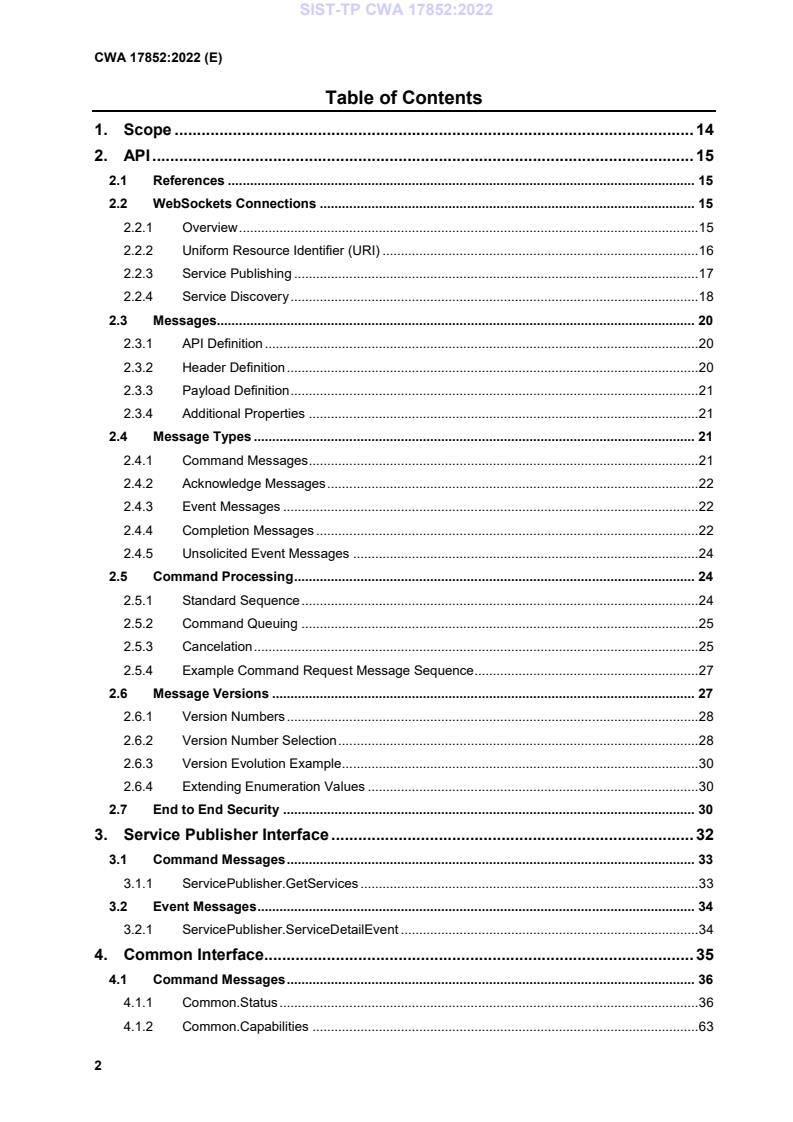
Table of Contents
1. Scope . 14
2. API . 15
2.1 References . 15
2.2 WebSockets Connections . 15
2.2.1 Overview . 15
2.2.2 Uniform Resource Identifier (URI) . 16
2.2.3 Service Publishing . 17
2.2.4 Service Discovery . 18
2.3 Messages . 20
2.3.1 API Definition . 20
2.3.2 Header Definition . 20
2.3.3 Payload Definition . 21
2.3.4 Additional Properties . 21
2.4 Message Types . 21
2.4.1 Command Messages . 21
2.4.2 Acknowledge Messages . 22
2.4.3 Event Messages . 22
2.4.4 Completion Messages . 22
2.4.5 Unsolicited Event Messages . 24
2.5 Command Processing . 24
2.5.1 Standard Sequence . 24
2.5.2 Command Queuing . 25
2.5.3 Cancelation . 25
2.5.4 Example Command Request Message Sequence. 27
2.6 Message Versions . 27
2.6.1 Version Numbers . 28
2.6.2 Version Number Selection . 28
2.6.3 Version Evolution Example . 30
2.6.4 Extending Enumeration Values . 30
2.7 End to End Security . 30
3. Service Publisher Interface . 32
3.1 Command Messages . 33
3.1.1 ServicePublisher.GetServices . 33
3.2 Event Messages . 34
3.2.1 ServicePublisher.ServiceDetailEvent . 34
4. Common Interface. 35
4.1 Command Messages . 36
4.1.1 Common.Status . 36
4.1.2 Common.Capabilities . 63
4.1.3 Common.SetVersions . 135
4.1.4 Common.Cancel . 137
4.1.5 Common.PowerSaveControl . 139
4.1.6 Common.SetTransactionState . 140
4.1.7 Common.GetTransactionState . 141
4.1.8 Common.GetCommandNonce . 142
4.1.9 Common.ClearCommandNonce . 143
4.2 Unsolicited Messages . 144
4.2.1 Common.StatusChangedEvent . 144
4.2.2 Common.ErrorEvent . 146
4.2.3 Common.NonceClearedEvent . 147
5. Card Reader Interface . 148
5.1 General Information . 149
5.1.1 References . 149
5.1.2 Intelligent Contactless Card Reader . 149
5.1.3 Intelligent Contactless Card Reader Sequence Diagrams . 150
5.2 Command Messages . 154
5.2.1 CardReader.QueryIFMIdentifier . 154
5.2.2 CardReader.EMVClessQueryApplications . 156
5.2.3 CardReader.ReadRawData . 158
5.2.4 CardReader.WriteRawData . 164
5.2.5 CardReader.Move . 166
5.2.6 CardReader.SetKey . 168
5.2.7 CardReader.ChipIO . 169
5.2.8 CardReader.Reset . 172
5.2.9 CardReader.ChipPower . 174
5.2.10 CardReader.EMVClessConfigure . 176
5.2.11 CardReader.EMVClessPerformTransaction . 179
5.2.12 CardReader.EMVClessIssuerUpdate . 185
5.3 Event Messages . 190
5.3.1 CardReader.InsertCardEvent . 190
5.3.2 CardReader.MediaInsertedEvent . 191
5.3.3 CardReader.InvalidMediaEvent. 192
5.3.4 CardReader.TrackDetectedEvent . 193
5.3.5 CardReader.MediaDetectedEvent . 194
5.3.6 CardReader.EMVClessReadStatusEvent . 195
5.4 Unsolicited Messages . 197
5.4.1 CardReader.MediaRemovedEvent . 197
5.4.2 CardReader.CardActionEvent . 198
6. Cash Management Interface . 199
6.1 General Information . 199
6.1.1 References . 199
6.1.2 Note Classification . 199
6.2 Command Messages . 201
6.2.1 CashManagement.GetBankNoteTypes . 201
6.2.2 CashManagement.GetTellerInfo . 203
6.2.3 CashManagement.SetTellerInfo . 206
6.2.4 CashManagement.GetItemInfo . 209
6.2.5 CashManagement.GetClassificationList . 213
6.2.6 CashManagement.SetClassificationList . 215
6.2.7 CashManagement.CloseShutter . 217
6.2.8 CashManagement.OpenShutter . 219
6.2.9 CashManagement.Retract . 221
6.2.10 CashManagement.Reset . 225
6.2.11 CashManagement.OpenSafeDoor . 228
6.2.12 CashManagement.CalibrateCashUnit . 229
6.3 Event Messages . 233
6.3.1 CashManagement.TellerInfoChangedEvent . 233
6.3.2 CashManagement.NoteErrorEvent . 234
6.3.3 CashManagement.InfoAvailableEvent . 235
6.3.4 CashManagement.IncompleteRetractEvent . 236
6.3.5 CashManagement.MediaDetectedEvent . 239
6.4 Unsolicited Messages . 241
6.4.1 CashManagement.SafeDoorOpenEvent . 241
6.4.2 CashManagement.SafeDoorClosedEvent . 242
6.4.3 CashManagement.ItemsTakenEvent . 243
6.4.4 CashManagement.ItemsInsertedEvent . 244
6.4.5 CashManagement.ItemsPresentedEvent . 245
6.4.6 CashManagement.ShutterStatusChangedEvent . 246
7. Cash Dispenser Interface . 247
7.1 General Information . 247
7.1.1 References . 247
7.2 Command Messages . 248
7.2.1 CashDispenser.GetMixTypes . 248
7.2.2 CashDispenser.GetMixTable . 250
7.2.3 CashDispenser.GetPresentStatus . 252
7.2.4 CashDispenser.Denominate . 255
7.2.5 CashDispenser.Dispense . 259
7.2.6 CashDispenser.Present . 268
7.2.7 CashDispenser.Reject . 271
7.2.8 CashDispenser.SetMixTable . 272
7.2.9 CashDispenser.TestCashUnits . 274
7.2.10 CashDispenser.Count . 277
7.2.11 CashDispenser.PrepareDispense . 280
7.3 Event Messages . 282
7.3.1 CashDispenser.DelayedDispenseEvent . 282
7.3.2 CashDispenser.StartDispenseEvent . 283
7.3.3 CashDispenser.IncompleteDispenseEvent . 284
8. Cash Acceptor Interface . 286
8.1 Command Messages . 287
8.1.1 CashAcceptor.GetCashInStatus. 287
8.1.2 CashAcceptor.GetPositionCapabilities . 289
8.1.3 CashAcceptor.GetReplenishTarget . 292
8.1.4 CashAcceptor.GetDeviceLockStatus . 293
8.1.5 CashAcceptor.GetDepleteSource . 295
8.1.6 CashAcceptor.GetPresentStatus . 296
8.1.7 CashAcceptor.CashInStart . 299
8.1.8 CashAcceptor.CashIn . 302
8.1.9 CashAcceptor.CashInEnd . 305
8.1.10 CashAcceptor.CashInRollback . 308
8.1.11 CashAcceptor.ConfigureNoteTypes . 312
8.1.12 CashAcceptor.CreateSignature . 314
8.1.13 CashAcceptor.ConfigureNoteReader . 317
8.1.14 CashAcceptor.CompareSignature . 318
8.1.15 CashAcceptor.Replenish . 321
8.1.16 CashAcceptor.CashUnitCount . 324
8.1.17 CashAcceptor.DeviceLockControl . 326
8.1.18 CashAcceptor.PresentMedia . 329
8.1.19 CashAcceptor.Deplete . 331
8.1.20 CashAcceptor.PreparePresent . 334
8.2 Event Messages . 336
8.2.1 CashAcceptor.InputRefuseEvent . 336
8.2.2 CashAcceptor.SubCashInEvent . 337
8.2.3 CashAcceptor.InsertItemsEvent . 338
8.2.4 CashAcceptor.IncompleteReplenishEvent . 339
8.2.5 CashAcceptor.IncompleteDepleteEvent . 341
9. Key Management Interface . 343
9.1 General Information . 343
9.1.1 References . 343
9.1.2 RKL Terminology . 344
9.1.3 Remote Key Loading Using Signatures . 345
9.1.4 Remote Key Loading Using Certificates . 352
9.1.5 Remote Key Loading Using TR34 . 355
9.1.6 EMV Support . 358
9.1.7 KeyManagement.ImportKey command Input-Output Parameters . 360
9.1.8 DUKPT . 363
9.1.9 Restricted Encryption Key Command Usage . 364
9.1.10 Secure Key Entry Command Usage. 365
9.2 Command Messages . 367
9.2.1 KeyManagement.GetKeyDetail . 367
9.2.2 KeyManagement.Initialization . 374
9.2.3 KeyManagement.DeriveKey . 377
9.2.4 KeyManagement.Reset . 379
9.2.5 KeyManagement.ImportKey . 380
9.2.6 KeyManagement.DeleteKey . 388
9.2.7 KeyManagement.ExportRSAIssuerSignedItem . 390
9.2.8 KeyManagement.GenerateRSAKeyPair . 392
9.2.9 KeyManagement.ExportRSADeviceSignedItem . 394
9.2.10 KeyManagement.GetCertificate . 396
9.2.11 KeyManagement.ReplaceCertificate . 398
9.2.12 KeyManagement.StartKeyExchange . 400
9.2.13 KeyManagement.GenerateKCV . 402
9.2.14 KeyManagement.LoadCertificate . 404
9.2.15 KeyManagement.StartAuthenticate . 406
9.3 Event Messages . 408
9.3.1 KeyManagement.DUKPTKSNEvent. 408
9.4 Unsolicited Messages . 409
9.4.1 KeyManagement.InitializedEvent . 409
9.4.2 KeyManagement.IllegalKeyAccessEvent . 410
9.4.3 KeyManagement.CertificateChangeEvent . 411
10. Crypto Interface . 412
10.1 General Information . 412
10.1.1 References . 412
10.2 Command Messages . 413
10.2.1 Crypto.GenerateRandom . 413
10.2.2 Crypto.CryptoData . 414
10.2.3 Crypto.GenerateAuthentication . 417
10.2.4 Crypto.VerifyAuthentication . 420
10.2.5 Crypto.Digest . 423
11. Keyboard Interface. 425
11.1 General Information . 425
11.1.1 Encrypting Touch Screen (ETS) . 425
11.1.2 Layout . 427
11.2 Command Messages . 429
11.2.1 Keyboard.GetLayout . 429
11.2.2 Keyboard.PinEntry . 434
11.2.3 Keyboard.DataEntry . 438
11.2.4 Keyboard.Reset . 442
11.2.5 Keyboard.SecureKeyEntry . 443
11.2.6 Keyboard.KeypressBeep . 447
11.2.7 Keyboard.DefineLayout . 448
11.3 Event Messages . 453
11.3.1 Keyboard.KeyEvent . 453
11.3.2 Keyboard.EnterDataEvent . 455
11.3.3 Keyboard.LayoutEvent . 456
12. PinPad Interface . 460
12.1 General Information . 460
12.1.1 References . 460
12.2 Command Messages . 461
12.2.1 PinPad.GetQueryPCIPTSDeviceId . 461
12.2.2 PinPad.LocalDES . 463
12.2.3 PinPad.LocalVisa. 466
12.2.4 PinPad.PresentIDC . 468
12.2.5 PinPad.Reset . 470
12.2.6 PinPad.MaintainPin . 471
12.2.7 PinPad.SetPinBlockData . 472
12.2.8 PinPad.GetPinBlock . 474
13. Printer Interface . 477
13.1 General Information . 477
13.1.1 References . 477
13.1.2 Banking Printer Types . 477
13.1.3 Forms Model . 478
13.1.4 Command Overview . 478
13.1.5 Form, Sub-Form, Field, Frame, Table and Media Definitions . 479
13.1.6 Command and Event Flows during Single and Multi-Page / Wad Printing . 498
13.2 Command Messages . 502
13.2.1 Printer.GetFormList . 502
13.2.2 Printer.GetMediaList . 503
13.2.3 Printer.GetQueryForm . 504
13.2.4 Printer.GetQueryMedia . 507
13.2.5 Printer.GetQueryField . 511
13.2.6 Printer.GetCodelineMapping . 514
13.2.7 Printer.ControlMedia . 516
13.2.8 Printer.PrintForm . 519
13.2.9 Printer.PrintRaw. 524
13.2.10 Printer.PrintNative. 526
13.2.11 Printer.ReadForm . 530
13.2.12 Printer.ReadImage. 534
13.2.13 Printer.MediaExtents . 537
13.2.14 Printer.ResetCount . 539
13.2.15 Printer.Reset . 540
13.2.16 Printer.RetractMedia . 542
13.2.17 Printer.DispensePaper . 544
13.2.18 Printer.LoadDefinition . 546
13.2.19 Printer.SupplyReplenish . 548
13.2.20 Printer.ControlPassbook . 550
13.2.21 Printer.SetBlackMarkMode . 552
13.3 Event Messages . 553
13.3.1 Printer.MediaPresentedEvent . 553
13.3.2 Printer.NoMediaEvent . 554
13.3.3 Printer.MediaInsertedEvent . 555
13.3.4 Printer.FieldErrorEvent . 556
13.3.5 Printer.FieldWarningEvent . 557
13.3.6 Printer.MediaRejectedEvent . 558
13.4 Unsolicited Messages . 559
13.4.1 Printer.MediaTakenEvent . 559
13.4.2 Printer.MediaInsertedUnsolicitedEvent . 560
13.4.3 Printer.MediaPresentedUnsolicitedEvent . 561
13.4.4 Printer.MediaDetectedEvent . 562
13.4.5 Printer.RetractBinStatusEvent . 563
13.4.6 Printer.DefinitionLoadedEvent . 564
13.4.7 Printer.MediaAutoRetractedEvent . 565
13.4.8 Printer.RetractBinThresholdEvent . 566
13.4.9 Printer.PaperThresholdEvent . 567
13.4.10 Printer.TonerThresholdEvent . 568
13.4.11 Printer.LampThresholdEvent . 569
13.4.12 Printer.InkThresholdEvent . 570
14. Text Terminal Interface . 571
14.1 General Information . 571
14.1.1 References . 571
14.1.2 Form and Field Definitions . 571
14.2 Command Messages . 574
14.2.1 TextTerminal.GetFormList . 574
14.2.2 TextTerminal.GetQueryForm . 575
14.2.3 TextTerminal.GetQueryField . 577
14.2.4 TextTerminal.GetKeyDetail . 579
14.2.5 TextTerminal.Beep . 580
14.2.6 TextTerminal.ClearScreen . 581
14.2.7 TextTerminal.SetResolution . 583
14.2.8 TextTerminal.WriteForm . 585
14.2.9 TextTerminal.ReadForm . 587
14.2.10 TextTerminal.Write . 589
14.2.11 TextTerminal.Read . 591
14.2.12 TextTerminal.Reset . 595
14.2.13 TextTerminal.DefineKeys . 596
14.2.14 TextTerminal.LoadForm . 598
14.3 Event Messages . 600
14.3.1 TextTerminal.FieldErrorEvent . 600
14.3.2 TextTerminal.FieldWarningEvent . 601
14.3.3 TextTerminal.KeyEvent . 602
14.3.4 TextTerminal.FormLoadedEvent . 603
15. Barcode Reader Interface . 604
15.1 Command Messages . 605
15.1.1 BarcodeReader.Read . 605
15.1.2 BarcodeReader.Reset . 613
16. Biometric Interface. 614
16.1 General Information . 614
16.1.1 References . 614
16.1.2 Enrollment . 614
16.1.3 Biometric Matching . 614
16.1.4 Biometric Device Types . 615
16.1.5 Biometric Data Security . 615
16.1.6 Biometric Device Command Flows . 616
16.2 Command Messages . 621
16.2.1 Biometric.GetStorageInfo . 621
16.2.2 Biometric.Read . 623
16.2.3 Biometric.Import.
...
Questions, Comments and Discussion
Ask us and Technical Secretary will try to provide an answer. You can facilitate discussion about the standard in here.
Loading comments...