

ISO/IEC 30118-7:2021
(Main)Information Technology – Open Connectivity Foundation (OCF) Specification — Part 7: Wi-Fi easy setup specification
General Information
- Abstract
This document defines functional extensions to the capabilities defined in ISO/IEC 30118-1 to meet the requirements of Wi-Fi Easy Setup. It specifies new Resource Types to enable the functionality and any extensions to the existing capabilities defined in ISO/IEC 30118-1.
- Status
- Published
- Publication Date
- 17-Oct-2021
- Technical Committee
- ISO/IEC JTC 1 - Information technology
- Drafting Committee
- ISO/IEC JTC 1 - Information technology
- Current Stage
- 6060 - International Standard published
- Start Date
- 18-Oct-2021
- Due Date
- 16-May-2022
- Completion Date
- 18-Oct-2021

Overview
ISO/IEC 30118-7:2021 - "Information Technology - Open Connectivity Foundation (OCF) Specification - Part 7: Wi‑Fi easy setup specification" defines functional extensions to the OCF Core (ISO/IEC 30118-1) to support Wi‑Fi Easy Setup for IoT devices. The standard specifies new OCF Resource Types and any required extensions to the core model so Enrollees (devices that need configuration) can be discovered, provisioned, and connected to target networks via a Mediator (e.g., a mobile phone) and an Enroller (e.g., a Wi‑Fi AP).
Key topics and technical requirements
- Resource model extensions: Introduces EasySetup Resource and Resource Types such as WiFiConf and DevConf to represent Wi‑Fi configuration and device configuration data.
- RESTful interactions: Uses OCF REST principles (CRUDN - CREATE, RETRIEVE, UPDATE, DELETE, NOTIFY) and includes OpenAPI 2.0 definitions (normative annex) for machine-readable API contracts.
- Network & connectivity behavior: Defines onboarding, provisioning and configuration flows, including example easy setup flows and Soft AP usage scenarios.
- SSID tags & Information Elements (IE): Specifies Easy Setup SSID tags and an OCF Device information element to aid discovery and automated connection during setup.
- Security considerations: Aligns with OCF security architecture (see ISO/IEC 30118-2) and includes error handling, authentication and secure transfer of configuration data.
- Interoperability focus: Constrains behavior and property definitions to ensure consistent implementation across vendors.
Practical applications and users
- Who uses it: IoT device manufacturers, firmware and stack implementers, smart‑home appliance makers, system integrators, onboarding tool developers, and certification/test labs.
- Use cases:
- Simplified Wi‑Fi onboarding for smart locks, cameras, thermostats, appliances and sensors.
- Secure local provisioning in consumer and commercial IoT deployments.
- Integration of device provisioning into mobile apps or cloud‑assisted onboarding tools.
- Benefits: Reduces fragmentation across ecosystems, accelerates time‑to‑market, and improves user experience through standardized discovery and setup flows.
Related standards
- ISO/IEC 30118‑1 (OCF Core Specification) - baseline models and behaviors
- ISO/IEC 30118‑2 (Security Specification) - security framework for OCF
- ISO/IEC 30118‑5 (Smart Home Device Specification) - device models
- IEEE 802.11 - Wi‑Fi PHY/MAC standards referenced for wireless behavior
- IETF RFC 5646 (language tags) and OpenAPI 2.0 (API definitions)
This part of the ISO/IEC 30118 series is essential for stakeholders implementing standardized, secure Wi‑Fi onboarding and provisioning in OCF‑compatible IoT ecosystems.
Relations
- Effective Date
- 21-Jun-2025
Get Certified
Connect with accredited certification bodies for this standard

BSI Group
BSI (British Standards Institution) is the business standards company that helps organizations make excellence a habit.

NYCE
Mexican standards and certification body.
Sponsored listings
Frequently Asked Questions
ISO/IEC 30118-7:2021 is a standard published by the International Organization for Standardization (ISO). Its full title is "Information Technology – Open Connectivity Foundation (OCF) Specification — Part 7: Wi-Fi easy setup specification". This standard covers: This document defines functional extensions to the capabilities defined in ISO/IEC 30118-1 to meet the requirements of Wi-Fi Easy Setup. It specifies new Resource Types to enable the functionality and any extensions to the existing capabilities defined in ISO/IEC 30118-1.
This document defines functional extensions to the capabilities defined in ISO/IEC 30118-1 to meet the requirements of Wi-Fi Easy Setup. It specifies new Resource Types to enable the functionality and any extensions to the existing capabilities defined in ISO/IEC 30118-1.
ISO/IEC 30118-7:2021 is classified under the following ICS (International Classification for Standards) categories: 35.200 - Interface and interconnection equipment. The ICS classification helps identify the subject area and facilitates finding related standards.
ISO/IEC 30118-7:2021 has the following relationships with other standards: It is inter standard links to ISO 14819-2:2021/Amd 1:2026. Understanding these relationships helps ensure you are using the most current and applicable version of the standard.
ISO/IEC 30118-7:2021 is available in PDF format for immediate download after purchase. The document can be added to your cart and obtained through the secure checkout process. Digital delivery ensures instant access to the complete standard document.
Standards Content (Sample)
INTERNATIONAL ISO/IEC
STANDARD 30118-7
First edition
2021-10
Information Technology — Open
Connectivity Foundation (OCF)
Specification —
Part 7:
Wi-Fi easy setup specification
Technologies de l'information — Specification de la Fondation pour la
connectivité ouverte (Fondation OCF) —
Partie 7: Spécification de configuration facile du Wi-Fi
Reference number
© ISO/IEC 2021
© ISO/IEC 2021
All rights reserved. Unless otherwise specified, or required in the context of its implementation, no part of this publication may
be reproduced or utilized otherwise in any form or by any means, electronic or mechanical, including photocopying, or posting on
the internet or an intranet, without prior written permission. Permission can be requested from either ISO at the address below
or ISO’s member body in the country of the requester.
ISO copyright office
CP 401 • Ch. de Blandonnet 8
CH-1214 Vernier, Geneva
Phone: +41 22 749 01 11
Email: copyright@iso.org
Website: www.iso.org
Published in Switzerland
ii
© ISO/IEC 2021 – All rights reserved
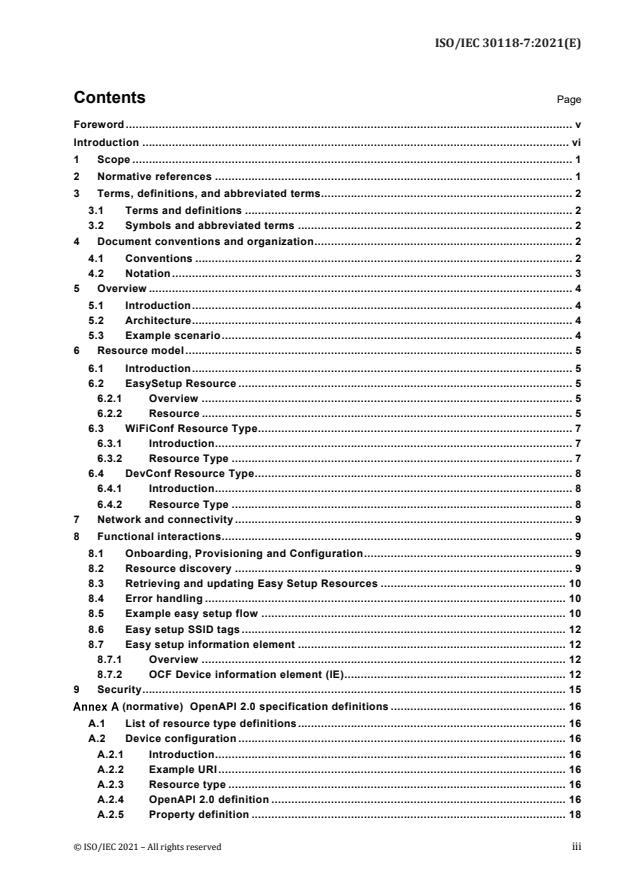
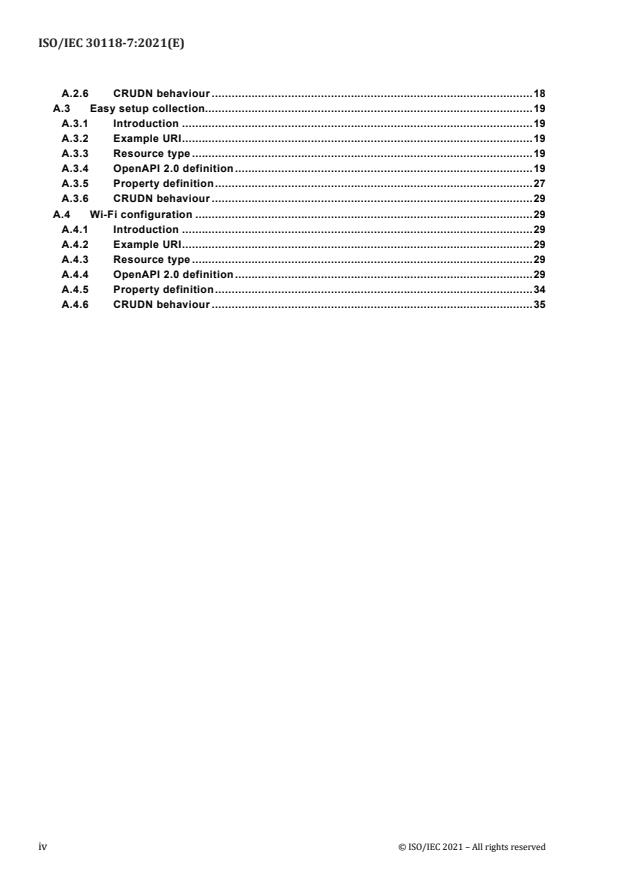
Contents Page
Foreword . v
Introduction . vi
1 Scope . 1
2 Normative references . 1
3 Terms, definitions, and abbreviated terms . 2
3.1 Terms and definitions . 2
3.2 Symbols and abbreviated terms . 2
4 Document conventions and organization . 2
4.1 Conventions . 2
4.2 Notation . 3
5 Overview . 4
5.1 Introduction . 4
5.2 Architecture . 4
5.3 Example scenario . 4
6 Resource model . 5
6.1 Introduction . 5
6.2 EasySetup Resource . 5
6.2.1 Overview . 5
6.2.2 Resource . 5
6.3 WiFiConf Resource Type . 7
6.3.1 Introduction . 7
6.3.2 Resource Type . 7
6.4 DevConf Resource Type . 8
6.4.1 Introduction . 8
6.4.2 Resource Type . 8
7 Network and connectivity . 9
8 Functional interactions . 9
8.1 Onboarding, Provisioning and Configuration . 9
8.2 Resource discovery . 9
8.3 Retrieving and updating Easy Setup Resources . 10
8.4 Error handling . 10
8.5 Example easy setup flow . 10
8.6 Easy setup SSID tags . 12
8.7 Easy setup information element . 12
8.7.1 Overview . 12
8.7.2 OCF Device information element (IE) . 12
9 Security . 15
(normative) OpenAPI 2.0 specification definitions . 16
A.1 List of resource type definitions . 16
A.2 Device configuration . 16
A.2.1 Introduction . 16
A.2.2 Example URI . 16
A.2.3 Resource type . 16
A.2.4 OpenAPI 2.0 definition . 16
A.2.5 Property definition . 18
© ISO/IEC 2021 – All rights reserved iii
A.2.6 CRUDN behaviour . 18
A.3 Easy setup collection. 19
A.3.1 Introduction . 19
A.3.2 Example URI . 19
A.3.3 Resource type . 19
A.3.4 OpenAPI 2.0 definition . 19
A.3.5 Property definition . 27
A.3.6 CRUDN behaviour . 29
A.4 Wi-Fi configuration . 29
A.4.1 Introduction . 29
A.4.2 Example URI . 29
A.4.3 Resource type . 29
A.4.4 OpenAPI 2.0 definition . 29
A.4.5 Property definition . 34
A.4.6 CRUDN behaviour . 35
iv © ISO/IEC 2021 – All rights reserved
Foreword
ISO (the International Organization for Standardization) and IEC (the International Electrotechnical
Commission) form the specialized system for worldwide standardization. National bodies that are members of
ISO or IEC participate in the development of International Standards through technical committees established
by the respective organization to deal with particular fields of technical activity. ISO and IEC technical
committees collaborate in fields of mutual interest. Other international organizations, governmental and non-
governmental, in liaison with ISO and IEC, also take part in the work.
The procedures used to develop this document and those intended for its further maintenance are described in
the ISO/IEC Directives, Part 1. In particular, the different approval criteria needed for the different types of
document should be noted (see www.iso.org/directives or www.iec.ch/members_experts/refdocs).
Attention is drawn to the possibility that some of the elements of this document may be the subject of patent
rights. ISO and IEC shall not be held responsible for identifying any or all such patent rights. Details of any
patent rights identified during the development of the document will be in the Introduction and/or on the ISO list
of patent declarations received (see www.iso.org/patents) or the IEC list of patent declarations received
(see patents.iec.ch).
Any trade name used in this document is information given for the convenience of users and does not constitute
an endorsement.
For an explanation of the voluntary nature of standards, the meaning of ISO specific terms and expressions
related to conformity assessment, as well as information about ISO's adherence to the World Trade
Organization (WTO) principles in the Technical Barriers to Trade (TBT), see www.iso.org/iso/foreword.html. In
the IEC, see www.iec.ch/understanding-standards.
This document was prepared by the Open Connectivity Foundation (OCF) (as OCF Wi-Fi Easy Setup
Specification, version 2.2.0) and drafted in accordance with its editorial rules. It was adopted, under the JTC 1
PAS procedure, by Joint Technical Committee ISO/IEC JTC 1, Information technology.
A list of all parts in the ISO/IEC 30118 series can be found on the ISO and IEC websites.
Any feedback or questions on this document should be directed to the user’s national standards body. A
complete listing of these bodies can be found at www.iso.org/members.html and www.iec.ch/national-
committees.
© ISO/IEC 2021 – All rights reserved v
Introduction
This document, and all the other parts associated with this document, were developed in response to
worldwide demand for smart home focused Internet of Things (IoT) devices, such as appliances, door
locks, security cameras, sensors, and actuators; these to be modelled and securely controlled, locally
and remotely, over an IP network.
While some inter-device communication existed, no universal language had been developed for the
IoT. Device makers instead had to choose between disparate frameworks, limiting their market share,
or developing across multiple ecosystems, increasing their costs. The burden then falls on end users
to determine whether the products they want are compatible with the ecosystem they bought into, or
find ways to integrate their devices into their network, and try to solve interoperability issues on their
own.
In addition to the smart home, IoT deployments in commercial environments are hampered by a lack
of security. This issue can be avoided by having a secure IoT communication framework, which this
standard solves.
The goal of these documents is then to connect the next 25 billion devices for the IoT, providing secure
and reliable device discovery and connectivity across multiple OSs and platforms. There are multiple
proposals and forums driving different approaches, but no single solution addresses the majority of
key requirements. This document and the associated parts enable industry consolidation around a
common, secure, interoperable approach.
ISO/IEC 30118 consists of eighteen parts, under the general title Information technology — Open
Connectivity Foundation (OCF) Specification. The parts fall into logical groupings as described herein:
– Core framework
– Part 1: Core Specification
– Part 2: Security Specification
– Part 13: Onboarding Tool Specification
– Bridging framework and bridges
– Part 3: Bridging Specification
– Part 6: Resource to Alljoyn Interface Mapping Specification
– Part 8: OCF Resource to oneM2M Resource Mapping Specification
– Part 14: OCF Resource to BLE Mapping Specification
– Part 15: OCF Resource to EnOcean Mapping Specification
– Part 16: OCF Resource to UPlus Mapping Specification
– Part 17: OCF Resource to Zigbee Cluster Mapping Specification
– Part 18: OCF Resource to Z-Wave Mapping Specification
vi © ISO/IEC 2021 – All rights reserved
– Resource and Device models
– Part 4: Resource Type Specification
– Part 5: Device Specification
– Core framework extensions
– Part 7: Wi-Fi Easy Setup Specification
– Part 9: Core Optional Specification
– OCF Cloud
– Part 10: Cloud API for Cloud Services Specification
– Part 11: Device to Cloud Services Specification
– Part 12: Cloud Security Specification
© ISO/IEC 2021 – All rights reserved vii
INTERNATIONAL STANDARD ISO/IEC 30118-7:2021(E)
Information Technology — Open Connectivity
Foundation (OCF) Specification —
Part 7:
Wi-Fi easy setup specification
1 Scope
This document defines functional extensions to the capabilities defined in ISO/IEC 30118-1 to meet
the requirements of Wi-Fi Easy Setup. It specifies new Resource Types to enable the functionality and
any extensions to the existing capabilities defined in ISO/IEC 30118-1.
2 Normative references
The following documents are referred to in the text in such a way that some or all of their content
constitutes requirements of this document. For dated references, only the edition cited applies. For
undated references, the latest edition of the referenced document (including any amendments) applies.
ISO/IEC 30118-1 Information technology -- Open Connectivity Foundation (OCF) Specification -- Part 1:
Core specification
https://www.iso.org/standard/53238.html
ISO/IEC 30118-2 Information technology -- Open Connectivity Foundation (OCF) Specification -- Part 2:
Security specification
https://www.iso.org/standard/74239.html
ISO/IEC 30118-5 Information technology -- Open Connectivity Foundation (OCF) Specification -- Part 5:
Smart home device specification
https://www.iso.org/standard/74242.html
IEEE 802.11, IEEE Standard for Information technology—Telecommunications and information
exchange between systems Local and metropolitan area networks—Specific requirements - Part 11:
Wireless LAN Medium Access Control (MAC) and Physical Layer (PHY) Specifications, December 2016
https://standards.ieee.org/findstds/standard/802.11-2016.html
IETF RFC 5646, Tags for Identifying Languages, September 2009
https://www.rfc-editor.org/info/rfc5646
OpenAPI specification, aka Swagger RESTful API Documentation Specification, Version 2.0
https://github.com/OAI/OpenAPI-Specification/blob/master/versions/2.0.md
© ISO/IEC 2021 – All rights reserved 1
3 Terms, definitions, and abbreviated terms
3.1 Terms and definitions
For the purposes of this document, the terms and definitions given in ISO/IEC 30118-1 and the
following apply.
ISO and IEC maintain terminological databases for use in standardization at the following addresses:
– ISO Online browsing platform: available at https://www.iso.org/obp
– IEC Electropedia: available at http://www.electropedia.org/
3.1.1
Easy Setup
process of configuring an Enrollee (3.1.3) using a Mediator (3.1.5) by transferring of essential
information to the Enrollee (3.1.3)
3.1.2
Easy Setup Enrollment
step during Easy Setup in which the Enrollee (3.1.3) is contacted by the Mediator (3.1.5) to configure
the Enroller's (3.1.4) information by means of accessing Easy Setup (3.1.1) Resources
3.1.3
Enrollee
device that needs to be configured and connected. E.g. Air-conditioner, Printer
3.1.4
Enroller
target network entity to which the Enrollee (3.1.3) connects. E.g. Wi-Fi AP
3.1.5
Mediator
logical function that enables the Enrollee (3.1.3) to connect to the target network (i.e. Enroller (3.1.4))
Note 1 to Entry: The Mediator transfers configuration information to the Enrollee. E.g. Mobile Phone
3.2 Symbols and abbreviated terms
CID Company Identifier (ID)
IE Information Element
Soft AP Software Enabled Access Point
TLV type-length-value
4 Document conventions and organization
4.1 Conventions
In this document a number of terms, conditions, mechanisms, sequences, parameters, events, states,
or similar terms are printed with the first letter of each word in uppercase and the rest lowercase (e.g.,
Network Architecture). Any lowercase uses of these words have the normal technical English meaning.
2 © ISO/IEC 2021 – All rights reserved
In this document, to be consistent with the IETF usages for RESTful operations, the RESTful operation
words CRUDN, CREATE, RETRIVE, UPDATE, DELETE, and NOTIFY will have all letters capitalized.
Any lowercase uses of these words have the normal technical English meaning.
4.2 Notation
In this document, features are described as required, recommended, allowed or DEPRECATED as
follows:
Required (or shall or mandatory)(M).
– These basic features shall be implemented to comply with Core Architecture. The phrases "shall
not", and "PROHIBITED" indicate behaviour that is prohibited, i.e. that if performed means the
implementation is not in compliance.
Recommended (or should)(S).
– These features add functionality supported by Core Architecture and should be implemented.
Recommended features take advantage of the capabilities Core Architecture, usually without
imposing major increase of complexity. Notice that for compliance testing, if a recommended
feature is implemented, it shall meet the specified requirements to be in compliance with these
guidelines. Some recommended features could become requirements in the future. The phrase
"should not" indicates behaviour that is permitted but not recommended.
Allowed (may or allowed)(O).
– These features are neither required nor recommended by Core Architecture, but if the feature is
implemented, it shall meet the specified requirements to be in compliance with these guidelines.
DEPRECATED.
– Although these features are still described in this document, they should not be implemented except
for backward compatibility. The occurrence of a deprecated feature during operation of an
implementation compliant with the current document has no effect on the implementation’s
operation and does not produce any error conditions. Backward compatibility may require that a
feature is implemented and functions as specified but it shall never be used by implementations
compliant with this document.
Conditionally allowed (CA)
– The definition or behaviour depends on a condition. If the specified condition is met, then the
definition or behaviour is allowed, otherwise it is not allowed.
Conditionally required (CR)
– The definition or behaviour depends on a condition. If the specified condition is met, then the
definition or behaviour is required. Otherwise the definition or behaviour is allowed as default
unless specifically defined as not allowed.
Strings that are to be taken literally are enclosed in "double quotes".
Words that are emphasized are printed in italic.
© ISO/IEC 2021 – All rights reserved 3
5 Overview
5.1 Introduction
This document describes a way to setup and configure a new Device, using an already configured
Device or onboarding tool.
The described setup and configure mechanism is optional and other mechanisms are allowed to be
used.
Specifically, this method allows the transferring of essential information to the new Device, which
includes:
– Local network connection information, e.g. in case of Wi-Fi it will be Wi-Fi access point information.
– Device Configuration: Additional Device configuration information.
Easy Setup can be enhanced in future by incorporating other suitable technologies.
Annex A specifies the Resource Type definitions using the schema defined in the OpenAPI
specification as the API definition language that shall be followed by a Device realizing the Resources
specified in this document.
5.2 Architecture
Figure 1 shows the deployment architectural approach.
Figure 1 – Easy Setup deployment architecture
Easy Setup defines the following roles: Enrollee, Enroller, and Mediator. Please refer to clause 3 for
the definitions thereof.
5.3 Example scenario
The following scenario presents a typical setup case.
The configuration information and steps taken may vary depending on the Device’s type and status.
1) The Enrollee enters Easy Setup mode (when the Device is unboxed for the first time, it may be in
this mode by default).
4 © ISO/IEC 2021 – All rights reserved
2) The Mediator discovers and connects to the Enrollee.
3) The Mediator performs Security Provisioning of the Enrollee.
4) The Mediator transmits Wi-Fi Setting Information to the Enrollee.
5) Using the information received from the Mediator, the Enrollee connects to the Enroller (Wi-Fi AP).
6 Resource model
6.1 Introduction
Devices capable of Easy Setup shall support the following Resource Types.
1) EasySetup Resource Type
2) WiFiConf Resource Type
3) DevConf Resource Type
Instances of these Resources Type (Resources) shall be excluded in the IDD for the Introspection
Resource (see clause 11.4 in ISO/IEC 30118-1).
The EasySetup Resource Type is a Collection Resource and shall contain Links to instances of at least
WiFiConf and DevConf. A vendor may add links to other Resource Types. The relationship between
the EasySetup Resource Type and linked Resources is shown in Figure 2.
NOTE The EasySetup Resource Type supports the batch Interface ("oic.if.b") which allows for efficient data
delivery with a single request rather than multiple requests to each linked Resource.
Figure 2 – Easy Setup Resource Types
6.2 EasySetup Resource
6.2.1 Overview
The EasySetup Resource stores useful information including current status of Enrollee and last error
code which was produced in the process of Easy Setup.
6.2.2 Resource
The Easy Setup Resource Type is as defined in Table 1.
© ISO/IEC 2021 – All rights reserved 5
Table 1 – EasySetup Resource Type
Example URI Resource Resource Type ID Interfaces Description Related
Type Title ("rt" value) Functional
Interaction
/example/Easy EasySetup oic.r.easysetup, oic.if.baseline, Top level Resource for N/A
SetupResURI oic.wk.col oic.if.ll, oic.if.b Easy Setup. Indicates
easy setup status.
The Resource
properties exposed are
listed in Table 2.
Table 2 defines the details for the "oic.r.easysetup" Resource Type. Complete details are provided in
annex A.3.
Table 2 – "oic.r.easysetup" Resource Type definition
Property Property Value Value Unit Access Mandatory Description
title name type rule mode
Easy Setup ps integer enum N/A R Yes Easy setup provisioning
Provisioning status of the Device
Status
0: Need to Setup,
1: Connecting to Enroller,
2: Connected to Enroller,
3: Failed to Connect to
Enroller,
4~254: Reserved,
255: EOF
Last Error lec integer enum N/A R Yes Indicates a failure reason if
Code it fails to connect to Enroller
0: No error,
1: Given SSID is not found,
2: Wi-Fi password is wrong,
3: IP address is not
allocated,
4: NO internet connection,
5: Timeout,
6: Wi-Fi Auth Type is not
supported by the Enrollee,
7: Wi-Fi Encryption Type is
not supported by the
Enrollee,
8: Wi-Fi Auth Type is wrong
(failure while connecting to
the Enroller),
9: Wi-Fi Encryption Type is
wrong (failure while
connecting to the Enroller),
10~254: Reserved,
255: Unknown error.
6 © ISO/IEC 2021 – All rights reserved
Property Property Value Value Unit Access Mandatory Description
title name type rule mode
Connect cn array of N/A N/A RW Yes Array of connection types to
integer trigger Enrollee to initiate
connection:
1: Wi-Fi,
2: Other transport to be
added in a future (e.g.
BLE))
Links links array N/A N/A R Yes Array of links that are
WiFiConf and DevConf
Resource.
Enrollee shall set the following as default values (for example, when Device is unboxed first time):
– "ps" equal to 0.
– "lec" equal to 0.
– "cn" equal to an empty array.
6.3 WiFiConf Resource Type
6.3.1 Introduction
The WiFiConf Resource Type stores information to help an Enrollee to connect to an existing Wi-Fi
AP.
6.3.2 Resource Type
The WiFiConf Resource Type is as defined in Table 3.
Table 3 – WiFiConf Resource Type
Example URI Resource Resource Type ID Interfaces Description Related
Type Title ("rt" value) Functional
Interaction
/example/WiFi WiFiConf oic.r.wificonf Contains Wi-Fi N/A
oic.if.baseline,
ConfResURI related properties
oic.if.rw
The Resource
properties exposed
are listed in Table 4.
Table 4 defines the details for the "oic.r.wificonf" Resource Type. Complete details are provided in
annex A.4.
© ISO/IEC 2021 – All rights reserved 7
Table 4 – "oic.r.wificonf" Resource Type definition
Property Property Value Value rule Unit Access Mandatory Description
title name type mode
Supported swmt array of enum N/A R Yes Supported Wi-Fi modes
Wi-Fi Mode string by Enrollee. Can be
Type multiple.
("A", "B", "G","N", "AC")
Supported swf array of Refer to N/A R Yes Supported Wi-Fi
Wi-Fi string description frequencies by Enrollee.
Frequency for valid Can be multiple.
values.
("2.4G", "5G")
Target tnn string N/A N/A RW Yes Target network name
Network (SSID of Wi-Fi AP i.e.
Name enroller)
Credential cd string N/A N/A RW No Credential information of
Wi-Fi AP (Password
used to connect to
enroller).
Wi-Fi Auth wat string enum N/A RW Yes Wi-Fi auth type
Type
("None", "WEP",
"WPA_PSK",
"WPA2_PSK")
Wi-Fi wet string enum N/A RW Yes Wi-Fi encryption type
Encryption
("None", "WEP_64",
Type
"WEP_128", "TKIP",
"AES", "TKIP_AES")
Supported swat array of enum N/A R Yes Supported Wi-Fi Auth
Wi-Fi Auth string types. Can be multiple.
Type
("None", "WEP",
"WPA_PSK",
"WPA2_PSK")
Supported swet array of enum N/A R Yes Supported Wi-Fi
Wi-Fi string Encryption types. Can
Encryption be multiple.
Type
("None", "WEP-64",
"WEP_128", "TKIP",
"AES", "TKIP_AES")
6.4 DevConf Resource Type
6.4.1 Introduction
The DevConf Resource Type stores Device configuration information required in Wi-Fi Easy Setup.
6.4.2 Resource Type
The DevConf Resource Type is as defined in Table 5
8 © ISO/IEC 2021 – All rights reserved
Table 5 – DevConf Resource Type
Example URI Resource Resource Type ID Interfaces Description Related
Type Title ("rt" value) Functional
Interaction
/example/Dev DevConf oic.r.devconf oic.if.baseline, Stores device N/A
ConfResURI "oic.if.r" configuration information
required in Easy Setup
process
The Resource properties
exposed are listed in
Table 6.
Table 6 defines the details for the "oic.r.devconf" Resource Type. Complete details are provided in
annex A.2.
Table 6 – "oic.r.devconf" Resource Type definition
Property Property Value Value Unit Access Mandatory Description
title name type rule mode
Device dn one of: N/A N/A R Yes Indicates a pre-configured device
Name name in language indicated by
string
"dl" in "/oic/con".
or
or
array of
An array of objects where each
object
object has a language field
(containing an IETF RFC 5646
language tag) and a value field
containing the pre-configured
device name in the indicated
language.
The pre-configured device name
is presented by enrollee to
mediator during easy-setup
process.
7 Network and connectivity
Both the Mediator and Enrollee communicate via a common connectivity (e.g. Wi-Fi).
If using Wi-Fi for Easy Setup, then the Enrollee shall have capability to act as a Soft AP. A Soft AP
shall support the access point requirements defined by IEEE 802.11.
8 Functional interactions
8.1 Onboarding, Provisioning and Configuration
The Mediator may be present as a standalone function or in conjunction with other functions or services
such as AMS as part of an OBT (Onboarding Tool); please refer to the ISO/IEC 30118-2.
8.2 Resource discovery
The Mediator connects to the Enrollee via a mutually supported connection.
When in Easy Setup phase, if using Wi-Fi as the connectivity between the Enrollee and the Mediator
then the Enrollee shall make itself discoverable as a Soft AP. The Soft AP has additional availability
constraints which are documented in ISO/IEC 30118-2.
© ISO/IEC 2021 – All rights reserved 9
8.3 Retrieving and updating Easy Setup Resources
The Enrollee shall expose Easy Setup Resources such that a Mediator is able to discover them using
standard Resource discovery methods (i.e. via a RETRIEVE on /oic/res); see ISO/IEC 30118-1,
clause 11.3.
Easy Setup Resources shall expose only secure Endpoints (e.g. CoAPS); see ISO/IEC 30118-1,
clause 10.
The Mediator may RETRIEVE a Resource within the Easy Setup Collection or the Collection itself to
check the Enrollee’s status at any stage of Easy Setup. This applies only when the Enrollee and the
Mediator are on a common network.
The Mediator may UPDATE Resource Property(-ies) on the Enrollee. Upon receipt of the request from
the Mediator the Enrollee shall update its current Resource Property Values, and shall perform any
required action. For example, if the "cn" Property of "EasySetup" Resource is updated by the Mediator,
to indicate connection to Wi-Fi, the Enrollee shall start the connection to Enroller.
For details of Easy Setup Resources refer to clause 6.
8.4 Error handling
The "lec" Property of the EasySetup Resource (i.e. "oic.r.easysetup") is used to indicate the error that
occurred in the Easy Setup process while trying to connect to the Enroller (using the information
provided by the Mediator in WiFiConf Resource):
– The Enrollee shall set "lec" Property to 1, if it fails to connect because it can’t find the SSID.
– The Enrollee shall set "lec" Property to 2, if it fails to connect due to wrong credential (password)
information.
– The Enrollee should set "lec" Property to 6, if the Auth type is not supported by the Enrollee.
– The Enrollee should set "lec" Property to 7, if the Encryption type is not supported by the Enrollee.
– The Enrollee should set "lec" Property to 8, if it fails to connect due to wrong Auth type information
(even though it’s supported by the Enrollee).
– The Enrollee should set "lec" Property to 9, if it fails to connect due to wrong Encryption type
information (even though it’s supported by the Enrollee).
When using Wi-Fi as the connectivity between the Enrollee and Mediator, if the Enrollee fails to connect
to the Enroller, it shall again make itself discoverable as a Soft AP (in case it destroyed its Soft AP
earlier).
8.5 Example easy setup flow
Figure 3 shows an example Easy Setup flow for informative purposes:
10 © ISO/IEC 2021 – All rights reserved
Figure 3 – Easy Setup Flow (Informative)
The example flow in Figure 1Figure 3 undergoes security provisioning (step 6) during Easy Setup.
Alternatively, security provisioning can be done before Enrollee Discovery (steps 4 and 5) if preferred.
Please refer to the ISO/IEC 30118-2 for more information on the different scenarios.
© ISO/IEC 2021 – All rights reserved 11
8.6 Easy setup SSID tags
If using Wi-Fi as the connectivity between the Enrollee and the Mediator, then the Enrollee’s Soft AP
SSID should contain exactly one of the following Easy Setup SSID tags:
– "OCF_"
– Prefix tag that has to be at the beginning of the SSID.
– Example: OCF_MySSID
– "_OCF"
– Suffix tag that has to be at the end of the SSID.
– Example: MySSID_OCF
These tags are case sensitive.
8.7 Easy setup information element
8.7.1 Overview
If using Wi-Fi as the connectivity between the Enrollee and the Mediator, then the Enrollee’s Soft AP
beacon should contain the Easy Setup Information Element. The information element provides
additional information about the device such as a friendly name or device manufacturer for the mediator
application. The mediator application can then use this information to provide a better user experience.
8.7.2 OCF Device information element (IE)
The Easy Setup Information Element has the structure shown in Figure 4
1 byte 1 byte 3 bytes 1 byte <252 bytes
Type = 221 Length CID = 6A 40 65 OCF IE Type = 0 Data
Figure 4 – Easy Setup Information Element Definition
– Type is a unique id allocated by the IEEE registrar to identify different information elements from
each other. The Easy Setup Information Element shall have a Type value of 221 which is standard
vendor specific information element.
– Length shall indicate the total size of CID, OCF IE Type, and Data in bytes.
– Company ID (CID) is a unique 24-bit identifier for a specific company or organization. The Easy
Setup Information Element shall have a CID value of 6A 40 65.
– OCF IE Type is the identifier of the specific IE within OCF. The OCF IE Type shall be set to 0 for
Easy Setup.
– Data is a set of type-length-value (TLV) structures that represent the device information in Table 1.
The length of this field shall be less than 252 bytes.
Each TLV has the structure shown in Figure 5.
12 © ISO/IEC 2021 – All rights reserved
1 byte 1 byte <250 bytes
Type Length Value
Figure 5 – Type-Length-Value Structure
– Type shall indicate the type of the field from Table 7.
– Length shall indicate the length of the Value in bytes.
– Value shall represent the corresponding information for specific TLV type from Table 7.
Data is a set of TLVs as defined in Table 7.
Table 7 – Easy Setup Information Element TLVs
Type Length (bytes) Value Description of # of Required
TLV Occurrences in
IE or IEC
1 <65 Friendly name of Device Friendly 1 Y
the device Name
2 <27 Device Type Device type/Class >=1 Y
3 <65 Name of Device Manufacturer 1 Y
Manufacturer Name
4 <43 Language tag for See 1 Y
strings IETF RFC 5646
5 16 Permanent See ISO/IEC 1 Y
Immutable ID in 30118-1
network byte
order
101 <65 Device Type/Class Device Type as >=0 N
string
The TLVs may be set in any order inside an IE or IEC. All strings shall be UTF-8 encoded and shall
not include a null terminator. All TLVs in Table 7 with a required value of "Y" shall be included in the
IE or IEC (if multiple IEs are required). The value of each TLV shall meet the length requirements
specified in Table 1.
8.7.2.1 Device friendly name (Type 1)
User readable string representing the friendly name of the device that is beaconing and ready to
undergo Easy Setup. This should match "n" from "oic.wk.d" as defined in the ISO/IEC 30118-1.
This string is in the same language specified in the type 4 TLV.
8.7.2.2 Device type (Type 2)
Device type shall be the shortened form of Device Type as specified in the ISO/IEC 30118-5. For example:
– Device Type as specified in the ISO/IEC 30118-5: "oic.d.airconditioner"
– Device Type as specified in a type 2 TLV: "airconditioner"
In cases where the device supports multiple functions, several type 2 TLVs may be included to
represent each function of the device.
© ISO/IEC 2021 – All rights reserved 13
If the device does not support any of the functions as specified in the ISO/IEC 30118-5, at least one
type 101 TLV shall be included. Type 101 TLV contains a user readable string in the same language
specified in the type 4 TLV. (Ex: "Lock").
If the device supports more than one function, a mix of type 2 and type 101 TLVs may be used
depending on which functions are defined in the ISO/IEC 30118-5.
8.7.2.3 Device manufacturer name (Type 3)
User readable string representing the manufacturer name of the device that is beaconing and ready to
undergo Easy Setup. This should match "mnmn" Property from "oic.wk.p" as defined in the
ISO/IEC 30118-1.
This string is in the same language specified in the type 4 TLV.
8.7.2.4 Language tag (Type 4)
The language of all strings shall be specified in a type 4 TLV. The value of the type 4 TLV shall contain
a language tag as described in IETF RFC 5646 (Ex: "en-us"). If the actual length of the language tag
exceeds 42 bytes, the manufacturer shall exclude subtags on the language tag until it is less than 43
bytes.
Please see 8.7.2.8 for information on supporting multiple languages.
If an IE contains a TLV that is a string (i.e. type 1, type 3 or type 101), then a type 4 TLV corresponding
to the language of the string(s) shall also be present in the IE.
8.7.2.5 Protocol independent ID (Type 5)
This shall match "piid" from "oic.wk.d" as defined in the ISO/IEC 30118-1.
The piid in the TLV shall be in network byte order.
8.7.2.6 Multiple information elements
Additional Easy Setup IEs may be present in the Soft AP beacon in the following situations:
– The total size of the TLVs is larger than the size of Data as defined in an Easy Setup Information
Element.
– Support for multiple languages is necessary.
Two or more Easy Setup Information Elements are referred to as an Information Element Collection
(IEC).
8.7.2.7 IEC for large TLV size support
If a TLV or set of TLVs will not fit into the current IE, a manufacturer may add additional Easy Setup
IEs to contain the TLV/s thereby creating or extending an IEC. The additional IE shall contain the
following fields as described in 8.7.2:
– Type
– Length
– CID
– OCF IE Type
14 © ISO/IEC 2021 – All rights reserved
If an IE contains a TLV that is a string (i.e. type 1, type 3 or type 101), then a type 4 TLV corresponding
to the language of the string(s) shall also be present in the IE.
8.7.2.8 IEC for multiple language support
A manufacturer may include additional Easy Setup IEs to support multiple languages in the Soft AP
beacon. In the case that a manufacturer needs to provide device information in more than one
language, they shall include an additional copy of the IE/IEC for each additional language. Each
additional IE/IEC shall include all of the mandatory TLVs defined in 8.7.2.
9 Security
A Device shall meet the Wi-Fi Easy Setup security requirements specified in ISO/IEC 30118-2.
© ISO/IEC 2021 – All rights reserved 15
(normative)
OpenAPI 2.0 specification definitions
A.1 List of resource type definitions
Table A.1 contains the list of defined resources in this document.
Table A.1 – Alphabetized list of resources
Friendly Name Resource Type (rt) Clause
(informative)
Device Configuration "oic.r.devconf" A.2
Easy Setup "oic.r.easysetup" A.3
Wi-Fi Configuration "oic.r.wificonf" A.4
A.2 Device configuration
A.2.1 Introduction
The Device configuration Resource stores Device settings such as the Device name. Vendor-specific
information can be added to the Resource.
The Device name is a human-friendly name read by a Mediator during easy setup.
A.2.2 Example URI
/example/DevConfResURI
A.2.3 Resource type
The Resource Type is defined as: "oic.r.devconf".
A.2.4 OpenAPI 2.0 definition
{
"swagger": "2.0",
"info": {
"title": "Device Configuration",
"version": "20190306",
"license": {
"name": "OCF Data Model License",
"url":
"https://github.com/openconnectivityfoundation/core/blob/e28a9e0a92e17042ba3e83661e4c0fbce8bdc4ba/
LICENSE.md",
"x-copyright": "Copyright 2018-2019 Open Connectivity Foundation, Inc. All rights reserved."
},
"termsOfService": "https://openconnectivityfoundation.github.io/core/DISCLAIMER.md"
},
"schemes": ["http"],
"consumes": ["application/json"],
"produces": ["application/json"],
"paths": {
"/example/DevConfResURI" : {
"get": {
"description": "The Device configuration Resource stores Device settings such as the Device
16 © ISO/IEC 2021 – All rights reserved
name. Vendor-specific information can be added to the Resource.\nThe Device name is a human-friendly
name read by a Mediator during easy setup.\n",
"parameters": [
{"$ref": "#/parameters/interface"}
],
"responses": {
"200": {
"description" : "",
"x-example": {
"rt": ["oic.r.devconf"],
"dn" : "My Refrigerator"
},
"schema": { "$ref": "#/definitions/DevConf" }
}
}
}
}
},
"parameters": {
"interface" : {
"in" : "query",
"name" : "if",
"type" : "string",
"enum" : ["oic.if.r", "oic.if.baseline"]
}
},
"definitions": {
"DevConf" : {
"properties": {
"rt" : {
"description": "Resource Type of the Resource",
"items": {
"enum": ["oic.r.devconf"],
"maxLength": 64,
"type": "string"
},
"minItems": 1,
"readOnly": true,
"uniqueItems": true,
"type": "array"
},
"n" : {
"$ref":
"https://openconnectivityfoundation.github.io/core/schemas/oic.common.properties.core-
schema.json#/definitions/n"
},
"id" : {
"$ref":
"https://openconnectivityfoundation.github.io/core/schemas/oic.common.properties.core-
schema.json#/definitions/id"
},
"if" : {
"description": "The OCF Interfaces supported by this Resource",
"items": {
"enum": [
"oic.if.r",
"oic.if.baseline"
],
"type": "string",
"maxLength": 64
},
"minItems": 2,
"readOnly": true,
"uniqueItems": true,
"type": "array"
},
"dn": {
"oneOf": [
{
"type": "string",
"description": "Indicates a pre-configured Device n
...