


ISO 24552:2020
(Main)Ergonomics — Accessible design — Accessibility of information presented on visual displays of small consumer products
Ergonomics — Accessible design — Accessibility of information presented on visual displays of small consumer products
This document specifies the methods to improve accessibility of the visual display on small consumer products in order to minimize inconveniences that a variety of users including people with disabilities and the elderly can experience while using those products. In particular, this document focusses on how to present information on small visual displays to make the product more accessible for older people and people with low vision or colour deficiency. The provision of different modalities or alternative ways of displaying information to make the product more accessible is not covered in this document. This document only covers accessibility with regard to visual presentation of information, not audio or tactile-based display methods. NOTE 1 Accessibility of a product can be enhanced by adopting alternative means to the visual presentation of the information, which is not covered in this document. For information about alternative forms of presentation, ISO/IEC Guide 71, ISO 9241‑112 and ISO 9241‑171 can be useful. NOTE 2 A comprehensive catalogue of accessibility needs and strategies for accommodation for all users (not only those with visual impairments) is out of scope for this document. Readers interested in this regard can refer to ISO/IEC 29138‑1. This document applies to various consumer products equipped with digital displays, in which the information about operation of the product is visually presented. The products are usually equipped with built-in display panels. The consumer products include those hand-held products that can be easily carried by the user or those that are not portable but equipped with small displays, though the size of the product or the display is not specified in this document. NOTE 3 This document focusses on the accessibility of small displays, regardless of the size of the consumer product. NOTE 4 Examples include, but are not limited to, electronic thermometers, digital cameras, air-conditioning systems, remote controllers. This document is not applicable to those products with high flexibility or adjustability in presenting information on the display. Some examples are web- or application-based displays of ICT devices such as smart phones, smart TVs, and tablet PCs. It is not applicable to touch-based displays that have both the functions of display and control. Some examples are touch interfaces of smart watches or digital cameras. Finally, accessibility issues relating to indicating lamps/lights used for simple alerts or alarm are covered in ISO 24550 and are not considered in this document. NOTE 5 There are many accessibility issues in the touch interface related to information presentation as well as control function and they need to be dealt with together. It is possible that some guidance of this document is not applicable to some products, such as oral or ear thermometers, which have extremely small in-built displays.
Ergonomie — Conception accessible — Accessibilité des informations présentées sur les écrans de visualisation des produits de consommation de petite taille
General Information
- Status
- Published
- Publication Date
- 10-Mar-2020
- Technical Committee
- ISO/TC 159/SC 4 - Ergonomics of human-system interaction
- Drafting Committee
- ISO/TC 159/SC 4 - Ergonomics of human-system interaction
- Current Stage
- 9093 - International Standard confirmed
- Start Date
- 24-Apr-2026
- Completion Date
- 25-Apr-2026
Overview
ISO 24552:2020 - Ergonomics - Accessible design provides design guidance to improve the accessibility of information presented on visual displays of small consumer products. The standard focuses on visual presentation for users who are older, have low vision, or have colour deficiency. It applies to built‑in small displays (for example, digital cameras, remote controllers, electronic thermometers, HVAC controllers) and does not cover alternative modalities (audio or tactile), highly adjustable/large displays (smartphones, tablets, smart TVs), or touch interfaces that combine display and control.
Key topics and technical requirements
The document sets out practical, ergonomics‑based methods to enhance legibility and comprehension on small visual display panels:
Basic design principles
- Present information simply and intuitively.
- Display critical information redundantly (text, symbol, colour) or in a larger, clear form.
- Provide timely feedback and indicate current product status visually.
Alphanumeric characters
- Use sufficiently large and legible font sizes (guidance references ISO 9241‑125 and ISO 24509).
- Prefer simple, sans‑serif fonts; maintain consistent font across the display.
- Keep stroke‑width to character‑height ratios within an appropriate range (for Latin characters guidance notes 10–17%).
- Ensure consistent numeric alignment, spacing, and limited use of abbreviations with explanations available.
Symbols and icons
- Use established national/international symbols where available.
- Avoid visually similar icons that may confuse users.
- Label symbols unless meaning is obvious.
Presentation & visual coding
- Group similar elements, maintain consistent ordering, and provide clear separation.
- Use visual coding (size, location, colour, luminance) to enhance recognition.
- Manage colour use with consideration for colour deficiency.
Physical display characteristics
- Address luminance contrast, colour selection, blinking behavior, and timing to accommodate older users and those with low vision.
Applications - who should use it
ISO 24552:2020 is directly relevant to:
- Product designers and user experience (UX) teams for consumer electronics with built‑in small displays.
- Ergonomists and accessibility specialists creating inclusive devices.
- Manufacturers of handheld devices, remote controls, medical thermometers, and appliance interfaces.
- Compliance and standards teams assessing display accessibility for older adults and users with visual impairments.
Using ISO 24552 helps reduce user errors, improve satisfaction, and broaden product accessibility to a wider population.
Related standards
Relevant complementary references cited in the document include:
- ISO 9241‑125, ISO 9241‑303 (legibility and display guidance)
- ISO 24509 (font sizing for older users)
- ISO/IEC Guide 71, ISO 9241‑112, ISO 9241‑171 (alternative presentation and accessibility guidance)
- ISO/IEC 29138‑1 (accessibility needs catalogue)
- ISO 24550 (indicating lamps/alerts)
Buy Documents



ISO 24552:2020 - Ergonomics -- Accessible design -- Accessibility of information presented on visual displays of small consumer products
ISO 24552:2020 - Ergonomics — Accessible design — Accessibility of information presented on visual displays of small consumer products/11/2020
Get Certified
Connect with accredited certification bodies for this standard

BSI Group
BSI (British Standards Institution) is the business standards company that helps organizations make excellence a habit.

CIS Institut d.o.o.
Personal Protective Equipment (PPE) certification body. Notified Body NB-2890 for EU Regulation 2016/425 PPE.

Kiwa BDA Testing
Building and construction product certification.
Sponsored listings
Frequently Asked Questions
ISO 24552:2020 is a standard published by the International Organization for Standardization (ISO). Its full title is "Ergonomics — Accessible design — Accessibility of information presented on visual displays of small consumer products". This standard covers: This document specifies the methods to improve accessibility of the visual display on small consumer products in order to minimize inconveniences that a variety of users including people with disabilities and the elderly can experience while using those products. In particular, this document focusses on how to present information on small visual displays to make the product more accessible for older people and people with low vision or colour deficiency. The provision of different modalities or alternative ways of displaying information to make the product more accessible is not covered in this document. This document only covers accessibility with regard to visual presentation of information, not audio or tactile-based display methods. NOTE 1 Accessibility of a product can be enhanced by adopting alternative means to the visual presentation of the information, which is not covered in this document. For information about alternative forms of presentation, ISO/IEC Guide 71, ISO 9241‑112 and ISO 9241‑171 can be useful. NOTE 2 A comprehensive catalogue of accessibility needs and strategies for accommodation for all users (not only those with visual impairments) is out of scope for this document. Readers interested in this regard can refer to ISO/IEC 29138‑1. This document applies to various consumer products equipped with digital displays, in which the information about operation of the product is visually presented. The products are usually equipped with built-in display panels. The consumer products include those hand-held products that can be easily carried by the user or those that are not portable but equipped with small displays, though the size of the product or the display is not specified in this document. NOTE 3 This document focusses on the accessibility of small displays, regardless of the size of the consumer product. NOTE 4 Examples include, but are not limited to, electronic thermometers, digital cameras, air-conditioning systems, remote controllers. This document is not applicable to those products with high flexibility or adjustability in presenting information on the display. Some examples are web- or application-based displays of ICT devices such as smart phones, smart TVs, and tablet PCs. It is not applicable to touch-based displays that have both the functions of display and control. Some examples are touch interfaces of smart watches or digital cameras. Finally, accessibility issues relating to indicating lamps/lights used for simple alerts or alarm are covered in ISO 24550 and are not considered in this document. NOTE 5 There are many accessibility issues in the touch interface related to information presentation as well as control function and they need to be dealt with together. It is possible that some guidance of this document is not applicable to some products, such as oral or ear thermometers, which have extremely small in-built displays.
This document specifies the methods to improve accessibility of the visual display on small consumer products in order to minimize inconveniences that a variety of users including people with disabilities and the elderly can experience while using those products. In particular, this document focusses on how to present information on small visual displays to make the product more accessible for older people and people with low vision or colour deficiency. The provision of different modalities or alternative ways of displaying information to make the product more accessible is not covered in this document. This document only covers accessibility with regard to visual presentation of information, not audio or tactile-based display methods. NOTE 1 Accessibility of a product can be enhanced by adopting alternative means to the visual presentation of the information, which is not covered in this document. For information about alternative forms of presentation, ISO/IEC Guide 71, ISO 9241‑112 and ISO 9241‑171 can be useful. NOTE 2 A comprehensive catalogue of accessibility needs and strategies for accommodation for all users (not only those with visual impairments) is out of scope for this document. Readers interested in this regard can refer to ISO/IEC 29138‑1. This document applies to various consumer products equipped with digital displays, in which the information about operation of the product is visually presented. The products are usually equipped with built-in display panels. The consumer products include those hand-held products that can be easily carried by the user or those that are not portable but equipped with small displays, though the size of the product or the display is not specified in this document. NOTE 3 This document focusses on the accessibility of small displays, regardless of the size of the consumer product. NOTE 4 Examples include, but are not limited to, electronic thermometers, digital cameras, air-conditioning systems, remote controllers. This document is not applicable to those products with high flexibility or adjustability in presenting information on the display. Some examples are web- or application-based displays of ICT devices such as smart phones, smart TVs, and tablet PCs. It is not applicable to touch-based displays that have both the functions of display and control. Some examples are touch interfaces of smart watches or digital cameras. Finally, accessibility issues relating to indicating lamps/lights used for simple alerts or alarm are covered in ISO 24550 and are not considered in this document. NOTE 5 There are many accessibility issues in the touch interface related to information presentation as well as control function and they need to be dealt with together. It is possible that some guidance of this document is not applicable to some products, such as oral or ear thermometers, which have extremely small in-built displays.
ISO 24552:2020 is classified under the following ICS (International Classification for Standards) categories: 13.180 - Ergonomics; 35.180 - IT Terminal and other peripheral equipment. The ICS classification helps identify the subject area and facilitates finding related standards.
ISO 24552:2020 is available in PDF format for immediate download after purchase. The document can be added to your cart and obtained through the secure checkout process. Digital delivery ensures instant access to the complete standard document.
Standards Content (Sample)
INTERNATIONAL ISO
STANDARD 24552
First edition
2020-03
Ergonomics — Accessible design —
Accessibility of information presented
on visual displays of small consumer
products
Ergonomie — Conception accessible — Accessibilité des informations
présentées sur les écrans de visualisation des produits de
consommation de petite taille
Reference number
©
ISO 2020
© ISO 2020
All rights reserved. Unless otherwise specified, or required in the context of its implementation, no part of this publication may
be reproduced or utilized otherwise in any form or by any means, electronic or mechanical, including photocopying, or posting
on the internet or an intranet, without prior written permission. Permission can be requested from either ISO at the address
below or ISO’s member body in the country of the requester.
ISO copyright office
CP 401 • Ch. de Blandonnet 8
CH-1214 Vernier, Geneva
Phone: +41 22 749 01 11
Fax: +41 22 749 09 47
Email: copyright@iso.org
Website: www.iso.org
Published in Switzerland
ii © ISO 2020 – All rights reserved
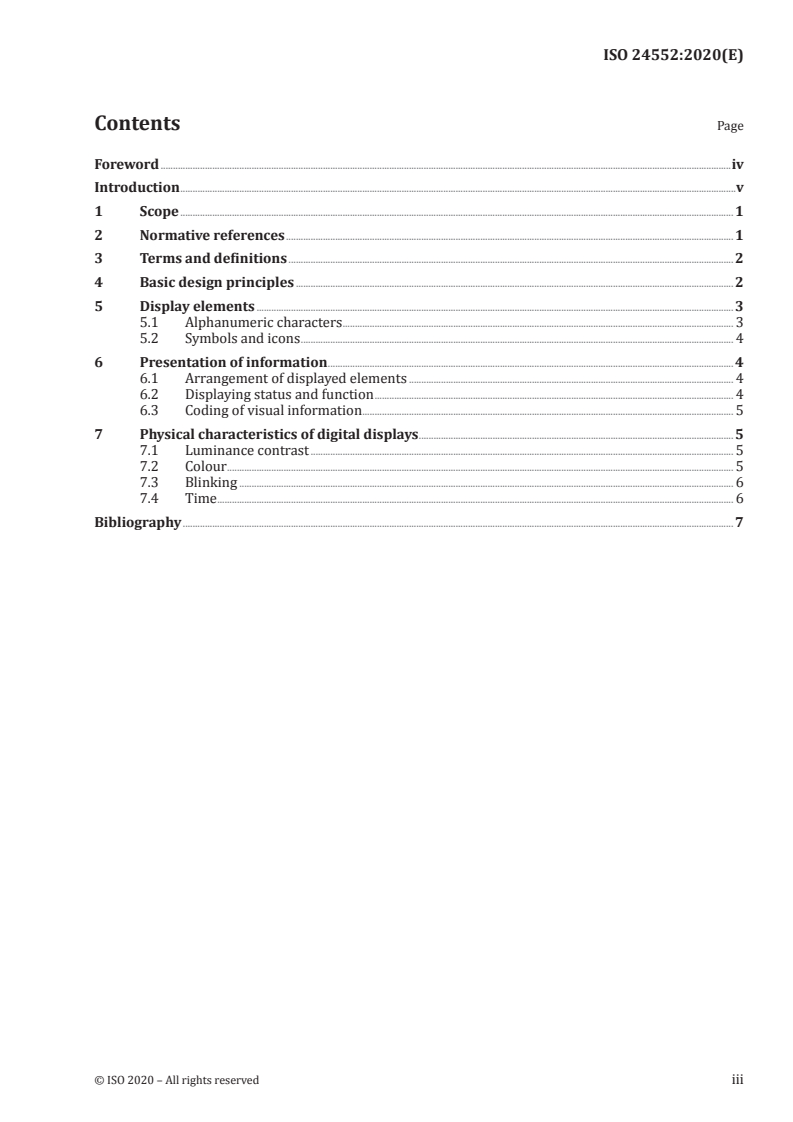
Contents Page
Foreword .iv
Introduction .v
1 Scope . 1
2 Normative references . 1
3 Terms and definitions . 2
4 Basic design principles . 2
5 Display elements . 3
5.1 Alphanumeric characters . 3
5.2 Symbols and icons . 4
6 Presentation of information . 4
6.1 Arrangement of displayed elements . 4
6.2 Displaying status and function . 4
6.3 Coding of visual information . 5
7 Physical characteristics of digital displays . 5
7.1 Luminance contrast . 5
7.2 Colour . 5
7.3 Blinking . 6
7.4 Time . 6
Bibliography . 7
Foreword
ISO (the International Organization for Standardization) is a worldwide federation of national standards
bodies (ISO member bodies). The work of preparing International Standards is normally carried out
through ISO technical committees. Each member body interested in a subject for which a technical
committee has been established has the right to be represented on that committee. International
organizations, governmental and non-governmental, in liaison with ISO, also take part in the work.
ISO collaborates closely with the International Electrotechnical Commission (IEC) on all matters of
electrotechnical standardization.
The procedures used to develop this document and those intended for its further maintenance are
described in the ISO/IEC Directives, Part 1. In particular, the different approval criteria needed for the
different types of ISO documents should be noted. This document was drafted in accordance with the
editorial rules of the ISO/IEC Directives, Part 2 (see www .iso .org/ directives).
Attention is drawn to the possibility that some of the elements of this document may be the subject of
patent rights. ISO shall not be held responsible for identifying any or all such patent rights. Details of
any patent rights identified during the development of the document will be in the Introduction and/or
on the ISO list of patent declarations received (see www .iso .org/ patents).
Any trade name used in this document is information given for the convenience of users and does not
constitute an endorsement.
For an explanation of the voluntary nature of standards, the meaning of ISO specific terms and
expressions related to conformity assessment, as well as information about ISO's adherence to the
World Trade Organization (WTO) principles in the Technical Barriers to Trade (TBT), see www .iso .org/
iso/ foreword .html.
This document was prepared by Technical Committee ISO/TC 159, Ergonomics, Subcommittee SC 4,
Ergonomics of human-system interaction.
Any feedback or questions on this document should be directed to the user’s national standards body. A
complete listing of these bodies can be found at www .iso .org/ members .html.
iv © ISO 2020 – All rights reserved
Introduction
Visual displays are in-built in many consumer products to be used to present information about the
status, function or operation of the product to the users. If a product is big enough to adopt large
displays, it would be easy to make the various users including older or visually disabled people feel
comfortable in recognizing and understanding the presented information on the displays. Some small
consumer products, such as digital cameras and remote controllers of air conditioners, are equipped
with a small display because of the limited space on the product itself. The adoption of small display
can mean that many users experience difficulties in using those products because they cannot easily
recognize or understand the information visually presented on it. Among the many things that can be
done to make the product more accessible to the widest range of users, one thing is to carefully design
the visual information presented on the small display. This document provides design guidance on the
accessibility of visually presented information on small displays.
INTERNATIONAL STANDARD ISO 24552:2020(E)
Ergonomics — Accessible design — Accessibility of
information presented on visual displays of small
consumer products
1 Scope
This document specifies the methods to improve accessibility of the visual display on small consumer
products in order to minimize inconveniences that a variety of users including people with disabilities
and the elderly can experience while using those products.
In particular, this document focusses on how to present information on small visual displays to make
the product more accessible for older people and people with low vision or colour deficiency. The
provision of different modalities or alternative ways of displaying information to make the product
more accessible is not covered in this document. This document only covers accessibility with regard to
visual presentation of information, not audio or tactile-based display methods.
NOTE 1 Accessibility of a product can be enhanced by adopting alternative means to the visual presentation of
the information, which is not covered in this document. For information about alternative forms of presentation,
ISO/IEC Guide 71, ISO 9241-112 and ISO 9241-171 can be useful.
NOTE 2 A comprehensive catalogue of accessibility needs and strategies for accommodation for all users (not
only those with visual impairments) is out of scope for this document. Readers interested in this regard can refer
to ISO/IEC 29138-1.
This document applies to various consumer products equipped with digital displays, in which the
information about operation of the product is visually presented. The products are usually equipped
with built-in display panels. The consumer products include those hand-held products that can be easily
carried by the user or those that are not portable but equipped with small displays, though the size of
the product or the display is not specified in this document.
NOTE 3 This document focusses on the accessibility of small displays, regardless of the size of the consumer
product.
NOTE 4 Examples include, but are not limited to, electronic thermometers, digital cameras, air-conditioning
systems, remote controllers.
This document is not applicable to those products with high flexibility or adjustability in presenting
information on the display. Some examples are web- or application-based displays of ICT devices such
as smart phones, smart TVs, and tablet PCs. It is not applicable to touch-based displays that have both
the functions of display and control. Some examples are touch interfaces of smart watches or digital
cameras. Finally, accessibility issues relating to indicating lamps/lights used for simple alerts or alarm
are covered in ISO 24550 and are not considered in this document.
NOTE 5 There are many accessibility issues in the touch interface related to information presentation as well
as control function and they need to be dealt with together.
It is possible that some guidance of this document is not applicable to some products, such as oral or ear
thermometers, which have extremely small in-built displays.
2 Normative references
There are no normative references in this document.
3 Terms and definitions
For the purposes of this document, the following terms and definitions apply.
ISO and IEC maintain terminological databases for use in standardization at the following addresses:
— ISO Online browsing platform: available at https:// www .iso .org/ obp
— IEC Electropedia: available at http:// www .electropedia .org/
3.1
accessibility
extent to which products, systems, services, environments and facilities can be used by people from a
population with the widest range of user needs, characteristics and capabilities to achieve identified
goals in identified contexts of use
Note 1 to entry: Context of use includes direct use or use supported by assistive technologies.
[SOURCE: ISO 9241-112:2017, 3.15]
3.2
visual display panel
means of providing visible information to the user about the status of specific product functions and
operational characteristics
EXAMPLE An LCD display of a remote controller or an LCD display of a digital camera is a visual display
panel of the products.
3.3
visual coding
coding
method of displaying information composed of multiple levels or items separately by their physical
characteristics such as size, location, colour or luminance to enhance the degree of recognition,
identification or memorizing of the displayed information
EXAMPLE WLAN quality or battery status are displayed in a series of visual bars, where different colours
can indicate the overall status, e.g. red, yellow, green for low, medium or high network quality or battery capacity,
respectively.
4 Basic design principles
The following basic design principles should be considered in order to increase accessibility of the
information displayed on the visual display. The principles are applicable to displays of various sizes,
but if the product is large enough, the adoption of larger display should be considered first.
The design principles are mainly related to the accessibility of visual presentation of information,
which is within the scope of this document. However, it should be noted that the accessibility of the
product can be increased by adopting several modalities in presenting information either redundantly
or alternatively.
a) Information should be displayed in a simple and intuitive
...
INTERNATIONAL ISO
STANDARD 24552
First edition
2020-03
Ergonomics — Accessible design —
Accessibility of information presented
on visual displays of small consumer
products
Ergonomie — Conception accessible — Accessibilité des informations
présentées sur les écrans de visualisation des produits de
consommation de petite taille
Reference number
©
ISO 2020
© ISO 2020
All rights reserved. Unless otherwise specified, or required in the context of its implementation, no part of this publication may
be reproduced or utilized otherwise in any form or by any means, electronic or mechanical, including photocopying, or posting
on the internet or an intranet, without prior written permission. Permission can be requested from either ISO at the address
below or ISO’s member body in the country of the requester.
ISO copyright office
CP 401 • Ch. de Blandonnet 8
CH-1214 Vernier, Geneva
Phone: +41 22 749 01 11
Fax: +41 22 749 09 47
Email: copyright@iso.org
Website: www.iso.org
Published in Switzerland
ii © ISO 2020 – All rights reserved
Contents Page
Foreword .iv
Introduction .v
1 Scope . 1
2 Normative references . 1
3 Terms and definitions . 2
4 Basic design principles . 2
5 Display elements . 3
5.1 Alphanumeric characters . 3
5.2 Symbols and icons . 4
6 Presentation of information . 4
6.1 Arrangement of displayed elements . 4
6.2 Displaying status and function . 4
6.3 Coding of visual information . 5
7 Physical characteristics of digital displays . 5
7.1 Luminance contrast . 5
7.2 Colour . 5
7.3 Blinking . 6
7.4 Time . 6
Bibliography . 7
Foreword
ISO (the International Organization for Standardization) is a worldwide federation of national standards
bodies (ISO member bodies). The work of preparing International Standards is normally carried out
through ISO technical committees. Each member body interested in a subject for which a technical
committee has been established has the right to be represented on that committee. International
organizations, governmental and non-governmental, in liaison with ISO, also take part in the work.
ISO collaborates closely with the International Electrotechnical Commission (IEC) on all matters of
electrotechnical standardization.
The procedures used to develop this document and those intended for its further maintenance are
described in the ISO/IEC Directives, Part 1. In particular, the different approval criteria needed for the
different types of ISO documents should be noted. This document was drafted in accordance with the
editorial rules of the ISO/IEC Directives, Part 2 (see www .iso .org/ directives).
Attention is drawn to the possibility that some of the elements of this document may be the subject of
patent rights. ISO shall not be held responsible for identifying any or all such patent rights. Details of
any patent rights identified during the development of the document will be in the Introduction and/or
on the ISO list of patent declarations received (see www .iso .org/ patents).
Any trade name used in this document is information given for the convenience of users and does not
constitute an endorsement.
For an explanation of the voluntary nature of standards, the meaning of ISO specific terms and
expressions related to conformity assessment, as well as information about ISO's adherence to the
World Trade Organization (WTO) principles in the Technical Barriers to Trade (TBT), see www .iso .org/
iso/ foreword .html.
This document was prepared by Technical Committee ISO/TC 159, Ergonomics, Subcommittee SC 4,
Ergonomics of human-system interaction.
Any feedback or questions on this document should be directed to the user’s national standards body. A
complete listing of these bodies can be found at www .iso .org/ members .html.
iv © ISO 2020 – All rights reserved
Introduction
Visual displays are in-built in many consumer products to be used to present information about the
status, function or operation of the product to the users. If a product is big enough to adopt large
displays, it would be easy to make the various users including older or visually disabled people feel
comfortable in recognizing and understanding the presented information on the displays. Some small
consumer products, such as digital cameras and remote controllers of air conditioners, are equipped
with a small display because of the limited space on the product itself. The adoption of small display
can mean that many users experience difficulties in using those products because they cannot easily
recognize or understand the information visually presented on it. Among the many things that can be
done to make the product more accessible to the widest range of users, one thing is to carefully design
the visual information presented on the small display. This document provides design guidance on the
accessibility of visually presented information on small displays.
INTERNATIONAL STANDARD ISO 24552:2020(E)
Ergonomics — Accessible design — Accessibility of
information presented on visual displays of small
consumer products
1 Scope
This document specifies the methods to improve accessibility of the visual display on small consumer
products in order to minimize inconveniences that a variety of users including people with disabilities
and the elderly can experience while using those products.
In particular, this document focusses on how to present information on small visual displays to make
the product more accessible for older people and people with low vision or colour deficiency. The
provision of different modalities or alternative ways of displaying information to make the product
more accessible is not covered in this document. This document only covers accessibility with regard to
visual presentation of information, not audio or tactile-based display methods.
NOTE 1 Accessibility of a product can be enhanced by adopting alternative means to the visual presentation of
the information, which is not covered in this document. For information about alternative forms of presentation,
ISO/IEC Guide 71, ISO 9241-112 and ISO 9241-171 can be useful.
NOTE 2 A comprehensive catalogue of accessibility needs and strategies for accommodation for all users (not
only those with visual impairments) is out of scope for this document. Readers interested in this regard can refer
to ISO/IEC 29138-1.
This document applies to various consumer products equipped with digital displays, in which the
information about operation of the product is visually presented. The products are usually equipped
with built-in display panels. The consumer products include those hand-held products that can be easily
carried by the user or those that are not portable but equipped with small displays, though the size of
the product or the display is not specified in this document.
NOTE 3 This document focusses on the accessibility of small displays, regardless of the size of the consumer
product.
NOTE 4 Examples include, but are not limited to, electronic thermometers, digital cameras, air-conditioning
systems, remote controllers.
This document is not applicable to those products with high flexibility or adjustability in presenting
information on the display. Some examples are web- or application-based displays of ICT devices such
as smart phones, smart TVs, and tablet PCs. It is not applicable to touch-based displays that have both
the functions of display and control. Some examples are touch interfaces of smart watches or digital
cameras. Finally, accessibility issues relating to indicating lamps/lights used for simple alerts or alarm
are covered in ISO 24550 and are not considered in this document.
NOTE 5 There are many accessibility issues in the touch interface related to information presentation as well
as control function and they need to be dealt with together.
It is possible that some guidance of this document is not applicable to some products, such as oral or ear
thermometers, which have extremely small in-built displays.
2 Normative references
There are no normative references in this document.
3 Terms and definitions
For the purposes of this document, the following terms and definitions apply.
ISO and IEC maintain terminological databases for use in standardization at the following addresses:
— ISO Online browsing platform: available at https:// www .iso .org/ obp
— IEC Electropedia: available at http:// www .electropedia .org/
3.1
accessibility
extent to which products, systems, services, environments and facilities can be used by people from a
population with the widest range of user needs, characteristics and capabilities to achieve identified
goals in identified contexts of use
Note 1 to entry: Context of use includes direct use or use supported by assistive technologies.
[SOURCE: ISO 9241-112:2017, 3.15]
3.2
visual display panel
means of providing visible information to the user about the status of specific product functions and
operational characteristics
EXAMPLE An LCD display of a remote controller or an LCD display of a digital camera is a visual display
panel of the products.
3.3
visual coding
coding
method of displaying information composed of multiple levels or items separately by their physical
characteristics such as size, location, colour or luminance to enhance the degree of recognition,
identification or memorizing of the displayed information
EXAMPLE WLAN quality or battery status are displayed in a series of visual bars, where different colours
can indicate the overall status, e.g. red, yellow, green for low, medium or high network quality or battery capacity,
respectively.
4 Basic design principles
The following basic design principles should be considered in order to increase accessibility of the
information displayed on the visual display. The principles are applicable to displays of various sizes,
but if the product is large enough, the adoption of larger display should be considered first.
The design principles are mainly related to the accessibility of visual presentation of information,
which is within the scope of this document. However, it should be noted that the accessibility of the
product can be increased by adopting several modalities in presenting information either redundantly
or alternatively.
a) Information should be displayed in a simple and intuitive
...
Questions, Comments and Discussion
Ask us and Technical Secretary will try to provide an answer. You can facilitate discussion about the standard in here.
Loading comments...