


ISO/IEC 19075-9:2022
(Main)Information technology — Guidance for the use of database language SQL — Part 9: Online analytic processing (OLAP) capabilities (Guide/OLAP)
Information technology — Guidance for the use of database language SQL — Part 9: Online analytic processing (OLAP) capabilities (Guide/OLAP)
This document discusses the syntax and semantics for including online analytic processing (OLAP) capabilities in SQL, as defined in ISO/IEC 9075-2. It discusses the following features regarding OLAP capabilities of the SQL language: — Feature T611, “Elementary OLAP operations”, — Feature T612, “Advanced OLAP operations”, — Feature T614, “NTILE function”, — Feature T615, “LEAD and LAG functions”, — Feature T616, “Null treatment option for LEAD and LAG functions”, — Feature T617, “FIRST_VALUE and LAST_VALUE functions”, — Feature T618, “NTH_VALUE function”, — Feature T619, “Nested window functions”, — Feature T620, “WINDOW clause: GROUPS option”, — Feature T621, “Enhanced numeric functions”
Langages de bases de données utilisés dans les technologies de l'information — Recommandations pour l'utilisation du langage de base de données SQL — Partie 9: Capacités de traitement analytique en ligne (OLAP), (Guide/OLAP)
General Information
- Status
- Published
- Publication Date
- 02-Oct-2022
- Technical Committee
- ISO/IEC JTC 1/SC 32 - Data management and interchange
- Drafting Committee
- ISO/IEC JTC 1/SC 32 - Data management and interchange
- Current Stage
- 6060 - International Standard published
- Start Date
- 03-Oct-2022
- Due Date
- 17-Nov-2024
- Completion Date
- 03-Oct-2022
Relations
- Effective Date
- 06-Jun-2022
Overview
ISO/IEC 19075-9:2022 - Information technology - Guidance for the use of database language SQL - Part 9: Online analytic processing (OLAP) capabilities (Guide/OLAP) provides guidance on the syntax and semantics for adding OLAP capabilities to SQL (as defined in ISO/IEC 9075-2). The standard documents how SQL can express analytical operations such as ranking, distribution, windowing, moving aggregates and enhanced numeric/aggregate functions. It includes worked examples, tables and explanatory text to support implementation and usage.
Key topics
The standard discusses the following OLAP features and related technical requirements:
- Window definitions and windows clause: partitioning, ordering, physical and logical window frames (RANGE, GROUPS), frame exclusions and multiple/implicit vs explicit windows.
- Window frame semantics: UNBOUNDED / PRECEDING / FOLLOWING, FRAME_ROW behavior and exclusions (EXCLUDE).
- Window functions: RANK, DENSE_RANK, ROW_NUMBER, distribution functions (PERCENT_RANK, CUME_DIST), and window aggregate functions.
- Distribution and percentile support: NTILE function and its behavior in partitioned/non‑partitioned queries.
- Lead/lag and accessors: LEAD, LAG, with the null treatment option and row offsets.
- First/last and nth element functions: FIRST_VALUE, LAST_VALUE, NTH_VALUE.
- Nested window functions: rules for nesting, row markers, offsets and interactions with FRAME_ROW.
- Enhanced numeric and aggregate functions: unary/binary statistical aggregates, hypothetical rank/distribution aggregates and inverse distribution functions.
- Null handling rules and explicit examples showing expected results.
Applications
ISO/IEC 19075-9:2022 is targeted at practical OLAP use cases in SQL:
- Building analytical queries for BI dashboards (rankings, percentiles, cohorts).
- Implementing moving averages, running totals and sliding-window calculations in data warehouses.
- Producing reproducible percentile/quantile calculations via NTILE and inverse distribution functions.
- Handling lead/lag comparisons and time-series offsets robustly (including null treatment).
- Designing and validating SQL engine implementations and ensuring consistent semantics for windowing and nested window functions.
Who uses this standard
- Database vendors and SQL engine implementers (conformance and feature design).
- Database administrators, data engineers and BI developers (writing portable analytical SQL).
- Technical architects and consultants designing data warehouse/analytics platforms.
- Standards bodies and compliance teams referencing ISO/IEC guidance for SQL OLAP features.
Related standards
- ISO/IEC 9075-2 (SQL/Foundation) - ISO/IEC 19075-9:2022 provides guidance specifically on OLAP features as they extend ISO/IEC 9075-2.
ISO/IEC 19075-9:2022 is a practical resource for anyone implementing or using advanced SQL OLAP features - window functions, NTILE, LEAD/LAG, nested windows, GROUPS and enhanced aggregate functions - to produce reliable, portable analytical SQL.
Get Certified
Connect with accredited certification bodies for this standard

BSI Group
BSI (British Standards Institution) is the business standards company that helps organizations make excellence a habit.

NYCE
Mexican standards and certification body.
Sponsored listings
Frequently Asked Questions
ISO/IEC 19075-9:2022 is a standard published by the International Organization for Standardization (ISO). Its full title is "Information technology — Guidance for the use of database language SQL — Part 9: Online analytic processing (OLAP) capabilities (Guide/OLAP)". This standard covers: This document discusses the syntax and semantics for including online analytic processing (OLAP) capabilities in SQL, as defined in ISO/IEC 9075-2. It discusses the following features regarding OLAP capabilities of the SQL language: — Feature T611, “Elementary OLAP operations”, — Feature T612, “Advanced OLAP operations”, — Feature T614, “NTILE function”, — Feature T615, “LEAD and LAG functions”, — Feature T616, “Null treatment option for LEAD and LAG functions”, — Feature T617, “FIRST_VALUE and LAST_VALUE functions”, — Feature T618, “NTH_VALUE function”, — Feature T619, “Nested window functions”, — Feature T620, “WINDOW clause: GROUPS option”, — Feature T621, “Enhanced numeric functions”
This document discusses the syntax and semantics for including online analytic processing (OLAP) capabilities in SQL, as defined in ISO/IEC 9075-2. It discusses the following features regarding OLAP capabilities of the SQL language: — Feature T611, “Elementary OLAP operations”, — Feature T612, “Advanced OLAP operations”, — Feature T614, “NTILE function”, — Feature T615, “LEAD and LAG functions”, — Feature T616, “Null treatment option for LEAD and LAG functions”, — Feature T617, “FIRST_VALUE and LAST_VALUE functions”, — Feature T618, “NTH_VALUE function”, — Feature T619, “Nested window functions”, — Feature T620, “WINDOW clause: GROUPS option”, — Feature T621, “Enhanced numeric functions”
ISO/IEC 19075-9:2022 is classified under the following ICS (International Classification for Standards) categories: 35.060 - Languages used in information technology. The ICS classification helps identify the subject area and facilitates finding related standards.
ISO/IEC 19075-9:2022 has the following relationships with other standards: It is inter standard links to ISO/IEC TR 19075-9:2020. Understanding these relationships helps ensure you are using the most current and applicable version of the standard.
ISO/IEC 19075-9:2022 is available in PDF format for immediate download after purchase. The document can be added to your cart and obtained through the secure checkout process. Digital delivery ensures instant access to the complete standard document.
Standards Content (Sample)
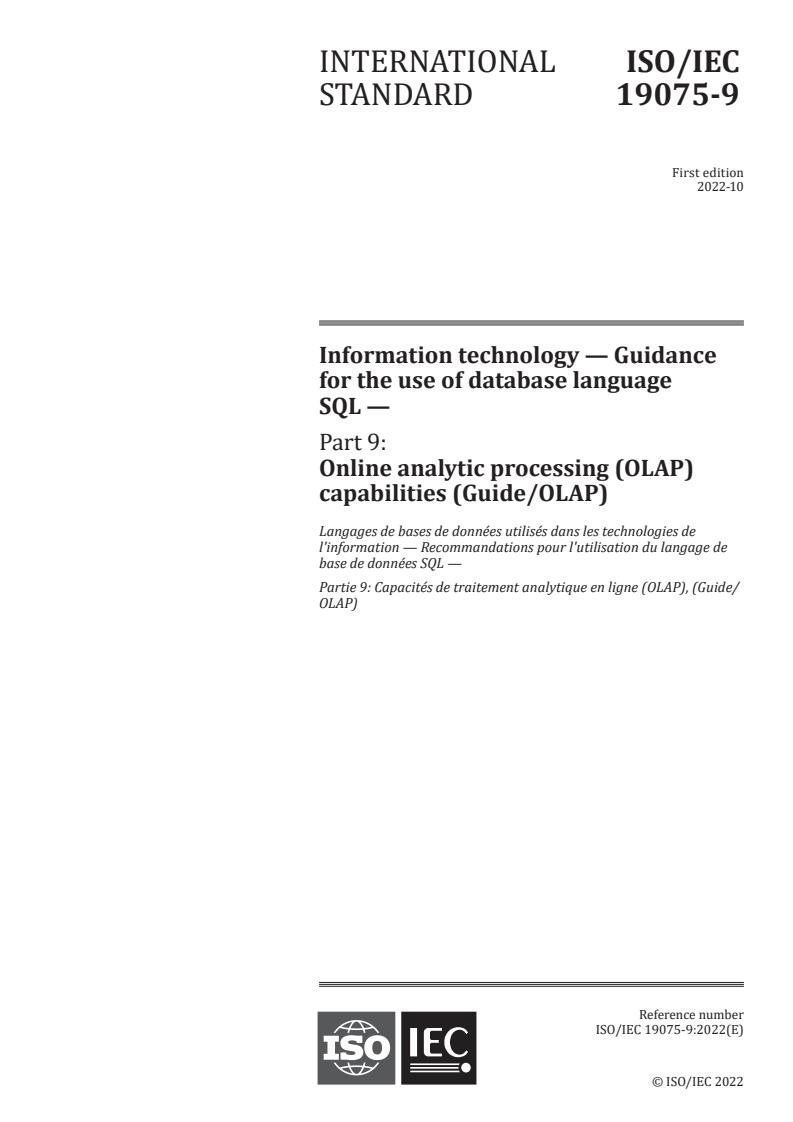
INTERNATIONAL ISO/IEC
STANDARD 19075-9
First edition
2022-10
Information technology — Guidance
for the use of database language
SQL —
Part 9:
Online analytic processing (OLAP)
capabilities (Guide/OLAP)
Langages de bases de données utilisés dans les technologies de
l'information — Recommandations pour l'utilisation du langage de
base de données SQL —
Partie 9: Capacités de traitement analytique en ligne (OLAP), (Guide/
OLAP)
Reference number
© ISO/IEC 2022
© ISO/IEC 2022
All rights reserved. Unless otherwise specified, or required in the context of its implementation, no part of this publication may
be reproduced or utilized otherwise in any form or by any means, electronic or mechanical, including photocopying, or posting on
the internet or an intranet, without prior written permission. Permission can be requested from either ISO at the address below
or ISO’s member body in the country of the requester.
ISO copyright office
CP 401 • Ch. de Blandonnet 8
CH-1214 Vernier, Geneva
Phone: +41 22 749 01 11
Email: copyright@iso.org
Website: www.iso.org
Published in Switzerland
ii
© ISO/IEC 2022 – All rights reserved
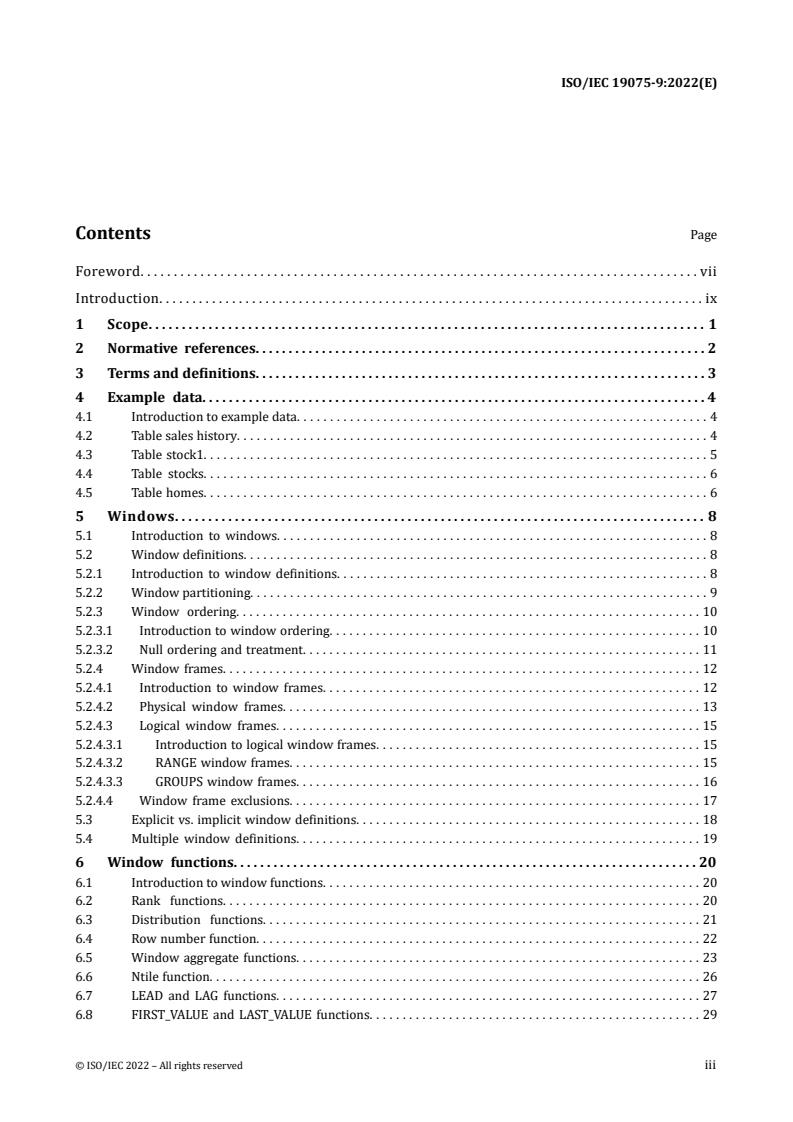
Contents Page
Foreword. . . . . . . . . . . . . . . . . . . . . . . . . . . . . . . . . . . . . . . . . . . . . . . . . . . . . . . . . . . . . . . . . . . . . . . . . . . . . . . . . . . . vii
Introduction. . . . . . . . . . . . . . . . . . . . . . . . . . . . . . . . . . . . . . . . . . . . . . . . . . . . . . . . . . . . . . . . . . . . . . . . . . . . . . . . . . ix
1 Scope.1
2 Normativereferences.2
3 Termsanddefinitions.3
4 Example data.4
4.1 Introduction to example data. . . . . . . . . . . . . . . . . . . . . . . . . . . . . . . . . . . . . . . . . . . . . . . . . . . . . . . . . . . . . . 4
4.2 Table sales history. . . . . . . . . . . . . . . . . . . . . . . . . . . . . . . . . . . . . . . . . . . . . . . . . . . . . . . . . . . . . . . . . . . . . . . 4
4.3 Table stock1. . . . . . . . . . . . . . . . . . . . . . . . . . . . . . . . . . . . . . . . . . . . . . . . . . . . . . . . . . . . . . . . . . . . . . . . . . . . 5
4.4 Table stocks. . . . . . . . . . . . . . . . . . . . . . . . . . . . . . . . . . . . . . . . . . . . . . . . . . . . . . . . . . . . . . . . . . . . . . . . . . . . 6
4.5 Table homes. . . . . . . . . . . . . . . . . . . . . . . . . . . . . . . . . . . . . . . . . . . . . . . . . . . . . . . . . . . . . . . . . . . . . . . . . . . . 6
5 Windows.8
5.1 Introduction to windows. . . . . . . . . . . . . . . . . . . . . . . . . . . . . . . . . . . . . . . . . . . . . . . . . . . . . . . . . . . . . . . . . 8
5.2 Window definitions. . . . . . . . . . . . . . . . . . . . . . . . . . . . . . . . . . . . . . . . . . . . . . . . . . . . . . . . . . . . . . . . . . . . . . 8
5.2.1 Introduction to window definitions. . . . . . . . . . . . . . . . . . . . . . . . . . . . . . . . . . . . . . . . . . . . . . . . . . . . . . . . 8
5.2.2 Window partitioning. . . . . . . . . . . . . . . . . . . . . . . . . . . . . . . . . . . . . . . . . . . . . . . . . . . . . . . . . . . . . . . . . . . . . 9
5.2.3 Window ordering. . . . . . . . . . . . . . . . . . . . . . . . . . . . . . . . . . . . . . . . . . . . . . . . . . . . . . . . . . . . . . . . . . . . . . 10
5.2.3.1 Introduction to window ordering. . . . . . . . . . . . . . . . . . . . . . . . . . . . . . . . . . . . . . . . . . . . . . . . . . . . . . . . 10
5.2.3.2 Null ordering and treatment. . . . . . . . . . . . . . . . . . . . . . . . . . . . . . . . . . . . . . . . . . . . . . . . . . . . . . . . . . . . 11
5.2.4 Window frames. . . . . . . . . . . . . . . . . . . . . . . . . . . . . . . . . . . . . . . . . . . . . . . . . . . . . . . . . . . . . . . . . . . . . . . . 12
5.2.4.1 Introduction to window frames. . . . . . . . . . . . . . . . . . . . . . . . . . . . . . . . . . . . . . . . . . . . . . . . . . . . . . . . . 12
5.2.4.2 Physical window frames. . . . . . . . . . . . . . . . . . . . . . . . . . . . . . . . . . . . . . . . . . . . . . . . . . . . . . . . . . . . . . . 13
5.2.4.3 Logical window frames. . . . . . . . . . . . . . . . . . . . . . . . . . . . . . . . . . . . . . . . . . . . . . . . . . . . . . . . . . . . . . . . 15
5.2.4.3.1 Introduction to logical window frames. . . . . . . . . . . . . . . . . . . . . . . . . . . . . . . . . . . . . . . . . . . . . . . . . 15
5.2.4.3.2 RANGE window frames. . . . . . . . . . . . . . . . . . . . . . . . . . . . . . . . . . . . . . . . . . . . . . . . . . . . . . . . . . . . . . 15
5.2.4.3.3 GROUPS window frames. . . . . . . . . . . . . . . . . . . . . . . . . . . . . . . . . . . . . . . . . . . . . . . . . . . . . . . . . . . . . 16
5.2.4.4 Window frame exclusions. . . . . . . . . . . . . . . . . . . . . . . . . . . . . . . . . . . . . . . . . . . . . . . . . . . . . . . . . . . . . . 17
5.3 Explicit vs. implicit window definitions. . . . . . . . . . . . . . . . . . . . . . . . . . . . . . . . . . . . . . . . . . . . . . . . . . . . 18
5.4 Multiple window definitions. . . . . . . . . . . . . . . . . . . . . . . . . . . . . . . . . . . . . . . . . . . . . . . . . . . . . . . . . . . . . 19
6 Window functions.20
6.1 Introduction to window functions. . . . . . . . . . . . . . . . . . . . . . . . . . . . . . . . . . . . . . . . . . . . . . . . . . . . . . . . . 20
6.2 Rank functions. . . . . . . . . . . . . . . . . . . . . . . . . . . . . . . . . . . . . . . . . . . . . . . . . . . . . . . . . . . . . . . . . . . . . . . . 20
6.3 Distribution functions. . . . . . . . . . . . . . . . . . . . . . . . . . . . . . . . . . . . . . . . . . . . . . . . . . . . . . . . . . . . . . . . . . 21
6.4 Row number function. . . . . . . . . . . . . . . . . . . . . . . . . . . . . . . . . . . . . . . . . . . . . . . . . . . . . . . . . . . . . . . . . . . 22
6.5 Window aggregate functions. . . . . . . . . . . . . . . . . . . . . . . . . . . . . . . . . . . . . . . . . . . . . . . . . . . . . . . . . . . . . 23
6.6 Ntile function. . . . . . . . . . . . . . . . . . . . . . . . . . . . . . . . . . . . . . . . . . . . . . . . . . . . . . . . . . . . . . . . . . . . . . . . . . 26
6.7 LEAD and LAG functions. . . . . . . . . . . . . . . . . . . . . . . . . . . . . . . . . . . . . . . . . . . . . . . . . . . . . . . . . . . . . . . . 27
6.8 FIRST_VALUE and LAST_VALUE functions. . . . . . . . . . . . . . . . . . . . . . . . . . . . . . . . . . . . . . . . . . . . . . . . . . 29
© ISO/IEC 2022 – All rights reserved iii
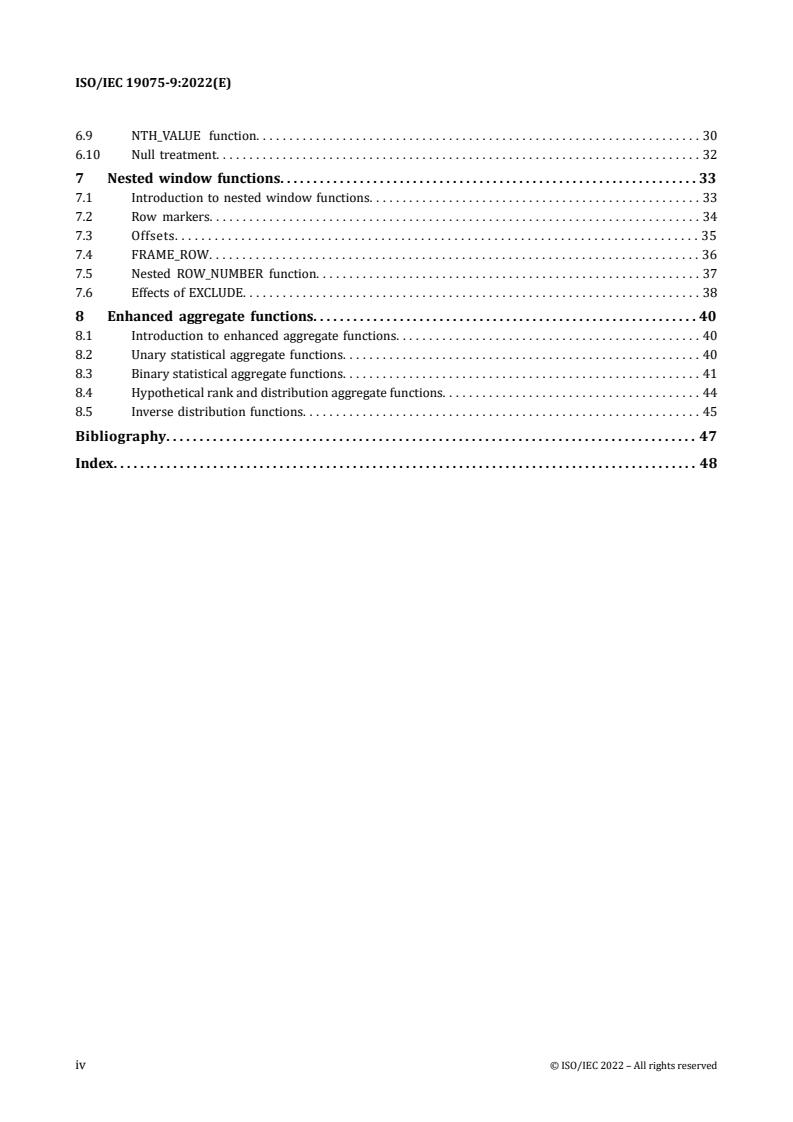
6.9 NTH_VALUE function. . . . . . . . . . . . . . . . . . . . . . . . . . . . . . . . . . . . . . . . . . . . . . . . . . . . . . . . . . . . . . . . . . . 30
6.10 Null treatment. . . . . . . . . . . . . . . . . . . . . . . . . . . . . . . . . . . . . . . . . . . . . . . . . . . . . . . . . . . . . . . . . . . . . . . . . 32
7 Nestedwindowfunctions.33
7.1 Introduction to nested window functions. . . . . . . . . . . . . . . . . . . . . . . . . . . . . . . . . . . . . . . . . . . . . . . . . . 33
7.2 Row markers. . . . . . . . . . . . . . . . . . . . . . . . . . . . . . . . . . . . . . . . . . . . . . . . . . . . . . . . . . . . . . . . . . . . . . . . . . 34
7.3 Offsets. . . . . . . . . . . . . . . . . . . . . . . . . . . . . . . . . . . . . . . . . . . . . . . . . . . . . . . . . . . . . . . . . . . . . . . . . . . . . . . 35
7.4 FRAME_ROW. . . . . . . . . . . . . . . . . . . . . . . . . . . . . . . . . . . . . . . . . . . . . . . . . . . . . . . . . . . . . . . . . . . . . . . . . . 36
7.5 Nested ROW_NUMBER function. . . . . . . . . . . . . . . . . . . . . . . . . . . . . . . . . . . . . . . . . . . . . . . . . . . . . . . . . . 37
7.6 Effects of EXCLUDE. . . . . . . . . . . . . . . . . . . . . . . . . . . . . . . . . . . . . . . . . . . . . . . . . . . . . . . . . . . . . . . . . . . . . 38
8 Enhancedaggregatefunctions.40
8.1 Introduction to enhanced aggregate functions. . . . . . . . . . . . . . . . . . . . . . . . . . . . . . . . . . . . . . . . . . . . . . 40
8.2 Unary statistical aggregate functions. . . . . . . . . . . . . . . . . . . . . . . . . . . . . . . . . . . . . . . . . . . . . . . . . . . . . . 40
8.3 Binary statistical aggregate functions. . . . . . . . . . . . . . . . . . . . . . . . . . . . . . . . . . . . . . . . . . . . . . . . . . . . . . 41
8.4 Hypothetical rank and distribution aggregate functions. . . . . . . . . . . . . . . . . . . . . . . . . . . . . . . . . . . . . . . 44
8.5 Inverse distribution functions. . . . . . . . . . . . . . . . . . . . . . . . . . . . . . . . . . . . . . . . . . . . . . . . . . . . . . . . . . . . 45
Bibliography.47
Index.48
iv © ISO/IEC 2022 – All rights reserved
Tables
Table Page
1 Table sales_history. . . . . . . . . . . . . . . . . . . . . . . . . . . . . . . . . . . . . . . . . . . . . . . . . . . . . . . . . . . . . . . . . . . . . . . . . . 4
2 Table stock1. . . . . . . . . . . . . . . . . . . . . . . . . . . . . . . . . . . . . . . . . . . . . . . . . . . . . . . . . . . . . . . . . . . . . . . . . . . . . . . 5
3 Table stocks. . . . . . . . . . . . . . . . . . . . . . . . . . . . . . . . . . . . . . . . . . . . . . . . . . . . . . . . . . . . . . . . . . . . . . . . . . . . . . . . 6
4 Table homes. . . . . . . . . . . . . . . . . . . . . . . . . . . . . . . . . . . . . . . . . . . . . . . . . . . . . . . . . . . . . . . . . . . . . . . . . . . . . . . 6
5 Result of window clause. . . . . . . . . . . . . . . . . . . . . . . . . . . . . . . . . . . . . . . . . . . . . . . . . . . . . . . . . . . . . . . . . . . . 10
6 Result of window clause ordering. . . . . . . . . . . . . . . . . . . . . . . . . . . . . . . . . . . . . . . . . . . . . . . . . . . . . . . . . . . . 11
7 Result of physical window frame, UNBOUNDED PRECEDING to CURRENT ROW. . . . . . . . . . . . . . . . . . . . . . 13
8 Result of physical window frame, 2 PRECEDING to 1 FOLLOWING. . . . . . . . . . . . . . . . . . . . . . . . . . . . . . . . . 14
9 Result of logical window frame with RANGE. . . . . . . . . . . . . . . . . . . . . . . . . . . . . . . . . . . . . . . . . . . . . . . . . . . . 15
10 Result of logical window frame with GROUPS. . . . . . . . . . . . . . . . . . . . . . . . . . . . . . . . . . . . . . . . . . . . . . . . . . . 16
11 Result of window frame exclusion 1. . . . . . . . . . . . . . . . . . . . . . . . . . . . . . . . . . . . . . . . . . . . . . . . . . . . . . . . . . . 17
12 Result of window frame exclusion 2. . . . . . . . . . . . . . . . . . . . . . . . . . . . . . . . . . . . . . . . . . . . . . . . . . . . . . . . . . . 18
13 Result of RANK and DENSE_RANK function. . . . . . . . . . . . . . . . . . . . . . . . . . . . . . . . . . . . . . . . . . . . . . . . . . . . 21
14 Result of PERCENT_RANK and CUME_DIST functions. . . . . . . . . . . . . . . . . . . . . . . . . . . . . . . . . . . . . . . . . . . . 22
15 Result of ROW_NUMBER function. . . . . . . . . . . . . . . . . . . . . . . . . . . . . . . . . . . . . . . . . . . . . . . . . . . . . . . . . . . . 23
16 Result of aggregate function (SUM) ordered. . . . . . . . . . . . . . . . . . . . . . . . . . . . . . . . . . . . . . . . . . . . . . . . . . . . 24
17 Result of aggregate function (SUM) unordered. . . . . . . . . . . . . . . . . . . . . . . . . . . . . . . . . . . . . . . . . . . . . . . . . . 24
18 Result of aggregate function (AVG). . . . . . . . . . . . . . . . . . . . . . . . . . . . . . . . . . . . . . . . . . . . . . . . . . . . . . . . . . . . 25
19 Result of aggregate function (NTILE) with partitioned query. . . . . . . . . . . . . . . . . . . . . . . . . . . . . . . . . . . . . . 26
20 Result of aggregate function (NTILE) in non-partitioned query. . . . . . . . . . . . . . . . . . . . . . . . . . . . . . . . . . . . 27
21 Result of aggregate function (LEAD). . . . . . . . . . . . . . . . . . . . . . . . . . . . . . . . . . . . . . . . . . . . . . . . . . . . . . . . . . 28
22 Result of aggregate function (LAG). . . . . . . . . . . . . . . . . . . . . . . . . . . . . . . . . . . . . . . . . . . . . . . . . . . . . . . . . . . . 28
23 Result of aggregate function (FIRST_VALUE). . . . . . . . . . . . . . . . . . . . . . . . . . . . . . . . . . . . . . . . . . . . . . . . . . . . 29
24 Result of aggregate function (LAST_VALUE). . . . . . . . . . . . . . . . . . . . . . . . . . . . . . . . . . . . . . . . . . . . . . . . . . . . 30
25 Result of aggregate function (NTH_VALUE). . . . . . . . . . . . . . . . . . . . . . . . . . . . . . . . . . . . . . . . . . . . . . . . . . . . . 31
26 Result of row markers. . . . . . . . . . . . . . . . . . . . . . . . . . . . . . . . . . . . . . . . . . . . . . . . . . . . . . . . . . . . . . . . . . . . . . 34
27 Result of row markers (offsets). . . . . . . . . . . . . . . . . . . . . . . . . . . . . . . . . . . . . . . . . . . . . . . . . . . . . . . . . . . . . . 35
28 Result of window frames with row markers. . . . . . . . . . . . . . . . . . . . . . . . . . . . . . . . . . . . . . . . . . . . . . . . . . . . 36
29 Result of EXCLUDE. . . . . . . . . . . . . . . . . . . . . . . . . . . . . . . . . . . . . . . . . . . . . . . . . . . . . . . . . . . . . . . . . . . . . . . . . 38
30 Result of hypothetical aggregate functions. . . . . . . . . . . . . . . . . . . . . . . . . . . . . . . . . . . . . . . . . . . . . . . . . . . . . 44
31 Result of inverse distribution functions. . . . . . . . . . . . . . . . . . . . . . . . . . . . . . . . . . . . . . . . . . . . . . . . . . . . . . . . 45
32 Result of inverse distribution functions with ordering. . . . . . . . . . . . . . . . . . . . . . . . . . . . . . . . . . . . . . . . . . . . 46
© ISO/IEC 2022 – All rights reserved v
Examples
Example Page
1 Window clause. . . . . . . . . . . . . . . . . . . . . . . . . . . . . . . . . . . . . . . . . . . . . . . . . . . . . . . . . . . . . . . . . . . . . . . . . . . . . 9
2 Window clause ordering. . . . . . . . . . . . . . . . . . . . . . . . . . . . . . . . . . . . . . . . . . . . . . . . . . . . . . . . . . . . . . . . . . . . 11
3 Physical window frame, UNBOUNDED PRECEDING to CURRENT ROW. . . . . . . . . . . . . . . . . . . . . . . . . . . . . . 13
4 Physical window frame, 2 PRECEDING to 1 FOLLOWING. . . . . . . . . . . . . . . . . . . . . . . . . . . . . . . . . . . . . . . . . 14
5 Logical window frame with RANGE. . . . . . . . . . . . . . . . . . . . . . . . . . . . . . . . . . . . . . . . . . . . . . . . . . . . . . . . . . . 15
6 Logical window frame with GROUPS. . . . . . . . . . . . . . . . . . . . . . . . . . . . . . . . . . . . . . . . . . . . . . . . . . . . . . . . . . 16
7 Window frame exclusion 1. . . . . . . . . . . . . . . . . . . . . . . . . . . . . . . . . . . . . . . . . . . . . . . . . . . . . . . . . . . . . . . . . . 17
8 Window frame exclusion 2. . . . . . . . . . . . . . . . . . . . . . . . . . . . . . . . . . . . . . . . . . . . . . . . . . . . . . . . . . . . . . . . . . 17
9 Explicit window definition. . . . . . . . . . . . . . . . . . . . . . . . . . . . . . . . . . . . . . . . . . . . . . . . . . . . . . . . . . . . . . . . . . 18
10 Implicit window definition. . . . . . . . . . . . . . . . . . . . . . . . . . . . . . . . . . . . . . . . . . . . . . . . . . . . . . . . . . . . . . . . . . 19
11 Multiple window definitions. . . . . . . . . . . . . . . . . . . . . . . . . . . . . . . . . . . . . . . . . . . . . . . . . . . . . . . . . . . . . . . . . 19
12 Rank functions with explicit window. . . . . . . . . . . . . . . . . . . . . . . . . . . . . . . . . . . . . . . . . . . . . . . . . . . . . . . . . . 20
13 Rank functions with implicit window. . . . . . . . . . . . . . . . . . . . . . . . . . . . . . . . . . . . . . . . . . . . . . . . . . . . . . . . . 21
14 Distribution functions. . . . . . . . . . . . . . . . . . . . . . . . . . . . . . . . . . . . . . . . . . . . . . . . . . . . . . . . . . . . . . . . . . . . . . 22
15 Row number function. . . . . . . . . . . . . . . . . . . . . . . . . . . . . . . . . . . . . . . . . . . . . . . . . . . . . . . . . . . . . . . . . . . . . . 23
16 Window aggregate function (SUM) ordered. . . . . . . . . . . . . . . . . . . . . . . . . . . . . . . . . . . . . . . . . . . . . . . . . . . . 23
17 Window aggregate function (SUM) unordered. . . . . . . . . . . . . . . . . . . . . . . . . . . . . . . . . . . . . . . . . . . . . . . . . . 24
18 Window aggregate moving average. . . . . . . . . . . . . . . . . . . . . . . . . . . . . . . . . . . . . . . . . . . . . . . . . . . . . . . . . . . 25
19 NTILE in partitioned query. . . . . . . . . . . . . . . . . . . . . . . . . . . . . . . . . . . . . . . . . . . . . . . . . . . . . . . . . . . . . . . . . . 26
20 NTILE in non-partitioned query. . . . . . . . . . . . . . . . . . . . . . . . . . . . . . . . . . . . . . . . . . . . . . . . . . . . . . . . . . . . . . 26
21 LEAD function. . . . . . . . . . . . . . . . . . . . . . . . . . . . . . . . . . . . . . . . . . . . . . . . . . . . . . . . . . . . . . . . . . . . . . . . . . . . . 28
22 LAG function. . . . . . . . . . . . . . . . . . . . . . . . . . . . . . . . . . . . . . . . . . . . . . . . . . . . . . . . . . . . . . . . . . . . . . . . . . . . . . 28
23 FIRST_VALUE function. . . . . . . . . . . . . . . . . . . . . . . . . . . . . . . . . . . . . . . . . . . . . . . . . . . . . . . . . . . . . . . . . . . . . . 29
24 LAST_VALUE function. . . . . . . . . . . . . . . . . . . . . . . . . . . . . . . . . . . . . . . . . . . . . . . . . . . . . . . . . . . . . . . . . . . . . . 30
25 NTH_VALUE function usage. . . . . . . . . . . . . . . . . . . . . . . . . . . . . . . . . . . . . . . . . . . . . . . . . . . . . . . . . . . . . . . . . . 31
26 Equivalent NTH_VALUE function usage. . . . . . . . . . . . . . . . . . . . . . . . . . . . . . . . . . . . . . . . . . . . . . . . . . . . . . . . 31
27 Null treatment with LEAD function. . . . . . . . . . . . . . . . . . . . . . . . . . . . . . . . . . . . . . . . . . . . . . . . . . . . . . . . . . . 32
28 Null treatment with FIRST_VALUE function. . . . . . . . . . . . . . . . . . . . . . . . . . . . . . . . . . . . . . . . . . . . . . . . . . . . 32
29 Null treatment with LAST_VALUE function. . . . . . . . . . . . . . . . . . . . . . . . . . . . . . . . . . . . . . . . . . . . . . . . . . . . . 32
30 Q1: CASE expression in a window query. . . . . . . . . . . . . . . . . . . . . . . . . . . . . . . . . . . . . . . . . . . . . . . . . . . . . . . 33
31 Q2: Complex join. . . . . . . . . . . . . . . . . . . . . . . . . . . . . . . . . . . . . . . . . . . . . . . . . . . . . . . . . . . . . . . . . . . . . . . . . . 33
32 Q3: VALUE_OF function usage. . . . . . . . . . . . . . . . . . . . . . . . . . . . . . . . . . . . . . . . . . . . . . . . . . . . . . . . . . . . . . . . 34
33 Q4: frame_row and current_row in value_of function. . . . . . . . . . . . . . . . . . . . . . . . . . . . . . . . . . . . . . . . . . . . . 37
34 Weight function. . . . . . . . . . . . . . . . . . . . . . . . . . . . . . . . . . . . . . . . . . . . . . . . . . . . . . . . . . . . . . . . . . . . . . . . . . . 38
35 Hypothetical aggregate function. . . . . . . . . . . . . . . . . . . . . . . . . . . . . . . . . . . . . . . . . . . . . . . . . . . . . . . . . . . . . . 44
36 Inverse distribution function. . . . . . . . . . . . . . . . . . . . . . . . . . . . . . . . . . . . . . . . . . . . . . . . . . . . . . . . . . . . . . . . 45
37 Inverse distribution function ordered. . . . . . . . . . . . . . . . . . . . . . . . . . . . . . . . . . . . . . . . . . . . . . . . . . . . . . . . . 46
vi © ISO/IEC 2022 – All rights reserved
Foreword
ISO (the International Organization for Standardization) and IEC (the International Electrotechnical
Commission) form the specialized system for worldwide standardization. National bodies that are
members of ISO or IEC participate in the development of International Standards through technical
committees established by the respective organization to deal with particular fields of technical activity.
ISO and IEC technical committees collaborate in fields of mutual interest. Other international
organizations, governmental and non-governmental, in liaison with ISO and IEC, also take part in the
work.
The procedures used to develop this document and those intended for its further maintenance
are described in the ISO/IEC Directives, Part 1. In particular, the different approval criteria needed
for the different types of document should be noted. This document was drafted in accordance
with the editorial rules of the ISO/IEC Directives, Part 2 (see www.iso.org/directives or
www.iec.ch/members_experts/refdocs).
Attention is drawn to the possibility that some of the elements of this document may be the subject of
patent rights. ISO and IEC shall not be held responsible for identifying any or all such patent rights. Details
of any patent rights identified during the development of the document will be in the Introduction and/or
on the ISO list of patent declarations received (see www.iso.org/patents) or the IEC list of patent
declarations received (see patents.iec.ch).
Any trade name used in this document is information given for the convenience of users and does not
constitute an endorsement.
For an explanation of the voluntary nature of standards, the meaning of ISO specific terms
and expressions related to conformity assessment, as well as information about ISO's adherence to
the World Trade Organization (WTO) principles in the Technical Barriers to Trade (TBT) see
www.iso.org/iso/foreword.html. In the IEC, see www.iec.ch/understanding-standards.
This document was prepared by Joint Technical Committee ISO/IEC JTC 1, Information technology,
Subcommittee SC 32, Data management and interchange.
This first edition of ISO/IEC 19075-9 cancels and replaces ISO/IEC TR 19075-9:2020.
This document is intended to be used in conjunction with the following editions of the parts of the
ISO/IEC 9075 series:
— ISO/IEC 9075-1, sixth edition or later;
— ISO/IEC 9075-2, sixth edition or later;
— ISO/IEC 9075-3, sixth edition or later;
— ISO/IEC 9075-4, seventh edition or later;
— ISO/IEC 9075-9, fifth edition or later;
— ISO/IEC 9075-10, fifth edition or later;
— ISO/IEC 9075-11, fifth edition or later;
— ISO/IEC 9075-13, fifth edition or later;
© ISO/IEC 2022 – All rights reserved vii
— ISO/IEC 9075-14, sixth edition or later;
— ISO/IEC 9075-15, second edition or later;
— ISO/IEC 9075-16, first edition or later.
A list of all parts in the ISO/IEC 19075 series can be found on the ISO and IEC websites.
Any feedback or questions on this document should be directed to the user’s national standards body. A
complete listing of these bodies can be found at www.iso.org/members.html and www.iec.ch/national-
committees.
viii © ISO/IEC 2022 – All rights reserved
Introduction
This document discusses the syntax and semantics for including online analytic processing (OLAP) cap-
abilities in SQL, as defined in ISO/IEC 9075-2.
The organization of this document is as follows:
1) Clause 1, “Scope”, specifies the scope of this document.
2) Clause 2, “Normative references”, identifies standards that are referenced as part of requirements
by this document.
3) Clause 3, “Terms and definitions”, defines the terms and definitions used in this document.
4) Clause 5, “Windows”, discusses Feature T611, “Elementary OLAP operations” and Feature T612,
“Advanced OLAP operations”, introducing the concept of a window in an SQL query.
5) Clause 6, “Window functions”, further discusses Feature T611, “Elementary OLAP operations” and
Feature T612, “Advanced OLAP operations”, as well as Feature T614, “NTILE function”, Feature
T615, “LEAD and LAG functions”, Feature T616, “Null treatment option for LEAD and LAG functions”,
Feature T617, “FIRST_VALUE and LAST_VALUE functions”, and Feature T618, “NTH_VALUE function”.
6) Clause 7, “Nested window functions”, discusses the additional window functionality in Feature
T619, “Nested window functions”.
7) Clause 8, “Enhanced aggregate functions”, discusses Feature T621, “Enhanced numeric functions”
and its introduction of enhanced aggregate functions in SQL.
© ISO/IEC 2022 – All rights reserved ix
INTERNATIONAL STANDARD ISO/IEC 19075-9:2022(E)
Informationtechnology—GuidancefortheuseofdatabaselanguageSQL—
Part 9:
Onlineanalyticprocessing(OLAP)capabilities(Guide/OLAP)
1 Scope
This document discusses the syntax and semantics for including online analytic processing (OLAP) cap-
abilities in SQL, as defined in ISO/IEC 9075-2.
It discusses the following features regarding OLAP capabilities of the SQL language:
— Feature T611, “Elementary OLAP operations”,
— Feature T612, “Advanced OLAP operations”,
— Feature T614, “NTILE function”,
— Feature T615, “LEAD and LAG functions”,
— Feature T616, “Null treatment option for LEAD and LAG functions”,
— Feature T617, “FIRST_VALUE and LAST_VALUE functions”,
— Feature T618, “NTH_VALUE function”,
— Feature T619, “Nested window functions”,
— Feature T620, “WINDOW clause: GROUPS option”,
— Feature T621, “Enhanced numeric functions”
© ISO/IEC 2022 – All rights reserved 1
2 Normativereferences
There are no normative references in this document.
2 © ISO/IEC 2022 – All rights reserved
3 Termsanddefinitions
No terms and definitions are listed in this document.
ISO and IEC maintain terminological databases for use in standardization at the following addresses:
— IEC Electropedia: available athttp://www.electropedia.org/
— ISO Online browsing platform: available athttp://www.iso.org/obp
© ISO/IEC 2022 – All rights reserved 3
4 Example data
4.1 Introduction to example data
The examples in this document are based on several tables.
The order in which the rows of all sample tables are displayed is immaterial.
4.2 Table sales history
Table 1, “Table sales_history”, contains information on a business spread over several territories with
total sales accumulated monthly in each territory. Table 1, “Table sales_history”, shows sample data for
Subclause 4.2, “Table sales history”:
Table 1 — Table sales_history
Territory Month Sales
East 199812 11
West 199811 12
West 199901 11
East 199811 4
East 199810 10
West 199810 8
East 199902 10
East 199901 7
West 199812 7
West 199902 6
SQL to create and populate Subclause 4.2, “Table sales history”.
CREATE TABLE Sales_History
(Territory CHARACTER (10),
Month INTEGER,
Sales INTEGER)
INSERT INTO Sales_History VALUES ('East', 199812, 11)
INSERT INTO Sales_History VALUES ('West', 199811, 12)
INSERT INTO Sales_History VALUES ('West', 199901, 11)
INSERT INTO Sales_History VALUES ('East', 199811, 4)
INSERT INTO Sales_History VALUES ('East', 199810, 10)
INSERT INTO Sales_History VALUES ('West', 199810, 8)
INSERT INTO Sales_History VALUES ('East', 199902, 10)
INSERT INTO Sales_History VALUES ('East', 199901, 7)
4 © ISO/IEC 2022 – All rights reserved
4.2 Table sales history
INSERT INTO Sales_History VALUES ('West', 199812, 7)
INSERT INTO Sales_History VALUES ('West', 199902, 6)
4.3 Tablestock1
The next examples are two variants of a stock table containing information on stock transactions for a
particular account. Columns in Table 2, “Table stock1”, include transaction ID, trade day, and type, as
well as the share amount and ticker symbol. Subclause 4.4, “Table stocks”, covers the columns ticker,
tradeday, and price.
Table2—Tablestock1
Acno Tid Tradeday TType Amount Ticker
123 1 1 buy 1000 csco
123 2 1 buy 400 inpr
123 3 2 buy 2000 symc
123 4 2 buy 1200 csco
123 5 2 buy 500 inpr
123 6 4 buy 200 csco
123 7 4 buy 100 csco
123 9 5 buy 400 inpr
123 10 5 buy 200 goog
123 11 5 buy 1000 inpr
123 12 5 buy 4000 inpr
123 13 8 buy 2000 hpq
SQL to create and populate Table 2, “Table stock1”.
CREATE TABLE Stock1
(Acno INTEGER,
Tid INTEGER,
Tradeday INTEGER,
TType CHARACTER (10),
Amount INTEGER,
Ticker CHARACTER (10))
INSERT INTO Stock1 VALUES (123, 1, 1, 'buy', 1000, 'csco')
INSERT INTO Stock1 VALUES (123, 2, 1, 'buy', 400, 'inpr')
INSERT INTO Stock1 VALUES (123, 3, 2, 'buy', 2000, 'symc')
INSERT INTO Stock1 VALUES (123, 4, 2, 'buy', 1200, 'csco')
INSERT INTO Stock1 VALUES (123, 5, 2, 'buy', 500, 'inpr')
INSERT INTO Stock1 VALUES (123, 6, 4, 'buy', 200, 'csco')
INSERT INTO Stock1 VALUES (123, 7, 4, 'buy', 100, 'csco')
INSERT INTO Stock1 VALUES (123, 9, 5, 'buy', 400, 'inpr')
INSERT INTO Stock1 VALUES (123, 10, 5, 'buy', 200, 'goog')
INSERT INTO Stock1 VALUES (123, 11, 5, 'buy', 1000, 'inpr')
INSERT INTO Stock1 VALUES (123, 12, 5, 'buy', 4000, 'inpr')
INSERT INTO Stock1 VALUES (123, 13, 8, 'buy', 2000, 'hpq')
© ISO/IEC 2022 – All rights reserved 5
4.4 Table stocks
4.4 Table stocks
Table3—Tablestocks
Ticker Tradeday Price
ZYX 1 10
ZYX 2 11
ZYX 3 12
ZYX 4 12
ZYX 5 12
ZYX 6 11
ZYX 7 12
ZYX 8 12
SQL to create and populate Table 3, “Table stocks”.
CREATE TABLE Stocks
(Ticker CHARACTER (10),
Tradeday INTEGER,
Price INTEGER)
INSERT INTO Stocks VALUES ('ZYX', 1, 10)
INSERT INTO Stocks VALUES ('ZYX', 2, 11)
INSERT INTO Stocks VALUES ('ZYX', 3, 12)
INSERT INTO Stocks VALUES ('ZYX', 4, 12)
INSERT INTO Stocks VALUES ('ZYX', 5, 12)
INSERT INTO Stocks VALUES ('ZYX', 6, 11)
INSERT INTO Stocks VALUES ('ZYX', 7, 12)
INSERT INTO Stocks VALUES ('ZYX', 8, 12)
4.5 Tablehomes
The final example is Table 4, “Table homes”, containing data concerning house prices and locations.
Table4—Tablehomes
Area Address Price
Uptown 15 Peekaboo St. 456000
Uptown 27 Primrose Path 341000
Uptown 44 Shady Lane 341000
Uptown 23301 Highway 61 244000
Uptown 34 Desolation Rd. 244000
Uptown 77 Sunset Strip 102000
6 © ISO/IEC 2022 – All rights reserved
4.5 Table homes
Area Address Price
Downtown 72 Easy St. 509000
Downtown 29 Wong Way 201000
Downtown 45 Diamond Lane 201000
Downtown 76 Blind Alley 201000
Downtown 15 Tern Pike 199000
Downtown 444 Kanga Rua 102000
SQL to create and populate Table 4, “Table homes”.
CREATE TABLE Homes
(Area CHARACTER (10),
Address CHARACTER (20),
Price INTEGER)
INSERT INTO Homes VALUES ('Uptown', '15 Peekaboo St.', 456000)
INSERT INTO Homes VALUES ('Uptown', '27 Primrose Path', 341000)
INSERT INTO Homes VALUES ('Uptown', '44 Shady Lane', 341000)
INSERT INTO Homes VALUES ('Uptown', '23301 Highway 61', 244000)
INSERT INTO Homes VALUES ('Uptown', '34 Desolation Rd.', 244000)
INSERT INTO Homes VALUES ('Uptown', '77 Sunset Strip', 102000)
INSERT INTO Homes VALUES ('Downtown', '72 Easy St.', 509000)
INSERT INTO Homes VALUES ('Downtown', '29 Wong Way', 201000)
INSERT INTO Homes VALUES ('Downtown', '45 Diamond Lane', 201000)
INSERT INTO Homes VALUES ('Downtown', '76 Blind Alley', 201000)
INSERT INTO Homes VALUES ('Downtown', '15 Tern Pike', 199000)
INSERT INTO Homes VALUES ('Downtown', '444 Kanga Rua', 102000)
© ISO/IEC 2022 – All rights reserved 7
5 Windows
5.1 Introduction to windows
SQL in Feature T611, “Elementary OLAP operations” and Feature T612, “Advanced OLAP operations” of
ISO/IEC 9075-2 adds support for online analytical processing (OLAP). The extensions are parts of the
SELECT command.
OLAP is concerned with data aggregation across grouping criteria to generate values such as subtotals
and totals on multiple levels. Grouping criteria are often called dimensions. OLAP is based on the concept
of multiple dimensions and navigation across the aggregation levels as well as the accumulated data.
OLAP is used in applications such as analytics and reporting. It may be used in iterative fashions trying
out different grouping criteria and different subsets of the data to be analyzed.
To deal with these requirements, the features mentioned above introduce a “WINDOW” facility that may
present aggregated content as a rolling window, ordered and grouped by the specified criteria. See the
example in Subclause 5.2.2, “Window partitioning”, Table 5, “Result of window clause”.
The data may be treated like other result sets, and/or may be used for further processing.
A query contains a select list and a table expression. The table expression produces a result set; call it
RT. The select list is evaluated by applying its expressions to each row in RT. Without the OLAP features,
the select list expressions may only “see” that one current row, making it impossible to compute values
that rely on values from other rows in RT. Such computations may be simulated only by arranging for
the necessary values to be included as additional columns in RT, which may be inconvenient or impossible.
The concept of the windowed table alleviates this limitation by adding windows to the result of the table
expression. One way to think of a window is to imagine that it is a transient copy of RT, including an
indication of the current row. (This is just a conceptual device; an SQL-implementation need not actually
copy RT.) This transient copy may be logically re-arranged according to a sort ordering, a partitioning,
or both; it may also be limited to a subset of rows, via window framing. These rearrangements of the
window’s rows take place without affecting RT itself. Multiple windows may exist, each with its own
independently applied ordering, partitioning, and/or framing specifications. Windows may be defined
either in the new window clause, or in-line in individual window function specifications in the select list.
Partitioning and/or ordering may be used to compute such results as ranking, Ntiles, and other analytic
functions. The frame specifies which rows of a partition, relative to the current row, should participate
in the calculation of an OLAP function. Through frames, windows support such important OLAP capabil-
ities as cumulative sums and moving averages.
Ordering in windows is specified with the same sort specification list used by cursors and elsewhere in
the SELECT statement, and with the same semantics. Ordering as enhanced for the OLAP capabilities of
SQL also includes user specified control of the ordering of nulls. Although ordering of rows may be non-
-deterministic within a window, the same non-deterministic ordering is used in windows that have
equivalent partitioning and ordering clauses specified.
5.2 Window definitions
5.2.1 Introduction to window definitions
The is an additional syntax element of the query expression and, if specified, follows
the , , , and . As with the other clauses
of the query expression, the window clause applies to the result of the preceding clauses. The window
clause consists of a comma separated list of window definitions. Each of these has a name, for reference
8 © ISO/IEC 2022 – All rights reserved
5.2 Window definitions
by OLAP functions in the select list, and a window specification. For convenience, a window definition
may also be coded inline in the OLAP function specification. Clause 6, “Window functions”, describes the
various OLAP functions available for use, and which combinations of window specification detail clauses
are permitted for each.
The window specification may contain any or all of a partitioning, ordering, and frame definition. For
example:
WINDOW tms AS
(PARTITION BY territory -- window partitioning
ORDER BY month, sales) -- window ordering
A window function may refer to the defined window by name, for instance:
SELECT RANK() OVER tms AS the_rank, .
FROM .
WINDOW tms AS . as above .
Or, implicitly by specifying the window definition directly in-line:
SELECT RANK() OVER (PARTITION BY territory
ORDER BY month, sales) AS the_rank, .
FROM .
which has the identical result.
5.2.2 Windowpartitioning
The optional “window partition clause” specifies a partitioning of the result set generated by the preceding
from, where, group by and having clauses. Like the group by clause, the window partition clause is a
comma-separated list of column references used to group rows for subsequent processing. However,
unlike the group by clause, each input row to a window partitioning is retained in the result set. This
permits the introduction of analytical functions that operate on the individual rows of a partition. The
“collate clause” option allows character columns to be partitioned based on a named collation. If there
is no window partition clause, then the entire result set of the containing query constitutes a single par-
tition.
Notice that although the window partition clause is similar to the group by clause, it is not the same thing.
The difference is that the grouping specified by a group by clause collapses each group to a single row
in its result set. The partitioning specified by a window partition clause does not collapse the partitions
to a single row. Rather, the window partition of a rowR is the collection of rows that are not distinct from
R, for all columns enumerated in the window partitioning clause.
Example 1, “Window clause”, shows the effect of partitioning Sales_history using the Territory column
in the definition.
Example1—Windowclause
SELECT Territory, Month, Sales FROM Sales_history
WINDOW w_eg1 AS (PARTITION BY Territory)
— WINDOW w_eg1 identifies the window definition so that it may be referenced in one or more OLAP
functions elsewhere in the query (w_eg1 is the window’s name).
— PARTITION BY introduces the partitioning. A partitioning is simply a list of one or more columns
on which the data is partitioned.
© ISO/IEC 2022 – All rights reserved 9
5.2 Window definitions
Table5—Resultofwindowclause
Territory Month Sales
East 199901 7 ⎫
East 199811 4 ⎪
East 199810 10 ⎬ “East” partition
East 199812 11 ⎪
East 199902 10 ⎭
West 199811 12 ⎫
West 199810 8 ⎪
West 199902 6 ⎬ “West” partition
West 199901 11 ⎪
West 199812 7 ⎭
The rows of Table 5, “Result of window clause”, are clustered to show the effect of the partitioning, but
in reality, the result rows may still appear in any sequence. If it is desired that a result set be ordered on
one or more columns, the containing query expression states that intent through the incorporation of an
order by clause.
5.2.3 Windowordering
5.2.3.1 Introductiontowindowordering
The next optional element of a window definition is the “window order clause”. It consists of a “sort
specification list” that is syntactically the same as the one found in an “order by” clause of the query
expression.
Whether in a window or a query expression, a sort specification list specifies an ordering of rows. The
difference is that, in a query expression, the ordering determines the sequence of rows in the result set
of the query expression. In a window, the ordering helps to determine the value of order-dependent
OLAP functions such as ranking. Another difference is that the query expression ordering applies to all
result rows, whereas a window ordering is applied to each partition separately.
As the rows of each partition are ordered, it may turn out that multiple rows are peers; that is, they have
the same values in each of the elements of the sort specification list according to ordering semantics. A
window ordering group is a maximal set of rows (perhaps just one) in a partition that are peers according
to the window ordering. Some analytic functions (RANK, for instance) operate on all rows in an ordering
group or set of ordering groups, whereas others (such as NTH_VALUE) may operate on individual rows
regardless of their participation in an ordering group. The ordering of rows within a single window
ordering group is implementation-dependent, hence introducing the potential for non-determinism in
some OLAP functions. Distinct ordering groups within a partition are of course ordered according to the
sort specification list of the window order clause.
If there is no window order clause, then each partition contains a single window ordering group consisting
of all the rows in the partition and all rows are peers.
10 © ISO/IEC 2022 – All rights reserved
5.2 Window definitions
Example 2, “Window clause ordering”, shows the effect of ordering Sales_history using the Sales column
in combination with the partitioning of Example 1, “Window clause”.
Example2—Windowclauseordering
SELECT Territory, Month, Sales FROM Sales_history
WINDOW w_eg2 AS (PARTITION BY Territory
ORDER BY Month ASC)
— w_eg2 is the name of the window defined by this example.
— In addition to the partitioning,ORDER BY introduces the ordering of rows within each partition. The
syntax is identical to the order by clause of a query expression, including the optional null ordering
specification.
Table6—Resultofwindowclauseordering
Territory Month Sales
East 199810 10 ⎫
East 199811 4 ⎪
East 199812 11 ⎬ “East” partition
East 199901 7 ⎪
East 199902 10 ⎭
West 199810 8 ⎫
West 199811 12 ⎪
West 199812 7 ⎬ “West” partition
West 199901 11 ⎪
West 199902 6 ⎭
Once again, the rows of Table 6, “Result of window clause ordering”, are organized to show the effect of
the window specification and how they are operated on by the various OLAP functions. However, the
result of the application of the window specification and subsequent OLAP functions does not assure any
particular result row sequence. If it is desired that a result set be ordered on one or more columns, the
containing query expression states that intent through the incorporation of an order by clause.
5.2.3.2 Nullorderingandtreatment
Feature T611, “Elementary OLAP operations” also introduced the “null ordering” option to the sort spe-
cification list of both the window order clause and the existing order by clause. Without it, null values
may be sorted ahead of all valued instances of a column, or after all valued instances. Which option is
chosen by default is implementation-defined. With the null ordering option, the user may explicitly
request using NULLS FIRST or NULLS LAST that null values of an ordering column be sorted ahead or
following the valued instances. In some cases the ability to explicitly define the null ordering is necessary
for producing the correct result of an analytical function.
Unlike ordinary aggregate functions, window functions do not necessarily ignore NULL values. The
ROW_NUMBER function, for instance, is fundamentally a row counting function over a window and as
© ISO/IEC 2022 – All rights reserved 11
5.2 Window definitions
such does not care about NULL values. Some window functions, such as LAG, LEAD, FIRST_VALUE,
LAST_VALUE, and NTH_VALUE, permit explicit choice of null treatment: one may ignore nulls or respect
nulls, as required by the desired outcome.
5.2.4 Window frames
5.2.4.1 Introductiontowindowframes
The window frame of a rowR in a window partition is a multiset of rows, defined relative toR in the
ordering of the rows ofR’s partition. Window frames are used to specify multisets of rows on which to
perform window or aggregate functions, such as SUM or AVG
...
Questions, Comments and Discussion
Ask us and Technical Secretary will try to provide an answer. You can facilitate discussion about the standard in here.
Loading comments...