


ISO/IEC 18019:2004
(Main)Software and system engineering — Guidelines for the design and preparation of user documentation for application software
Software and system engineering — Guidelines for the design and preparation of user documentation for application software
ISO/IEC 18019:2004 provides guidelines for the design and preparation of user documentation for application software. It describes how to establish what information users need, how to determine the way in which that information should be presented to the users, and how then to prepare the information and make it available. Application software includes consumer software packages, software for office applications, business software and specialist software for use by professionals. ISO/IEC 18019:2004 is for use by people responsible for specifying, designing and preparing user documentation for application software and people who manage these activities, including developers of tools for creating hardcopy documentation, product designers, application developers, project managers, authors, programmers, translators and localization staff. It is intended for use in all types of organizations, whether or not a dedicated documentation department is present. In all cases, it can be used as a basis for local standards and procedures. Readers are assumed to have experience or knowledge of software development or documentation development processes.
Ingénierie du logiciel et du système — Lignes directrices pour la conception et la préparation de la documentation de l'utilisateur de logiciels d'application
General Information
- Status
- Withdrawn
- Publication Date
- 05-Jan-2004
- Withdrawal Date
- 05-Jan-2004
- Technical Committee
- ISO/IEC JTC 1/SC 7 - Software and systems engineering
- Drafting Committee
- ISO/IEC JTC 1/SC 7/WG 2 - System software documentation
- Current Stage
- 9599 - Withdrawal of International Standard
- Start Date
- 25-Jan-2012
- Completion Date
- 12-Feb-2026
Relations
- Effective Date
- 04-Feb-2012
Get Certified
Connect with accredited certification bodies for this standard

BSI Group
BSI (British Standards Institution) is the business standards company that helps organizations make excellence a habit.

BSCIC Certifications Pvt. Ltd.
Established 2006, accredited by NABCB, JAS-ANZ, EIAC, IAS. CDSCO Notified Body.

Intertek India Pvt. Ltd.
Delivers Assurance, Testing, Inspection & Certification since 1993 with 26 labs and 32 offices.
Sponsored listings
Frequently Asked Questions
ISO/IEC 18019:2004 is a standard published by the International Organization for Standardization (ISO). Its full title is "Software and system engineering — Guidelines for the design and preparation of user documentation for application software". This standard covers: ISO/IEC 18019:2004 provides guidelines for the design and preparation of user documentation for application software. It describes how to establish what information users need, how to determine the way in which that information should be presented to the users, and how then to prepare the information and make it available. Application software includes consumer software packages, software for office applications, business software and specialist software for use by professionals. ISO/IEC 18019:2004 is for use by people responsible for specifying, designing and preparing user documentation for application software and people who manage these activities, including developers of tools for creating hardcopy documentation, product designers, application developers, project managers, authors, programmers, translators and localization staff. It is intended for use in all types of organizations, whether or not a dedicated documentation department is present. In all cases, it can be used as a basis for local standards and procedures. Readers are assumed to have experience or knowledge of software development or documentation development processes.
ISO/IEC 18019:2004 provides guidelines for the design and preparation of user documentation for application software. It describes how to establish what information users need, how to determine the way in which that information should be presented to the users, and how then to prepare the information and make it available. Application software includes consumer software packages, software for office applications, business software and specialist software for use by professionals. ISO/IEC 18019:2004 is for use by people responsible for specifying, designing and preparing user documentation for application software and people who manage these activities, including developers of tools for creating hardcopy documentation, product designers, application developers, project managers, authors, programmers, translators and localization staff. It is intended for use in all types of organizations, whether or not a dedicated documentation department is present. In all cases, it can be used as a basis for local standards and procedures. Readers are assumed to have experience or knowledge of software development or documentation development processes.
ISO/IEC 18019:2004 is classified under the following ICS (International Classification for Standards) categories: 35.080 - Software. The ICS classification helps identify the subject area and facilitates finding related standards.
ISO/IEC 18019:2004 has the following relationships with other standards: It is inter standard links to ISO/IEC 26514:2008. Understanding these relationships helps ensure you are using the most current and applicable version of the standard.
ISO/IEC 18019:2004 is available in PDF format for immediate download after purchase. The document can be added to your cart and obtained through the secure checkout process. Digital delivery ensures instant access to the complete standard document.
Standards Content (Sample)
INTERNATIONAL ISO/IEC
STANDARD 18019
First edition
2004-01-15
Software and system engineering —
Guidelines for the design and preparation
of user documentation for application
software
Ingénierie du logiciel et du système — Lignes directrices pour la
conception et la préparation de la documentation de l'utilisateur de
logiciels d'application
Reference number
©
ISO/IEC 2004
PDF disclaimer
This PDF file may contain embedded typefaces. In accordance with Adobe's licensing policy, this file may be printed or viewed but
shall not be edited unless the typefaces which are embedded are licensed to and installed on the computer performing the editing. In
downloading this file, parties accept therein the responsibility of not infringing Adobe's licensing policy. The ISO Central Secretariat
accepts no liability in this area.
Adobe is a trademark of Adobe Systems Incorporated.
Details of the software products used to create this PDF file can be found in the General Info relative to the file; the PDF-creation
parameters were optimized for printing. Every care has been taken to ensure that the file is suitable for use by ISO member bodies. In
the unlikely event that a problem relating to it is found, please inform the Central Secretariat at the address given below.
© ISO/IEC 2004
All rights reserved. Unless otherwise specified, no part of this publication may be reproduced or utilized in any form or by any means,
electronic or mechanical, including photocopying and microfilm, without permission in writing from either ISO at the address below or
ISO's member body in the country of the requester.
ISO copyright office
Case postale 56 • CH-1211 Geneva 20
Tel. + 41 22 749 01 11
Fax + 41 22 749 09 47
E-mail copyright@iso.org
Web www.iso.org
Published in Switzerland
ii © ISO/IEC 2004 – All rights reserved
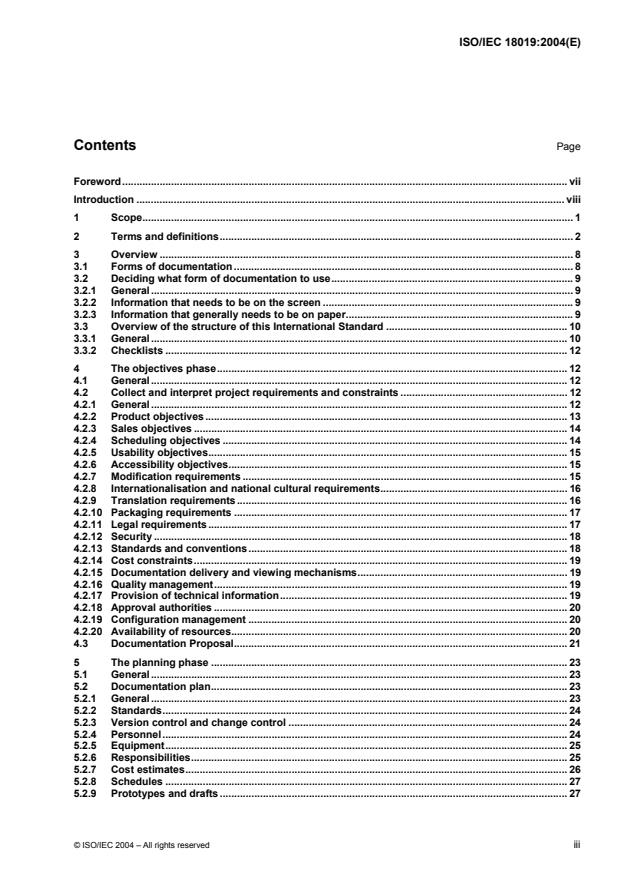
Contents Page
Foreword. vii
Introduction . viii
1 Scope. 1
2 Terms and definitions. 2
3 Overview. 8
3.1 Forms of documentation. 8
3.2 Deciding what form of documentation to use. 9
3.2.1 General. 9
3.2.2 Information that needs to be on the screen . 9
3.2.3 Information that generally needs to be on paper. 9
3.3 Overview of the structure of this International Standard . 10
3.3.1 General. 10
3.3.2 Checklists. 12
4 The objectives phase. 12
4.1 General. 12
4.2 Collect and interpret project requirements and constraints . 12
4.2.1 General. 12
4.2.2 Product objectives. 13
4.2.3 Sales objectives. 14
4.2.4 Scheduling objectives. 14
4.2.5 Usability objectives. 15
4.2.6 Accessibility objectives. 15
4.2.7 Modification requirements. 15
4.2.8 Internationalisation and national cultural requirements. 16
4.2.9 Translation requirements. 16
4.2.10 Packaging requirements. 17
4.2.11 Legal requirements. 17
4.2.12 Security. 18
4.2.13 Standards and conventions. 18
4.2.14 Cost constraints. 19
4.2.15 Documentation delivery and viewing mechanisms. 19
4.2.16 Quality management. 19
4.2.17 Provision of technical information. 19
4.2.18 Approval authorities. 20
4.2.19 Configuration management. 20
4.2.20 Availability of resources. 20
4.3 Documentation Proposal. 21
5 The planning phase . 23
5.1 General. 23
5.2 Documentation plan. 23
5.2.1 General. 23
5.2.2 Standards. 24
5.2.3 Version control and change control . 24
5.2.4 Personnel. 24
5.2.5 Equipment. 25
5.2.6 Responsibilities. 25
5.2.7 Cost estimates. 26
5.2.8 Schedules. 27
5.2.9 Prototypes and drafts. 27
© ISO/IEC 2004 – All rights reserved iii
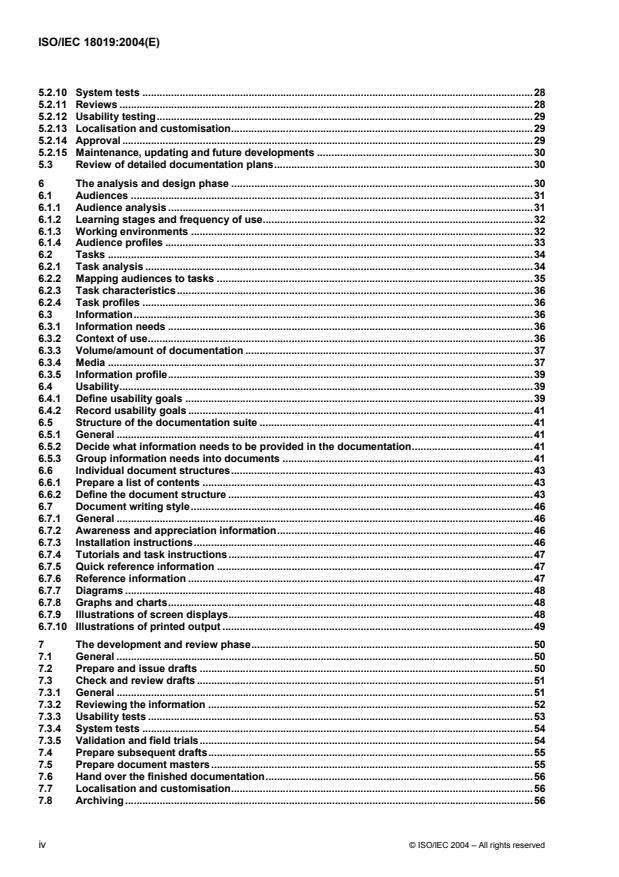
5.2.10 System tests.28
5.2.11 Reviews.28
5.2.12 Usability testing.29
5.2.13 Localisation and customisation.29
5.2.14 Approval.29
5.2.15 Maintenance, updating and future developments .30
5.3 Review of detailed documentation plans.30
6 The analysis and design phase .30
6.1 Audiences.31
6.1.1 Audience analysis.31
6.1.2 Learning stages and frequency of use.32
6.1.3 Working environments.32
6.1.4 Audience profiles.33
6.2 Tasks.34
6.2.1 Task analysis.34
6.2.2 Mapping audiences to tasks .35
6.2.3 Task characteristics.36
6.2.4 Task profiles.36
6.3 Information.36
6.3.1 Information needs.36
6.3.2 Context of use.36
6.3.3 Volume/amount of documentation .37
6.3.4 Media.37
6.3.5 Information profile.39
6.4 Usability.39
6.4.1 Define usability goals .39
6.4.2 Record usability goals .41
6.5 Structure of the documentation suite .41
6.5.1 General.41
6.5.2 Decide what information needs to be provided in the documentation.41
6.5.3 Group information needs into documents .41
6.6 Individual document structures.43
6.6.1 Prepare a list of contents .43
6.6.2 Define the document structure .43
6.7 Document writing style.46
6.7.1 General.46
6.7.2 Awareness and appreciation information.46
6.7.3 Installation instructions.46
6.7.4 Tutorials and task instructions.47
6.7.5 Quick reference information .47
6.7.6 Reference information.47
6.7.7 Diagrams.48
6.7.8 Graphs and charts.48
6.7.9 Illustrations of screen displays.48
6.7.10 Illustrations of printed output .49
7 The development and review phase.50
7.1 General.50
7.2 Prepare and issue drafts .50
7.3 Check and review drafts .51
7.3.1 General.51
7.3.2 Reviewing the information .52
7.3.3 Usability tests.53
7.3.4 System tests.54
7.3.5 Validation and field trials.54
7.4 Prepare subsequent drafts.55
7.5 Prepare document masters .55
7.6 Hand over the finished documentation.56
7.7 Localisation and customisation.56
7.8 Archiving.56
iv © ISO/IEC 2004 – All rights reserved
8 The evaluation and updating phase. 57
8.1 General. 57
8.2 Evaluate the documentation . 57
8.3 Update the documentation. 57
9 Guidelines for the design of documentation.57
9.1 Introduction. 57
9.2 Product copyright and version details . 58
9.3 Overview of the documentation . 59
9.4 Process descriptions. 59
9.5 Task descriptions. 60
9.6 Explanations of fields and options . 61
9.7 Names and uses of user interface options. 62
9.7.1 Names. 62
9.7.2 Uses. 62
9.8 Descriptions of application functions. 62
9.9 Information messages. 64
9.9.1 Format. 64
9.9.2 On-screen messages. 65
9.10 Definitions of terms . 66
9.11 Concepts. 67
9.12 Exploitation information. 67
9.13 Frequently asked questions. 68
9.14 User-supplied content. 68
9.15 Navigation. 69
9.15.1 Introduction. 69
9.15.2 Accessing on-screen information. 70
9.15.3 Finding the right information - linking information in on-screen documentation. 71
9.15.4 Knowing what the current information is . 74
9.15.5 Knowing the current position within a topic. 75
9.15.6 Finding the same information again . 75
9.15.7 Switching between the application and the documentation . 75
9.15.8 Printing information. 76
9.15.9 Moving to a different topic . 76
9.15.10 Obtaining clarification or amplification of current information . 77
9.15.11 Browsing through information . 77
9.15.12 Viewing topics in sequence . 77
9.15.13 Exiting from the on-screen documentation. 77
9.15.14 Finding user-supplied information. 77
9.15.15 Sizes of topics and fragments . 78
9.16 Presentation. 78
9.16.1 Introduction. 78
9.16.2 Windowing. 79
9.16.3 Layout and grids . 80
9.16.4 Colour. 82
9.16.5 Presentation of text. 84
9.17 Icons and signposts. 90
9.17.1 When to use icons and signposts. 90
9.17.2 Design of icons and signposts. 90
9.17.3 Displaying the names of icons . 91
9.18 Presentation of illustrations. 92
Annex A (informative) Process checklists . 93
Annex B (informative) Design checklist . 98
Annex C (informative) Evaluation of documentation. 114
Annex D (informative) Writing style and techniques . 119
Annex E (informative) Design and preparation of printed information. 131
Annex F (informative) Writing style guides — Contents . 144
© ISO/IEC 2004 – All rights reserved v
Annex G (informative) ISO/IEC 18019 and related standards.145
Bibliography.146
vi © ISO/IEC 2004 – All rights reserved
Foreword
ISO (the International Organization for Standardization) and IEC (the International Electrotechnical
Commission) form the specialized system for worldwide standardization. National bodies that are members of
ISO or IEC participate in the development of International Standards through technical committees
established by the respective organization to deal with particular fields of technical activity. ISO and IEC
technical committees collaborate in fields of mutual interest. Other international organizations, governmental
and non-governmental, in liaison with ISO and IEC, also take part in the work. In the field of information
technology, ISO and IEC have established a joint technical committee, ISO/IEC JTC 1.
International Standards are drafted in accordance with the rules given in the ISO/IEC Directives, Part 2.
The main task of the joint technical committee is to prepare International Standards. Draft International
Standards adopted by the joint technical committee are circulated to national bodies for voting. Publication as
an International Standard requires approval by at least 75 % of the member bodies casting a vote.
Attention is drawn to the possibility that some of the elements of this document may be the subject of patent
rights. ISO shall not be held responsible for identifying any or all such patent rights.
ISO/IEC 18019 was prepared by Joint Technical Committee ISO/IEC JTC 1, Information technology,
Subcommittee SC 7, Software and system engineering.
© ISO/IEC 2004 – All rights reserved vii
Introduction
Anyone who uses application software needs accurate information about the correct way to use it. If the
information is supplied in a convenient form and is easy to find and understand, the users can quickly become
proficient at using the product. Consequently their view of the product is positive, with the result that their view
of the supplier is positive too. Hence, well-designed documentation not only assists the user and helps to
reduce the cost of training and support, but also enhances the reputation of the product, its producer and its
suppliers.
Although many software products aim to have user interfaces that behave so intuitively that very little separate
documentation is needed, this is rarely possible.
Documentation is an essential component of any product. Documentation design is crucial; the success or
failure of an entire product can depend on it. The documentation can be the first tangible item that the user
sees, and so influences the user’s first impressions of the product.
Users of application software products generally have one important feature in common: they might be
experts in the tasks for which they wish to use the software, but they are not, initially, experts in using the
application software itself.
Although the guidance given in this International Standard covers all the activities and all the design decisions
that need to be made, some of the activities can be extremely simple to carry out in some environments, as
demonstrated by the following examples.
• If there are already established typographic and illustration standards and established development and
production routes, very little design and planning will be needed in these areas.
• If the product being developed is for a single type of user with well-known user characteristics and well-
defined tasks, very little user analysis will be needed.
ISO/IEC 18019 is based upon British Standards BS 7649:1993 and BS 7830:1996.
viii © ISO/IEC 2004 – All rights reserved
INTERNATIONAL STANDARD ISO/IEC 18019:2004(E)
Software and system engineering — Guidelines for the design
and preparation of user documentation for application software
1 Scope
This International Standard gives guidelines for the design and preparation of user documentation for
application software. It describes how to establish what information users need, how to determine the way in
which that information should be presented to the users, and how then to prepare the information and make it
available.
For the purposes of this International Standard, application software includes the types listed below.
• Consumer software packages, that is, software products designed and sold to carry out identified tasks,
where the software and its associated documentation are packaged for acquisition as a unit.
• Software for office applications such as word processors, spreadsheets, databases and electronic mail.
• Business software, for example, software for recording and monitoring business activities, such as stock
control and order processing.
• Specialist software for use by professionals, such as accounting systems, graphic design systems and
engineering design systems.
These guidelines may also be helpful for developing documentation for the following, although it does not
cover all the issues relating to them.
• Software engineering products for use by computer professionals.
• Software for programmable electronic or mechanical systems.
This International Standard is for use by people responsible for specifying, designing and preparing user
documentation for application software and people who manage these activities, including.
• Developers of tools for creating hardcopy documentation.
• Product designers.
• Application developers.
• Project managers.
• Authors.
• Programmers.
• Translators.
• Localisation staff.
© ISO/IEC 2004 – All rights reserved 1
It is intended for use in all types of organisations, whether or not a dedicated documentation department is
present. In all cases, it can be used as a basis for local standards and procedures. Readers are assumed to
have experience or knowledge of software development or documentation development processes.
This International Standard may also be useful to.
• Developers of tools for creating on-screen documentation.
• People who are evaluating existing or proposed application software.
2 Terms and definitions
For the purposes of this document, the following terms and definitions apply.
2.1
accessibility
successful access to information and use of information technology by people who have disabilities
NOTE Although "accessibility" typically addresses users who have disabilities, the concept is not limited to disability
issues.
2.2
active area
area of a screen interface that responds to user input
EXAMPLE A window, icon or text field.
2.3
active text
text displayed on the screen that responds to user input
2.4
alpha testing
first stage of testing before a product is considered ready for commercial or operational use; often performed
only by users within the organisation developing the software (see also 2.11)
2.5
analysis
investigation and collection phase of development, that aims to specify types of users and their information
needs
2.6
application software
software designed to help users perform particular tasks or handle particular types of problems, as distinct
from software that controls the computer itself
2.7
application window
window (on-screen location) that presents an environment or application
2.8
appreciation information
awareness information
information that introduces the product to potential users, tells them what the software can do, how it can be
used and helps them decide whether the product is appropriate to their needs
2 © ISO/IEC 2004 – All rights reserved
2.9
audience
category of users sharing the same or similar characteristics and needs (e.g. purpose in using the
documentation, tasks, education level, abilities, training, experience) that determine the content, structure and
use of the intended documentation
NOTE There may be a number of different audiences for a software product’s documentation (e.g. management,
data entry, maintenance).
[ISO/IEC 15910, definition 4.3]
2.10
author
person designing or developing user documentation
2.11
beta testing
final stage of testing for a computer product prior to commercial or operational release; normally involves
sending the product to beta test sites outside of the company for real use exposure (see also 2.4)
2.12
bubble help
hover help
flyover help
embedded documentation, in the form of on-screen help information consisting of small boxes containing
concise text that describe items on the screen
NOTE A help bubble appears when the user moves the pointer to an item and disappears when the user moves the
pointer away from the item.
2.13
change control procedures
actions taken to identify, document, review and authorise any changes to a product being developed
NOTE The procedures ensure that the validity of changes is confirmed, that the effects on other items are examined
and those people concerned with the development are notified of the changes.
2.14
chrome
that part of the application or web browser window that lies outside the content area of the window
NOTE Title bar, status bar, scroll bars, menu bar, tool bar and location bar, are all examples of elements of the
browser window that are part of the chrome. Web browser windows can be opened with or without elements of chrome
visible by the inclusion of appropriate programming in the page to be displayed.
2.15
configuration management
technical and organisational activities comprising configuration identification, control, status accounting and
auditing (see also 2.50)
[ISO 10007:1995, definition 3.9]
2.16
context sensitive help
information relevant to the user’s current context in the application displayed when requested by the user
2.17
context sensitivity
ability of on-screen documentation systems to react differently according to the state of the user's interaction
with the application
© ISO/IEC 2004 – All rights reserved 3
2.18
customisation
process of adapting a product to the needs of a particular user or group of users
2.19
design
phase of development concerned with determining what documentation will be provided in a product and what
the nature of the documentation will be (see also 2.33)
2.20
development
process of preparing documentation including phases for objectives, analysis, design and implementation,
which are planned and controlled as a unit
2.21
display, noun
information presented on a screen or in a window of a screen
2.22
document, noun
equivalent to an item of documentation
[ISO/IEC 15910, definition 4.10]
2.23
documentation
printed user manuals, on-screen information and help text that describe how to use a software product
[ISO/IEC 15910, definition 4.11]
2.24
documentation plan
written statement of the essential elements of the documentation project
[ISO/IEC 15910, definition 4.13]
2.25
documentation suite
complete collection of documents comprising CDs, online help, printed manuals, etc. provided to support the
user of a software product
2.26
embedded documentation
information that is delivered as an integral part of a piece of software (see also 2.53 and 3.1)
EXAMPLE On-screen help.
2.27
entry field
area on a screen or in a window in which data is entered
2.28
escrow
source code and documentation kept in the custody of a third party until specified contractual conditions have
been fulfilled
4 © ISO/IEC 2004 – All rights reserved
2.29
fragment
small piece of information about a single object such as an icon, a word or a field, that can be retrieved or
displayed separately (see also 2.58)
EXAMPLE Text that appears in a help bubble (see 2.12).
2.30
function
part of an application that provides facilities for users to carry out their tasks, such as a module, a command, a
dialogue box, a transaction screen and their equivalents
2.31
hypertext
means of presenting information online with connections (called hypertext links) between one piece of
information and another.
2.32
icon
graphic displayed on the screen that represents a function of the computer system or application or on-screen
documentation system
[ISO/IEC 11581-1, definition 4.7]
2.33
implementation
phase of development in which documentation is prepared (see also 2.19)
2.34
internationalisation
process of developing information so that it is suitable for an international audience and can be localised
2.35
link
navigation method that takes the user from one item of on-screen documentation to another item
2.36
localisation
process of creating a national or specific regional linguistic version of a product
NOTE Localisation can be carried out separately from the translation process.
2.37
menu
list of options from which the user can choose
2.38
navigation
process of accessing on-screen documentation and moving between different items of information
2.39
on-screen documentation
information about the software that is intended to be read on the computer screen by the user while using the
software
2.40
printed documentation
information about the software which is either provided in printed form, or in electronic form and primarily
intended to be printed by the customer or user
© ISO/IEC 2004 – All rights reserved 5
2.41
picture
illustration that shows the actual appearance of physical objects
EXAMPLE Photographs, drawings or a reproduction of a screen display.
2.42
platform
computing environment with a particular user or programming interface, including hardware and operating
system, supporting execution of application programs
2.43
pop-up
menu that, when requested, is displayed next to the object it is associated with; it contains choices appropriate
for a given object or set of objects in their current context
2.44
primary window
window in which the main dialogue between the user and the application takes place
2.45
process
set of interrelated activities, which transform inputs into outputs
[ISO/IEC 12207:1995, definition 3.17]
2.46
product
software product
complete set of computer programs, procedures and associated documentation and data designed for
delivery to a user
2.47
product authority
person with overall responsibility for the capabilities and quality of a product
2.48
project
set of activities for developing a new product or enhancing an existing one
2.49
project manager
person with overall responsibility for the management and running of a project
2.50
quality management
coordinated activities to direct and control an organisation with regard to quality (see also 2.15)
[ISO 9000:2000, definition 3.2.8]
2.51
real world object
entity that exists in a three dimensional form, and by association infers similar properties or behaviour to
software functions
EXAMPLES Printer, filing cabinet, file folder, sheet of paper.
6 © ISO/IEC 2004 – All rights reserved
2.52
secondary window
window containing information that is dependent on information in a primary window and is used to
supplement the information in the primary window
2.53
separate documentation
information that is provided independently of the software (see also 2.26 and 3.1)
EXAMPLE Printed manuals and free-standing hypertext systems.
2.54
signpost
text, symbol or a small graphic used to help the user identify where particular types of information are given or
where the information in the current display fits into the whole
NOTE Information of different types may be indicated by symbols or graphics of different types
2.55
software
the part of a product that is the computer program or the set of computer programs
NOTE For the purposes of this International Standard, the term software does not include on-screen documentation.
2.56
technical contact
person responsible for providing an author with technical information about a product or for checking the
technical accuracy of drafts of user documentation
2.57
technical specification
data, listing the document grid, use of colour, typographic requirements, page sizes, etc.
2.58
topic
individually named chunk of information on a single subject that is presented within the printed documentation
or that can be retrieved and displayed separately as part of the on-screen documentation (see also 2.29)
NOTE For on-screen documentation, the system may present a topic without user intervention.
EXAMPLE Instructions on how to print the current document.
2.59
usability
extent to which a product can be used by specified users to achieve specified goals with effectiveness,
efficiency and satisfaction in a specified context of use
[ISO 13407:1999, definition 2.3 and ISO 9241-11:1998]
2.60
user
person or business organisation that uses the software product to perform a specific function
2.61
user documentation
information that is supplied with the software to help the user in their use of that software
2.62
user interface
ensemble of software and hardware that enables a user to interact with a computer system
© ISO/IEC 2004 – All
...
Questions, Comments and Discussion
Ask us and Technical Secretary will try to provide an answer. You can facilitate discussion about the standard in here.
Loading comments...